

Not sure where your leads are coming from in Nutshell CRM? You’re not alone.
Without proper UTM tracking, you can hardly tell which marketing campaigns drive qualified leads and revenue.
Unfortunately, Nutshell CRM does not track UTM parameters natively. But don’t worry; there’s a simple solution that doesn’t need technical expertise or costly integrations.
In this guide, we will show you how to track UTM parameters in Nutshell CRM using reliable third-party tools. This way, you can see which marketing efforts are worth your investment.
How to Track UTM Parameters in Nutshell CRM
- Install SourceLoop’s tracking code on your website.
- Add UTM parameters to all marketing links (ads, email, social, partners).
- SourceLoop automatically captures and stores UTM data for every visitor.
- When a visitor submits a form, books a meeting, or chats, attribution data is attached to the lead.
- Sync the data into Nutshell CRM via webhook, Zapier/Make, or CSV import.
Why Nutshell CRM Doesn’t Track UTM Parameters Natively
Unlike some enterprise CRM platforms, Nutshell CRM prioritizes simplicity and core sales functions over advanced marketing attribution features. This design keeps the platform user-friendly but leaves a gap for businesses needing detailed campaign tracking.
UTM parameters are essential for understanding lead sources because they capture specific campaign information that gets lost when visitors navigate your website. Without this data, all your leads might appear as “Direct Traffic” or “Website” in your CRM, making it impossible to optimize your marketing spend.
The impact on marketing attribution is substantial.
According to marketing research, businesses that properly track UTM parameters see a 20-30% improvement in marketing ROI within six months. This occurs because teams can identify which campaigns generate high-quality leads and focus on what works.
4 Easy Steps to Track UTM Parameters in Nutshell CRM
Here’s the complete process to capture UTM parameters and send that data to Nutshell CRM:
1. Install SourceLoop.ai on Your Website
To start tracking the sources of your leads, install SourceLoop on your website:
- Create a free account at SourceLoop.ai
- After signup, you’ll receive a tracking script
- Add this snippet to the
<head>section of your website or tag manager

Once added, SourceLoop automatically captures UTM parameters from every URL visit—no matter if the visitor came from paid ads, social media, partner websites, or anywhere else.
2. Add UTM Parameters to Every Marketing Link
UTM parameters are simple tags you add to your marketing URLs that identify the source, medium, and campaign for each visitor. When someone clicks a properly tagged link, your tracking tool captures this information and associates it with their session.
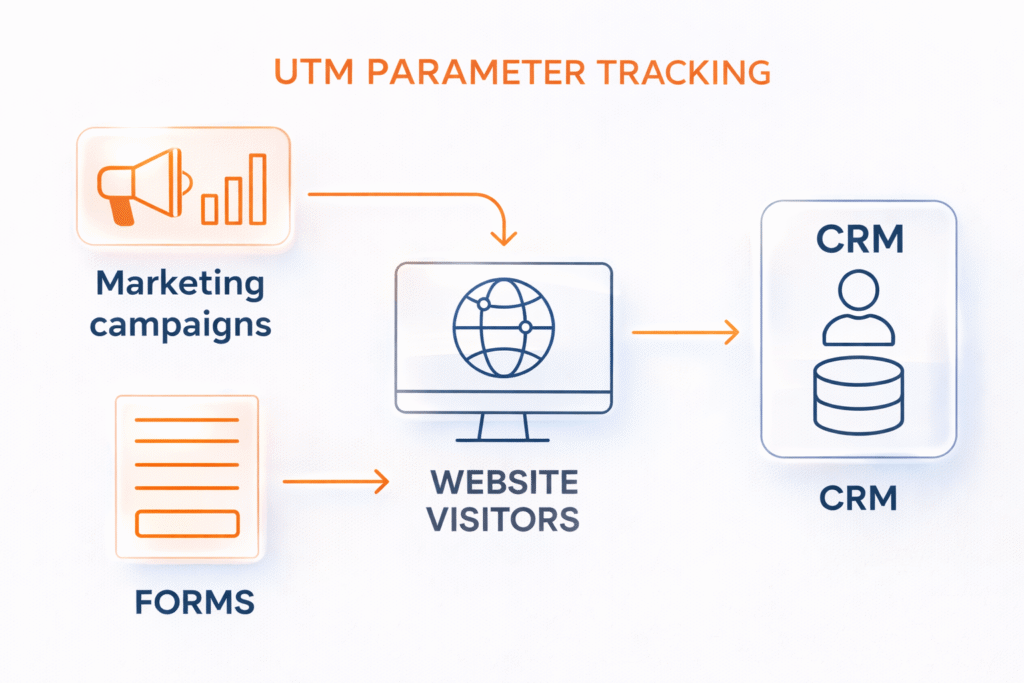
The five standard UTM parameters include:
- utm_source: Identifies the traffic source (e.g., google, facebook, newsletter)
- utm_medium: Describes the marketing medium (e.g., cpc, email, social)
- utm_campaign: Names the specific campaign (e.g., spring_sale, webinar_promo)
- utm_term: Captures keywords for paid search campaigns
- utm_content: Differentiates similar content or links
Campaign Examples:
For a Google Ads campaign promoting a free consultation:
https://yourwebsite.com/consultation?utm_source=google&utm_medium=cpc&utm_campaign=free_consultation_q1&utm_term=business_consultingFor a LinkedIn sponsored post about a new service:
https://yourwebsite.com/services?utm_source=linkedin&utm_medium=paid_social&utm_campaign=new_service_launch&utm_content=video_adFor an email newsletter featuring a case study:
https://yourwebsite.com/case-study?utm_source=newsletter&utm_medium=email&utm_campaign=monthly_digest&utm_content=case_study_linkUse Google’s Campaign URL Builder or UTM.io to create properly formatted URLs. These tools ensure consistent naming conventions and prevent common mistakes that break attribution tracking.
3. Set Up Hidden Fields in Your Lead Forms
Hidden fields are form elements that aren’t visible to users but capture UTM data when someone submits your form. Most form builders, including those commonly integrated with Nutshell CRM, support hidden field functionality.
Required hidden field names for comprehensive tracking:
utm_sourceutm_mediumutm_campaignutm_termutm_contentlanding_page
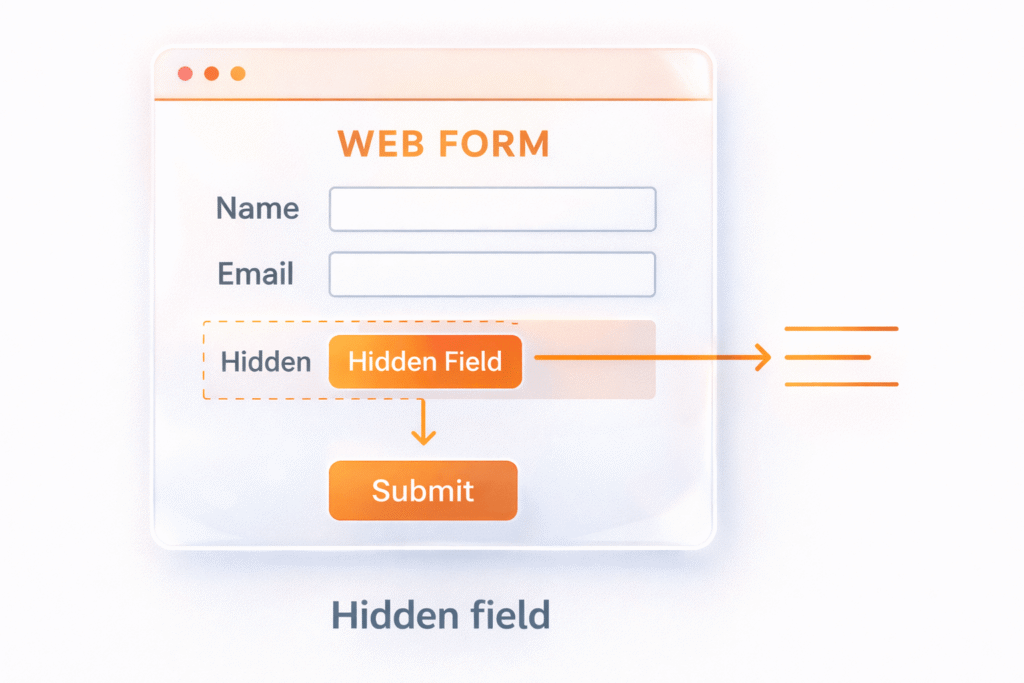
Form builder integration steps vary by platform:
For Gravity Forms (WordPress):
- Edit your form in the WordPress admin
- Add new fields and select “Hidden” as the field type
- Set the parameter name as the field label
- Configure the field to populate from URL parameters
For Webflow Forms:
- Add hidden input elements to your form
- Set the name attribute to match UTM parameter names
- Use Webflow’s custom code section to populate fields with JavaScript
For Contact Form 7:
- Add hidden field shortcodes to your form markup
- Use the format:
[hidden utm_source default:get] - The plugin automatically captures URL parameters
Testing the setup is crucial. Create a test URL with UTM parameters, visit your landing page, and submit the form. Check that all UTM data appears in your form submissions before connecting to Nutshell CRM.
4. Connect Your Forms to Nutshell CRM
The final step involves getting your UTM-enriched form data into Nutshell CRM. Several integration methods work depending on your current setup and technical preferences.
Direct integration methods work if your form platform offers native Nutshell CRM integration. Gravity Forms, for example, has a Nutshell CRM add-on that can map form fields directly to CRM records.
Zapier automation setup provides the most flexible option for connecting various form platforms to Nutshell CRM:
- Create a new Zap with your form platform as the trigger
- Set up Nutshell CRM as the action app
- Map form fields to appropriate CRM fields
- Include UTM parameter fields in the mapping
- Test the connection with sample data
Data mapping best practices:
- Map
utm_sourceto a custom “Lead Source” field - Combine
utm_mediumandutm_campaigninto a “Campaign” field - Store
utm_termin a “Keywords” field for paid search tracking - Use
landing_pageto identify high-converting content
Consider creating custom fields in Nutshell CRM specifically for attribution data. This keeps UTM information organized and makes it easier to create reports and segments based on campaign performance.
What You Can Do with UTM Data in Nutshell CRM
Once UTM tracking is active and flowing into Nutshell CRM, you unlock powerful insights that transform how your team approaches marketing campaigns and sales.
Identify Your Best Performing Marketing Channels
Raw lead numbers can be deceiving. You might generate 100 leads from social media and 20 from email marketing campaigns, but what if those email leads convert at 50% while social media converts at 5%? UTM data reveals these quality differences.
Create custom reports in Nutshell CRM that show:
- Lead volume by source
- Conversion rate by campaign
- Revenue attribution by marketing channel
- Cost per acquisition when combined with ad spend data
For example, a software company discovered that while Google Ads generated 40% of their leads, those leads had a 60% higher lifetime value than leads coming from other sources. This insight led them to increase their Google Ads budget and optimize campaigns for quality over quantity.
Create Targeted Follow-up Sequences
Generic follow-up emails perform poorly because they don’t acknowledge the prospect’s specific interests or how they discovered your company according to Mailchimp studies. UTM data enables personalized outreach that references the exact campaign or content that attracted each lead.
Set up automated email sequences in Nutshell CRM based on UTM parameters:
- Leads from webinar campaigns receive follow-up content related to the webinar topic
- Prospects who clicked pricing-focused ads get pricing guides and ROI calculators
- Visitors from partnership referrals receive co-branded materials
Automate Lead Routing by Source
Different lead sources often require different sales approaches and expertise levels. UTM data enables intelligent lead routing that matches prospects with the most appropriate sales team members.
Configure Nutshell CRM automation rules based on attribution data:
- Enterprise-focused campaigns route to senior sales reps
- Local market campaigns assign to regional representatives
- Technical product leads go to specialists with relevant expertise
- Partner referrals connect with relationship managers
This routing strategy reduces response times and improves conversion rates because prospects interact with representatives who understand their specific context and needs.
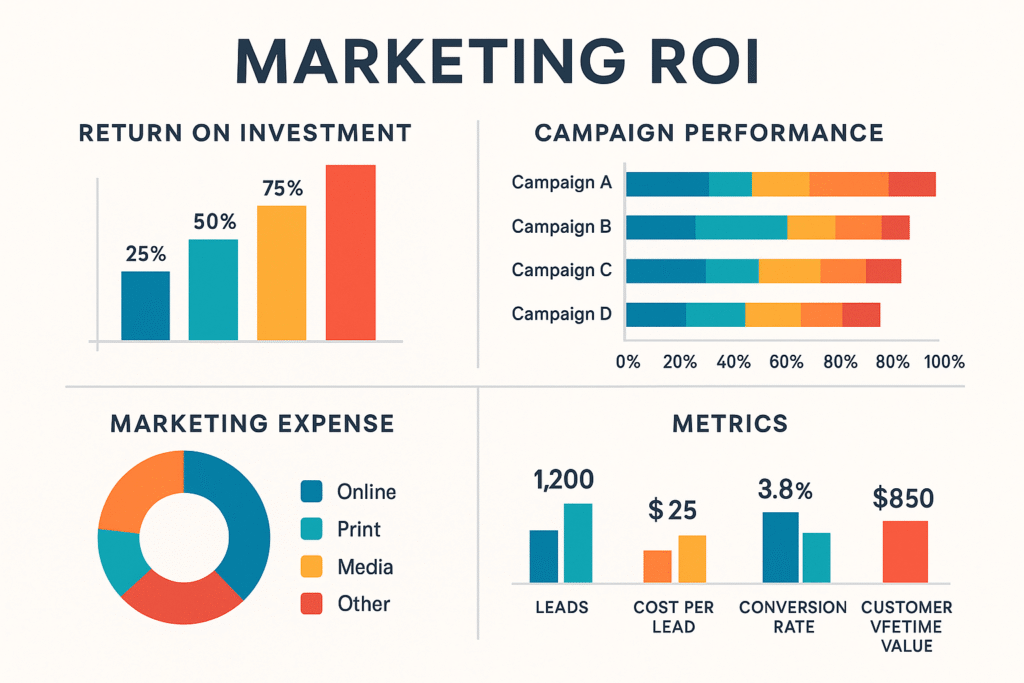
Build Campaign ROI Reports
Connecting UTM data with revenue information creates powerful ROI reports that guide budget allocation decisions. Track metrics like:
- Revenue per campaign
- Customer acquisition cost by source
- Lifetime value by attribution channel
- Return on ad spend for paid campaigns
A marketing agency used this approach to discover that their LinkedIn campaigns had a 300% higher customer lifetime value than Facebook campaigns, despite similar initial conversion rates. They reallocated 40% of their social media budget from Facebook to LinkedIn, resulting in a 25% increase in overall revenue.
Calculate Customer Lifetime Value by Channel
Long-term business success depends on understanding which marketing channels attract the most valuable customers. UTM tracking enables customer lifetime value analysis by acquisition source.
Track customers acquired through different campaigns and measure:
- Average purchase value
- Purchase frequency
- Retention rates
- Upsell and cross-sell success
Conclusion
Tracking UTM parameters in Nutshell CRM transforms your marketing from guesswork into data-driven strategy. While Nutshell doesn’t offer native UTM tracking, the solution using third-party tools like LeadSources.io or Attributer is straightforward and affordable.
The four-step process—installing a tracking tool, adding UTM parameters to marketing links, setting up hidden fields, and connecting forms to your CRM—can be completed in an afternoon. Once implemented, you’ll finally see which campaigns drive quality leads and revenue.
Start with one campaign to test your setup, then expand UTM tracking across all marketing channels. Within a few weeks, you’ll have the attribution data needed to optimize your marketing spend and improve ROI. The investment in proper UTM tracking pays for itself quickly through better campaign performance and more efficient budget allocation.

