

Not sure which marketing campaigns are generating real estate leads that actually convert into clients?
You are investing in Google Ads, Facebook campaigns, Zillow traffic, and email marketing, but BoomTown CRM does not clearly show which channels are producing qualified buyers and sellers.
Without proper UTM tracking, it is difficult to know which campaigns drive closed deals versus just website visits.
This often leads to wasted ad spend on low quality traffic while high intent campaigns remain underfunded.
In this guide, I’ll explains how to track UTM parameters in BoomTown CRM using simple tools that require no coding and are built for real estate teams.
How to Track UTM Parameters in BoomTown CRM
- BoomTown CRM does not natively track UTM parameters
- SourceLoop captures UTM data from real estate website visitors
- Attribution data is stored across multiple visits
- UTM data is attached when a lead submits a form or requests a showing
- Data can be synced into BoomTown via Zapier, webhooks, or CSV import
- This allows agents and teams to identify which campaigns generate real clients
Step 1: Install a UTM Tracking Tool on Your Website
Start by using a UTM tracking tool that works with real estate websites and lead forms.
SourceLoop is well suited for BoomTown users because it requires no development work and works with IDX pages, landing pages, and custom forms.
- Create an account at SourceLoop.ai
- Copy the tracking script provided after signup
- Add the script to your website header or tag manager
- Confirm the script loads on all pages
Once installed, SourceLoop automatically captures UTM parameters from every visitor and stores them in cookies.

This ensures that even if a visitor browses listings, returns later, and submits a lead form days after their first visit, the original campaign attribution is preserved.
Step 2: Add UTM Parameters to All Marketing Links
Every real estate marketing campaign should use UTM tagged URLs.
UTM parameters identify where a lead came from and which campaign influenced the conversion.
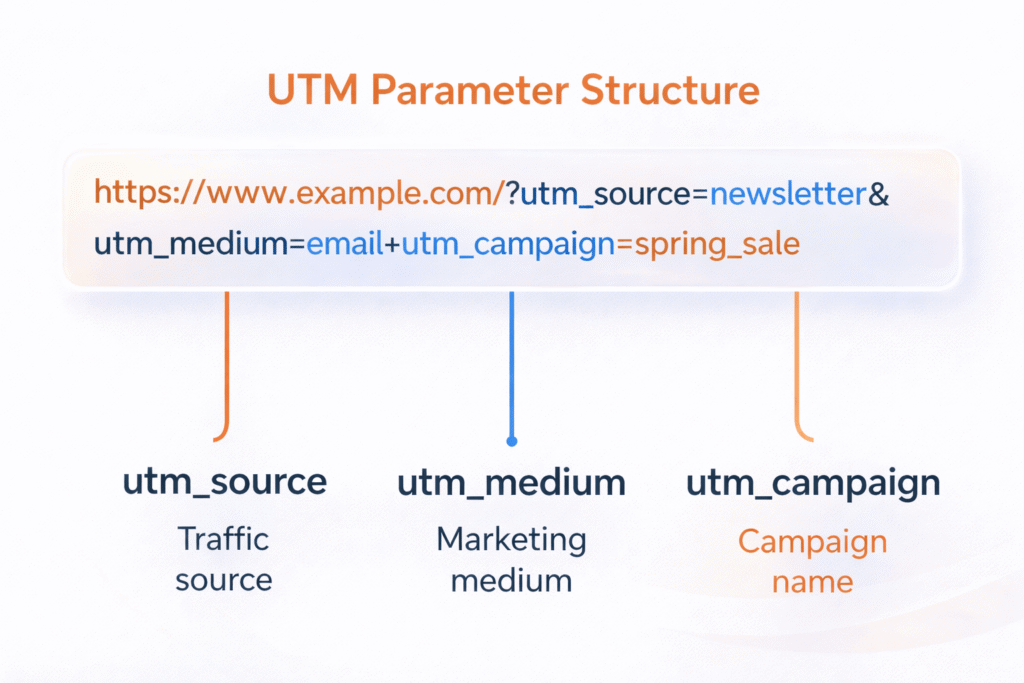
Example UTM Tagged URLs:
Google Ads campaign for buyer leads:
https://yourrealestatewebsite.com/homes?utm_source=google&utm_medium=cpc&utm_campaign=buyer_leads&utm_term=homes_for_saleFacebook campaign for seller leads:
https://yourrealestatewebsite.com/home-valuation?utm_source=facebook&utm_medium=social&utm_campaign=seller_leads&utm_content=video_adEmail newsletter to past clients:
https://yourrealestatewebsite.com/blog?utm_source=newsletter&utm_medium=email&utm_campaign=market_updateStep 3: SourceLoop Automatically Captures Leads
Once SourceLoop tracking is live and UTM parameters are added to your marketing links, SourceLoop automatically captures lead data without requiring additional setup.
SourceLoop detects lead creation events directly on your website and associates them with previously captured UTM and referrer data.
SourceLoop integrates with a wide range of lead capture technologies and automatically detects lead creation events across most modern form, chat, and scheduling tools.
Commonly used tools include Gravity Forms, Contact Form 7, Webflow Forms, Intercom, Drift, Zendesk Chat, Calendly, Acuity Scheduling, Unbounce, Leadpages, and Instapage.
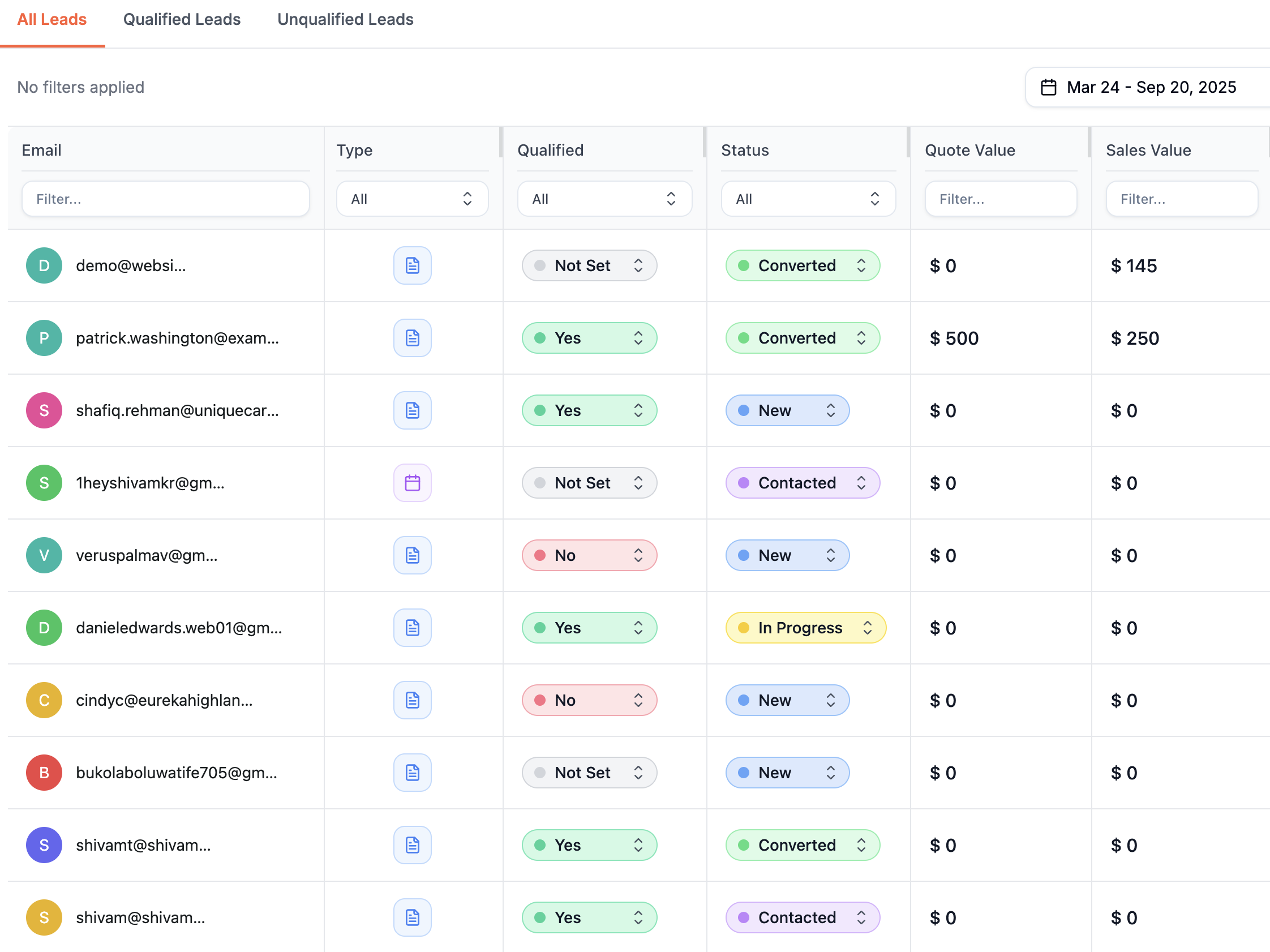
When a visitor submits a form or books a meeting, SourceLoop performs the following actions:
- Retrieves stored UTM and referrer data from the visitor session
- Associates the lead with the full marketing journey
- Stores the attributed lead inside the SourceLoop dashboard
This process works automatically and does not require hidden fields or custom JavaScript for supported tools.
Step 4: Sync Attribution Data with BoomTown CRM
BoomTown does not automatically ingest UTM parameters, so attribution data must be synced from your forms into the CRM.
Common Sync Methods:
- Zapier automation to send form data into BoomTown
- Webhooks from your form tool to BoomTown endpoints
- CSV imports for batch lead uploads
SourceLoop works with all three methods, allowing attribution data to be mapped to custom fields inside BoomTown.
What You Can Do with UTM Data in BoomTown CRM
Once UTM tracking is implemented, BoomTown becomes a powerful attribution and performance tool.
Track Which Campaigns Generate Qualified Buyers and Sellers
UTM data allows you to see which marketing channels generate real leads instead of just clicks.
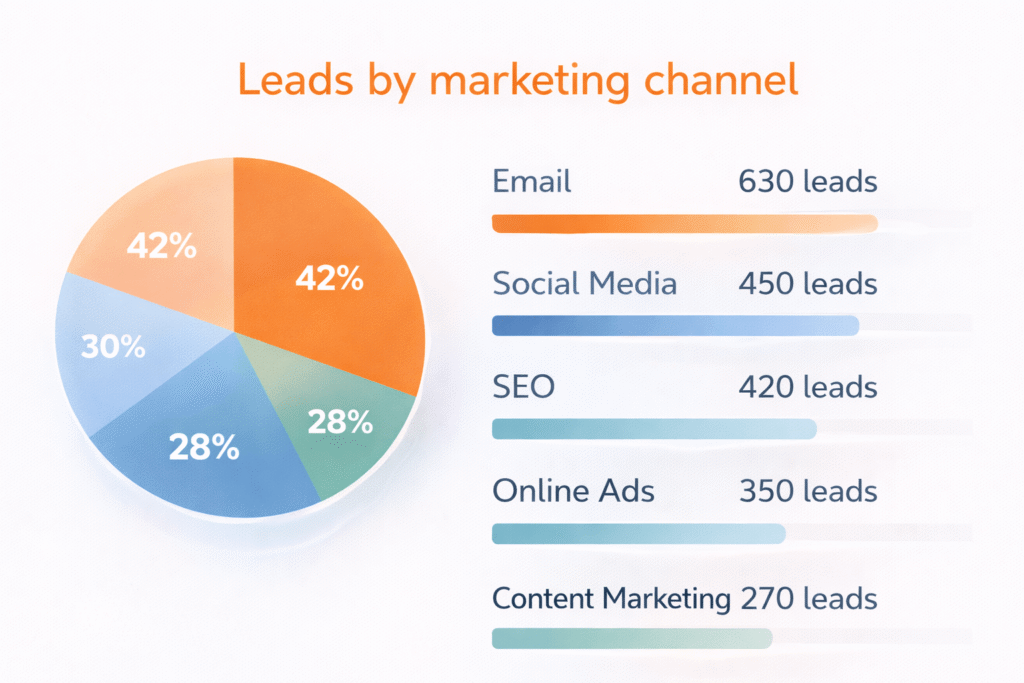
Example analysis:
- Google Ads
- 220 clicks
- 18 showing requests
- 6 closed transactions
- Facebook Ads
- 410 clicks
- 12 inquiries
- 2 closed transactions
- Email Campaign
- 90 clicks
- 14 inquiries
- 7 closed transactions
This data shows that email traffic converts at a much higher rate despite lower volume.
Calculate True Marketing ROI
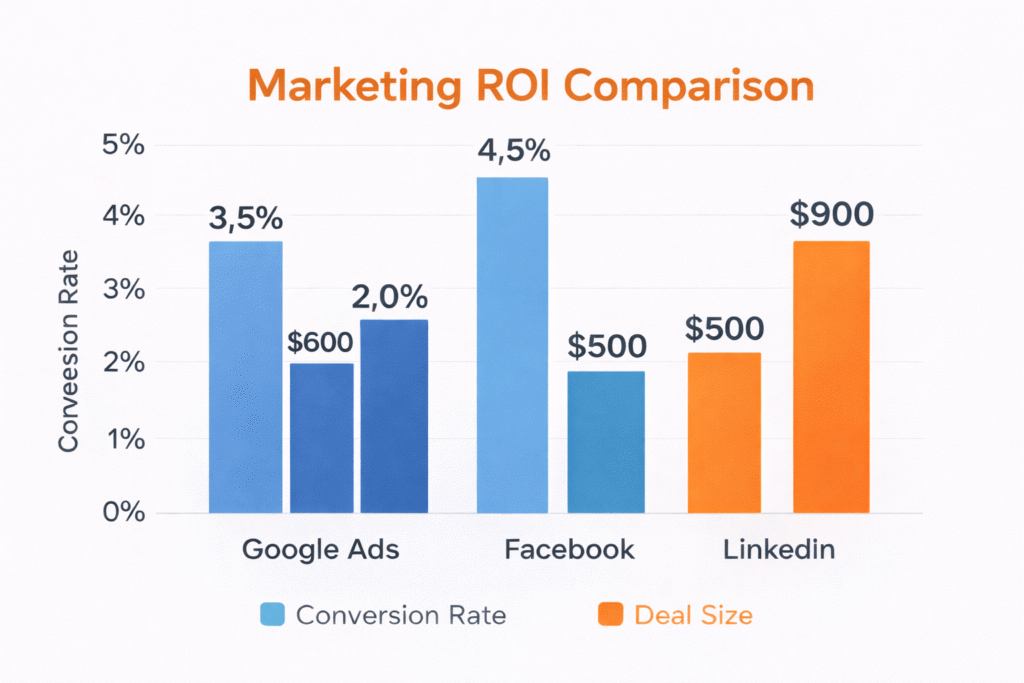
UTM tracking enables accurate ROI measurement by campaign.
Example:
- Monthly Google Ads spend: $1,200
- Closed deals from campaign: 6
- Average commission per deal: $4,500
- Revenue generated: $27,000
This level of clarity helps teams scale profitable channels and cut underperforming campaigns.
Optimize Follow Up Based on Lead Source
Different campaigns attract buyers and sellers at different stages.
UTM data allows agents to personalize follow up based on intent.
Examples:
- Buyer ads trigger listing alerts and showing reminders
- Seller valuation leads receive pricing strategy emails
- Referral leads receive personalized outreach
Route Leads to the Right Agents Automatically
Large teams can use UTM data to route leads inside BoomTown.
Examples:
- Luxury listings routed to luxury specialists
- First time buyers routed to junior agents
- Seller campaigns routed to listing experts
- Relocation campaigns routed to relocation specialists
This improves response time and increases conversion rates.
Read more:
Final Thoughts on Tracking UTM Parameters in BoomTown CRM
BoomTown CRM does not provide native UTM tracking, but proper attribution is essential for real estate marketing.
SourceLoop fills this gap by capturing UTM parameters at the visitor level and syncing them into BoomTown when a lead is created.
With accurate attribution, real estate teams can optimize ad spend, improve lead quality, and scale the campaigns that generate real transactions.
Start with one channel, validate your tracking, and expand across all marketing efforts.

