

Not sure where your leads are coming from in CiviCRM?
Without proper UTM tracking, it’s nearly impossible to tell which marketing campaigns are actually driving donations and volunteer sign-ups.
Unlike other CRMs, CiviCRM doesn’t have built-in UTM parameter tracking. This leaves nonprofit organizations guessing about their most effective fundraising channels.
In this guide, we’ll show you how to track UTM parameters in CiviCRM using a no-code solution, so you can finally see which campaigns bring in your best donors and volunteers.
How to Track UTM Parameters in CiviCRM?
- Install SourceLoop on your website to automatically capture UTM parameters from every visitor.
- Add UTMs to all your marketing links (ads, emails, partners) so you know exactly where donors and volunteers come from.
- SourceLoop tracks true attribution across multiple visits and form submissions (even if users return later via direct traffic).
- Sync this UTM data into CiviCRM via direct form integrations, webhooks, or Zapier/Make.
- Use the data in CiviCRM to identify top fundraising channels, segment donors, route leads, measure ROI, and track lifetime value by source.
5 Easy Steps to Capture UTM Parameters in CiviCRM
Here are 5 simple steps to capture UTM parameters in CiviCRM without any coding:
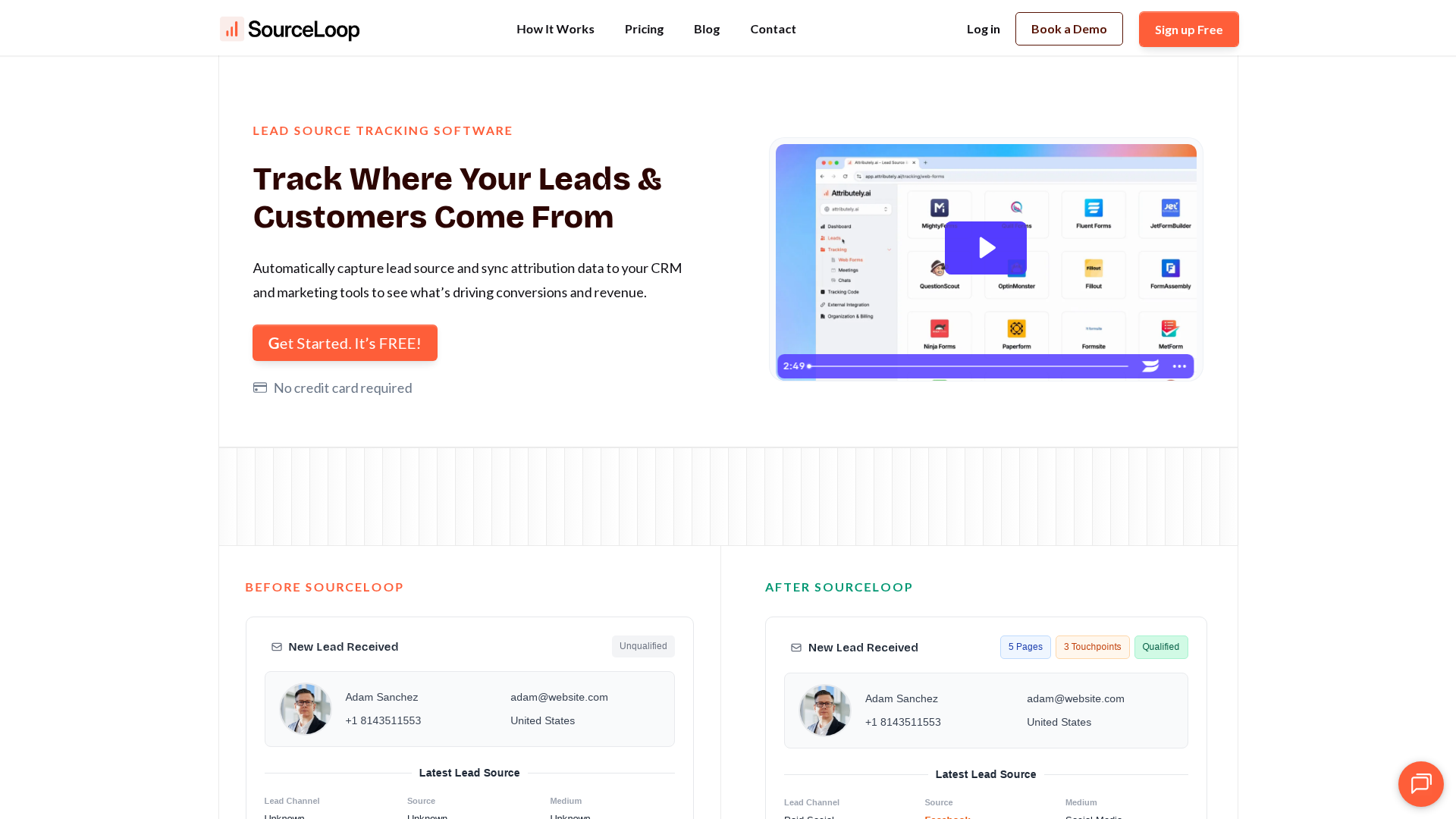
1. Install SourceLoop.ai on Your Website
To begin tracking where donors and volunteers come from, install SourceLoop on your nonprofit’s website:
- Create a free account at SourceLoop.ai
- After signup, you’ll receive a tracking script
- Add this snippet to the
<head>section of your website or tag manager
Once installed, SourceLoop automatically captures UTM parameters from every URL visit—whether visitors come from Facebook fundraising ads, email newsletters, or partner organization websites.
Example for a Nonprofit Animal Shelter:
A potential donor searches “animal rescue donations,” sees your Google Grant ad, and clicks this link:
https://www.animalshelter.org/donate?utm_source=google&utm_medium=cpc&utm_campaign=emergency_fund&utm_term=animal_rescue_donationsSourceLoop captures:
- Channel: Paid Search
- Attribution Source: Google (from utm_source=google)
- Attribution Campaign: emergency_fund
- Attribution Term: animal_rescue_donations
- Landing Page: https://www.animalshelter.org/donate
- Last Seen: Current timestamp
This data stays with the visitor until they complete a donation form, volunteer application, or newsletter signup.
2. Add UTM Parameters to Every Marketing Link
To make attribution work, every link in your nonprofit marketing needs UTM parameters. These simple tags tell you exactly how someone discovered your organization.

According to Google Analytics documentation, proper UTM tagging is essential for campaign tracking.
UTM-Tagged URL Examples for Nonprofits:
For a Facebook fundraising campaign:
https://yournonprofit.org/donate?utm_source=facebook&utm_medium=social&utm_campaign=giving_tuesday_2025For an email newsletter promoting volunteer opportunities:
https://yournonprofit.org/volunteer?utm_source=newsletter&utm_medium=email&utm_campaign=volunteer_recruitment_janFor a partner organization referral:
https://yournonprofit.org/programs?utm_source=united_way&utm_medium=referral&utm_campaign=community_partnersRecommended UTM Structure for Nonprofits:
- utm_source: Platform (facebook, google, newsletter, united_way)
- utm_medium: Channel type (social, cpc, email, referral)
- utm_campaign: Specific initiative (giving_tuesday, volunteer_drive, emergency_appeal)
- utm_term: Keywords or audience (animal_lovers, local_volunteers)
- utm_content: Creative variant (video_ad, text_post, banner_top)
3. SourceLoop Automatically Captures Lead Attribution
SourceLoop works with 100+ form builders and donation platforms commonly used by nonprofits—including Gravity Forms, Contact Form 7, Webflow Forms, and popular donation processors.
You don’t need to configure anything special. As long as SourceLoop’s tracking script is installed, it automatically:
- Captures every form submission (donations, volunteer applications, newsletter signups)
- Detects the visitor’s true source and attribution data
- Stores complete attribution information in your SourceLoop dashboard

Example Attribution Flow:
- Donor clicks Facebook ad about your holiday fundraiser
- Browses your website for 3 minutes
- Returns next week via direct traffic
- Completes a $50 donation form
Without UTM tracking, this appears as “Direct Traffic.” With SourceLoop, you correctly attribute the donation to your Facebook holiday campaign.
4. Add Hidden Fields to Your Forms (Optional)
For attribution data to appear directly in CiviCRM, add hidden fields to your donation and volunteer forms. Most form builders support hidden fields that aren’t visible to users but capture SourceLoop data automatically.
Recommended Hidden Fields for CiviCRM Integration:
Primary attribution fields:
channelattribution_sourceattribution_mediumattribution_campaignattribution_termlandingpagelandingpagefolderlastseen
First-Touch Attribution Fields (Advanced):
Many donors research nonprofits multiple times before donating. First-touch attribution shows how they originally discovered you:
firstseenfirst_channelfirst_sourcefirst_mediumfirst_campaignfirst_termfirst_landingpage
Research from Network for Good shows that 75% of online donors visit a nonprofit’s website 2-3 times before making their first gift.
5. Sync UTM Data with CiviCRM
Once attribution data flows into your forms, connecting it to CiviCRM is straightforward:
Method 1: Direct Form Integration
If your donation forms already sync with CiviCRM (via plugins or APIs), the hidden UTM fields will automatically populate custom fields in contact records.
Method 2: SourceLoop Webhook Integration
- Set up a webhook in SourceLoop pointing to your CiviCRM API
- Configure field mapping between SourceLoop data and CiviCRM custom fields
- New leads with attribution data sync automatically
Method 3: Zapier/Make Integration
- Connect SourceLoop to Zapier or Make
- Create workflows that push attribution data to CiviCRM
- Map UTM parameters to appropriate CiviCRM fields
Most nonprofits find Method 2 or 3 easiest, requiring no custom development.
Read More
What You Can Do with UTM Data in CiviCRM
Now that UTM tracking flows into CiviCRM, here’s how nonprofit organizations use this data:

1. Identify Your Best Fundraising Channels
Instead of guessing which campaigns work, you’ll see concrete data about donor acquisition sources.
Example Results for a Community Food Bank:
- Email newsletters: 150 donors, $12,000 raised, $80 average gift
- Facebook ads: 85 donors, $8,500 raised, $100 average gift
- Google Grants: 45 donors, $9,000 raised, $200 average gift
This data reveals that while email brings more donors, Google Grants attracts higher-value contributors—critical insight for budget allocation.
2. Segment Donors by Campaign Source
CiviCRM’s segmentation features become powerful when combined with UTM data. Create targeted follow-up campaigns based on how donors found you:
- Email newsletter donors: Send monthly impact updates
- Social media donors: Share behind-the-scenes content
- Search ad donors: Provide detailed program information
- Event attendee donors: Invite to future fundraising events
3. Route Leads to Appropriate Team Members
For larger nonprofits with multiple programs, UTM data enables automatic lead routing:
- Volunteer recruitment campaigns → Volunteer Coordinator
- Major gift prospects → Development Director
- Program inquiries → Program Managers
- Corporate partnership leads → Corporate Relations team
4. Create Campaign ROI Reports
CiviCRM’s reporting tools work better with attribution data. Build reports showing:
- Revenue by source: Which channels generate the most donations
- Cost per acquisition: Ad spend divided by new donors acquired
- Donor lifetime value by channel: Long-term value of different acquisition sources
- Campaign performance trends: Month-over-month growth by source
5. Track Donor Lifetime Value by Channel
Once you have multiple years of data, analyze which acquisition channels produce the most valuable long-term supporters.
Example Analysis:
- Newsletter subscribers: Average 3.2 years retention, $1,200 lifetime value
- Social media followers: Average 1.8 years retention, $450 lifetime value
- Event attendees: Average 4.1 years retention, $2,100 lifetime value
This insight helps prioritize marketing investments toward channels that build lasting relationships according to the Harvard Business Review.
Conclusion
Tracking UTM parameters in CiviCRM doesn’t have to be complicated. With SourceLoop’s no-code solution, you can automatically capture lead attribution data and sync it with your existing CiviCRM workflows.
This setup takes less than an hour but provides years of valuable insights about your most effective fundraising channels. You’ll finally know which campaigns bring in your best donors, volunteers, and supporters.
Ready to stop guessing about your marketing ROI? Start your free SourceLoop trial today and begin tracking UTM parameters in CiviCRM automatically.

