

Not sure which marketing campaigns are actually bringing leads into your Outplay CRM?
Without proper UTM tracking, you’re flying blind when it comes to measuring campaign effectiveness.
When you can’t track where leads originate, you miss critical insights about which channels drive the highest-quality prospects.
This guide shows you exactly how to track UTM parameters in Outplay CRM, giving you complete visibility into your marketing attribution.
How to Track UTM Parameters in Outplay CRM
- Install SourceLoop tracking on your website
- Add UTM parameters to all marketing links
- Let SourceLoop automatically capture leads
- Sync attribution data into Outplay CRM
- Use UTM data to optimize campaigns and sales workflows
5 Steps to Track UTM Parameters in Outplay CRM
Step 1: Install a UTM Tracking Tool on Your Website
To track UTM parameters for Outplay CRM, you need a tracking layer that captures attribution data before a lead enters your CRM.
SourceLoop is designed for sales and revenue teams and works with websites, landing pages, and booking tools without requiring custom development.
Installation Process:
- Create an account at SourceLoop.ai
- Copy the tracking script provided after signup
- Add the script to your website header or tag manager
- Confirm the script loads on all pages
Once installed, SourceLoop automatically captures UTM parameters from every visitor and stores them in cookies that persist across sessions.
If a visitor explores your site, returns later, and books a meeting days after the first visit, the original campaign attribution is retained.
Step 2: Add UTM Parameters to All Marketing Links
Every inbound campaign should use UTM tagged URLs to identify traffic sources and campaign intent.
UTM parameters help you understand which channels influence replies, demos, and pipeline creation.
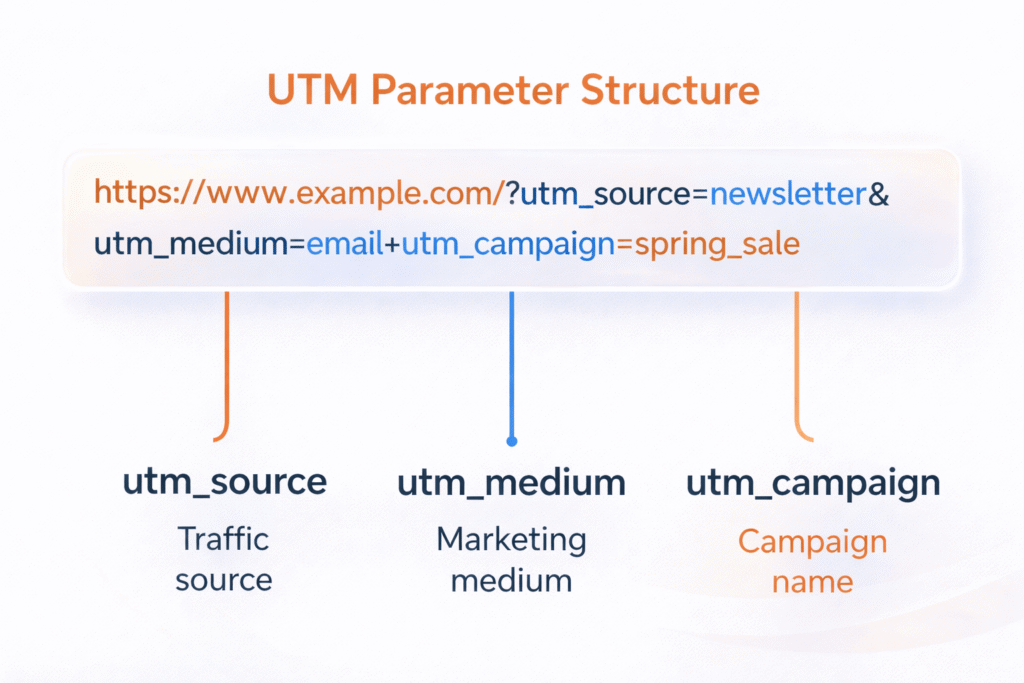
Example UTM Tagged URLs:
Google Ads campaign for demo requests:
https://yourcompany.com/demo?utm_source=google&utm_medium=cpc&utm_campaign=demo_requests&utm_term=sales_outreachLinkedIn ads for outbound teams:
https://yourcompany.com/outbound?utm_source=linkedin&utm_medium=paid_social&utm_campaign=outbound_salesEmail campaign promoting a webinar:
https://yourcompany.com/webinar?utm_source=newsletter&utm_medium=email&utm_campaign=product_webinarStep 3: SourceLoop Automatically Captures Leads
Once SourceLoop tracking is active and UTM parameters are in place, SourceLoop automatically captures lead data without additional configuration.
SourceLoop detects lead creation events across most modern lead capture tools and associates them with previously captured attribution data.
SourceLoop supports over 100 lead capture tools, including common categories such as:
- Website contact forms and embedded forms
- Chat widgets and conversational tools
- Meeting schedulers and calendar booking tools
- Landing page builders and campaign pages
Popular tools commonly used with Outplay CRM are supported out of the box.
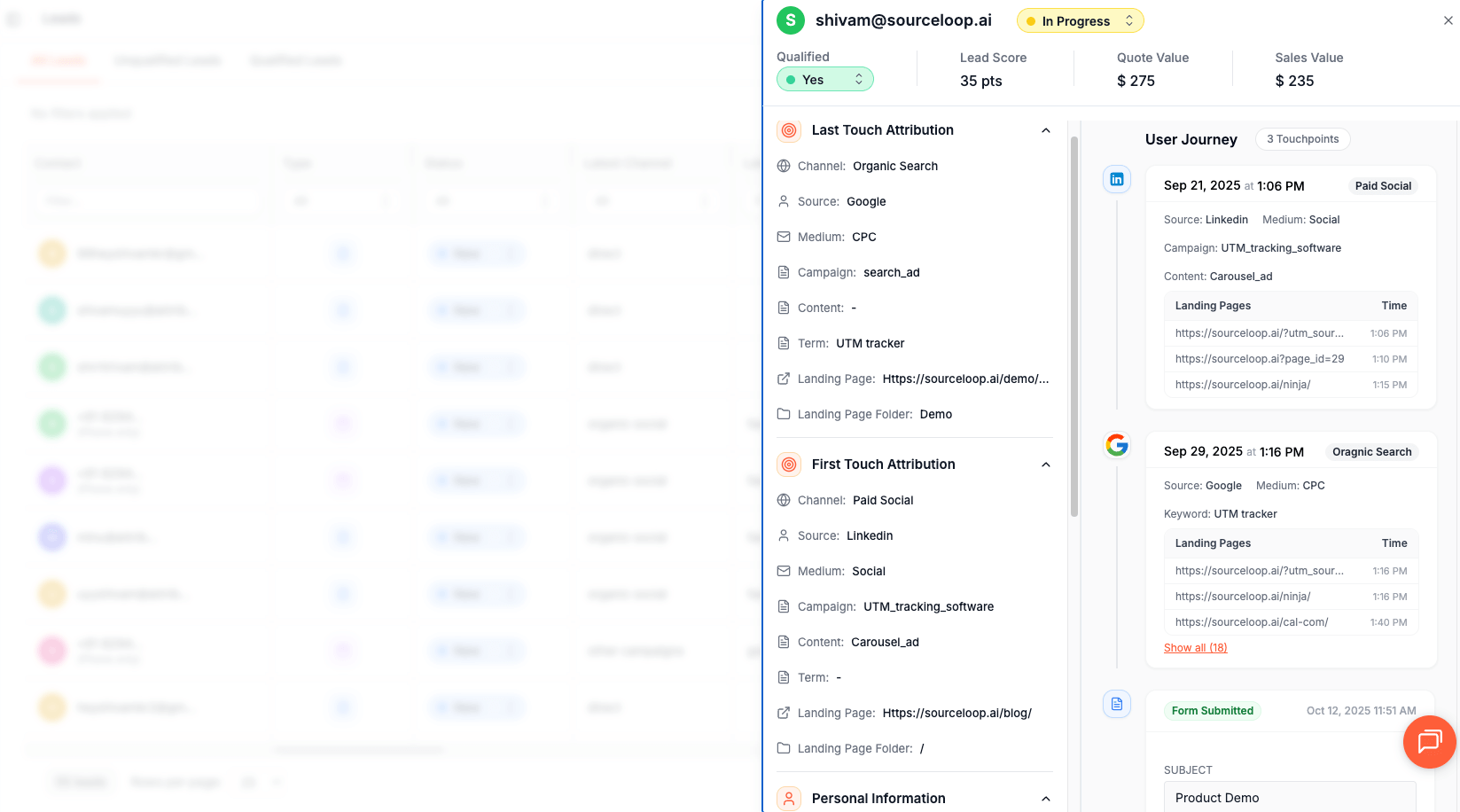
How Lead Attribution Works:
When a visitor submits a form or books a meeting, SourceLoop:
- Retrieves stored UTM and referrer data from the visitor session
- Associates the lead with the complete marketing journey
- Displays the attributed lead inside the SourceLoop dashboard
This process works automatically for supported tools and does not require hidden fields or custom scripts.
Step 4: Sync Attribution Data with Outplay CRM
Outplay CRM does not automatically ingest UTM parameters, so attribution data must be synced from SourceLoop into the CRM.
Common Sync Methods:
- Zapier automation to push leads and UTM data into Outplay CRM
- Webhooks from forms or booking tools to Outplay endpoints
- CSV imports for batch lead uploads
UTM fields can be mapped to custom fields inside Outplay CRM to ensure every lead record includes campaign attribution.
What You Can Do with UTM Data in Outplay CRM
Once UTM parameters are captured and synced into Outplay CRM, teams gain clear visibility into how marketing and outbound campaigns translate into demos, pipeline, and revenue.
This turns Outplay CRM from an activity-focused tool into a revenue attribution system.
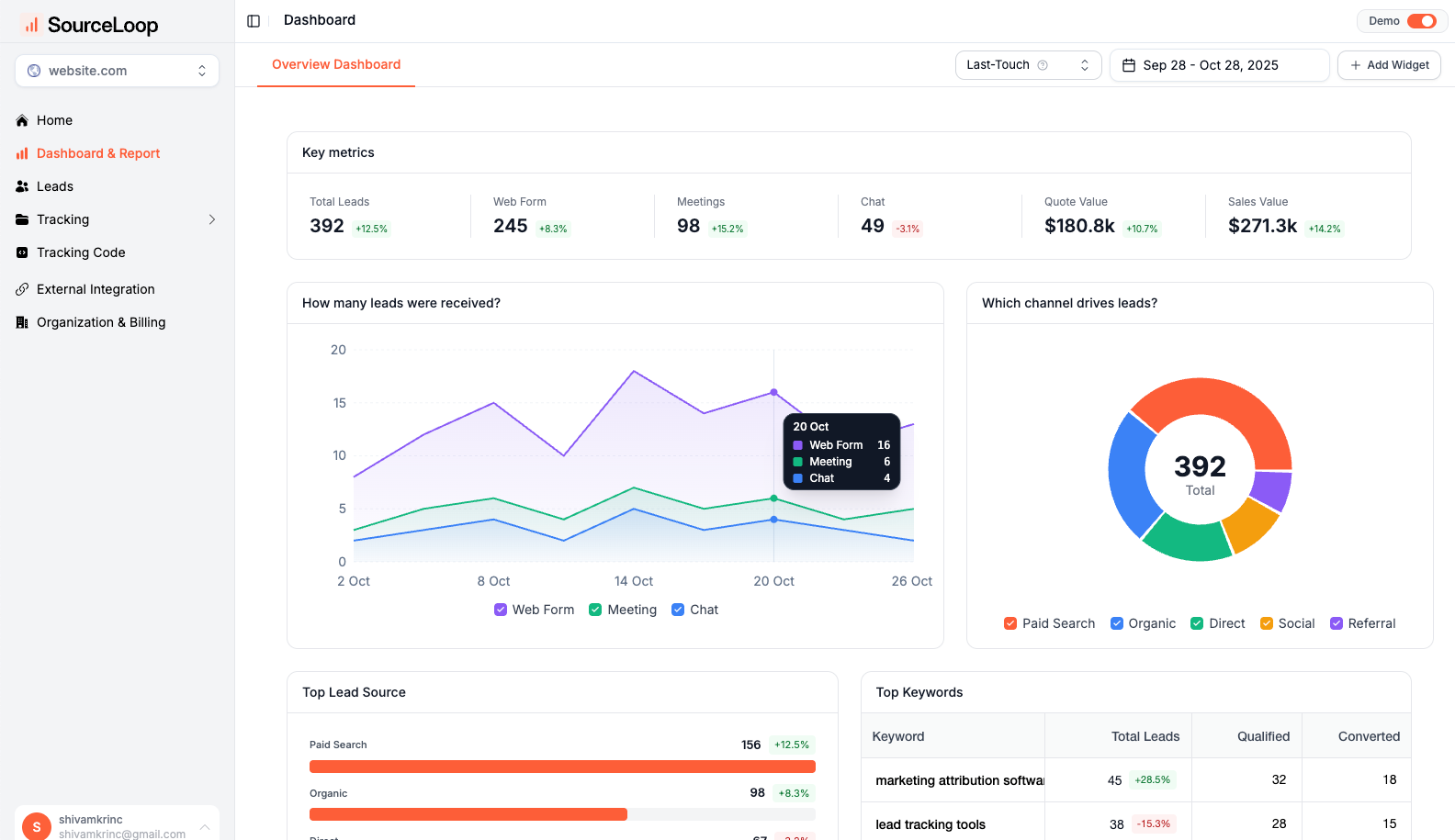
Track Which Campaigns Generate Qualified Leads
UTM tracking allows you to identify which campaigns generate high-intent leads, not just traffic.
Instead of measuring success by clicks, you can measure outcomes like demo requests, opportunities, and deals.
Example:
| Channel | Clicks | Demo Requests | Opportunities |
|---|---|---|---|
| Google Ads | 320 | 28 | 9 |
| LinkedIn Ads | 410 | 14 | 4 |
| Email Campaign | 110 | 18 | 11 |
This shows that email campaigns convert fewer visitors but generate more opportunities per click.
According to Campaign Monitor’s email marketing benchmarks, email marketing delivers an average ROI of 36 dollars for every dollar spent, which aligns with this type of attribution analysis.
Measure True Marketing ROI by Campaign
UTM parameters make it possible to calculate true marketing ROI, which is not possible using Outplay CRM data alone.
Marketing ROI is defined as:
Revenue generated minus campaign cost, divided by campaign cost.
Example:
- Campaign cost: $1,500
- Deals closed: 2
- Average deal size: $8,000
- Revenue generated: $16,000
This produces an ROI of over 900 percent.
Optimize Sales Follow Ups Based on Lead Source
Different acquisition channels attract prospects at different stages of intent.
UTM data allows sales teams to personalize outreach based on how a lead entered the funnel.
Examples:
- Google Ads leads respond better to fast demo-driven outreach
- LinkedIn Ads leads perform better with value-based messaging and case studies
- Email campaign leads often convert better with relationship-focused follow ups
- Partner or referral leads require context-aware, personalized outreach
Research from Harvard Business Review shows that responding to inbound leads within one hour makes teams up to seven times more likely to qualify them.
Route Leads to the Right Sales Reps Automatically
UTM parameters can be used as routing conditions in automation workflows.
This allows teams to assign leads based on campaign type, intent, or audience.
Examples:
- Enterprise campaigns routed to senior sales reps
- SMB campaigns routed to inbound teams
- Partner campaigns routed to account managers
Identify High-Quality Channels, Not Just High-Volume Channels
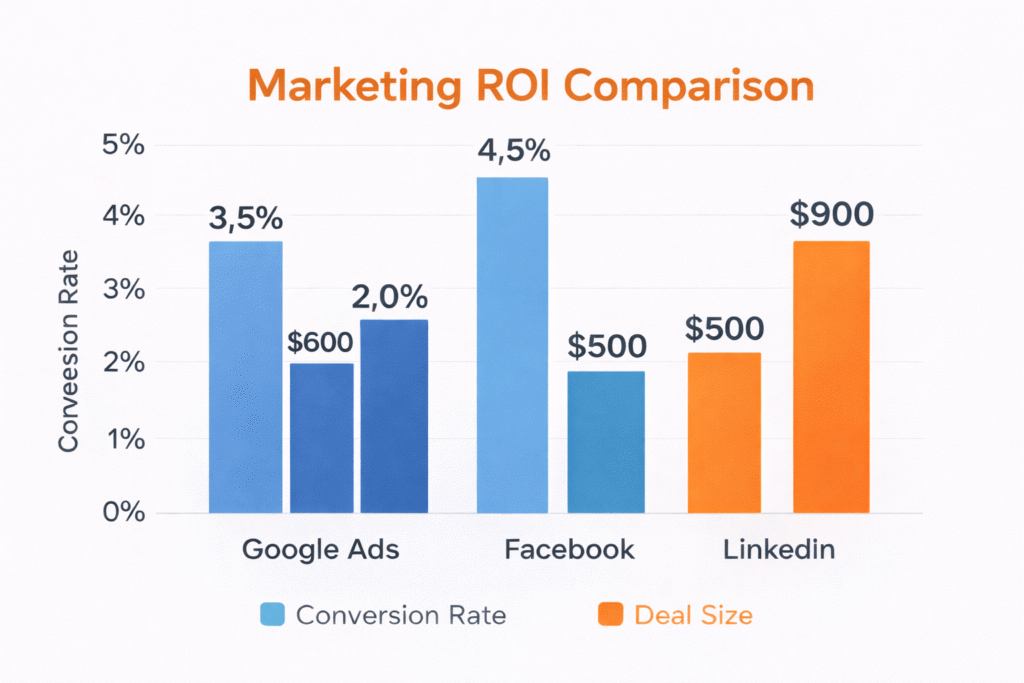
UTM tracking helps teams avoid a common mistake: optimizing for traffic instead of outcomes.
A channel that generates fewer leads may still be more valuable if those leads convert at a higher rate or close faster.
By linking UTM data with Outplay CRM records, teams can:
- Compare opportunity creation by source
- Measure deal velocity by campaign
- Identify channels that generate repeatable revenue
This level of insight is not available using Outplay CRM alone.
Final Thoughts on Tracking UTM Parameters in Outplay CRM
Outplay CRM does not natively support UTM tracking, but attribution is critical for understanding what drives pipeline and revenue.
SourceLoop bridges this gap by capturing UTM parameters at the visitor level and syncing them into Outplay CRM when leads are created.
With proper UTM tracking, sales teams gain visibility into campaign performance, lead quality, and revenue impact.
Read more:
Frequently Asked Questions
Can Outplay CRM track UTM parameters natively?
No. Outplay CRM does not natively capture or store UTM parameters from marketing or sales links. Campaign attribution requires an external tracking solution.
How can I track UTM parameters in Outplay CRM?
You can track UTM parameters by using a third-party attribution tool like SourceLoop. SourceLoop captures UTM data on your website and syncs it into Outplay CRM when a lead is created.
Which UTM parameters should sales teams track?
Sales teams should track utm_source, utm_medium, utm_campaign, utm_content, and utm_term. These parameters identify the channel, campaign, and intent behind each lead.
Does SourceLoop track UTMs across multiple visits?
Yes. SourceLoop stores UTM data across multiple visits and sessions. If a visitor returns later and converts, the original campaign attribution is retained.
Can UTM data be used to measure pipeline and revenue in Outplay CRM?
Yes. Once UTM data is synced into Outplay CRM, teams can analyze opportunities, deals, and revenue by campaign source to measure true marketing ROI.

