10 Best Conversion Tracking Tools: Compared in 2026
A practical comparison of 10 conversion tracking tools across web analytics, ad platforms, ecommerce, and CRO use cases, who they're built for, and what you'll actually pay.
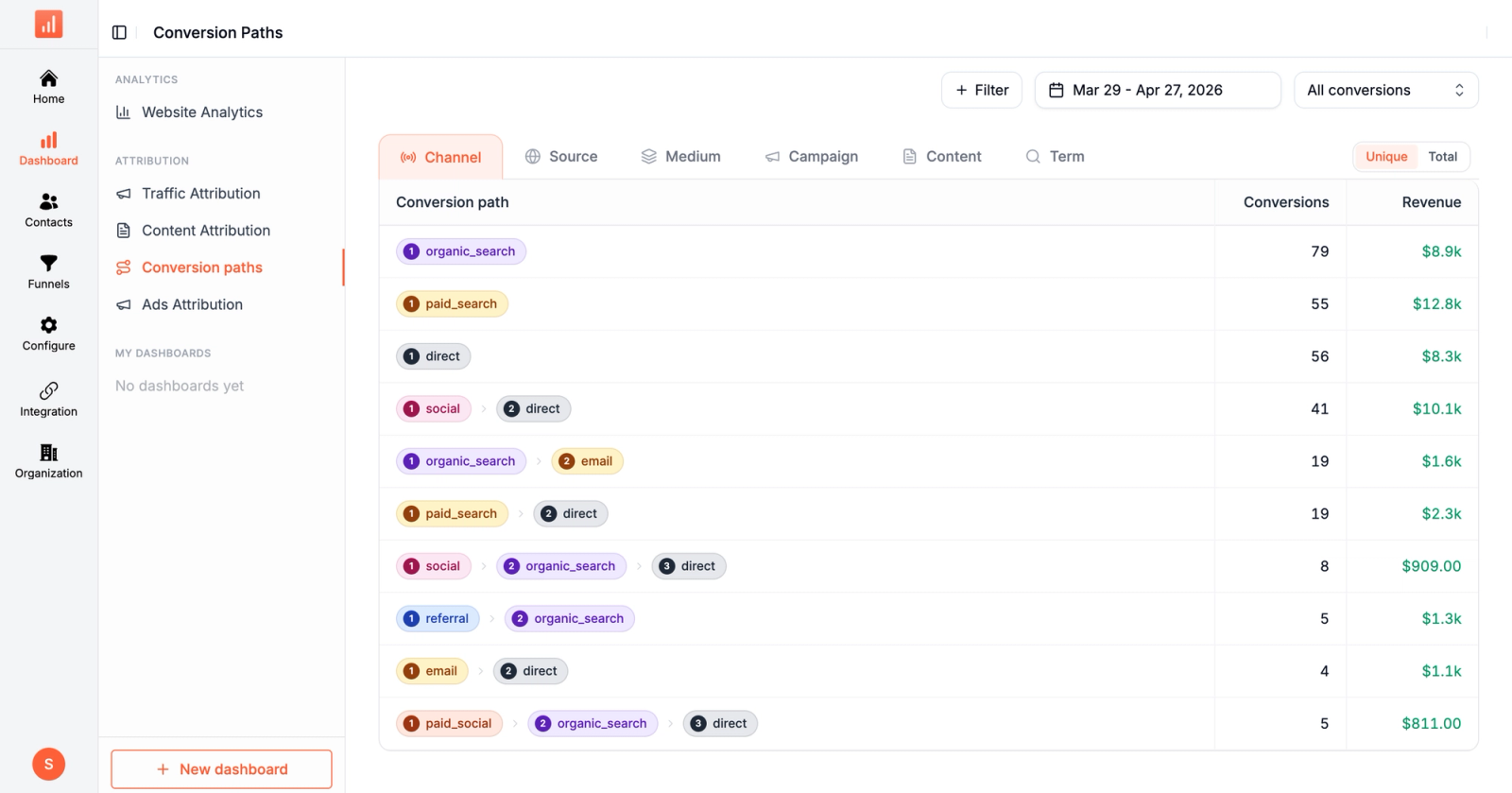
Table of contents
Conversion tracking sits at the foundation of every marketing decision.
Get it wrong and your ad platform smart bidding is flying blind, your ROAS numbers are inflated, and your budget gets shifted to channels that look productive but aren't.
Get it right and every other metric (CAC, LTV, ROAS, payback period) becomes trustworthy enough to make decisions on.
Below are 10 tools that solve different parts of the conversion tracking problem in 2026, from free baseline analytics to enterprise server-side attribution.
Quick comparison of Best Conversion Tracking Software
| Tool | Best for | Starts at |
|---|---|---|
 Sourceloop Sourceloop |
Server-side tracking + revenue attribution | $49/mo |
 Google Analytics 4 Google Analytics 4 |
Free baseline web conversion tracking | Free |
 Google Tag Manager Google Tag Manager |
DIY tag management for technical teams | Free |
 Meta Pixel + CAPI Meta Pixel + CAPI |
Meta ad conversion tracking | Free |
 Triple Whale Triple Whale |
Shopify DTC conversion tracking | $129/mo |
 Cometly Cometly |
Multi-platform AI attribution | Custom |
 Hotjar Hotjar |
Heatmaps + funnel conversion tracking | Free / $32/mo |
 Microsoft Clarity Microsoft Clarity |
Free heatmaps + session replay | Free |
 VWO VWO |
A/B testing + conversion optimization | Custom |
 Matomo Matomo |
Privacy-first / open-source analytics | Free / €29/mo |
1. Sourceloop
Best for: Teams that want server-side conversion tracking, Conversions API, and revenue attribution in one tool
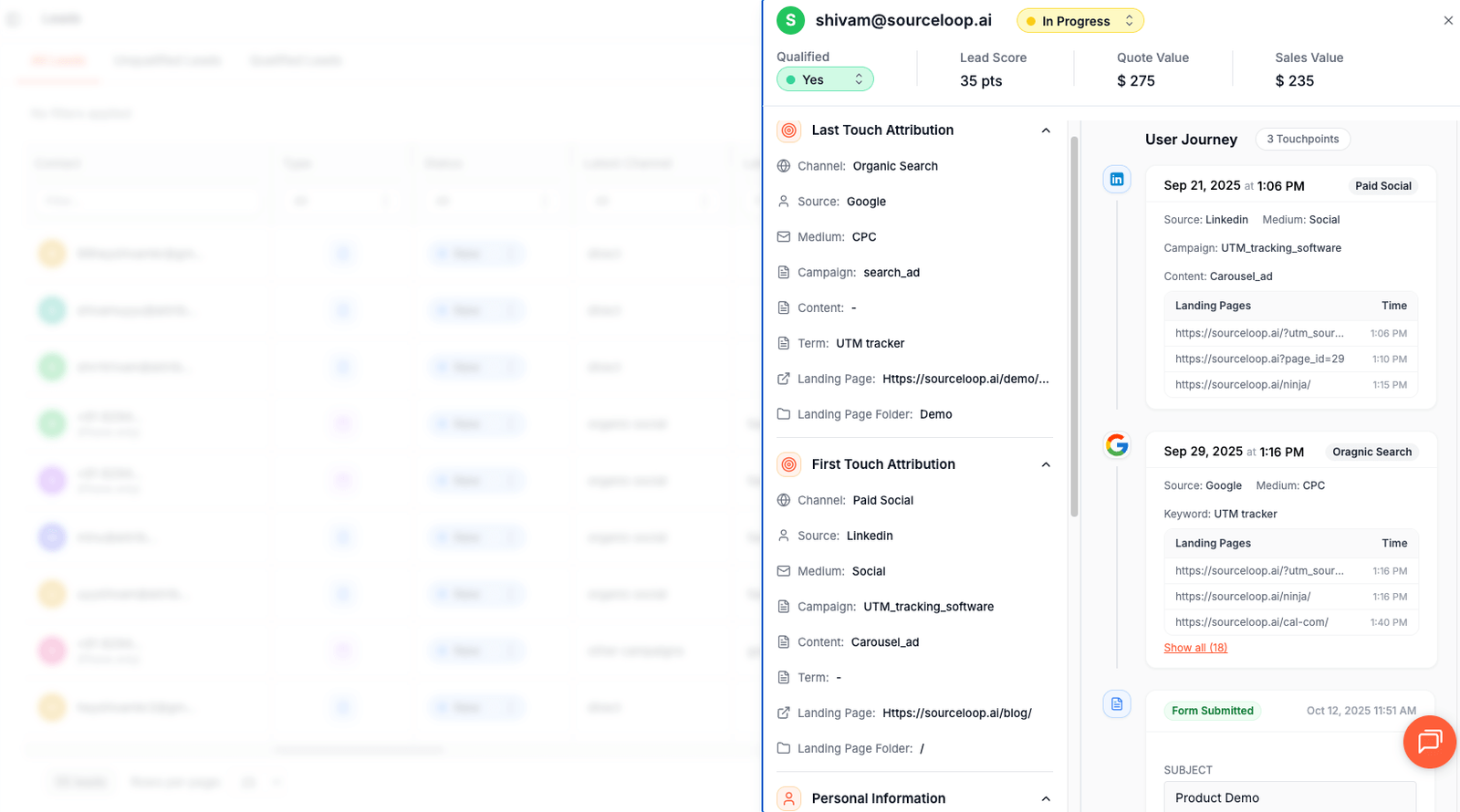
Sourceloop isn't a pixel-only conversion tracker like GA4 or Meta Pixel.
It's a one-script platform that captures conversions client-side AND server-side, sends events back to every major ad platform via their Conversions APIs, captures all UTMs and click IDs automatically, and stitches the eventual revenue from Stripe, Polar, and LemonSqueezy webhooks.
Why Sourceloop works well for conversion tracking
1. Server-side Conversions API to every major platform
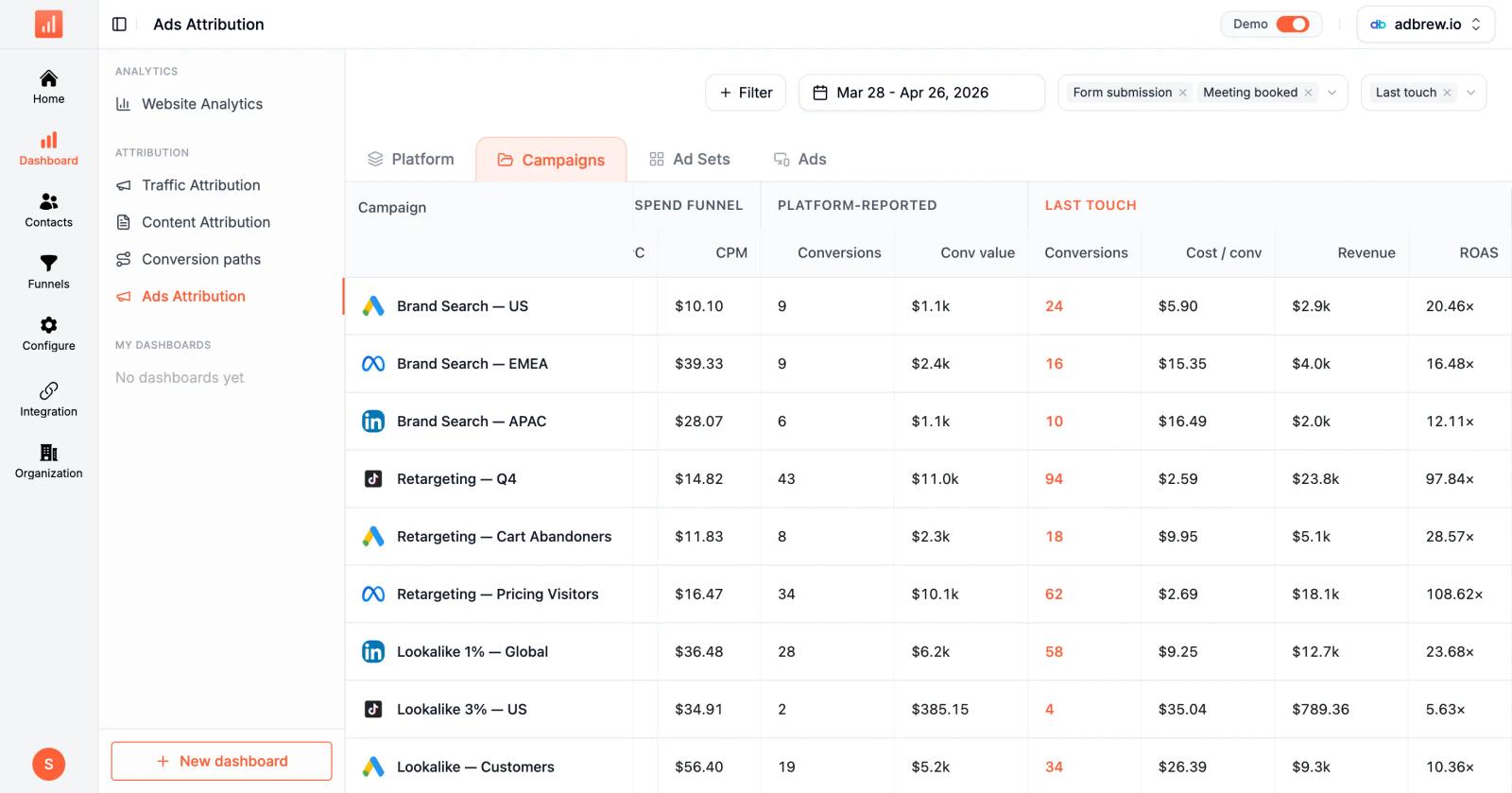
Sourceloop ships server-side CAPI to Google Ads (Enhanced Conversions), Meta, TikTok, and LinkedIn out of the box.
The conversions you capture get sent back to each platform's algorithm so smart bidding keeps optimizing on real revenue, not the fragmented client-side signal that survives iOS and ad blockers.
This is included on the $49 plan, not a separate add-on like most analytics tools charge for.
2. Captures all UTMs plus 9 click ID parameters automatically
Standard UTMs plus gclid, fbclid, msclkid, ttclid, li_fat_id, gbraid, wbraid, dclid, and twclid. Click IDs matter because Google and Meta auto-tagging often overrides UTMs.
Tools that capture only UTMs miss 30-50% of paid traffic conversion attribution on Safari and iOS.
3. Auto-detects bookings and form fills
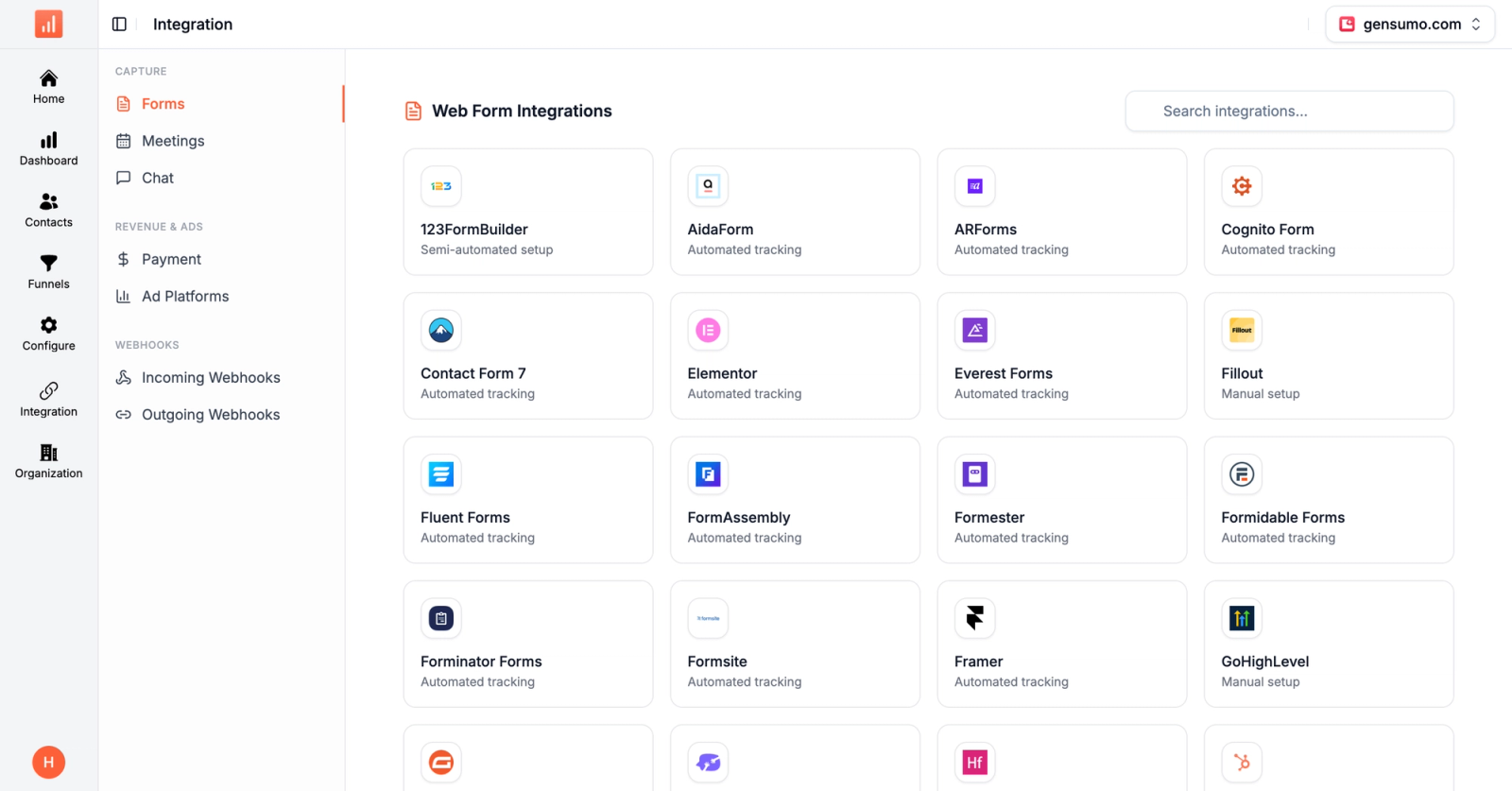
Drop the script and conversion events start firing automatically for Calendly, Cal.com, HubSpot Meetings, Typeform, Jotform, and 123FormBuilder bookings. No JavaScript work, no dataLayer pushes, no engineer required to instrument every form on every landing page.
4. Cookieless-resilient by design
Sourceloop keeps tracking conversions through iOS 14, Safari ITP, Brave, ad blockers, and GDPR opt-outs. It uses click IDs, server-side ingest, identity stitching from email, and webhook matching from payment processors. When cookies get cleared, blocked, or denied, the rest of the chain still works.
5. Stripe, Polar, LemonSqueezy webhook stitching for revenue
Every purchase webhook is matched back to the visitor who originally clicked the ad, even when checkout happens days later on a different device.
This closes the conversion tracking loop in a way that pixel-only tools never get to: not just "did they click," but "did they pay."
6. AI Referrals as a dedicated channel
ChatGPT, Claude, and Perplexity show up as their own channel, not bucketed as "direct." As AI search drives more conversions, this is one of the few ways to actually see how much revenue AI tools are sourcing.
7. 18-channel auto-classification
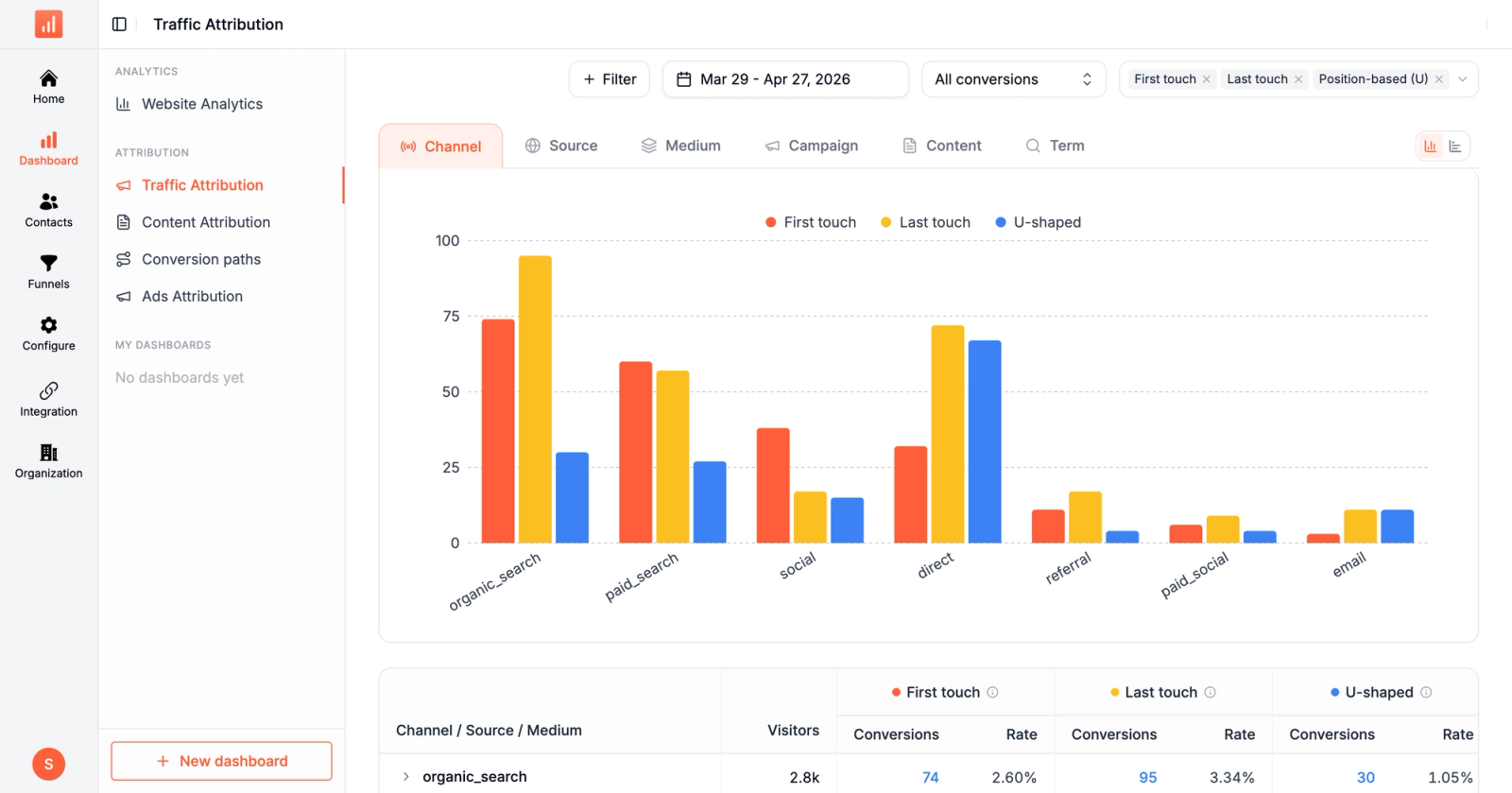
Direct, Organic Search, Paid Search, Organic Social, Paid Social, Display, Email, Referral, Affiliates, Podcast, SMS, Push, AI Referrals, and more.
Even when UTMs are missing or malformed (which research shows happens on 30% of campaigns), the channel taxonomy buckets traffic accurately using referrer, ad platform fingerprints, and click IDs.
Pros:
- Server-side CAPI to Google, Meta, TikTok, LinkedIn included
- Auto-detects Calendly, HubSpot Meetings, Typeform, Jotform conversions
- Captures all UTMs and 9 click IDs automatically
- Cookieless-resilient through iOS 14, ITP, ad blockers
- Stripe, Polar, LemonSqueezy webhook revenue stitching
- AI Referrals channel for ChatGPT, Claude, Perplexity
- 365-day data retention on every plan
Cons:
- Not a CRO tool, no built-in heatmaps or session replay
- Not a full A/B testing platform like VWO or Optimizely
Pricing: Starts at $49/mo with all attribution models, server-side CAPI to all major platforms, all native ad integrations, and 365-day retention included. Professional unlocks unlimited websites. Business adds white-label. Enterprise adds the DPA.
2. Google Analytics 4
Best for: Free baseline web conversion tracking that any business can deploy
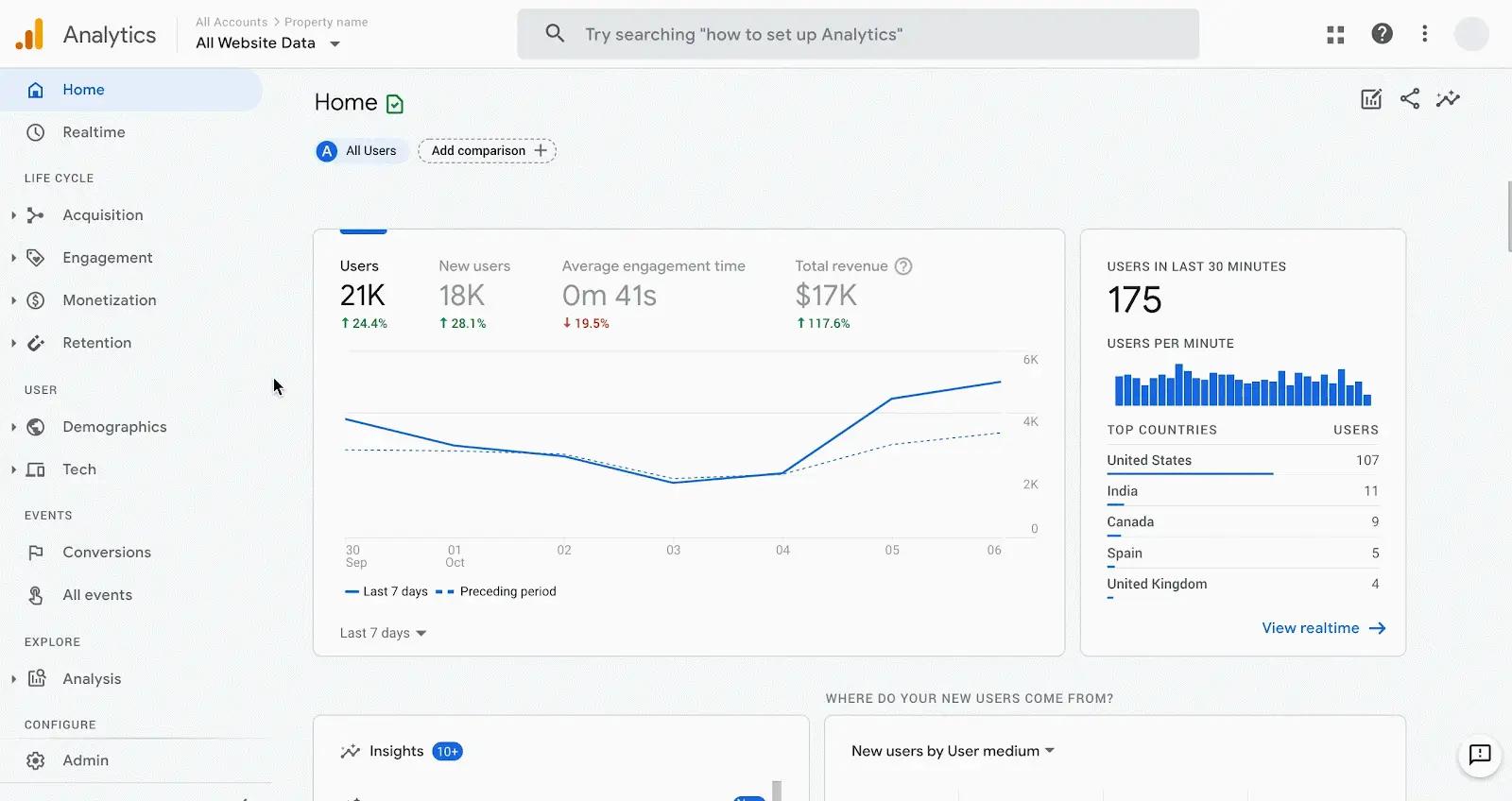
Google Analytics 4 is the default starting point for conversion tracking. It's free, integrates natively with Google Ads for conversion import, captures basic ecommerce events through Enhanced Ecommerce, and supports custom event tracking through the gtag or GTM. For most small businesses, GA4 covers the basics.
The catch is that GA4 is a measurement tool, not an attribution or optimization tool. It doesn't ship server-side Conversions API to Meta, TikTok, or LinkedIn natively.
Data sampling kicks in above certain volume thresholds, and the 14-month default retention is a hard limit for serious analysis. Most teams running multi-platform ads outgrow GA4 within months of starting paid media.
Pros:
- Free for most use cases
- Native integration with Google Ads
- Event-based data model with flexible custom events
Cons:
- Doesn't send conversions to non-Google ad platforms natively
- 14-month default data retention
- Last-click attribution biased toward Google Ads
Pricing: Free for standard GA4. GA4 360 enterprise version available with custom pricing for high-traffic sites.
3. Google Tag Manager
Best for: Technical teams that want full control over tag deployment without engineering bottleneck
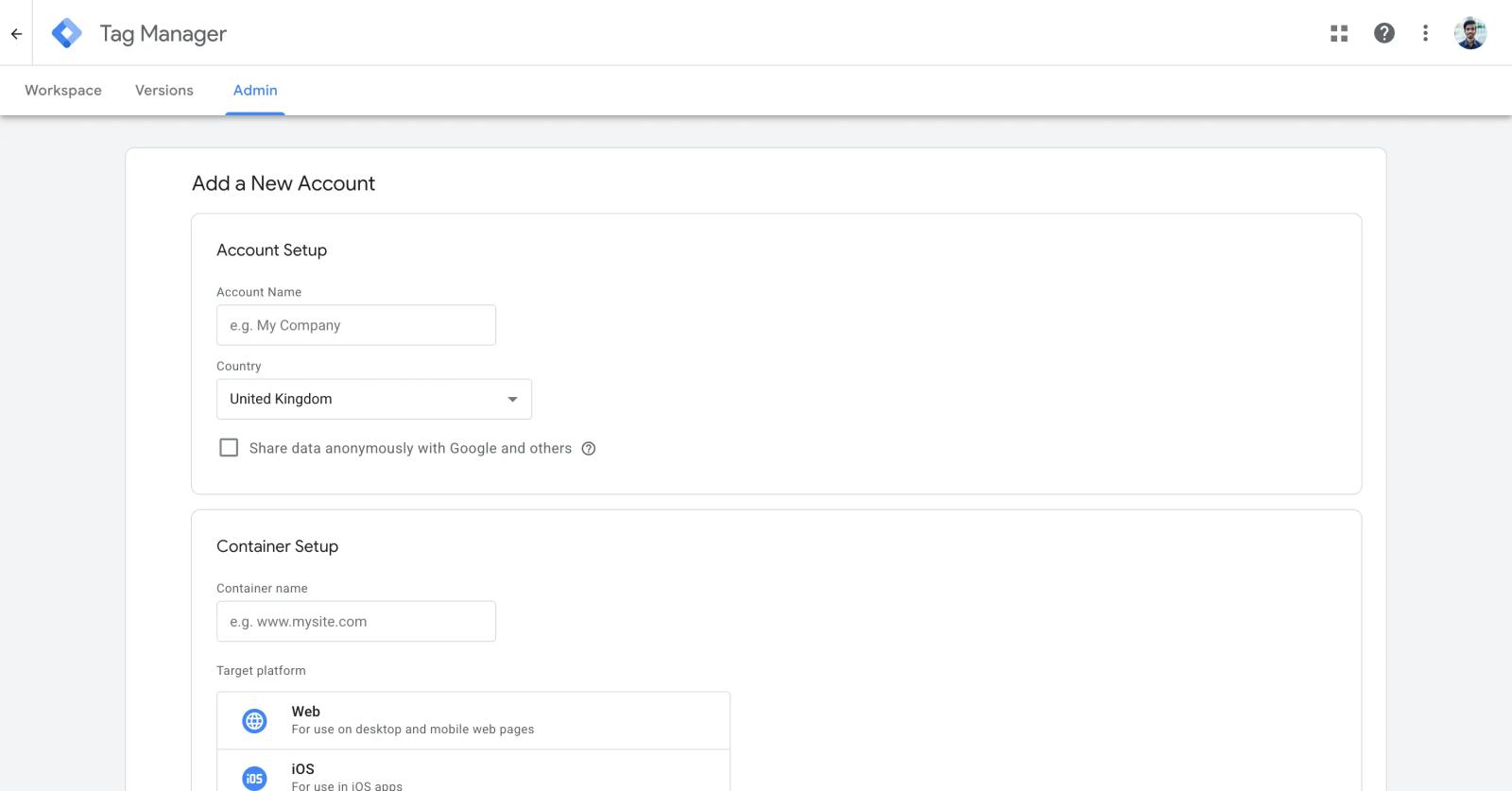
Google Tag Manager is a free tag management system that lets marketers deploy and manage tracking pixels, conversion tags, and custom JavaScript without touching site code. It's the standard tool for managing GA4, Meta Pixel, Google Ads conversion tags, and dozens of others from one container.
GTM doesn't track conversions itself, it just deploys the tags that do. For technical marketers comfortable with triggers, variables, and dataLayer pushes, GTM is genuinely free and powerful.
For non-technical teams, the learning curve is real, and misconfigured tags are a common source of broken conversion tracking. Server-side GTM (sGTM) extends this to server-side tag deployment, but requires hosting infrastructure.
Pros:
- Free with no usage limits
- Visual interface for tag deployment
- Built-in debugging and version control
Cons:
- Steep learning curve for non-technical users
- Doesn't track conversions itself, just deploys other tools' tags
- Server-side GTM requires separate hosting infrastructure
Pricing: Free. Server-side GTM hosting costs around $100-$200/month on Google Cloud or via managed services like Stape ($20+/mo).
4. Meta Pixel + Conversions API
Best for: Any business running Meta (Facebook and Instagram) ads
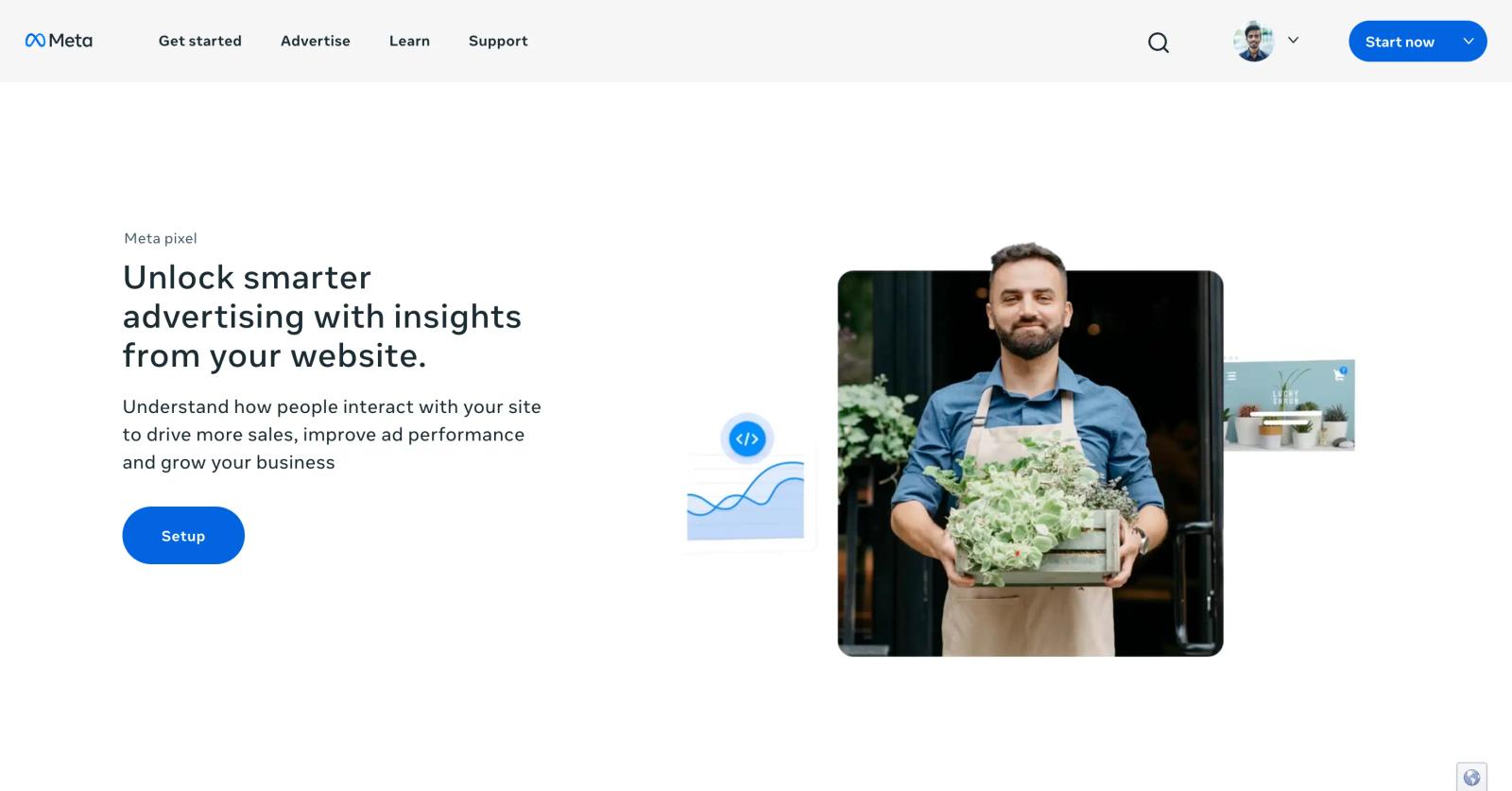
Meta Pixel + Conversions API is non-negotiable for advertising on Meta. The Pixel handles browser-side tracking, the Conversions API handles server-side tracking, and together they feed Meta's smart bidding the conversion signal it needs to optimize. Without both, Meta's algorithm can't reliably find your customers, and CPMs creep up while conversion rates drop.
Meta provides the Pixel and CAPI free, but proper implementation requires either engineering work or a third-party tool to deploy them correctly. Most ecommerce platforms (Shopify, WooCommerce) have one-click Pixel installation, but CAPI typically needs server-side GTM, Stape, Sourceloop, or a similar tool to deploy without dev resources.
Pros:
- Free, native to Meta ad ecosystem
- Required for Meta smart bidding to work
- Conversions API recovers iOS-era tracking gaps
Cons:
- Setup requires technical work or third-party deployment tool
- Only sends conversions to Meta, not other ad platforms
- Browser-side Pixel blocked by ad blockers and iOS
Pricing: Free. Implementation cost depends on tool used (Sourceloop $49/mo, Stape $20+/mo, sGTM $100-200/mo on GCP, or in-house dev time).
5. Triple Whale
Best for: Shopify DTC brands that want native ecommerce conversion tracking
Triple Whale is the analytics OS for Shopify. The Triple Pixel does first-party multi-touch conversion tracking and server-side conversion delivery back to Meta, Google, and TikTok. The dashboards show blended ROAS, contribution margin, and creative performance at the order level rather than just at the click level.
Sonar Send, which enriches Klaviyo flows with Triple Whale conversion data, has driven average Klaviyo revenue lifts of 14.2% and is included on the Starter plan. Above $5M GMV, pricing becomes GMV-based and climbs steeply.
Pros:
- One-click Shopify integration, fast time-to-value
- Triple Pixel captures conversions server-side
- Profit and order-level analytics built in
Cons:
- Shopify-first, non-Shopify support is newer
- Above $5M GMV, pricing becomes GMV-based and climbs quickly
- Some users report attribution discrepancies on imported orders
Pricing: Free Founders Dash. Starter at $129/month. Advanced at $259/month. Above $5M GMV, pricing is GMV-based.
6. Cometly
Best for: Paid media teams that want conversion tracking plus AI optimization recommendations
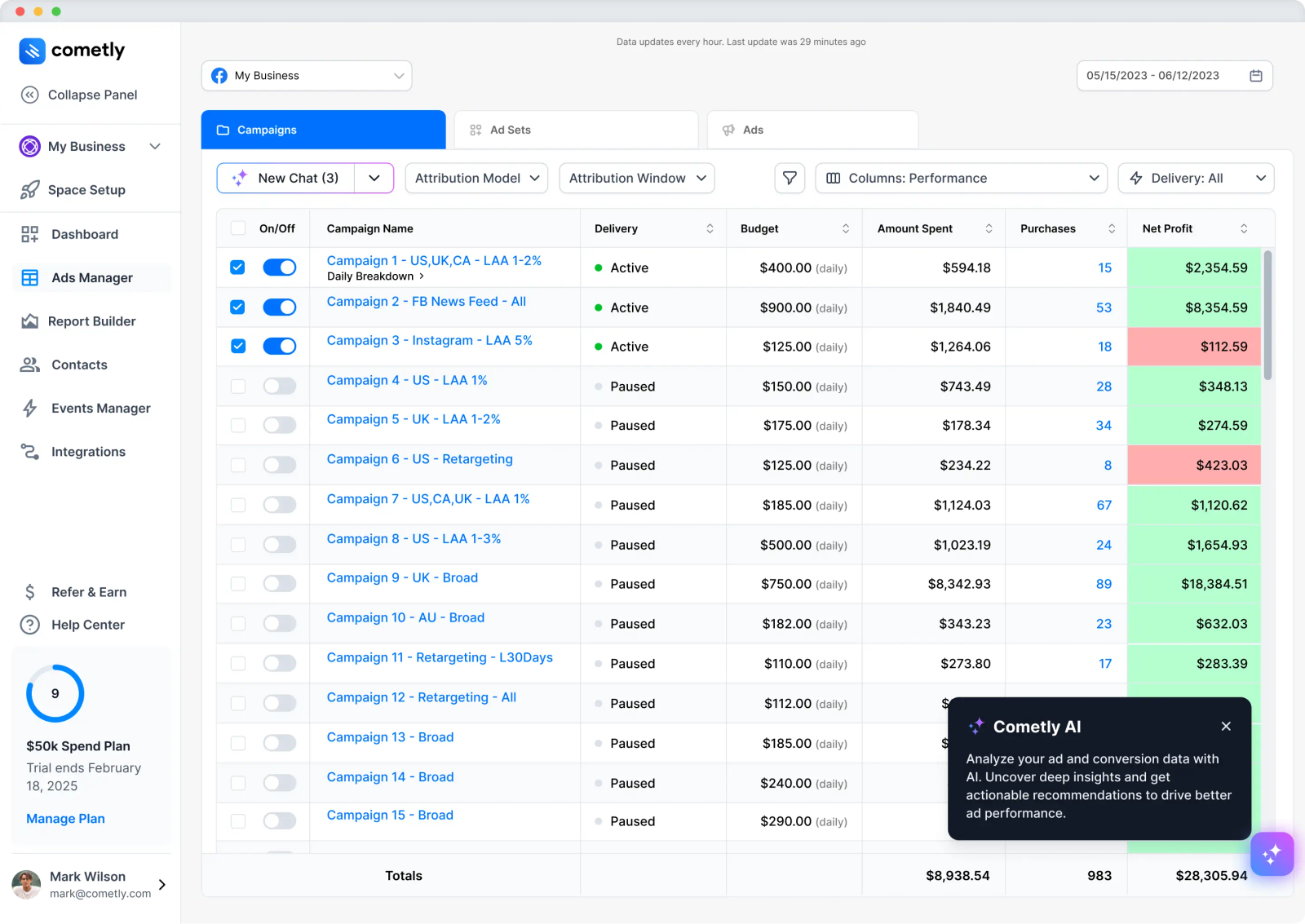
Cometly combines server-side conversion tracking with an AI Ad Manager that recommends which ads and campaigns to scale or pause based on actual conversion data. The platform tracks the full customer journey from ad click through CRM conversion and feeds enriched conversion data back to Meta, Google, TikTok, and other platforms via their server-side APIs.
Cometly is strongest for teams running paid media at scale across multiple platforms. Setup is straightforward for a typical Meta + Google + TikTok stack, though documentation can be thin and complex tech stacks take longer to set up. Pricing is quote-based and tiered to ad spend.
Pros:
- Server-side conversion tracking that survives iOS and browser restrictions
- AI optimization recommendations on top of attribution
- Conversion sync feeds enriched events back to ad platforms
Cons:
- No public pricing
- Steeper setup for complex tech stacks
- Documentation has been called less complete than expected
Pricing: Quote-based, ad-spend-tiered. Professional and Enterprise tiers.
7. Hotjar
Best for: CRO teams that want heatmaps, session replay, and funnel conversion tracking
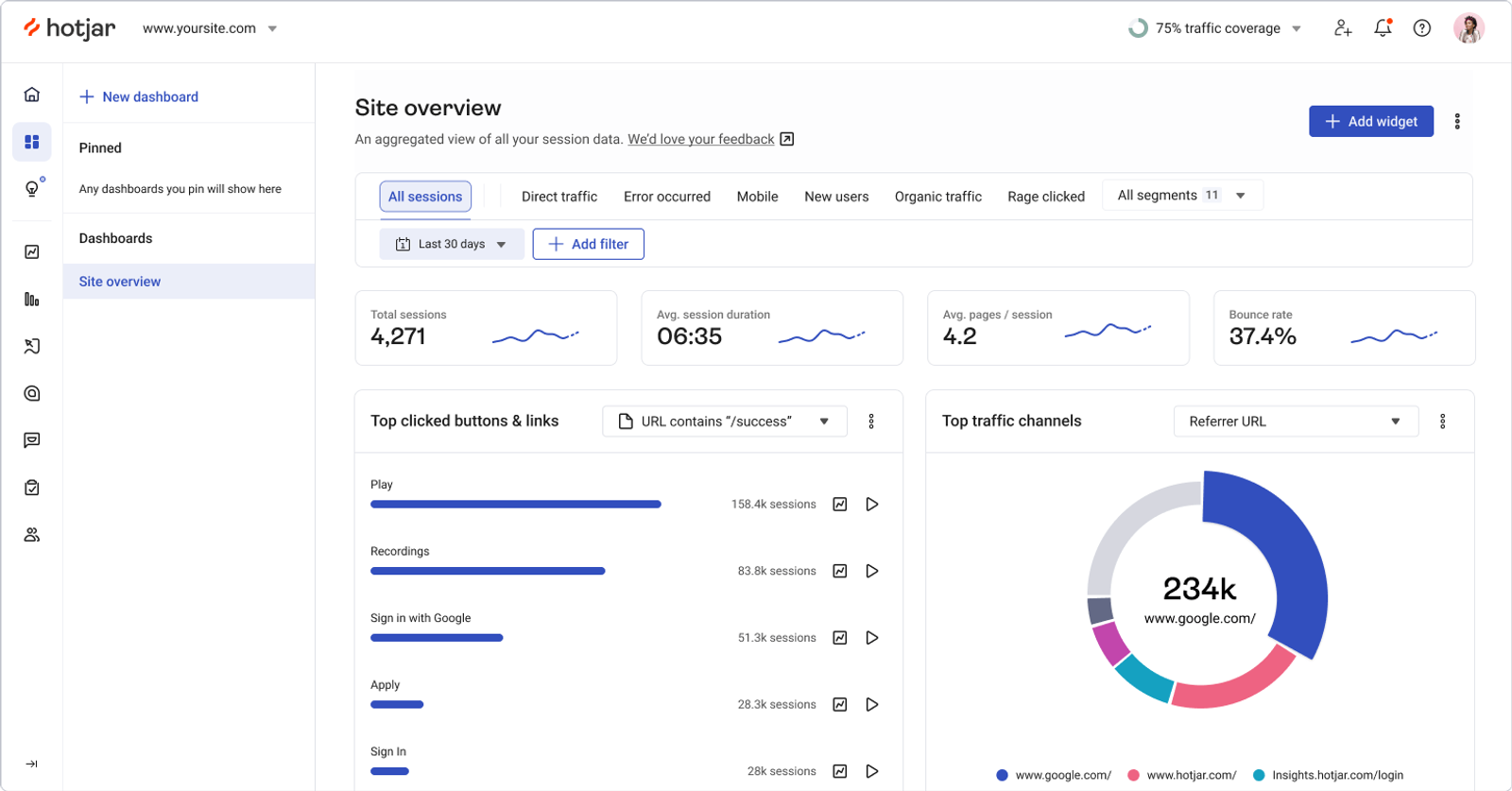
Hotjar, now part of Contentsquare, combines heatmaps, session recordings, conversion funnels, and on-page surveys in one tool. Where GA4 tells you that a conversion failed, Hotjar shows you why: the user clicked the wrong button, hesitated on a confusing form field, or rage-clicked a broken element. Funnels surface drop-off rates between conversion steps.
Hotjar is genuinely affordable for SMBs and growth-stage teams. The free tier covers basic heatmaps and recordings, and paid plans start at $32/month. For CRO work, Hotjar is the standard pick alongside Microsoft Clarity (free) and FullStory (enterprise).
Pros:
- Heatmaps, session replay, and funnels in one tool
- Affordable starting price for paid plans
- Good free tier for getting started
Cons:
- Not an attribution or ad tracking tool
- Sampling on lower tiers limits high-traffic visibility
- Less mature for mobile app analytics
Pricing: Free Basic plan. Plus from $32/month. Business from $80/month. Scale custom.
8. Microsoft Clarity
Best for: Teams that want free heatmaps and session replay without volume limits
Microsoft Clarity is Microsoft's free behavior analytics tool. It captures heatmaps, session recordings, and conversion insights with no traffic limits, no sampling, and no paid tier to upgrade to. The AI-powered insights surface frustration signals like rage clicks, dead clicks, and excessive scrolling automatically.
For teams that need session replay and heatmaps but can't justify Hotjar or FullStory budget, Clarity is genuinely a free alternative. The trade-off is that it's owned by Microsoft, which means data flows through Microsoft's infrastructure and the tool nudges users toward Microsoft Advertising integrations. For privacy-strict use cases, that's a deal-breaker. For everyone else, Clarity is hard to beat at $0.
Pros:
- Completely free, no traffic limits
- Heatmaps, session replay, and AI insights included
- No sampling on data
Cons:
- Data flows through Microsoft infrastructure
- Less mature dashboard than Hotjar or FullStory
- Microsoft Advertising integration push
Pricing: Free.
9. VWO
Best for: Teams ready to combine conversion tracking with A/B testing and personalization
VWO is a conversion optimization platform that combines analytics, A/B testing, multivariate testing, heatmaps, session recordings, and personalization in one tool. Where Hotjar and Clarity tell you what's broken, VWO lets you test the fix. The conversion tracking layer auto-detects key user interactions (CTA clicks, add-to-cart, form submissions) and recommends what to test.
VWO is genuinely powerful for CRO-led teams. The trade-off is that pricing is custom-only and tends to scale faster than expected with tested visitor volume. For teams not actively running A/B tests, VWO is overkill compared to Hotjar or Clarity.
Pros:
- Combines analytics, testing, and personalization
- Auto-detects key conversion interactions
- Strong WooCommerce and Shopify integration
Cons:
- Custom pricing only, scales with tested visitors
- Overkill for teams not actively testing
- Steeper learning curve than single-purpose tools
Pricing: Custom pricing based on tested visitor volume.
10. Matomo
Best for: Privacy-strict organizations or teams that want self-hosted conversion tracking
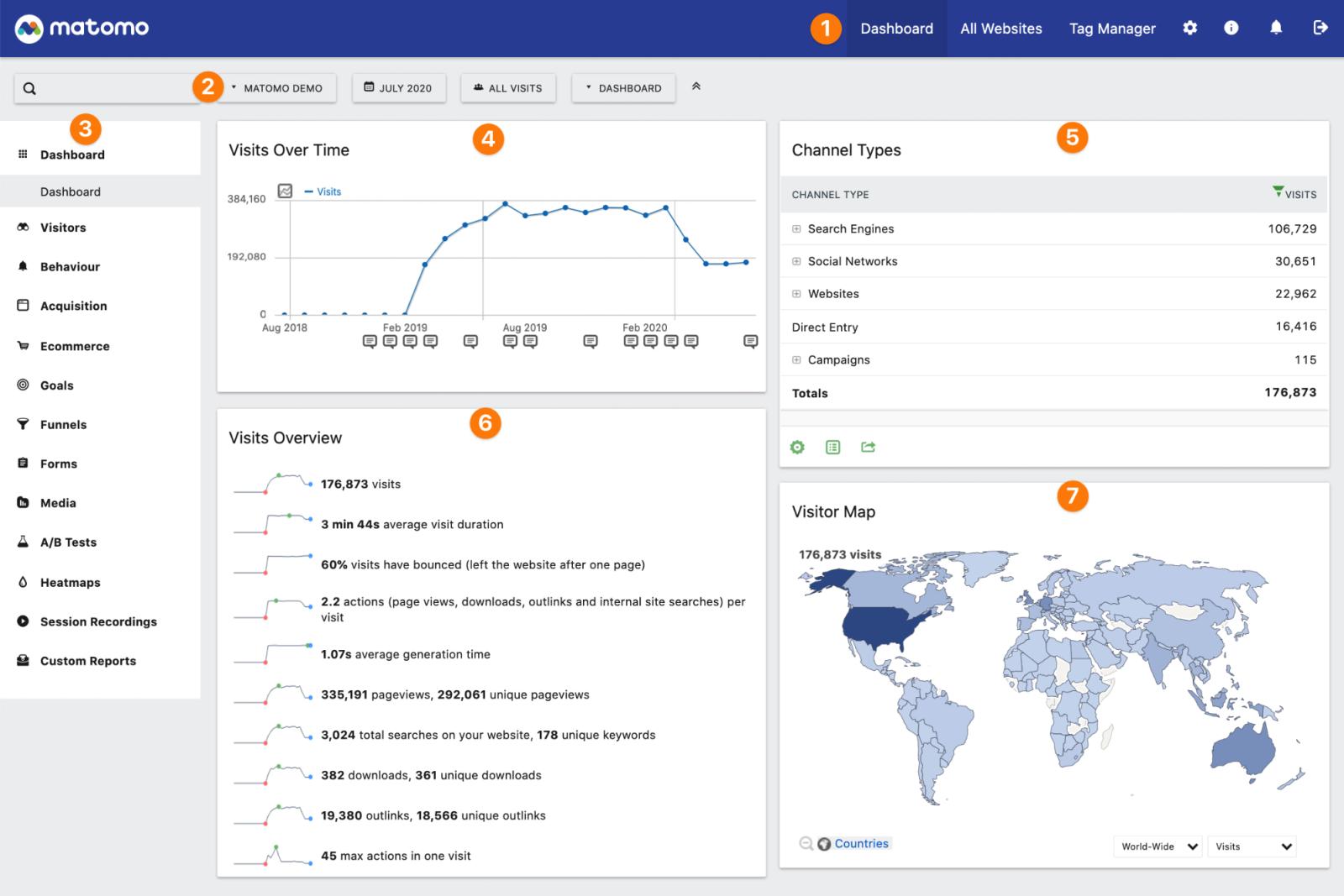
Matomo is an open-source web analytics platform available as either cloud-hosted or self-hosted. It provides ecommerce conversion tracking, goal tracking, funnel analysis, and traffic source attribution comparable to GA4, but with the option to keep all data on your own infrastructure. Cookieless tracking is supported on both deployment options.
For organizations with strict GDPR, HIPAA, or data residency requirements, Matomo is the leading alternative to GA4. The trade-off is that the cloud version starts at €29/month (versus GA4 free), and self-hosting requires technical resources to set up and maintain. The integration ecosystem is smaller than GA4's.
Pros:
- Self-hosting option with full data ownership
- Strong GDPR and privacy compliance
- Cookieless tracking supported
Cons:
- Self-hosting requires technical setup and maintenance
- Smaller integration ecosystem than GA4
- Cloud version costs more than GA4 (which is free)
Pricing: Free for self-hosted. Cloud plans from €29/month.
How to choose
For most teams, conversion tracking is a layered system, not a single tool. Here's how the layers stack up.
The lean approach: one server-side tool that handles tracking, CAPI, and revenue. If your problem is that ad platforms are reporting different conversion numbers, your CRM lead source data is wrong, and Stripe revenue doesn't match what Meta and Google claim, Sourceloop covers server-side tracking, Conversions API to all four major platforms, click ID stitching, and webhook revenue stitching on one $49/month bill.
For founders, SaaS teams, agencies, and DTC brands that don't want to manage a stack of three or four vendors, this is the simplest setup that actually works.
The traditional stack: if you have specific needs, pair tools accordingly. GA4 + GTM as the free baseline. Meta Pixel + CAPI for Meta ads. Triple Whale for Shopify. Cometly for paid media optimization. Hotjar or Microsoft Clarity for CRO. VWO when you're ready to test. Matomo for privacy-first deployments. Total cost can run $0 (free tier stack) to $1,000+/month at growth-stage scale.
Frequently asked questions
-
What is conversion tracking software?
Conversion tracking software measures when a user takes a specific action (purchase, signup, demo booking, lead form submit) and ties that action back to the marketing source that drove it. Modern conversion tracking uses both client-side pixels (fired in the browser) and server-side Conversions APIs (sent directly from your backend to ad platforms) to recover conversion data lost to iOS, ad blockers, and cookie restrictions.
-
What's the difference between client-side and server-side conversion tracking?
Client-side tracking fires from the browser using JavaScript pixels (Meta Pixel, Google Tag). It's easy to set up but blocked by ad blockers, Safari ITP, and iOS App Tracking Transparency. Server-side tracking sends conversion data directly from your server to each ad platform's API, bypassing browser restrictions and recovering 15-30% more conversions on average.
-
Do I need both pixel and Conversions API?
Yes. Meta and Google explicitly recommend running both because each captures different events. The pixel captures real-time browser-side actions. CAPI captures server-confirmed events (purchases that complete after the browser closes, refunds, offline conversions). Running both with deduplication enabled gives the most complete signal to smart bidding algorithms.
-
Why don't my ad platform conversion numbers match my CRM or Stripe?
Several reasons. Browser pixels miss 30-40% of users on ad blockers. iOS opt-in rates around 15-25% mean most iPhone traffic is invisible to client-side tracking. Each platform also uses different attribution windows (Meta defaults to 7-day click + 1-day view, Google uses last-click, TikTok uses 7-day post-click), so they double-count conversions. The fix is server-side CAPI, click ID stitching, and a single source of truth that compares against actual Stripe or CRM revenue.
-
Can I use Google Analytics 4 alone for conversion tracking?
GA4 is fine for traffic volume reporting and basic last-click attribution to Google Ads, but it doesn't ship server-side Conversions API to Meta, TikTok, or LinkedIn natively. If you spend money on multiple ad platforms, you'll outgrow GA4-only setups within a few months. Most teams keep GA4 for volume and add a paid tool for the optimization work.
-
How much should I budget for conversion tracking?
Below $5K/month in ad spend, free tools (GA4, GTM, Meta Pixel, Microsoft Clarity) cover the basics. Between $5K-$50K/month, $49-$250/month tools (Sourceloop, Triple Whale, Hotjar) make sense. Above $50K/month, mid-tier tools at $500-$2,000/month are justified by the budget at stake. Above $250K/month, enterprise tools like Northbeam, HockeyStack, or VWO Enterprise are typical.
-
Which conversion tracking tool is best for Shopify?
Triple Whale is the Shopify standard at $129/month with native one-click integration. For teams running multi-platform ads on Shopify, Triple Whale + Meta Pixel + GA4 covers most needs. For founders running multiple stores or non-Shopify checkouts, Sourceloop is the cross-platform alternative at $49/month with Stripe and Polar webhook stitching included.
-
How do I know if my conversion tracking is broken?
Common signs: Stripe or CRM revenue doesn't match Meta and Google reports by more than 20-30%. CPL or CPA spikes after iOS releases. Conversions show up as "direct" in GA4 even when they came from paid ads. Smart bidding suggests pausing campaigns that you know are profitable. If any of these are true, your tracking is leaking signal somewhere in the chain. Server-side CAPI, click ID capture, and webhook revenue stitching are the typical fixes.