
How to Track UTM Parameters in Bitrix24 CRM
Bitrix24 UTM tracking made easy. Follow these 4 easy steps to know the source of every contact inside your CRM.
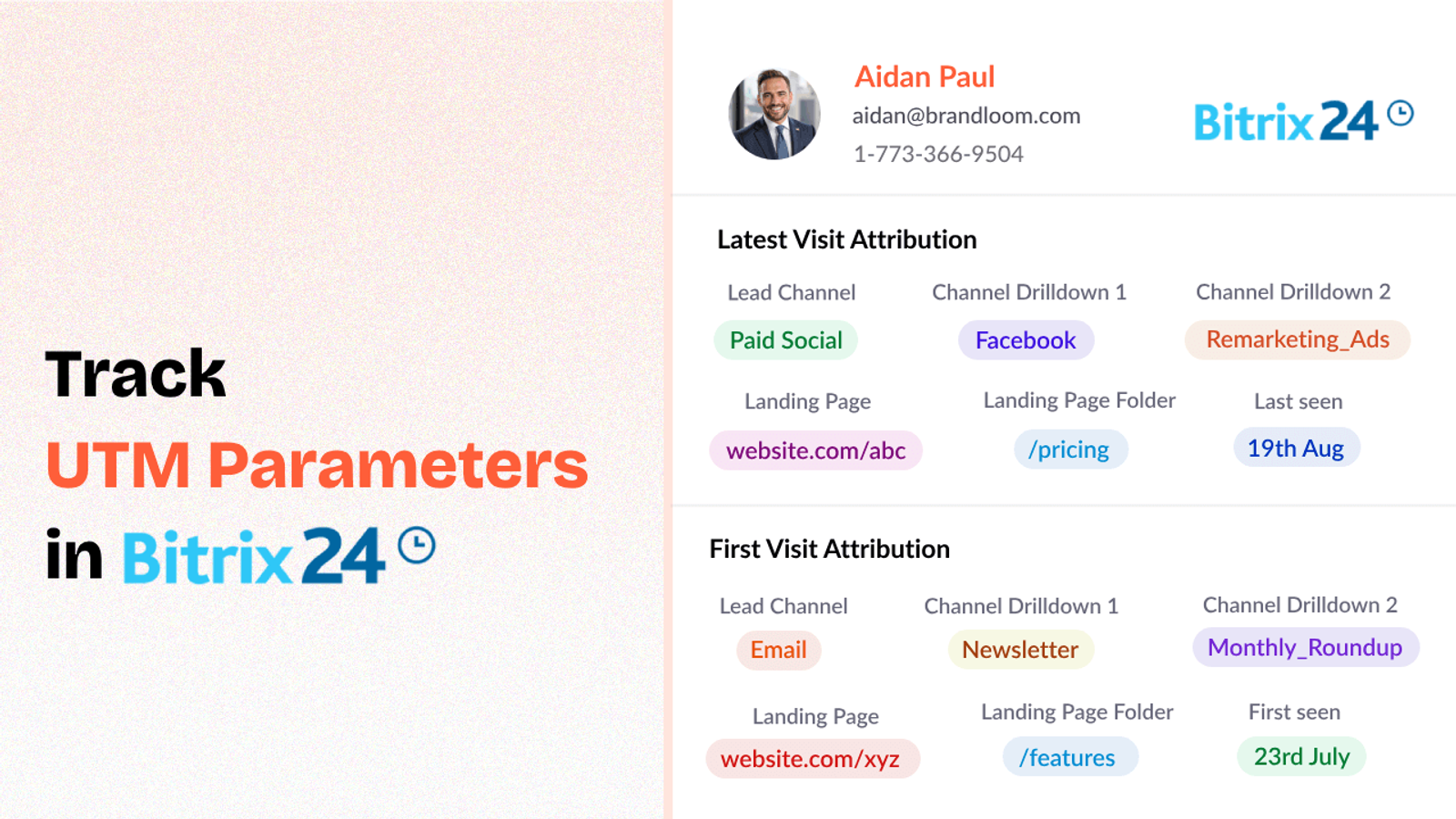
Table of contents
Tracking UTM parameters inside Bitrix24 CRM can feel tricky — but it doesn’t have to be.
If you want a clear, easy way to track where your inbound leads inside CRM are coming from, you’re in the right place.
In this guide, I’ll show you how to use SourceLoop.ai to track UTM parameters in Bitrix24 without any complicated setup.
Let’s jump in!
4 Easy Steps to Track UTM Parameters in Bitrix24 CRM
Here are 4 simple steps to capture UTM parameters in Bitrix24 CRM:
1. Add SourceLoop on Your Website

Start by signing up for SourceLoop.ai and install your unique tracking script on your website’s header.
This tracking script automatically reads and saves UTM parameters when someone visits your website.
The best part is that SourceLoop organize UTM information into easy to understand marketing attributes.
Example:
Let’s say Tesla is running an Instagram Story ad promoting their new Cybertruck.
When a user swipes up on the ad visit Tesla website, SourceLoop organize & store data like this:
- Channel = Social
- Channel Drilldown 1 = Instagram
- Channel Drilldown 2 = Cybertruck Launch Campaign
- Channel Drilldown 3 = Story Ad
- Landing Page = www.tesla.com/cybertruck
- Landing Page Folder = cybertruck
- Last Seen = May 25, 2025
2. Add UTM Parameters to Your Links

With your site ready to capture UTMs, the next step is to make sure people actually arrive with UTM parameters attached.
Open any link pointing to your website — such as links in Google Ads, Meta Ads, email newsletters, social media posts, etc. — and make sure they have proper UTM information in the link.
Example of a link with UTM parameters:
https://yoursite.com/quiz?utm_source=facebook&utm_medium=paid&utm_campaign=summer_sale
Resources:
- How to add UTM parameters in Google Ads
- How to add URL parameters to Meta ads
- How to setup UTM Codes for LinkedIn Ads
- How to add UTMs to your TikTok ads
3. Add Hidden Fields to Your Lead Form
Next, you need to add a few hidden fields to your lead form (like “Request a Demo” or “Get a Quote”) to capture the stored UTM information of the visitor.
These fields won’t be visible to users, but when the form is submitted, SourceLoop will automatically fill them with the correct UTM values.
The fields you’ll need:
- channel
- channeldrilldown1
- channeldrilldown2
- channeldrilldown3
- landingpage
- landingpagefolder
- lastseen
Optional: Capture First-Touch Attribution Too (Highly Recommended for B2B)
If you sell B2B products or services where a user can visit your website multiple times before converting, it’s also a good idea to track first-touch attribution.
Here are 7 other.hidden fields you can set up to receive the attribution data for the first time the user visited your website:
- first_channel
- first_channeldrilldown1
- first_channeldrilldown2
- first_channeldrilldown3
- first_landingpage
- first_landingpagefolder
- firstseen
4. Watch UTM Data Flow Seamlessly Into Bitrix24 CRM
That’s it.
Now every time a lead fills a form, Bitrix24 will automatically have their lead attribution data like channel, medium, campaign, keyword, etc.
With lead source data inside Bitrix24 CRM, you can:
1. Prioritize Leads Based on Intent
Not all leads have the same urgency.
Someone coming from a “Book a Demo” Google Ad probably has much higher buying intent than someone clicking a casual blog post.
By tracking UTMs, you can score leads differently depending on their source or campaign — and prioritize high-intent leads for faster follow-up.
2. Build Smarter Sales Playbooks
When your sales team sees a lead’s full UTM history inside Bitrix24, they can customize their pitch better.
Example:
- A lead from a “Free Trial” campaign may expect a quick product overview.
- A lead from a “Thought Leadership Webinar” campaign may want deep technical conversations.
Knowing the source changes the approach — and improves closing rates.
3. Avoid Wasting Budget on Underperforming Channels
Not every marketing channel performs equally well.
Without monitoring UTM parameters, you’re simply guessing which campaigns are driving real results.
With clear data inside your CRM, you can see exactly which sources bring high-quality leads that actually close — and stop wasting budget on the ones that don’t.
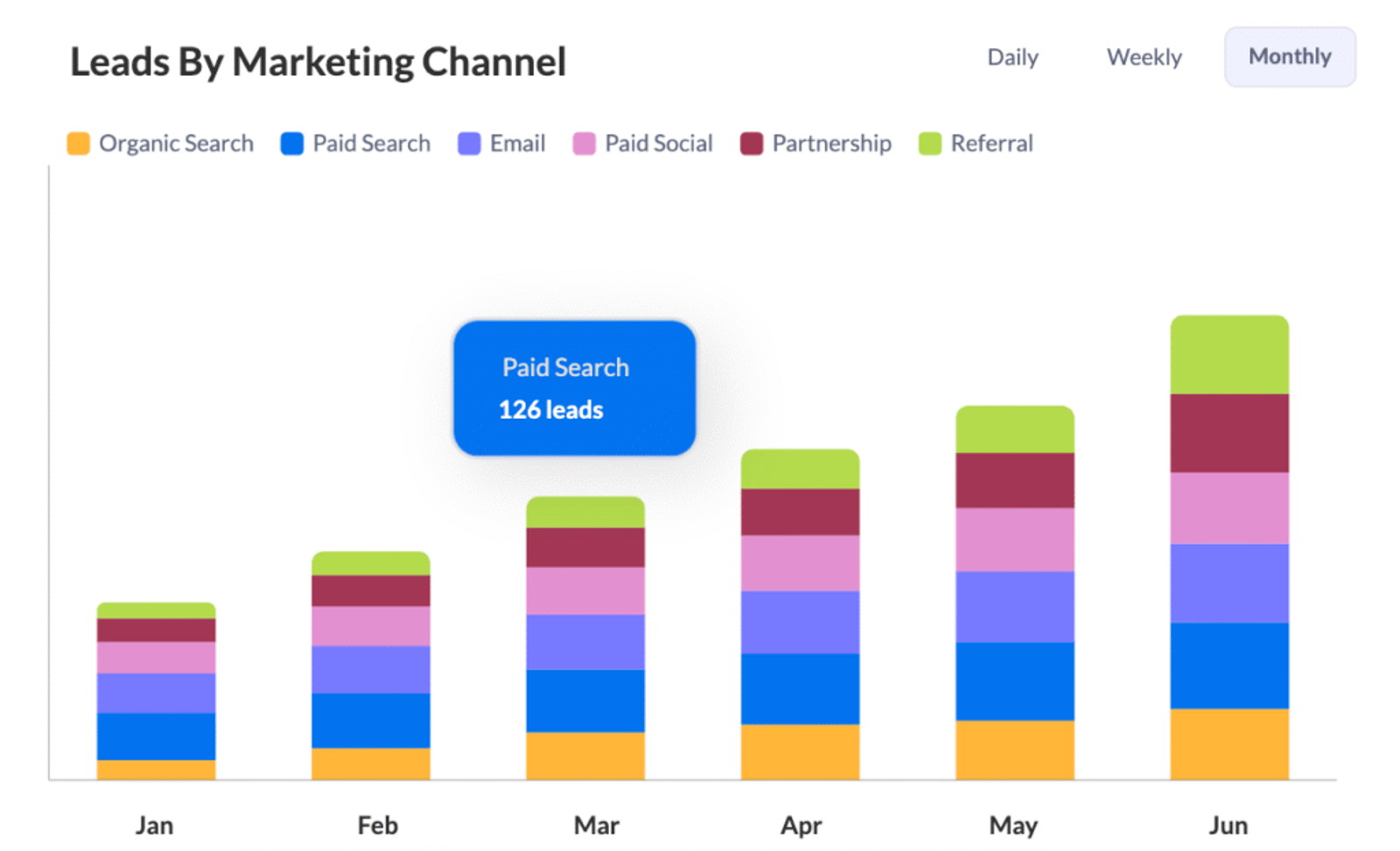
4. Prove Which Content Strategies Work (Not Just Ads)UTM parameters aren’t just for paid ads.
If you tag your blog post links, free guide downloads, YouTube videos, and other content, you can finally answer important questions like:
- Which tutorial video brings the most demo requests?
- Which blogs actually generate real sales opportunities?
- Does a case study page outperform a product page?
5. Predict Revenue Trends More Accurately
When you know which sources bring your best leads, you can start predicting revenue more reliably.
Example:
If you know leads from your “Free Consultation Facebook Campaign” usually close at a 20% rate and are worth $2,000 each, you can forecast future sales simply by tracking new incoming UTM-tagged leads.




 Paid Social


