
Are Google Ads Worth It? The Real ROI Breakdown for 2026
Google Ads can deliver $2–$8 ROI per dollar spent, but only if you track properly. Real 2026 benchmarks, costs, and a testing framework to help you decide.
Table of contents
- What Google Ads Actually Costs in 2026
- Cost Per Click by Industry (2026 Data)
- Cost Per Lead and Cost Per Acquisition
- The Real ROI: What Businesses Actually Earn From Google Ads
- Average ROI and ROAS by Industry
- Why the Math Works (When It Does)
- Why Most Businesses Misjudge Google Ads Performance
- The Attribution Gap
- The Lead Quality Problem
- How to Fix the Attribution Problem
- How to Test Google Ads the Right Way: A 90-Day Framework
- Phase 1: Setup (Weeks 1-2)
- Phase 2: Learning (Weeks 3-8)
- Phase 3: Optimization (Weeks 9-12)
- Decision Point: Month 3
- Maximize Your Google Ads ROI With Proper Attribution
Yes, Google Ads are worth it for most businesses when set up correctly with proper conversion tracking. The average advertiser earns $2 in revenue for every $1 spent, with well-optimized campaigns achieving $8 or more.
However, the real answer depends on your industry economics, what you're tracking, and whether you can connect ad clicks to actual revenue.
What Google Ads Actually Costs in 2026
Google Ads operates on a pay-per-click model where you only pay when potential customers click your ad. You bid on keywords in an auction against competitors targeting the same search terms. The amount you pay depends heavily on your industry, Quality Score, and competition level in the Google Search and Display Network.
According to LocaliQ's 2026 benchmarks, the average cost per click across all industries is $5.42. But that average hides massive variation.
Cost Per Click by Industry (2026 Data)
Here's what you'll actually pay per click in different industries:
Industry | Average CPC
Attorneys & Legal Services | $9.87
Home & Home Improvement | $8.33
Dentists & Dental Services | $8.00
Personal Services | $7.17
Health & Fitness | $6.17
Finance & Insurance | $3.39
Real Estate | $3.22
Restaurants & Food | $2.05
E-Commerce | $1.16
Source: LocaliQ and WordStream
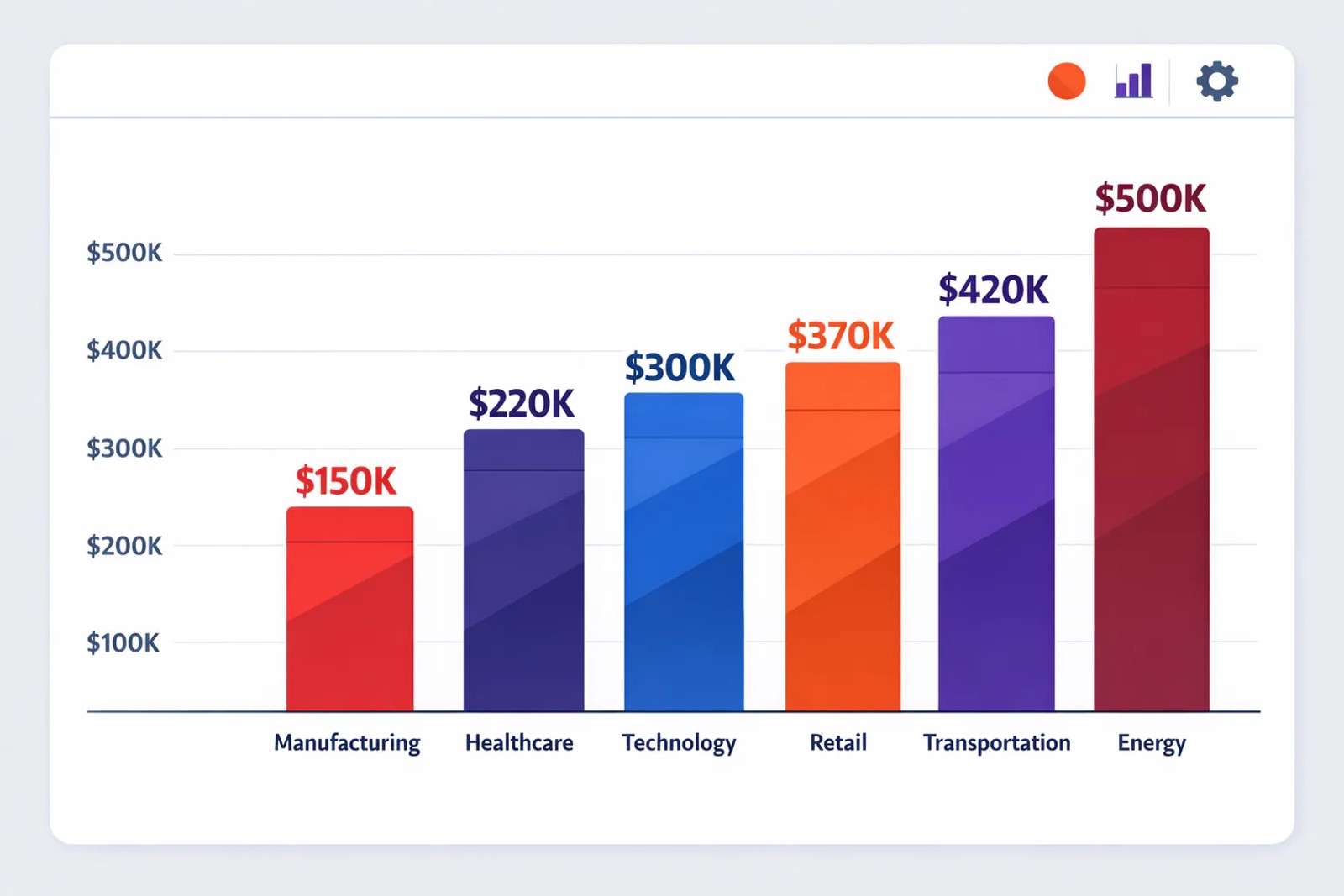
Legal services pay nearly 10x what ecommerce businesses pay. That's not because Google is charging more; it's because a single client can be worth $5,000 to $50,000 for an attorney, so firms are willing to pay more per click. The competition drives up the auction price.
What about total budgets for testing? Most small businesses should commit at least $1,000 to $3,000 per month to gather enough data for meaningful optimization. Anything less and you're essentially guessing in the dark. Search Engine Journal's research shows that businesses need at least 30-90 days of consistent spend to see whether Google Ads are worth it for their specific situation.
Cost Per Lead and Cost Per Acquisition
Clicks don't matter if they don't convert. What you really need to know is how much you'll pay to acquire a customer.
The average cost per lead across all industries is $66.69 in 2026, according to LocaliQ data. But again, this varies wildly:
- B2B services: $116 per lead
- Technology: $134 per lead
- Legal services: $86 per lead
- Auto repair: $34 per lead
- Restaurants: $30 per lead
A $116 cost per lead sounds expensive until you realize that B2B deals often close for $10,000 to $100,000+. Context matters.
The Real ROI: What Businesses Actually Earn From Google Ads
Here's where it gets interesting. Despite the costs, Google Ads consistently delivers positive returns for businesses that track correctly.
Average ROI and ROAS by Industry
Google's own research shows that contractors using Google Ads earn an average of $2 in revenue for every $1 spent. But well-optimized campaigns in high-value industries see much better returns:
- Technology companies: 3:1 ROAS on average
- Legal services: Often 5:1 to 10:1 when tracking closed cases
- Home services: 220% more traffic and conversion rates averaging 3.75% for search ads
According to Valve + Meter's PPC statistics, 65% of all clicks from users with purchase intent go to paid ads rather than organic results. That's the core value proposition: you're intercepting people who are actively searching for what you sell.
Why the Math Works (When It Does)
Let's walk through a realistic scenario:
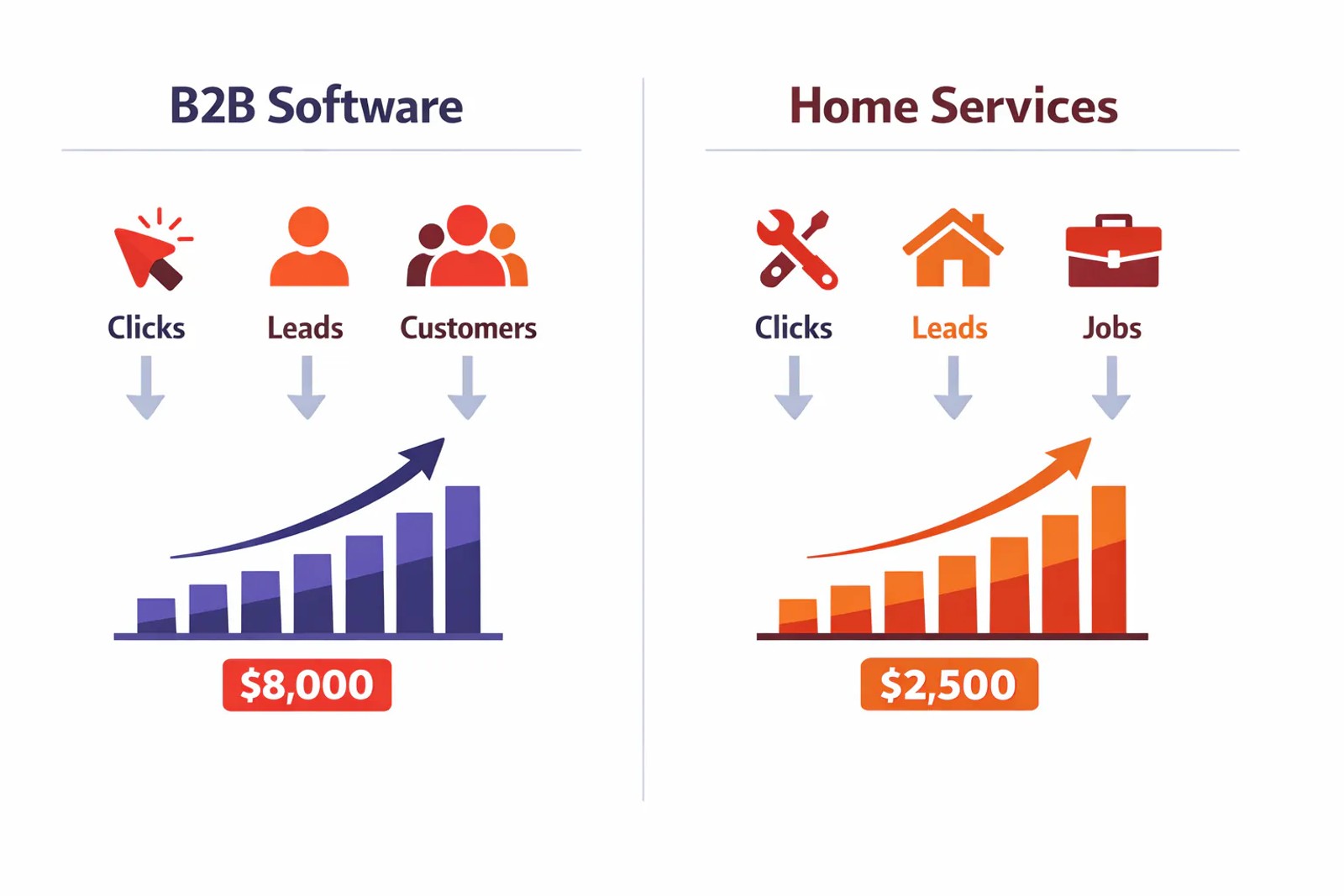
B2B Software Company Example:
- Average CPC: $4.00
- Conversion rate: 4% (form fill)
- Cost per lead: $100
- Lead-to-customer rate: 10%
- Cost per acquisition: $1,000
- Average customer value: $8,000
- ROI: 8:1
Even after paying $100 per lead, this company is profitable because one in ten leads becomes an $8,000 customer.
Home Services Example:
- Average CPC: $7.00
- Conversion rate: 8% (phone call or form)
- Cost per lead: $87.50
- Lead-to-booking rate: 25%
- Cost per customer: $350
- Average job value: $2,500
- ROI: 7:1
The economics work because high-intent search traffic converts better than almost any other channel.
Why Most Businesses Misjudge Google Ads Performance
Here's the uncomfortable truth: most businesses have no idea if Google Ads actually works for them because they're tracking the wrong things.
The Attribution Gap
Google Ads reports clicks and form fills. But those aren't revenue.
A typical B2B sales cycle looks like this:
- Someone clicks your ad and fills out a form
- Your sales team calls them two days later
- They schedule a demo for next week
- After the demo, they ask for a proposal
- Three weeks later, they sign a $15,000 contract
Google Ads sees step 1. Your bank account sees step 5. Everything in between is a black box unless you close the loop.
Google Analytics only tracks website conversions by default. It has no idea if that form fill turned into a qualified lead, a meeting, or a closed customer. Most businesses optimize for form fills and wonder why their revenue doesn't match their "conversion" count.
The Lead Quality Problem
Not all form fills are created equal. You might get 50 leads at $80 each, but if 45 of them are tire-kickers, students, or spam, your real cost per qualified lead is actually $4,000.
Without connecting your CRM to your ad spend, you're flying blind. You might be cutting campaigns that drive revenue and doubling down on ones that drive junk leads.
How to Fix the Attribution Problem
The solution is offline conversion tracking: connecting your Google Ads data to what happens after the click.
This means:
- Capturing UTM parameters and click IDs on every form submission and call
- Pushing that data into your CRM (HubSpot, Salesforce, Pipedrive, etc.)
- Tracking which leads become qualified opportunities and closed deals
- Sending conversion data back to Google Ads so the algorithm optimizes on revenue, not form fills
Tools like Sourceloop automate this process by capturing the full customer journey from first ad click through CRM deal stages, then syncing qualified leads and revenue back to Google Ads as offline conversions.
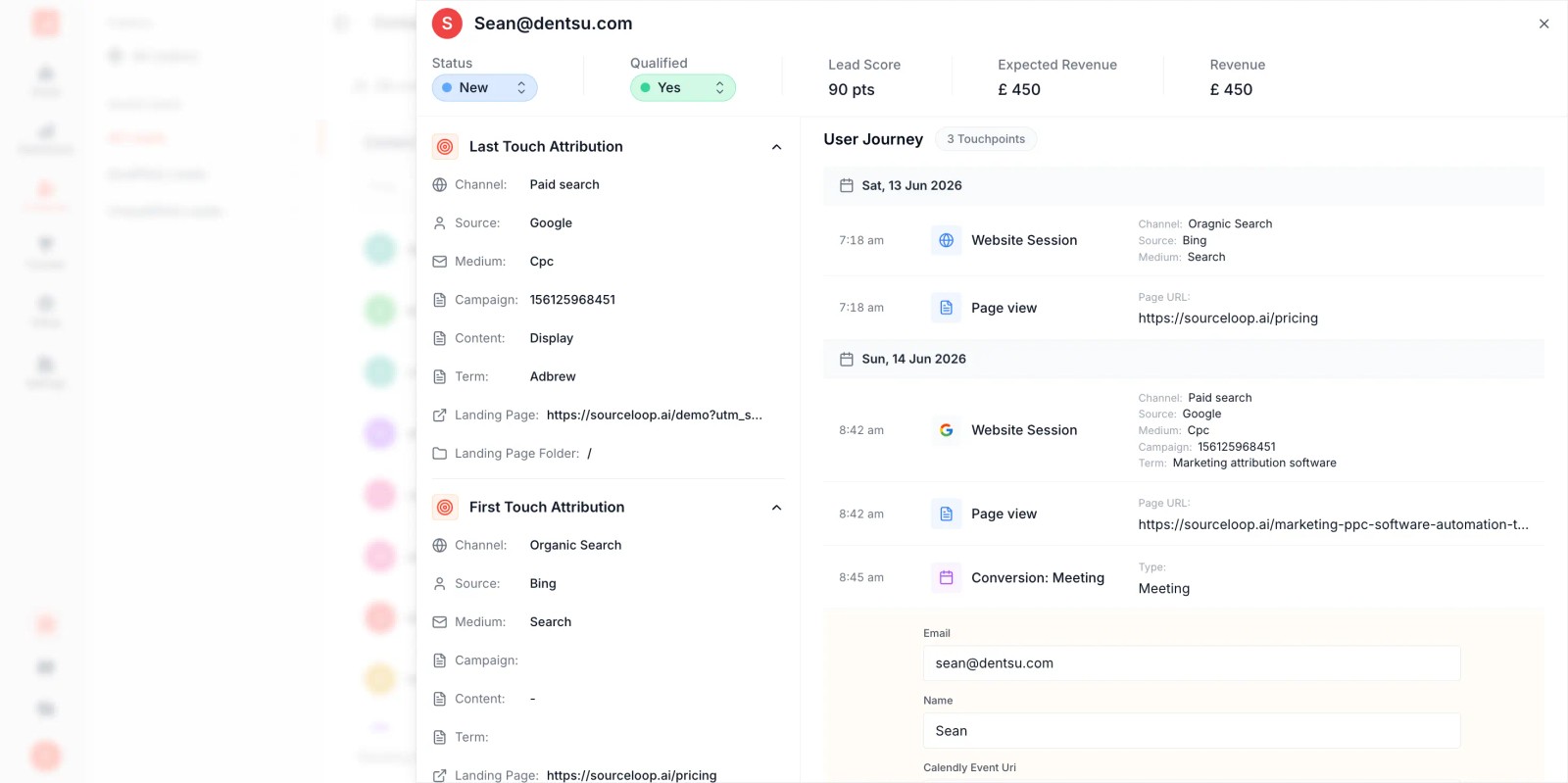
When you close the loop, Google's Smart Bidding and automated targeting systems stop optimizing for any lead and start optimizing for profitable ones.
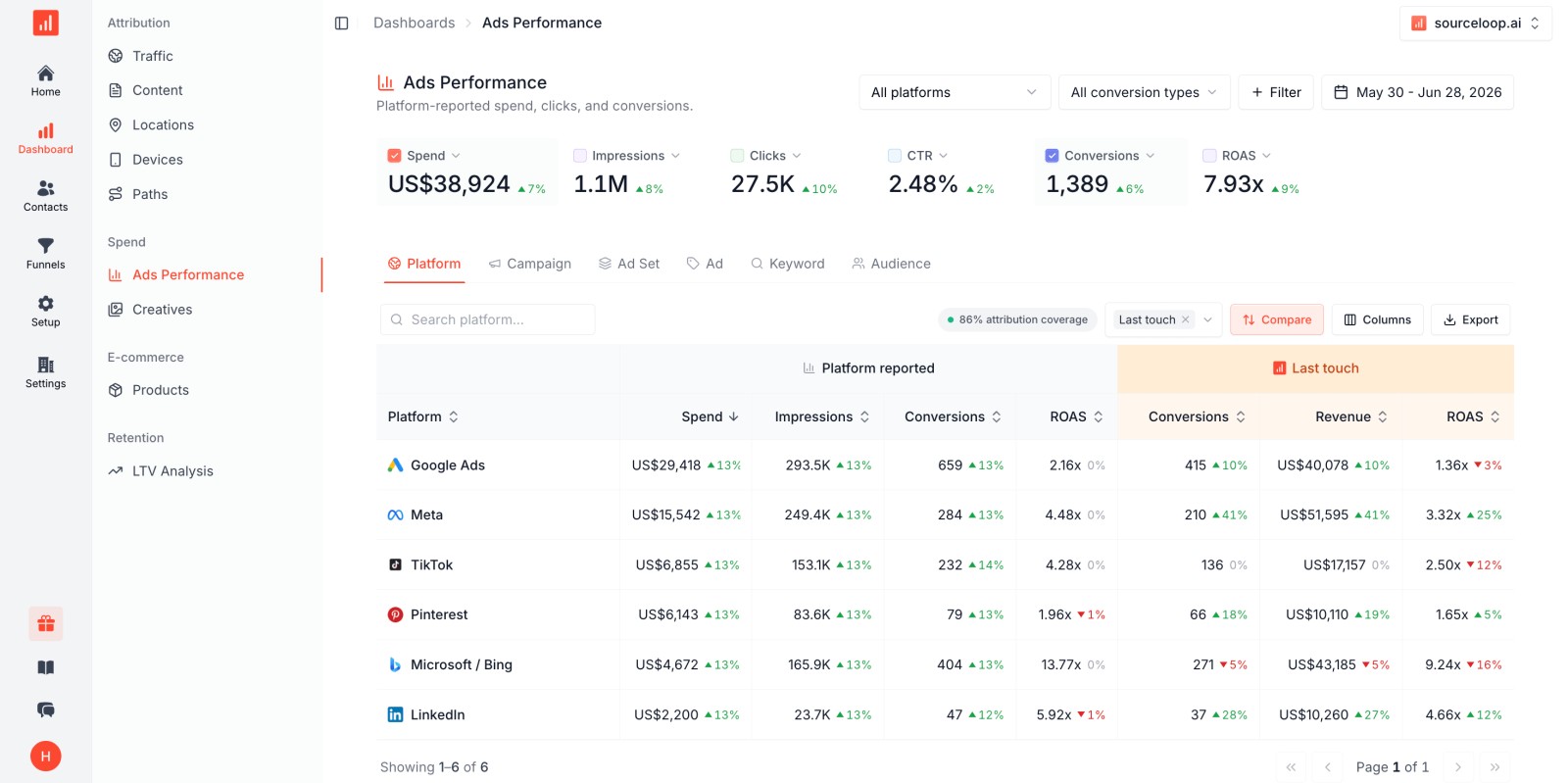
This dramatically improves how you allocate your advertising budgets across campaigns and keywords.
How to Test Google Ads the Right Way: A 90-Day Framework
Don't guess. Test with a structured approach.
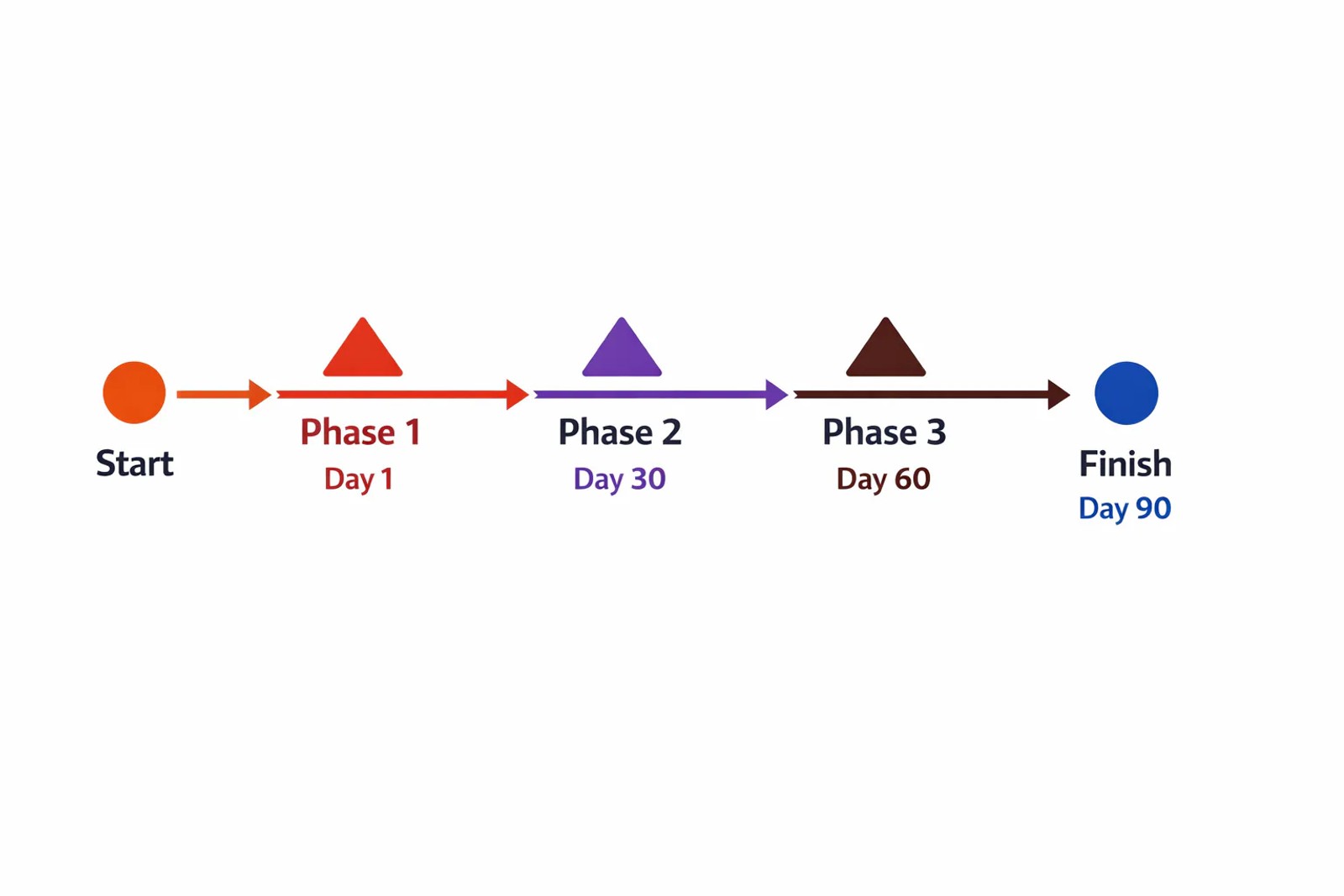
Phase 1: Setup (Weeks 1-2)
Technical foundation:
- Set up Google Ads account and link to Google Analytics
- Install conversion tracking for your primary goal (lead form, phone call, booking)
- Implement UTM parameter capture and CRM integration
- Set up offline conversion tracking if you have a sales cycle
Campaign structure:
- Start with 1-2 search campaigns targeting your highest-intent keywords
- Use exact and phrase match keywords initially (avoid broad match until you have data)
- Create 2-3 ad variations per ad group to test messaging
- Set a conservative daily budget ($50-$100 to start)
Landing pages:
- Dedicated landing page for each campaign theme (not your homepage)
- Clear value proposition in the headline
- Single, obvious call to action
- Mobile-optimized design
Phase 2: Learning (Weeks 3-8)
Let the data accumulate:
- Run campaigns consistently without major changes for at least 30 days
- Google's algorithm needs time to learn; constant tweaking resets the learning phase
- Track clicks, cost, conversions, and conversion rate weekly
What to monitor:
- Which keywords drive conversions (not just clicks)
- Which ad copy gets the highest CTR
- Time of day and day of week patterns
- Geographic performance if you're targeting multiple locations
Early optimizations (after 30 days):
- Pause keywords with 50+ clicks and zero conversions
- Build a comprehensive negative keywords list to filter out irrelevant searches and protect your budgets
- Review search terms report and add more negative keywords weekly
- Improve Quality Score by aligning ad copy with landing page content
- Increase bids on top-performing keywords by 10-20%
- Test new ad copy variations that beat your current winners
Phase 3: Optimization (Weeks 9-12)
Close the revenue loop:
- Review which leads from Google Ads actually closed into customers
- Calculate true cost per customer (not just cost per lead)
- Identify patterns in high-value vs. low-value leads
Advanced optimizations:
- Implement Smart Bidding (Target CPA or Target ROAS) now that you have conversion data
- Expand search ads to high-performing keyword variations and related terms
- Test the Display Network and Performance Max campaigns if search ads deliver positive returns
- Reallocate budgets toward campaigns with proven positive ROI
- Continue refining negative keywords as you see new irrelevant search terms
- Monitor and improve Quality Score for your top-spending keywords
Decision Point: Month 3
After 90 days, you'll have enough data to make an informed decision:
Continue and scale if:
- Your cost per acquisition is below your target threshold
- Lead quality is acceptable (qualified prospects, not junk)
- You're seeing a minimum 2:1 return on ad spend
- Conversion rates meet or exceed industry benchmarks
Pause or pivot if:
- CPA is 2x higher than your breakeven point with no improvement trend
- Lead quality is consistently poor despite landing page optimization
- Click-through rates are under 2% after multiple ad tests
- You haven't closed a single customer from Google Ads traffic after 90 days
Don't judge Google Ads based on the first two weeks. The platform needs time to optimize.
Maximize Your Google Ads ROI With Proper Attribution
The difference between profitable Google Ads campaigns and money pits often comes down to one thing: knowing which ads drive revenue, not just clicks.
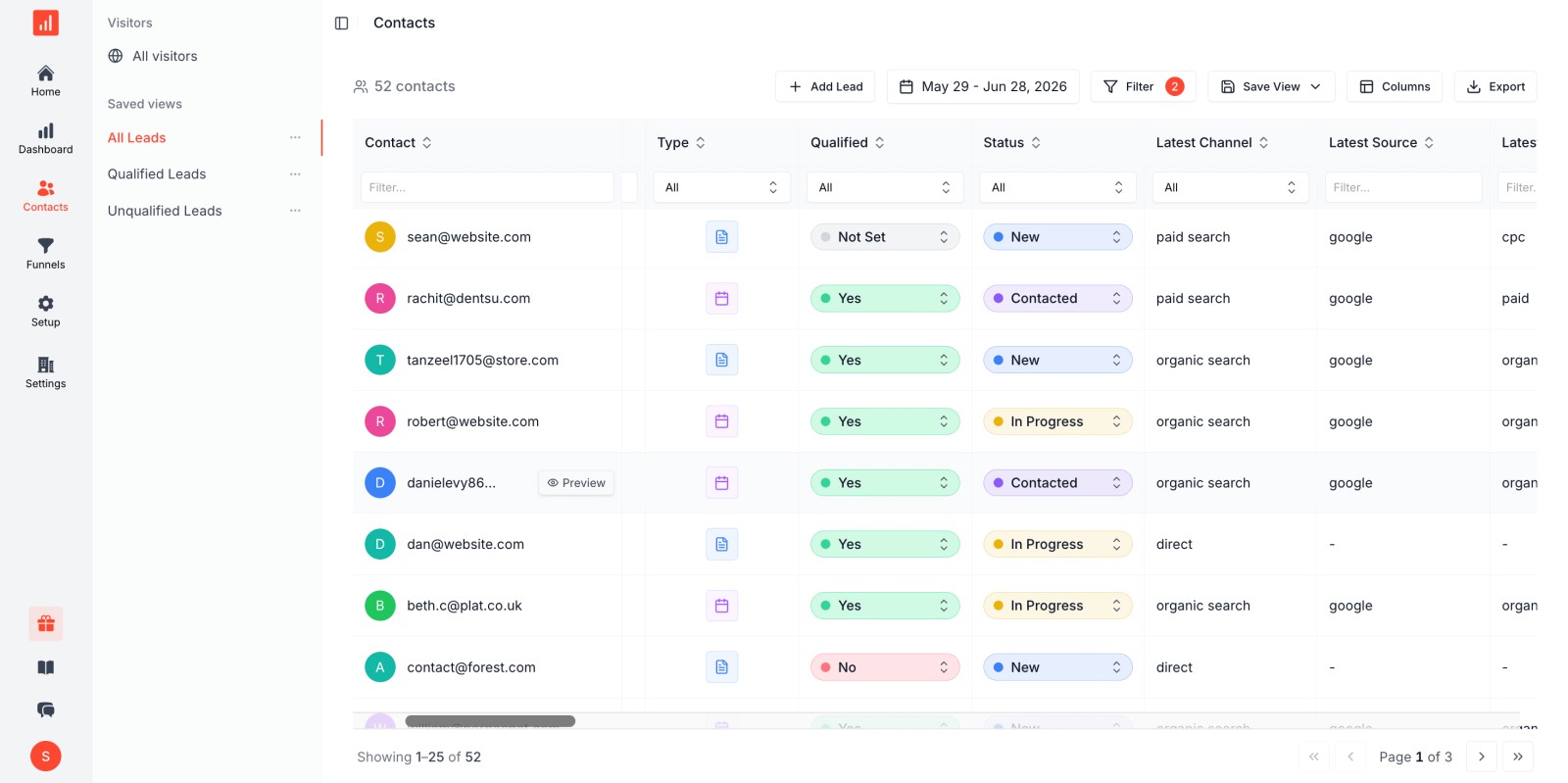
Most businesses optimize Google Ads based on incomplete data. They see 100 form fills at $50 each and assume they spent $5,000 wisely. Then they check their CRM and realize only 10 were qualified leads, and only 2 closed into customers. Suddenly that $5,000 cost them $2,500 per customer, not $50 per lead.
When you track the full customer journey from ad click through closed deal, everything changes:
- You stop wasting budget on campaigns that generate junk leads
- Google's Smart Bidding algorithms optimize toward revenue instead of form fills
- You can accurately calculate ROI and scale what works
- Sales and marketing finally speak the same language (revenue, not vanity metrics)
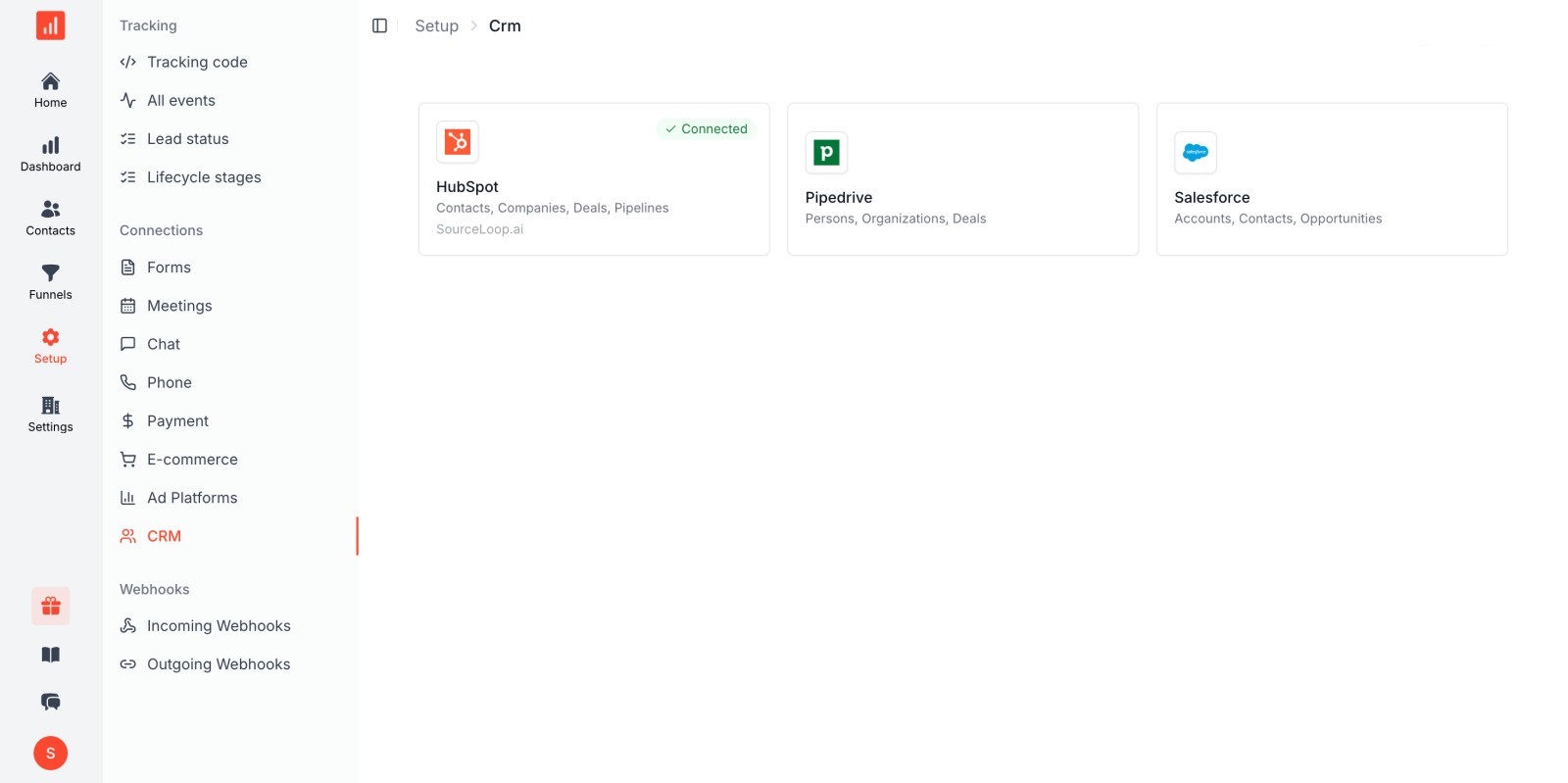
Sourceloop connects your Google Ads campaigns (including Google AdWords legacy accounts) to your CRM and revenue data automatically. It captures every ad click, associates it with the lead in HubSpot, Pipedrive, or Salesforce, tracks that lead through your sales pipeline, and syncs closed deals back to Google Ads as offline conversions.
This closes the attribution loop and ensures your ad spend and targeting budgets optimize for customers, not clicks.
If you're serious about making Google Ads work, you need to see the full picture. Try Sourceloop free for 7 days and connect your ad performance to actual revenue
Frequently asked questions
-
FAQ
-
What is Google Ads?
Google Ads is Google's pay-per-click advertising platform that displays ads in Google Search results, YouTube, Gmail, and across millions of partner websites. Advertisers bid on keywords and pay when users click their ads. It's the world's largest digital advertising platform, processing over 8.5 billion searches daily.
-
Do Google Ads actually work?
Yes, Google Ads work for most businesses when set up correctly. The average return is $2 in revenue for every $1 spent, with well-optimized campaigns achieving $8 or more. However, success depends on proper conversion tracking, competitive industry economics, and a sustainable customer lifetime value that exceeds acquisition costs.
-
How much do Google Ads cost in 2026?
The average cost per click in Google Ads is $5.42 in 2026, but this varies by industry. Legal services average $9.87 per click, while ecommerce averages $1.16. The average cost per lead across all industries is $66.69. Most small businesses should budget $1,000 to $3,000 per month minimum to gather enough data for optimization.
-
What's a good conversion rate for Google Ads?
The average conversion rate across all industries for Google Ads search campaigns is 8.18% in 2026. Top-performing industries include animals and pets (16.22%), automotive repair (15.51%), and education (13.14%). Lower-performing industries include finance and insurance (2.64%) and furniture (2.99%). Your conversion rate depends on your offer, landing page quality, and traffic intent.
-
Are Google Ads worth it for small businesses?
Google Ads can be worth it for small businesses if their customer lifetime value is at least 3x their cost per acquisition and they can commit to at least $1,000-$2,000 per month for 90 days. Small businesses in service industries (legal, home services, healthcare, B2B) typically see better returns than those in low-margin ecommerce. Proper conversion tracking is essential.
-
How long does it take to see results from Google Ads?
Most businesses start seeing clicks and traffic within 24-48 hours of launching Google Ads campaigns. However, meaningful performance data requires 30-60 days as Google's algorithm learns which audiences convert best. To accurately measure ROI and closed customers, plan for a 90-day test period, especially if you have a longer sales cycle.
-
What is the difference between Google Ads and Google AdSense?
Google Ads is for advertisers who want to promote their business by displaying ads. Google AdSense is for website publishers who want to earn money by displaying others' ads on their site. Advertisers use Google Ads to reach customers; publishers use AdSense to monetize their traffic.
-
Should I run Google Ads or Facebook Ads first for a brand-new B2B product?
For brand-new B2B products with no search volume yet, start with LinkedIn Ads or Facebook Ads for audience targeting. Google Ads works best when people are actively searching for solutions like yours. Once you've built some brand awareness and validated messaging through social ads, layer in Google Ads to capture bottom-of-funnel search intent.
-
Why does everyone say "don't trust Google's auto-applied recommendations"?
Google's auto-applied recommendations prioritize Google's revenue (more ad spend) over your ROI. They often suggest switching to broad match keywords, raising budgets, or enabling Performance Max without context for your specific goals. While some suggestions are helpful, review each one carefully and test in isolation before applying. Your business goals and Google's goals aren't always aligned.



 Paid Social


