










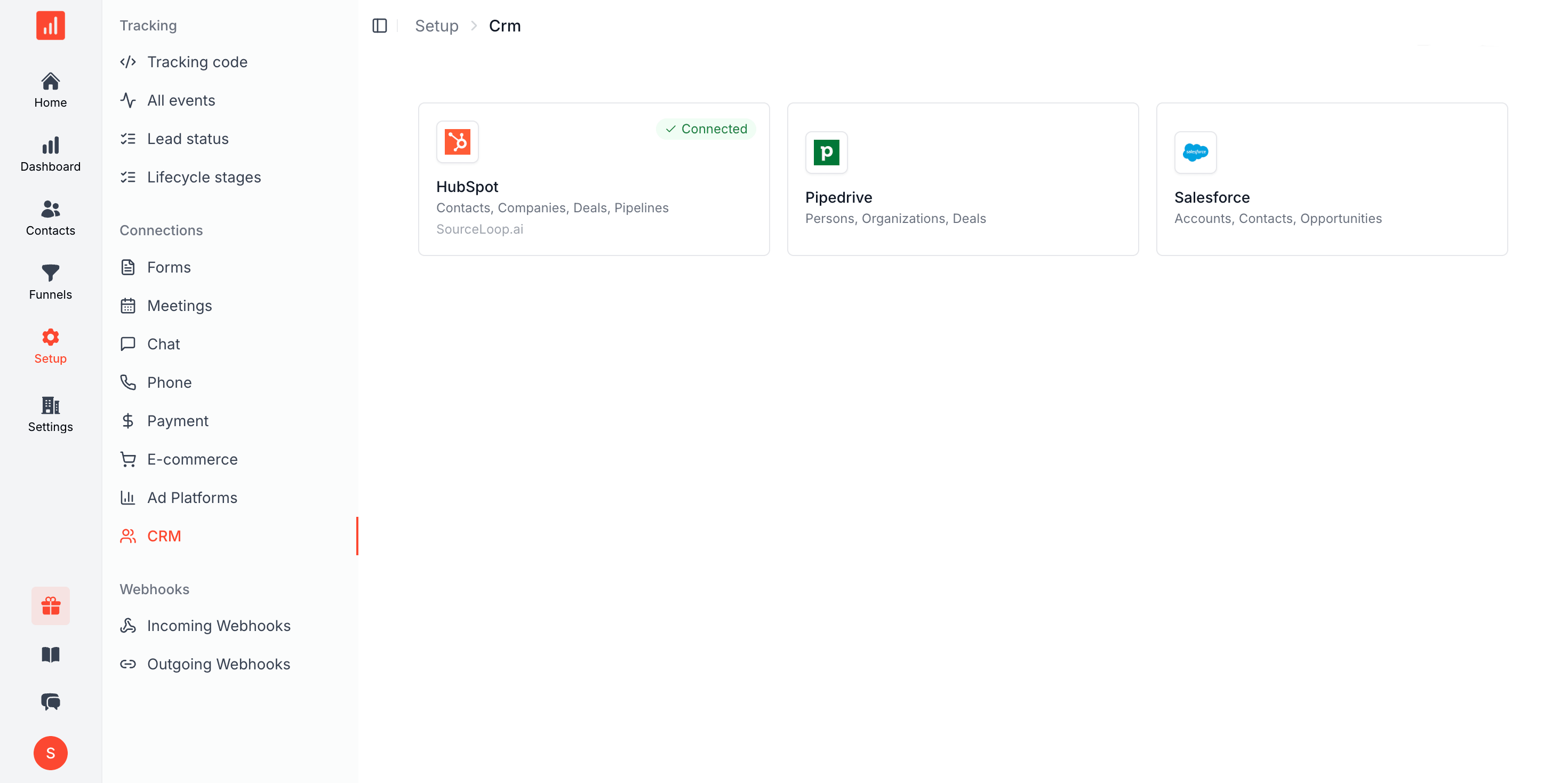
Native CRMs
CRM sync
CRM attribution for HubSpot, Salesforce, and Pipedrive
Connected natively, or any other CRM by webhook. Lead source, the full journey, and lead score written onto your standard fields, with one-way push or two-way sync.
Free 7-day trial. No credit card required.
Trusted by teams running HubSpot, Salesforce, and Pipedrive
Lead source pollution
Why the lead source field in your CRM cannot be trusted
Marketers call it lead source pollution: the one field that decides where budget goes is filled in by guesswork, overwritten by the next click, or left blank. Five things cause it.
- 01
Half your leads say Direct or blank
When no campaign tag survives the journey, the CRM records nothing useful and every report built on that field inherits the gap.
Affects DirectReferralBlank - 02
Each new touch overwrites the last
A single source field cannot hold a journey. The last click stamps over the first, so the campaign that introduced the buyer disappears from the record.
Affects Last-touch overwriteSingle-value fields - 03
A rep types it in by hand
Picklists get guessed at during data entry, and nobody goes back to correct them. Within a quarter the field is fiction that everyone still reports on.
Affects Manual entryPicklists - 04
HubSpot attribution only sees HubSpot
Native attribution reports credit the interactions your CRM recorded. They never see ad spend, so they can count contacts but cannot tell you cost per customer.
Affects HubSpot attribution reportsSalesforce campaign members - 05
Revenue never travels back
The deal closes in the CRM and nothing tells marketing which campaign earned it, so budget keeps chasing lead volume instead of customers.
Affects Closed-wonDeal value
With SourceLoop
A lead source field that is right on create
Real source written the moment the contact is created, first and last touch both kept, and closed-won revenue flowing back to the campaign that earned it.
- 01 The real source written on create, never Direct and never blank
- 02 First touch and last touch both stored, neither overwriting the other
- 03 Written automatically, so no rep has to guess at a picklist
- 04 Ad spend joined to CRM deals, not CRM-only data
- 05 Closed-won revenue flows back to the campaign that produced it
CRM sync stack
Source, journey, and revenue, written straight into your CRM
Native CRMs over OAuth, any other CRM via webhook, mapped onto your standard fields, one-way or two-way, with deals syncing back to the campaign that earned them.


Any other CRM
Everything else via webhook, Zapier, n8n, and Make.
Field mapping
Source maps cleanly to your standard CRM fields.
One-way or two-way
Push only, or full two-way sync, your call.
Deals sync back
Deals and revenue flow back to the campaign that earned them.
Connected CRMs · 3
 HubSpot 3,210 Live
  Salesforce 1,940 Live
  Pipedrive 872 Live
 Native CRM integrations
OAuth into HubSpot, Salesforce, and Pipedrive
Authorize once and SourceLoop writes first-touch, last-touch, the full journey, and lead score straight into your standard contact, lead, and deal properties. No middleware, no custom-field sprawl, and nothing for your reps to maintain by hand.
- Live sync into standard contact, lead, and deal fields
- First-touch, last-touch, journey, and lead score written in
One-way or two-way, your call
Push attribution in, or sync the whole loop
One-directional push keeps your CRM clean with attribution only, ideal when you just want source on every record. Bi-directional sync keeps deal stage and revenue flowing back into SourceLoop, so your reports close the loop instead of stopping at the lead.
- One-way push for attribution-only, clean and simple
- Two-way sync reads deal stage and revenue back
Sync directionTwo-way
SourceLoop CRM
One-way (push)Attribution into CRM
Two-way (sync)Deals + revenue back
 deal_closed_won
+ $24,000
deal_closed_won
+ $24,000 deal_id dl_8f21c4
stage closed_won
amount 24000.00
currency USD
source linkedin / paid
last_sync 6s ago
Deals and revenue, closed loop
Tie closed-won revenue back to the channel
When a deal moves stage or closes, the amount and stage sync back, and SourceLoop ties that revenue to the original source and campaign. You get true closed-loop attribution and revenue per channel, not just a pile of lead counts that never reconcile with the CRM.
- Deal stage and amount sync back automatically
- Revenue attributed to the original source and campaign
Any CRM via webhook and automation
Not on a native CRM? Fire a webhook instead
Not on HubSpot, Salesforce, or Pipedrive? Fire a webhook, or connect through Zapier, n8n, or Make, and every lead still lands with source, journey, and lead score. It's the same payload we send natively, so your attribution stays consistent across every tool you run.
- Webhook plus Zapier, n8n, and Make support
- Same source, journey, and score payload everywhere
Webhook destinations · 4
Webhook endpoint 1,420 Live
 Zapier 986 Live
 n8n 512 Live
Make 308 Live
How it works
Three steps from connect to closed-loop sync
No middleware to run, no custom fields to wrangle, no engineering ticket to file.
-
 01
01Connect your CRM
OAuth into HubSpot, Salesforce, or Pipedrive, or point a webhook at any other CRM.
-
Field mapping
- utm_source Lead Source
- first_touch First Touch
- lead_score Lead Score
02Map your fields
Source, first/last touch, journey, and score map onto your standard properties.
-
Two-way sync live
- Leads pushed 6,022
- Deals synced 418
- Revenue tied $1.2M
03Choose one-way or two-way
Data syncs in real time. Turn on two-way and deals and revenue flow back.
FAQ
CRM sync FAQ
Which CRMs do you integrate with natively?
HubSpot, Salesforce, and Pipedrive connect natively over OAuth. You authorize once, pick the objects and properties to write to, and the sync is live in minutes. No middleware, no engineering tickets, no API keys to rotate by hand.
My CRM isn't on the list. Can I still sync?
Yes. Point a webhook at any other CRM, or connect through Zapier, n8n, or Make. The payload is the same one we send to native CRMs (source, first-touch, last-touch, full journey, and lead score), so every lead still lands with attribution attached no matter where it goes.
What data do you write into my CRM?
First-touch and last-touch source, the full multi-touch journey, lead score, campaign, and click identifiers like gclid and fbclid. Everything maps onto your existing standard properties on the contact, lead, or deal, so you avoid custom-field sprawl and your reps see clean, familiar fields.
What's the difference between one-way and two-way sync?
One-way sync pushes attribution into the CRM and leaves your deal data untouched, which keeps your CRM clean if you only want source on each record. Two-way sync also reads deal stage and revenue back into SourceLoop, so your reporting closes the loop end to end.
Can I attribute closed-won revenue back to the channel?
Yes. With two-way sync on, deals sync back with their stage and amount. When one moves to closed won, SourceLoop ties that revenue to the original source and campaign, so you see true closed-loop attribution and revenue per channel, not just lead counts.
Will this create duplicate contacts or field sprawl?
No. We dedupe on email so you don't get duplicate contacts, and we map onto your existing standard fields rather than spraying new custom properties. You control the field mapping, so nothing writes anywhere you didn't approve.
What is lead source pollution?
It is the slow decay of the lead source field in a CRM. Values get overwritten by the most recent touch, typed in by hand during data entry, or left as Direct when no campaign tag survived. The field still looks populated, so reports keep using it long after it stopped being true. SourceLoop writes the real source at contact creation and keeps first and last touch as separate values, so nothing overwrites anything.
Can I use linear or multi-touch attribution in HubSpot?
HubSpot offers several attribution models on Marketing Hub Professional and Enterprise, and they work on interactions HubSpot itself recorded. What they cannot include is ad spend, or touchpoints from tools outside HubSpot. SourceLoop runs first-touch, last-touch, linear, time-decay, U-shaped, and W-shaped on the full journey and writes the result into HubSpot, so the model runs on complete data.
Can you track leads in Salesforce with multi-touch attribution?
Yes. Salesforce handles multi-touch natively through campaign members, which requires every touch to be created as a campaign and associated correctly, usually by an admin. SourceLoop populates the source and journey on the Lead and Contact directly, and writes closed-won revenue back against the originating campaign, without that manual campaign hygiene.
What are examples of lead sources?
Common ones are paid search, paid social, organic search, direct, referral, email, affiliate, events, and outbound. The useful distinction is between the channel someone arrived from and the specific campaign, ad, or page that produced them. SourceLoop stores both, so Paid Search can be broken down to the keyword and the landing page behind each lead.

 Paid Social


