
How to Track UTM Parameters in Hubspot CRM
HubSpot UTM tracking made easy. Follow these 4 easy steps to know the source of every contact inside your CRM.
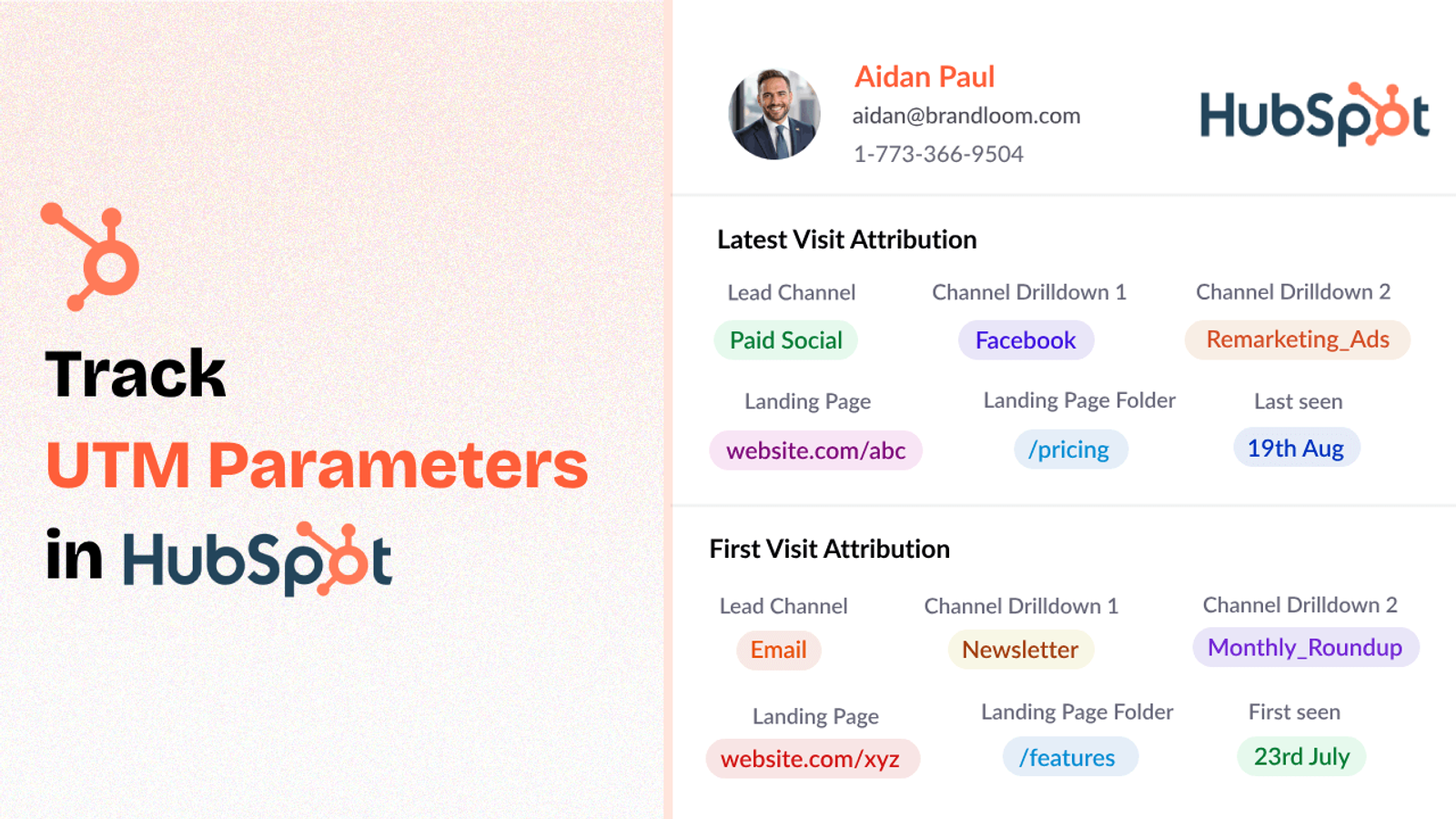
Table of contents
If you are running marketing campaigns, you need to know where your leads are coming from.
UTM parameters are a simple way to do that. But just adding UTMs to your links isn’t enough — you need a way to capture that data inside HubSpot too.
In this blog post, I’ll show you how to set up UTM tracking in HubSpot in 4 easy steps.
Let’s get started.
4 Easy Steps to Track UTM Parameters in HubSpot CRM
Here are 4 simple steps to capture UTM parameters in HubSpot CRM:
1. Add SourceLoop on Your Website

The first thing you’ll need is a way to grab the UTM parameters when someone visits your site.
A simple tool like SourceLoop makes it easy.
Go to SourceLoop.ai and create an account.
Once you’re signed in, get your unique tracking script and paste it into your website’s header (the same way you would install Google Analytics).
Now, when someone clicks your ad or email link, SourceLoop reads the UTM tags and stores them in the visitor’s browser cookies. This means even if the user clicks around on 5 different pages before filling out a form, their original UTM info stays intact.
Here’s how SourceLoop organizes UTM information:
Example:
Let’s say Nike is using SourceLoop.ai, and a user clicks on one of their Google Display Ads promoting new running shoes for spring.
SourceLoop.ai will capture and organize the user’s visit information like this:
- Channel = Display
- Channel Drilldown 1 = Google Display Network
- Channel Drilldown 2 = Banner Ad
- Channel Drilldown 3 = Spring Running Shoes
- Landing Page = www.nike.com/running-shoes/spring-collection
- Landing Page Folder = running-shoes
- Last Seen = Apr 14, 2025
2. Add UTM Parameters to Your Links

While SourceLoop can detect users source even if they don’t visit your website through a UTM link such as user coming from SEO or a partner website, having UTM tags in links allows SourceLoop to capture more data about eh source of the lead.
So go ahead and open your Google Ads, Meta Ads, TikTok Ads, social media posts & email newsletters and append UTM tags to each of your links pointing to your website.
Example of a link with UTM parameters:
https://yoursite.com/quiz?utm_source=facebook&utm_medium=paid&utm_campaign=summer_sale
Resources:
- How to add UTM parameters in Google Ads
- How to add URL parameters to Meta ads
- How to setup UTM Codes for LinkedIn Ads
- How to add UTMs to your TikTok ads
3. Add Hidden Fields to Your Lead Form
Now you have UTM data captured in the visitor’s browser.
But you still need to collect that information when they submit a form.
Add a few hidden fields to the forms you are using on your website to collect leads and signups.
These fields won’t be visible to users, but when the form is submitted, SourceLoop will autofill them with the correct UTM values.
The fields you’ll need:
- channel
- channeldrilldown1
- channeldrilldown2
- channeldrilldown3
- landingpage
- landingpagefolder
- lastseen
Resources: How to add hidden fields in Hubspot Form.
Optional: Capture First-Touch Attribution Too (Highly Recommended for B2B)
If you’re marketing B2B products or services where a user may visit your site several times before converting, it’s also wise to record first-touch attribution.
Here are 7 other hidden fields that you can configure to receive the attribution data for the user’s first visit to your website:
- first_channel
- first_channeldrilldown1
- first_channeldrilldown2
- first_channeldrilldown3
- first_landingpage
- first_landingpagefolder
- firstseen
4. Watch UTM Data Flow Seamlessly Into Hubspot CRM
That’s it.
Each time a person submits a form or schedules a meeting, your HubSpot contacts will start showing attribution data automatically.
With lead source data inside HubSpot CRM, you can:
1. Personalized Lead Nurturing
Do you know personalized emails have a 29% higher open rate and a 41% higher click-through rate compared to non-personalized ones? (source)
When your sales team knows exactly where a lead came from — whether it was a “Free Demo Facebook Ad”, a Google search, or a webinar signup — they can craft messaging that speaks directly to the lead’s interests and journey.
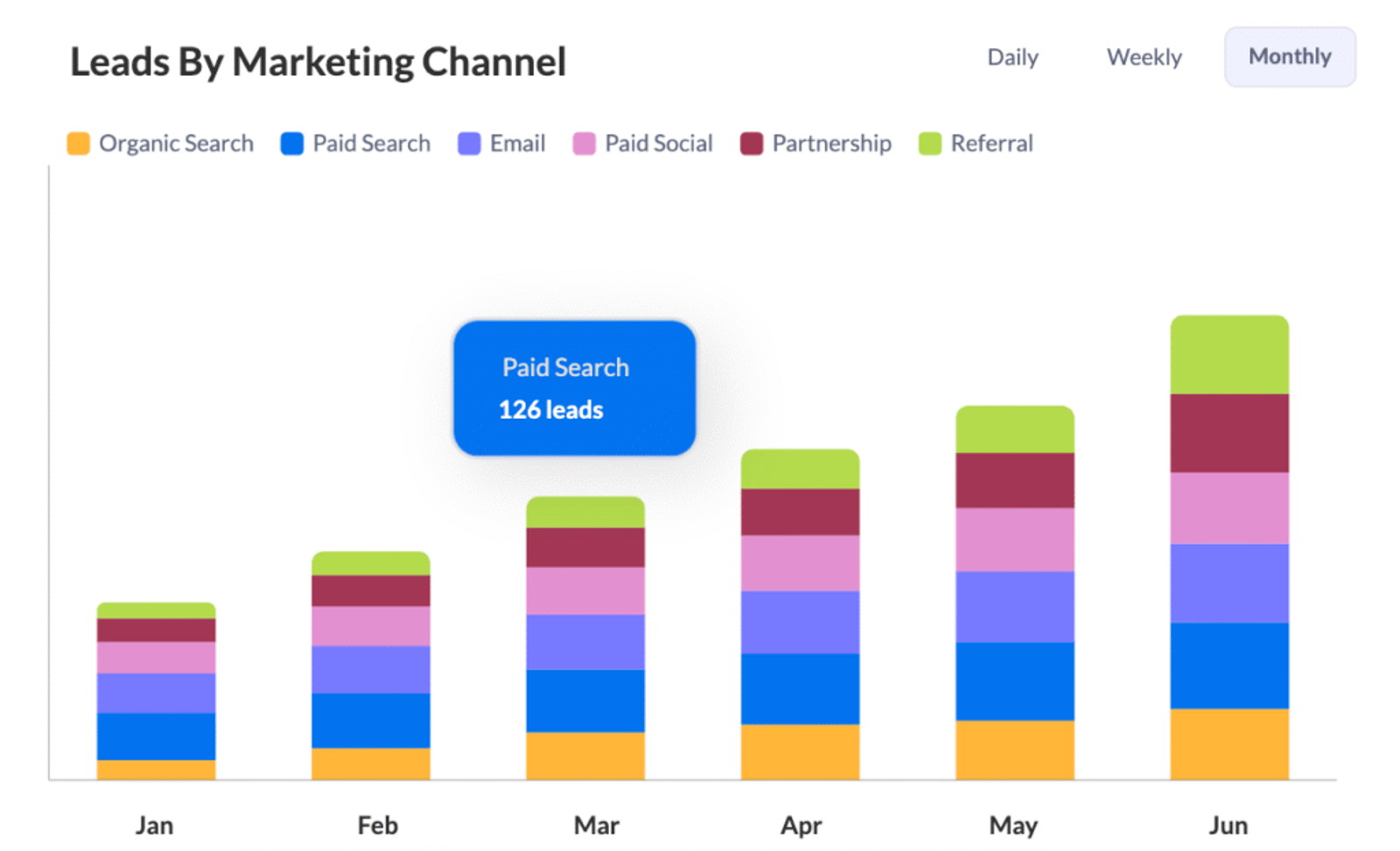
2. Smarter Budget Decisions
Without clear attribution, marketing often feels like throwing darts in the dark.
But when you know exactly which campaigns are bringing in high-quality leads — and which ones aren’t moving the needle — you can start making smarter decisions on marketing investment.
3. Prove (and Improve) Your Marketing ROI With Real Numbers
When you boss or client asks “What are we getting for this marketing budget?”
Imagine telling them clearly:
“Our Facebook Free Demo campaign generated 800 leads, led to 45 product demos, and closed $120,000 in new revenue.”



 Paid Social


