
How to Track UTM Parameters in Keap CRM
UTM Tracking in Keap CRM Made Simple. 4 easy steps to capture UTM parameters in Keap CRM and see which marketing channels drive leads, opportunities, and customers.
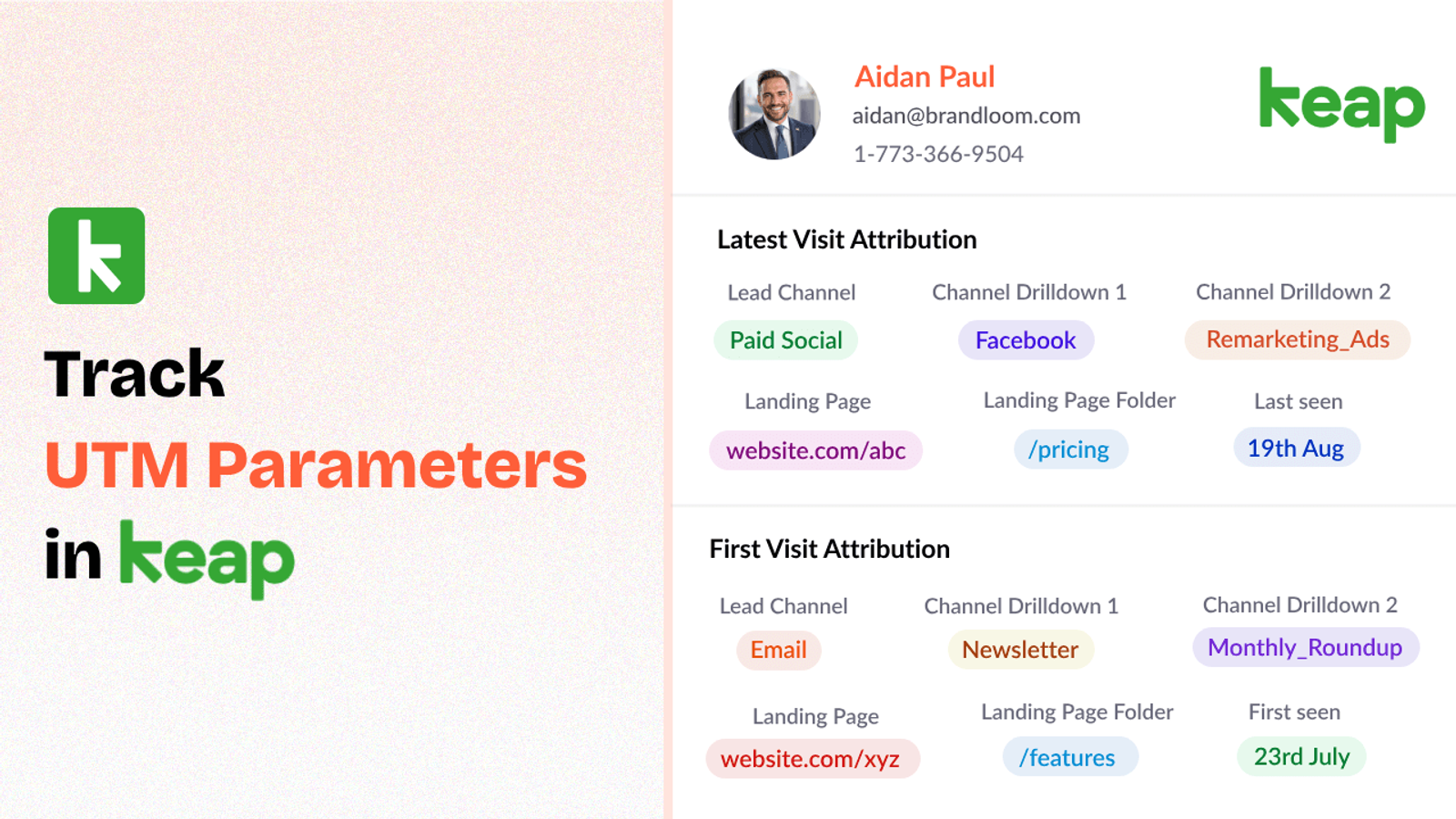
Table of contents
Without proper UTM tracking in Keap, it’s hard to connect leads back to your marketing efforts.
Fortunately, there are plug-and-play tools like SourceLoop.ai that make tracking utm parameters in Keap CRM a breeze.
In this post, we’ll walk you through how to track UTM parameters in Keap CRM and make the most of your marketing data
Let’s dive in!
4 Easy Steps to Track UTM Parameters in Keap CRM
Here are 4 simple steps to capture UTM parameters in Keap CRM:
1. Add SourceLoop on Your Website

First of all, sign up to SourceLoop.ai.
Once signed in, copy the tracking code provided by SourceLoop.ai and paste it into your website’s header or global footer.
Now, as soon as a visitor lands on your website from any marketing campaign, SourceLoop.ai begins tracking UTM parameters embedded in their URL (like utm_source, utm_medium, utm_campaign, etc.).
Then it organizes these UTM parameters to give you a breakdown of where the lead came from, what campaign they clicked on, and more.
Example of how SourceLoop organizes UTM data:
Imagine Coca-Cola is running a Facebook ad campaign to promote their new limited-edition flavor.
When a user clicks on the ad and visits the Coca-Cola website, SourceLoop organizes & stores data like this:
- Channel: Social
- Channel Drilldown 1: Facebook
- Channel Drilldown 2: Limited Edition Flavor Launch
- Channel Drilldown 3: Video Ad
- Landing Page: www.coca-cola.com/limited-edition
- Landing Page Folder: limited-edition
- Last Seen: April 27, 2025
This data is then stored in the user’s browser cookies, allowing SourceLoop.ai to retain this information, even if the user navigates through different pages or leaves and returns later.
2. Add UTM Parameters to Your Links

Next, ensure that your marketing campaigns links are tagged with UTM parameters.
These parameters are what allow SourceLoop to monitor where your website visitors are coming from.
For example, when you’re running a social media campaign, a link to your landing page might look like this:
https://yourwebsite.com/signup?utm_source=tiktok&utm_medium=paid&utm_campaign=brand_campaign
These UTM parameters will then be captured as they arrive on your website.
You should add UTM tags to:
- Paid search ads (Google Ads, Bing Ads, etc.)
- Paid social ads (LinkedIn, Instagram, Facebook, Twitter/X)
- Email campaigns
- Banner/display ads
- Affiliate campaigns
- Social media post
- Guest blog post
Resources:
- Setting up UTM tracking in Google Ads
- How to Use URL Parameters for Facebook Ads Tracking
- Implementing UTM Parameter Templates on LinkedIn Ads
- Implementing UTM Parameter Templates on TikTok Ads
3. Add Hidden Fields to Your Lead Form
Next, we need to ensure that UTM data gets capture when an inbound lead is created in CRM.
We can do this by adding hidden fields to our lead form – these fields capture the UTM data and pass it to our CRM when a user submits fills a form or book a meeting.
Here’s a list of the standard hidden fields to include in your form:
- channel
- channeldrilldown1
- channeldrilldown2
- channeldrilldown3
- landingpage
- landingpagefolder
- lastseen
Optional: Capture First-Touch Attribution Too
If you want to track the original source of the user (i.e., the first time they interacted with your campaign), SourceLoop.ai supports the following fields for this:
Here are 7 other.hidden fields you can add to receive the attribution data of a user’s first visit to your site.
- first_channel
- first_channeldrilldown1
- first_channeldrilldown2
- first_channeldrilldown3
- first_landingpage
- first_landingpagefolder
- firstseen
These fields are extremely useful if you want to know if a lead originally came from a paid ad, but later visited organically or through email.
By storing both the initial and most recent UTM data, you get a comprehensive view of how your leads interact with your campaigns over time.
4. Sync UTM Data with Keap CRM in Real-Time
Once the UTM data is captured and passed into the hidden fields of your lead form, it automatically flows into your Keap CRM.
What Can You Do with UTM Data in Your CRM?
1. Understand the True ROI of Marketing Campaigns
With UTM data flowing into your CRM, you can clearly see the direct impact of your campaigns.
For example;
Imagine telling your manager that your specific Meta ad campaign generated 1,300 clicks, 178 marketing qualified leads, 60 demos, and 42 paid customers, resulting in $13,421 in revenue.
This level of transparency allows you to calculate and understand the true return of your marketing efforts, helping you assess the effectiveness of each campaign.
2. Help Your Sales Team with Personalized Lead Engagement
Knowing exactly where your leads are coming from allows you to provide your sales team with critical insights for personalized engagement.
For example;
If a lead comes from a webinar, you might know they’re interested in learning and educating themselves, so you could offer them more in-depth resources or a case study.
On the other hand, if a lead originates from a paid ad, you could tailor the conversation around a special promotion or direct them to a product demo since they likely clicked out of interest in a specific offer.
This level of personalised sales engagement can boost your conversion rate.
3. Allocate Marketing Budget More Effectively
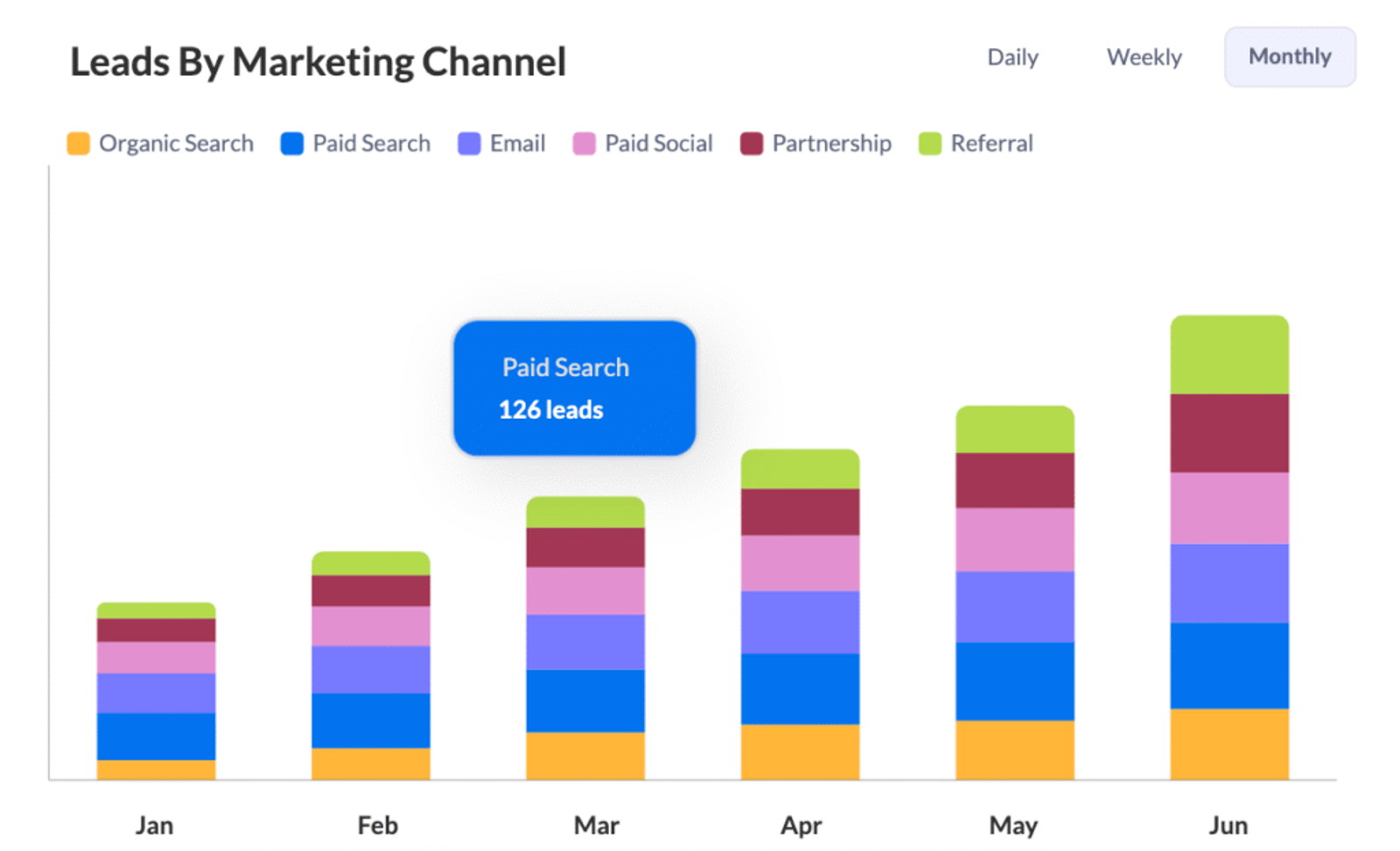
When you have UTM data, it’s easier to see which channels and campaigns are driving the lead, pipeline, and customers.
For example, if you discover that your paid search campaigns are generating a significantly higher number of leads and conversions compared to social media ads, you can confidently allocate more of your marketing budget toward the channels that perform best.
This insight ensures that you’re spending your marketing dollars wisely and optimizing for the highest return on investment.




 Paid Social


