
How to Track UTM Parameters in Sage CRM
Sage CRM UTM tracking made easy: 4 easy steps to capture UTM parameters in Sage CRM
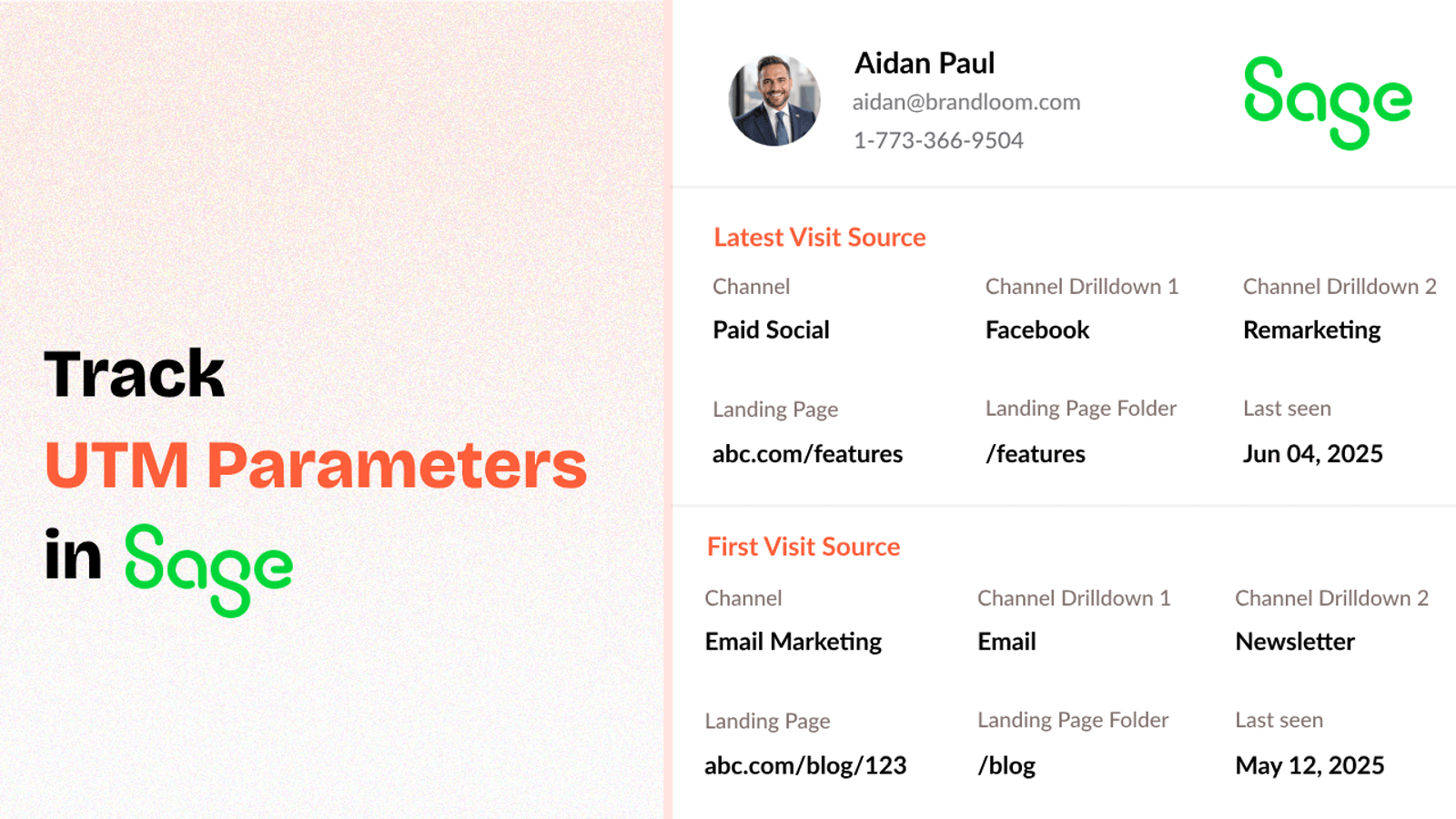
Table of contents
If you’re running marketing campaigns, you’re probably using UTM parameters to track where your leads come from.
But once those leads visit your website and fill out a lead form or book a meeting, that UTM data often gets lost before it reaches your Sage CRM system.
In this guide, we’ll show you how to track UTM parameters in Sage CRM using SourceLoop—so you can see what’s bringing in leads.
Let’s dive in.
4 Easy Steps to Track UTM Parameters in
Sage CRM
Here are 4 simple steps to capture UTM parameters in Sage CRM:
1. Install SourceLoop.ai on Your Website

SourceLoop is a plug & play tool that captures UTM data, landing pages, and referral sources for every website visitor.
Here’s how to get started:
- Sign up for a free account at SourceLoop.ai.
- Copy your website tracking script.
- Paste that script in your website’s
<head>section or add it through your tag manager (e.g., Google Tag Manager).
Once added, SourceLoop automatically start capturing the UTM values from link a user has used to visit your website.
Example:
Let’s say you’re a SaaS company offering a free trial of your product.
You run a Google Ads campaign to drive signups:
A user clicks on this ad link:
https://yourapp.com/trial?utm_source=google&utm_medium=paid&utm_campaign=free_trial_may
SourceLoop will automatically capture:
- Channel: Paid Search
- Channel Drilldown 1: Google
- Channel Drilldown 2: free_trial_may
- Channel Drilldown 3: non_branded_keywords
- Landing Page: https://yourapp.com/trial
- Lastseen: May 04, 2025
2. Tag All Your Marketing Links with UTM Parameters

To track lead sources properly, you must use UTM tags in every marketing link that points to your website.
UTM parameters are tiny bits of text added to the end of a URL. They help you track where a visitor came from, how they got to your site, and which campaign brought them there.
A basic link:
https://yourwebsite.com/demo
A UTM-tagged link:
https://yourwebsite.com/demo?utm_source=google&utm_medium=cpc&utm_campaign=q2_launch
You should add UTM parameters to every single link you share as part of your marketing such as Google Ads, Meta ads, organic social media post, press release, etc.
Resources: How to Create UTM Codes to Track Your URLs
3. Add Hidden Fields to Your Lead Form
Once you’ve installed SourceLoop and started tagging your marketing links, you need to make sure that data actually gets captured when a user become lead.
That’s where hidden fields come in.
These fields can be added to all form builder tools (such as Calendly, Gravity Forms, JotForm, Tally Forms, WPForms, Contact Form 7, etc.) and won’t be visible to end users, but they will quietly store and submit all attribution data.
Recommended hidden fields value that SourceLoop.ai supports:
Hidden FieldWhat It Tells YouchannelTraffic category (Paid Search, Organic Social, Email)channeldrilldown1UTM Source (Google, LinkedIn, Newsletter)channeldrilldown2UTM Campaign (e.g., “black_friday_offer”)channeldrilldown3UTM Term or Ad Group (optional keyword/segment)landingpagePage they landed on during this visitlandingpagefolderFolder/category of the landing pagelastseenDate and time of the latest visit
Optional: Capture First-Touch Attribution Data
Sometimes, the visitor didn’t just discover you today.
They may have first landed on your site two weeks ago, but only decided to contact you now.
To capture this, SourceLoop lets you also collect first-touch attribution data.
Add these extra hidden fields to your form to capture first-touch info:
Hidden FieldWhat It Capturesfirst_channelOriginal traffic typefirst_channeldrilldown1Original source (e.g., LinkedIn, Email)first_channeldrilldown2First campaign they sawfirst_channeldrilldown3First keyword or targeting infofirst_landingpageThe first page they visitedfirst_landingpagefolderThe section of the site they started fromfirstseenThe first date they visited your site
4. Automatically Sync UTM Data with Sage CRM
That’s it.
Once someone submits a form, the next step is getting the UTM data into Sage CRM.
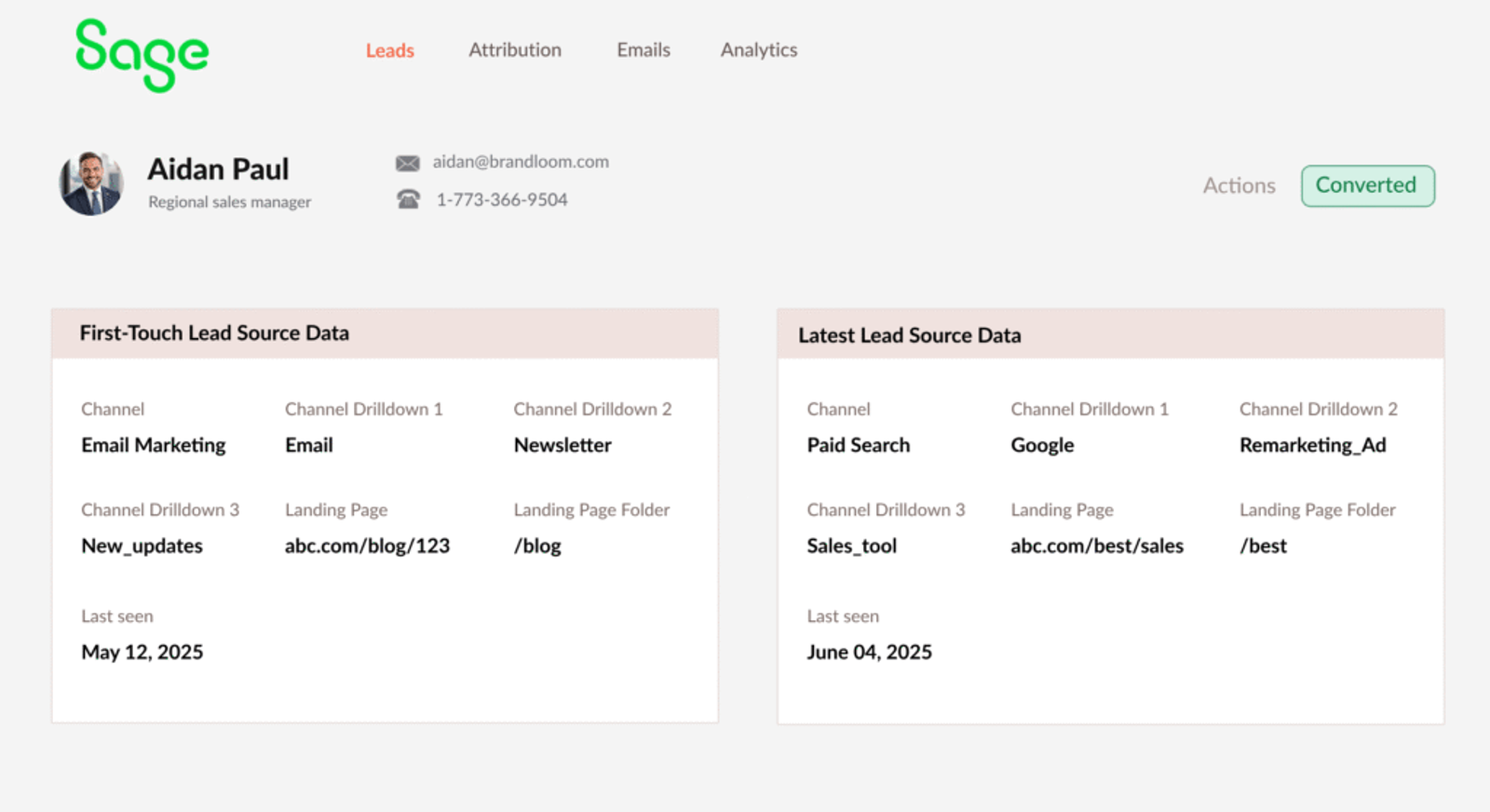
How this data gets into Sage CRM depends on how your form is connected:
- Using Sage built-in forms: If you’re using Sage’s native forms, you can map the hidden fields directly to CRM columns inside your board.
- Using third-party forms (Typeform, Gravity Forms, or Webflow, etc): Use Zapier or Make.com to connect them with Sage CRM and sync UTM automatically with contact.
What You Can Do with UTM Data Inside Sage CRM
Once your UTM data is flowing into Sage CRM, it unlocks powerful new ways to track, filter, and take action on your leads.
1. Score and Prioritize Leads by Source or Campaign
You can easily score and prioritize leads based on where the lead is coming from, in Sage, with UTM fields.
Example:
- Leads from Google Ads → Score 10
- Leads from your referral program → Score 8
- Leads from organic search → Score 5
- Leads with no UTM (direct) → Score 2
Utilize automations to assign a lead score upon creation of a new contact based on their source.
Thus, sales representatives can dedicate time to leads which have the maximum potential to get converted.
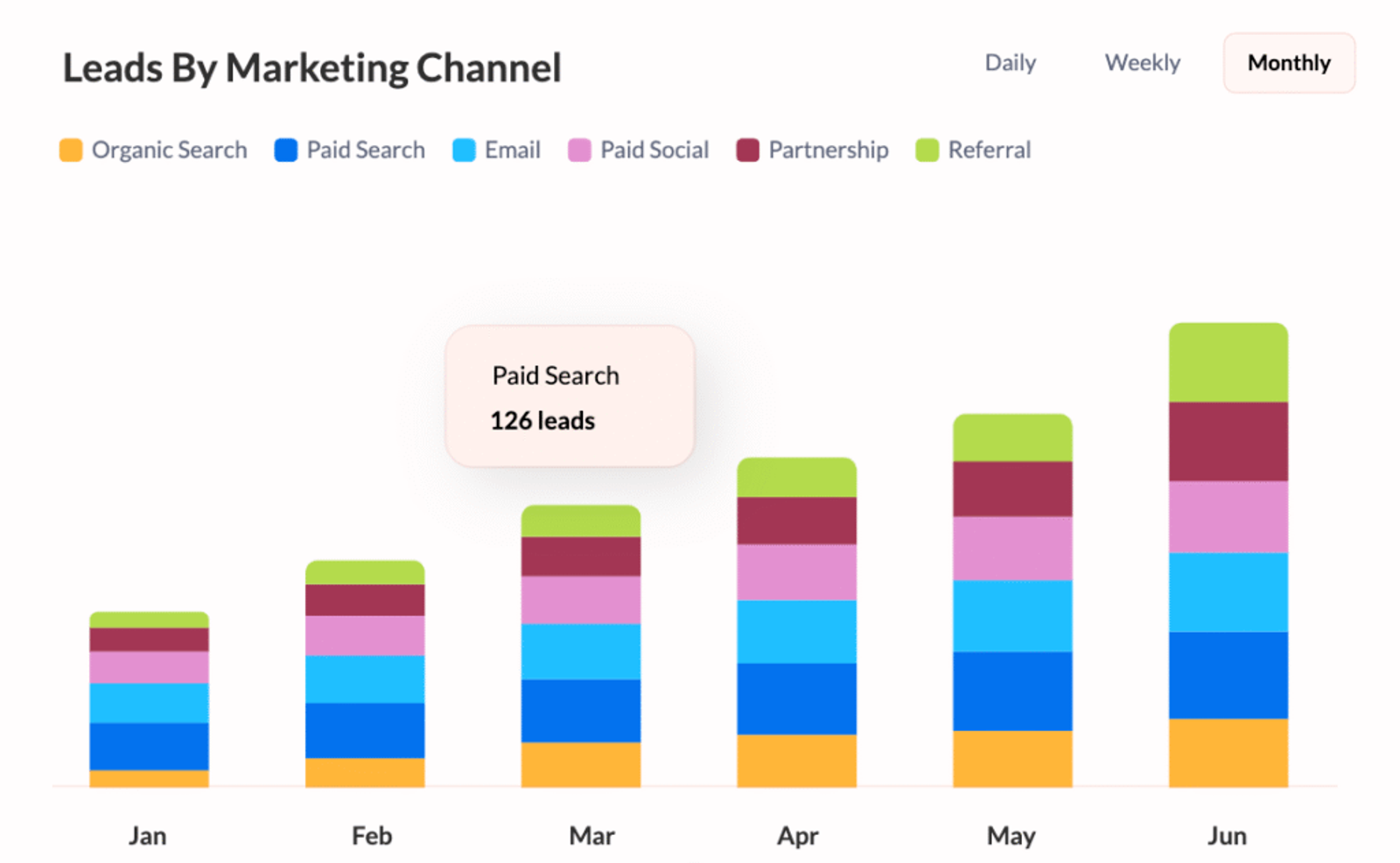
2. Filter and Group Leads by Funnel Stage + Campaign
Let’s say you’re running a webinar and a paid campaign simultaneously.
You can segment your leads by both campaign and funnel stage using UTM tracking.
Example:
- Filter all leads from
utm_campaign=webinar_may2025 - Show only those marked as “Demo Booked”
- Send personalized follow-up content to this group
You can even add a custom label such as “Webinar – High Intent” to make these leads stand out on your board.
3. Group Leads by Campaign or Source for Targeted Follow-Up
Suppose you are launching a new product.
Since you have UTM data within your CRM, you can segment and follow up on only those leads who:
- Clicked on your product launch ad
- Attended a specific webinar
- Came through a referral program
Thus, rather than sending generic follow-up emails, your team can write messages that directly talk to what the lead has already viewed or expressed interest in.
Example: “Thanks for attending our April webinar — here’s an exclusive early access link to the product you previewed.”
4. Run Reports That Show What’s Really Working
Marketing reports in Sage CRM don’t have to be done the hard way.
With the UTM data, you can create basic dashboards to monitor:
- Leads by source (e.g., Google, Email, LinkedIn)
- Conversions by campaign
- Form submissions by traffic type (paid, organic, referral)
- Revenue by UTM campaign
Example:
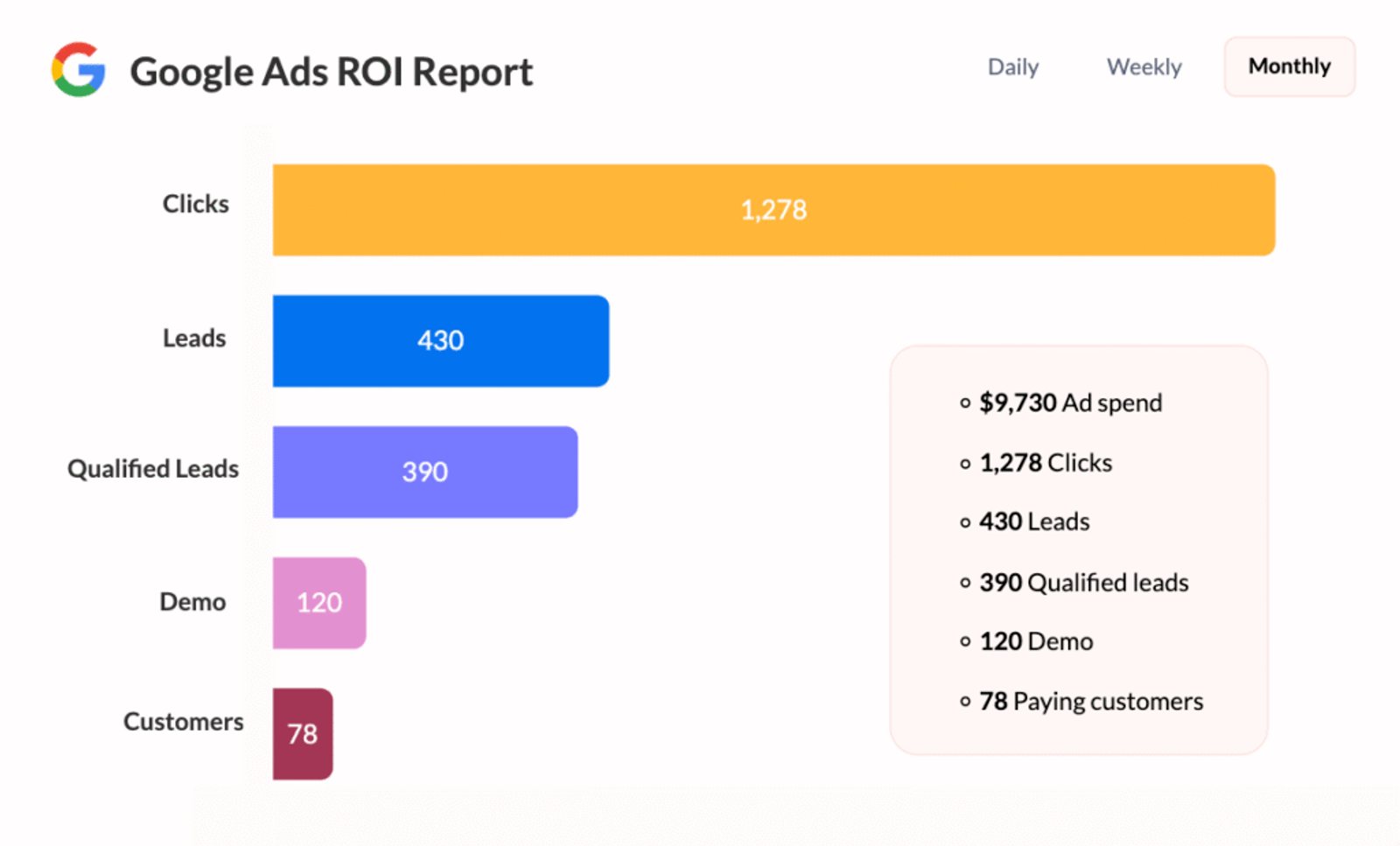
You notice Campaign A generated 100 leads but only 2 converted to paying customers.
On the other hand, Campaign B generated 40 leads but 10 of them converted.
Now you have an idea of where to allocate your budget this coming month.
5. Automate Routing Leads to the Correct Sales Rep
If your company has several sales reps or regional offices, UTM data can automate lead routing.
Example:
- LinkedIn Ads for your enterprise plan leads are routed to your Enterprise Sales team.
- Leads from local Google Ads campaigns get routed to regional reps.
This enables a faster and more relevant followup that can equate to increased conversion rate and improved lead experience.
6. Know Customer Value Over Time by Source
Once your leads become customers, you can track how valuable they are—based on where they came from.
Example Insights:
- Customers from webinars → $8,000 average lifetime value
- Customers from organic blog traffic → $5,000
- Customers from social media ads → $1,200
This helps you answer the big question:
“Which channels bring us the best customers—not just the most?”
You can create a custom formula column in Sage to calculate deal size or customer value, then group and sort by UTM source.




 Paid Social


