
How to Track UTM Parameters in Vtiger CRM
Vtiger CRM UTM tracking made easy: 4 easy steps to capture UTM parameters in Vtiger CRM
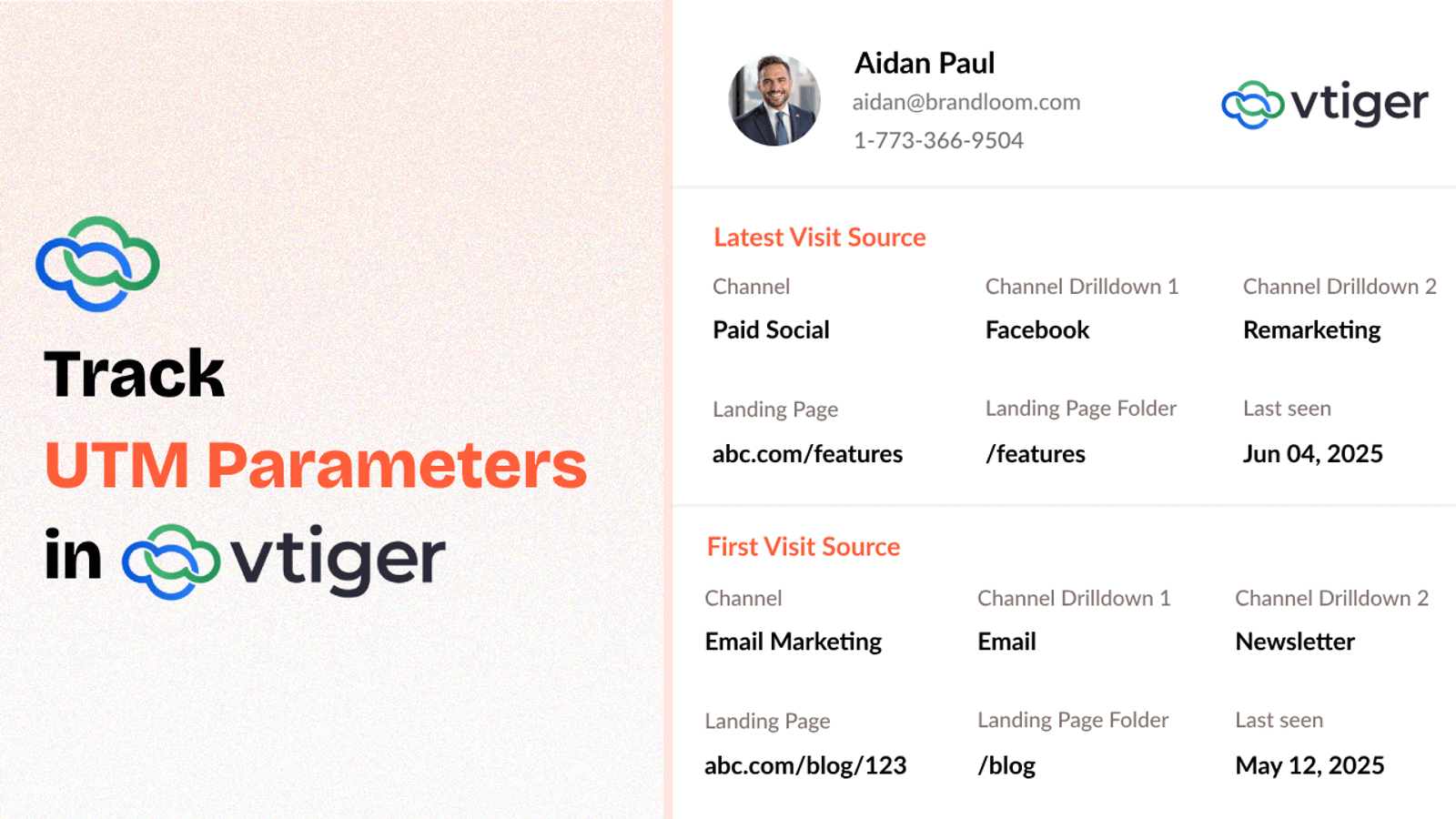
Table of contents
If you’re running marketing campaigns across different channels, tracking UTM parameters is important for understanding where your leads are coming from.
But capturing and storing that UTM data in your CRM can be tricky.
In this guide, we’ll walk you through how to track UTM parameters in Vtiger CRM and see which marketing campaigns are brining inbound leads.
4 Easy Steps to Track UTM Parameters in
Vtiger CRM
Here are 4 simple steps to capture UTM parameters in Vtiger CRM:
1. Set Up SourceLoop.ai on Your Website

First things first, head over to SourceLoop.ai and create a free account.
Upon signing up, you’ll get a tracking script that paste into the <head> section of your website.
Once it’s live, SourceLoop starts saving UTM data whenever someone visits your site.
Example:
You’re promoting a new course on SEO. You post a LinkedIn ad that links to:
https://yourcourse.com/seo?utm_source=linkedin&utm_medium=cpc&utm_campaign=seo_launch&utm_content=ad1
When someone clicks it and visit your website, SourceLoop stores the following info:
- Channel: Paid Social
- Channel Drilldown 1: LinkedIn
- Channel Drilldown 2:Seo_launch
- Channel Drilldown 3: ad_variant_a
- Landing Page: https://yourcourseplatform.com/seo
- Lastseen: May 08, 2025
2. Make Sure Your Links Have UTM Parameters

To get meaningful data, your links need to include UTM parameters to your links.
Instead of linking to:
https://yourwebsite.com/pricing
Use something like:
https://yourwebsite.com/pricing?utm_source=newsletter&utm_medium=email&utm_campaign=product_launch
You can use free tools like Google’s Campaign URL Builder to generate these links easily.
3. Add Hidden Fields to Your Lead Form
When someone fills out a form (like “Book a Demo” or “Contact Us”), it’s your chance to capture their UTM information.
Add a few hidden fields to your forms for each attribution element.
These fields are invisible to website visitors but are automatically filled by SourceLoop when the form is submitted.
Here are the recommended fields:
Hidden FieldWhat It CaptureschannelType of traffic (e.g., Paid Search)channeldrilldown1Source (e.g., Google, LinkedIn)channeldrilldown2Campaign namechanneldrilldown3Ad group or keyword (optional)landingpageURL of the page they landed onlandingpagefolderSection of your site (e.g., /pricing)lastseenDate and time of their visit
Optional: Capture First-Touch Attribution Data
Some leads may not covert right away.
They visit your site, browse around, maybe come back days or weeks later—and then fill out a form.
SourceLoop.ai captures and stores the UTM parameters from a user’s very first visit to your website as well.
To pass this data into your form, simply add a few additional hidden fields to capture these values.
Hidden FieldWhat It Capturesfirst_channelOriginal traffic typefirst_channeldrilldown1Original source (e.g., LinkedIn, Email)first_channeldrilldown2First campaign they interacted withfirst_channeldrilldown3Initial keyword or ad group (if available)first_landingpageThe first page they ever visitedfirst_landingpagefolderThe folder or section they entered fromfirstseenThe original date of their first visit
4. Send the UTM Data into Vtiger CRM
Now, whenever a user submits a lead form or books a meeting, the form will capture their UTM data.
How you sync that data with your CRM depends on the type of form you’re using:
- If you’re using Vtiger’s built-in forms:
Create custom fields in your contact record, and add those as hidden inputs in your form. The UTM values will then be captured automatically inside the CRM. - If you’re using external form tools (like Typeform, WPForms, or Gravity Forms):
Use a tool like Zapier or Make.com to connect your form to Vtiger CRM and sync the UTM data.
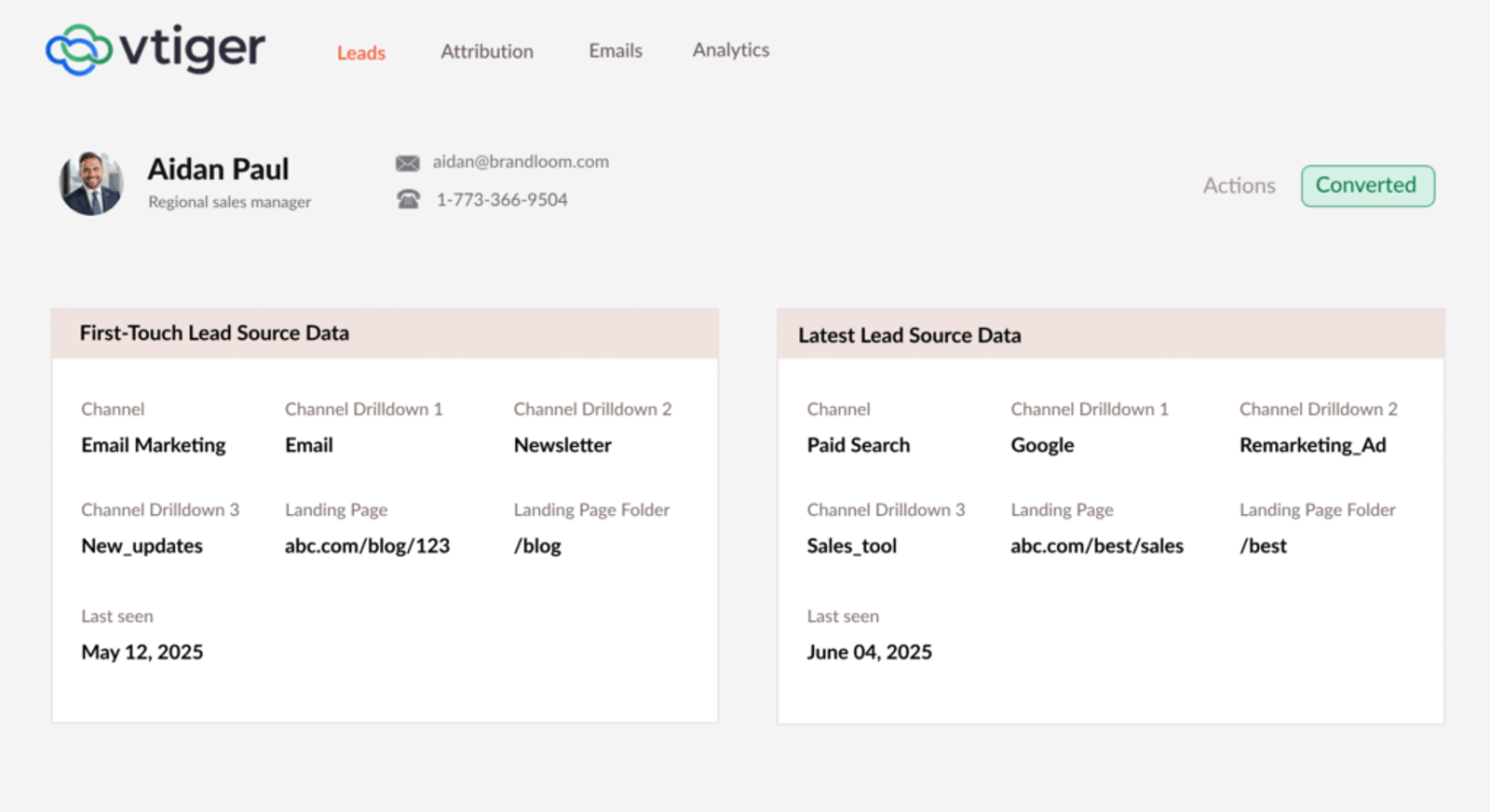
What You Can Do With UTM Data in Vtiger CRM?
Once the UTM tracking in Vtiger CRM is in place, you can:
- Know where leads came from
- (e.g. Facebook Ad, Google search, email campaign)
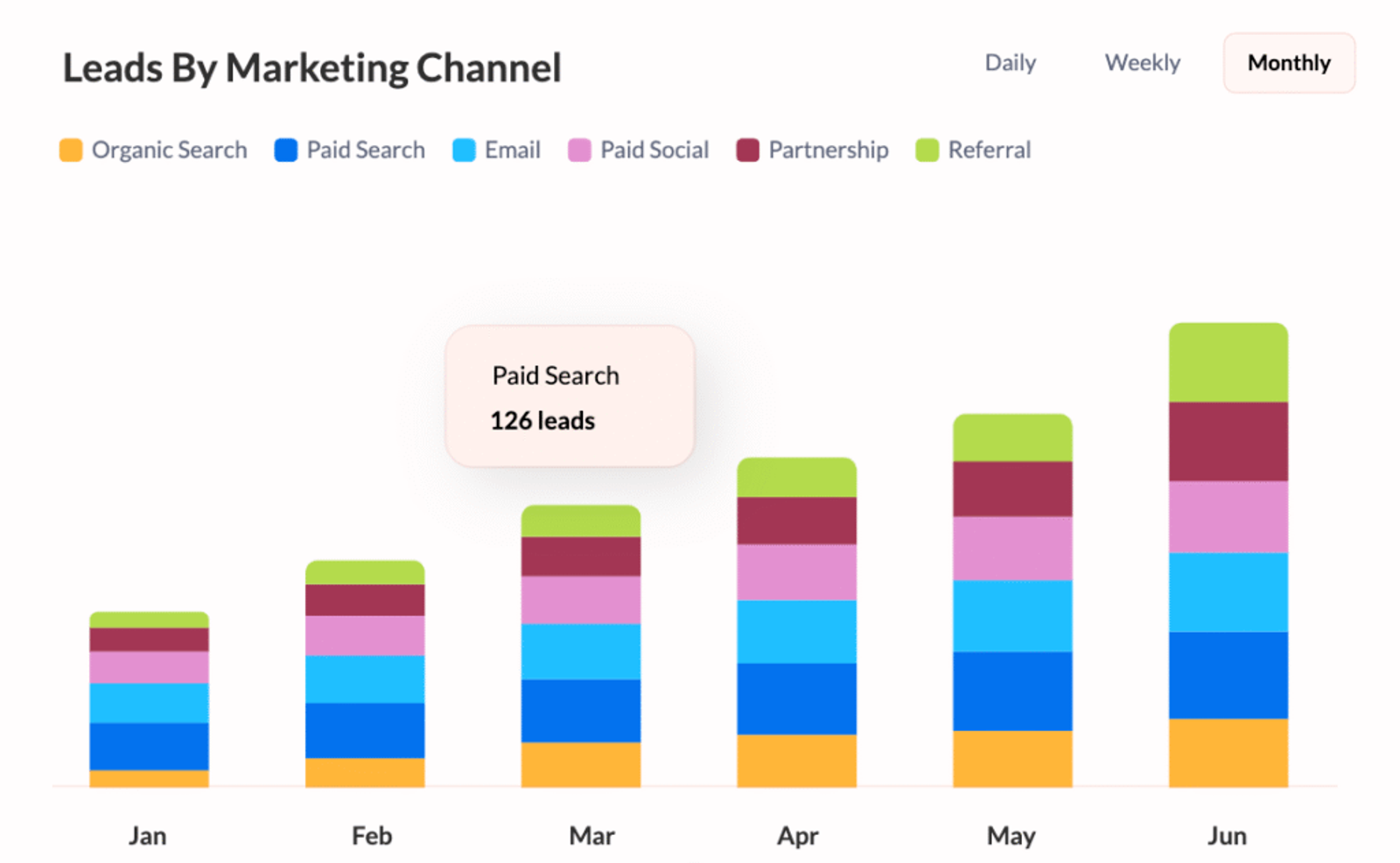
- Compare performance across channels
- (e.g. Which brings better leads—LinkedIn or Google Ads?)
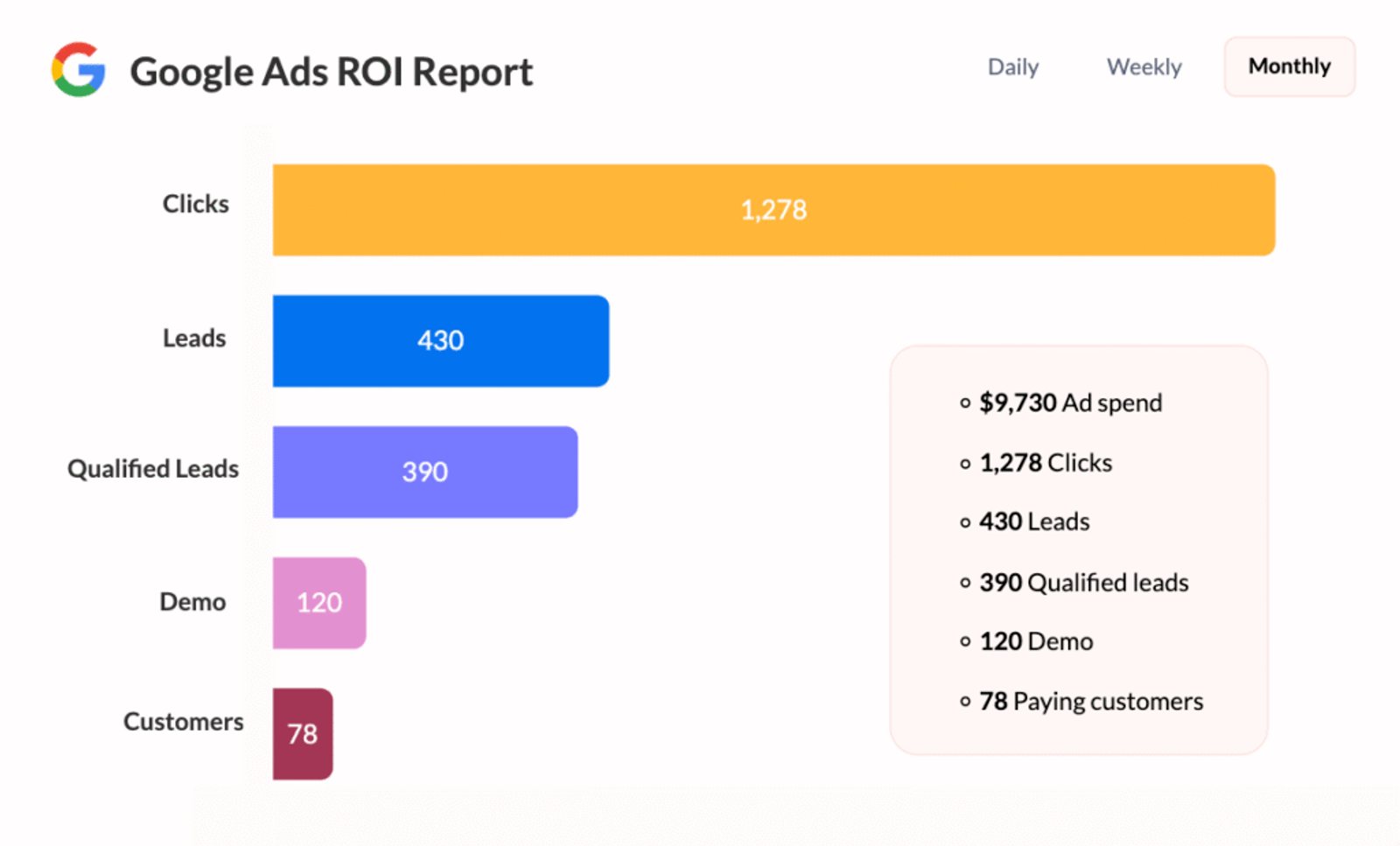
- See which campaigns drive the most revenue
- (e.g. Track sales back to a specific campaign)
- Track first-touch and last-touch
- (Know how someone first found you and what made them convert)
- Give your sales team more context
- (So they can personalize their follow-up based on how the lead came in)
- Segment and tag leads
- (e.g. Group leads from the same campaign or channel)
- Trigger custom workflows
- (e.g. Send different emails based on UTM campaign)
- Make better marketing decisions
- (Spend more on what’s working, less on what’s not)



 Paid Social


