
How to Track UTM Parameters in Zendesk Sell
Tracking UTM parameters in Zendesk Sell can be tricky. Follow these 4 easy steps to identify the source of every contact inside your CRM.
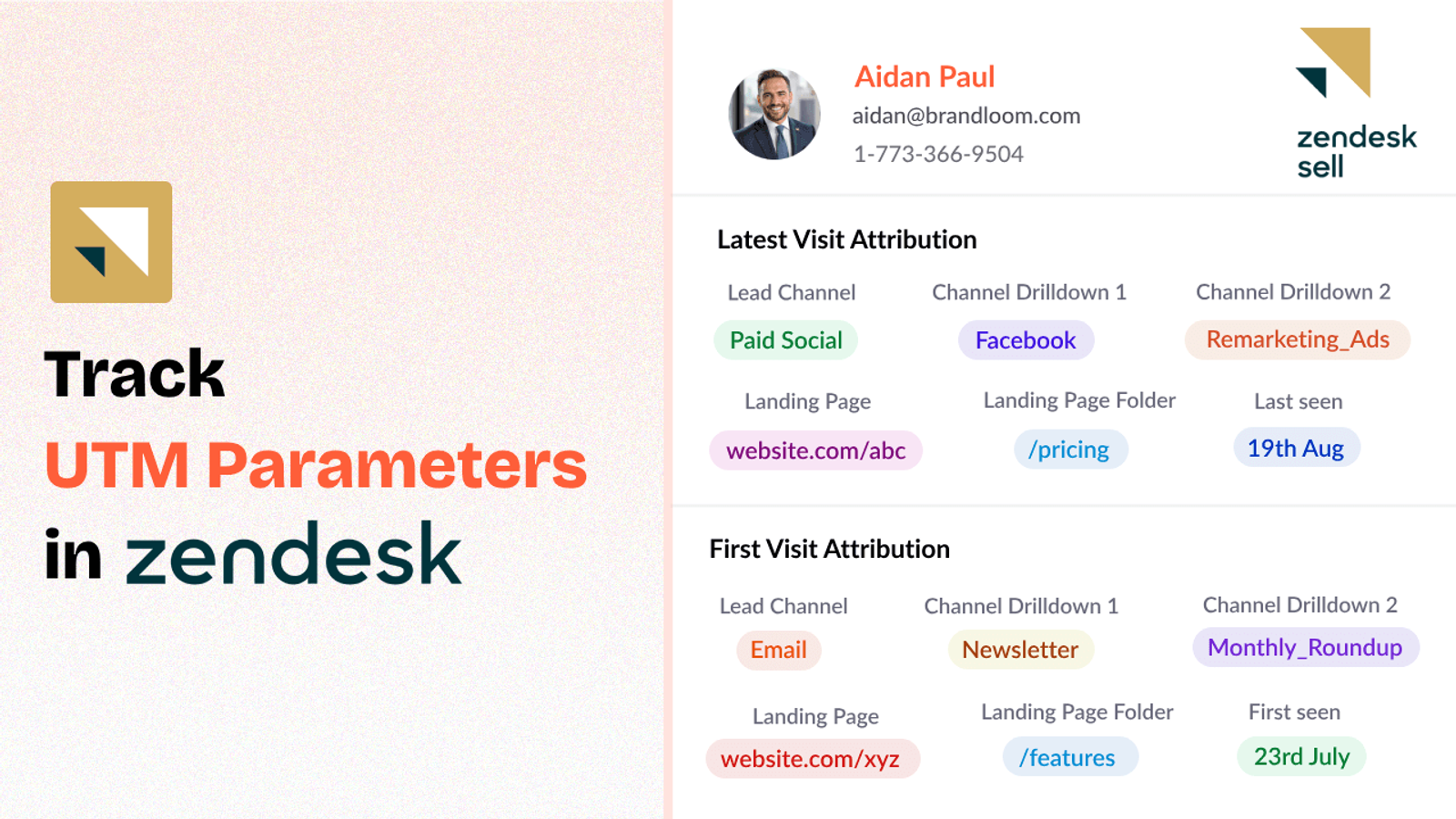
Table of contents
Are you using UTM parameters in your marketing campaigns but not seeing them reflected in your Zendesk Sell CRM?
In this guide, I’ll show you how to use SourceLoop.ai to configure utm tracking in Zendesk Sell in simple steps.
Let’s dive in!
4 Easy Steps to Track UTM Parameters in Zendesk Sell
Here are 4 simple steps to capture UTM parameters in Zendesk Sell:
1. Add SourceLoop on Your Website

Sign up for a free account at SourceLoop.ai.
Once signed in, get your unique tracking script and paste it inside the header section of your website.
All website builder like WordPress, WIX, SquareSpace, etc. make it super simple to add extra code snippet in the header section of website that automatically loads across all pages of the site.
Once installed, SourceLoop.ai will start collecting the UTM values of users visiting your website and organize them into easy-to-understand marketing attributes.
Example:
Let’s say Tesla is running an Instagram Story ad promoting their new Cybertruck.
When a user swipes up on the ad visit Tesla website, SourceLoop organize & store data like this:
- Channel = Social
- Channel Drilldown 1 = Instagram
- Channel Drilldown 2 = Cybertruck Launch Campaign
- Channel Drilldown 3 = Story Ad
- Landing Page = www.tesla.com/cybertruck
- Landing Page Folder = cybertruck
- Last Seen = May 25, 2025
2. Add UTM Parameters to Your Links

Next, ensure every link you share online — such as in Meta ads, social media posts, email newsletters, etc. — is tagged with UTM parameters.
You should add UTM tags to:
- Paid search ads (Google Ads, Bing Ads, etc.)
- Paid social ads (LinkedIn, Instagram, Facebook, Twitter/X)
- Email campaigns
- Banner/display ads
- Affiliate campaigns
- Social media post
- Guest blog post
Example of a link with UTM parameters:
https://yourwebsite.com/signup?utm_source=tiktok&utm_medium=paid&utm_campaign=brand_campaign
Resources:
- Setting up UTM tracking in Google Ads
- How to Use URL Parameters for Facebook Ads Tracking
- Implementing UTM Parameter Templates on LinkedIn Ads
- Implementing UTM Parameter Templates on TikTok Ads
3. Add Hidden Fields to Your Lead Form
Next, add a few hidden fields to your lead form or meeting booking form to capture the UTM parameters of new leads.
All popular form builders and meeting tools such as Calendly, HubSpot, Gravity Forms, WPForms, etc. make it super simple to add hidden fields inside the form.
Here are the hidden fields you should add in your form to capture full set of attribution data:
- channel
- channeldrilldown1
- channeldrilldown2
- channeldrilldown3
- landingpage
- landingpagefolder
- lastseen
Optional: Capture First-Touch Attribution Too (Highly Recommended for B2B)
For businesses where sales cycles are long and users visit multiple times before booking a meeting or filling lead form, capturing first-touch attribution is critical.
Here are 7 other.hidden fields you can add to receive the attribution data of a user’s first visit to your site.
- first_channel
- first_channeldrilldown1
- first_channeldrilldown2
- first_channeldrilldown3
- first_landingpage
- first_landingpagefolder
- firstseen
This dual tracking lets you distinguish between how a user first discovered you versus how they eventually converted.
4. Watch UTM Data Flow Seamlessly Into Zendesk Sell
That’s it.
As users fill out your lead forms or book a meeting, SourceLoop.ai captures the UTM data and passes it into your Zendesk Sell CRM records.
With lead source data within Zendesk Sell, you can:
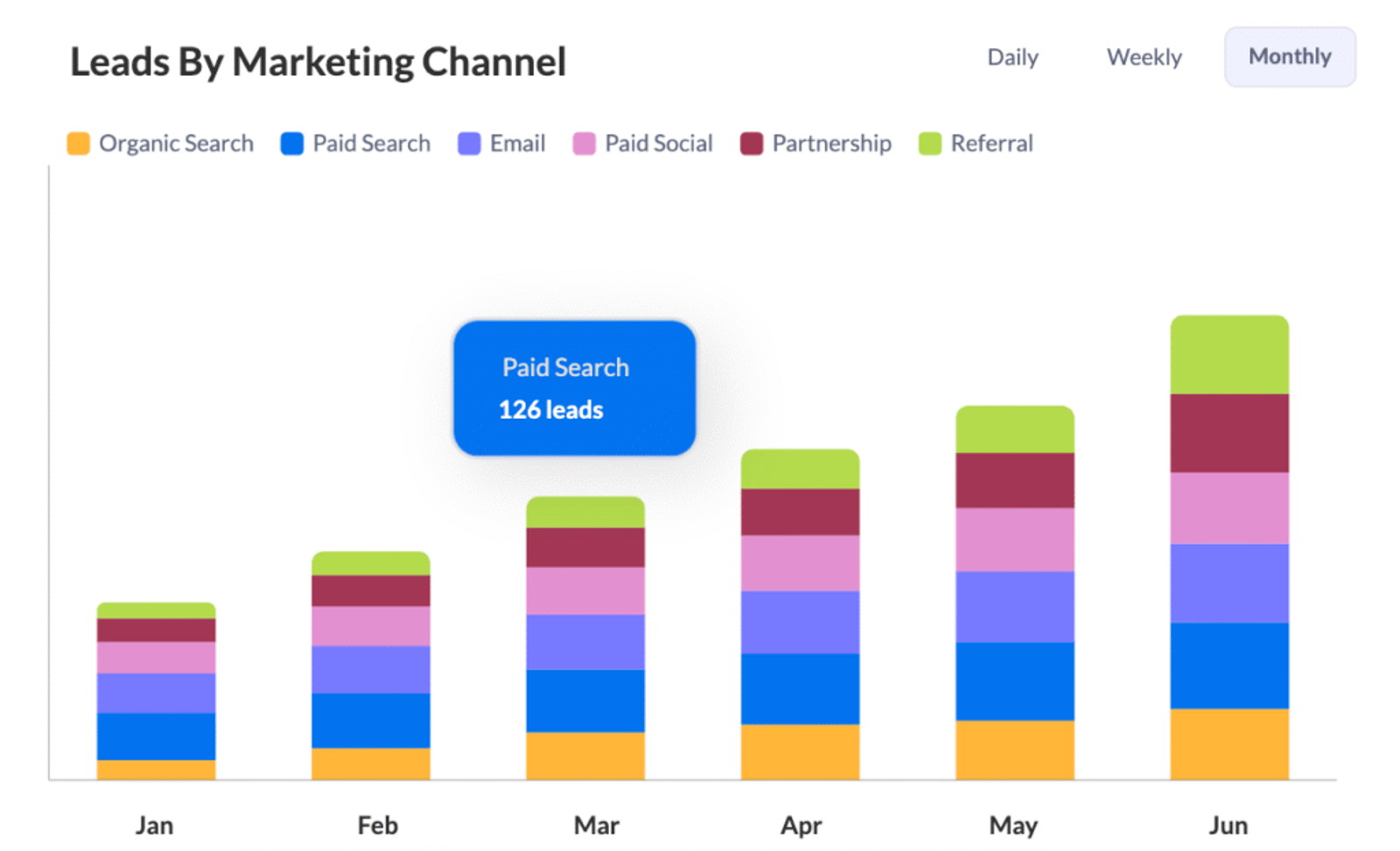
1. Create Leads Reports and Dashboards
You can create dashboard and reports to get a summary of how different marketing campaigns and channels are bringing leads.
2. Spend Your Marketing Money Smarter
You will no longer spend money on marketing campaigns that don’t get great results.
Because you know which marketing campaigns get the best visitors, you can stop spending money on bad campaigns and allocate more budget on high performing campaigns.
This will help you get more customers without having to spend more.
3. Help Your Sales Team Talk Smarter
Your sales team can view where that individual came from and what he was interested in when a new lead arrives.
Then the salesperson can speak about things that individual already cares about, rather than making assumptions.


 Paid Social


