
15 Best Bing Ads Tracking Tools for 2026 (Ranked & Compared)
Compare the 15 best Bing Ads tracking tools in 2026. Track Microsoft Ads from click to closed deal, optimize ROAS, and automate Conversion API sync across your CRM.
Table of contents
- Best Bing Ads Tracking Tools Quick Comparison
- What Is Bing Ads Tracking?
- 1. SourceLoop: Best for B2B Leads and Revenue Attribution
- What happens after the click
- Conversion capture across forms, meetings, chats and calls
- Pushing conversions back into Microsoft Ads
- The reporting layer
- What we like
- What we don't like
- Pricing
- 2. Microsoft Advertising UET: Best Free Option
- What we like
- What we don't like
- Pricing
- 3. Google Tag Manager: Best for Flexible Tracking
- What we like
- What we don't like
- Pricing
- 4. Stape: Best for Server-Side Tracking
- What we like
- What we don't like
- Pricing
- 5. Cometly: Best for Full-Funnel Ad Attribution
- What we like
- What we don't like
- Pricing
- G2 research
- 6. RedTrack: Best for Performance Marketing
- What we like
- What we don't like
- Pricing
- G2 research
- 7. Triple Whale: Best for Ecommerce Brands
- What we like
- What we don't like
- Pricing
- G2 research
- 8. Northbeam: Best for Advanced Ecommerce Attribution
- What we like
- What we don't like
- Pricing
- G2 research
Bing Ads tracking helps you understand which clicks turn into leads, customers, and revenue. While Microsoft offers built-in tracking through UET, many businesses need more advanced tracking as their marketing gets more complex.
We compared the best Bing Ads tracking tools based on conversion tracking, server-side tracking, attribution, CRM integration, and real-world user feedback.
Best Bing Ads Tracking Tools Quick Comparison
| # | Tool | Best for | Microsoft Ads | Server-side | CRM / Revenue | Attribution | Starting price |
|---|---|---|---|---|---|---|---|
| 1 | SourceLoop | B2B leads and revenue | Yes | Yes | Yes | Multi-touch | $49/mo |
| 2 | Microsoft UET | Basic Microsoft Ads tracking | Yes | Yes | Limited | Basic | Free |
| 3 | Google Tag Manager | Flexible tag management | Yes | Depends | No | No | Free |
| 4 | Stape | Server-side tracking | Yes | Yes | Limited | No | Custom |
| 5 | Cometly | Full-funnel attribution | Yes | Yes | Yes | Yes | Usage-based |
| 6 | RedTrack | Performance marketing | Yes | Yes | Yes | Yes | $69/mo |
| 7 | Triple Whale | Ecommerce brands | Yes | Yes | Yes | Yes | Free tier |
| 8 | Northbeam | Advanced ecommerce attribution | Yes | Yes | Yes | Yes | $1,500/mo |
What Is Bing Ads Tracking?
Bing Ads is now called Microsoft Advertising, but many marketers still use the term Bing Ads because the ads appear on Bing Search.
Microsoft's native tracking system is called Universal Event Tracking, or UET.
Microsoft says you create a UET tag once and add it to your website. The tag then records what visitors do on your site. You can use that information to track conversions such as leads and purchases and build remarketing audiences.
For example, a simple setup could look like this:
Microsoft Ads click → website visit → form submission → conversion
That may be enough for a small advertiser.
But consider a B2B company:
Microsoft Ads click → website visit → form submission → qualified lead → sales call → opportunity → closed-won deal
Now the original form submission is only one part of the story.
This is where dedicated attribution tools become useful.
1. SourceLoop: Best for B2B Leads and Revenue Attribution
Best for: B2B SaaS, lead generation, sales-led businesses and agencies that need Microsoft Ads spend connected to CRM stages and closed revenue.
One constraint decides everything about Microsoft Ads tracking: you cannot retrieve an `msclkid` from Microsoft later.
It gets appended to your landing URL when auto-tagging is on, and that is the only moment it exists. If nothing on your site stored it, the link between that click and the deal it eventually produced is gone for good.
UET does not solve this. It fires in the browser at the moment of conversion, which is fine when the conversion is a purchase on the same visit, and useless when it is a demo booking that closes eleven weeks later.
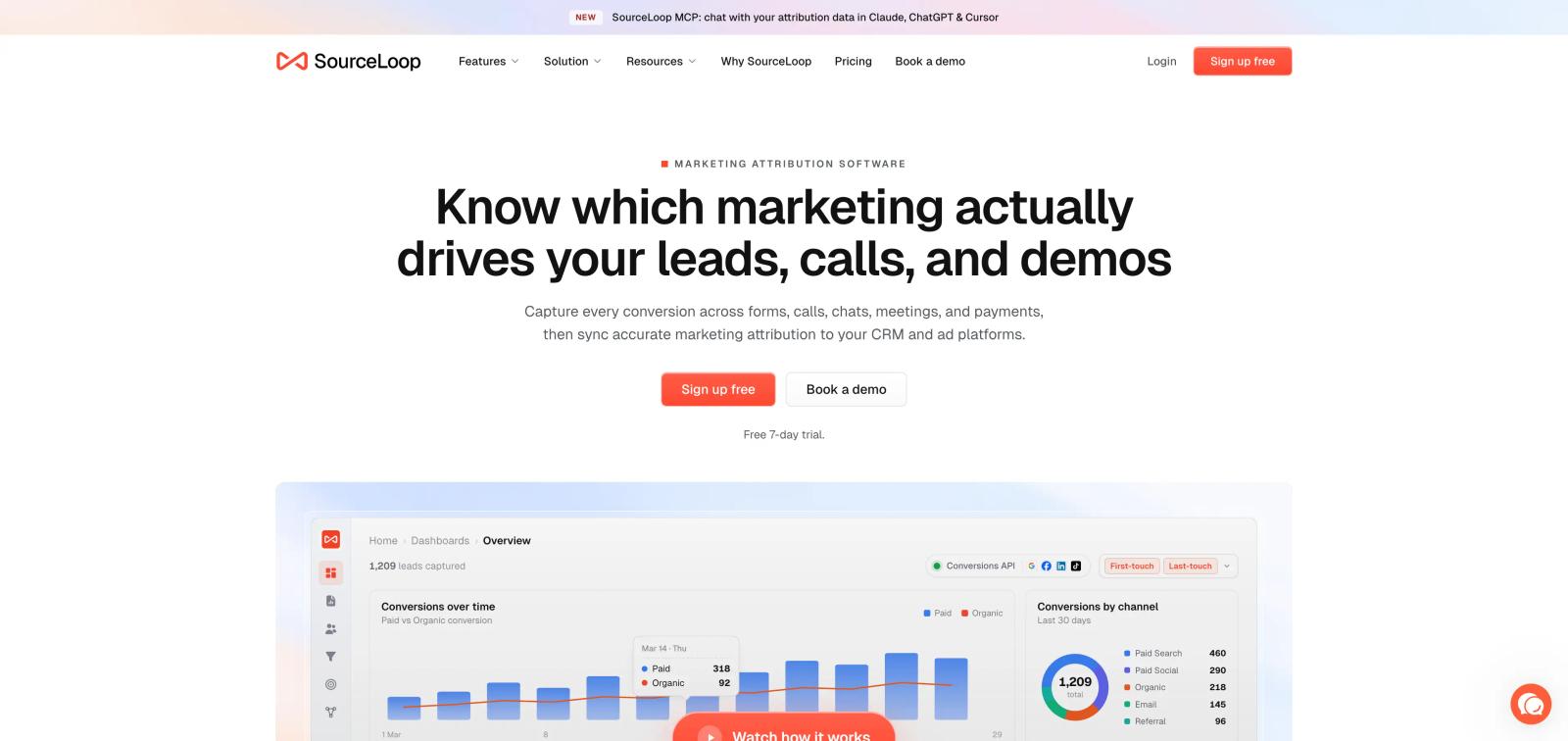
SourceLoop captures msclkid on the first pageview, stores it in a first-party cookie, and keeps it on the contact record through the form fill, the CRM sync and the closed-won amount.
What happens after the click
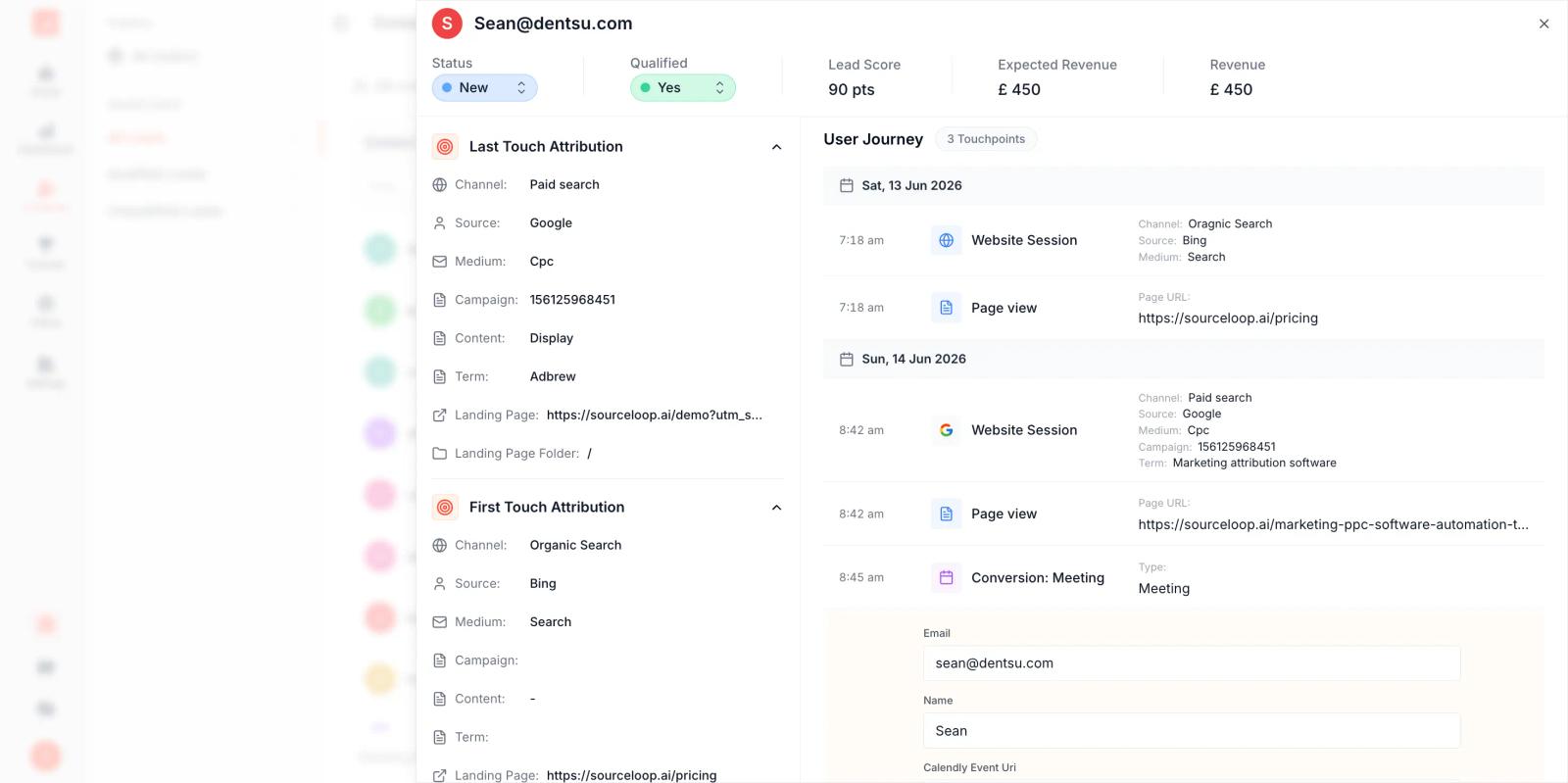
Take a real path. Someone searches on Bing, clicks your ad Monday, reads two pages and leaves. Returns via organic on Wednesday. Books a demo three weeks later. Closes at $14,000 two months after that.
Microsoft Ads reports one click. Your CRM reports one deal sourced Direct. Nothing connects them.
SourceLoop stitches it into one contact timeline, and the msclkid from Monday is still on the record when the deal closes.
Conversion capture across forms, meetings, chats and calls
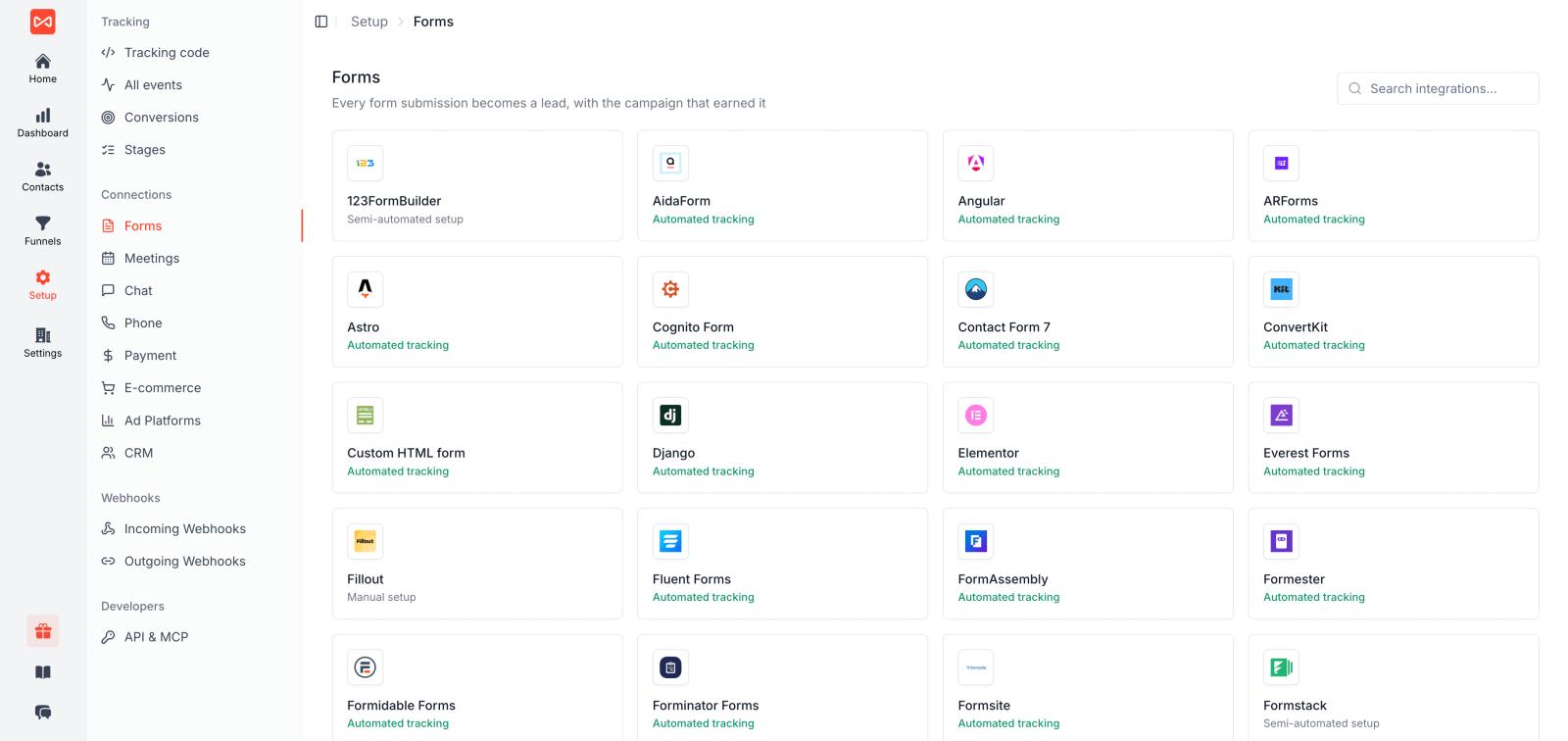
Microsoft Ads traffic converts on whatever your site actually uses, and it is rarely one plain form. Around 70 lead tools are captured without custom code:
- Forms: Gravity Forms, WPForms, Contact Form 7, Fluent Forms, Elementor, Typeform, Tally, Jotform, Formstack, Webflow, Framer, HubSpot Forms
- Meetings: Calendly, Cal.com, HubSpot Meetings, Chili Piper, TidyCal, YouCanBookMe, Zoho Bookings
- Chat: Intercom, Drift, Crisp, Tidio, LiveChat, HubSpot Chat, Zendesk Chat
- Calls: CallRail, CallTrackingMetrics, Invoca, which matters because Bing traffic skews older and more desktop, and phone still closes a lot of it
- Payments: Stripe, Paddle, Polar, Lemon Squeezy, Dodo Payments
Each inherits the msclkid and the full journey, so a phone call booked off a Bing ad is an attributed conversion rather than an anonymous inbound.
Pushing conversions back into Microsoft Ads
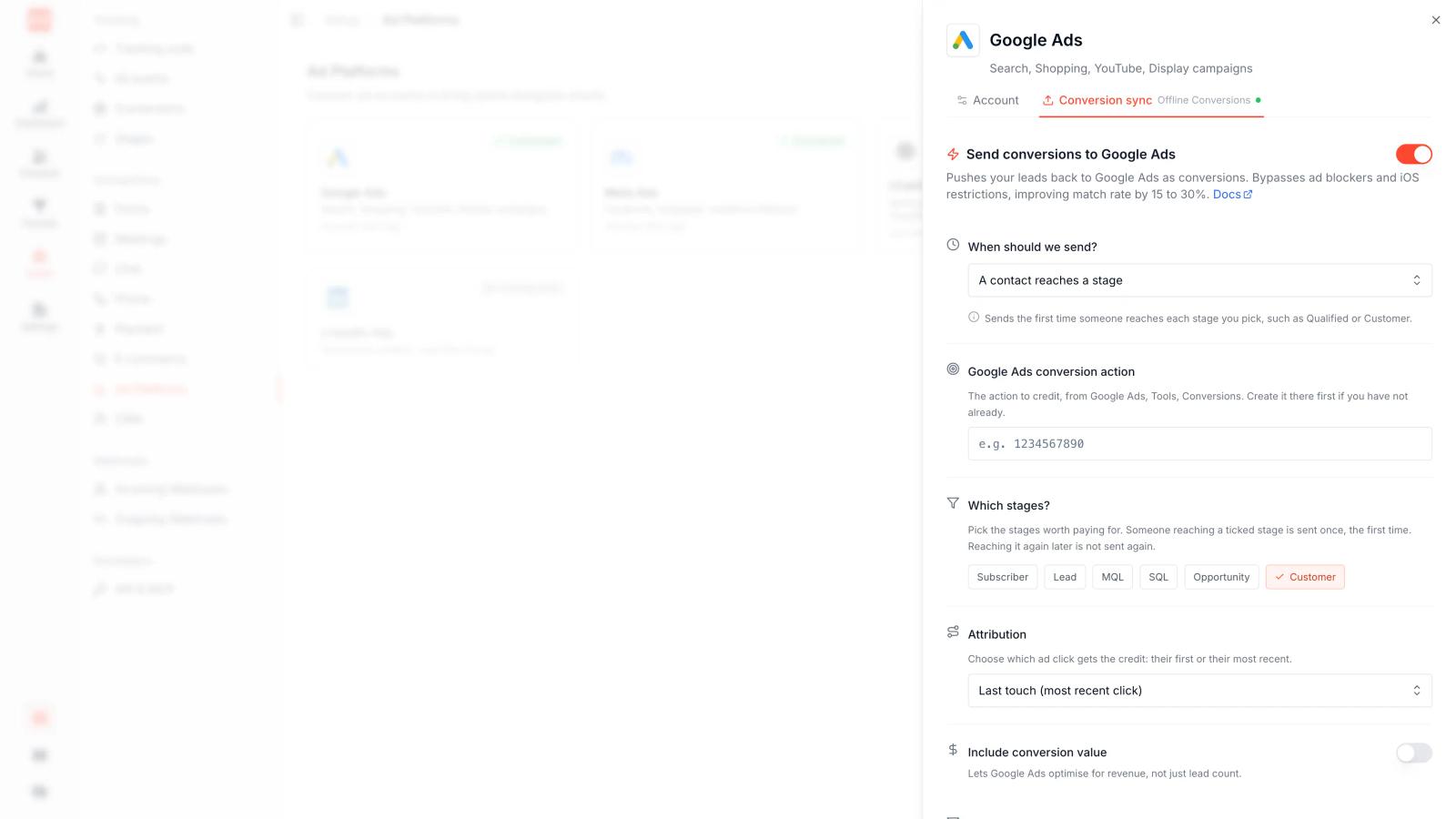
You create an Offline Conversion Goal in Microsoft Ads and map SourceLoop events to it. Each mapping picks a trigger (new conversion, expected revenue updated, or realised revenue confirmed by a payment), can filter to one source, chooses first or last touch, and sets the value source and dedup window.
SourceLoop pushes on a two-minute flush cycle, and Microsoft shows counts within four to twelve hours.
Two Microsoft-specific rules cause most silent failures, and both are worth knowing before you set this up:
- Microsoft matches offline Conversion Goals by name, not ID. The name must match exactly, including capitalisation and trailing spaces. A single typo means the upload succeeds and the conversions never appear.
- The click must be within the last 90 days. Microsoft rejects offline conversions uploaded later, and the Conversion Goal window itself maxes out at 30 days.
That second rule has a consequence nobody mentions in these lists. If your sales cycle runs five months, closed-won will never reach Microsoft Ads. No tool changes that.
The workaround is to sync an intermediate stage that lands inside the window. Push "Qualified Lead" or "Demo Held" at day 15 or 20, and send it with the expected deal value from your CRM rather than a flat number. Microsoft's bidding then gets a signal that is both timely and weighted by real economics.
The same conversions also sync to Google Ads, Meta CAPI, LinkedIn CAPI, TikTok, Pinterest and Reddit, which matters when Microsoft is one line in a larger media plan.
The reporting layer
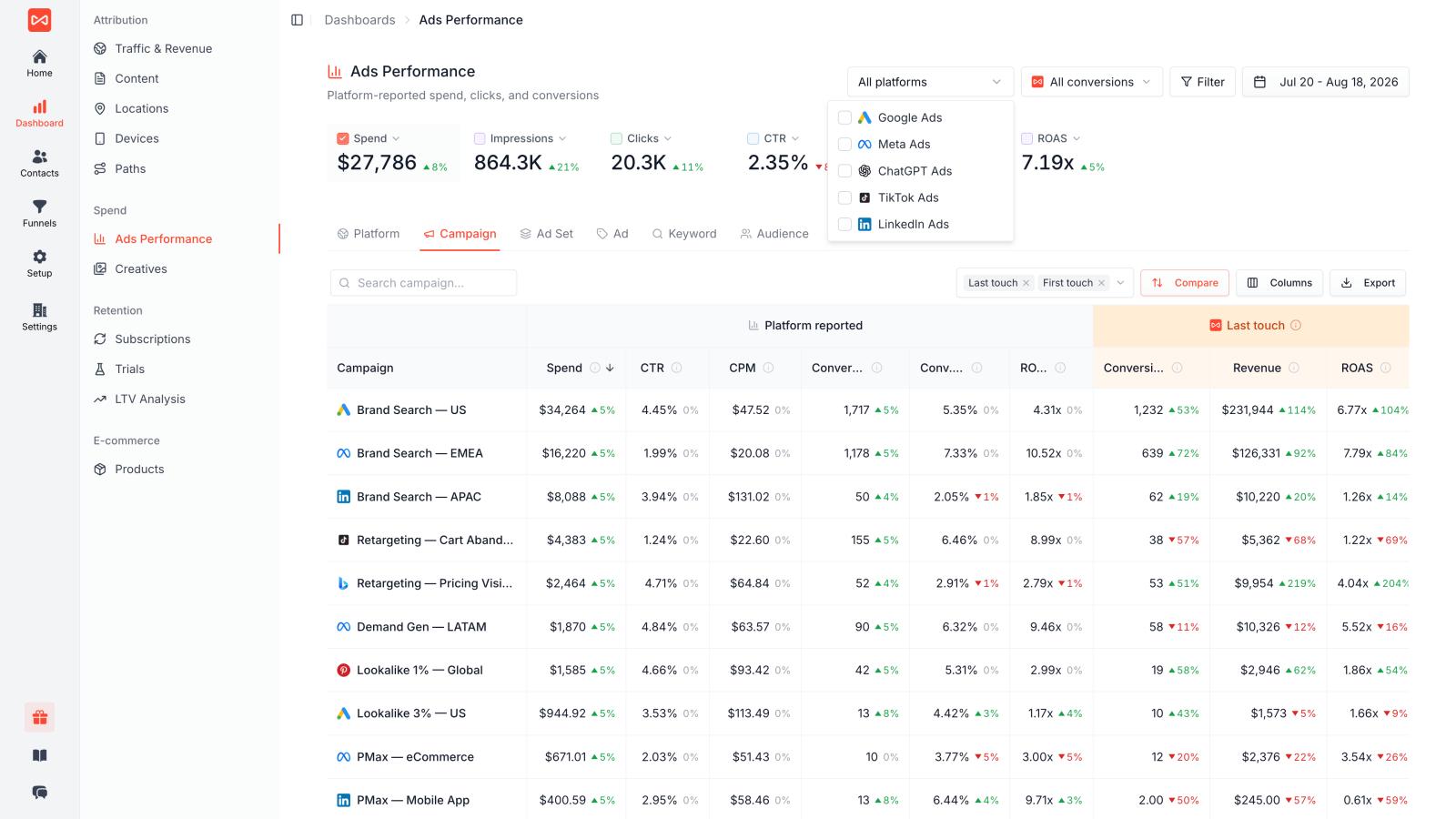
Connect the Microsoft Ads account and spend flows in alongside Google, Meta, LinkedIn and TikTok, joined to the journeys SourceLoop already holds. Cost per qualified lead and revenue per channel sit in one table, under any of seven attribution models.
For Microsoft Ads the first-touch view is usually the surprise. Bing looks small under last touch and considerably less small once you can see how many deals it opened.
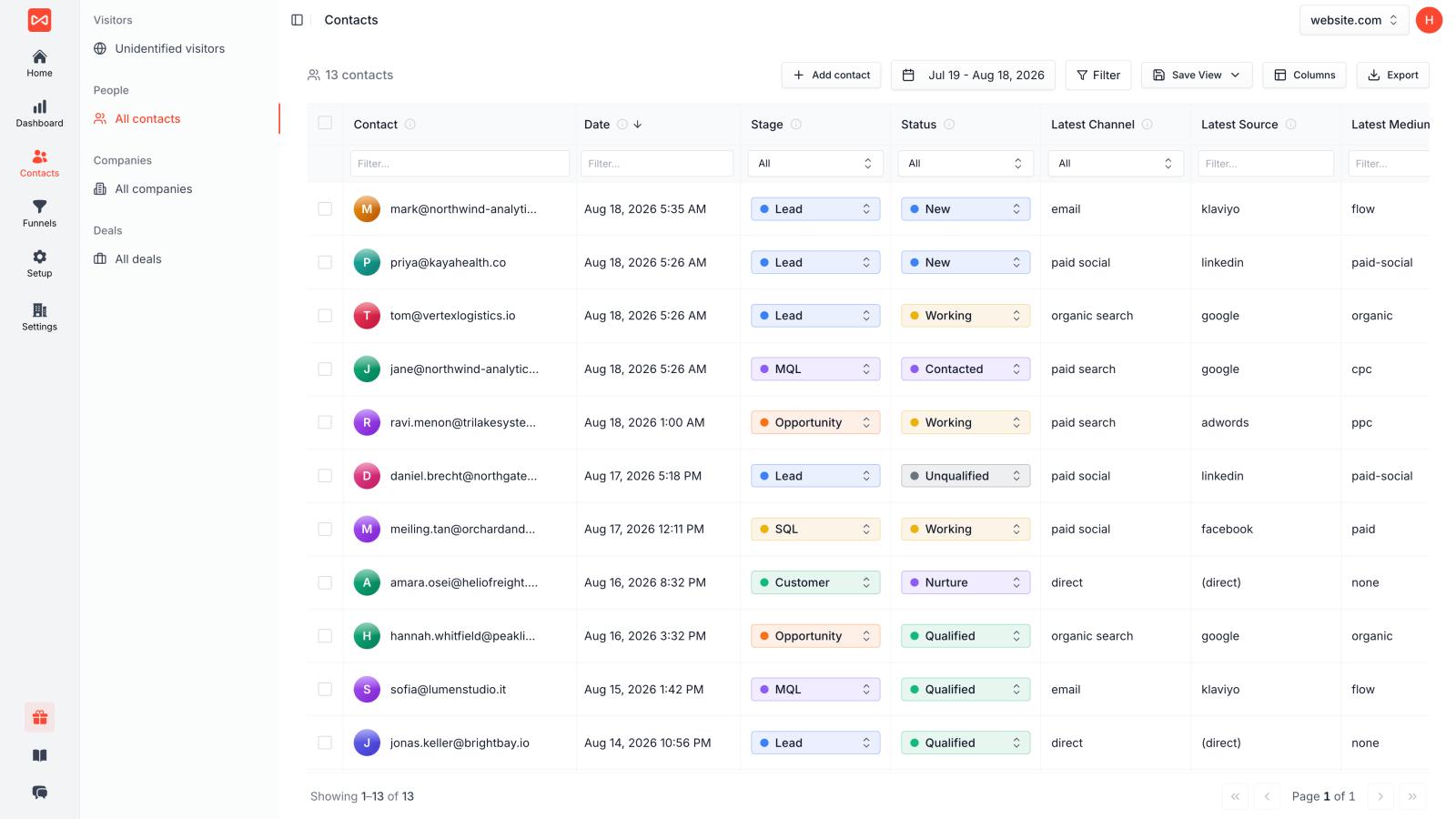
The Contacts Hub gives one row per person with channel, campaign, CRM status and revenue, so "which Bing keywords produced actual customers" is a filter rather than a support ticket. It exports.
What we like
- Captures
msclkidat landing and holds it for the whole sales cycle, the one thing you cannot fix retroactively - Around 70 form, meeting, chat, call and payment tools captured automatically
- Offline Conversion Goal sync with per-event filters, first or last touch, and real deal values
- The same conversions sync to Google, Meta, LinkedIn, TikTok, Pinterest and Reddit
- Seven attribution models on one stored journey, with the full path behind every contact
- Two-way sync with HubSpot, Salesforce, Pipedrive and Zoho
- Revenue stitched from Stripe, Paddle, Polar, Lemon Squeezy and Dodo Payments
- MCP server and REST API for querying the same data from an agent or a script
- Published pricing and a 7-day trial, no demo call to see the product
What we don't like
- It cannot beat Microsoft's 90-day offline import window. Longer cycles have to sync an earlier stage.
- Overkill if you run a single landing page and only need UET to count form fills.
- It is marketing attribution, not product analytics. Pair it with Mixpanel or PostHog for in-app funnels.
- Tracked conversions are unlimited on every plan, but the entry tier covers 30k page views a month, so a high-traffic site starts at Professional.
- No marketing mix modelling, so heavy offline or brand spend needs something else alongside it.
Pricing
Essential $49/mo covers 1 site, 1 user and 30k page views a month. Professional $99/mo adds 3 users and 100k page views. Agency $249/mo covers 3 sites, unlimited users and 2.5M page views. Tracked conversions are unlimited on every plan, annual billing takes 25% off, and there is a 7-day trial with no card.
2. Microsoft Advertising UET: Best Free Option
Best for: Advertisers who need native Microsoft Ads conversion tracking.
If you are running Microsoft Ads, UET is the obvious place to start.
It is Microsoft's own tracking system and does not require you to buy another analytics platform.
You install the UET tag on your website and then create conversion goals based on the actions you want to measure.
Microsoft says UET is a prerequisite for conversion tracking and remarketing in paid search.
You can use it for actions such as:
- Purchases
- Lead submissions
- Signups
- Registrations
- Other website conversions
Microsoft also supports offline conversion imports. This is particularly useful for businesses where the final conversion happens outside the website. For example, someone clicks a Microsoft ad, calls your sales team, and eventually buys. Microsoft allows offline conversion data to be associated with the Microsoft Click ID.
What we like
- Free
- Native Microsoft Ads integration
- Simple starting point
- Supports conversion goals
- Supports remarketing audiences
- Supports offline conversions
- No additional attribution software required for basic use
What we don't like
- Mostly focused on Microsoft Ads rather than all marketing channels
- CRM revenue attribution requires additional setup
- Limited compared with dedicated attribution platforms
- Reporting is not designed to replace a full marketing attribution system
Pricing
Free.
3. Google Tag Manager: Best for Flexible Tracking
Best for: Marketing teams that want to manage Microsoft Ads UET and other tracking tags from one place.
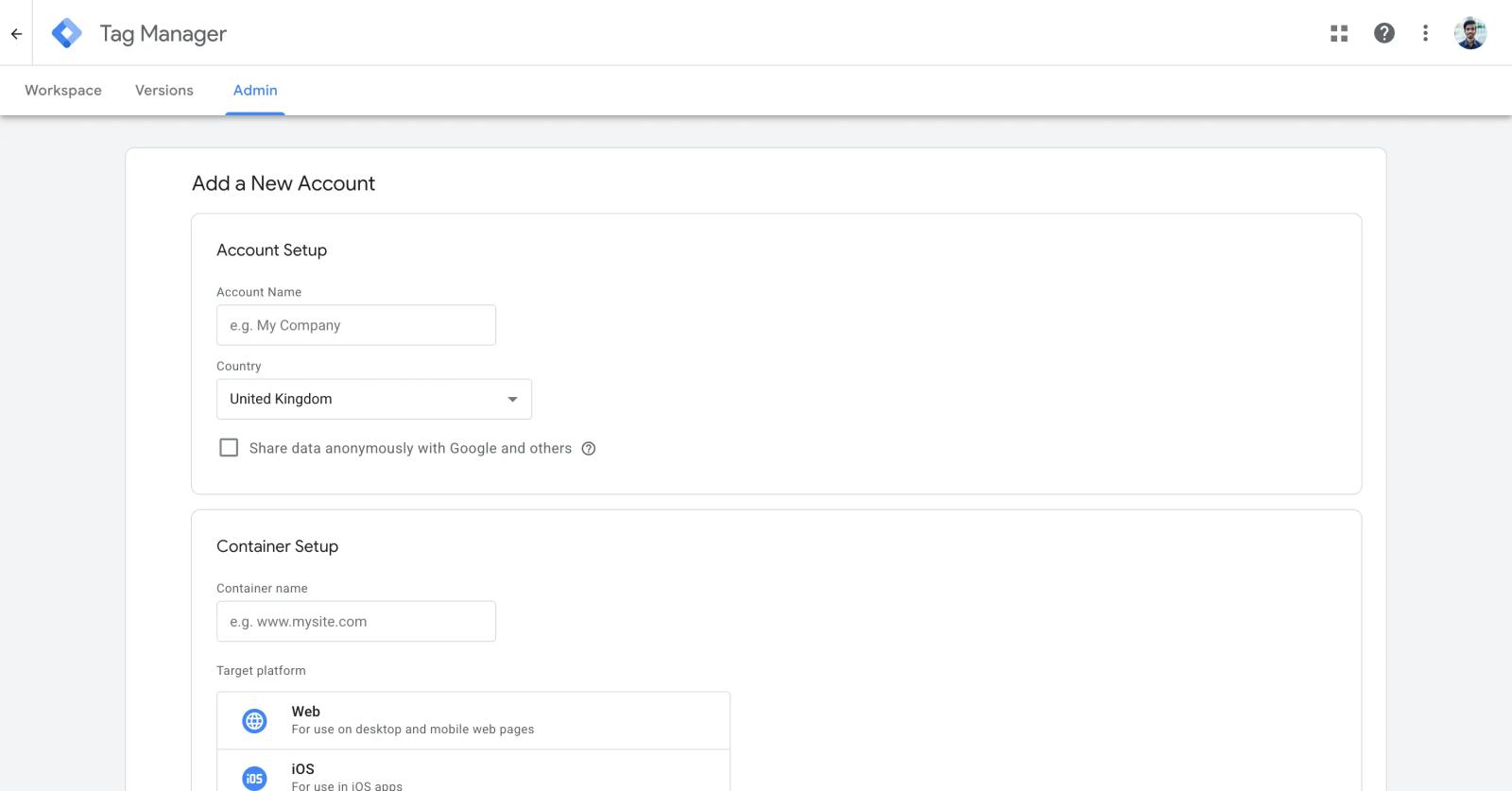
Google Tag Manager is not an attribution platform. That is important to understand.
Instead, GTM helps you install and manage tracking tags.
You can use it to deploy Microsoft UET alongside Google Ads, GA4, Meta Pixel, LinkedIn Insight Tag, and other marketing tools.
This is useful when you have several tracking systems on the same website.
Instead of asking a developer to change website code every time you need to add or update a tag, your marketing team can manage many changes inside GTM.
What we like
- Free
- Flexible
- Works with many advertising platforms
- Makes tag management easier
- Reduces dependence on developers for routine tracking changes
- Useful for testing and debugging tracking
- Large ecosystem and community
What we don't like
- It is not an attribution platform.
- It does not tell you which campaign generated revenue by itself.
- Advanced configurations can become complicated.
- Poorly organized GTM containers can become difficult to maintain.
Pricing
Free.
4. Stape: Best for Server-Side Tracking
Best for: Technical teams that want to move Microsoft Ads tracking toward a server-side setup.
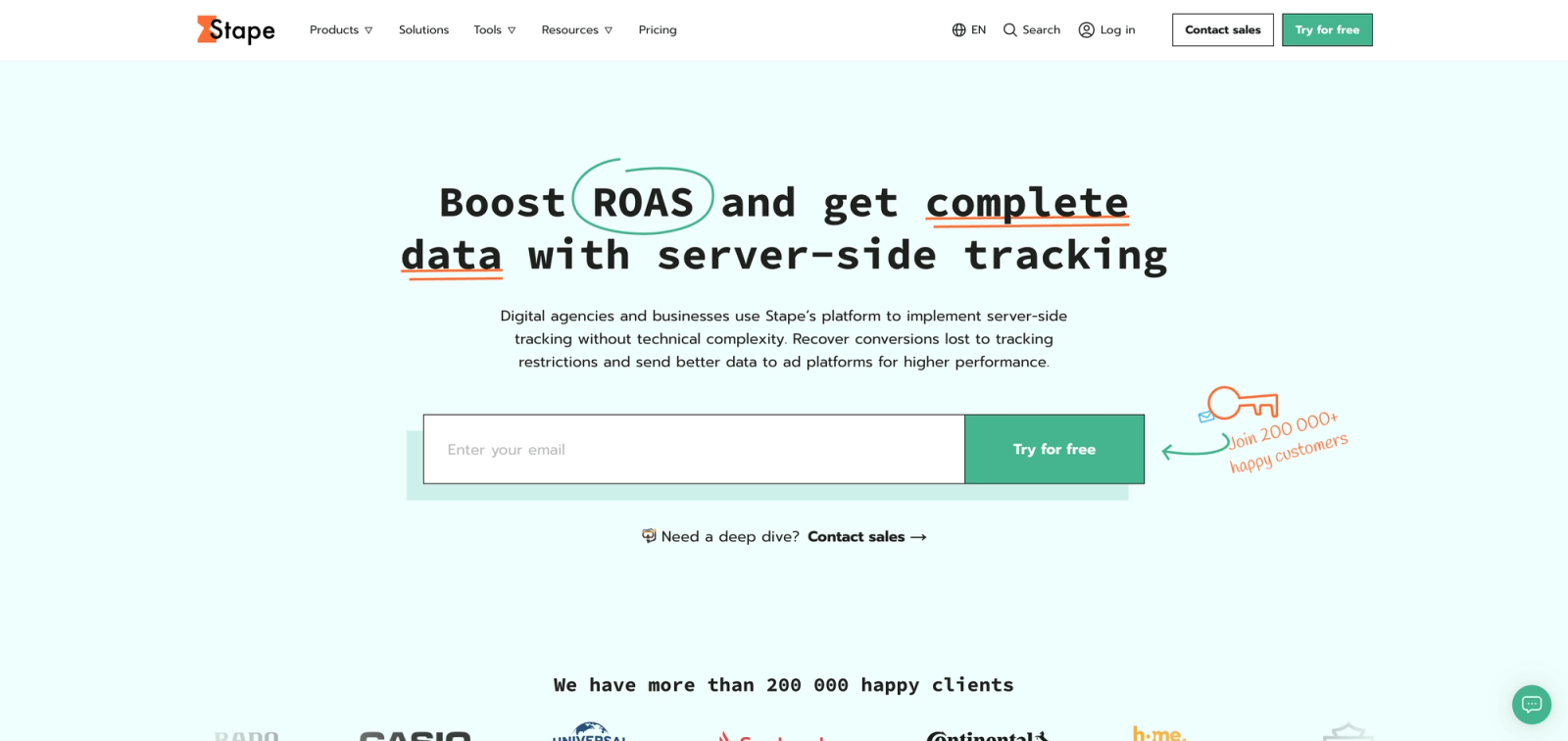
Server-side tracking has become more important as browser restrictions and privacy changes make browser-only tracking harder to depend on.
Stape provides infrastructure for server-side Google Tag Manager and supports Microsoft Ads server-side conversion tracking through Microsoft's Conversion API.
Its current documentation explains that Microsoft Ads Conversion API can send events server-to-server instead of sending them only from the browser through UET. It also supports event deduplication.
This is a different use case from SourceLoop.
Stape is primarily infrastructure.
You still need to decide how you want to structure your attribution, reporting, CRM connections, and revenue analysis.
What we like
- Server-side infrastructure
- Microsoft Ads Conversion API support
- Useful for technical teams
- Can reduce reliance on browser-side tracking
- Works with broader server-side tracking setups
- Good option when you already use server-side GTM
What we don't like
- More technical than native UET
- Not primarily an attribution platform
- Requires more setup knowledge
- You still need another system for deeper CRM and revenue reporting
Pricing
Stape's pricing depends on the server-side setup and usage.
5. Cometly: Best for Full-Funnel Ad Attribution
Best for: B2B SaaS and marketing teams that want to connect ad clicks with leads, pipeline, and revenue.
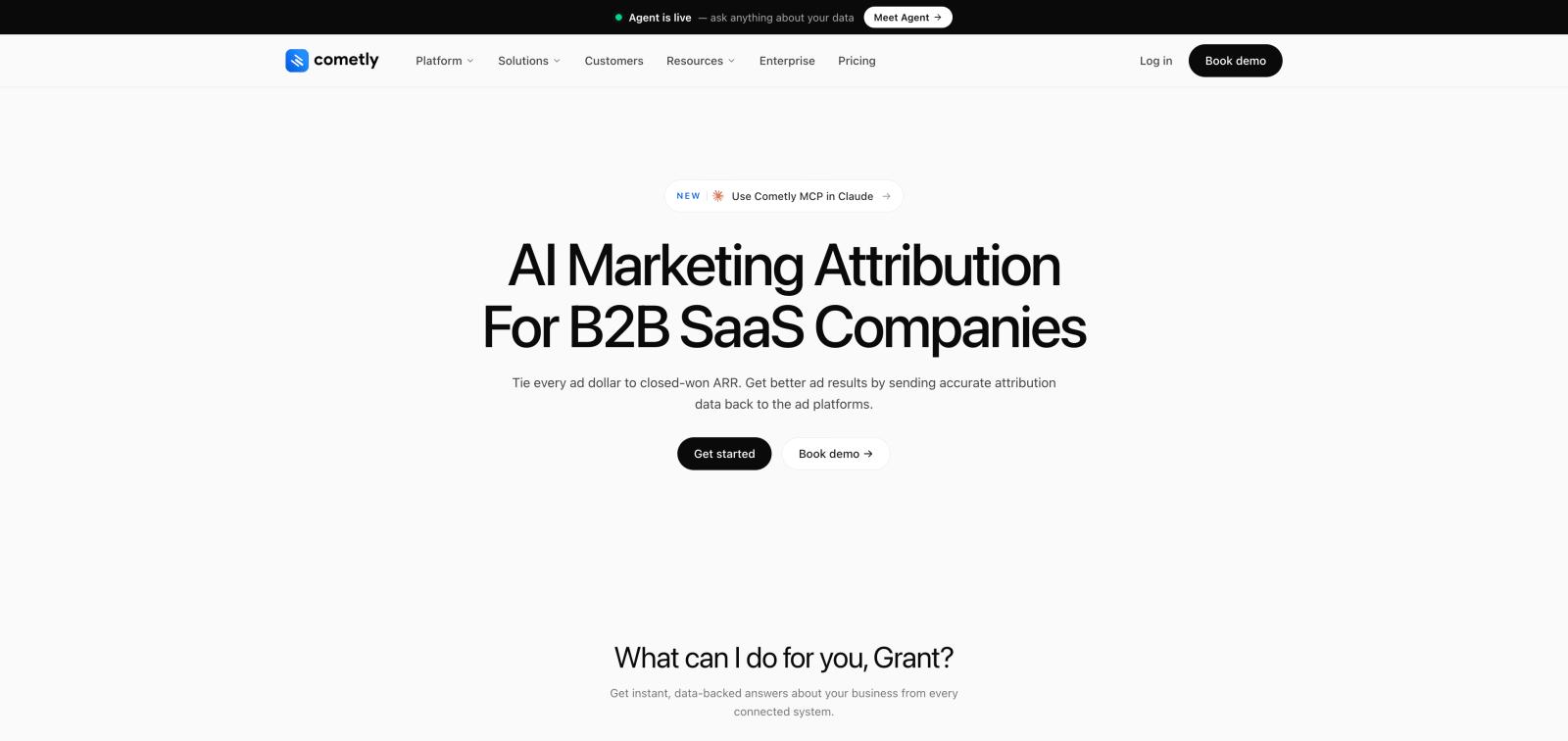
Cometly is much closer to a full marketing attribution platform than a simple tracking tag.
Its Microsoft integration imports Microsoft Search, Audience, and Shopping campaign data and can send qualified conversions back through Microsoft's Offline Conversions API. Cometly also says the data is stitched to the original ad click and can be used with multi-touch attribution.
That makes it interesting for businesses that want to go beyond "conversion happened."
You can instead look at the customer journey and ask which campaigns contributed to pipeline and revenue.
What we like
- Full-funnel attribution
- Multi-touch attribution
- Server-side tracking
- Microsoft Ads integration
- Conversion API
- Account journeys
- Revenue and pipeline reporting
- Large integration ecosystem
What we don't like
- More expensive than UET
- More setup than native Microsoft tracking
- Can be unnecessary for simple campaigns
- Usage-based pricing means costs can increase with traffic
Pricing
Cometly uses usage-based pricing based on monthly pageviews.
Its current pricing page shows a Core plan with pixel tracking, server-side tracking, multi-touch attribution, events, account journeys, conversion API, analytics, and 70+ integrations. For example, the pricing calculator currently shows $500/month at 40,000 monthly pageviews.
G2 research
Cometly has a 4.8/5 rating from 35 G2 reviews, with 94% of reviews giving it five stars. G2 users commonly mention easy setup, tracking accuracy, dashboards, and customer support. Some reviews also point to longer setup times when the tech stack is more complicated.
6. RedTrack: Best for Performance Marketing
Best for: Media buyers, performance marketers, affiliates, ecommerce brands, lead-generation teams, and agencies.
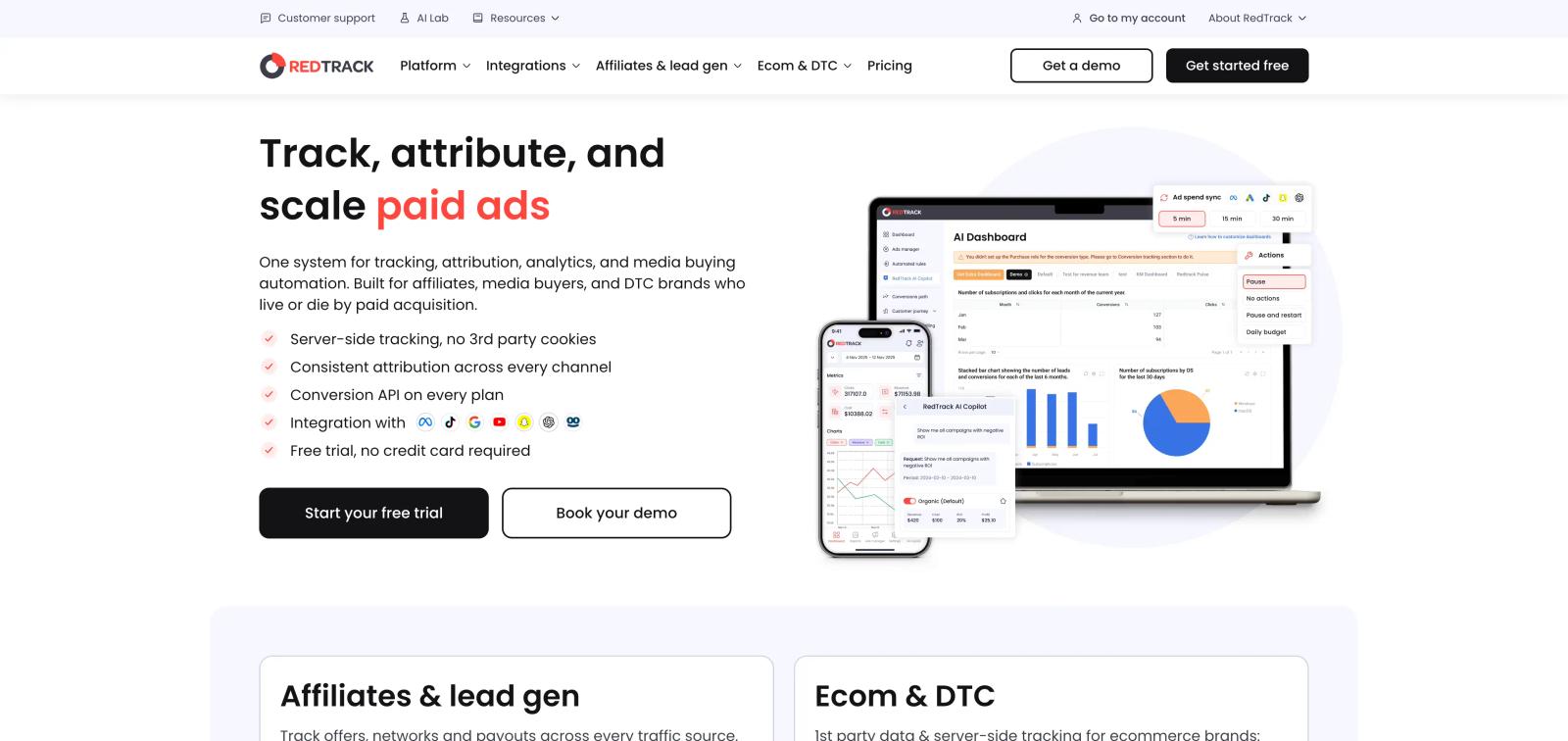
RedTrack is built for performance marketing rather than just Microsoft Ads.
It combines ad tracking, spend data, conversion data, attribution, reporting, and optimization features.
Its current Brand plan includes Microsoft Ads among its supported advertising platforms and includes Conversion API support, customer journey reporting, conversion paths, attribution modeling, LTV, and AOV reporting.
That makes RedTrack a better fit when Microsoft Ads is one part of a larger paid media operation.
What we like
- Strong performance marketing focus
- Microsoft Ads support
- Conversion API
- Ad spend and conversion tracking
- Attribution reporting
- Customer journey reports
- LTV and AOV reporting
- Agency plan available
- API and MCP access
What we don't like
- More complex than native Microsoft tracking
- Can be overkill for a small advertiser
- Pricing increases with usage and add-ons
- Advanced features can require a higher plan
Pricing
RedTrack's current Builder plan starts at $69/month. Its Brand plan is listed at $83/month when billed annually, and its Agency plan starts at $499/month when billed annually.
G2 research
RedTrack has a 4.4/5 rating from 33 G2 reviews. Users commonly praise tracking, integrations, performance reporting, and customer support. The main negative theme is that the setup and reporting can become complex.
7. Triple Whale: Best for Ecommerce Brands
Best for: Shopify and ecommerce brands that care about sales, products, and marketing attribution.
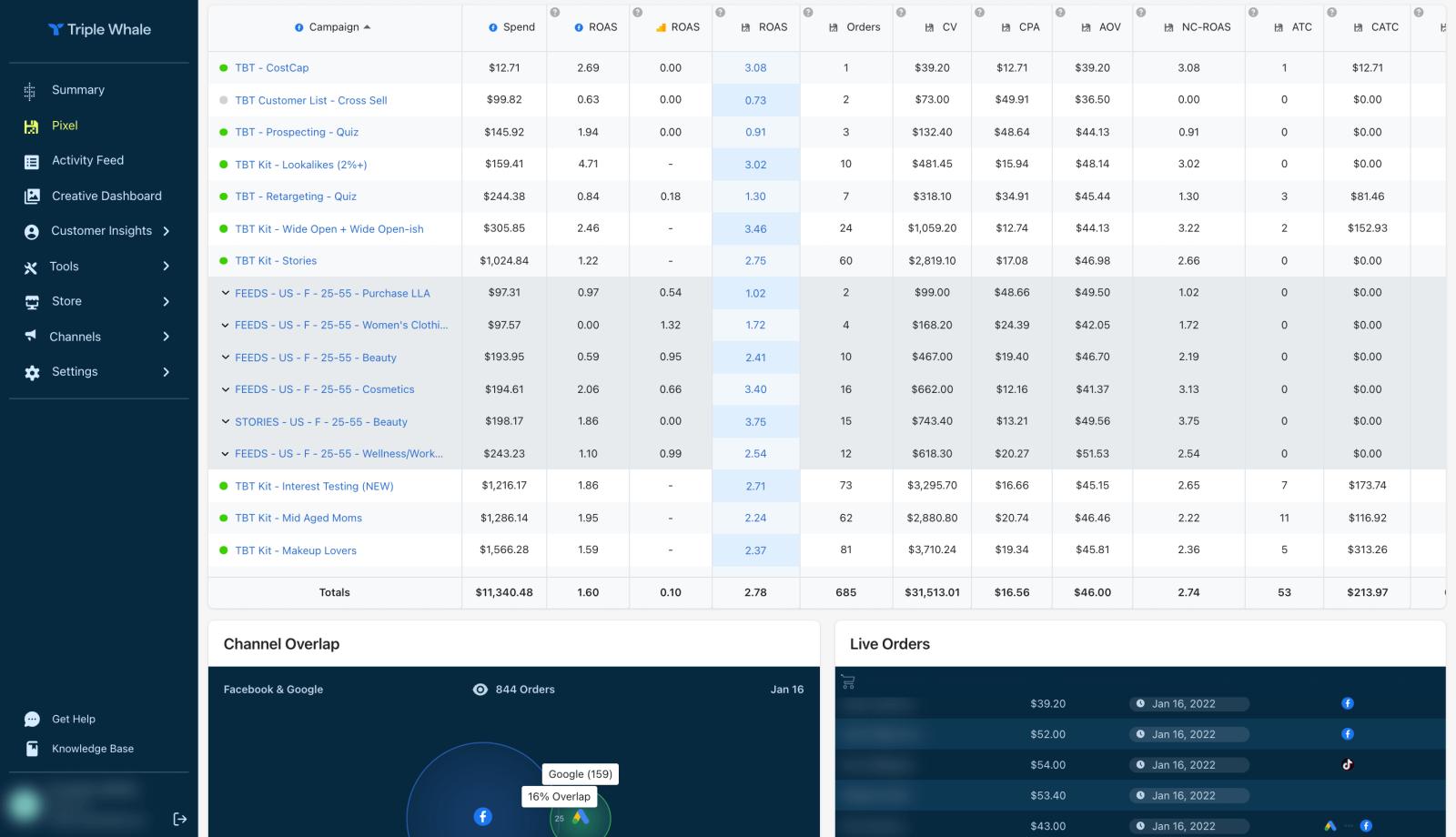
Triple Whale is primarily an ecommerce analytics and intelligence platform.
It makes more sense for a Shopify or DTC company than for a B2B company where the main conversion happens inside a CRM.
Its strength is bringing ecommerce and advertising data into one place so marketers can understand how campaigns relate to sales.
What we like
- Strong ecommerce focus
- Marketing attribution
- Centralized advertising and ecommerce data
- Useful for Shopify brands
- Multi-channel reporting
- Revenue-focused analytics
What we don't like
- More ecommerce-focused than B2B
- Not built primarily around sales pipelines
- Attribution issues are mentioned in some G2 reviews
- Can become expensive as the business grows
Pricing
Triple Whale currently offers a free plan. Paid pricing scales based on ecommerce revenue and plan level. Its current pricing page shows paid plans that can reach $1,290/month depending on the revenue tier selected.
G2 research
Triple Whale has a 4.5/5 rating from 479 G2 reviews, giving it one of the largest review samples in this list.
Users commonly praise its ease of use, centralized data, customer support, and attribution reporting. At the same time, G2 also contains reviews complaining about attribution accuracy, data issues, and support.
That mixed feedback is worth noting. A high overall rating does not mean every user gets perfect attribution.
8. Northbeam: Best for Advanced Ecommerce Attribution
Best for: Larger ecommerce brands with significant advertising budgets and advanced attribution requirements.
Northbeam is built for brands that have already outgrown basic ad-platform reporting.
It focuses on marketing intelligence, multi-touch attribution, media mix modeling, incrementality, and creative analytics.
This makes it one of the more advanced options on this list, but also one of the more expensive.
What we like
- Advanced multi-touch attribution
- Strong ecommerce focus
- Cross-channel reporting
- Revenue attribution
- Media mix modeling
- Incrementality analysis
- Creative analytics
- Built for larger advertising programs
What we don't like
- Expensive
- More complicated than basic tracking tools
- Requires more time to learn
- Probably unnecessary for small advertisers
Pricing
Northbeam's current pricing page lists:
- Starter: $1,500/month
- Professional: $3,500/month
- Enterprise: Custom
The actual price can depend on data volume and business requirements.
G2 research
Northbeam has a 4.5/5 rating from 16 G2 reviews.
Users praise its attribution accuracy, reporting, integrations, and ability to give a broader view of marketing performance. However, complexity and the learning curve appear repeatedly in the G2 feedback.
One recent G2 reviewer said the platform became easy to use after setup but that the initial implementation required effort. Another described the platform as powerful but overwhelming because of the amount of data and customization available.
Frequently asked questions
-
FAQs
-
What is the best Bing Ads tracking tool?
For basic conversion tracking, Microsoft UET is the best starting point because it is Microsoft's native tracking system and is free. For B2B companies that need to connect Microsoft Ads with qualified leads, CRM stages, and revenue, SourceLoop is a stronger fit.
-
Is Bing Ads tracking free?
Yes. Microsoft provides UET as part of Microsoft Advertising. You do not need to pay for a separate tracking platform to implement basic conversion tracking.
-
What is UET in Bing Ads?
UET stands for Universal Event Tracking. It is Microsoft's tracking system for recording website activity and using that data for conversion tracking and remarketing.
-
Can Microsoft Ads track offline conversions?
Yes. Microsoft Advertising supports offline conversion imports. You can send offline conversion data associated with the Microsoft Click ID and include conversion value information.
-
Does Microsoft Ads have server-side tracking?
Yes. Microsoft has introduced a Conversion API for server-side conversion tracking. Stape's current 2026 documentation describes how to implement Microsoft's UET Conversion API through a server-side GTM setup.
-
Can I connect Bing Ads to my CRM?
Yes. You can connect Microsoft Ads data with CRM and offline conversion workflows. Dedicated attribution tools can make this easier when you want to connect the original ad click with CRM stages, opportunities, customers, and revenue.
-
Is Google Tag Manager enough for Bing Ads tracking?
GTM can make the technical tracking setup easier, but it is not an attribution platform. It helps you deploy and manage UET and other tags. You would still need Microsoft Advertising or another analytics/attribution tool to analyze the resulting data.
-
What is the difference between Bing Ads tracking and attribution?
Bing Ads tracking measures actions related to Microsoft Ads. Marketing attribution looks at the larger customer journey and tries to connect marketing touchpoints to conversions, customers, and revenue.
-
Which Bing Ads tracking tool is best for ecommerce?
Triple Whale is a strong choice for ecommerce brands. Northbeam is better suited to larger ecommerce businesses that need more advanced attribution and marketing intelligence.
-
Which Bing Ads tracking tool is best for B2B?
For B2B companies, SourceLoop and Cometly are the strongest options in this list because they go beyond basic website conversions and focus on connecting advertising activity with leads, pipeline, and revenue.


 Paid Social


