
How to Set Up Phone Call Conversion Tracking [2026 Guide]
Learn how to set up phone call conversion tracking with Google Ads, dynamic number insertion, and attribution software. Step-by-step guide with best practices.
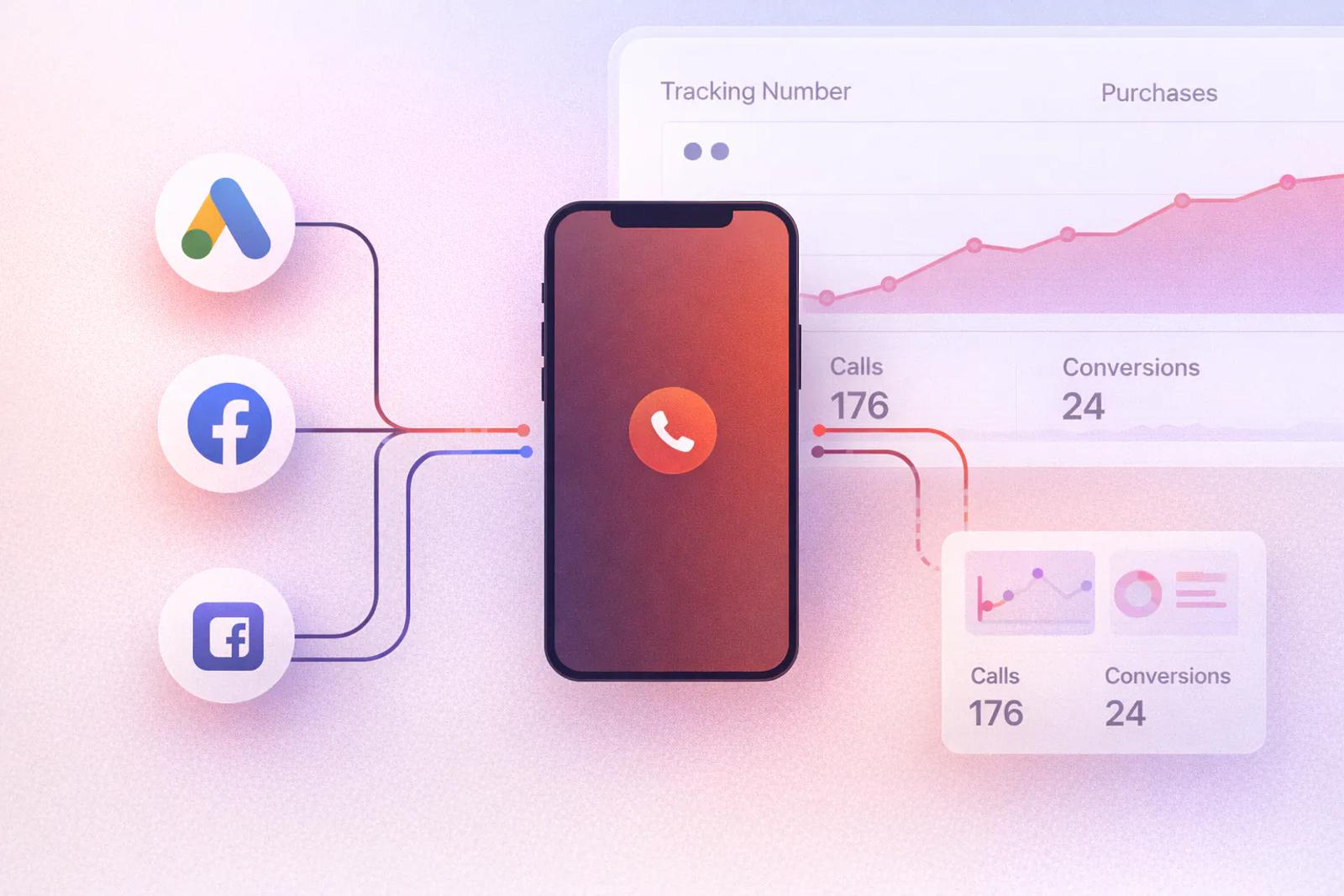
Table of contents
- What Is Phone Call Conversion Tracking?
- What You Need Before You Start
- Step 1: Install Your Website Tracking
- Step 2: Set Up Your Call Tracking Platform
- Step 3: Connect Your Call Tracking Platform to SourceLoop
- Step 4: Make Sure Marketing Data Is Being Captured
- Step 5: Test the Tracking
- Step 6: Decide What Counts as a Conversion
- Step 7: Connect Calls With Your CRM
- Step 8: Send Qualified Conversions Back to Ad Platforms
Phone call conversion tracking shows which ads and campaigns turn website visitors into real phone leads. It helps you connect the phone call to the marketing source, measure qualified calls, and understand which campaigns drive actual conversions.
What Is Phone Call Conversion Tracking?
Phone call conversion tracking means recording a phone call as a conversion when it meets the conditions you care about.
For example, imagine this journey:
Google Ad → Website → Phone Call → Qualified Lead → Customer
Without call tracking, you may only see the Google ad click and the website visit.
With phone call tracking, you can connect the call to that journey and answer questions such as:
- Which campaign generated the call?
- Which keyword or ad brought the visitor?
- Which landing page did they visit?
- How long did they stay on the website?
- Was the call answered?
- Was it a qualified lead?
- Did the call eventually become a customer?
This is especially useful for businesses where phone calls are an important part of the sales process.
What You Need Before You Start
Before setting up phone call conversion tracking, you usually need three things:
- A website with a phone number
- A call tracking platform
- A way to connect call data with your marketing attribution
A call tracking platform such as CallRail or CallTrackingMetrics can record the call and provide information about it.
Many platforms also use Dynamic Number Insertion (DNI). This means the phone number shown on your website can change based on the visitor or marketing source. For example, someone arriving from Google Ads can see a different tracking number than someone arriving from an organic search. CallRail uses this approach to connect website visitors with calls.
SourceLoop adds the marketing attribution layer on top of this.
SourceLoop currently supports call tracking integrations with CallRail, CallTrackingMetrics, Invoca, and Mediahawk in its phone setup. The screenshot below shows these integrations inside the SourceLoop dashboard.
Step 1: Install Your Website Tracking
The first step is to make sure your website can record the visitor's marketing journey.
If you are using SourceLoop, install the SourceLoop tracking script on your website.
SourceLoop provides a simple script-based installation, so you can add the tracker to your website without building a custom tracking system. It records the visitor's source, campaign, and website activity that can later be connected to a conversion.
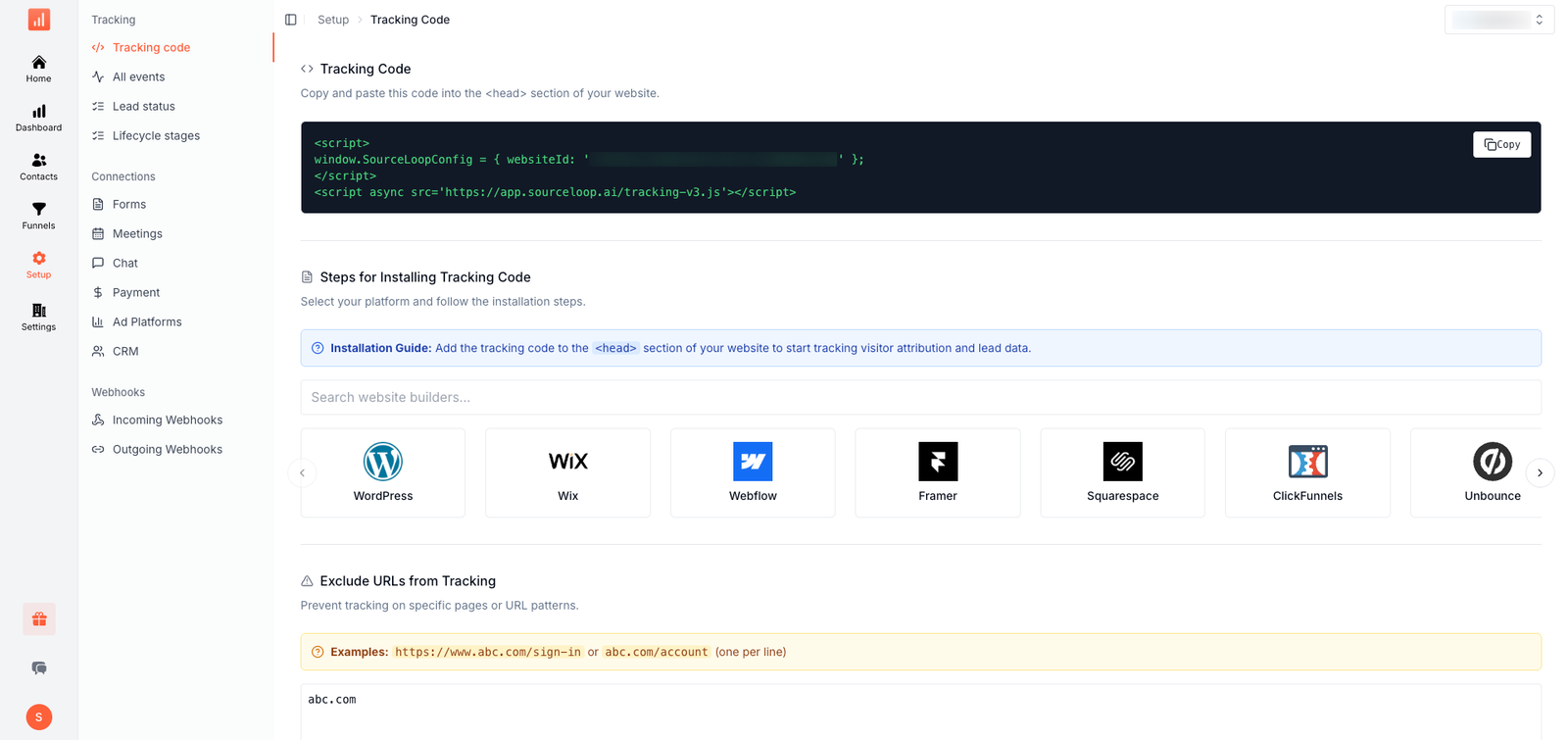
For a basic website, you can add the SourceLoop tracking code to the global header so it loads across your pages.
This is important because the call happens after the visitor leaves the page and picks up the phone. You need to capture the visitor's marketing source before that happens.
For example:
Google Ad → Landing Page → Pricing Page → Phone Call
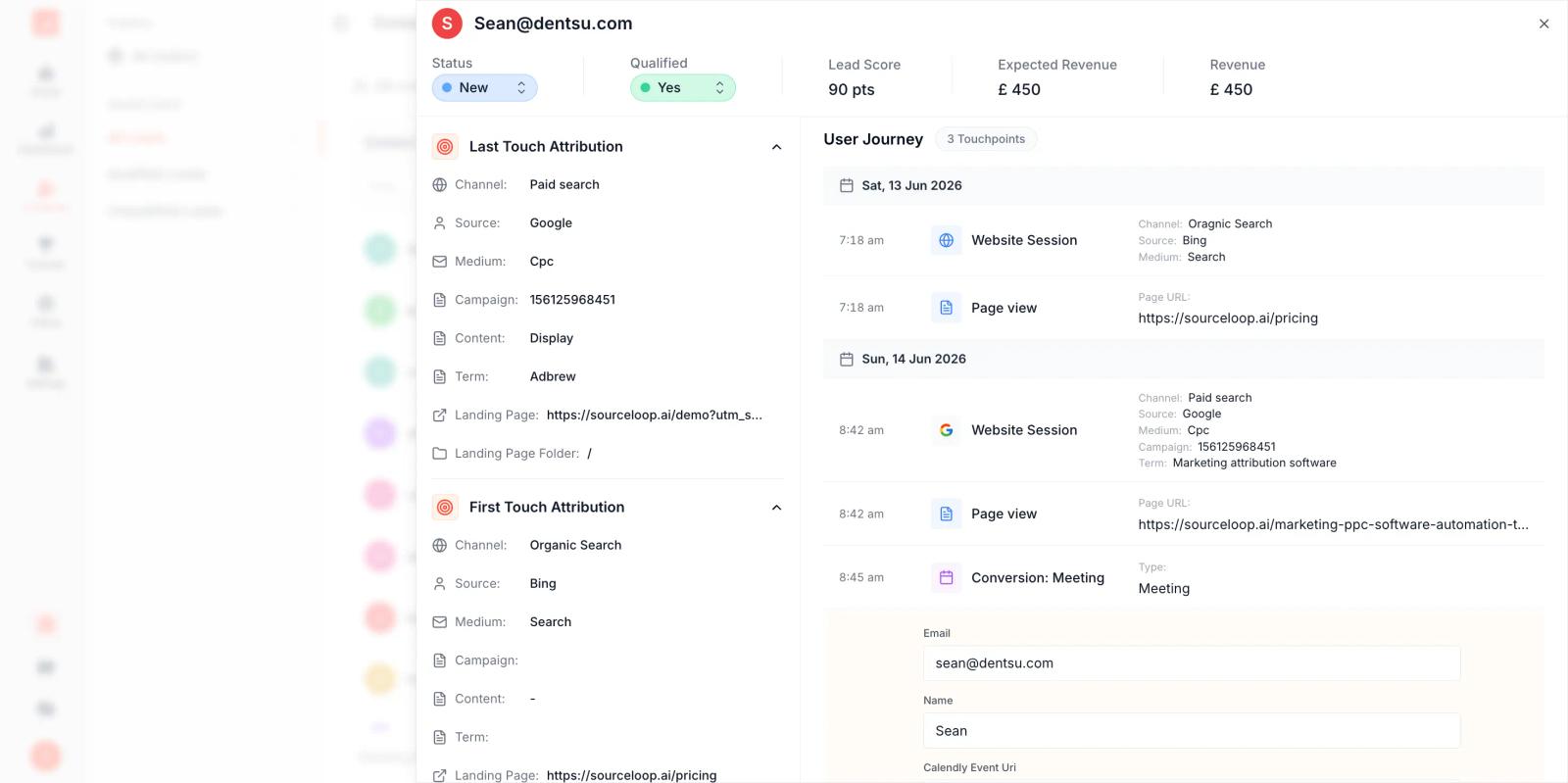
The tracking script captures the first part of this journey. Your call tracking platform captures the phone call. SourceLoop connects the two.
Step 2: Set Up Your Call Tracking Platform
Next, make sure your call tracking platform is working.
Let's take CallRail as an example.
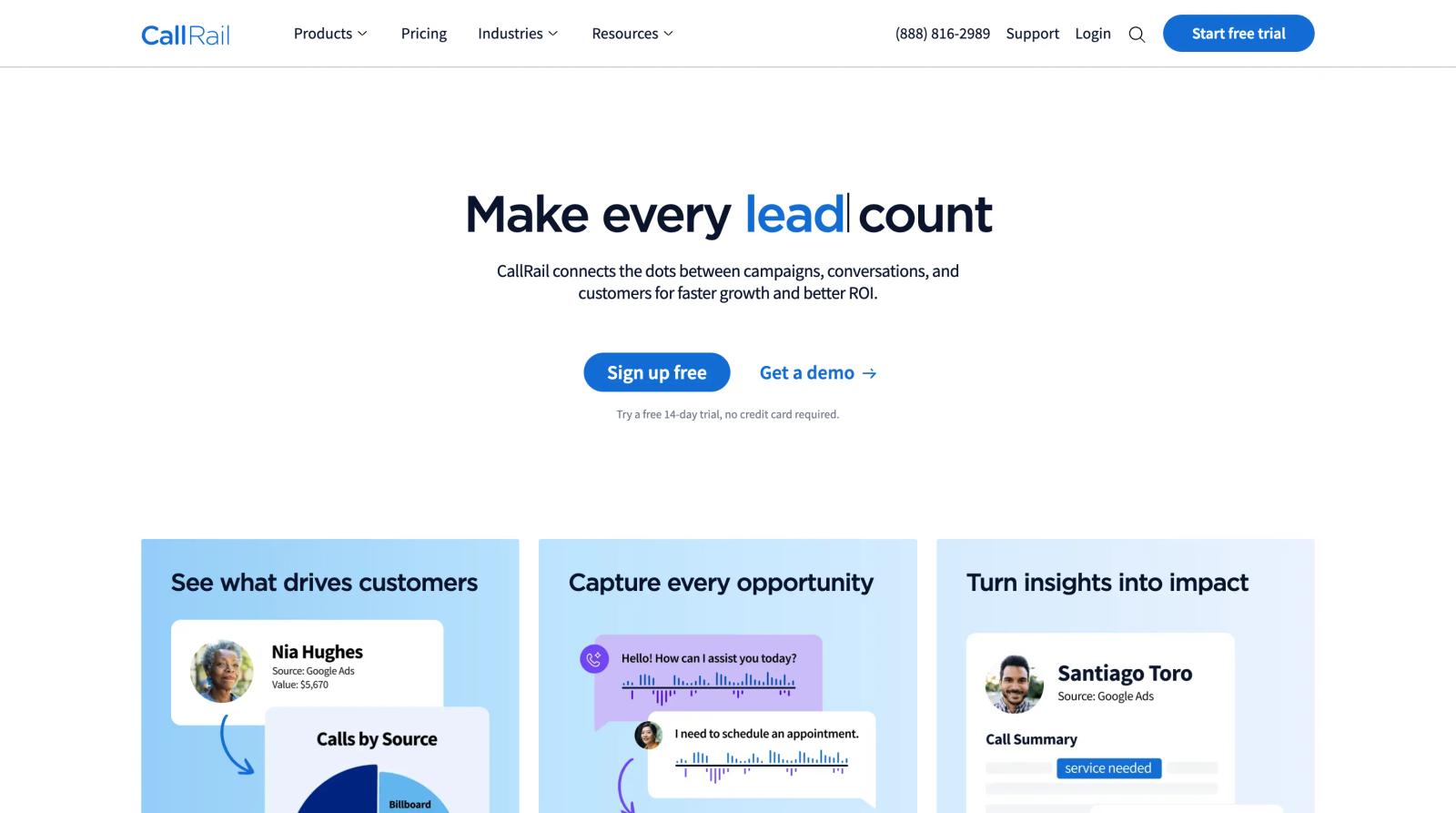
CallRail uses Dynamic Number Insertion to replace your normal phone number with a tracking number for website visitors. Its JavaScript snippet detects the phone number on your website and swaps it with the appropriate tracking number.
You first need to create a tracking number in CallRail and connect it to the phone number where you want to receive calls.
Then make sure the tracking number appears everywhere a visitor can call you.
Check places such as:
- Header
- Contact page
- Landing pages
- Product pages
- Pricing page
- Mobile call buttons
- Footer
If your phone number is inside an image, you may need additional setup because normal dynamic number insertion may not be able to replace it.
The same basic idea applies if you use CallTrackingMetrics or another supported call tracking provider.
Step 3: Connect Your Call Tracking Platform to SourceLoop
Now open your SourceLoop dashboard.
Go to:
Setup → Phone
You will see the available phone integrations.
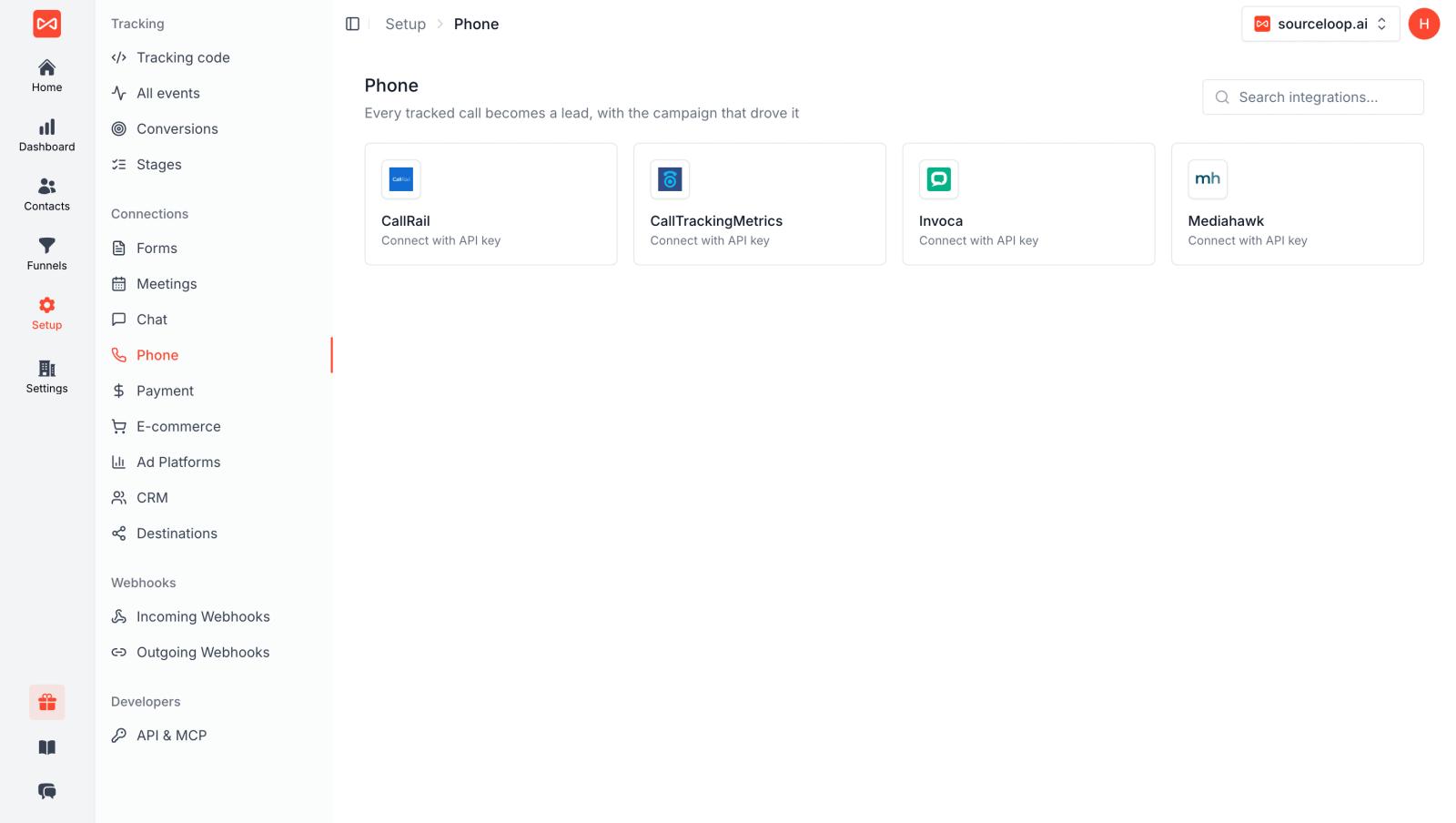
Select the call tracking platform you use.
For example, if you use CallRail:
Setup → Phone → CallRail → Connect
SourceLoop will ask for the required API information.
For CallRail, you can create an API key from the CallRail settings and then paste it into SourceLoop. SourceLoop's current CallRail setup uses the API connection to receive calls and turn them into attributed leads.
For CallTrackingMetrics, SourceLoop uses your API credentials and a webhook. The SourceLoop setup screen provides the webhook details and recommended payload, so you can copy and paste them into CallTrackingMetrics.
This is the main difference between simply having a call tracking tool and having call attribution.
Your call platform knows:
"Someone called."
SourceLoop can add:
"This person came from Google Ads, visited these pages, and then called."
Step 4: Make Sure Marketing Data Is Being Captured
Once the integration is connected, SourceLoop can use the information captured from the visitor's session.
Depending on the traffic source, this can include information such as:
- Source
- Medium
- Campaign
- UTM parameters
- Click IDs
- Landing page
- Pages visited
- First-touch source
- Last-touch source
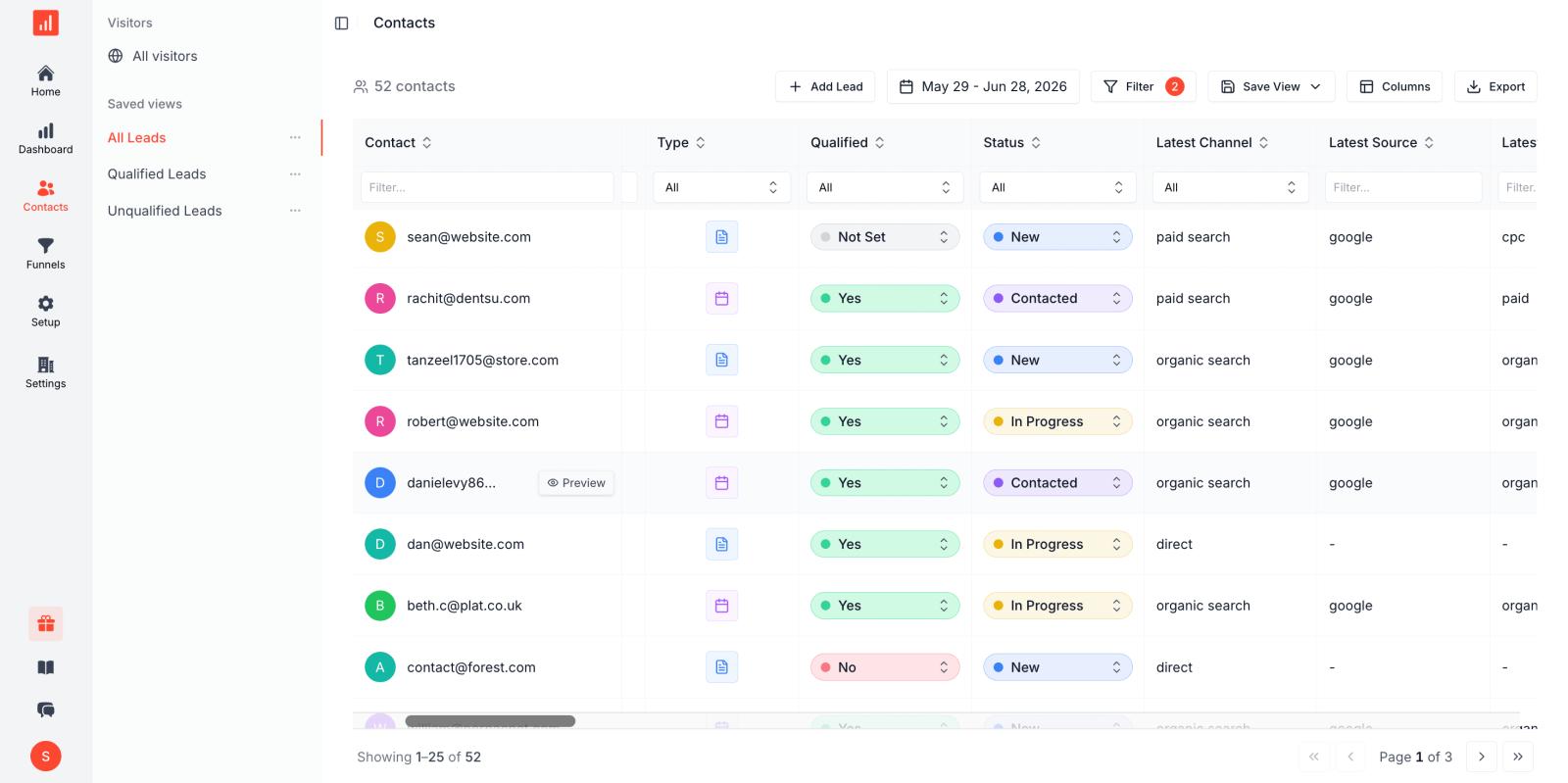
For example, a visitor might arrive through:
Google → CPC → Emergency Plumbing → Landing Page
They browse your website for a few minutes and then call.
The call can then be connected to that earlier marketing journey.
SourceLoop's phone tracking system is designed to connect call data with UTM parameters, click IDs such as GCLID, FBCLID, and MSCLKID, and the visitor's journey before the call.
Step 5: Test the Tracking
Do not assume that everything is working just because the integration says "Connected."
Run a real test.
A simple way is to open your website in an incognito window and visit it with a test UTM URL.
For example:
?utm_source=test&utm_medium=verify&utm_campaign=phone-test
Then browse a few pages and call the tracking number displayed on the website.
After the call ends, check your SourceLoop dashboard.
You should see the call as a lead and be able to view the available attribution information.
For CallRail, SourceLoop's documentation recommends checking the Contacts Hub after the test call and confirming that the source, campaign, landing page, call information, and journey were captured.
If you use CallTrackingMetrics, SourceLoop recommends checking that the webhook is saved correctly and that the recommended payload is being sent after completed calls.
Step 6: Decide What Counts as a Conversion
Not every phone call should necessarily count as a valuable conversion.
Someone may call by mistake. Another person may call to ask a simple question. Some calls may last only a few seconds.
This is why you should decide what a qualified phone conversion means for your business.
For example, you could count a call as a conversion when:
- The call lasts more than 60 seconds
- The caller asks for a quote
- The caller books a meeting
- The sales team marks the call as qualified
- The call creates an opportunity in your CRM
- The call eventually becomes a customer
Google Ads itself allows businesses to use call duration and other conversion settings to decide which calls should count as conversions. It also supports importing call conversions from another system when you want to use your own business outcome as the conversion.
For a lead generation business, this distinction is important.
You do not just want to know:
"How many calls did we get?"
You want to know:
"How many qualified calls did our marketing generate?"
Step 7: Connect Calls With Your CRM
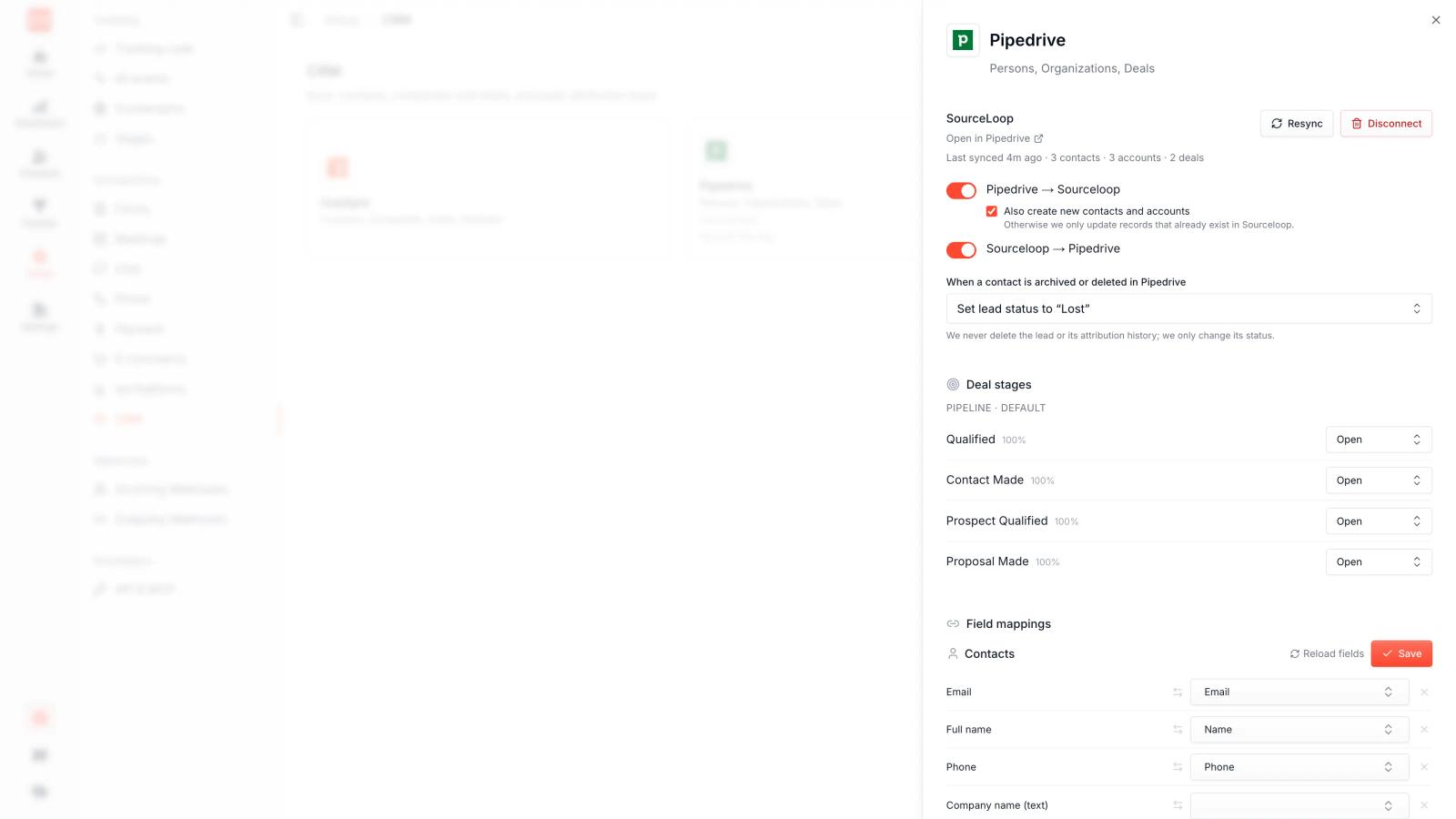
The next step is to connect the phone conversion with your sales process.
Suppose a visitor clicks a Google ad and calls your sales team.
The call becomes a lead.
Your sales team then qualifies the lead and creates an opportunity in the CRM.
Later, the opportunity becomes a closed customer worth $5,000.
Now you have a much more useful journey:
Google Ad → Website Visit → Phone Call → Qualified Lead → Opportunity → $5,000 Customer
This is where phone call tracking becomes more useful than basic call reporting.
SourceLoop can connect phone leads with CRM data so marketers can see what happened after the call, rather than stopping the tracking when the phone rang. Its attribution system is designed to connect marketing activity with CRM stages and revenue.
Step 8: Send Qualified Conversions Back to Ad Platforms
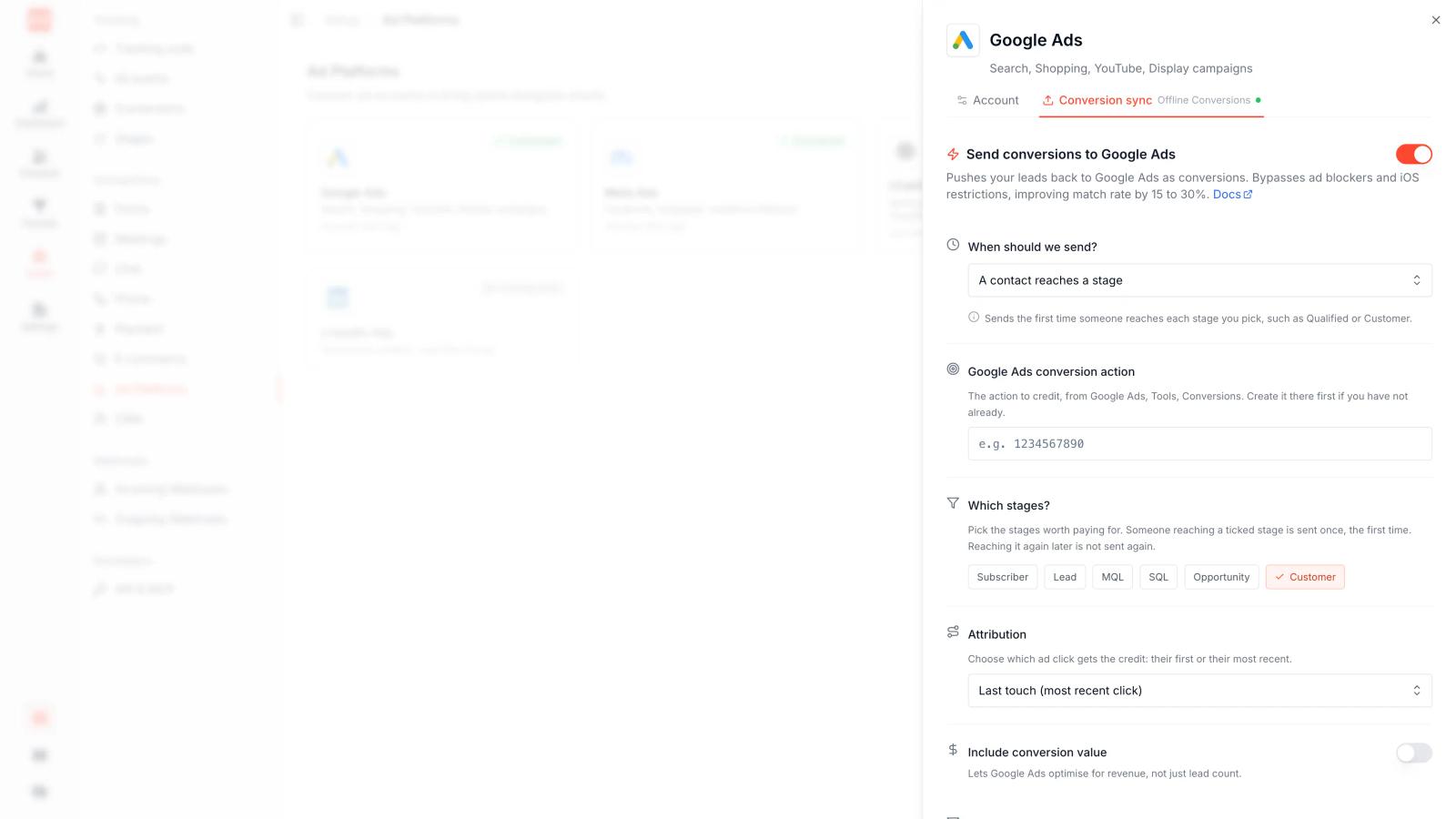
Once you know which calls are valuable, you can use those outcomes to improve your advertising.
For example, instead of telling Google Ads that every phone call is a conversion, you can send back qualified calls or later sales outcomes.
This gives your advertising platform a better signal.
Google Ads supports imported call conversions, including conversions that are tracked in another system. This lets businesses use information such as whether a call resulted in a sale and, where appropriate, assign a conversion value.
With SourceLoop, the same idea can be used across your broader attribution setup. Qualified conversion data can be connected back to advertising platforms and your CRM, so your marketing reports are based on actual business outcomes rather than just call volume.
Frequently asked questions
-
FAQs
-
What is phone call conversion tracking?
It tracks phone calls that happen because of your ads or marketing and connects them to the source that generated them.
-
How do I track phone calls from Google Ads?
You can use Google Ads call conversion tracking, a Google Forwarding Number, or a third-party call tracking tool.
-
What is a Google Forwarding Number?
It is a Google-provided phone number that helps connect calls to your Google Ads campaigns.
-
Can I use Google Tag Manager for call tracking?
Yes. Google Tag Manager can help install and manage your Google Ads and other tracking tags.
-
How long should a call be to count as a conversion?
There is no fixed time. Choose a call duration that makes sense for your business and sales process.
-
Can I track calls from Facebook Ads?
Yes. Call tracking tools can connect calls with visitors from Facebook and other marketing channels.
-
Can Google Analytics track phone calls?
Google Analytics can track phone number clicks, but actual call tracking usually requires a dedicated call tracking platform.
-
Do I need JavaScript for call tracking?
Many call tracking tools use JavaScript to dynamically replace your website phone number with a tracking number.
-
How do I verify my call tracking?
Make a test visit, call the tracking number, and check that the call and its marketing source appear correctly in your tracking platform.
-
Can SourceLoop track phone call conversions?
Yes. SourceLoop integrates with CallRail, CallTrackingMetrics, Invoca, and Mediahawk to connect phone calls with marketing attribution.
-
Can SourceLoop connect calls to CRM conversions?
Yes. You can connect phone calls with qualified leads, opportunities, customers, and revenue in your CRM.




 Paid Social


