
Track Intercom Chat as Google Ads Conversions: 2026 Guide
Learn to track Intercom chat as Google Ads conversions in 2026. This guide walks you through setup, attribution, and reporting to optimize ad spend.
You can track Intercom chat as Google Ads conversions, but only when you map qualified chat events to conversion actions and use offline conversion imports or Enhanced Conversions for Leads for the outcome that matters most. If you count every chat widget open, you'll get cleaner dashboards and worse bidding.
Teams discover this the hard way. Google Ads, Meta, and TikTok all claim credit, the CRM shows fewer real opportunities than the ad platforms suggest, and Intercom becomes just another source of noisy “conversion” data instead of a signal tied to pipeline.
Table of Contents
- The Attribution Problem Most Marketers Miss
- Understanding Google Ads Conversion Tracking Foundations
- Why You Must Distinguish Qualified Chats from Raw Conversations
- Implementing Offline Conversion Imports and Enhanced Conversions
- Leveraging Multi-Touch Attribution for Accurate ROI Measurement
- Optimization Tactics Based on Real Conversion Quality
- Your Implementation Checklist and Next Steps
The Attribution Problem Most Marketers Miss
A paid media team sees one number in Google Ads, another in Meta, and a third in TikTok, then tries to reconcile them with sales. The spreadsheet looks busy, but the business question stays unresolved. Which campaigns started conversations that turned into booked meetings, qualified leads, or revenue?
That gap gets worse when Intercom enters the picture. A chat widget open is easy to count, so teams do it. The problem is that an opened widget doesn't mean the visitor was sales-ready, and it definitely doesn't mean the conversation was worth teaching Google's bidding system to chase.
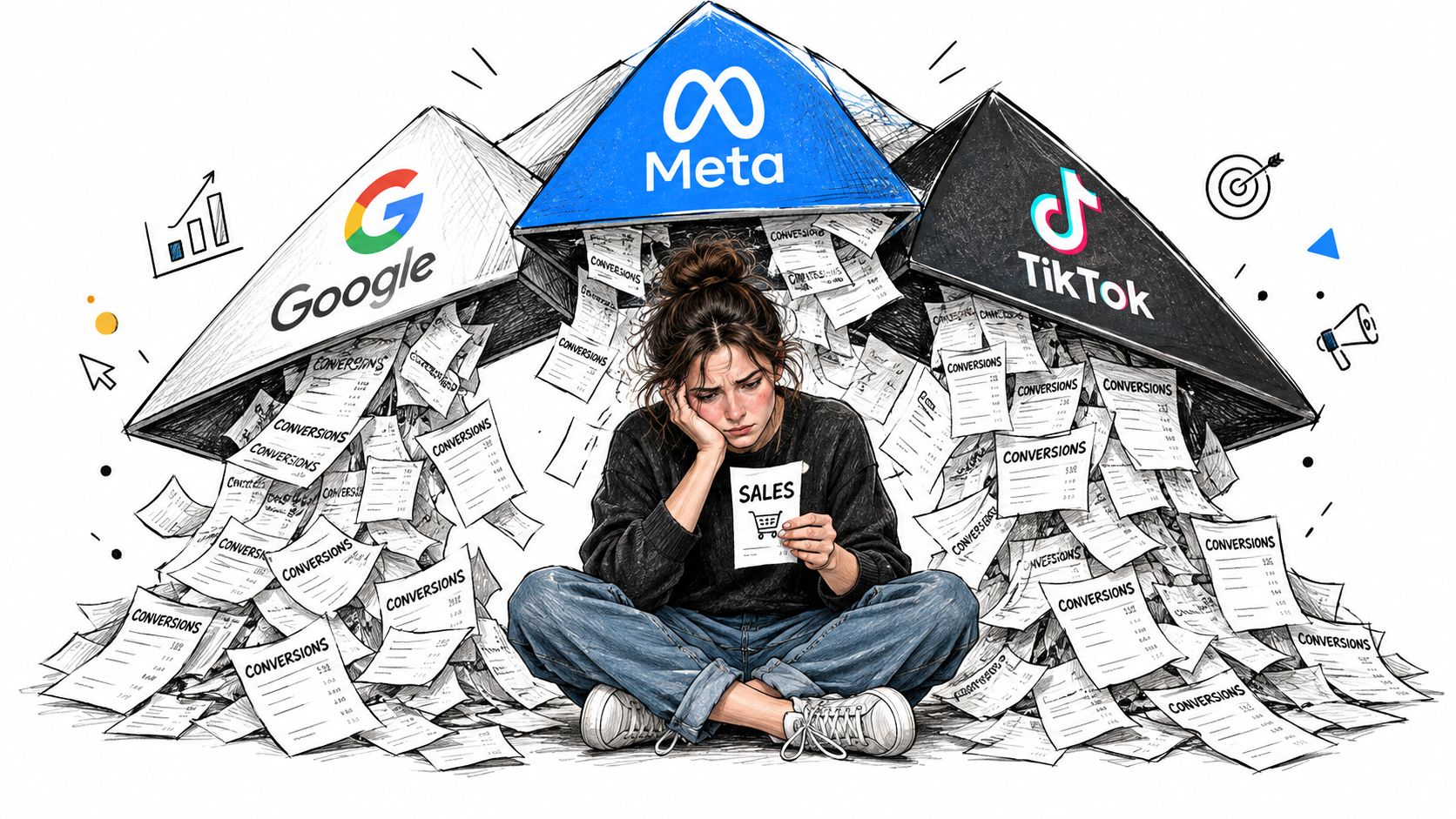
Vanity metrics sabotage spend decisions. A raw chat count can make a campaign look strong even when most conversations are irrelevant, spammy, or unqualified. If the team optimizes toward volume, the ad account starts rewarding the wrong behavior, and the sales team inherits more noise.
Practical rule: if sales wouldn't care about the conversation in the CRM, Google shouldn't treat it as a primary conversion either.
The fix is not more attribution theater. It's a clearer definition of value, one that separates chat starts, qualified chats, and downstream outcomes. For a broader explanation of why ad platform numbers and analytics rarely line up cleanly, this breakdown of Google Ads versus Google Analytics mismatches is a useful companion read.
Understanding Google Ads Conversion Tracking Foundations
Google defines a conversion as a customer action an advertiser considers valuable after an ad interaction, including sign-ups, quote requests, phone calls, purchases, and other button clicks. That definition matters because an Intercom conversation can fit inside it, but only if you decide what “valuable” means for your business. A chat open is an event, not automatically a conversion.
The cleanest setup starts with two steps. First, create the conversion action in Google Ads. Second, install the Google tag directly or through Google Tag Manager so Google can observe the action and attribute it properly.
Map the chat to a business outcome
The mistake many teams make is treating the widget itself as the conversion. That's too early. A stronger setup maps Intercom to a meaningful milestone, such as a qualified conversation, a demo request, a contact-detail submission, or a booked meeting.
Google's conversion model is built around business actions after the ad click, not around impressions of activity. That's why the measurement logic shifted the market away from click-only reporting and toward post-click outcomes. If you want bidding to learn, it needs a signal that resembles value, not curiosity.
Build the mechanics before you optimize
A solid Intercom setup usually starts with a primary conversion action for qualified chats and a secondary action for raw chats or diagnostic tracking. That keeps reporting clean while preserving enough data to debug the funnel. It also prevents the common mistake of optimizing too early toward shallow engagement.
If your team already manages PPC tightly, the framing in mastering PPC from MDS is helpful context because it reinforces the same idea, bids improve when the conversion signal reflects business value, not just activity. The principle is simple, but it changes campaign decisions fast.
Google calculates conversion rate by dividing total conversions by total ad interactions over a defined period. That makes your action definition part of the metric itself. If the action is sloppy, the rate is sloppy too.
Why You Must Distinguish Qualified Chats from Raw Conversations
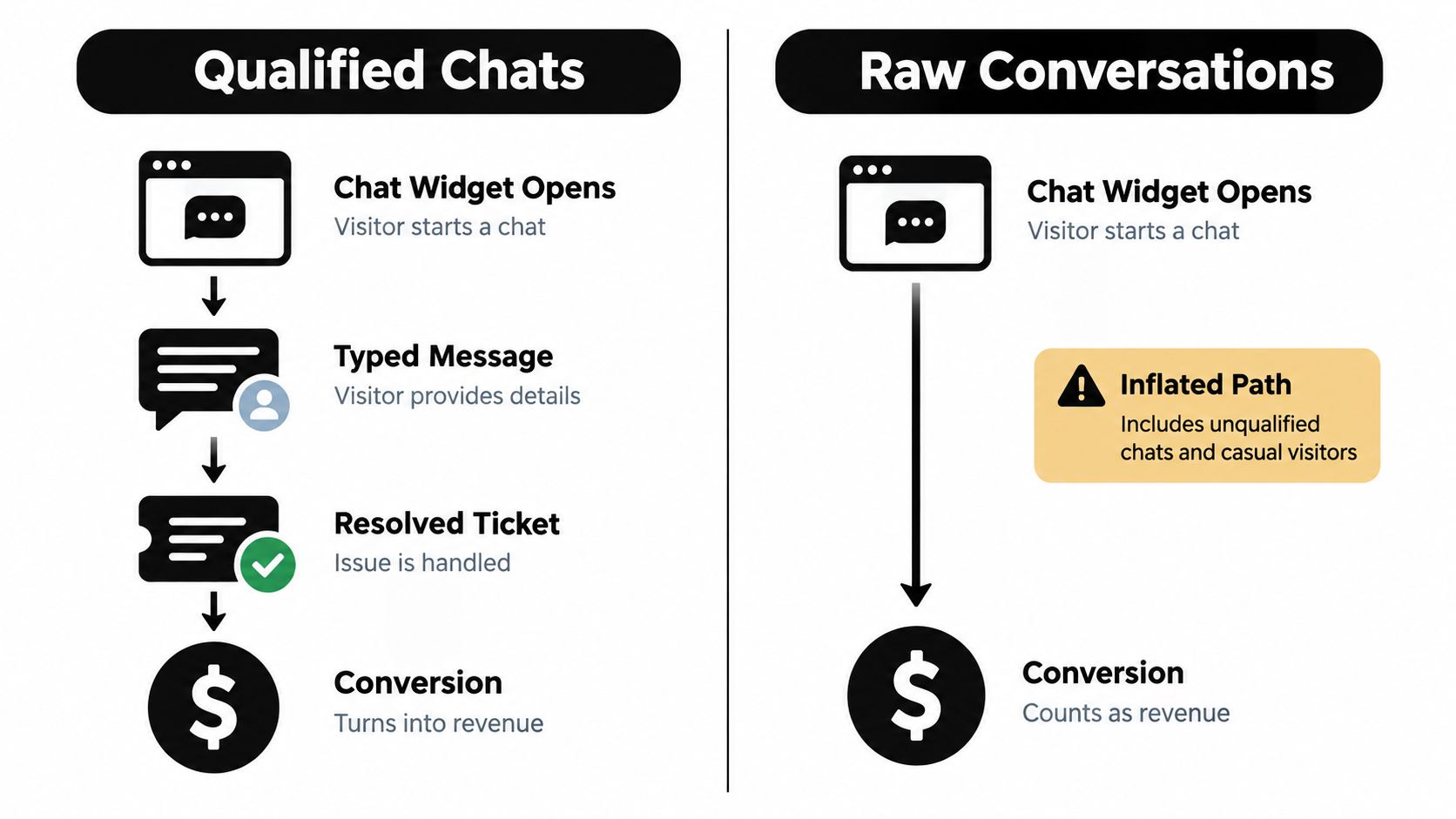
Treat every Intercom conversation as a conversion and you'll inflate performance while blunting your bidding strategy. A visitor who opens the widget is not the same as someone who shares contact details, asks for pricing, or books a meeting. Those are different intent levels, and they deserve different treatment.
Raw conversations distort the signal
When raw chat starts are counted as conversions, low-intent traffic looks productive. Retargeting campaigns, broad match keywords, and even accidental clicks can all generate “good” numbers that never translate into pipeline. The ad account then learns to find more of the same.
Google's measurement guidance makes the milestone logic explicit, because an Intercom conversation should count as a Google Ads conversion only when it reaches a business-defined stage such as qualified, sales-accepted, or booked, not merely when the widget opens. That's the line that keeps optimization tied to commercial intent.
Use the webhook to trigger the right event
Intercom exposes a conversation.admin.closed webhook event, which is a better trigger point than the first message. By the time the conversation is closed, an agent has already judged the exchange, and you can route the record based on actual outcome. That gives you a much cleaner attribution workflow.
Persist the original Google click identifier when you have it, and pair it with consented first-party identifiers only when your privacy process allows it. Then send the conversion only when the conversation has reached a milestone you'd be comfortable showing to sales leadership. That's the point where the data starts to resemble pipeline, not chatter.
A qualified chat can be a real lead. A chat open is just evidence that somebody clicked the box.
Implementing Offline Conversion Imports and Enhanced Conversions
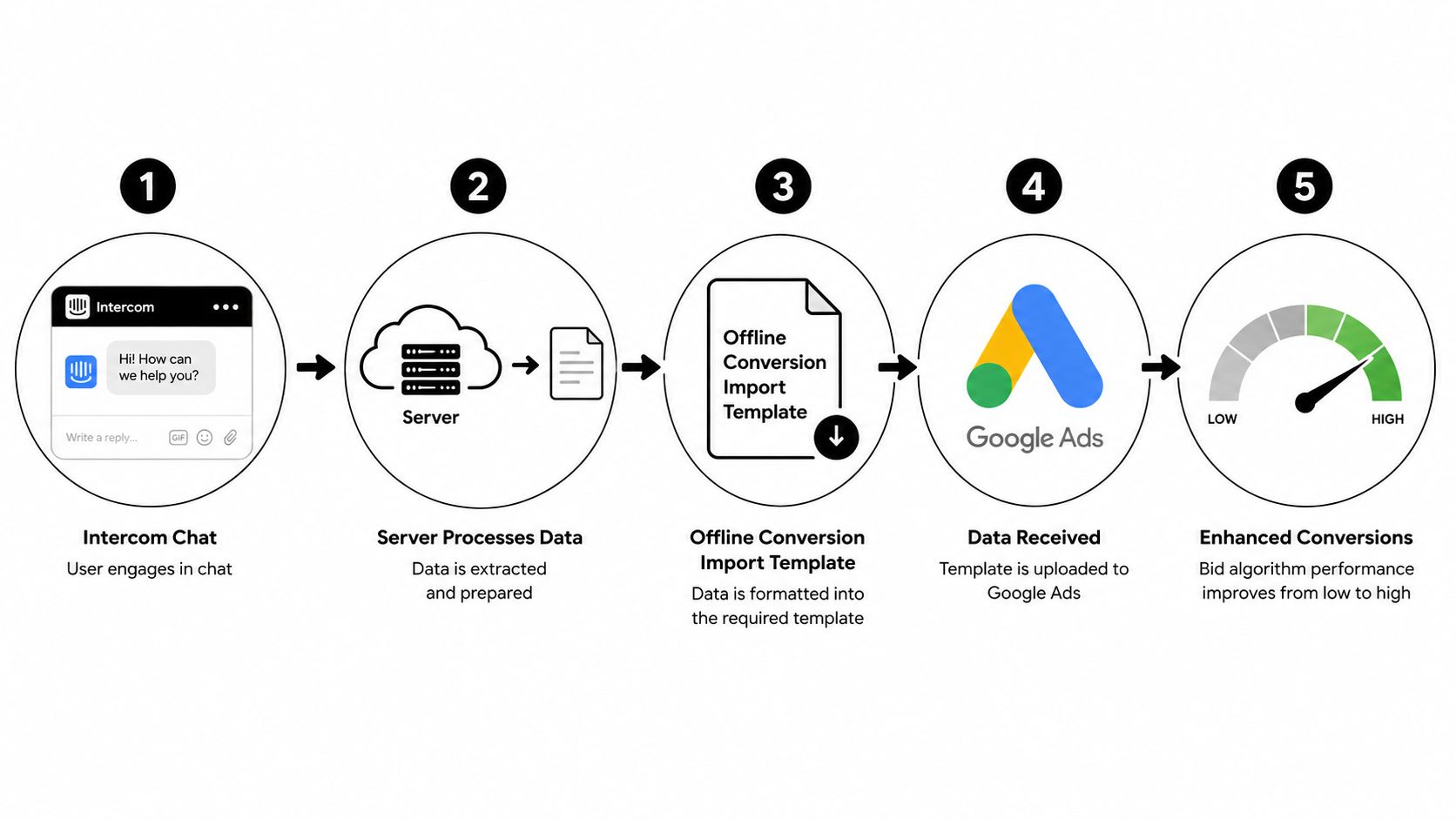
Google Ads supports a second measurement layer that connects an online interaction to a later offline outcome. That's the right model for Intercom when the first conversation happens now and the commercial result arrives later, after qualification, a signed contract, or payment. Offline conversion import is what makes that visible inside the ad account.
Capture identifiers at the first touch
The practical architecture starts at the landing visit. Save the Google click identifier, keep landing-page metadata, and associate that session with the Intercom contact ID. If consent permits, also capture normalized first-party identifiers like email or phone so you have a fallback when the original click ID is missing later.
Google's conversion-management guidance recommends Enhanced Conversions for Leads, which uses first-party information to improve measurement accuracy. Applied to Intercom, that means the chat itself can be recorded as an early-stage event, while the qualified outcome gets uploaded later as the value-bearing conversion.
Upload only the outcome that matters
Don't upload every conversation. Upload only the qualified one, with the event timestamp, the conversion action name, and value if the deal stage supports it. Use normalized, SHA-256-hashed user-provided data before upload, and keep the upload tied to a clear lifecycle milestone.
Google documents up to 90 days for GCLID-based imports and up to 63 days for imports using personally identifiable information for Enhanced Conversions for Leads, so your CRM handoff window has to respect those limits. That timing matters when sales cycles stretch and chats are reopened later. Google's offline conversion import documentation is the relevant reference for that workflow.
If the chat is anonymous at first and qualified later, the later event is the one you should use for bidding.
Video walkthroughs help teams see the pattern faster, and this overview of software agency lead generation tools is useful if you're comparing how different systems capture and reuse lead data across the funnel.
Do not switch your primary optimization event immediately. Google recommends letting the enhanced-conversion action run for a few cycles before making it primary, so the model can settle. During that period, keep the legacy conversion secondary and compare match quality, not just conversion volume.
For setup specifics, this guide to configuring Google Ads offline conversions is a practical companion if you're wiring the system into a live CRM workflow.
Leveraging Multi-Touch Attribution for Accurate ROI Measurement
Single-touch attribution rarely tells the truth in an Intercom-led funnel. One click starts the journey, another campaign nurtures it, a chat resolves the objection, and a sales call closes the deal. If you only give credit to the last touch, you hide how the pipeline took shape.
Tie the conversation to the full journey
Multi-touch attribution lets you see how paid search, retargeting, email, and direct visits all contributed before the chat qualified. That matters because Intercom usually sits inside a broader sequence, not as the first or last meaningful interaction. The value isn't in the widget itself, it's in the trail behind it.
SourceLoop is one option for teams that want chat, form, booking, and payment journeys in the same attribution layer, with qualified offline conversions synced back to ad platforms. For a deeper explanation of the approach, this multi-touch implementation guide shows how journey data can be structured without reducing everything to first click.
Use CRM and revenue data together
The strongest setups don't stop at chat. They connect the Intercom contact to the CRM record, then join downstream opportunity stages and revenue back to the originating session. That gives you a path from ad click to qualified conversation to customer, which is much closer to how budgets get approved.
The question isn't which ad caused the chat. The question is which ad brought in the conversations that moved deals forward.
If your team sells through calls, demos, or lengthy approval cycles, that distinction changes budget allocation. It tells you which campaigns deserve scale because they create pipeline quality, not just conversation volume. It also exposes campaigns that generate lots of chatter but little commercial value.
When multi-touch is in place, Google Ads becomes one input in a larger measurement system instead of the whole truth. That's usually where growth teams finally stop arguing about attribution and start reallocating spend with confidence.
Optimization Tactics Based on Real Conversion Quality
Once the tracking is correct, the optimization conversation changes. You're no longer asking how many chats came in. You're asking which chats were worth sending to bidding systems, which ones duplicated, and which ones arrived with enough identity to be matched cleanly.
Validate the signal before scaling
Check match rate, duplicate rate, event latency, and qualified-lead volume separately. A healthy-looking chat count with weak qualified-chat volume usually means the event is too early or the qualification rule is too loose. Don't let a high top-line number distract from a bad conversion definition.
Use an idempotency key like conversation_id + qualification_status so retries or reopen events don't create duplicate uploads. Store timestamps with an explicit time zone, keep monetary value when you have it, and suppress anything that looks like spam or automated activity. That keeps the conversion stream defensible.
Separate primary conversions from diagnostics
Raw chats are useful diagnostics, but they shouldn't always drive bidding. Keep them as secondary actions while qualified chats remain primary. That split gives you the reporting you need without teaching Google to optimize toward noise.
Google's 2025 diagnostics specifically added an alert for advertisers that incorrectly omit conversions containing user-provided data, so missing identity-linked conversions is no longer a subtle problem. It now shows up as a tracking issue that needs attention. Google's diagnostics update is worth checking if your uploads have been inconsistent.
Make privacy part of the workflow
Consent isn't a side note. If consent is absent, don't export advertising data. If the user later provides an email address or becomes a customer, update consent through the site's consent-management system first, then send only the eligible event with the right consent field.
That discipline protects both measurement quality and compliance. It also avoids the trap of treating hashing as a substitute for lawful collection. Hashing helps Google match data, but it doesn't replace permission.
Your Implementation Checklist and Next Steps
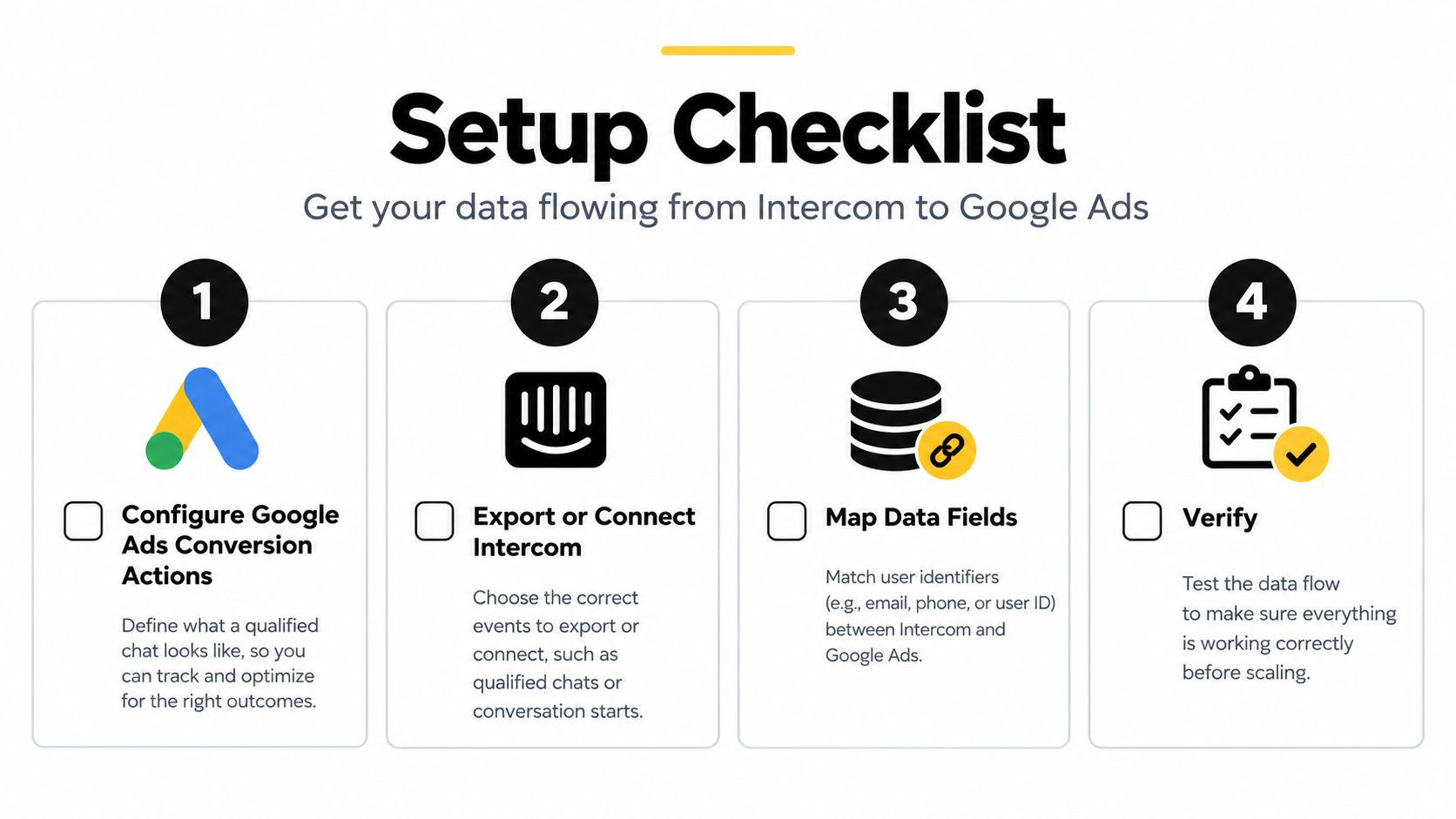
A clean Intercom-to-Google Ads setup is built in layers, not shortcuts. Start with the conversion definition, then add the plumbing, then validate the uploads before you scale spend against them.
Use a simple rollout sequence
- Define the qualified milestone. Decide whether the primary event is qualified chat, booked meeting, or another lifecycle stage that sales values.
- Configure the Google Ads conversion action. Set the conversion up first, then connect the Google tag or tag manager flow.
- Preserve identifiers at the source. Capture GCLID and first-party contact data at the first visit when consent allows it.
- Upload only the meaningful downstream event. Keep raw chats separate from qualified outcomes so bidding sees quality, not just activity.
- Validate before you promote the action. Check matching, duplication, and latency before making the new conversion primary.
If you're using a platform that captures chat, forms, bookings, and CRM outcomes in one path, make sure it supports qualified offline sync rather than just top-of-funnel event logging. That's the difference between a reporting toy and a measurement system.
What to watch after launch
Look for whether chat volume falls while qualified conversions hold steady or rise. That usually means the system is filtering better, not performing worse. Also watch whether sales starts saying the leads feel more relevant, because that's often the first real-world sign the optimization signal improved.
If you want a working attribution layer before rebuilding the whole stack yourself, SourceLoop is one option to evaluate alongside your current tools, especially if you need chat, booking, and offline conversion data to land in the same workflow. The value is in tying those events back to the original channel, not in counting more opens.
The fastest path is to define the business milestone now, wire the upload path next, and use qualified conversations as the signal Google Ads learns from. Do that, and Intercom stops being a noisy support widget and starts acting like a revenue attribution source you can trust.

 Paid Social


