











Triggers
Slack and email alerts
Slack and email alerts for every new lead, with its source
Hear about good leads, won deals, and failed payments the moment they happen, with the ad that drove them.
Free 7-day trial. Included on every plan.
Used by 750+ marketing teams, agencies, and SaaS companies
The problem
By the time you check the dashboard, it's too late
Good leads go cold, budgets leak, and broken tracking hides until month end.
Hot leads wait for a reply
The first company to call back usually wins the job.
Budget leaks quietly
A campaign can spend for a week with no leads before anyone looks.
Tracking breaks on a Friday
Nobody notices a disconnected integration until the numbers look wrong.
What you can watch
The right message, to the right people, at the right pace
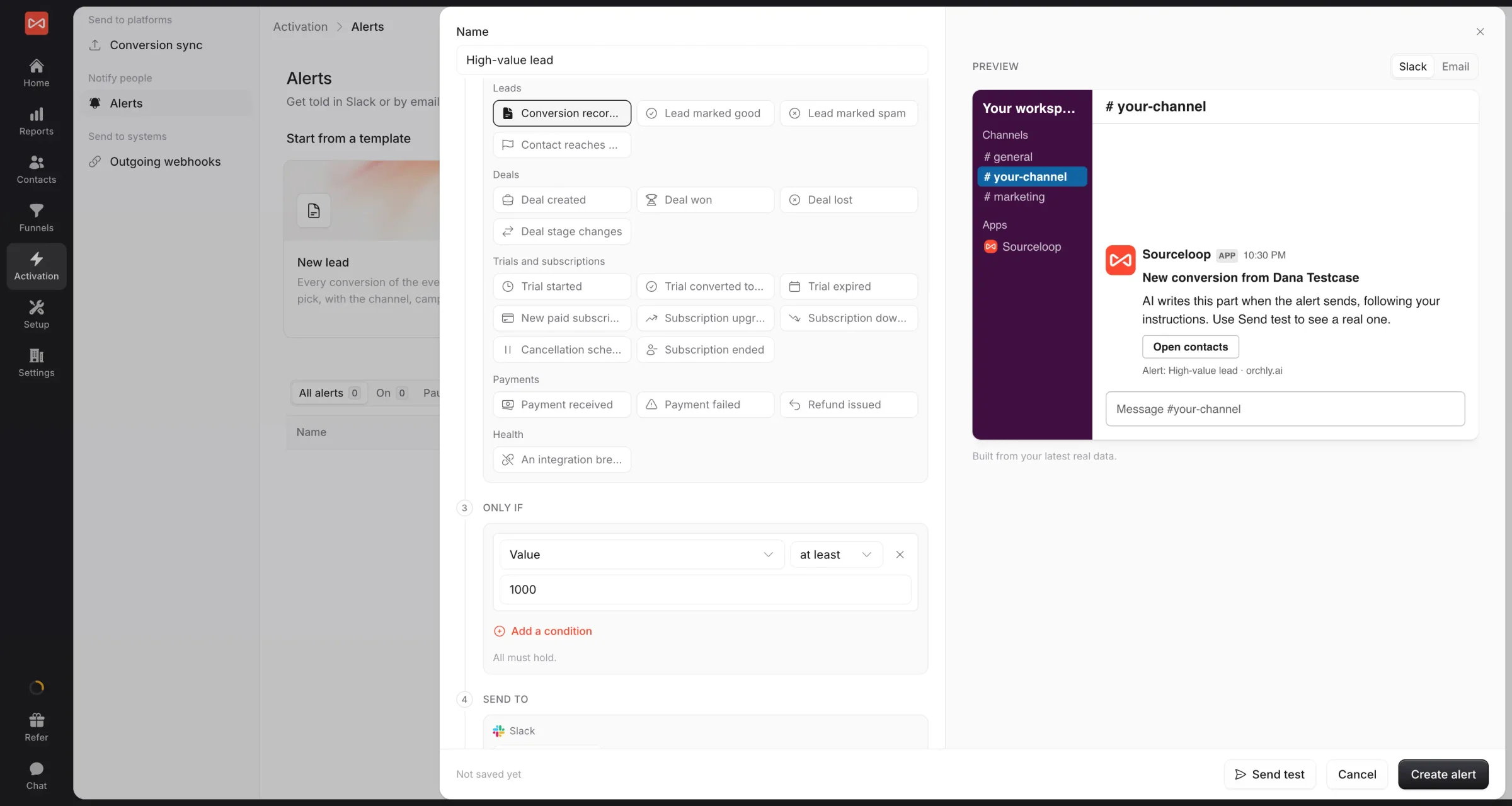
Pick what triggers it, narrow it down, then choose Slack or email and how often.
With the source
Every lead alert says which ad brought it.
Number checks
Cost per lead above target? You'll hear first.
Your pace
Instantly, or one tidy summary a day.
Delivery
Slack, email, or any tool through webhooks.
 Zapier
 Make
Make Start from a template 24 ready
High-value leadInstantly
Lead from paid adsInstantly
Deal won, with the campaignInstantly
Campaign spending, no leadsDaily
Tracking went quietDaily
Ready in a minute
Pick a template, pick a channel, done
Start from one of 24 templates. Add a condition, like value over $1,000, so only the leads that matter get through.
- Preview it on your real data first
- Send yourself a test in one click
AI messages
Messages that say why it matters
Add a short instruction, like "one line on why this lead matters", and AI writes it from the alert's own data. Your team knows what to do without opening a report.
- Written in your words, on every alert
- Falls back to the standard message if slow
 # sales
High-value lead: Marcus Lee, Brightwater Dental
Third visit this week from your implants campaign, and asked for pricing for 4 clinics. Worth a call today.
- Source
- Meta Ads · implants-uk
- Value
- $12,000
Daily leads · all clients 9:00
ClientLeadsGoodTop source
NNorthwind149 Google
GoogleLLedgerly2212 Organic
OrganicKKestrel85 Meta
Meta
MetaFor agencies
One alert that watches every client
Set it once for all your clients and get one message, grouped by client. Alerts to clients can carry your agency's name instead of ours.
- Grouped by client, never mixed
- Your agency's name as the sender
How it works
Your first alert in three steps
- SlackConnectedEmailReady01
Connect Slack
One click. Or skip it and use email.
- High-value leadOnly ifValue ≥ $1,000Send to# sales02
Pick a template
Choose the moment, add a condition, pick where it goes.
- Test sent to # salesAlert is on03
Test and switch on
Check it looks right. It runs on its own from then on.
FAQ
Alerts FAQ
What can I be alerted about?
New leads, leads marked Good or Spam, contacts reaching a stage, deals created, won, or lost, trials and subscriptions starting, converting, or ending, payments received, failed, or refunded, and integrations that stop working. You can also get scheduled summaries and alerts when a number like cost per lead crosses a line.
Does every message include the lead source?
Yes. Lead alerts carry the person, the channel, source, and campaign that brought them, the landing page, and the lead's value, so whoever reads it knows how to follow up.
Can I send alerts to people outside my team?
Yes. Add any email address. The first email explains who added them, and every alert email has its own unsubscribe link.
Will a busy channel get flooded?
Not unless you want it to. Choose instantly, bundled every 15 minutes, an hourly summary, or a daily digest, and add conditions so only the leads that matter fire.
What does the AI message do?
Write a short instruction, like 'one sentence on why this lead matters', and the AI writes the message from the alert's own data. If it can't answer in time, the standard message goes out instead.
I manage many clients. Do I need an alert for each?
No. One alert can watch every client website and send one message grouped by client, to Slack and your team only, so one client never sees another's data.



