











Report builder
Client reporting
White-label client reports with live marketing data
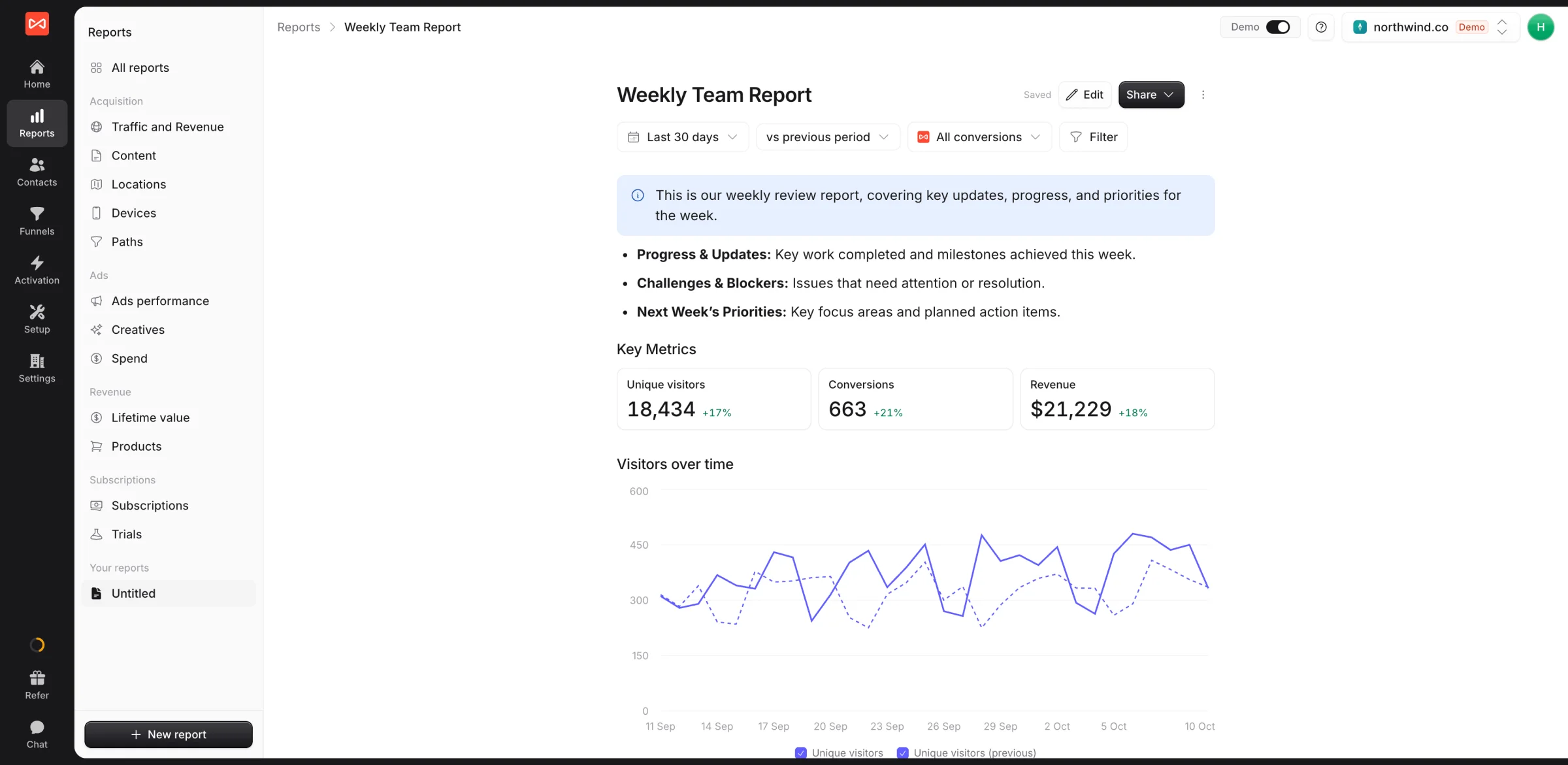
Build a report once. Share it as a live link on your own domain, or export a PDF or PowerPoint in your brand.
Free 7-day trial. No credit card required.
Used by 750+ marketing teams, agencies, and SaaS companies
The problem
Reporting day eats a day per client
Screenshots from five tools, pasted into slides, out of date the day you send them.
A blank deck every month
Same charts, same layout, rebuilt by hand for every client.
Numbers that don't add up
Each ad platform claims its own conversions, and the client asks why the total beats their real leads.
Someone else's logo
Clients see a tool's brand, not yours, and start asking what they pay you for.
What you get
One report, in every format your client wants
Write it like a doc, fill it with live numbers, and send it as a link, a PDF, or a deck.
Live links
Send a link, not a file, locked with a password.
PDF and PowerPoint
Export a deck your client can edit.
White-label
Your logo and colors, on your own domain.
One link
Every report behind a single link.
Add a widget Press /
Bar Line Table Donut Funnel Map Journeys Number
ShowGood leads
ByChannel
PeriodSame as the report
Report builder
Explain the numbers, don't just paste them
Type your summary, then press / to add a chart, table, funnel, or map. Your team edits together, and every version is saved.
- Start from a template or a ready-made report
- Numbers update every time it's opened
White-label
Every report looks like it came from you
Set your logo, colors, fonts, and cover once. Give a client their own brand when the report goes to their board.
- Links on reports.youragency.com
- Your cover and closing page on every PDF
N Northwind Agency
Acme
October report
1 to 31 October · Prepared by Northwind October report
1 Summary 2 Leads by channel 3 Ads performance 4 Next month
Active links 3 live
LinkShowsViews
Acme, monthlyLast month14
Brightwater weeklyLast 7 days31
Kestrel board packThis quarter6
Password on board pack · expires Dec 31
Sharing
Links you control, and know were opened
Lock a link to last month, add a password or an end date, and see how often each one is opened. Clients never need a login.
- Always shows the right period
- Several reports and websites in one link
How it works
From blank page to client inbox in three steps
- New reportMonthly client report Weekly review Ad scaling plan01
Pick a template
Or duplicate a ready-made report, then add your notes.
- N Northwind Agencyreports.northwind.coVerified02
Add your brand
Logo, colors, and your domain, set once for every client.
- Send it asLive link PDF PowerPoint03
Share or export
A live link for the client, a deck for the meeting.
Customer stories
Agencies that show clients exactly what their budget earned
From agencies and SaaS companies to clinics and law firms, teams use SourceLoop to trace every lead and every dollar back to the campaign that earned it.

Halden & Wright Agency
We run paid media for 14 clients. Every lead now lands in their CRM with the campaign, keyword and ad behind it, so we can prove our impact with numbers clients can check for themselves.
- Lower cost per lead
- 41%
- Client accounts tracked
- 14

ploomly B2B SaaS
We started sending only qualified demos back to Google Ads as conversions. Within six weeks, paid search was filling our calendar with buyers who fit our ICP, and close rates followed.
- SQLs from paid search
- +38%
- Demo-to-close rate
- 2.1x

Cedar Row Dental Clinics
Half our new patients book by phone. Multi-touch attribution on every call showed us which ads start a booking and which ones close it, so we cut the two channels that did neither.
- Of bookings now attributed
- 63%
- Monthly spend reallocated
- $9k

Fernhill Legal Professional services
Most of our leads showed up as Direct in the CRM. SourceLoop now gives us the full journey behind every inquiry, chat and call, from the first search to the booked consultation.
- More consults per dollar
- 27%
- Lead channels in one report
- 4
FAQ
Client reporting FAQ
Do my clients need a SourceLoop login?
No. Share a report as a link and anyone with it can open it in their browser. Add a password for anything sensitive, set an expiry date, or lock the date range so the link always shows last month.
Can reports show my agency's brand instead of SourceLoop's?
Yes. Add your logo, colours, fonts, and cover style once, and every shared link, PDF, PowerPoint deck, and alert email carries them. Each client can have their own brand too, and links can open on your own domain, such as reports.youragency.com.
Are the numbers live?
Yes. Every chart, table, and KPI reads live attribution data each time the report is opened, so a link you sent last month shows this month's numbers unless you fixed the date range.
Is the PowerPoint export editable?
Yes. Line, bar, combo, and donut charts and tables come through as native PowerPoint charts and tables, so you can tweak them before a client meeting. Maps and journey flows come through as pictures.
Can I share several reports in one link?
Yes. Add traffic, landing pages, ads, and any of your own reports to one link, and your client moves between them from a sidebar. If you manage several of their websites, they can switch between those too.
Can an AI assistant build the report for me?
Yes. With SourceLoop connected to Claude or ChatGPT, ask it to build a monthly report for a client, with a summary of what changed, and it writes the report into SourceLoop for you to review.

 Paid Social


