











Rules
Lead quality
Automatic lead qualification that filters out spam
Every lead is marked Good, Not a fit, or Spam the moment it arrives. Your reports, CRM, and ads count only the real ones.
Free 7-day trial. Included on every plan.
Used by 750+ marketing teams, agencies, and SaaS companies
The problem
Every form fill counts as a lead, even the junk
Job seekers, sales pitches, and bots fill in your forms too. Most tools count them all.
Channels look cheaper than they are
Spam counts as a conversion, so a channel can win on cost per lead while sending nobody worth calling.
Ads learn from the wrong people
Tell Google every form fill is a win and it goes looking for more form fillers, not buyers.
Sales sorts the pile by hand
Reps open every lead to find the real ones, and the CRM fills up with people nobody should call.
How leads get sorted
Four ways to sort a lead, one answer everywhere
Rules, AI, your CRM, and your team all decide. Reports, alerts, and ad platforms all follow.
Ask AI
AI reads the message, so you don't have to.
Your CRM
Qualified in HubSpot? Good here too.
Clean reports
Spam leaves your reports and your cost per lead.
Better ads
Only Good leads reach Google, Meta, and ChatGPT Ads.
Start from a template 4 on
Job seekersNot a fit
Sales pitchesSpam
Links in the messageSpam
Throwaway emailSpam
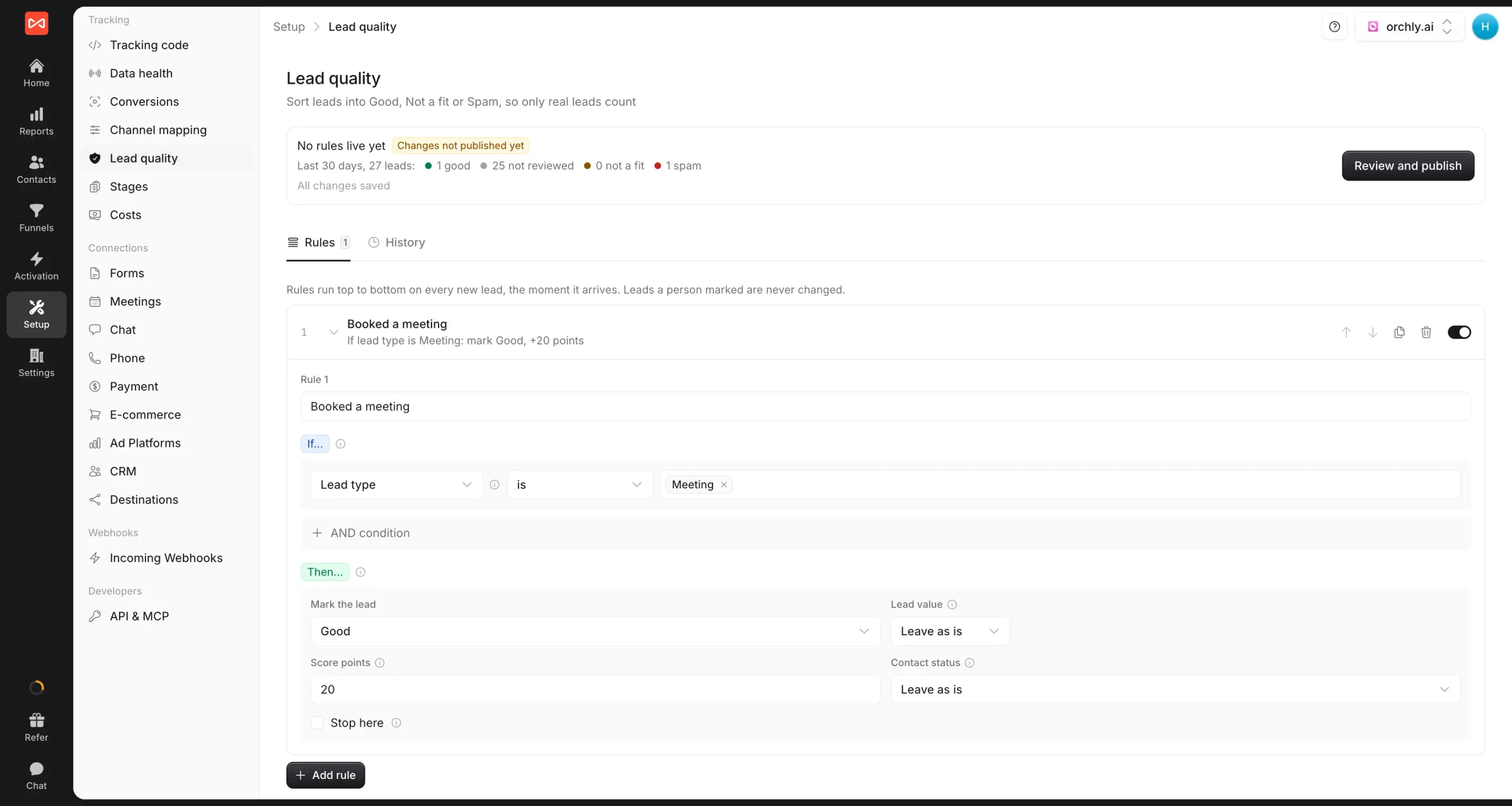
Booked a meetingGood
Call over 60 secondsGood
Start in minutes
Templates for the junk every business gets
Switch on the templates that fit. Then add your own rules on any form answer, page, campaign, or call length.
- Ready for spam, job seekers, and pitches
- Re-run on past leads, undo any time
No black box
See why every lead got its mark
Open any lead to see the rule or AI answer that decided it. Disagree? Change it. A person's call always wins.
- The reason on every lead
- Change one lead or many at once
MCMaya Chen Good
Contact form · Paid search · brand-us
Why it's Good Booked a meetingRule+20
Company emailRule+10
Asked for a quoteAsk AI
Lead score 30Change quality
Good leads by channel 30 days
ChannelGood of all leadsCost / good
 Paid search$54
 Organic$0
 Paid social$118
 ChatGPT Ads$72
The real picture
Find the channels that send real buyers
With spam gone, channel rankings often flip. Compare cost per good lead, then send only good leads, with their value, to your ad platforms.
- Good leads in every report and alert
- Bidding that chases buyers, not form fills
How it works
Live in three steps
- TemplatesJob seekersSales pitchesBooked a meetingThrowaway email01
Pick your rules
Switch on templates, then add rules or AI questions of your own.
- Apply rules toPublishNew leads onlyNew leads + last 90 days02
Publish
New leads are sorted instantly. Past leads too, if you choose.
- Counting only Good leadsReportsOn
 HubSpotOnGoogle AdsOn03
Count what matters
Reports, alerts, your CRM, and your ads all follow the same answer.
FAQ
Lead quality FAQ
What counts as a Good lead?
Whatever you decide. A booked meeting, a call over 60 seconds, a form that asks for a quote, or a lead from a country you serve. You write the rules once, or start from templates, and every new lead is sorted the moment it arrives.
How does Ask AI work?
Some things only a reader can tell, like whether a message is a real project or a sales pitch. Add a question in plain words, such as 'Did the person ask for a quote?', and the AI answers it for every new lead, usually in seconds. Emails and phone numbers are hidden from it.
What happens to spam leads?
They leave every report, so they don't inflate your conversions or lower your cost per lead. They're never sent to your CRM, your ad platforms, your alerts, or your webhooks, and a spam lead that was already sent to an ad platform is withdrawn.
Can my sales team mark leads too?
Yes. Anyone can change a lead's quality in Contacts, one at a time or in bulk, and a person's choice always wins over the rules. When a contact moves to Qualified or Unqualified in your CRM, their leads follow automatically.
Will it change leads I already have?
Only if you want it to. When you publish rules, choose to apply them to new leads only, or re-run them on the last 30 days, 90 days, or year. A re-run can be undone.
How does this help my ads?
Ad platforms optimise toward whatever you tell them is a conversion. Send only Good leads, with their value, through conversion sync, and Google, Meta, and ChatGPT Ads learn to find more people like your real customers instead of more spam.


