
10 Best Revenue Attribution Software Tools for 2026
Ten revenue attribution tools compared on where revenue comes from, pricing and setup, with real user reviews and the gaps in each.
Table of contents
- What revenue attribution software needs to do
- Revenue attribution software compared
- The 10 best revenue attribution tools
- 1. SourceLoop
- 2. HockeyStack
- 3. Dreamdata
- 4. Ruler Analytics
- 5. WhatConverts
- 6. Adobe Marketo Measure
- 7. Attribution App
- 8. Invoca
- 9. HubSpot Marketing Hub
- 10. Northbeam
- How to choose
Plenty of tools say they do revenue attribution. Far fewer can actually see your revenue.
Most stop at the lead. They know which ad brought the form fill, then lose the trail once sales or billing takes over.
In this guide, I'll compare ten tools by where they get revenue from, what they cost, and what users say once the demo is over.
How we picked and tested
Our first filter was simple: the tool has to tie marketing to real revenue, from a CRM, a payment provider or a call outcome. Tools that only report modeled conversions or platform ROAS didn't make it.
We tried the ones with a free plan or trial, including Dreamdata, WhatConverts, Attribution App and HubSpot. HockeyStack, Ruler, Marketo Measure, Invoca and Northbeam sell through demos, so we relied on walkthroughs, documentation and the brands and agencies we work with that use them.
Every quote comes from a public review on G2. We compared:
- Where revenue data comes from
- Which attribution models are available
- How long setup takes and who has to do it
- Whether revenue gets sent back to the ad platforms
SourceLoop is our product. It's listed first, and we've been clear about where others suit a team better.
Last checked November 2026. Confirm current pricing with each vendor.
What revenue attribution software needs to do
The job is to credit closed revenue, not leads or clicks, to the campaigns that produced it. That takes three things working together.
- Capture the source: record where each visitor came from, and keep it when they become a lead.
- Read the revenue: pull deal value from the CRM, payments from Stripe or Paddle, or outcomes from calls.
- Credit it fairly: spread that revenue across touchpoints with a model you understand.
If one link is missing, you're back to guessing. Our explainer on what revenue attribution is goes deeper on the method.
Revenue attribution software compared
Here's how the 10 revenue attribution tools compare on fit, revenue source and pricing, as of November 2026.
| Tool | Best for | Revenue comes from | Pricing | Free plan or trial | Sends revenue to ad platforms |
|---|---|---|---|---|---|
 SourceLoop SourceLoop | Lead-gen businesses, agencies, SaaS | CRM deals, payments, calls | From $49/mo | Yes | Yes |
 HockeyStack HockeyStack | Mid-market and enterprise B2B | CRM deals | Quote, annual | No | Partly |
 Dreamdata Dreamdata | B2B SaaS running ABM | CRM deals | Free plan, paid quoted | Yes | Yes |
 Ruler Analytics Ruler Analytics | Phone-led lead gen | CRM deals, calls | From £299/mo | No | Yes |
 WhatConverts WhatConverts | Agencies proving lead value | Lead values you set or import | From $30/mo | Yes | Yes |
 Adobe Marketo Measure Adobe Marketo Measure | Enterprises on Marketo and Salesforce | Salesforce opportunities | Quote | No | No |
 Attribution App Attribution App | SaaS wanting auditable multi-touch | CRM deals, Stripe | From $399/mo | Yes | No |
 Invoca Invoca | High-volume inbound calls | Call outcomes, imported revenue | Quote | No | Yes |
 HubSpot Marketing Hub HubSpot Marketing Hub | Teams already on HubSpot | HubSpot deals | Enterprise from $3,600/mo | Yes | Partly |
 Northbeam Northbeam | DTC brands with big ad budgets | Store orders | From $1,500/mo | No | Yes |
The 10 best revenue attribution tools
Each tool below lists where its revenue data comes from first, since that decides whether it fits your business.
1. SourceLoop
Best for: lead generation businesses, agencies and SaaS teams that want revenue by campaign from the CRM or billing system, set up the same day.

SourceLoop is a marketing attribution and revenue measurement tool. It tracks every visit, keeps the source on each lead, then reads the revenue wherever it lands, so a closed deal or a Stripe payment is credited back to the campaign that started it.
That covers the three ways money usually shows up. Lead-gen businesses close deals in a CRM, SaaS companies get paid through a billing provider, and service businesses often close on the phone.
Key features
SourceLoop's features fall into three groups: where revenue comes from, how it's reported, and what you do with it.
Where revenue comes from
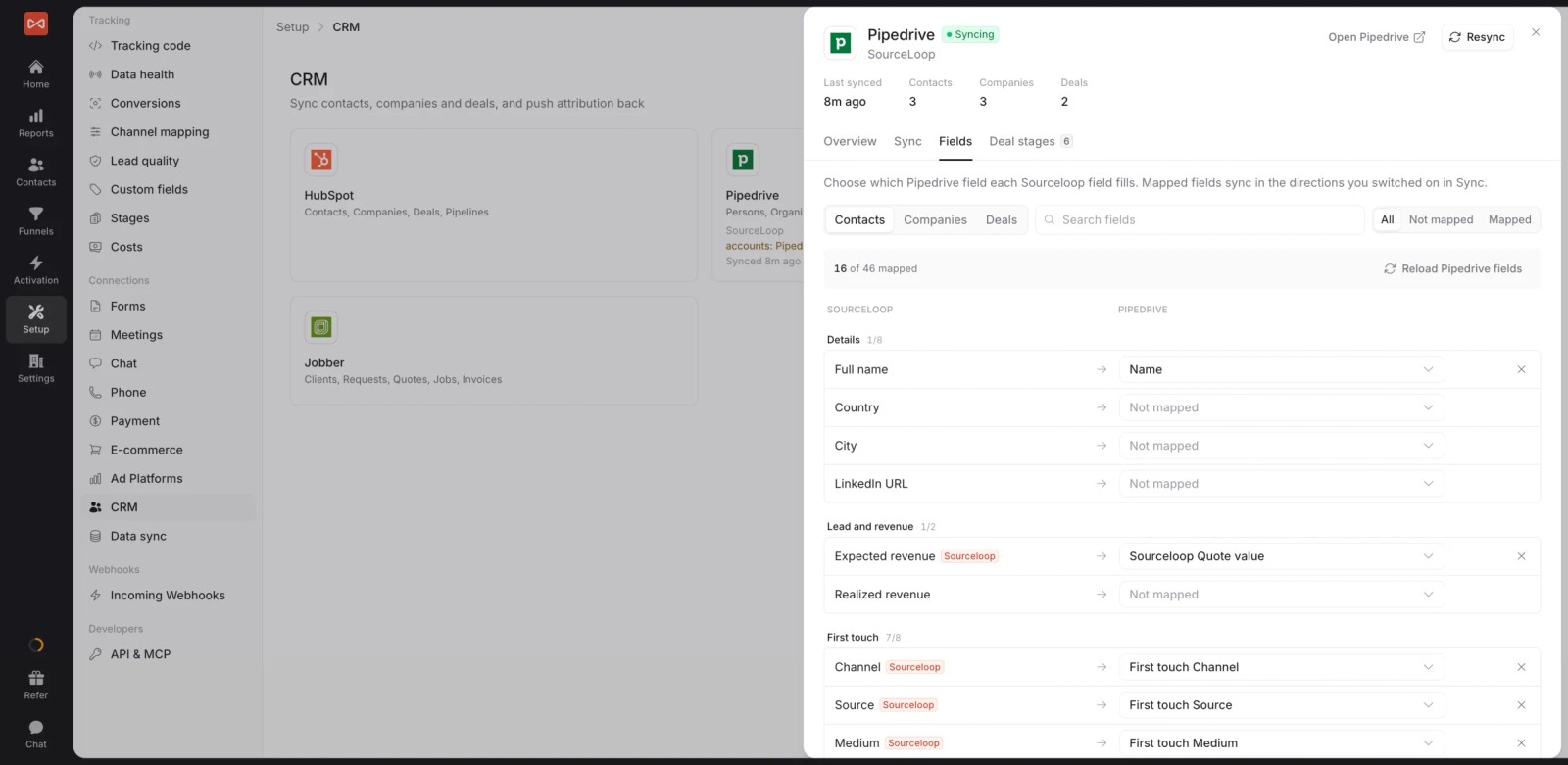
- CRM deals: two-way CRM sync with HubSpot, Salesforce, Pipedrive and Jobber reads stages and won deals, and writes the source to each record.
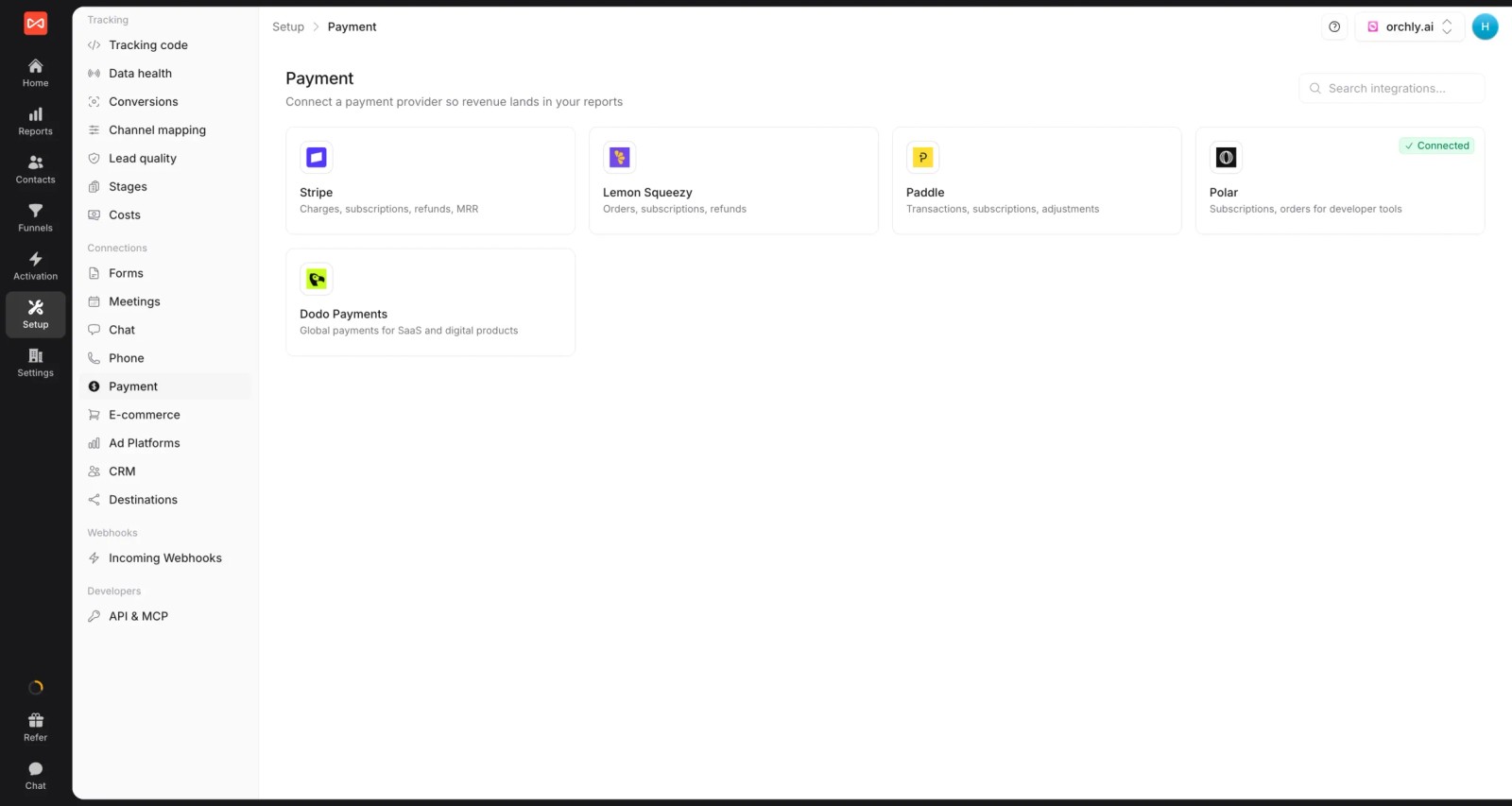
- Payments and subscriptions: Stripe, Paddle, Polar, Lemon Squeezy and Dodo connect by webhook, and every payment, renewal and refund becomes dated revenue tied to the customer's first visit.
- Calls: calls from CallRail, CallTrackingMetrics, Invoca or Mediahawk are tied to the visit that produced them, so phone sales get credited too.
How revenue is reported
- One report, any outcome: switch the same channel report between leads, contacts by stage, deals, subscriptions, payments or revenue.
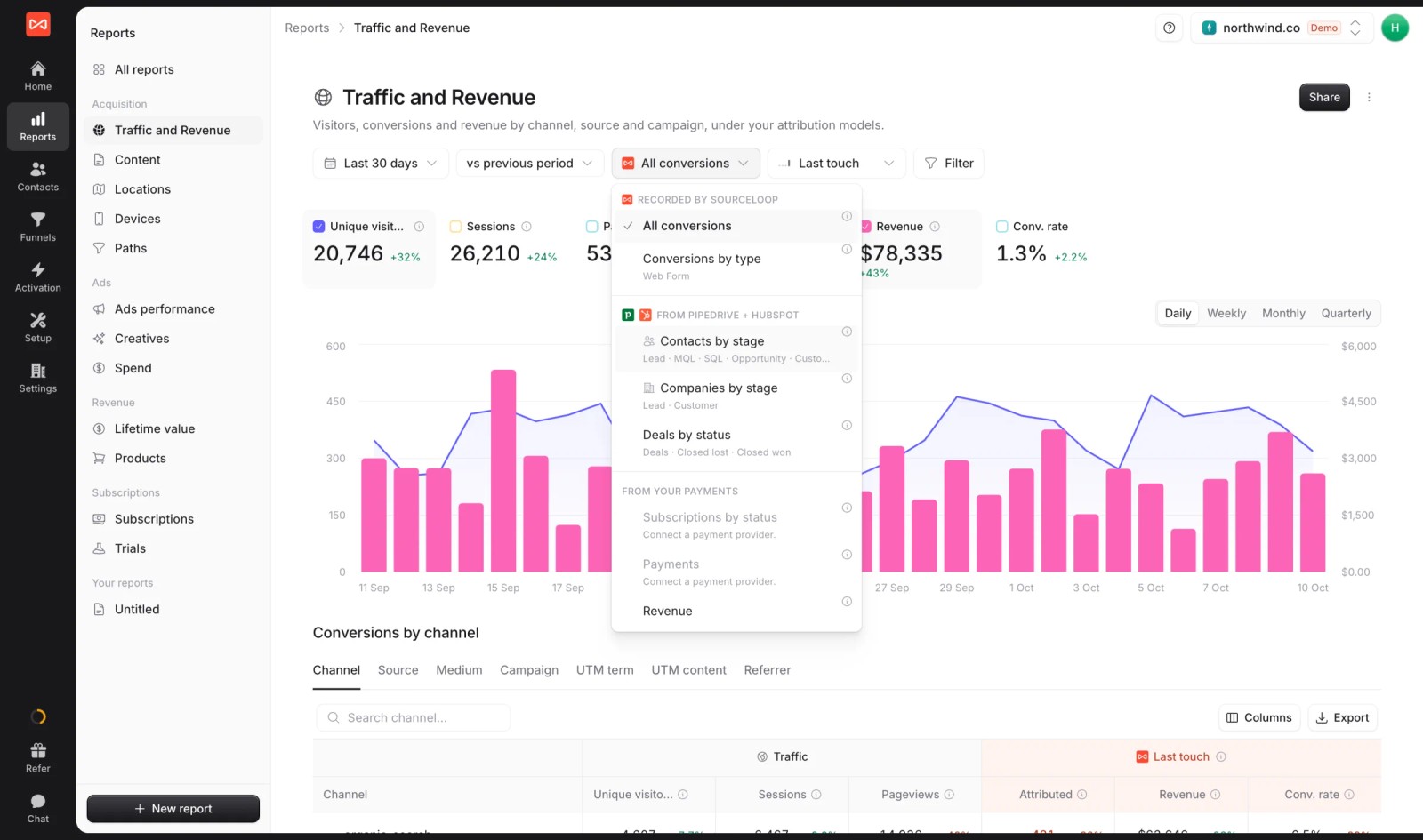
- Seven attribution models: first and last touch, first and last non-direct, linear, U-shaped and time decay, applied to any outcome above.
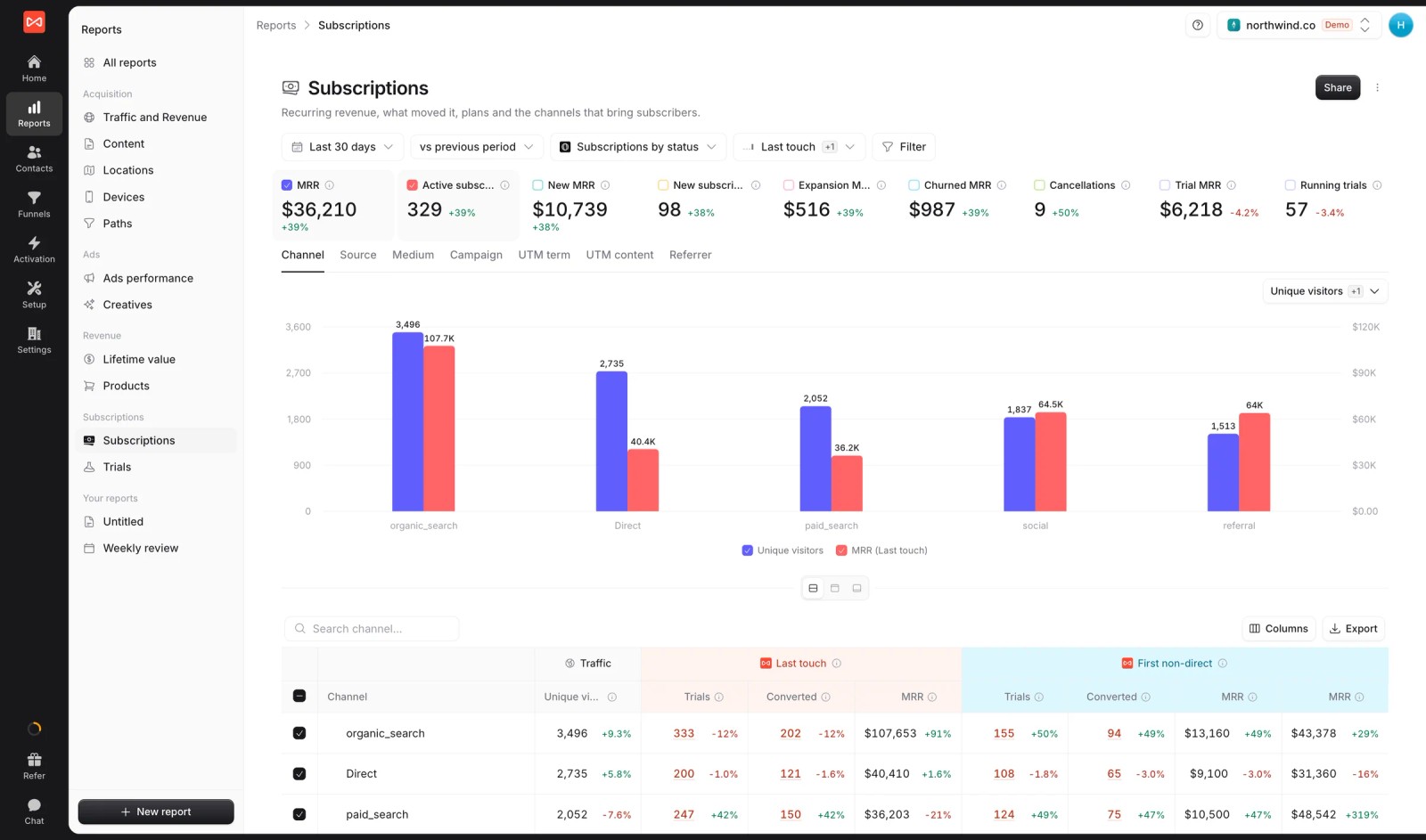
- Subscriptions and MRR by channel: new MRR, churn and trial MRR, split by first and last touch, for SaaS teams.
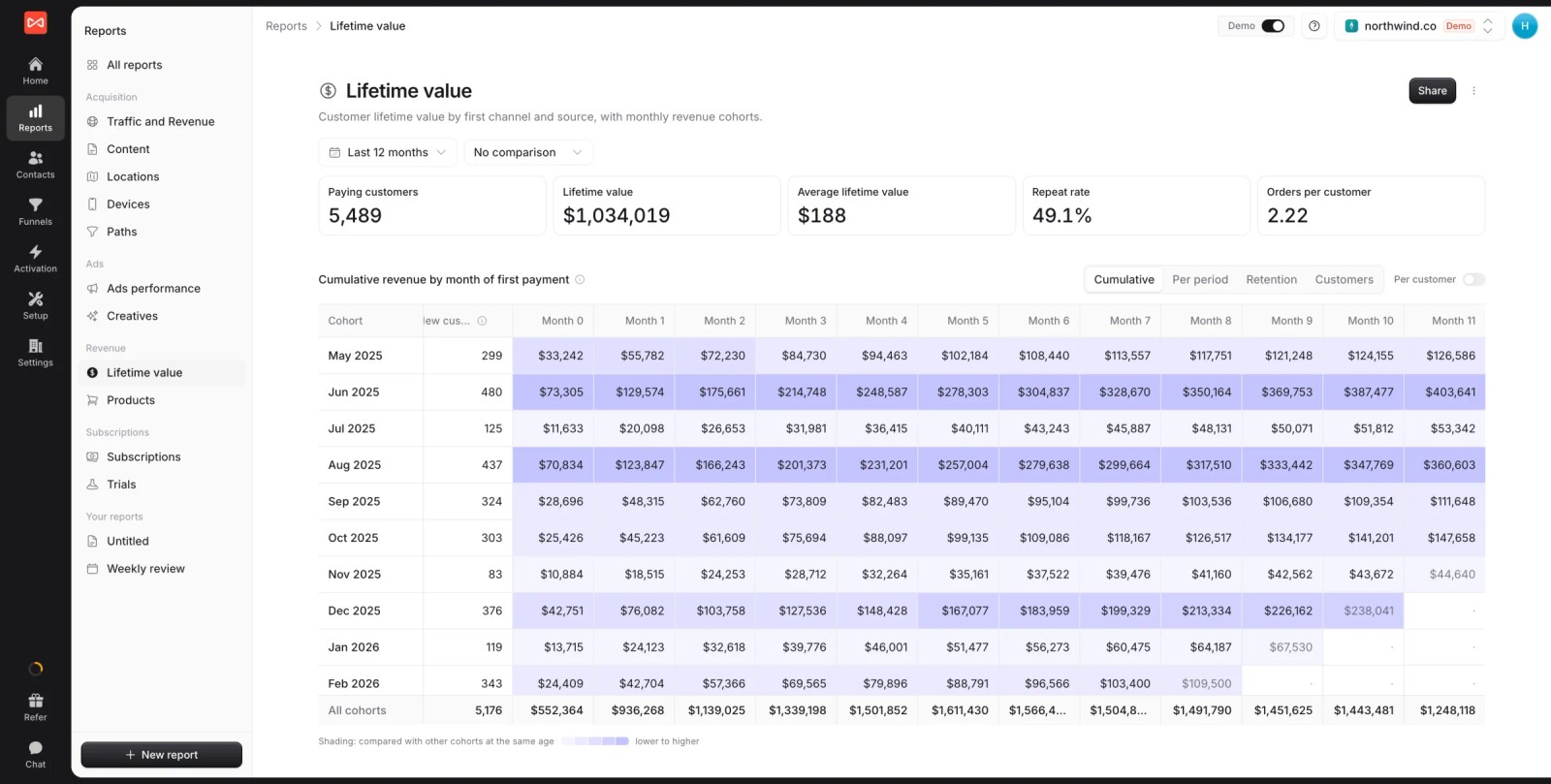
- Lifetime value cohorts: paying customers, LTV and cumulative revenue by month of first payment, so you can see which channels bring customers who stay.
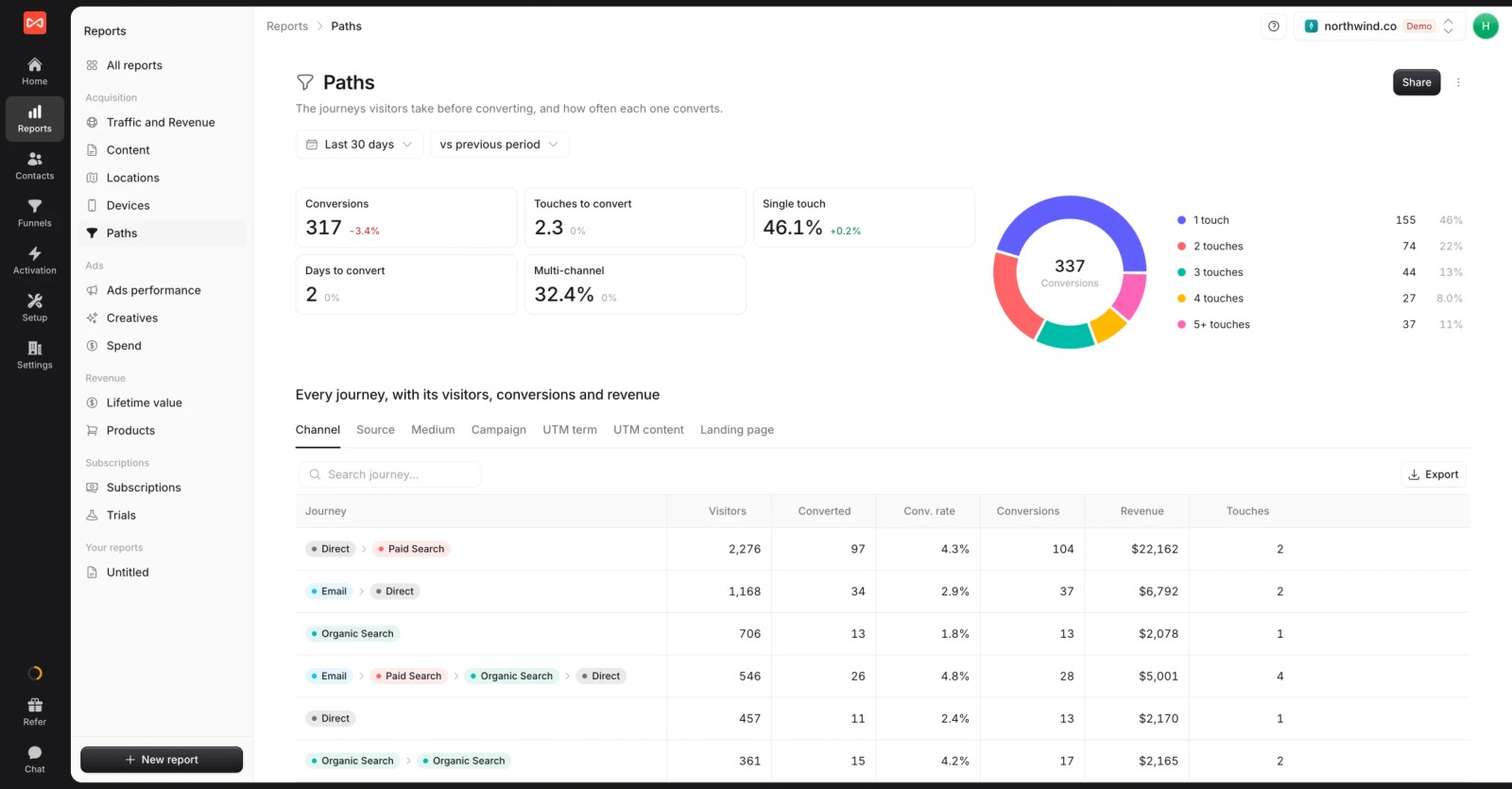
- Conversion paths: every channel sequence that led to revenue, with touches and days to convert.
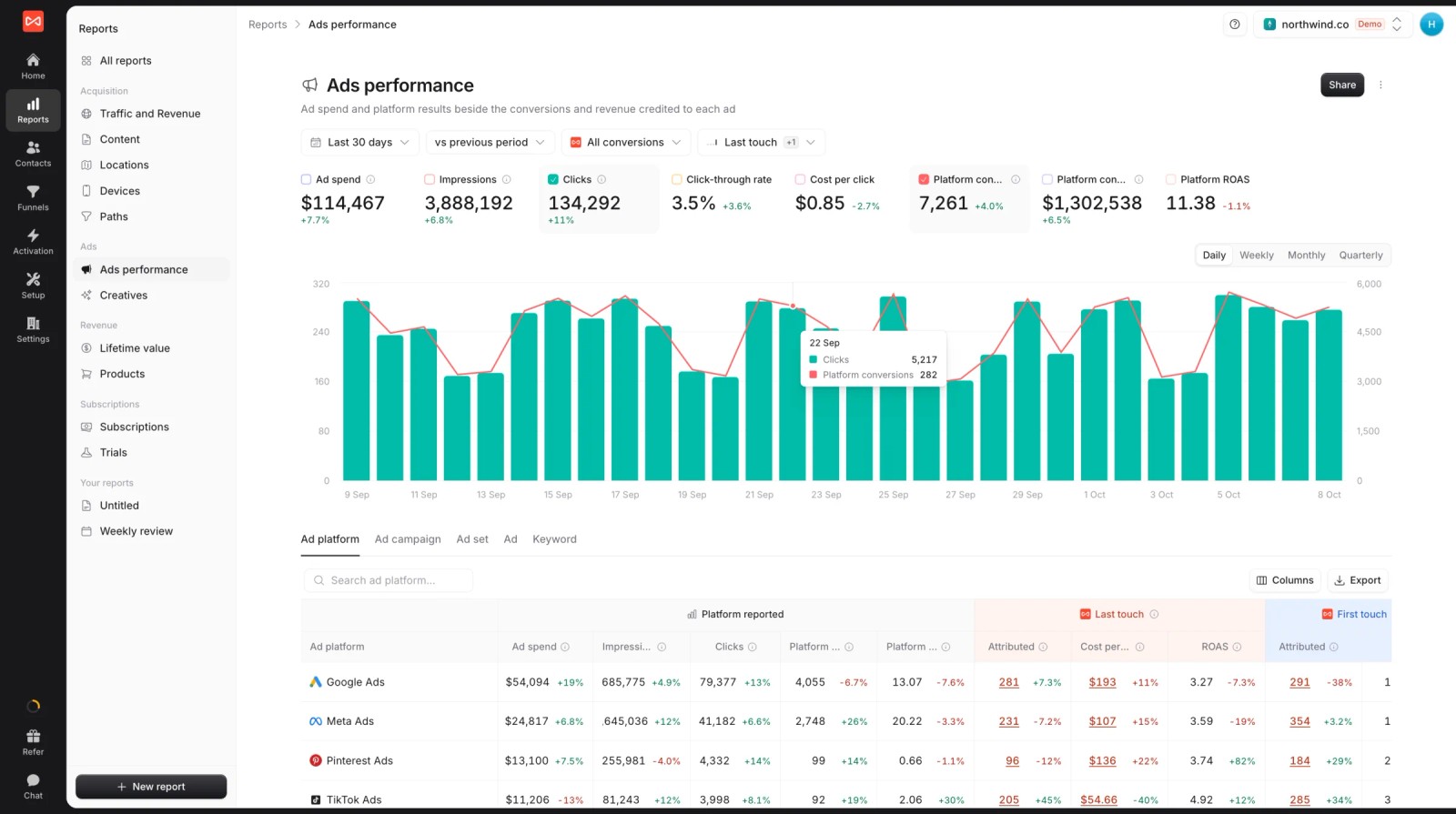
- Ad spend next to credited revenue: spend and platform-reported ROAS beside the revenue SourceLoop credits to Google Ads, Meta and Microsoft Ads.
- Profit: revenue less product costs, fees and marketing spend, by channel or campaign.
What you do with it
- Lead quality rules: mark leads Good, Not a fit or Spam, so revenue per lead isn't diluted by junk.
- Revenue back to the ad platforms: good leads, won deals and payments go to Google Ads, Meta, Microsoft Ads and ChatGPT Ads with their value, through server-side conversion sync.

- Custom reports and alerts: build a live revenue report for leadership, and post closed deals or weekly revenue to Slack or email.
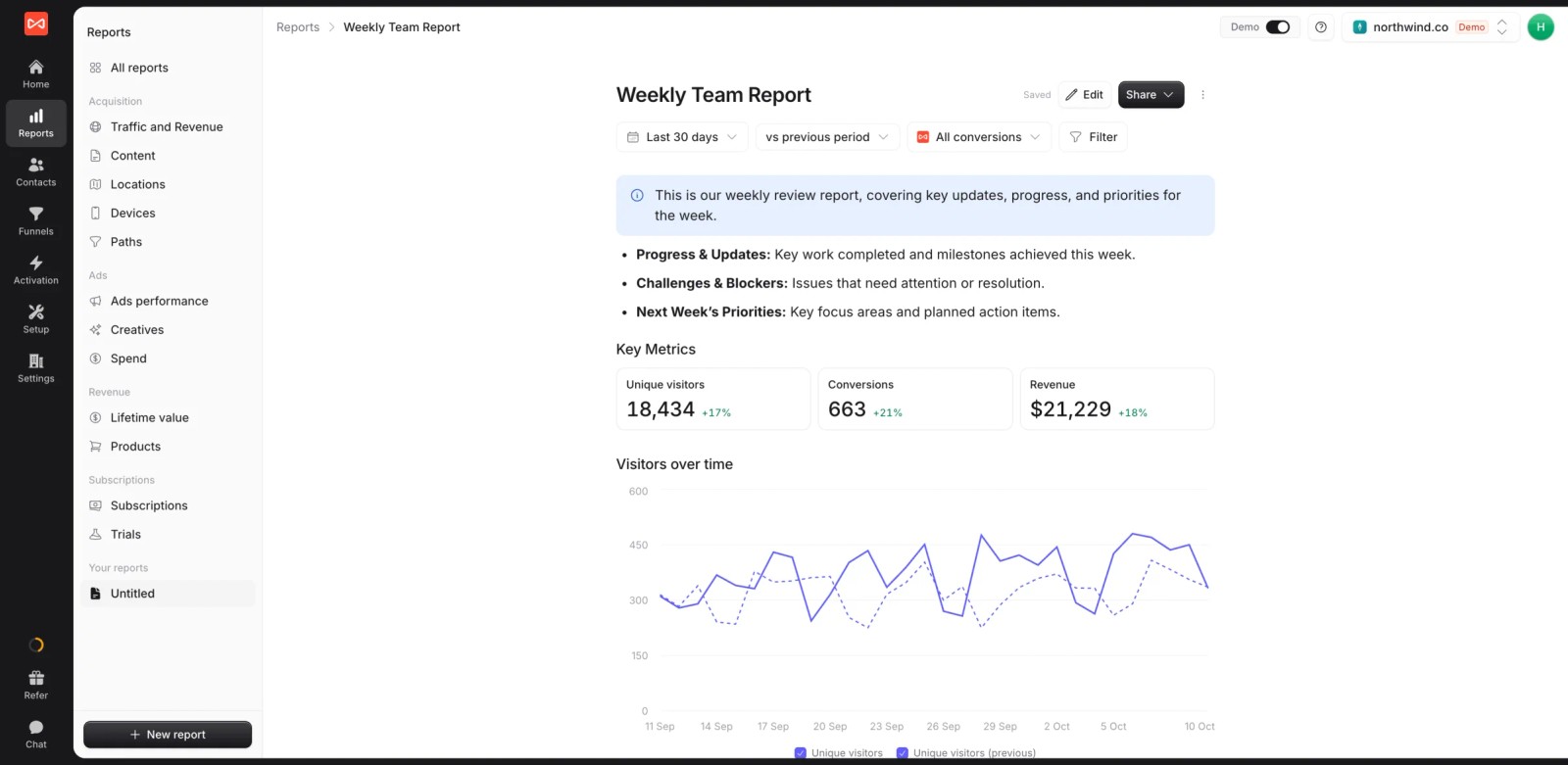
- Multiple websites and white label: several sites under one login and your brand. If you're an agency, each client gets their own branded reports.
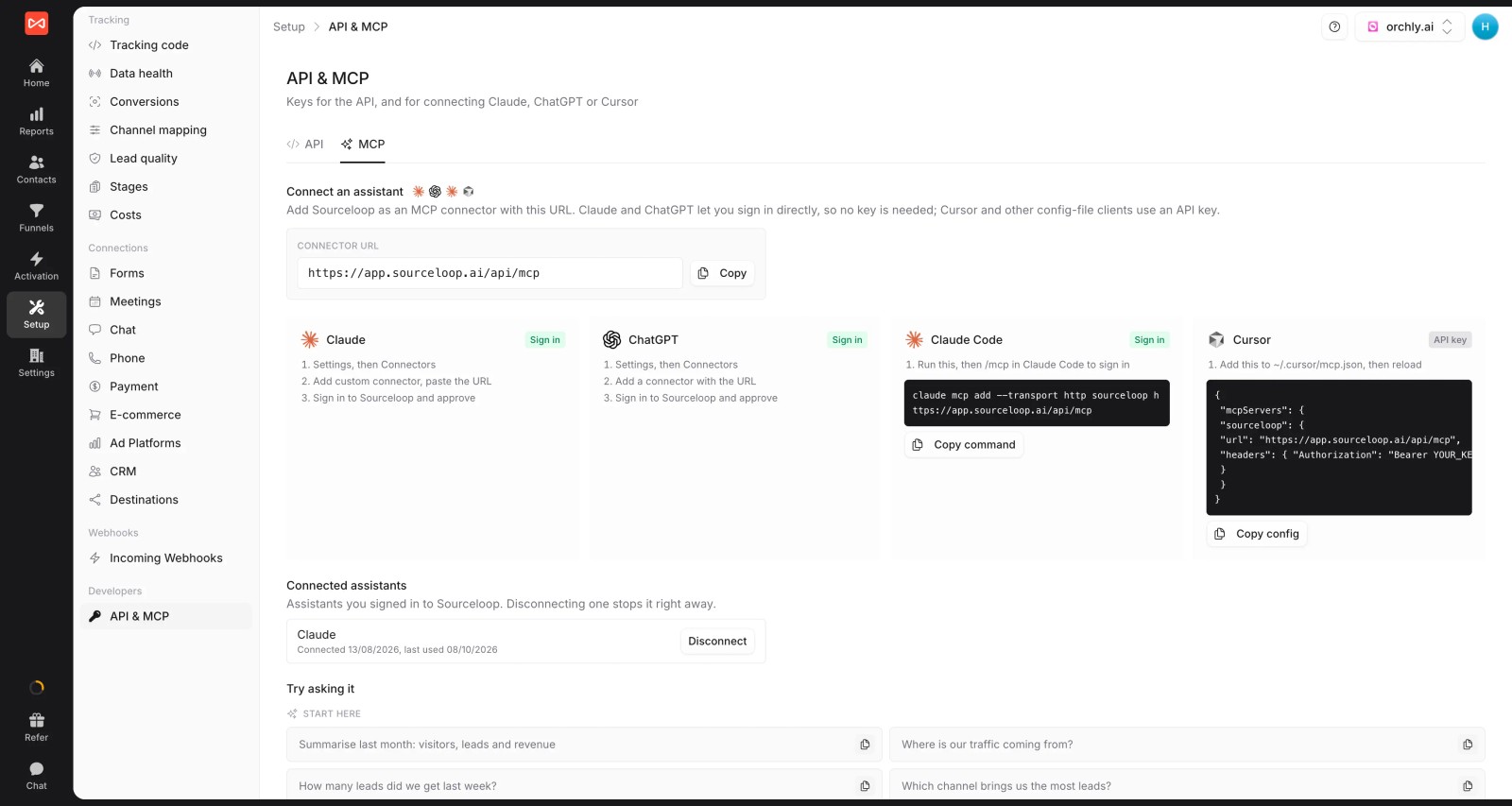
- API and MCP server (Professional and up), so an AI assistant can query revenue by campaign.
Where it falls short
- No custom attribution models, IP-based company reveal or intent data.
- No media mix modeling. If most of your spend is TV, radio or out-of-home, look at a modeling tool alongside it.
Pricing
- Essential: $49/mo for one site and 30,000 page views, with tracking, attribution reports, lead quality rules and alerts
- Professional: $99/mo for 100,000 page views and unlimited users, adding CRM sync, conversion sync to the ad platforms, the API and MCP
- Agency: $249/mo for three sites and 1.5 million page views, adding white label reporting
- Unlimited conversions on every plan, and a 7-day trial. Most demo-led tools here start at several hundred a month.
Verdict: the broadest coverage of revenue sources on this list at the lowest price. Pick something else if you need account-based analytics or modeling of offline media.
2. HockeyStack
Best for: mid-market and enterprise B2B teams with large multi-channel budgets and someone to own the platform.
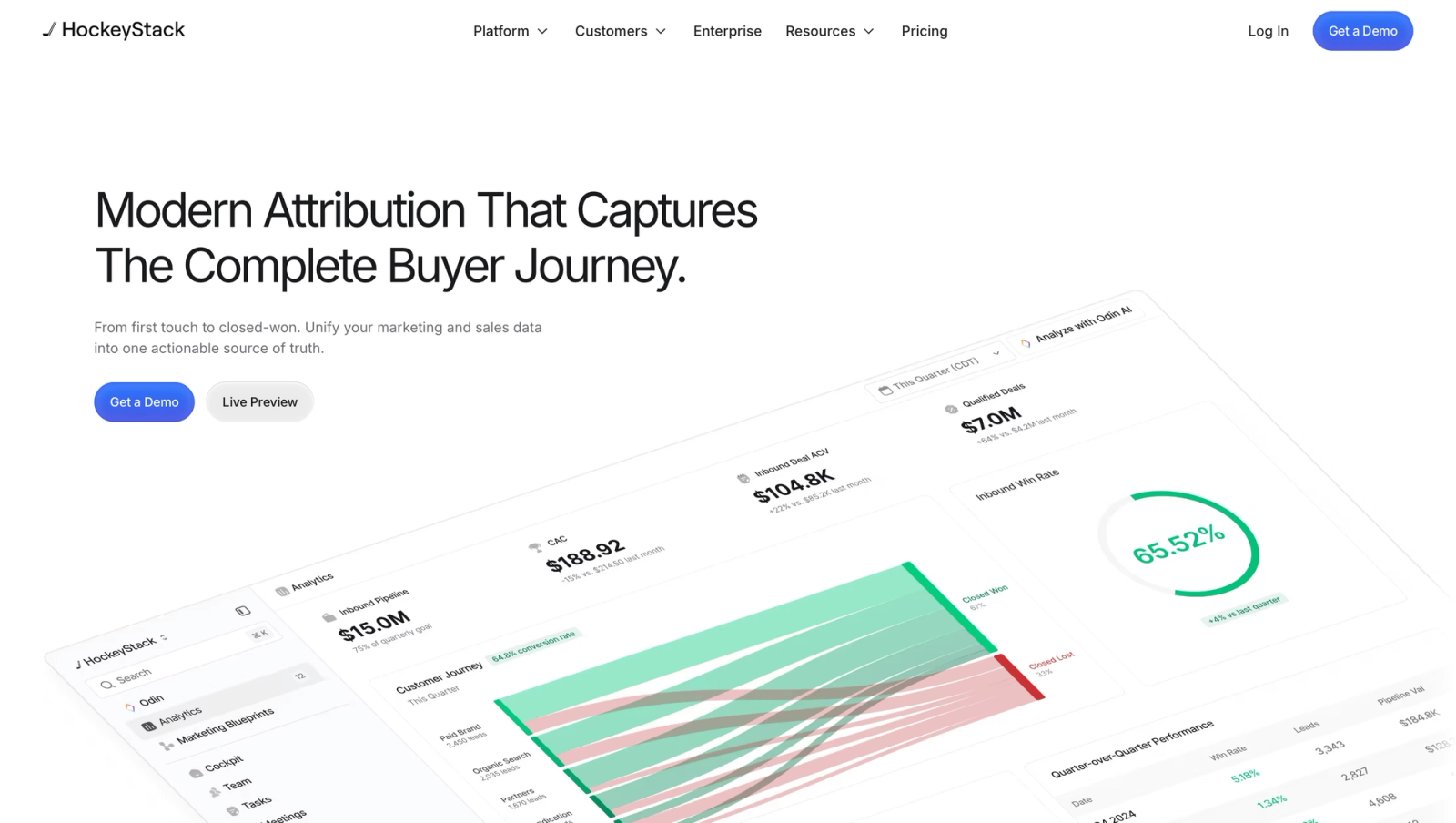
HockeyStack brings CRM, ad, website and product data into one model, then layers AI agents on top for analysis and sales prospecting. Revenue comes from closed-won deals in Salesforce or HubSpot.
In walkthroughs, flipping between models on the same revenue report is quick and genuinely useful. The concern is the implementation. Recent reviews describe numbers that didn't match the CRM, and in one case, data that never connected at all.
If you shortlist it, ask for a reference customer with a CRM setup like yours.
Key features
- CRM, ad, website and product usage data are unified into one model, so revenue reports draw on everything a buyer did before the deal closed.
- You can switch between first touch, linear and last touch on the same revenue report, which makes it easy to show how credit shifts between channels.
- Journeys are mapped from the first anonymous visit through to closed-won, helping teams see which touches appear most often in deals that actually close.
- AI agents handle analysis questions and support sales prospecting, giving teams faster answers once the underlying data is connected and trustworthy.
Where it falls short
- Every evaluation starts with a sales call, since there's no self-serve trial or published price to compare against other tools.
- It's built around CRM deals, so subscription revenue from billing tools like Stripe or Paddle isn't where it focuses.
- It needs clean CRM data and a clear owner, and some reviewers report numbers that didn't match their Salesforce instance.
What users say
"HockeyStack allows us to follow journeys in a more complex way than our previous method, which is especially valuable with paid ads to see how they influence our funnel." (Source)
"Reporting is incredibly complicated." (Source)
"Data was constantly incorrect in HockeyStack compared to our Salesforce instance and the sync/load times were incredibly slow." (Source)
Pricing
- Quoted, on annual contracts. Our HockeyStack alternatives guide covers what buyers report paying.
3. Dreamdata
Best for: B2B SaaS companies with long, multi-person sales cycles.
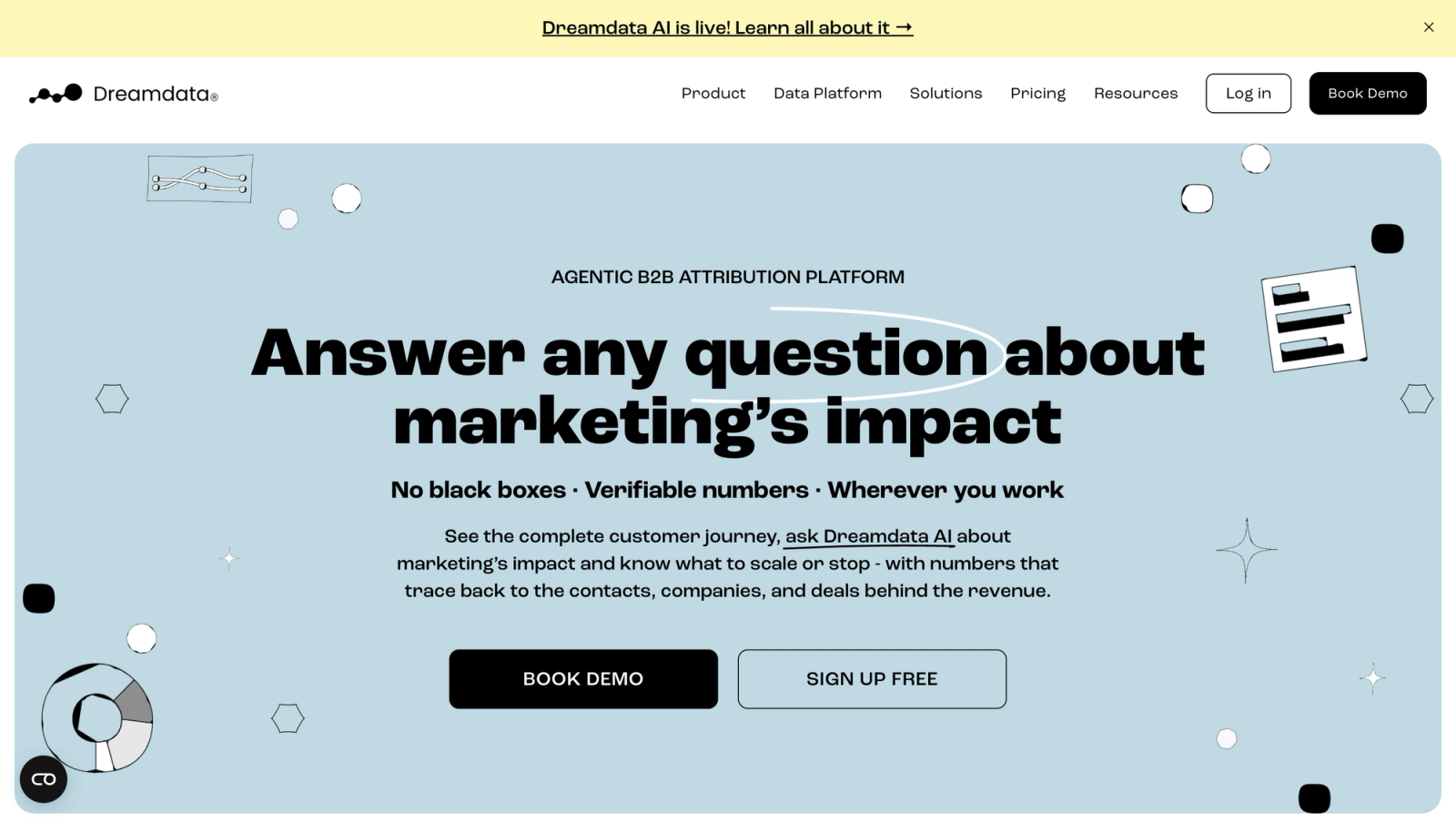
Dreamdata builds a timeline for each company, joining every contact's visits, ad views and meetings, then credits CRM revenue to the accounts and channels that moved the deal.
On the free plan, the company timeline was the part we kept coming back to. It makes a six-month deal with five stakeholders readable in one screen.
It took longer to find our way around the reports, and revenue attribution itself sits on custom-priced plans.
Key features
- Every contact, visit and meeting at a company is joined into one account timeline, which makes long, multi-person deals readable at a glance.
- Revenue is credited across MQL, SQL, opportunity and closed-won stages, so you can see which channels move deals forward and which only create leads.
- Anonymous visits are matched to companies from their IP address, adding early research activity to journeys before anyone identifies themselves.
- Paid plans send audiences and conversions back to the ad platforms, so campaigns can target and optimise toward accounts that look like your best customers.
Where it falls short
- It reads revenue from CRM deals, so payments from billing providers and outcomes of phone calls need another tool.
- Paid plans aren't published, so moving past the free tier means a sales conversation before you know the price.
- Reports update live with no way to lock a dataset, which complicates month-end revenue reporting for finance.
What users say
"After we implemented dreamdata we finally were able to show how all the marketing touch points contribute to sales/revenue." (Source)
"The interface can be tricky, especially when I’m trying to show revenue impact to non-digital marketers." (Source)
Pricing
- Free: $0/mo with 2 months of history and 5 seats
- Attribution and Activation: custom pricing
4. Ruler Analytics
Best for: lead generation businesses that close deals over the phone, like legal, finance and home services.
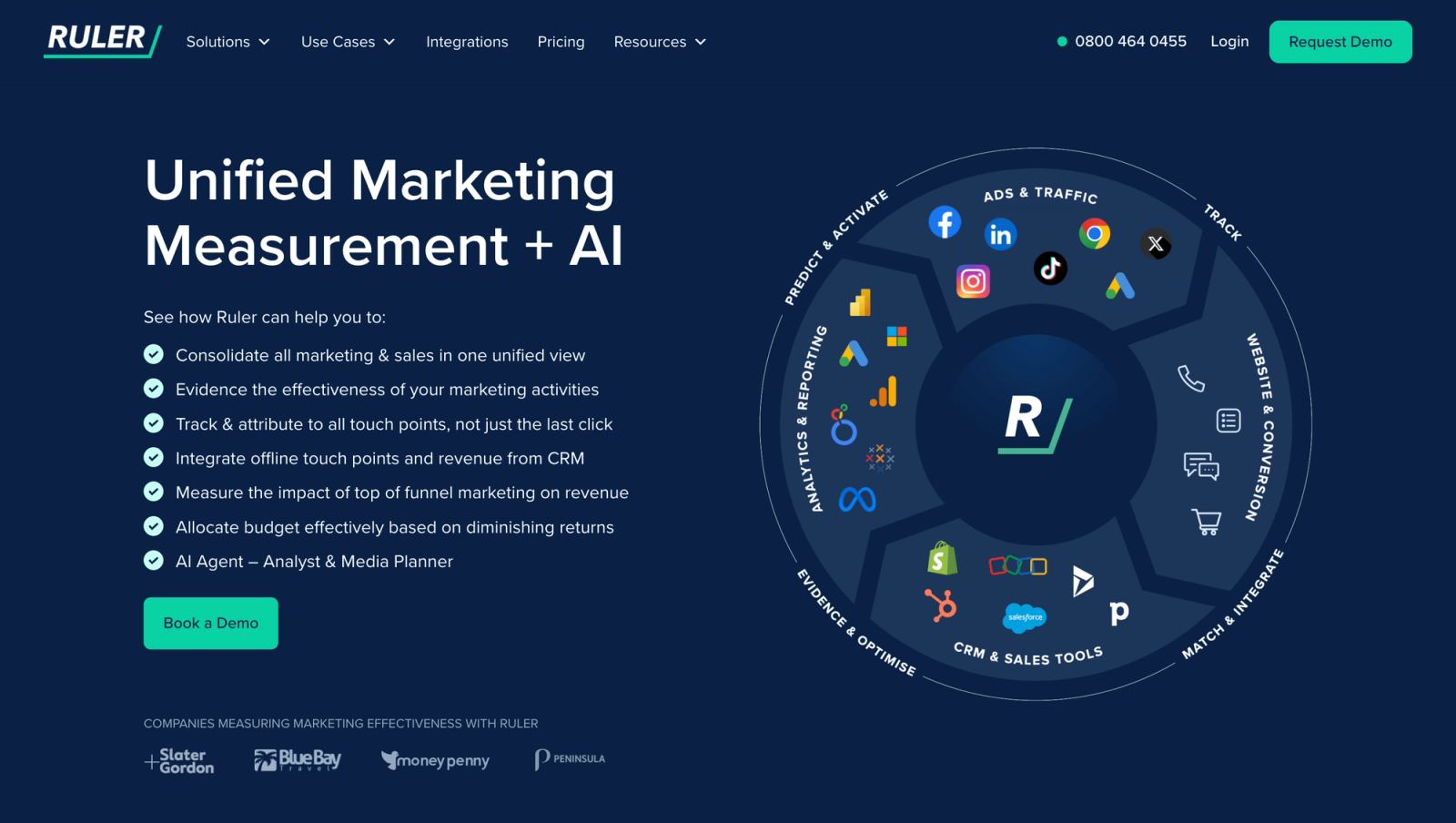
Ruler Analytics tracks each visitor through forms, calls and chat, sends the source to your CRM, and pulls revenue back when the deal closes. Call tracking is built in.
Teams we know who use it rate the call detail highly. Seeing which keyword produced a call, and what that call was worth, is hard to get elsewhere.
The trade-off is setup, which is guided and can take a few weeks. Some users also find the journey view limited to first and last click.
Key features
- Built-in call tracking gives phone leads the same source, keyword and landing page data as form fills, which matters for businesses that close by phone.
- Closed revenue is pulled from Salesforce, HubSpot, Pipedrive and other CRMs, so each campaign is judged on the money it brought in.
- Revenue can be sent back to Google Ads and Meta, letting bidding algorithms learn from closed deals rather than raw lead counts.
- Marketing mix modeling on the Advanced plan helps brands that also spend on offline channels estimate the effect of media clicks can't track.
Where it falls short
- There's no free trial, so you start with a demo and a guided setup that can take a few weeks.
- Integrations run through webhooks rather than a full API, which limits custom revenue reporting in your own tools.
- It's designed around CRM deals, so SaaS teams tracking subscription payments will find it a weaker fit.
What users say
"It tracks Form fills, Phone Calls (Online & Offline) and even Web Chat conversations!" (Source)
"you can only see first and last click of the user journey" (Source)
"Sometimes the platform is slow" (Source)
Pricing
- Small: from £299/mo for up to 10,000 monthly visits
- Medium and Large: from £499 and £999/mo
- Advanced: from £1,499/mo
5. WhatConverts
Best for: agencies that need to show clients which leads came from which campaign, and what those leads were worth.
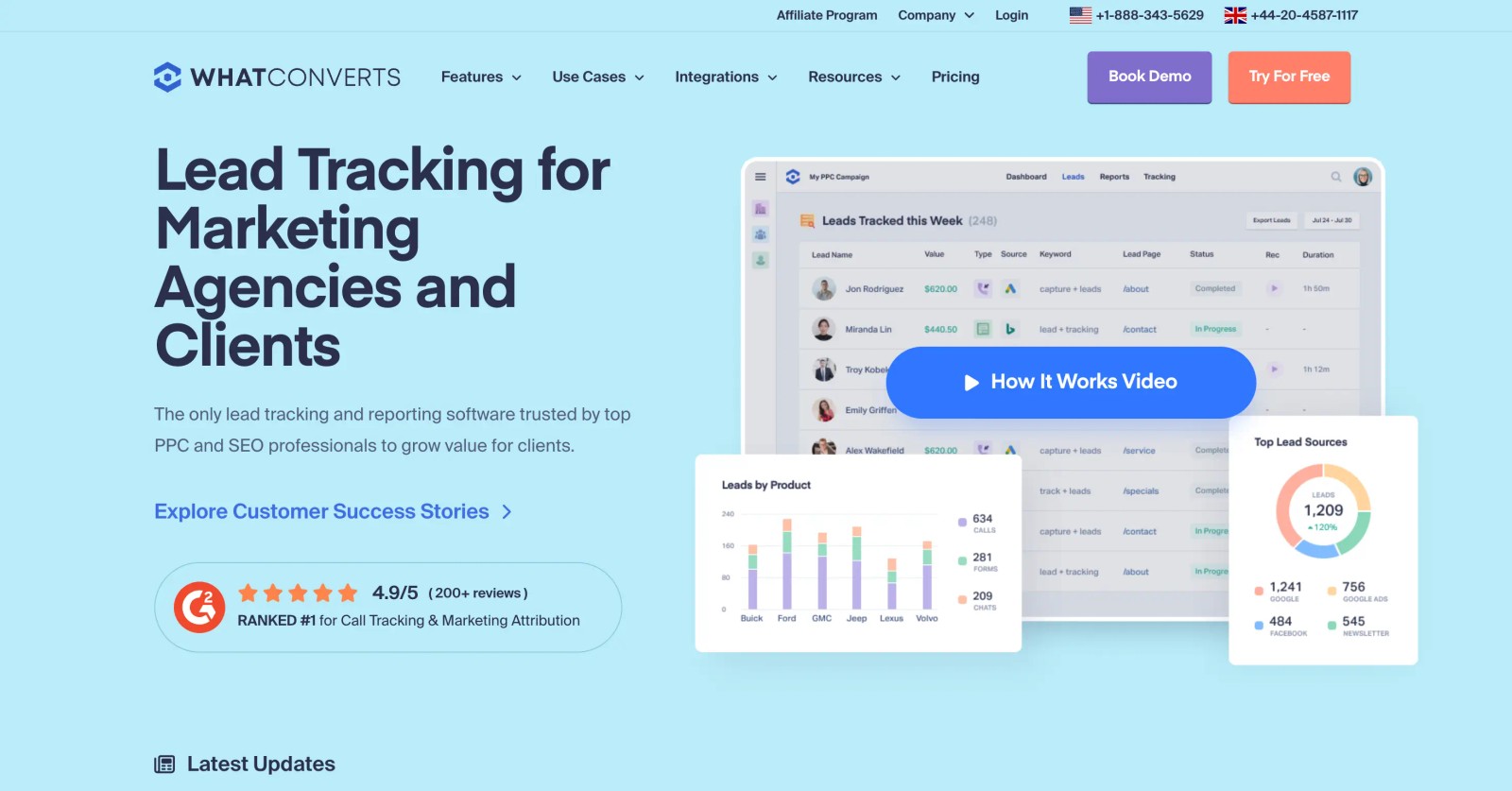
WhatConverts captures calls, forms and chats, tags each lead with its source, and lets you assign a quote or sale value. Those values become revenue reports and can be sent back to Google Ads.
We ran it through its 14-day trial. Lead capture was quick to set up, and the lead log is clear enough to hand to a client as is.
Revenue is where it gets thinner. Values are usually entered by hand or imported, since there's no deep CRM pipeline, so it's revenue attribution for teams that track sales loosely.
Key features
- Calls, forms and chats are collected in one lead log, each tagged with its source, keyword and landing page, so nothing slips between channels.
- Quote and sale values can be added to each lead by hand or by import, turning a lead list into a basic revenue report.
- Dashboards and per-client accounts make it easy to share results, which is why agencies with local service clients often choose it.
- Lead values can be sent to Google Ads as offline conversions, helping campaigns bid toward the leads that turned into real sales.
Where it falls short
- Revenue is mostly entered by hand or imported, because it doesn't read pipeline stages or won deals from a CRM.
- Reporting centres on each lead's source, with no multi-touch models for buyers who take several visits to convert.
- It can't read payments from billing providers, so subscription revenue stays outside its reports entirely.
What users say
"It allows me to clearly demonstrate the value of my work to clients, allowing me to track leads, whether they come from Google Ads or SEO." (Source)
"My main wish is still deeper CRM-style functionality wuth pipeline stages, follow-up tracking, and automation" (Source)
"I feel like they purposely undermine the tool’s capabilities so you’ll subscribe to the lead intelligence plan, which is overwhelmingly expensive." (Source)
Pricing
- Call Tracking: $30/mo, calls and texts only
- Plus, Pro and Elite: $60, $100 and $160/mo
- Agency plans: from $500/mo, with a 14-day trial
6. Adobe Marketo Measure
Best for: enterprises already on Marketo and Salesforce that want revenue attribution inside that stack.
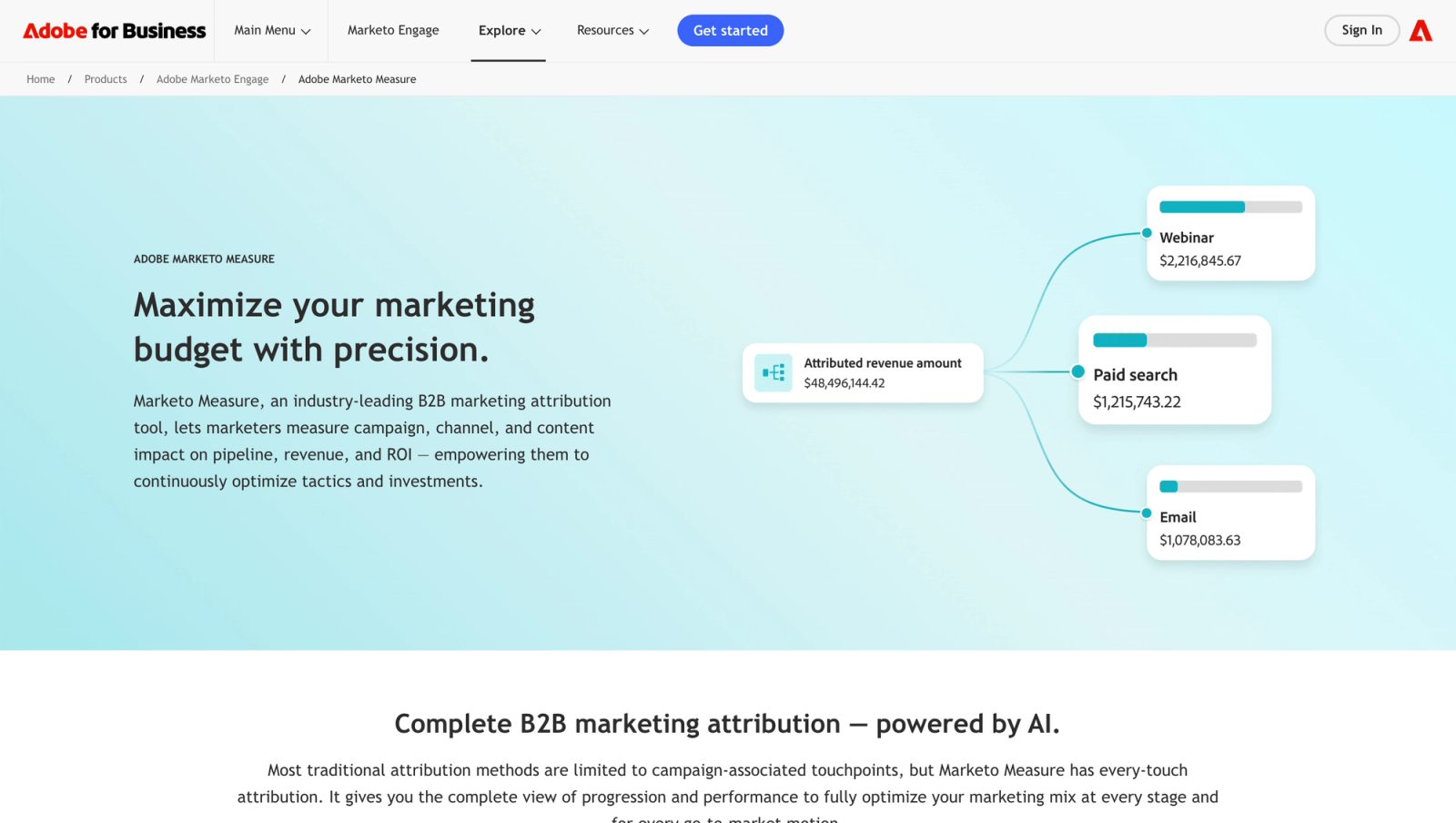
Marketo Measure, formerly Bizible, writes touchpoints onto Salesforce records and splits opportunity revenue across them. Because the data lives in Salesforce, sales and finance see the same numbers.
It's a mature product, and its W-shaped and full-path models suit long B2B cycles. The catch is maintenance. Users say it needs clean Salesforce data and technical skills, and manually entered leads can slip past it.
Salesforce admins we know say most of the effort goes into campaign hygiene. When touchpoints are logged consistently the reports are excellent, and when they aren't, the gaps show quickly.
Key features
- Touchpoints are written onto Salesforce leads, contacts and opportunities, so sales and finance see the same attribution data in the CRM they already use.
- W-shaped, full path and custom models split opportunity revenue across the stages that matter in long, multi-person B2B sales cycles.
- Ad spend and offline channels such as events are combined into ROI reports, giving enterprise teams one view of cost against revenue.
- It fits naturally into Adobe Experience Cloud, which suits organisations already standardised on Marketo Engage and other Adobe products.
Where it falls short
- It only works with Salesforce opportunities, so teams running HubSpot or another CRM can't use it in practice.
- Setup needs a Salesforce admin and often an implementation partner, which adds time and cost to the Adobe contract.
- It doesn't send revenue back to the ad platforms, so bidding never learns from the deals it attributes.
What users say
"What I like most about adobe marketo measure is that it clearly shows which marketing efforts actually influence deals and revenue." (Source)
"Manually inputting leads into salesforce made it hard to track on Bizible." (Source)
"The dashboard takes too much time to load." (Source)
Pricing
- Quoted by Adobe on an enterprise contract. See our Marketo Measure alternatives.
7. Attribution App
Best for: SaaS teams that want to audit every dollar back to a specific click.
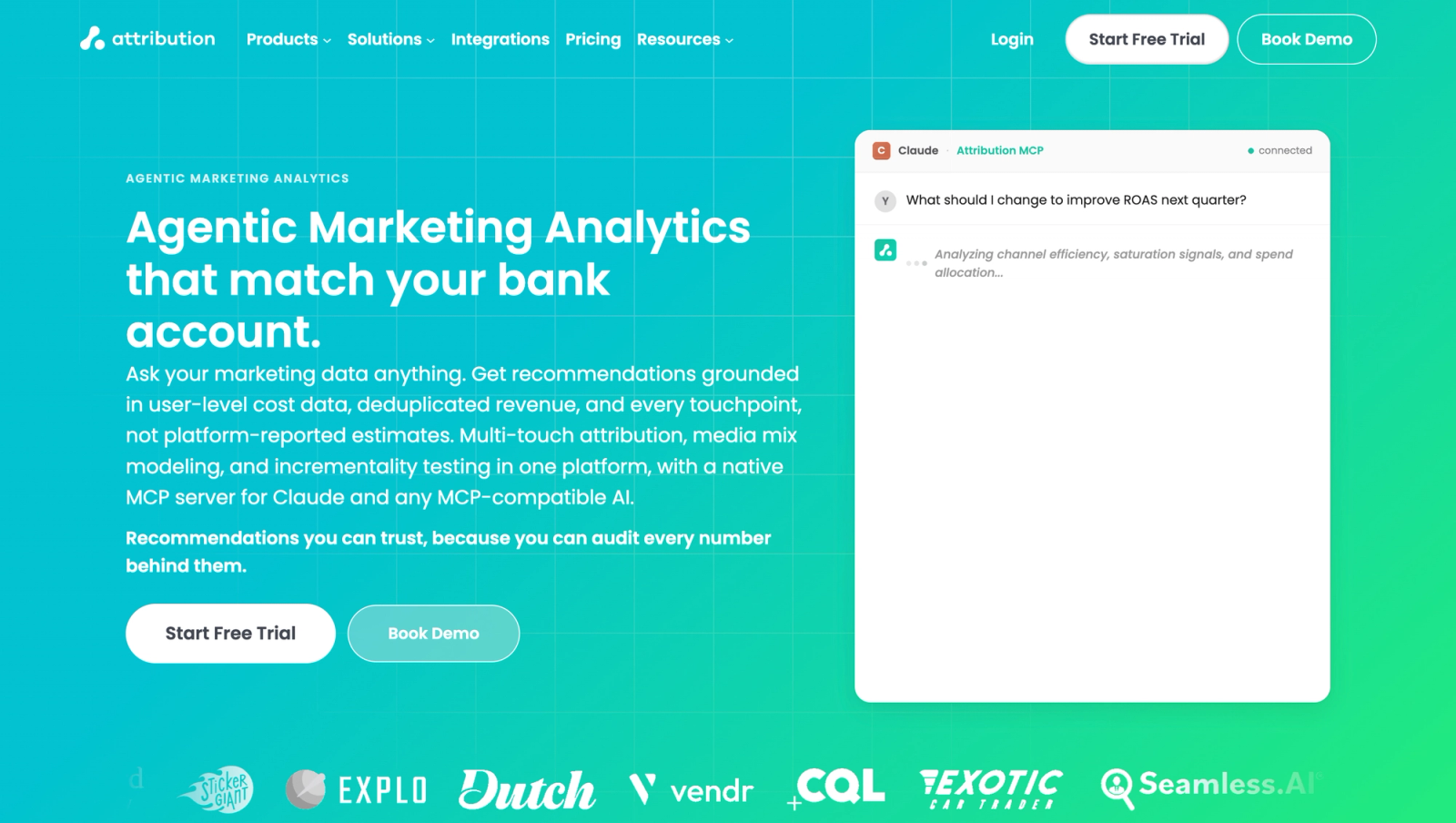
Attribution App is click-based and deterministic. It reads revenue from Stripe, HubSpot or Salesforce, imports ad costs down to the ad, and lets you click from a channel through to each paying customer.
During our trial, that traceability was the selling point. Every revenue number in a report could be explained by naming the actual customers behind it.
The gaps are call tracking, which it doesn't offer, and history, since tracking starts at install. It's added media mix modeling, incrementality and an MCP server on top.
Key features
- Attribution is deterministic and click-based, with configurable models and lookback windows, so every revenue figure can be traced to a specific click.
- Revenue is read from Stripe, HubSpot or Salesforce, which covers both subscription businesses and teams that close deals in a CRM.
- Ad costs are imported down to the individual ad, giving you ROAS by campaign and creative next to the revenue it produced.
- Media mix modeling, incrementality testing and an MCP server are included for teams that want to go beyond click-based credit.
Where it falls short
- It doesn't track phone calls, so revenue from phone-led sales stays outside its reports.
- Revenue can't be backfilled from before installation, so the first weeks of reports look thin.
- Revenue isn't sent back to the ad platforms, so you'll need another tool if you want bidding to learn from closed deals.
What users say
"I've worked with every analytics tool out there and Attribution is the only tool that can actually do multi-touch attribution." (Source)
"Tracking phone calls would be greatly valuable." (Source)
Pricing
- Pro: $399/mo ($335 billed yearly) for up to 10,000 monthly tracked users
- Custom: above that, with a 14-day trial
8. Invoca
Best for: brands and contact centers where large volumes of inbound calls turn into sales.
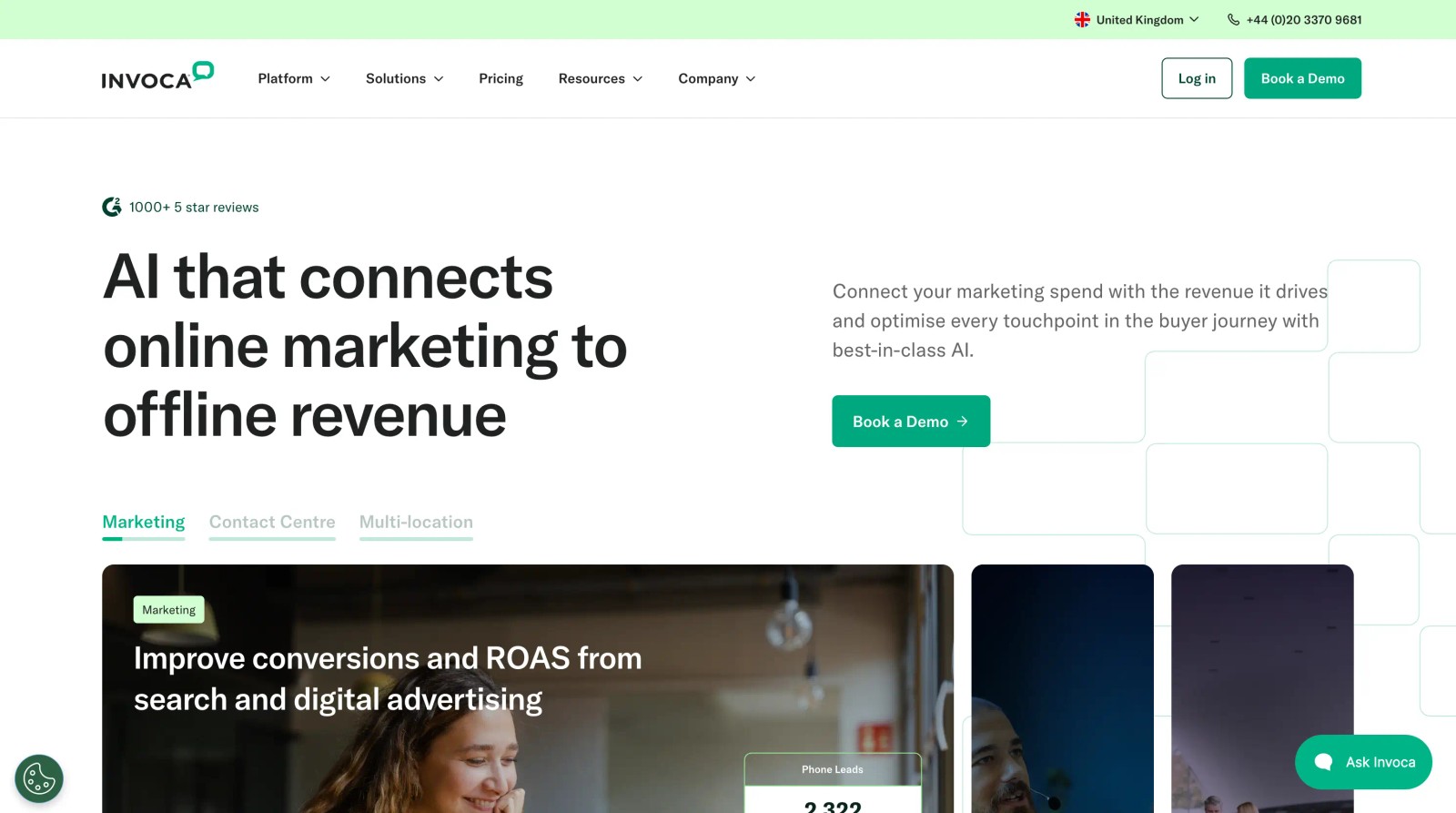
Invoca is a call tracking and conversation intelligence platform. It ties each call to the session and campaign behind it, uses AI to judge what happened on the call, and imports offline revenue to close the loop.
It's a strong pick when calls are the main channel, as in healthcare, automotive, insurance or home services. Users praise the depth of call insight and the support team.
The hard part is training. Several reviewers say teaching its AI what a high-intent call looks like took real hours. It also pairs with SourceLoop, which can attribute Invoca calls alongside forms and deals.
Teams we know use it two ways at once. Marketers filter call reports by campaign and outcome, while contact center managers use the same recordings for coaching, which is where the AI scoring earns its keep.
Key features
- Dynamic number insertion ties each call to session-level data such as the landing page and campaign, so phone revenue can be traced to its source.
- Signal AI classifies caller intent and call outcomes from the conversation itself, separating real sales calls from wrong numbers and support questions.
- Offline revenue can be imported by file upload or API, closing the loop between a call, the sale it led to and the campaign behind it.
- Integrations send call conversions to Google Ads, Microsoft Ads, Meta and GA4, so bidding can favour the campaigns that drive valuable calls.
Where it falls short
- It focuses on calls, so web forms and CRM deals aren't attributed the way a full attribution tool would handle them.
- Prices aren't published and there's no trial, so every evaluation goes through a sales conversation first.
- It's built for high call volumes, which makes it expensive for smaller businesses that only get a few calls a day.
What users say
"We can also trace each call back to the marketing campaign it’s associated with, which helps us not only handle calls more efficiently but also gain more insight into our marketing campaign performance." (Source)
"The issue we have come up against is the strength of the transcription, it is often inaccurate" (Source)
"it required many man hours to go into each call and kind of train the AI to identify what is a high intent phone call." (Source)
Pricing
- Pro, Enterprise and Elite, all quoted. Pro includes 6,000 numbers a year, and Salesforce is a premium add-on.
9. HubSpot Marketing Hub
Best for: teams already on HubSpot Enterprise, or ready to move up to it.
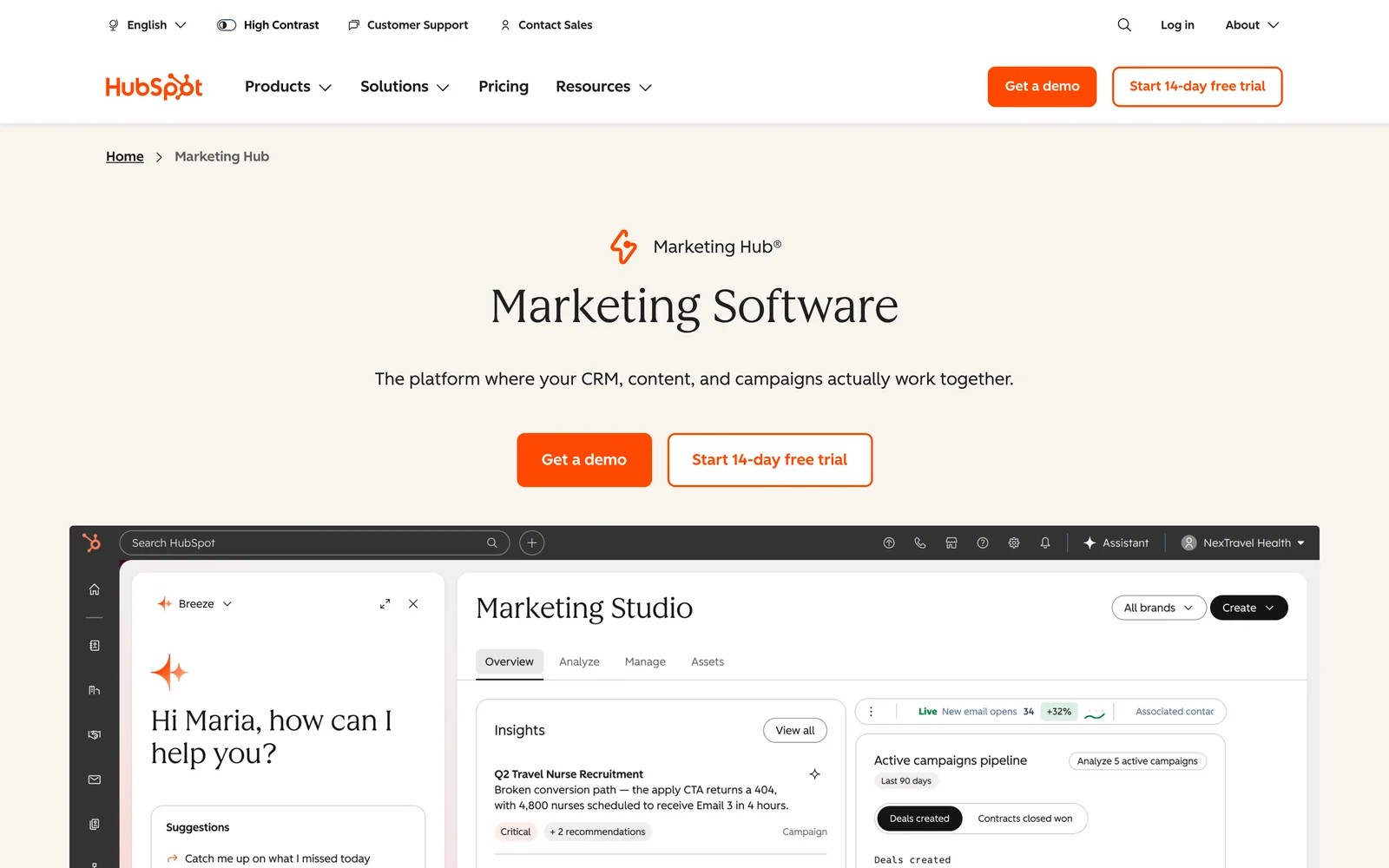
HubSpot attributes revenue natively when your deals live in HubSpot. Its revenue attribution reports credit closed deals to the pages, emails, ads and sources along each contact's path.
The limit is the tier. HubSpot's documentation puts deal and revenue attribution on Marketing Hub Enterprise only. Professional reports on contacts.
Users like having everything in one place. They're less positive about the cost of getting the reports they want.
We used HubSpot's attribution reports on a Professional portal. Contact attribution was easy to set up and read, but every question about deals ran into the Enterprise requirement.
Key features
- Revenue attribution reports on Enterprise credit closed deals to the pages, emails, ads and sources along each contact's path.
- Contact attribution reports on Professional show which channels create contacts, which is useful even before you can see deal revenue.
- Email, social and CMS activity are tracked natively, so marketing touches inside HubSpot need no extra setup to appear in reports.
- Ad conversion events can be sent to Google, Meta and LinkedIn, helping campaigns optimise toward lifecycle stages you define in HubSpot.
Where it falls short
- Deal and revenue attribution are locked to Marketing Hub Enterprise, so teams on Professional only get contact attribution.
- Calls and third-party forms often arrive without a source unless you add extra tracking tools.
- Payment revenue from billing tools like Stripe doesn't flow into attribution reports without custom integration work.
Our list of HubSpot attribution alternatives covers add-ons that fill the gap on lower tiers.
What users say
"HubSpot Marketing Hub connects directly with our CRM, making it really easy to track how our client accounts interact with marketing campaigns, emails, and content." (Source)
"Cost is astronomical!" (Source)
"the attribution is the worst. we dont know which channel provides what" (Source)
Pricing
- Enterprise: from $3,600/mo, needed for revenue attribution
- Professional: contact attribution only
10. Northbeam
Best for: DTC and ecommerce brands spending heavily on paid social and search.
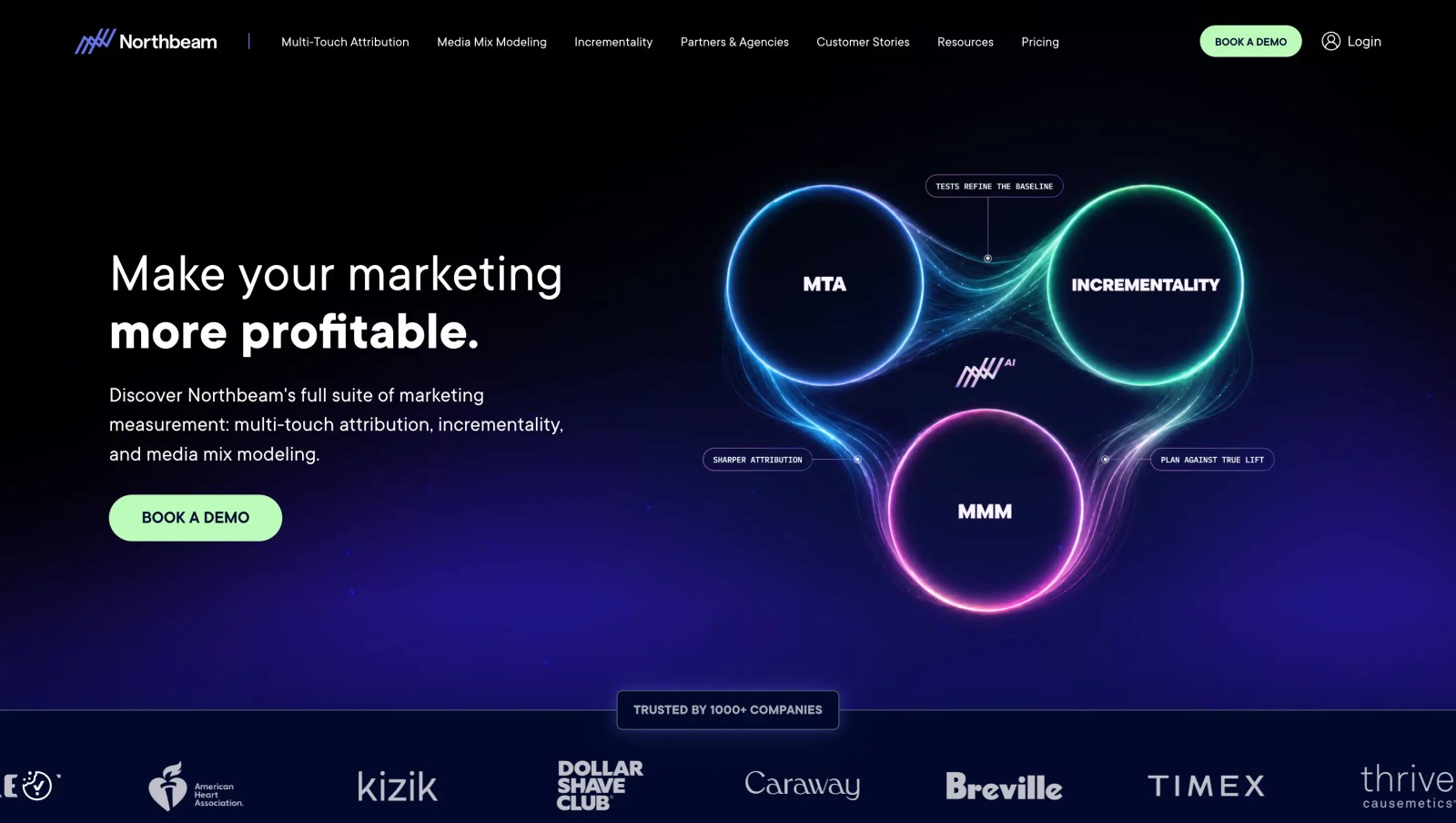
Northbeam attributes store orders to ads across channels, including view-through conversions, and adds media mix modeling and incrementality. It's built for ecommerce, not lead generation.
Brands that fit its profile trust it as a single source for paid performance. Smaller brands find the price and onboarding heavy, and some miss a simple blended view since the data is modeled.
It's on this list for ecommerce readers. If your revenue comes from deals or subscriptions, the tools above fit better.
Brands we know that run it describe a few weeks of onboarding before the numbers settle. After that it becomes a daily check next to Ads Manager.
Key features
- Multi-touch attribution counts deterministic ad views as well as clicks, which matters for brands that spend heavily on paid social video.
- Media mix modeling and incrementality testing are offered on higher tiers, so large brands can check attribution against other methods.
- Northbeam Apex sends enriched conversion data to the ad platforms, aiming to improve how their algorithms find buyers.
- An MCP server gives AI assistants access to the attribution data, which helps teams pull quick answers without opening dashboards.
Where it falls short
- It attributes store orders, so lead-gen businesses with CRM deals won't find it useful.
- Every plan starts with a demo, and there's no self-serve trial to test it on your own data first.
- Pricing assumes significant ad spend, so smaller brands usually find it out of range.
What users say
"Northbeam is our standard for all attribution now, for paid and owned channels." (Source)
"All of the data is modeled, so there's no way to look at a \"blended\" performance report." (Source)
"Their onboarding process is very hard." (Source)
Pricing
- Starter: from $1,500/mo for brands spending under $1.5M a year on ads
- Professional: from $3,500/mo
- Enterprise: custom
How to choose
Work backwards from where your revenue is recorded.
1. Where does the money show up?
- CRM deals: SourceLoop, HockeyStack, Dreamdata, Ruler or Marketo Measure.
- Stripe, Paddle or another billing tool: SourceLoop or Attribution App.
- Phone calls: Ruler or Invoca, or SourceLoop with your call tracking provider.
- Store orders: Northbeam.
2. How much help do you have?
- No analyst or RevOps owner: SourceLoop, WhatConverts or Dreamdata's free plan.
- A dedicated owner and an enterprise budget: HockeyStack, Marketo Measure or Invoca.
3. Do you want the revenue to change your ad spend?
- Pick a tool that sends revenue back to Google Ads and Meta. SourceLoop does that for lead generation businesses, agencies and SaaS teams, including won deals and payments.
If you're also choosing a model, our guide to marketing attribution models explains how each one splits revenue.
Frequently asked questions
-
What is revenue attribution software?
Revenue attribution software credits closed revenue, from CRM deals, payments or calls, to the marketing touchpoints that led to it. It differs from lead attribution, which stops at the form fill.
-
How is revenue attribution different from marketing attribution?
Marketing attribution can credit any conversion, like a lead or signup. Revenue attribution goes further and credits the actual money, so you can compare channels on revenue and return rather than lead count.
-
Which revenue attribution tool is best for lead generation?
For lead generation businesses that close in a CRM, SourceLoop and Ruler Analytics both track forms and calls through to deal value. SourceLoop starts at $49 a month with self-serve setup.
-
Can revenue attribution software track subscription revenue?
Some can. SourceLoop reads payments and subscriptions from Stripe, Paddle, Polar, Lemon Squeezy and Dodo, and Attribution App reads Stripe. CRM-only tools like Marketo Measure don't.
-
How much does revenue attribution software cost?
Prices range from about $30 a month for lead-value tracking to several thousand a month for enterprise platforms. SourceLoop starts at $49, Northbeam at $1,500, and HubSpot's revenue attribution needs Enterprise at $3,600.
-
How long does it take to set up?
Self-serve tools like SourceLoop can run the same day. Demo-led platforms such as HockeyStack, Marketo Measure or Invoca usually take several weeks.


 Paid Social


