Salesforce Marketing Attribution Guide for 2026
Learn how Salesforce marketing attribution works across Account Engagement, Marketing Cloud, and Marketing Intelligence, with practical setup, limits
The Monday revenue meeting starts with three dashboards and three versions of reality. The CMO points to Account Engagement and sees campaigns influencing pipeline. Demand generation opens Marketing Cloud Personalization and sees a different conversion story. The CRO looks at closed-won performance, notices weaker win rates, and asks why either dashboard deserves confidence.
That disagreement usually isn't political. It's structural. Salesforce marketing attribution spans products with different data layers, touch definitions, identity rules, and conversion windows. A useful measurement program must decide which system answers which question, then enforce the CRM habits that make the answer credible.
Table of Contents
- Why Salesforce Marketing Attribution Is Harder Than It Looks
- How Salesforce Defines Marketing Attribution
- Choosing an Attribution Model That Fits Your Cycle
- Configuring Touchpoints, Lookback Windows, and Identity
- The Hidden Gaps in Native Salesforce Attribution
- A 30-60-90 Plan to Tighten Attribution
- Making Salesforce Attribution Decisions Stick
Why Salesforce Marketing Attribution Is Harder Than It Looks
A Salesforce org can contain several attribution narratives at once. Account Engagement connects marketing engagement with Salesforce campaign and opportunity data. Marketing Cloud Personalization evaluates impressions, clicks, and conversions inside its interaction dataset. Marketing Intelligence ingests first-party touchpoints and applies configurable models after teams define the relevant data and rules.
Those products don't necessarily disagree because one is broken. They may be measuring different events. A campaign influence view can credit campaigns associated with a related opportunity, while a personalization report may credit a visitor after an impression or tracked click. Marketing Intelligence can produce another result if its lookback window or identity resolution rule differs.
Practical rule: Never ask which dashboard is “right” until you've documented the touchpoint, conversion, identity, and timing rules behind each number.
The problem becomes more visible when teams treat attribution as a reporting preference. One group chooses the dashboard that supports paid acquisition. Another favors the report that rewards nurture. Sales then points out that opportunities lack reliable contact associations, so neither output reflects the full buying process.
Privacy changes make this harder. Cookie consent, browser restrictions, and disconnected platforms create gaps between anonymous research and known CRM records, as Salesforce discusses in its analysis of agentic marketing optimization. Teams also need a deliberate cookie deprecation strategy because a conversion can no longer be assumed to carry a complete, durable history of prior interactions.
The practical answer isn't to install another dashboard first. Start by deciding what Salesforce marketing attribution must support: budget allocation, pipeline reporting, campaign optimization, or revenue forecasting. Then select the product and model that match that decision.
How Salesforce Defines Marketing Attribution
Marketing attribution is the set of rules used to assign credit for a conversion across the marketing touches that preceded it. The word “conversion” matters. A form submission, marketing-qualified lead, opportunity, and closed-won deal are different anchors, and a model can be useful for one while misleading for another.
Account Engagement
Account Engagement's Multi-Touch Attribution dashboard is designed to show which marketing efforts influence stages of the purchase lifecycle. It calculates revenue, total value, actual cost, and ROI from the Multi-Touch Attribution dataset. Salesforce defines the dashboard's ROI as the sum of campaign revenue values minus the sum of campaign actual costs, divided by the sum of campaign actual costs, and it breaks out top campaigns and revenue share by campaign type in its Multi-Touch Attribution documentation.
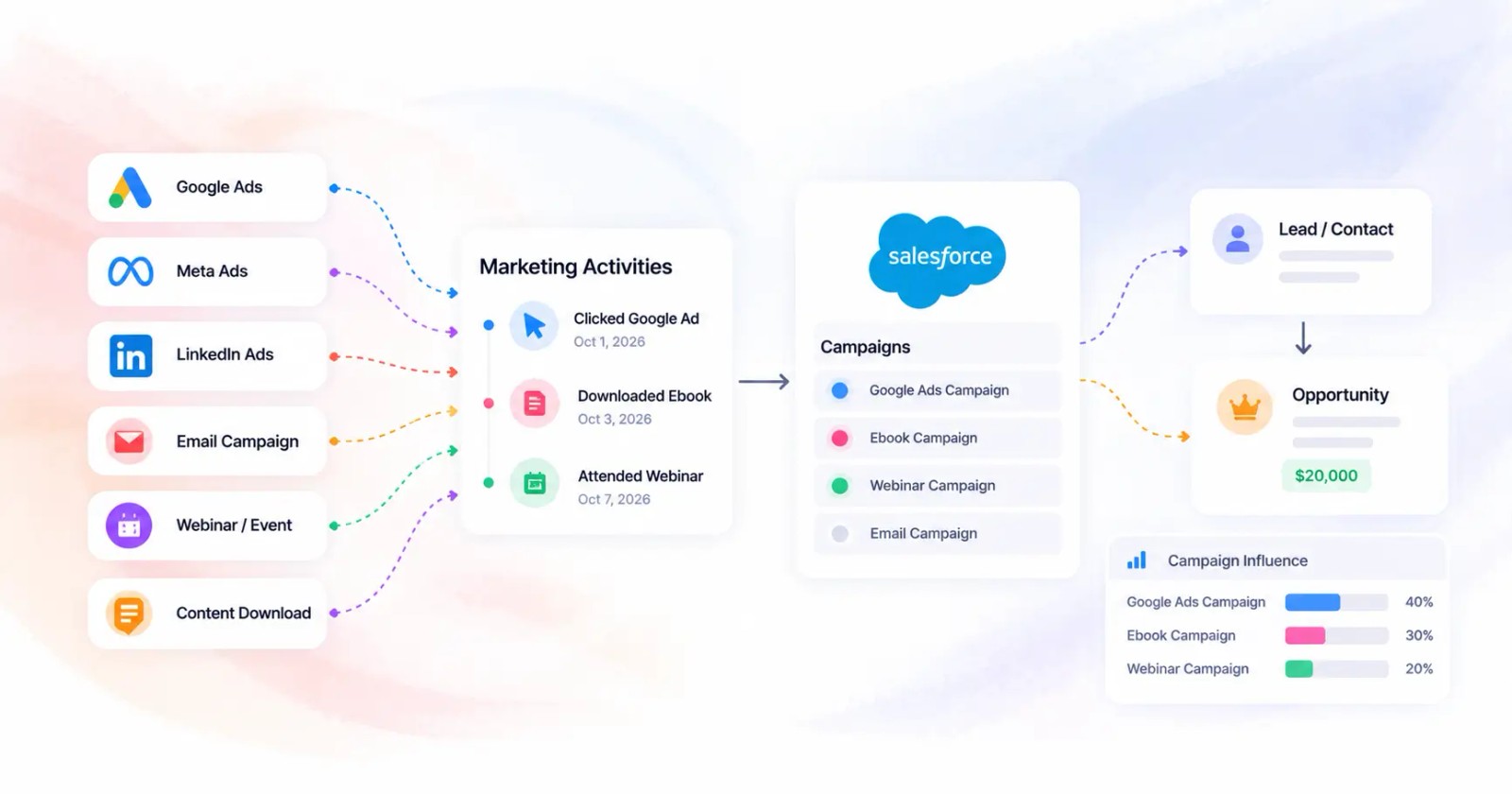
The dashboard depends on Connected Campaigns, which combine Account Engagement engagement data with Sales Cloud opportunity data. That makes it useful for CRM-linked lifecycle analysis, but it doesn't automatically solve incomplete campaign membership or missing opportunity relationships.
Marketing Cloud Personalization
Marketing Cloud Personalization works from interaction events such as campaign impressions and tracked campaign clicks. Its reporting can distinguish view conversions from click conversions. Salesforce states that both the impressed visit and the goal completion or purchase must occur inside the selected attribution time frame, so the report is highly dependent on event capture and time-range selection.
This product is strongest when the question concerns visitor behavior and experience-level conversion. It isn't a substitute for a complete opportunity influence model across a long, human-led B2B buying process.
Marketing Intelligence
Marketing Intelligence's attribution workflow requires teams to define a lookback window, an identity resolution rule, and one or more attribution models before deployment. Salesforce also states that processing runs in the background after deployment, with results appearing in dashboards after processing completes, as described in its Marketing Intelligence configuration guidance.
That makes Marketing Intelligence a batch analytics layer, not a real-time scoring system. It can unify more sources and support model comparison, but the output remains dependent on the quality of first-party data, CRM associations, and identity stitching.
| Product | Default Attribution Model | Touch Types Captured | Conversion Anchor |
|---|---|---|---|
| Account Engagement | Dataset-driven multi-touch reporting connected to campaigns and opportunities | Account Engagement engagement, Connected Campaigns, opportunity-linked campaign activity | Lifecycle stages, revenue, opportunity outcomes |
| Marketing Cloud Personalization | Attribution filtered by interaction type | Impressions, tracked campaign clicks, visitor interactions | Goal completion or purchase |
| Marketing Intelligence | Configurable touch-based models | First-party touchpoints and connected marketing data | Configured conversion events, pipeline, or revenue |
Treat these as different measurement surfaces, not interchangeable labels. A RevOps lead should document the product, source dataset, conversion event, attribution window, and identity rule beside every executive metric.
Choosing an Attribution Model That Fits Your Cycle
Model selection should follow the buying motion, not the preference of the person building the dashboard. A short, campaign-led purchase has different evidence requirements from a long B2B cycle involving marketing, SDRs, account executives, partners, and customer stakeholders.
What each model rewards
First-touch attribution assigns the strongest recognition to the interaction that introduced the buyer. It's defensible for awareness analysis, but it will underrepresent later sales development and conversion work.
Last-touch attribution rewards the interaction closest to conversion. It's useful for diagnosing immediate response, but it can over-credit a branded search, final nurture email, or demo page while ignoring the programs that created demand.
U-shaped attribution emphasizes the first and last meaningful touches, with some credit for interactions in between. The commonly used position-based structure in Salesforce discussions can suit a shorter, partner-influenced journey where introduction and conversion carry more explanatory weight than every middle interaction.
W-shaped attribution adds a meaningful sales handoff or opportunity milestone. It fits a longer cycle when an SDR conversation, qualified opportunity, or another CRM-recorded transition represents a genuine change in buying intent.
Time-decay attribution assigns more credit to recent interactions. It can make sense for product-led growth and continuous nurture, where repeated engagement near activation or purchase is more relevant than an old awareness touch.
Marketing Intelligence supports configurable attribution workflows, including model setup and identity rules. The weights aren't evidence by themselves. If campaign membership is incomplete, a carefully designed model distributes incomplete information with greater precision.
For a broader comparison of model mechanics and practical use cases, this attribution model guide for marketers provides useful context. The operating decision remains yours.
| Model | Credit Allocation | Best Cycle Length | When Defensible |
|---|---|---|---|
| First-touch | Concentrates credit at the introduction | Short or awareness-focused | You're measuring demand creation |
| Last-touch | Concentrates credit near conversion | Immediate-response journeys | You're evaluating conversion activation |
| U-shaped | Favors first and last meaningful touches | Short to moderate | Introduction and conversion dominate |
| W-shaped | Adds a sales or opportunity milestone | Moderate to long | Human handoffs are recorded reliably |
| Time-decay | Favors recent activity | Continuous or product-led | Recent engagement predicts action |
A model should reflect the number of meaningful handoffs inside Salesforce. If the CRM doesn't record those handoffs, don't claim the model measures them.
Configuring Touchpoints, Lookback Windows, and Identity
Three configuration choices determine every Salesforce marketing attribution result: what counts as a touch, how far back the system looks, and how records resolve to one person or account.
Define touchpoints before choosing weights
Start with a written touchpoint policy. Include only events that have a clear relationship to the buying process, such as campaign membership, meaningful engagement, event attendance, or sales-associated marketing activity. If every low-intent event counts equally, the model becomes noisy. If the team excludes useful first-party interactions, it starves the analysis of context.
Salesforce's Multi-Touch Attribution app uses user-level touchpoint data in the Granular Data Center. Teams define touchpoints, conversions, and attribution models before running analysis, allowing comparisons across first-touch, last-touch, and distributed-credit approaches, as described in the Salesforce Multi-Touch Attribution app documentation.
Set the lookback window deliberately
Salesforce documents a 30-day lookback window for campaign influence revenue assignment before the related opportunity is created, continuing through the opportunity's Closed/Won date, as explained in its campaign influence attribution rules. Marketing Intelligence has its own configurable lookback setting, so don't assume the Account Engagement rule carries into every product.
A longer window can preserve more of a long B2B journey. It can also credit old activity that no longer influenced the buying decision. Compare the result with sales notes and opportunity milestones instead of selecting the broadest window by default.
Resolve people and accounts consistently
Identity resolution should cover duplicate leads and contacts, email changes, contact keys, and account relationships. A person can engage through multiple addresses or devices, and Salesforce needs an explicit rule for deciding whether those events belong to one customer record.
Account-level attribution adds another decision. Person Accounts, account hierarchies, and buying groups can change whether a touch is credited to an individual, a parent account, or an opportunity. Document that choice before executives compare campaign performance.
| Setting | Option A, Aggressive | Option B, Conservative | Downstream Effect |
|---|---|---|---|
| Touchpoint scope | Include broad engagement activity | Include qualified campaign and lifecycle events | Broad scope increases coverage, conservative scope increases signal quality |
| Lookback | Count older interactions | Limit credit to a defined recent period | Longer windows preserve history, shorter windows reduce stale credit |
| Identity matching | Use flexible cross-record matching | Require stricter keys and verified relationships | Flexible matching improves reach, strict matching reduces false joins |
| Account association | Credit parent and related accounts | Credit the opportunity contact or direct account | Broader association improves buying-group visibility, narrower association improves ownership clarity |
Build identity rules alongside your data hygiene process. A guide to identity stitching and deduplication can help teams think through the record relationships before they automate matching.
The Hidden Gaps in Native Salesforce Attribution
The biggest attribution problem in 2026 isn't always model selection. It's the assumption that every influential interaction leaves a campaign, click, impression, or contact record behind.
Offline buying activity exposes that weakness first. Peer recommendations, partner introductions, executive dinners, conference conversations, and internal boardroom discussions can shape an opportunity without generating a native campaign touch. Independent commentary on the limitations of marketing attribution also highlights the importance of offline interactions and incomplete CRM contact association.
AI-assisted discovery adds a newer break in the path. A prospect may research a category inside an AI conversation, discuss the recommendation with colleagues, and later visit a vendor site through a branded search. Salesforce has described privacy changes, cookie consent, browser restrictions, and disconnected platforms as sources of measurement gaps. It has also acknowledged that research increasingly happens inside AI conversations before a website visit, without a settled measurement answer.
Last-touch reporting will often reward the final search click because that event is observable. It won't know whether the search was prompted by a peer, a community discussion, or AI-generated category education unless the buyer volunteers that information or the team captures it through a separate process.
Cross-device identity creates another limit. A person who researches on a personal Gmail and later engages through a corporate address may remain split across records, particularly when browser restrictions limit persistent identifiers. Native workflows can apply explicit identity resolution rules, but they can't infer missing evidence reliably.
Campaign Influence also depends on opportunity relationships. If sales closes an opportunity without attaching a Contact Role, upstream campaign activity may have no path to the revenue record. The dashboard can look clean while excluding part of the buying process. That's why cross-channel attribution guidance should include offline capture and CRM governance, not just web analytics.
A 30-60-90 Plan to Tighten Attribution
Tightening attribution doesn't require replacing Salesforce. It requires fixing the path from interaction to person, campaign, opportunity, and revenue.
Days 1 to 30, audit the evidence
Begin with a sample of closed-won opportunities from a recent operating period. Review each record manually and check whether the opportunity has Contact Roles, whether relevant people are Campaign Members, whether source fields are populated, and whether the campaign association reflects what sales and marketing remember.
Record the gaps instead of correcting them without discussion. Your baseline should show how much closed-won revenue currently lacks an attributable path, which failure points create the most loss, and whether the missing data clusters by sales team, campaign type, or opportunity source.
Use the audit to answer four questions:
- Contact association: Does every relevant opportunity have the people who participated in the buying process?
- Campaign membership: Were leads and contacts added to campaigns before the opportunity was created?
- Source persistence: Did source and campaign data survive lead conversion?
- Timing: Does the selected attribution window match how the sales team works?
Days 31 to 60, standardize the operating rules
Write a short configuration specification. It should define touchpoints, conversion events, lookback windows, identity matching, campaign naming, member statuses, and ownership. Keep it readable enough for marketing operations, sales operations, and finance to approve together.
Then rebuild the campaign structure around consistent names and statuses. Automate membership where possible, but don't automate ambiguous events just to increase coverage. A noisy campaign history makes later model comparisons harder.
Make opportunity contact association part of the sales process. A validation rule or Flow can require a Contact Role before a defined stage transition or closure. Train managers to inspect exceptions rather than treating attribution as a marketing-only responsibility.
Days 61 to 90, instrument and review
Deploy the agreed Marketing Intelligence workflow or refine Account Engagement reporting after the source data is stable. Allow background processing to complete before judging the output, because Salesforce describes attribution processing as a post-deployment analytic step rather than an instant dashboard update.
Review campaign influence with marketing and sales on a recurring schedule. Add a monthly model-fit review that compares attributed pipeline with a manually reviewed sample of opportunities. The purpose isn't to prove the model is perfect. It's to detect drift, missing channels, and changes in buying behavior.

A practical implementation review can also include this walkthrough:
At the 90-day checkpoint, decide whether the current Campaign Influence setup is sufficient, whether Marketing Intelligence adds needed model flexibility, or whether persistent blind spots justify an external attribution layer. Make that decision from observed gaps, not from a desire for more advanced charts.
Making Salesforce Attribution Decisions Stick
An attribution model becomes useful when it changes a budget or operating decision without triggering an argument about definitions. The RevOps framework is simple: connect attributed revenue, pipeline contribution, data completeness, and forecast confidence, then treat the result as directional evidence rather than an objective property of reality.
Salesforce's Account Engagement dashboard provides a formal ROI calculation based on campaign revenue and actual campaign cost. Use that formula consistently within the product, but place a data-quality qualifier beside the result. A campaign with incomplete membership or weak identity resolution may appear less efficient because the system cannot connect its influence, not because the campaign failed.
For a budget review, compare channels under the same model and conversion definition. If paid search receives most final-touch credit while partner-sourced opportunities repeatedly show strong pipeline quality but sparse campaign records, don't move budget solely toward paid search. First improve partner campaign capture and opportunity association, then reassess the comparable output. A proposed shift, such as moving 20% of paid-search spend into partner-sourced campaigns, is a planning scenario, not evidence of a guaranteed return. Approve it only with a named hypothesis, owner, review date, and source-data requirements.
Keep the decision criteria visible
Re-evaluate the model when the operating environment changes materially:
- Pipeline velocity changes: A 25% swing in pipeline velocity is a threshold for reviewing whether the current lookback and recency assumptions still fit. Document the trigger in the planning system rather than presenting it as a universal Salesforce rule.
- Product mix changes: A new product line can introduce different audiences, journeys, and conversion anchors. A model built for one offer may not explain another.
- MQL volume changes: A merger that doubles MQL volume can alter identity quality, campaign structure, and sales handoffs. Review matching rules and touchpoint coverage before comparing performance across periods.
| Trigger Condition | Threshold | Owning Role | Required Action |
|---|---|---|---|
| Pipeline velocity shift | 25% planning threshold | RevOps and finance | Recheck lookback, stages, and model fit |
| New product line | Any material launch | Marketing operations | Define new conversion and touchpoint rules |
| Merger or major data change | MQL volume doubles | CRM and data governance | Reconcile identities, campaign history, and ownership |
| Persistent offline gap | Repeated missing source in reviewed deals | Sales operations | Add structured referral, partner, and meeting capture |
| AI-assisted discovery gap | Buyer reports untracked research path | Demand generation and RevOps | Add qualitative source capture and annotate limitations |
Log the model version, lookback window, identity rule, campaign taxonomy, data-completeness exceptions, and budget decisions each month. Include the CMO, CFO, and SDR lead in the review. The CMO understands channel strategy, the CFO tests financial consistency, and the SDR lead knows whether the recorded handoff reflects how buyers enter pipeline.
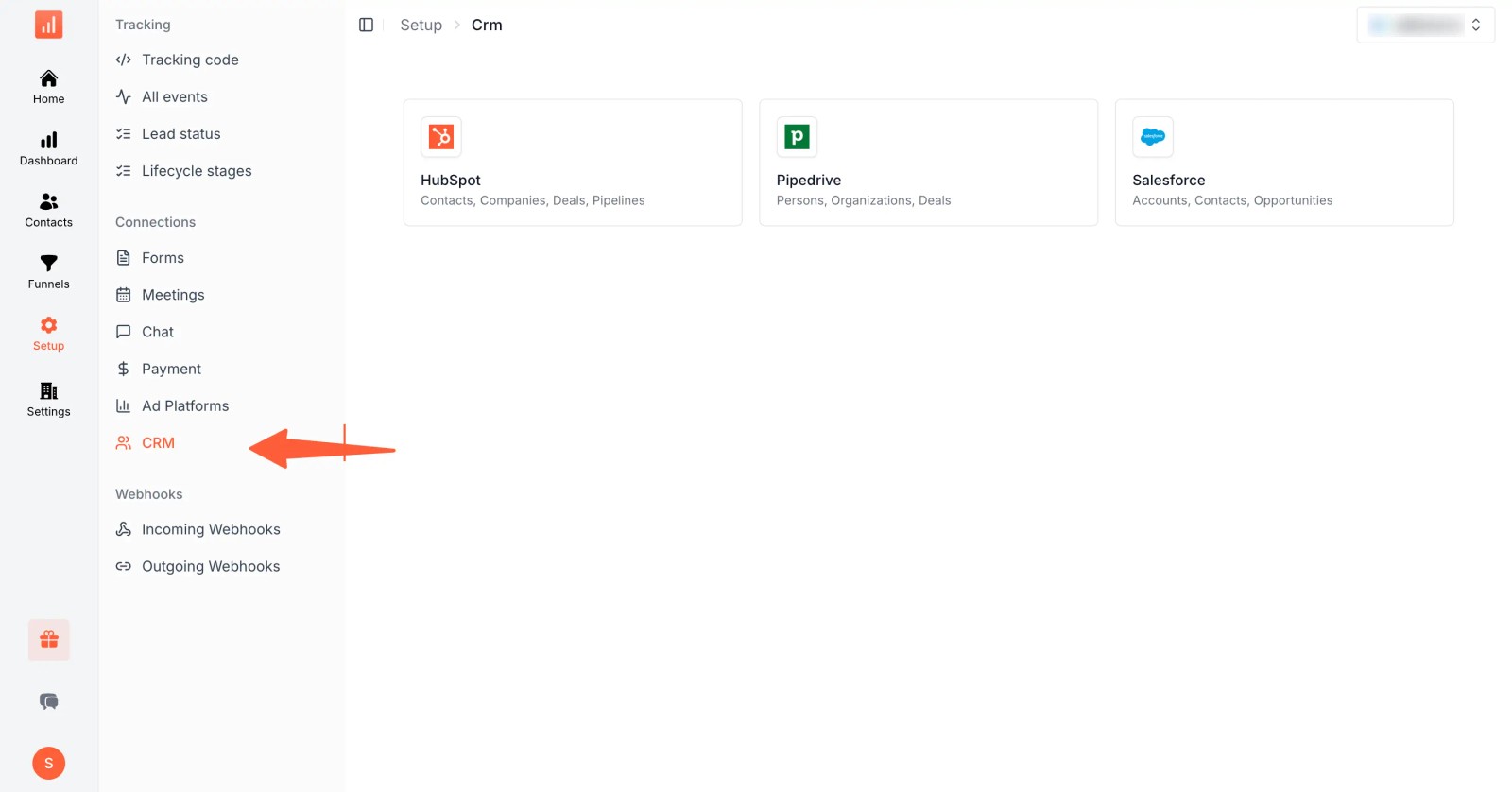
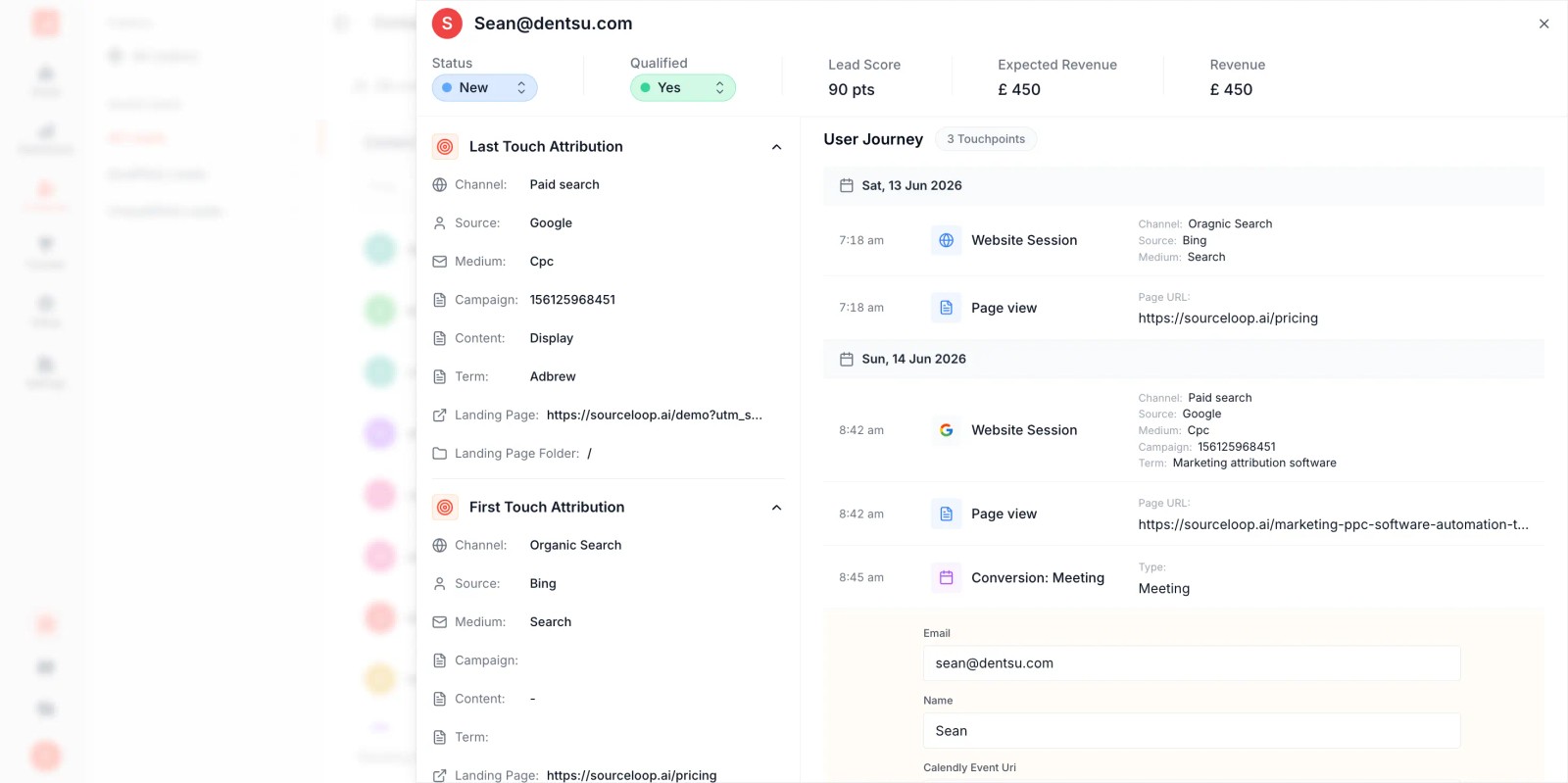
Tools can supplement native Salesforce workflows when first-party capture remains fragmented. For example, SourceLoop can sync attribution source, journey, and revenue data into Salesforce and map that data to existing CRM fields. The right choice depends on whether the remaining problem is configuration, data capture, identity resolution, or offline evidence.
Salesforce marketing attribution should end in a decision, not a prettier dashboard. Before the next budget meeting, document your model, audit a sample of closed-won opportunities, enforce contact association, and label every blind spot you still can't measure. Then use that shared record to decide which channels deserve more investment and which data gaps must be fixed first.
Audit your Salesforce attribution setup before the next revenue review. Export recent closed-won opportunities, inspect Contact Roles and Campaign Members, document your touchpoint and lookback rules, and schedule a working session with marketing operations, sales operations, finance, and the SDR lead. Leave that meeting with one approved model, one data-quality backlog, and one budget decision tied to evidence your team can reproduce.