
Track Calendly Booking as Google Ads Conversions
Learn how to track Calendly booking as Google Ads conversions using GA4, offline imports, and closed-loop attribution to optimize campaigns for real revenue.
The most popular advice on tracking Calendly bookings in Google Ads is incomplete: mark the meeting as a conversion, fire the event, and move on. That setup can confirm that someone scheduled time, but it doesn't tell Google whether the person became a qualified opportunity, entered pipeline, or generated revenue.
A reliable system treats the booking as a measurement milestone, not automatically as the final business outcome. The technical work matters, but the more important decision is strategic: should Google Ads optimize for calendar activity, qualified sales conversations, or closed business? Teams that answer that question first build cleaner attribution and avoid teaching Smart Bidding to chase low-value appointments.
Table of Contents
- Why a Booked Meeting Is Not Always a Conversion
- The Technical Reality of Calendly Ad Tracking
- Capturing Click Identifiers and Booking Events
- Optimizing for Meeting Volume Versus Revenue
- Automating Closed-Loop Attribution with SourceLoop
- Common Pitfalls and How to Verify Your Data
Why a Booked Meeting Is Not Always a Conversion
A scheduled meeting feels like a natural conversion because the prospect has taken a meaningful action. They selected a time, completed the booking flow, and gave sales a chance to engage. But the action still sits between an ad click and revenue.
A booking can represent a serious buyer, an unqualified enquiry, an existing customer, a student researching options, or someone who never attends. The calendar records the appointment, not the commercial value behind it. If every booking becomes the primary Google Ads conversion, the platform receives a strong signal for scheduling activity but no clear distinction between useful pipeline and calendar noise.
That distinction matters for agencies and SaaS teams. A campaign can produce more meetings while generating weaker opportunities if the targeting attracts people who are willing to book but unlikely to meet the qualification criteria. Optimizing against the booking alone can therefore reward the wrong search terms, audiences, landing pages, and messages.
Define the business outcome before the event
Start by separating the funnel into explicit milestones:
- Booking created: Calendly confirms that an event was scheduled.
- Meeting qualified: Sales confirms that the contact fits the intended customer profile or buying situation.
- Opportunity created: The CRM records a genuine sales opportunity.
- Customer won: The deal reaches the business outcome that marketing is meant to influence.
Each milestone answers a different question. The booking measures response to the conversion path. Qualification measures lead quality. Opportunity creation measures pipeline contribution. A won deal measures commercial impact.
Practical rule: If sales routinely rejects a meaningful share of booked meetings, a booking shouldn't be the only conversion action used for optimization.
This doesn't make Calendly tracking pointless. It means the event needs a role in a wider feedback loop. You can retain the booking as a secondary conversion or reporting event while using a later CRM stage as the primary optimization signal, provided the business has enough reliable data for Google Ads to learn from.
A useful framework for that decision is the B2B paid search strategy playbook, especially for teams connecting keyword intent with qualification and pipeline rather than measuring lead volume in isolation. The right conversion definition depends on sales-cycle length, booking quality, CRM discipline, and the volume of downstream outcomes.
The question isn't “Can Google Ads see the Calendly booking?” It can, when the data flow is implemented correctly. The question is “Which event should influence budget allocation?” Those are different questions, and confusing them is how technically accurate tracking produces commercially weak optimization.
The Technical Reality of Calendly Ad Tracking
A Calendly booking is easy to record and surprisingly difficult to make useful for bidding. Calendly captures the scheduling action, but it does not provide a native direct Google Ads connection. The working setup is a data chain: Calendly records the invitee action, an analytics property or server-side workflow receives it, and Google Ads imports the resulting conversion.
Calendly's analytics integration documentation describes Google Analytics tracking for booking conversions and confirms that Universal Analytics is no longer supported. The supported path centers on GA4, where teams can record routing-form visits, page visits, date and time selections, and successfully scheduled events. Those events can then inform Google Ads campaigns.
A Universal Analytics implementation may still appear intact in a tag manager or dashboard. That does not make it a supported or commercially useful setup. Rebuilding the measurement path requires decisions about event names, conversion definitions, attribution settings, and the point at which a booking should affect bidding.
The strategic choice comes before the technical one. If the business needs a reliable signal for initial response, GA4 can serve as the event layer. The flow is straightforward:
- Preserve campaign context when the visitor reaches the site or Calendly.
- Record the relevant Calendly interaction in GA4.
- Mark or import the selected GA4 event as a Google Ads conversion.
- Check that campaign attribution remains attached to the conversion.
This route suits teams already operating GA4 and treating a scheduled meeting as a useful lead signal. It is less suitable when sales quality varies widely and CRM outcome data is available.
Offline conversion imports support the later stages of the funnel. Google Ads explains how imported non-website outcomes, including calls, store visits, and sales-related events, can be sent back through its conversion import guidance. A Calendly booking can follow that model when the original click identifier is captured, matched to the booking, and returned to Google Ads.
That approach gives qualification, opportunity, or revenue events a path into optimization. It also reflects measurement practices used in specialist workflows such as Voicedial.ai analytics for insurance, where a lead event must connect with later business outcomes instead of remaining an isolated web interaction.
The limitation is structural: Calendly schedules, Google Ads buys and optimizes media, while GA4 or an offline pipeline connects the two. Preserving identifiers and choosing the conversion that deserves budget influence remain implementation decisions. A technically accurate booking event can still train Google Ads toward meeting volume rather than sales-qualified pipeline.
Capturing Click Identifiers and Booking Events
Attribution succeeds or fails before the visitor books. Once someone enters a third-party scheduling flow, the original ad context can be difficult to recover unless the site captured it at the start.
Google Ads uses click identifiers and matching information to connect later outcomes with earlier ad interactions. For a Calendly workflow, the essential sequence is:
- Capture the landing context. Read the ad click identifier and campaign parameters when the visitor first arrives.
- Store the context safely. Associate the identifier with a first-party visitor record, lead record, or another durable matching key.
- Pass campaign parameters to Calendly. Add UTM values to links or booking paths so the scheduler doesn't receive an unattributed session.
- Record the booking. Use a GA4 event, a Calendly event mechanism, or a webhook-based workflow.
- Join the records. Match the booking to the stored click context using the available identifier or user-provided data.
- Send the correct event back. Import the booking, qualification stage, or later commercial outcome into Google Ads.
The UTM step deserves special attention. Calendly community guidance says there isn't a native direct Google Ads connection and recommends UTM-based measurement, GA4, and third-party automation. Without UTM tagging on the Calendly link, the booking session can fall into direct traffic, which weakens source attribution and makes optimization around booked meetings less reliable.
Preserve identifiers, not just event names
An event named meeting_booked proves that an event fired. It doesn't prove that Google Ads can match the event to the ad click that created the opportunity. Store the click identifier alongside the visitor's source, medium, campaign, landing page, and relevant form or CRM data.
Teams often need a documented field map in this case. A practical guide such as SourceLoop's Calendly lead-source tracking documentation can help structure the relationship between the booking record and its originating source. The implementation still needs testing against the site's consent model, redirects, embedded calendar behavior, and CRM fields.
Google's offline conversion import requirements add constraints that shouldn't be treated as optional. Google says GCLIDs must be within 90 days for the relevant import workflow, and imported conversion statistics generally take about 3 hours to appear. The same documentation explains that enhanced conversions for leads can improve matching by sending hashed user-provided data alongside offline uploads.
Don't wait until the booking confirmation to start thinking about identity. The system should already have captured the original advertising context, and the booking should add a timestamp, contact details where permitted, meeting type, qualification information, and a stable CRM reference. That record lets you audit whether a booking was merely recorded or correctly attributed.
The booking event is the join point. The click identifier is what gives it advertising meaning.
Run a test journey from a tagged ad URL through the landing page, Calendly, confirmation, CRM, and Google Ads import. Check every handoff. If the click ID disappears before the booking arrives, changing the conversion action in Google Ads won't repair the missing relationship.
Optimizing for Meeting Volume Versus Revenue
A booked Calendly slot can look like a conversion while contributing nothing to pipeline. Google Ads will optimize toward the signal it receives, so the key decision is whether the account should pursue more meetings, more sales-qualified opportunities, or more revenue. Those goals overlap, but they are not interchangeable.
| Optimization signal | What it captures | Main advantage | Main risk |
|---|---|---|---|
| Scheduled meeting | Calendar activity | Fast feedback and simple implementation | Can reward unqualified or abandoned demand |
| Qualified meeting | Sales-approved intent | Closer to useful pipeline | Requires consistent qualification rules |
| CRM opportunity | Pipeline creation | Connects advertising with sales progress | Arrives later and depends on CRM hygiene |
| Won customer | Revenue outcome | Most commercially meaningful signal | Sparse, delayed, and harder to match |
The booking event usually provides the quickest usable feedback. It can support early reporting while sales processes and CRM data improve. That does not make it the right primary conversion action. If sales rejects many bookings, attendance is poor, or meeting quality varies by campaign, optimizing for bookings teaches Google Ads to find calendar activity rather than commercial potential.
Assign each signal a specific job
Use multiple conversion actions when they answer different operational questions:
- Primary action: Select the deepest outcome the business can record consistently, such as a qualified opportunity or customer stage.
- Secondary action: Retain the Calendly booking for diagnostics, funnel analysis, and audience insights.
- Quality attributes: Pass qualification status, meeting type, firmographic fit, or CRM stage when the workflow supports those fields.
- Revenue feedback: Import later outcomes when the CRM preserves the original click identifier or another reliable matching payload.
A meeting belongs to the top of a revenue process, not its conclusion. Website and GA4 tracking can record the booking, while a later CRM event can return to Google Ads as an imported offline conversion. This separation keeps booking measurement useful without confusing activity with value.
Timing creates the main trade-off. Revenue data provides a stronger commercial signal, yet it arrives later and may produce too few events for efficient optimization. Accounts with limited sales volume may need a qualified meeting or opportunity as an intermediate signal. That compromise works only when sales applies the qualification definition consistently and the handoff remains auditable.
Set the optimization target from the business objective. A team trying to fill calendars may accept scheduled meetings. A team responsible for pipeline should prioritize qualified opportunities. A revenue-led program should work toward won customers, while recognizing that sparse and delayed feedback can slow learning.
The same principle applies after the meeting. For teams connecting advertising with payment outcomes, tracking Stripe payments as Google Ads conversions shows how payment data clarifies the gap between lead activity and commercial value.
The video below provides additional context on the workflow:
Automating Closed-Loop Attribution with SourceLoop
Automation should shorten the path from ad click to revenue reporting, not merely produce more booking events. A custom pipeline can handle the job, but it leaves the team responsible for capturing click IDs, preserving them across the journey, receiving booking notifications, matching contacts, applying consent rules, mapping CRM stages, retrying failed imports, and investigating discrepancies. Separate GA4 events, webhooks, automation tools, and spreadsheets can create conflicting records for the same lead.
SourceLoop provides one way to consolidate that work. Its lightweight site snippet captures visits, connects acquisition journeys with calendar bookings and other conversion events, and syncs selected offline conversions with advertising platforms. The practical value is the connection between the original acquisition context, the contact record, the CRM stage, and the eventual commercial outcome. A booking remains useful for measurement, while the sales-qualified or revenue event can guide optimization.
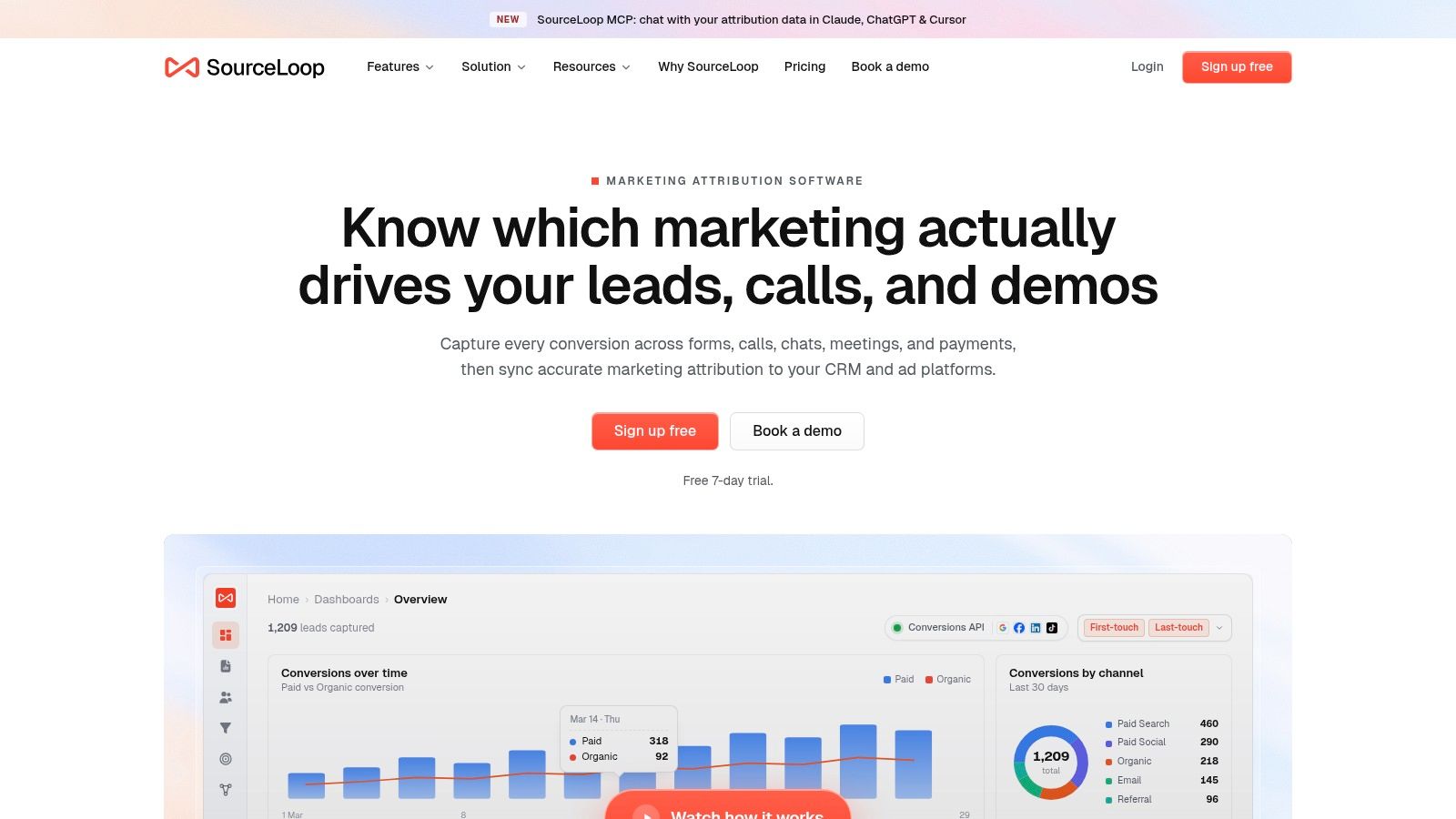
Automation should remove reconciliation work while leaving business decisions with the team. Define the primary event, qualification criteria, and treatment of cancellations, reschedules, duplicates, and no-shows before sending data to Google Ads.
A useful implementation makes five jobs traceable:
- Visit capture: Store campaign context before the visitor reaches the scheduler.
- Booking association: Link the booking to the contact and original acquisition path.
- CRM synchronization: Read qualification, opportunity, and customer stages from the sales system.
- Conversion routing: Send the chosen business outcome to Google Ads as an offline conversion.
- Auditability: Retain enough event detail to explain why an event was imported or excluded.
Use the Google Ads offline conversion configuration guide to review mappings and import rules. SourceLoop, a custom backend, or another attribution platform can support the workflow, provided it preserves the identifier chain and records the final conversion decision.
This setup also clarifies ownership. Marketing can review which campaigns generated bookings, sales can inspect contacts and stages, and RevOps can find the point where records stopped matching. Polish's visitor-to-customer playbook offers useful context for the wider path, since a booking page represents only one stage between acquisition and customer value.
Store the raw booking signal, then send Google Ads the outcome the business wants to increase. That turns automation into a quality-control system rather than a faster export of vanity metrics.
Common Pitfalls and How to Verify Your Data
Most broken Calendly attribution setups don't fail in an obvious way. Calendly records the booking, GA4 may show an event, and the CRM may contain the contact. The failure sits between those systems, where campaign context gets lost or the imported event can't be matched.
A common example starts with a paid visitor landing on a campaign page. The visitor clicks a generic Calendly link without UTM parameters, books successfully, and appears in the scheduler. The CRM receives the lead, but Google Ads sees no reliable relationship between the booking and the original click. The account then reports direct or unattributed demand and may optimize against an incomplete data set.
Use a handoff checklist
Test the entire path with a controlled booking and record what appears at each stage:
- Landing page: Confirm the ad click identifier and campaign parameters are captured.
- Booking link: Check that the Calendly URL retains the intended UTM values.
- Calendly event: Verify that the booking is recorded once, with the correct event type and timestamp.
- CRM record: Confirm that the contact, source data, meeting status, and identifier are attached to the same person.
- Import payload: Check the conversion name, event time, click identifier, and any enhanced-conversion fields.
- Google Ads status: Look for accepted, pending, unmatched, or failed imports rather than relying only on the top-line conversion count.
Don't interpret an immediate absence from Google Ads as proof that the workflow failed. Google says imported conversion statistics generally take about 3 hours to appear, so allow for processing before diagnosing the account. If the event remains unmatched, inspect the identifier's age, formatting, consent state, and relationship to the correct conversion action.
Diagnose the failure by location
If GA4 records the booking but Google Ads doesn't, inspect the link between the analytics event and the Ads conversion action. If the CRM has the booking but the import fails, inspect the offline payload and matching fields. If the booking exists without source data, fix capture and propagation before changing campaign settings.
Reschedules and cancellations need their own rules. A rescheduled meeting shouldn't create an accidental duplicate conversion, and a cancelled meeting may need to be removed from the optimization signal or represented by a later quality decision. The correct treatment depends on the conversion definition, but the rule must be documented and applied consistently.
Verify the record at every handoff. A green status in one platform doesn't validate the complete attribution chain.
The final check is commercial, not technical. Compare booked meetings with qualified outcomes and CRM progress. If Google Ads reports healthy booking volume but sales sees weak fit, change the optimization signal rather than celebrating a tracking number that doesn't represent pipeline.
If your Calendly bookings aren't tied to campaigns, CRM stages, and Google Ads conversion actions, audit one complete journey before changing bids or budgets. Confirm identifier capture, UTM propagation, booking deduplication, CRM matching, and import status, then decide whether Google Ads should optimize for bookings, qualified opportunities, or customers. That sequence turns calendar activity into evidence you can use for revenue decisions.

 Paid Social


