
Track Calendly Booking as Meta Ads Conversions
Learn how to track Calendly booking as Meta Ads conversions with Pixel, CAPI, and offline events. Step-by-step setup, fixes, and optimization tips.
You've pulled two reports into separate tabs. Meta Ads Manager says you generated 40 booking events this month. Calendly shows 22 meetings that exist on the calendar. The instinct is to blame a reporting glitch, but the gap usually points to something more serious: Meta is receiving conversion signals that don't represent verified business outcomes.
That happens when browser events fire on page views, confirmation URLs load more than once, or a rescheduled meeting gets counted as a new booking. The dashboard may look active, while the delivery system learns from duplicate or low-quality actions. To track Calendly booking as Meta Ads conversions reliably, you need to preserve the ad click context before the scheduling widget loads, then send a verified event from the booking record itself.
Table of Contents
- Why Calendly Bookings and Meta Numbers Never Match
- How the Calendly Iframe Breaks Standard Tracking
- Sending Calendly Bookings to Meta Through Conversions API
- Using Calendly's Built-In Meta Pixel Integration
- Choosing the Right Optimization Event Beyond the Booking
- Filtering Reschedules, Cancels, and No-Shows
- Verifying Match Quality and Running the Optimization Loop
Why Calendly Bookings and Meta Numbers Never Match
A B2B SaaS growth lead can spend the morning comparing Meta and Calendly, trying to reconcile a difference that isn't really an accounting error. Meta reports 40 booking events. Calendly confirms 22 scheduled meetings. The numbers disagree because they measure different browser and scheduling behaviors, not necessarily the same business action.
The Meta figure can include duplicate Pixel fires, an event triggered when a confirmation page loads, and a reschedule treated as another conversion. A bot or an accidental refresh may also reach a thank-you URL without producing a durable meeting record. Calendly, by contrast, is closer to the operational truth because its calendar contains the appointment object that sales must handle.
| Source | Reported bookings | Confirmed meetings | Gap |
|---|---|---|---|
| Meta Ads Manager | 40 events | 22 meetings | 18 events |
| Calendly | 22 meetings | 22 meetings | 0 meetings |
The problem isn't only that the CPA looks wrong. Every phantom event becomes a training example for Meta's delivery system. If the campaign optimizes toward people who trigger a browser event but never create a valid meeting, it can find more users who resemble that behavior. Your team then sees apparent volume without equivalent pipeline quality.
Practical rule: Treat a booking event as trustworthy only when it can be joined to a Calendly record, an identifiable person, and a meaningful lifecycle status.
Calendly documents native options for tracking and reporting booking conversions, including Meta Pixel tracking, UTM attribution, and redirects after booking. Those tools can capture the scheduling action, but they don't automatically answer whether the meeting was duplicated, canceled, attended, qualified, or connected to revenue.
A durable setup separates three layers. The browser can provide a fast signal, Calendly can confirm the booking, and your CRM can determine whether the meeting mattered. Meta should receive the strongest signal your funnel can produce consistently, rather than every attractive event in a dashboard.
How the Calendly Iframe Breaks Standard Tracking
A Calendly embed runs inside a cross-origin iframe. Your landing page and the scheduling experience are separate browser contexts, so the Pixel and click identifiers captured on the parent page aren't automatically available where the booking is completed.
The journey looks straightforward to a visitor. They click a Meta ad, arrive with an fbclid parameter, open Calendly, choose a slot, submit their details, and leave. Technically, the booking takes place on Calendly's domain, while the original attribution context belongs to your site. A browser-only implementation can therefore lose the relationship between the ad click and the confirmed appointment.
Calendly's Meta Pixel documentation says its integration can automatically track page views, button clicks, and successfully scheduled events on scheduling pages, and can send those events to Meta Ads Manager. That makes the native integration useful for getting a signal in place, but an event inside the iframe still doesn't preserve every identifier needed for high-fidelity attribution.
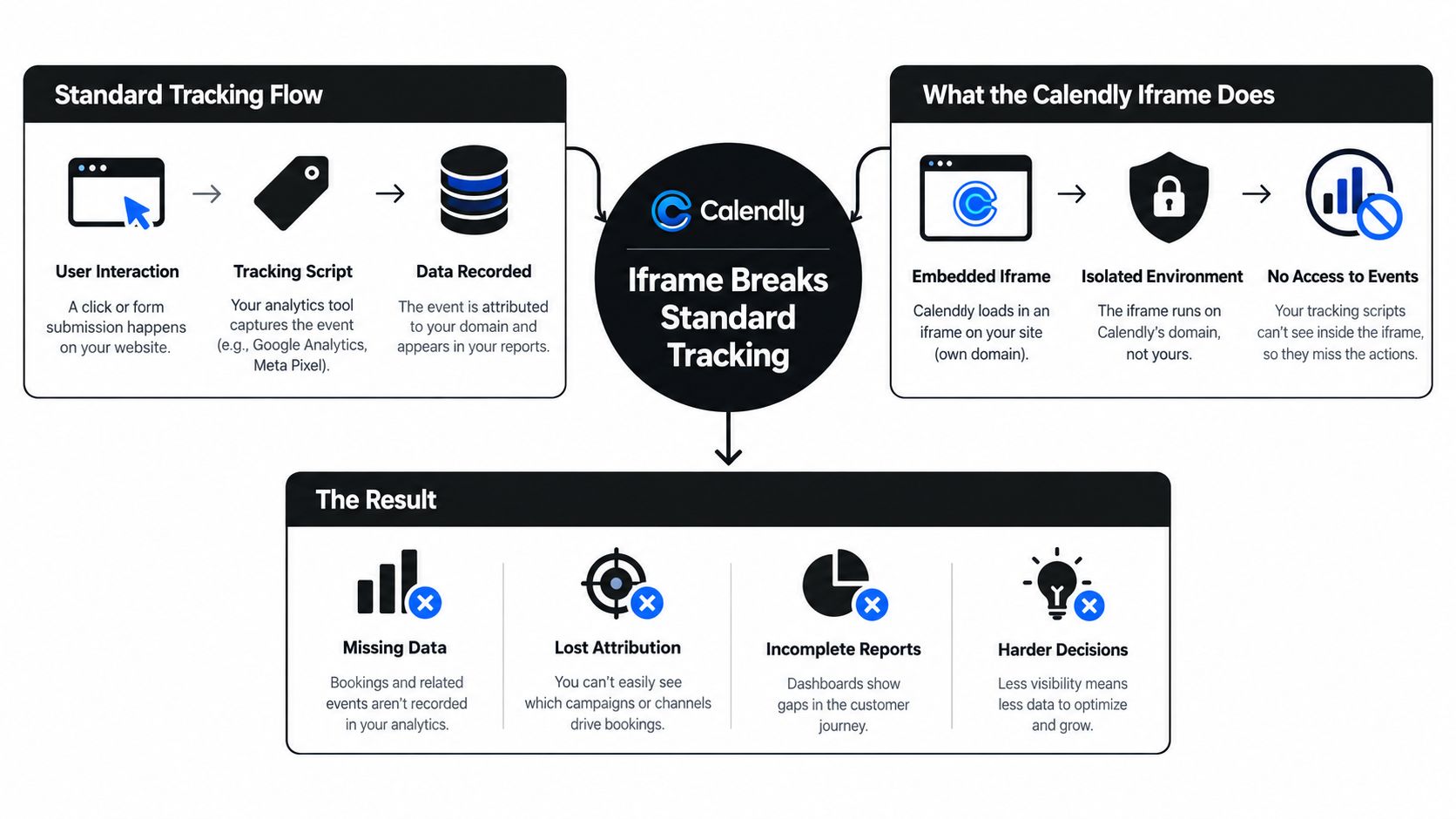
Common failure modes include:
- Missing click context: The booking event arrives without the original
fbclidor a durablefbcvalue. - Weak identity matching: The event lacks hashed email, phone, or another first-party identifier.
- Ambiguous completion: A button click or page transition is mistaken for a confirmed booking.
- Duplicate reporting: Browser and server events represent the same appointment without a shared
event_id.
A practical implementation starts by capturing the lead source before the iframe loads, as described in this guide to tracking lead source in Calendly. The important detail is timing. Once the visitor enters the third-party scheduling context, recovering the original ad identity becomes unreliable.
The native integration remains a reasonable diagnostic tool, especially when you need to confirm that Calendly can emit scheduling events. It shouldn't be confused with a complete attribution architecture. For that, the booking webhook must become the authoritative trigger.
Sending Calendly Bookings to Meta Through Conversions API
The durable pattern is simple in principle: capture attribution before Calendly loads, then send a server-side event when Calendly confirms the booking. The implementation has several moving parts, and each one protects a different part of the data chain.
Capture the identifiers on the parent site
Install the Meta Pixel and your server-side tracking layer on the site that receives the ad visitor. On page view, store available values such as:
fbclid, the click identifier supplied by Meta when availablefbc, the normalized click identifier used for matchingfbp, the browser identifierexternal_id, especially when the visitor is authenticated or already known in your application
Persist these values in first-party storage or your own backend before the visitor interacts with the Calendly iframe. The Calendly iframe attribution pattern specifically emphasizes capturing the click identifier before the iframe loads, retaining it server-side, and joining it to the later Calendly webhook.
Send the event from the booking webhook
Connect Calendly's booking webhook to your server-side event service. When the invitee record is created and the meeting is confirmed, look up the stored attribution context and construct the Meta event.
A representative event structure looks like this:
event_name: Schedule
event_time: confirmed booking time
event_id: stable booking identifier
action_source: website
user_data:
  em: SHA-256(email)
  fn: SHA-256(first name)
  ln: SHA-256(last name)
  external_id: hashed first-party identifier
attribution:
  fbc: captured landing-page value
  fbp: captured browser value
The exact field names depend on your implementation, but the logic is consistent. The email should be normalized and hashed before transmission, while the originating click data must remain connected to that person and booking. An event with no customer information may technically arrive in Events Manager, yet it gives Meta less ability to match the conversion to the person who saw the ad.
Deduplicate browser and server events
If you keep the browser Pixel event, generate a shared event_id for the same booking and pass it to both the browser and CAPI events. Meta can then treat them as one conversion rather than two.
With a tool such as SourceLoop, the workflow can connect Calendly and Meta, attribute bookings to their originating source, and forward selected offline conversion stages through CAPI. Before choosing an implementation, compare the required capabilities in this guide to conversion API tracking tools.
The three signals I prioritize are hashed email with strong match potential, the fbc captured at landing and replayed server-side, and an external_id that ties the person to a known account. These signals don't make an unqualified meeting valuable, but they make the event more attributable.
Calendly's native path is faster. The webhook path is more durable because it fires from the scheduling record rather than depending on the visitor loading a confirmation page. The remaining decision is strategic: should Meta optimize for every booking, or only for bookings that become qualified meetings?
Using Calendly's Built-In Meta Pixel Integration
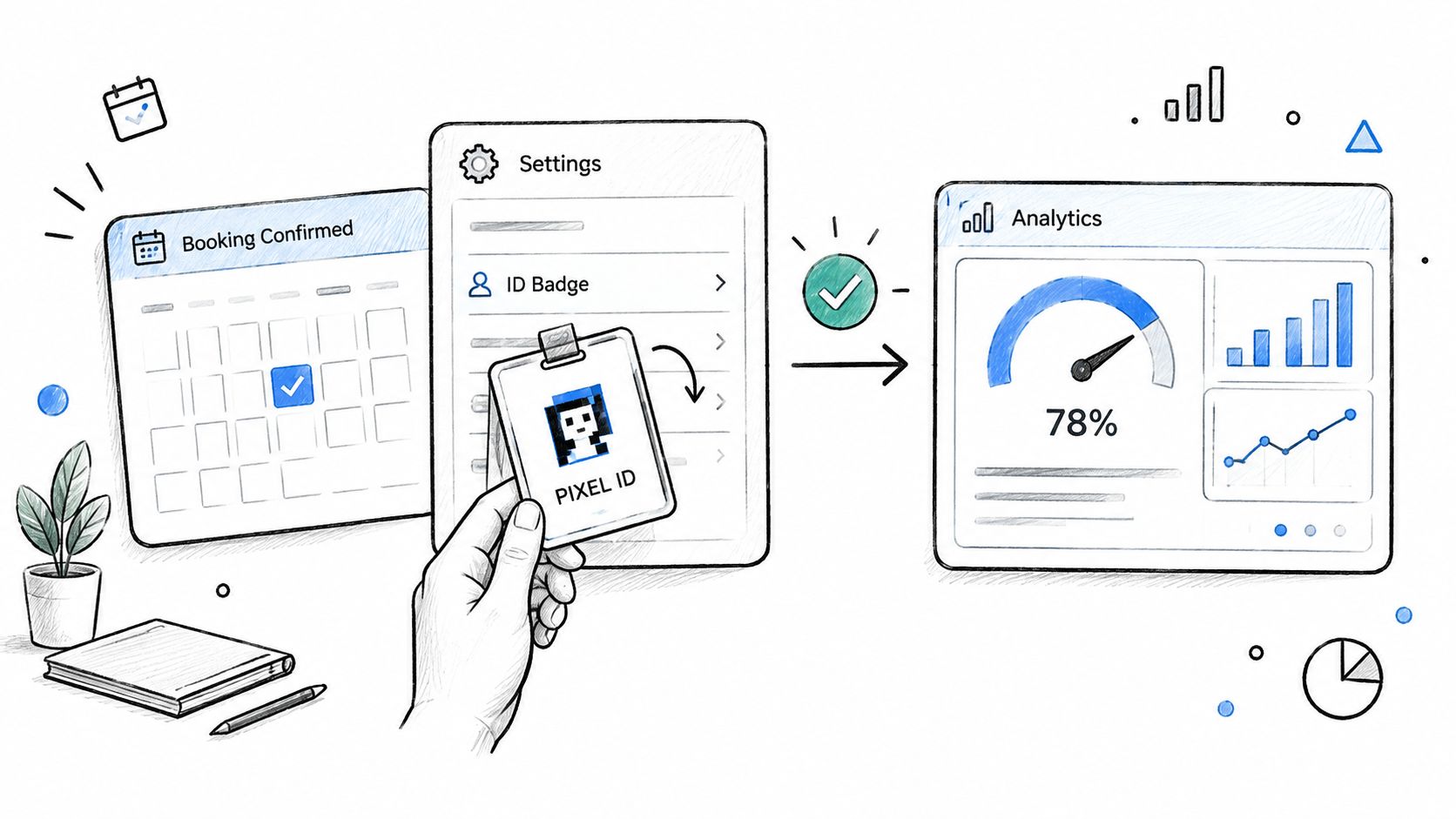
Calendly's native Meta Pixel route is the quickest way to start tracking scheduling activity. Add your Pixel ID in Calendly's analytics or tracking settings, then test the scheduling flow from the landing page through the completed booking.
Calendly says the integration can track page views, button clicks, and successfully scheduled events, with those events sent into Meta Ads Manager. Its documentation also describes Facebook Lead Ads flows that take a prospect from form submission to a booking page within the Instant Form thank-you experience.
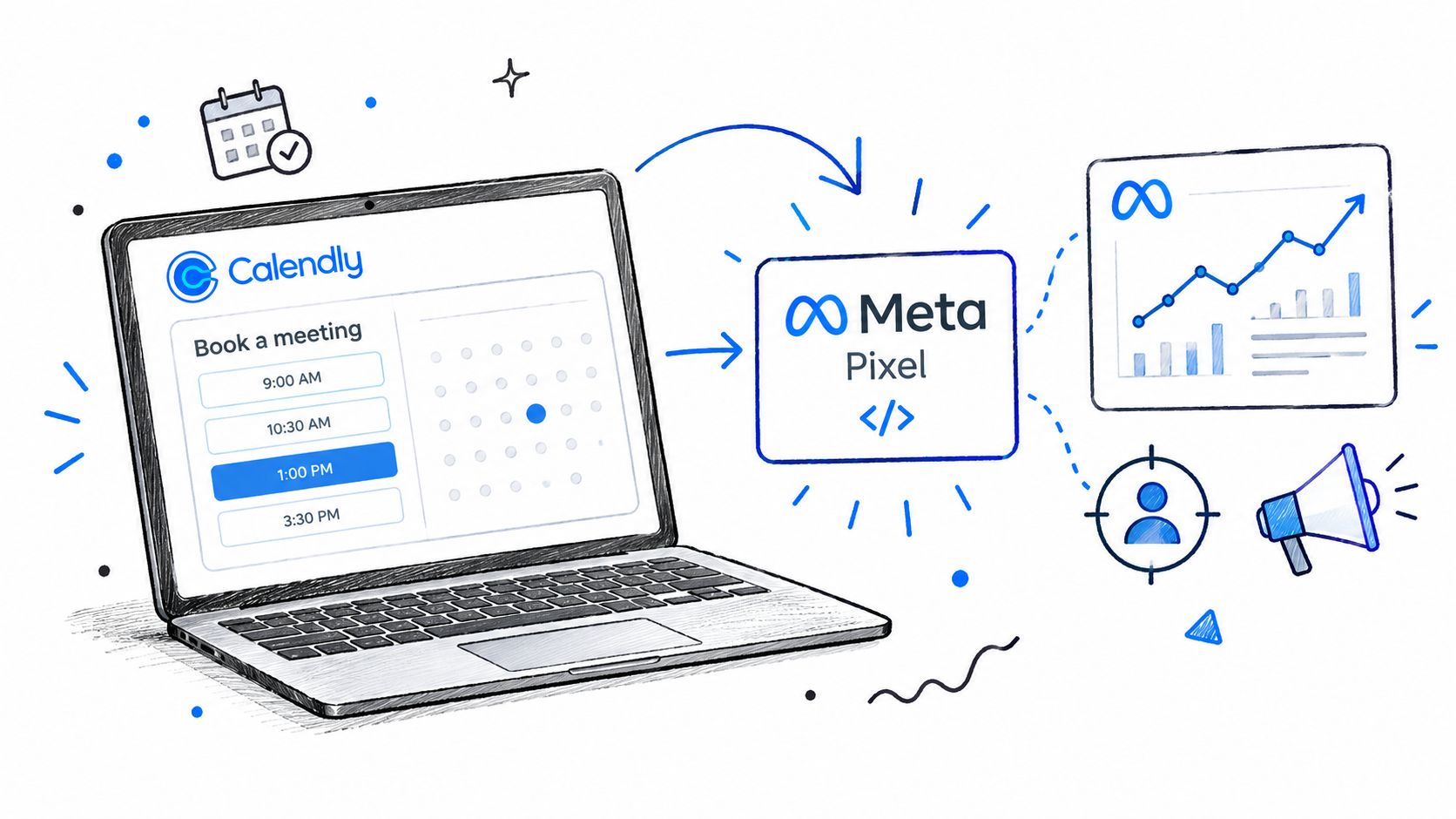
This setup works well for validation and for teams that need a lightweight browser signal. It can show that a person viewed a scheduling page, interacted with the widget, or completed a scheduling action. Those events can help diagnose a broken funnel before you invest in more infrastructure.
The limitations appear when you need reliable attribution and optimization:
- Iframe origin: The event is generated within the Calendly experience, not necessarily in the same first-party context as the ad landing page.
- Identity gaps: The native Pixel route doesn't by itself guarantee hashed email, phone, or
external_idtransmission. - Click continuity: It doesn't automatically give your server a durable relationship between the original
fbclidand the confirmed meeting. - Lifecycle blindness: A successful scheduling event doesn't establish that the invitee attended, qualified, or became a customer.
- Deduplication risk: Adding CAPI later without a shared event identifier can inflate totals.
Use the native integration when speed matters and your immediate goal is visibility into scheduling activity. Use server-side forwarding when the account depends on clean attribution, CRM reconciliation, or qualified-meeting optimization. The two approaches can coexist, but only if the event identity and deduplication rules are explicit.
Choosing the Right Optimization Event Beyond the Booking
A raw booking is not always a conversion worth optimizing toward. For a self-serve product with a short path to purchase, it may be a useful proxy. For an agency or B2B SaaS team with qualification steps, the booking is only an opportunity to create pipeline.
The three candidate events are:
| Event | Typical weekly volume | Best for sales cycle | Main risk |
|---|---|---|---|
| Raw Calendly booking | Depends on funnel demand | Short, simple acquisition paths | Rewards low-intent scheduling |
| Qualified meeting attended | Lower than total bookings | Sales cycles with clear qualification | Signal can become sparse |
| Closed-won deal | Lowest and most delayed | Long or enterprise sales cycles | Slow feedback for bidding |
The raw booking gives Meta the most immediate feedback, but it also includes people who cancel, fail to attend, or don't meet your target profile. A qualified attended meeting is a stronger representation of buyer intent because the sales team has confirmed that the prospect showed up and met the agreed criteria.
Closed-won is closest to revenue, but it can arrive too slowly for a campaign that needs frequent learning signals. In long sales cycles, the answer is often to send booking and qualified-stage events for reporting, then feed a later offline conversion back to Meta when the opportunity reaches the agreed commercial stage. Meta's offline-conversion framework is designed for outcomes such as bookings and purchases that systems can send back after the click, which supports this staged approach.
The best optimization event is the strongest signal your funnel can produce with enough consistency for Meta to learn from it.
Don't choose an event because it produces the prettiest dashboard. Choose it by comparing the event to the action your sales team wants more of. If raw bookings are plentiful but qualification is poor, optimizing for Schedule can teach Meta to find people who enjoy booking calls, not people who become customers. If qualified meetings are rare, use them as a downstream reporting and testing signal while you evaluate whether the campaign can sustain optimization around them.
A short-cycle SaaS funnel may use a qualified attended meeting. An agency with a clear discovery process can often do the same. An enterprise motion should preserve the original click and send later pipeline stages through server-side or offline conversion workflows instead of pretending that a calendar reservation equals revenue.
Filtering Reschedules, Cancels, and No-Shows
A reschedule isn't automatically a second opportunity. A cancellation isn't a valid positive outcome. A no-show consumed sales capacity and should influence reporting, but it shouldn't teach Meta that the original ad produced a successful meeting.
The cleanest model assigns each booking a lifecycle state:
- Created: The appointment exists, but qualification may not be complete.
- Rescheduled: The time changed, while the underlying prospect may remain the same.
- Canceled: The appointment no longer represents active demand.
- Attended and qualified: The meeting met your sales criteria.
- No-show: The prospect failed to attend and should be excluded from the positive optimization event.
The webhook logic should use the booking or invitee identity to prevent a cancel-then-rebook sequence from becoming two positive conversions. Keep the canceled and no-show states for operational analysis, but remap them to non-conversion events or suppress them from the event used for bidding.
Calendly's native integration can record successful scheduling activity, but it doesn't decide whether the meeting later became qualified. That business rule belongs in the CRM, data layer, or automation that receives Calendly status changes. The practical implementation is to process booking creation, cancellation, and attendance signals separately, then send only the approved lifecycle stage to Meta.
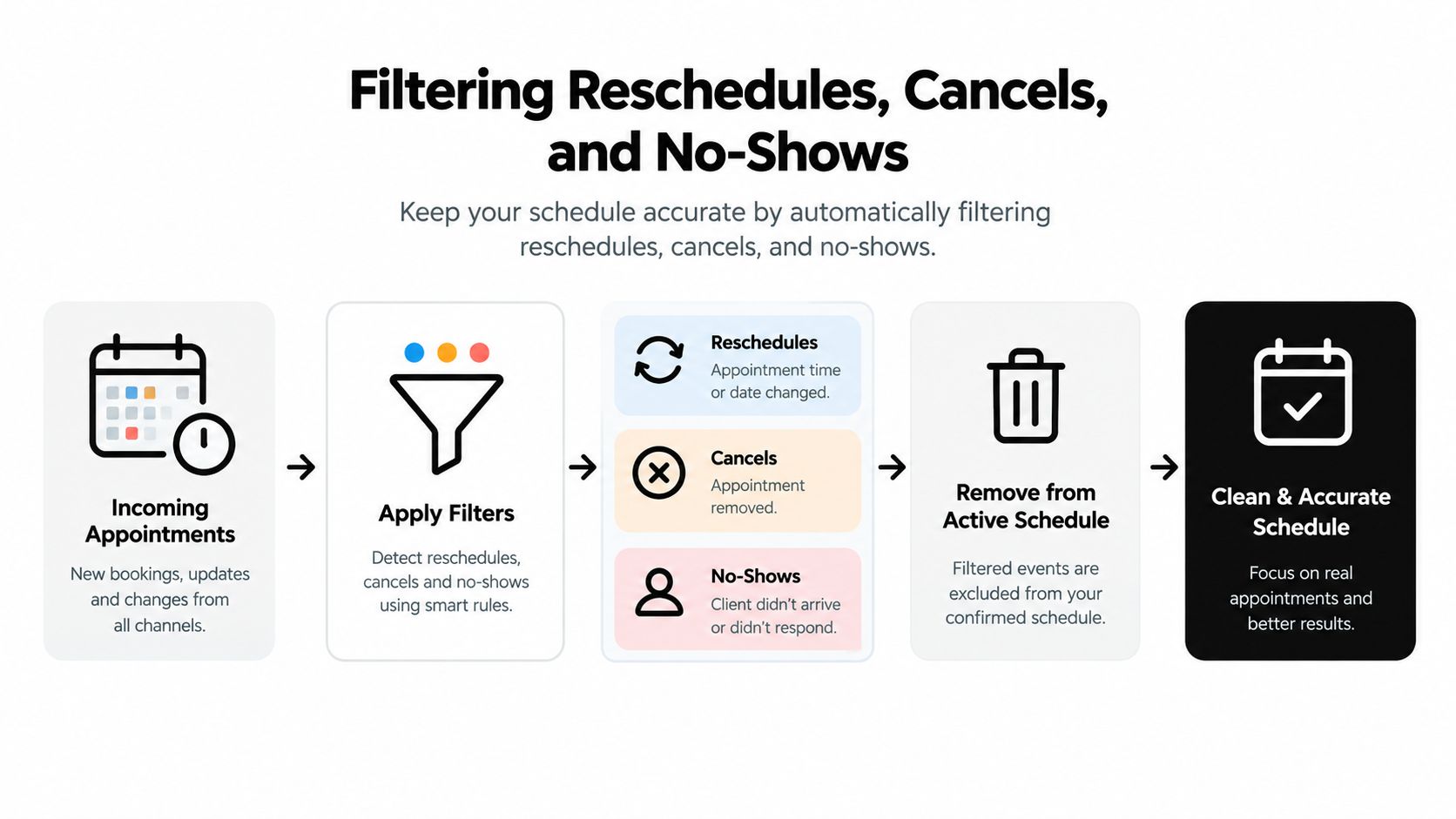
A campaign that counts every reservation as equally valuable creates a distorted audience model. Over time, Meta can favor low-friction bookers who don't attend or don't fit the sales profile. Filtering isn't cosmetic cleanup. It changes the target signal.
The right suppression window depends on your process, but the principle doesn't. Reconcile the Calendly record with the CRM record, preserve the original attribution, and update the event state instead of creating a new positive conversion for every calendar change.
Verifying Match Quality and Running the Optimization Loop
Verification starts in Events Manager, but it shouldn't end there. Check that browser and server events deduplicate, inspect whether hashed identity fields are present, and compare webhook delivery logs with actual Calendly records.
Use this checklist:
- Event identity: Confirm the same booking uses one stable
event_idacross Pixel and CAPI. - Customer data: Verify normalized, hashed email and other permitted identifiers reach the server-side event.
- Click attribution: Check that the landing-page
fbcor available click data survives until booking confirmation. - Lifecycle states: Inspect booking, reschedule, cancellation, and no-show payloads separately.
- CRM reconciliation: Match Meta events against meetings that sales handled.
An Event Match Quality score is useful only when the underlying event is valid. A high browser score alongside weak server-side matching can make the account look healthier than it is, especially when browser attribution masks lost events or incomplete identity data.
| Dimension | Raw booking optimization | Qualified meeting optimization |
|---|---|---|
| Match quality | Can be strong if identity is included, but lifecycle quality varies | Usually represents a cleaner business event |
| CPA stability | More volume, but more noise | Less volume, with a closer link to sales quality |
| Pipeline contribution | Indirect and difficult to interpret | More directly tied to sales activity |
Run the weekly review by campaign, landing page, and creative. Compare Meta-attributed qualified meetings with later CRM outcomes, investigate ad sets where raw-booking CPA rises without corresponding pipeline, and revise the offer when booking volume looks healthy but qualification falls.
This operating rhythm should connect acquisition data to revenue decisions, not just event counts. The Facebook Ads conversion tracking workflow is useful as a reference for that broader measurement model.
A healthy conversion dashboard can still hide an unhealthy optimization signal. Validate the meeting, not just the event.
If you're ready to track Calendly booking as Meta Ads conversions, start by mapping the complete journey from ad click to booked, attended, qualified, and closed. Capture the click identifier before the iframe loads, send verified bookings through CAPI, deduplicate browser and server events, and let Meta optimize for the stage that best predicts revenue in your business.
Audit your current Calendly and Meta setup this week. Compare browser events with confirmed Calendly records, identify duplicate or canceled conversions, and choose one qualified lifecycle stage for your next optimization test. If your team needs a unified attribution layer, visit SourceLoop to review how its Calendly and Meta CAPI workflows can connect bookings to their originating campaigns and downstream pipeline.

 Paid Social


