
Track Typeform Submisison as Google Ads Conversions
Track Typeform Submisison as Google Ads Conversions. Master attribution by tracking Typeform submissions as Google Ads conversions. Compare Google Ads models
Google Ads tracks Typeform submissions through offline conversion imports tied to the Google Click ID, or GCLID. But if every form fill is treated as a final conversion, Google may optimize toward cheap submissions instead of qualified opportunities and revenue.
Your dashboard can look healthy while the pipeline tells a different story. Typeform submissions rise, reported cost per acquisition falls, and the team increases spend. Then sales reports that many leads never respond, never qualify, or never become customers.
That gap isn't a minor reporting issue. It changes which campaigns, keywords, audiences, and landing pages Google Ads considers valuable. The practical fix is to preserve the ad-click identifier, send meaningful conversion stages back to Google, and evaluate paid traffic against pipeline rather than form volume alone.
| Tracking approach | What Google Ads receives | Main strength | Main risk |
|---|---|---|---|
| Form-submit tracking | A Typeform submission event | Fast to implement | Treats every lead as equally valuable |
| GCLID-based offline import | A submission or later milestone matched to the ad click | Connects leads to campaigns | Fails if the identifier is lost |
| CRM-stage import | A qualified opportunity or customer event | Reflects sales reality | Requires clean lifecycle data |
| Multi-touch pipeline tracking | The journey across visits, forms, meetings, and revenue | Shows assisted and direct influence | Needs consistent identity and event mapping |
Table of Contents
- The Hidden Cost of Optimizing for Form Fills
- How Typeform Submissions Connect to Google Ads
- Comparing Google Ads Attribution Models for Lead Gen
- Implementing Reliable Event Tracking
- Unified Pipeline Tracking with SourceLoop
- Evaluating Impact and Moving Beyond Silos
The Hidden Cost of Optimizing for Form Fills
A demand generation manager checks Google Ads on Monday and sees a flood of Typeform conversions. The reported acquisition cost looks excellent, so the team keeps the campaigns running. By the end of the sales cycle, the pipeline hasn't moved in proportion to the conversion count.
The problem is usually not Typeform. Typeform is doing its job, capturing information from someone who completed a form. The mistake happens when the business labels that first interaction as the same kind of success as a qualified opportunity, signed contract, or payment.
A form submit can represent genuine interest. It can also represent a poor fit, a vague enquiry, a student doing research, or someone who isn't ready to speak with sales. Google Ads sees the event you send it. It doesn't automatically know which submissions deserve more budget.
Practical rule: A lead capture event is a milestone in the funnel, not proof that the funnel worked.
Why the reported CPA becomes misleading
When every submission counts as a conversion, bidding systems receive a strong signal from the easiest action to produce. Campaigns may then find more users who complete forms, even when those users don't progress. The account can reward volume while the sales team absorbs the quality problem.
This is why a last-click view creates dangerous confidence. A retargeting ad shown shortly before a form submission may receive credit for the conversion, while the earlier search, content, or referral touchpoints remain invisible. The business then cuts the channels that created demand and expands the channel that happened to capture the final response.
The distinction between lead generation and broader demand creation is useful here. The guide on B2B lead generation explained gives marketers a framework for separating immediate response from the work that creates future buying intent. Typeform belongs in the response layer, but the business outcome often happens later.
What the sales team sees that Ads doesn't
Salespeople experience the downstream consequences directly. They know which submissions include a real use case, which contacts have buying authority, and which opportunities reach a commercial conversation. A Google Ads conversion report usually contains none of that context unless the business imports it.
The same issue appears in other paid channels. Teams investigating why Meta Ads are generating low-quality leads often find that the platform is optimizing correctly against an overly broad event. The platform isn't necessarily broken. The conversion definition is.
A better measurement chain distinguishes at least three questions:
- Did someone submit? This measures response.
- Did the lead qualify? This measures commercial fit and intent.
- Did revenue result? This measures business value.
You don't have to discard form submissions. Use them for operational reporting and early diagnostics, but be careful about making them the only optimization signal. Google Ads should receive the milestone that best represents progress, while your reporting system should retain the full path from first visit to revenue.
How Typeform Submissions Connect to Google Ads
The bridge between an ad click and a later Typeform submission is the Google Click ID, or GCLID. Google attaches this identifier to the ad-click journey, and the business must preserve it until the form submission or a later offline milestone can be associated with that click.
The basic flow is straightforward:
- A prospect clicks a Google ad.
- The landing experience receives the GCLID.
- The site or form workflow preserves that identifier.
- Typeform records the submission alongside the lead data.
- A connected system sends the relevant event back to Google Ads.
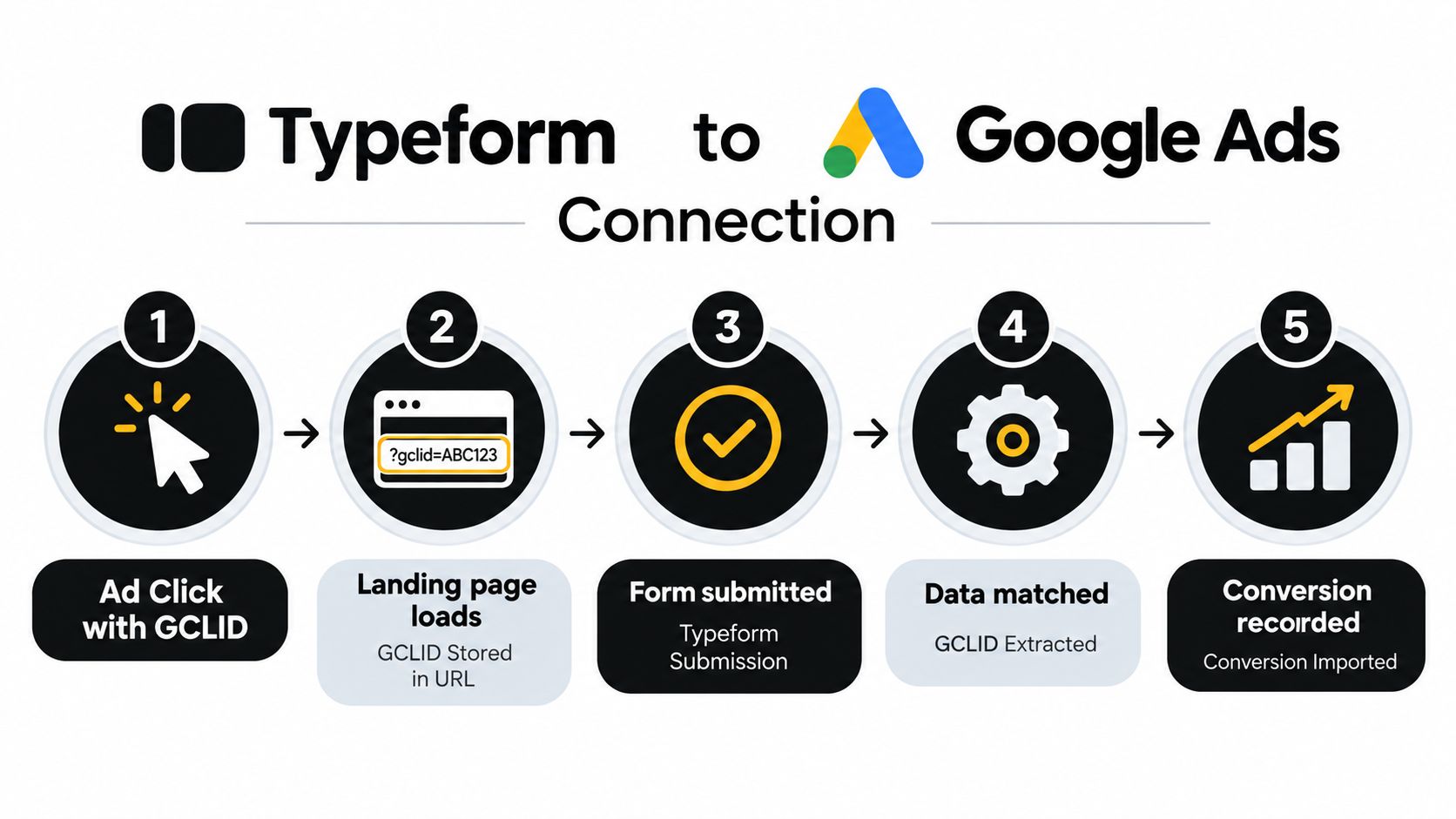
Google's documentation confirms that offline conversion imports can connect Typeform-driven leads back to advertising activity through the GCLID. It also describes direct connection, third-party integration, and partner integration options for setting up the workflow in Google's offline conversion documentation.
What the data handoff must preserve
The critical requirement is continuity. If the GCLID arrives on the landing page but disappears before the visitor submits Typeform, Google has no reliable click identifier to match against the later event. A form can still be recorded in Typeform, but the advertising attribution chain has been broken.
The same principle applies when the business uses user-provided data as a matching input. Google documents offline imports that use hashed customer data and click identifiers to attribute conversions back to campaigns. That makes data handling, field mapping, consent, and normalization part of the tracking design, not an afterthought.
A practical implementation should answer these questions before launch:
- Where is the GCLID stored after the ad click?
- Which Typeform field carries it into the submission record?
- Which system decides whether the event is a form fill, qualified lead, or later milestone?
- How does that system send the conversion to Google Ads?
- How will the team identify duplicate submissions or failed matches?
For teams using Typeform, capturing the lead source in Typeform is part of the broader data design. The form should collect enough attribution context to let downstream systems connect the response with its acquisition source without forcing marketers to reconstruct the journey manually.
Comparing Google Ads Attribution Models for Lead Gen
Google Ads attribution models answer a specific question: how should credit be distributed across interactions that precede a conversion? They don't repair missing GCLIDs, define lead quality, or turn a raw submission into revenue. Model selection matters, but data quality and conversion design come first.
The six models commonly discussed for lead generation create very different readings of a Typeform journey.
Last click
Last click assigns all credit to the final interaction before conversion. It's easy to explain and useful when the final interaction represents the decisive action. It becomes risky when a branded search or retargeting click closes a journey that began with broader discovery activity.
For Typeform, last click often overvalues the interaction closest to the submit event. It can make bottom-funnel campaigns look stronger than they are and hide the contribution of earlier campaigns that created awareness or consideration.
Data-driven
Data-driven attribution uses observed conversion paths to distribute credit according to the account's patterns. It can be more nuanced than fixed rules because it doesn't assume that every touchpoint deserves the same share.
The trade-off is dependence on sufficient, consistent conversion-path data. If the account sends only raw form fills, the model can learn from the wrong outcome. If important journeys aren't tracked, the model can't assign credit to interactions it never sees. Data-driven attribution is not a substitute for importing qualified stages.
Position-based
Position-based attribution gives more weight to the first and last interactions, with the middle interactions receiving the remainder. That structure can suit a business where the opening discovery and final response both matter.
Its weakness is that the weighting rule is predetermined. A first touch isn't automatically valuable because it came first, and a final click isn't automatically decisive because it came last. Position-based reporting can be useful as a directional view, but it shouldn't be presented as an objective measure of revenue influence.
Time decay
Time decay assigns more credit to interactions closer to the conversion. This can fit shorter buying journeys where recent activity reflects growing intent. It can distort longer B2B journeys, however, where an earlier campaign may have introduced the category or created the original demand.
For Typeform programs, time decay can still over-reward the last few interactions if the account counts a submission rather than a qualified opportunity. The model changes the distribution of credit, not the quality of the conversion event.
Linear
Linear attribution distributes credit evenly across the tracked interactions. It avoids declaring one touchpoint the sole winner and gives visibility to the full path.
That simplicity is also its limitation. A brief visit and a substantive sales interaction may receive the same share even when they contributed very differently. Linear is a reasonable diagnostic model for teams that want to expose hidden assists, but it doesn't prove that every touchpoint affected the outcome equally.
First click
First click gives all credit to the initial interaction. It helps identify campaigns that introduce new prospects and can protect top-of-funnel activity from being dismissed by last-click reporting.
The model ignores what happened afterward. A first click may have created awareness, but a later product comparison, sales interaction, or remarketing sequence may have done more to move the prospect toward a Typeform submission. First click works best as an acquisition lens, not as a complete revenue view.
| Model | Useful question | Typeform lead-gen risk |
|---|---|---|
| Last click | What interaction preceded the submission? | Overvalues closing activity |
| Data-driven | Which interactions appear to influence outcomes? | Learns from weak or incomplete conversion signals |
| Position-based | Did the first and last touches matter? | Applies fixed assumptions |
| Time decay | Which recent touches supported response? | Undervalues long consideration periods |
| Linear | Which channels appeared throughout the path? | Treats unequal interactions as equal |
| First click | Which channel introduced the prospect? | Ignores later persuasion and qualification |
The right choice depends on the question you're answering. Use first click to inspect acquisition, last click to inspect direct response, and broader models to understand assisted influence. For budget decisions, the strongest signal is a conversion event tied to a meaningful business stage, supported by multi-touch reporting outside the ad platform.
Implementing Reliable Event Tracking
Start with the event contract, not the tag. Define what a Typeform submission means in your business, which fields must travel with it, and whether Google Ads should receive the initial response, a qualified stage, or both as separate conversion actions.
A common setup uses Google Tag Manager to detect a Typeform submission and fire a Google Ads conversion tag. Typeform community guidance describes event-based tracking and server-side webhook or API workflows as standard implementation patterns for lead-generation forms, rather than experimental workarounds.

Browser event or server workflow
A browser-based event is usually quicker to deploy. The Typeform submission triggers a custom event, GTM listens for that event, and the Google Ads conversion tag fires. This can work well when the form is accessible to the page and the implementation exposes a dependable submission event.
The weak point is fragility. Embedded forms, browser restrictions, consent settings, blocked scripts, and navigation timing can prevent a tag from firing. A successful confirmation screen doesn't prove that Google Ads received the conversion.
A server-side workflow begins with a Typeform webhook. Your server or automation layer receives the submission, validates the payload, preserves the GCLID and relevant user data, then sends the appropriate conversion through an API or supported integration. This creates a more controlled handoff and reduces dependence on a single browser event.
Implementation check: Test the identifier, event name, conversion action, and deduplication logic separately. A green confirmation page only proves that Typeform accepted the response.
A practical validation sequence
- Capture a test click. Use a controlled ad journey and confirm that the GCLID reaches the landing experience.
- Inspect the form record. Submit Typeform and verify that the identifier is present in the expected field.
- Check the event. In GTM preview or your server logs, confirm that the submission creates one event with the required values.
- Verify the destination. Confirm that the conversion is sent to the intended Google Ads action, not an obsolete or duplicate action.
- Reconcile records. Compare Typeform submissions, webhook deliveries, and imported conversions before changing bids or budgets.
Teams that collect cleaner responses make this process easier because validation reduces unusable records before they enter the CRM. Resources such as collect cleaner data with CleanMyList are useful when the tracking problem is mixed with poor field hygiene.
For the offline stage, follow a documented Google Ads offline conversion configuration and assign ownership. Someone should monitor failed matches, duplicate events, delayed imports, and changes to Typeform fields. Automation platforms have promoted Typeform-to-Google-Ads offline conversion workflows since at least 2020, which reinforces that the use case is established, while still leaving implementation quality as your responsibility.
Unified Pipeline Tracking with SourceLoop
A Google Ads conversion report answers what happened inside Google Ads. It doesn't automatically provide a durable view of the prospect's entire relationship with your company. That limitation matters when a buyer visits several times, submits a Typeform, books a meeting, talks with sales, and pays later.
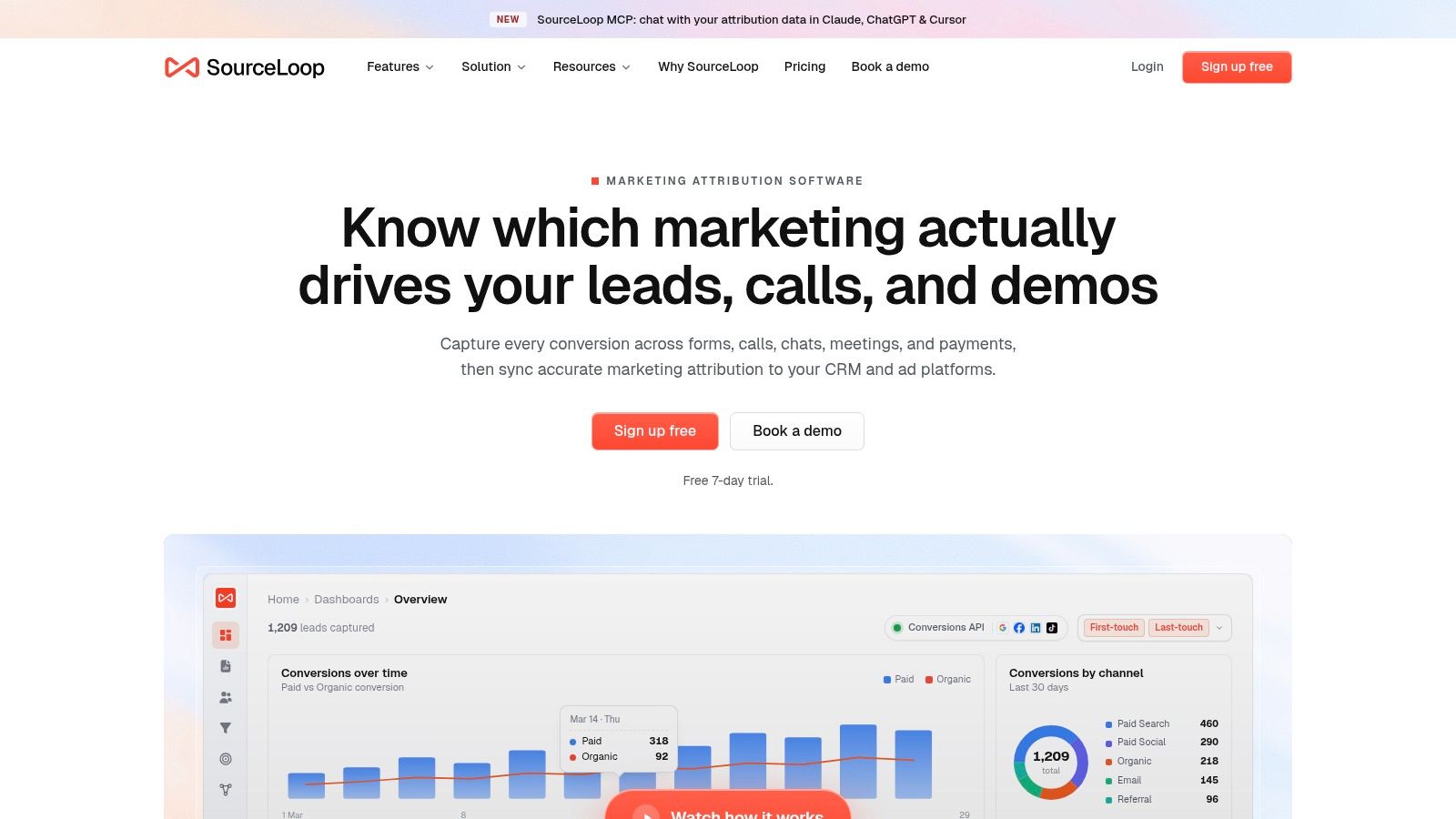
SourceLoop is one option for connecting those stages in a single attribution workflow. It captures visits and associates multi-touch journeys with conversions from web forms, chat widgets, and calendar bookings. It can also connect Stripe revenue back to the originating channel, so the reporting conversation moves from “which ad generated a form?” to “which acquisition path produced a paying customer?”
Why a unified record changes decisions
Siloed reporting forces marketers to stitch together separate answers. Typeform contains the response, Google Ads contains the click and campaign, the CRM contains qualification, and Stripe contains payment. Each system can be accurate in isolation while the combined story remains incomplete.
A unified contact or journey record gives the team a way to compare:
- Acquisition source: Which campaign or channel introduced the visitor?
- Response path: Did the person submit a form, use chat, or book time?
- Sales progression: Did the lead become a qualified opportunity?
- Commercial result: Did the account produce revenue?
- Optimization signal: Which milestone should return to Google Ads?
The CRM connection matters because qualification often happens outside the advertising platform. Two-way sync with systems such as HubSpot and Salesforce can keep marketing and sales fields aligned, provided the lifecycle definitions and field mappings are maintained.
What this approach does not solve automatically
Multi-touch attribution isn't magic. It still depends on identity continuity, clean lifecycle stages, consistent campaign naming, and sensible rules for duplicate contacts. A dashboard can make a broken process easier to view without making the underlying records correct.
Use it to supplement, not blindly replace, platform reporting. Google Ads remains useful for query, auction, creative, and campaign diagnostics. A pipeline view adds the missing commercial context and helps prevent the account from treating every Typeform submission as equal.
The operational goal is simple. Push meaningful qualified or revenue-linked events back to the ad platforms, while keeping the richer journey available for analysis. That lets marketers compare immediate response with downstream value instead of forcing one platform to answer every attribution question.
Evaluating Impact and Moving Beyond Silos
Judge the tracking system by whether it improves decisions, not by whether the conversion count increases. Compare form submissions with qualified pipeline, sales progression, and revenue by campaign. If a campaign produces inexpensive forms but weak commercial outcomes, the low reported CPA is not a success metric you should defend.
Google's current guidance places more emphasis on offline conversions through Data Manager and enhanced conversions for leads. Those workflows can use both GCLID and user-provided data as match keys, as described in Google's guidance on enhanced conversions for leads. The important shift is from recording an isolated submit to importing the events that describe what happened afterward.
A stronger evaluation routine
- Audit the event definition: Confirm whether “conversion” means a form fill, qualified lead, opportunity, or customer.
- Inspect match quality: Check whether GCLIDs and permitted user-provided data survive the handoff.
- Compare stages: Review form volume beside qualification and revenue, not instead of them.
- Check channel assists: Look for earlier interactions that last-click reporting hides.
- Feed back the useful milestone: Send Google the event that represents real progress for your bidding strategy.
Don't expect a model switch to repair a bad signal. Last-click, data-driven, linear, and the other attribution approaches can only work with the events and paths your systems capture. If the account imports every Typeform response but no later outcome, the algorithm still has an incomplete definition of success.
The practical recommendation is to keep Typeform submission tracking, add offline qualification or revenue events, and use a multi-touch system to inspect the full journey. Review your current conversion action and data flow this week, then run a controlled test from ad click to Typeform submission to CRM stage. If the GCLID disappears or every lead is treated equally, fix that foundation before increasing spend.
Audit your Typeform and Google Ads setup now. Map the GCLID from click to submission, identify the first business milestone that sales trusts, and configure the offline import around that event. If you need a broader view across forms, CRM stages, bookings, and payments, evaluate a unified attribution workflow before your next budget decision.


 Paid Social


