
Why Meta Ads Generate Low-Quality Leads [And How to Fix It]
Getting spam leads from Meta ads? Learn the 8 reasons (starting with Audience Network) and how to fix each one, plus how to teach Meta to find real buyers.
Table of contents
- 8 Reasons Your Meta Ads Generate Low-Quality Leads (and How to Fix Each One)
- 1. Audience Network Is Enabled by Default
- 2. Bots and Click Fraud Are Draining Your Budget
- 3. You're Optimizing for the Wrong Conversion Event
- 4. Frictionless Instant Forms Make It Too Easy
- 5. No Qualifying Questions = No Filter
- 6. Loose Targeting and Weak Creative Let the Wrong People In
- 7. Instant Forms When You Need a Landing Page
- Close the Meta Ads Attribution Loop with Offline Conversion Tracking
Meta ads can generate plenty of leads, but not necessarily the right leads. If your CRM is filling up with spam, accidental submissions, or prospects who never convert, the problem may be deeper than your targeting.
From Audience Network traffic and bots to instant forms and optimizing for lead volume instead of actual business outcomes, several factors can drive low-quality leads. Here’s why it happens and how to fix it by connecting your ad campaigns to the outcomes that actually matter.
8 Reasons Your Meta Ads Generate Low-Quality Leads (and How to Fix Each One)
1. Audience Network Is Enabled by Default
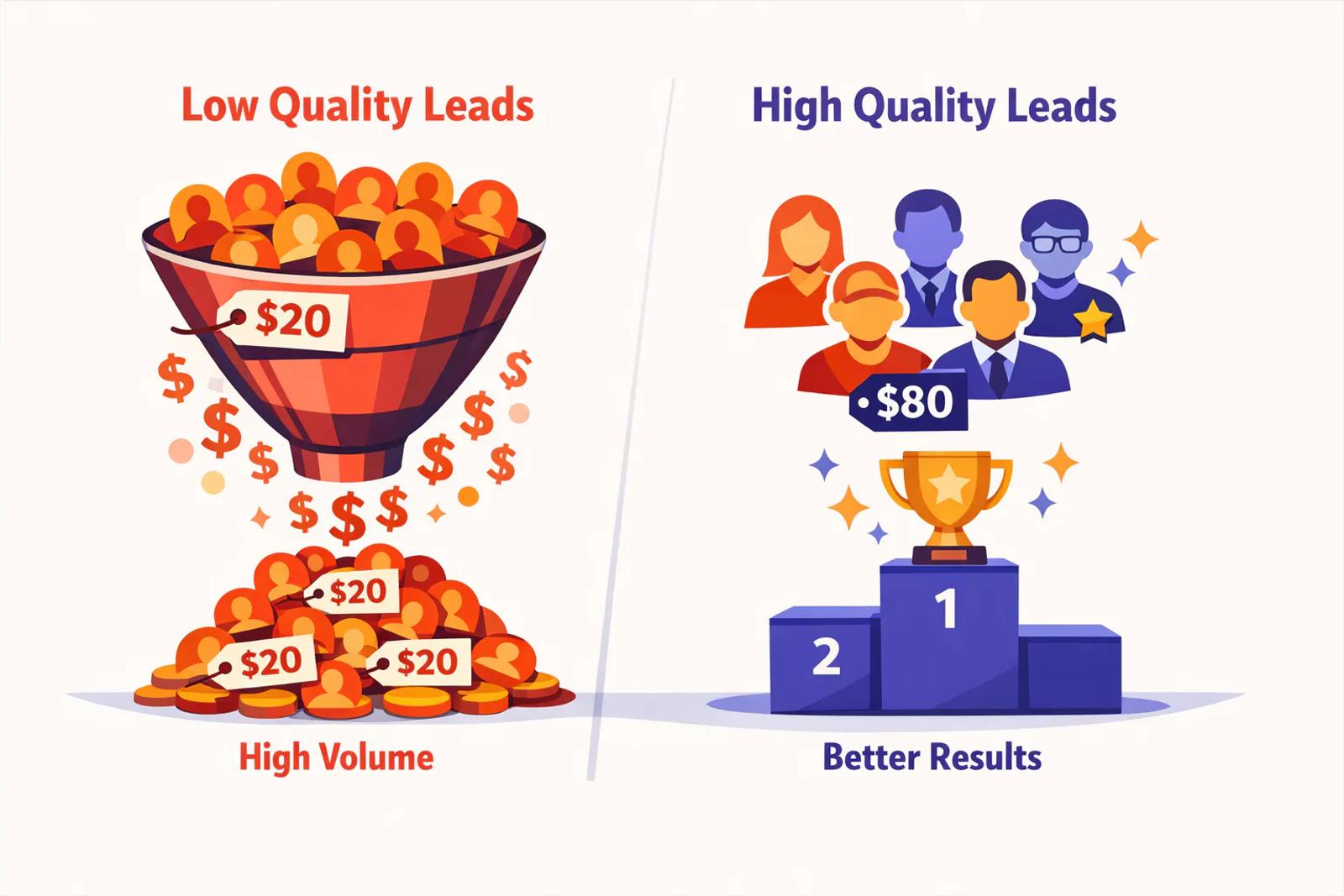
Audience Network is Meta's placement across thousands of third-party mobile apps and games.
When you select "Advantage+ placements" (the default in Facebook advertising), Meta automatically includes Audience Network along with Facebook and Instagram feeds, potentially exposing your campaigns to low-quality traffic.
The problem: these aren't quality prospects scrolling social media who see your ad and think "I need that." These are users playing mobile games who accidentally tap an ad banner, or worse, users deliberately clicking ads to earn in-game rewards (coins, extra lives, unlocks) with zero interest in your actual offer.
Multiple industry analyses of placement fraud have found Audience Network's invalid traffic rate can reach 67%, according to research by Adalytics. Independent studies by Pixalate and CHEQ confirm similar fraud rates across reward-based placements. That means two-thirds of your "leads" from this placement may be accidental clicks, bots, or reward-chasers who will never become quality leads or customers.
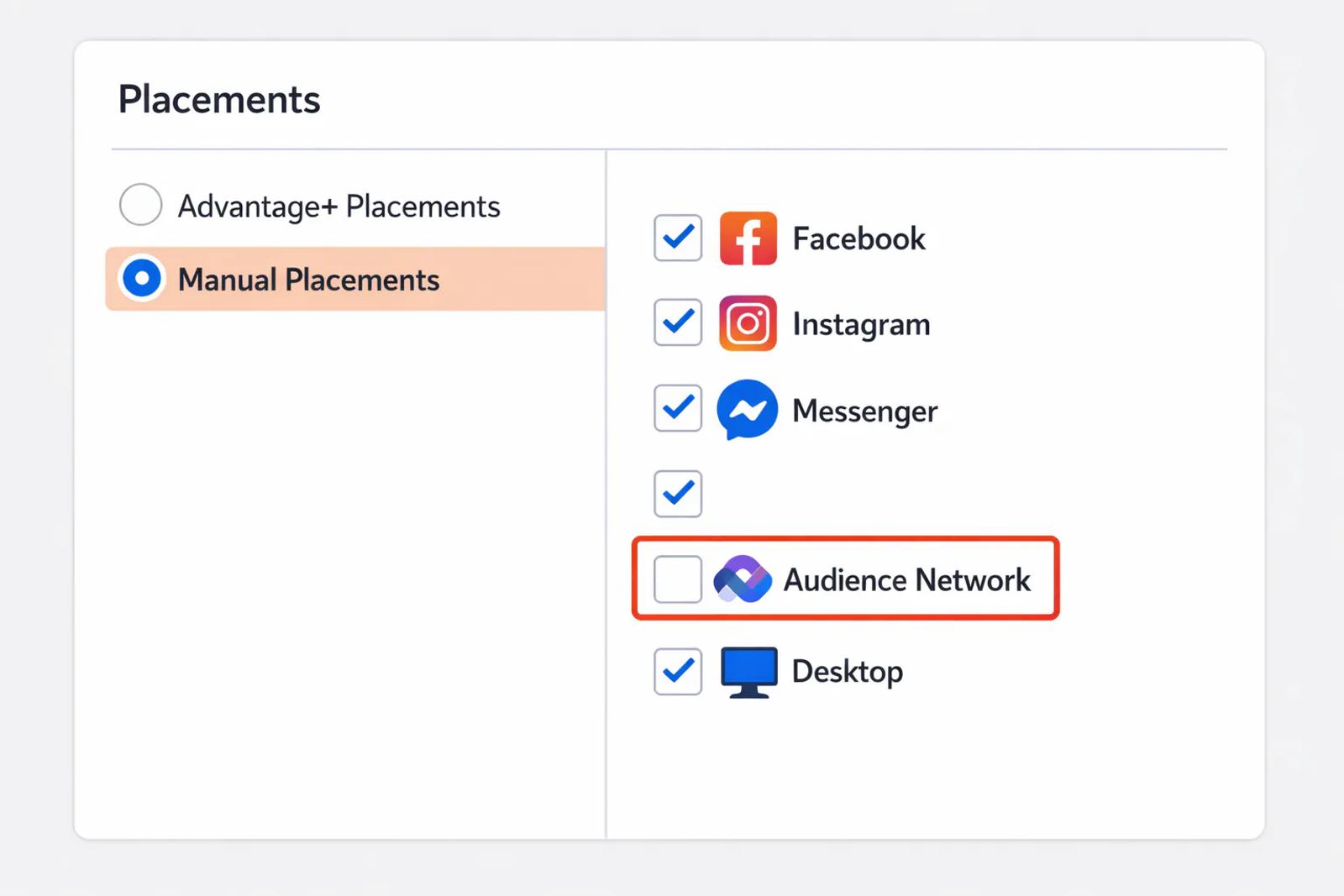
The fix: Turn off Audience Network, especially Rewarded Video placements.
At the ad set level in Meta Ads Manager:
- Find the Placements section
- Switch from "Advantage+ placements" to "Manual placements"
- Uncheck Audience Network entirely (or at minimum uncheck Rewarded Video)
Yes, your cost per lead will likely increase 20-40%. But your cost per qualified lead, the number that actually matters, will drop dramatically because you're no longer paying for accidental taps and bot traffic.
2. Bots and Click Fraud Are Draining Your Budget
Even with Audience Network disabled, the open web has bots that affect Facebook lead generation. Click fraud is estimated to cost advertisers over $100 billion annually, according to Juniper Research. Statista data projects this number will continue rising through 2027. Bots can click ads, scroll pages, and even submit Facebook instant forms with plausible-looking (but fake) information.
How to diagnose bot traffic:
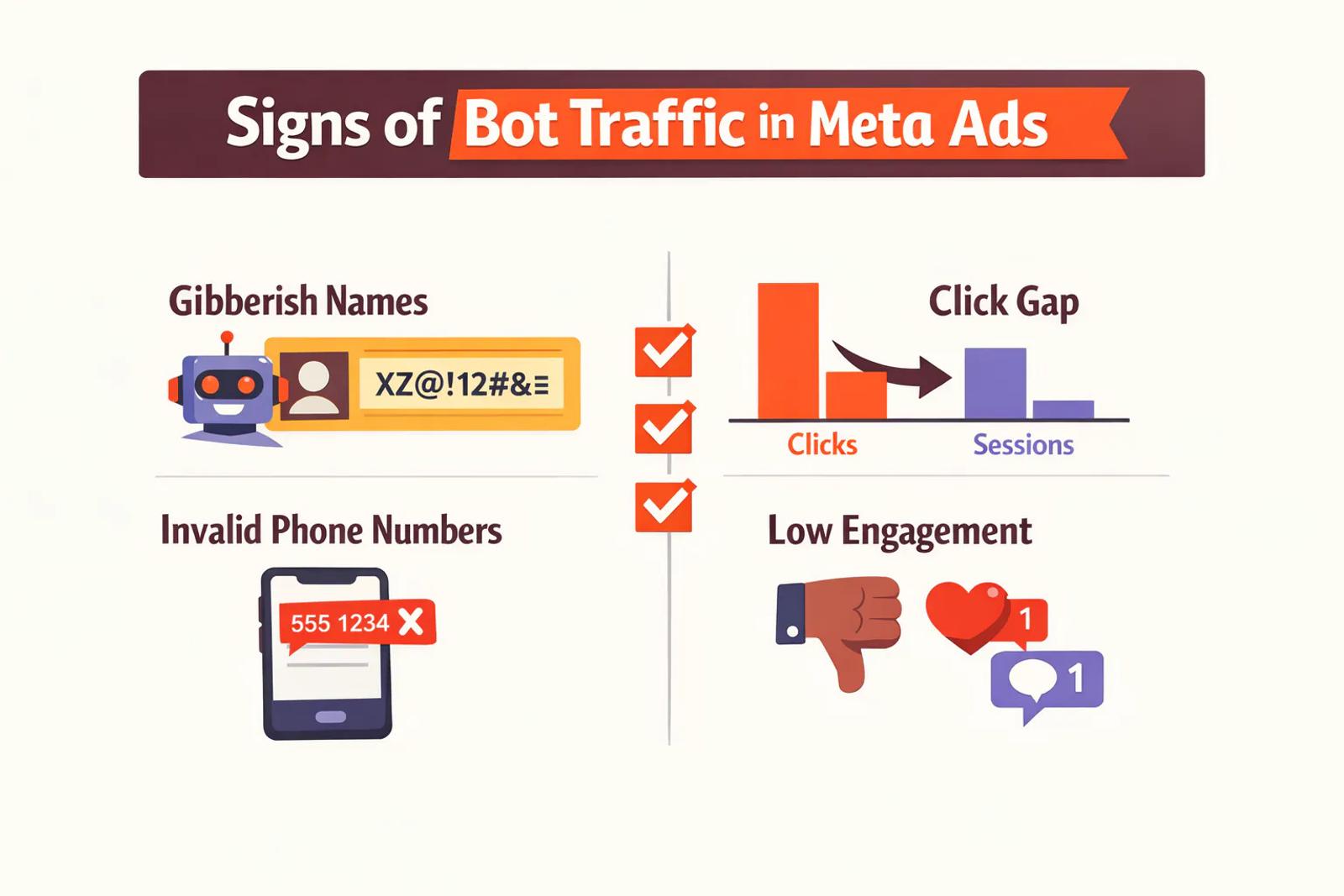
- Compare clicks in Meta Ads Manager to sessions in your analytics tool (Google Analytics, Mixpanel, etc.). If Ads Manager shows 1,000 clicks but analytics shows 600 sessions, roughly 40% of your clicks never reached your site, likely bots.
- Check for gibberish names ("asdf," "test"), invalid phone numbers (wrong digit count, obviously fake patterns like 555-5555), and disposable email domains.
- Look at engaged session rate in Google Analytics. If it's under 30%, most of your traffic is bouncing immediately, a sign of low-intent or bot traffic.
The fix:
- Enable Meta's Conversions API (CAPI) to send conversion data directly from your server, bypassing browser-based tracking that bots can manipulate. TechCrunch reports that server-side tracking reduces invalid traffic by 30-40% compared to pixel-only implementations.
- Add CAPTCHA or verification steps to your lead forms.
- Use offline conversion tracking (covered below) to show Meta which leads are real, bots can't become paying customers, so teaching Meta to optimize for closed deals automatically filters them out.
3. You're Optimizing for the Wrong Conversion Event
This is the most common strategic mistake: telling Meta to optimize for "Leads" when what you actually want is "Qualified Leads" or "Booked Appointments" or "Closed Customers."
When you optimize for "Leads" (the form submit), Meta's algorithm learns: "This person filled out a form, great! Find more people like this." It doesn't know, and doesn't care, whether that lead was a quality prospect, showed up to the call, or bought anything.
So it optimizes for the cheapest form-fillers: people who click easily but never convert downstream, driving down your effective lead quality.
The fix: Optimize for a downstream event that represents actual qualification.
Option 1: Create a custom conversion event for "Qualified Lead", triggered when a lead passes your qualification criteria (budget confirmed, in your service area, genuine contact info, etc.). Use this as your campaign objective instead of "Leads."
Option 2: Optimize for "Schedule" if you use booking tools like Calendly, since a booked meeting is a stronger signal of intent than a form fill.
Option 3 (best): Use offline conversion tracking to send "Qualified Lead," "Opportunity Created," and "Customer Won" events back to Meta, and optimize for those. More on this in the feedback loop section below.
4. Frictionless Instant Forms Make It Too Easy
Meta's instant forms (Facebook lead ads) are designed for volume: they prefill the user's name, email, and phone from their Facebook profile, requiring just one tap to submit. This is great for conversion rate but terrible for lead quality, because there's zero friction to filter out low-intent users or accidental clicks.
Someone scrolling Instagram can accidentally double-tap an ad and submit a lead form without even realizing it. No second thought, no landing page to read through, no qualifying questions, just an instant submit that produces a lead with zero intent. Social Media Examiner research shows instant forms convert 3-5x higher than landing pages but produce 40-60% lower qualified lead rates.
The fix:
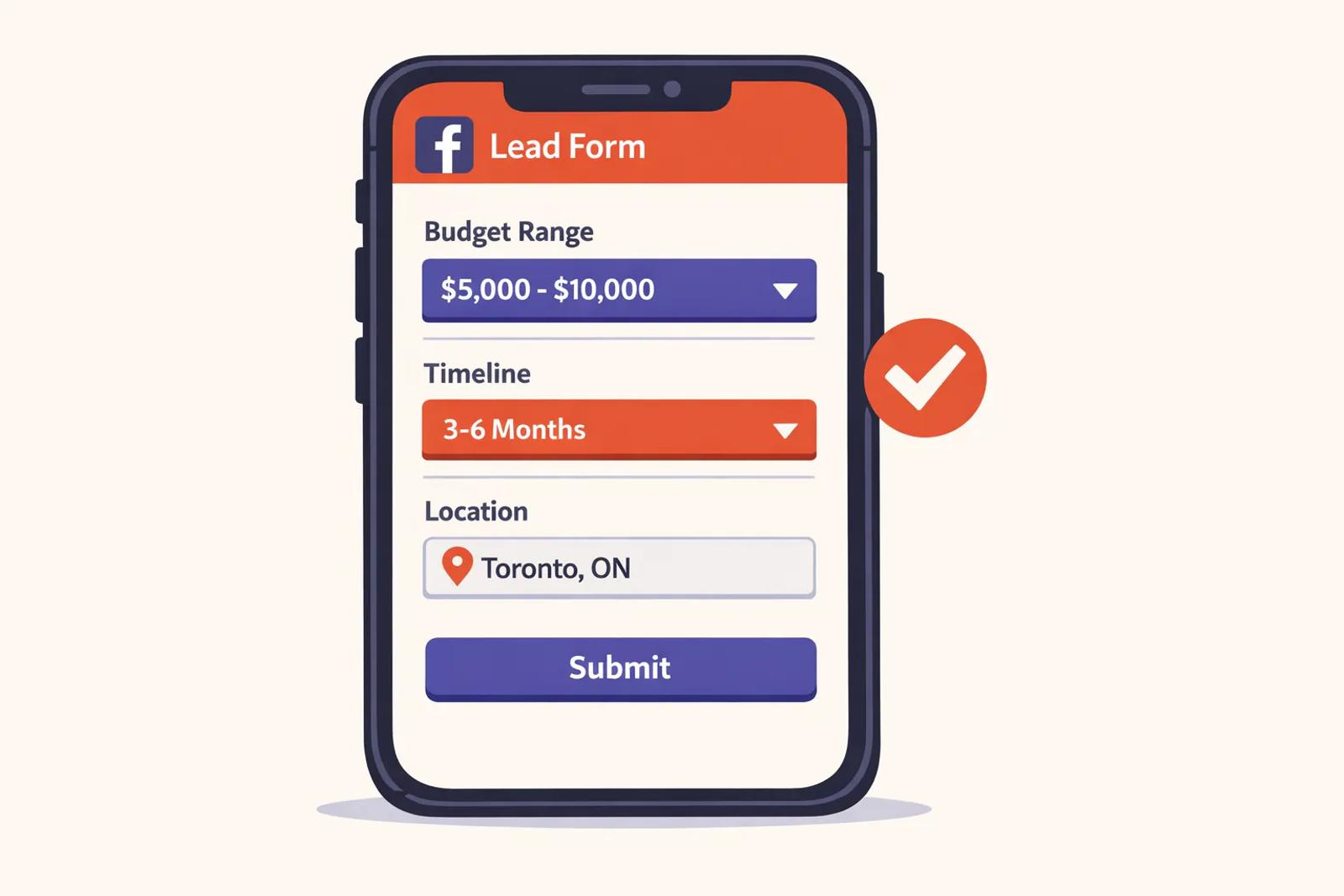
Option A: Add qualifying questions to your instant form. Include fields like:
- "What's your monthly budget for \[your service\]?" (with ranges)
- "What's your timeline?" (This month / Next 3 months / Just researching)
- "What city/region are you in?" (to filter out-of-area leads)
These questions add a small amount of friction that filters out accidental clicks while still keeping the form quick for genuine prospects.
Option B: Switch to landing page conversions instead of instant forms. Requiring someone to click through to your website, read a page, and fill out a form there creates natural qualification. Yes, conversion rates drop (often by 60-70%), but lead quality improves dramatically, your cost per qualified lead often ends up lower.
5. No Qualifying Questions = No Filter
Even if you're using landing pages for lead generation, a form with just "Name, Email, Phone" has no filter. Anyone can fill it out, including:
- Competitors researching your offer
- Bots and scrapers
- Bored users who have zero buying intent
- People outside your service area or target market
The fix: Add 2-3 qualifying questions to your form:
- "What best describes your situation?" (multiple choice)
- "What's your approximate budget?" (ranges, not open-ended)
- "Are you currently working with a \[competitor service\]?" (qualifier)
These questions serve two purposes: they give you data to triage leads faster, and they create enough friction that low-intent users drop off before submitting. This improves overall lead quality without requiring a complete overhaul of your Facebook advertising campaigns.
6. Loose Targeting and Weak Creative Let the Wrong People In
Broad targeting, "everyone in the United States, age 25-65, interested in business", might give Meta's algorithm room to find unexpected winners, but it also invites plenty of losers: prospects who match the demographic but have no intent, no budget, or no need for your solution. This loose targeting approach undermines lead quality.
Similarly, if your ad creative and copy don't pre-qualify, you'll attract clicks from curiosity-seekers who were never going to buy. An offer that promises to "generate leads" without specifying who it's for will attract everyone, including people you don't want. Strong advertising strategies require clear qualification from the first impression.
The fix:
Tighten your targeting:
- Use geographic exclusions if you only serve specific regions
- Layer in interest and behavior targeting (e.g., "Small Business Owners" + "CRM Software" if you sell to that market)
- Exclude audiences that consistently produce low-quality leads (you can build exclusion audiences from non-converters)
Pre-qualify in your ad creative and copy:
- State your price range, ideal customer profile, or service area in the ad itself: "For B2B SaaS companies spending $10k+/mo on ads"
- Use messaging that self-selects: "If you're tired of tracking attribution in spreadsheets…" speaks directly to a pain point and repels people who don't have it
7. Instant Forms When You Need a Landing Page
Facebook instant forms work well for low-commitment offers (ebook downloads, newsletter signups) but often fail for high-ticket or complex services where prospects need to read more, see proof, and build trust before they're ready to share real contact information.
If your service costs $5,000+ or requires a consultative sale, an instant form that captures a lead in three seconds is probably capturing people who haven't read anything about you and aren't actually ready to buy.
The fix: Use a landing page with:
- Clear value proposition and proof points (case studies, testimonials, results)
- Explanation of your process, pricing expectations, and who it's for
- A longer form (6-8 fields) that creates natural self-selection
The conversion rate from ad click to lead will drop, but the leads you do get will be warmer, more informed, and far more likely to close.
Close the Meta Ads Attribution Loop with Offline Conversion Tracking
Here's the strategic shift that separates businesses that win on Facebook and Meta advertising from those that burn budget: you must close the attribution loop.
Meta's algorithm is a learning machine. Right now, it's learning from form submits, and if half your submits are junk, it's learning to find more junk and generate low-quality leads. To fix that, you need to teach it what quality leads, qualified prospects, and closed customers actually look like by sending those outcomes back to Meta.
This is called offline conversion tracking, and it works like this:
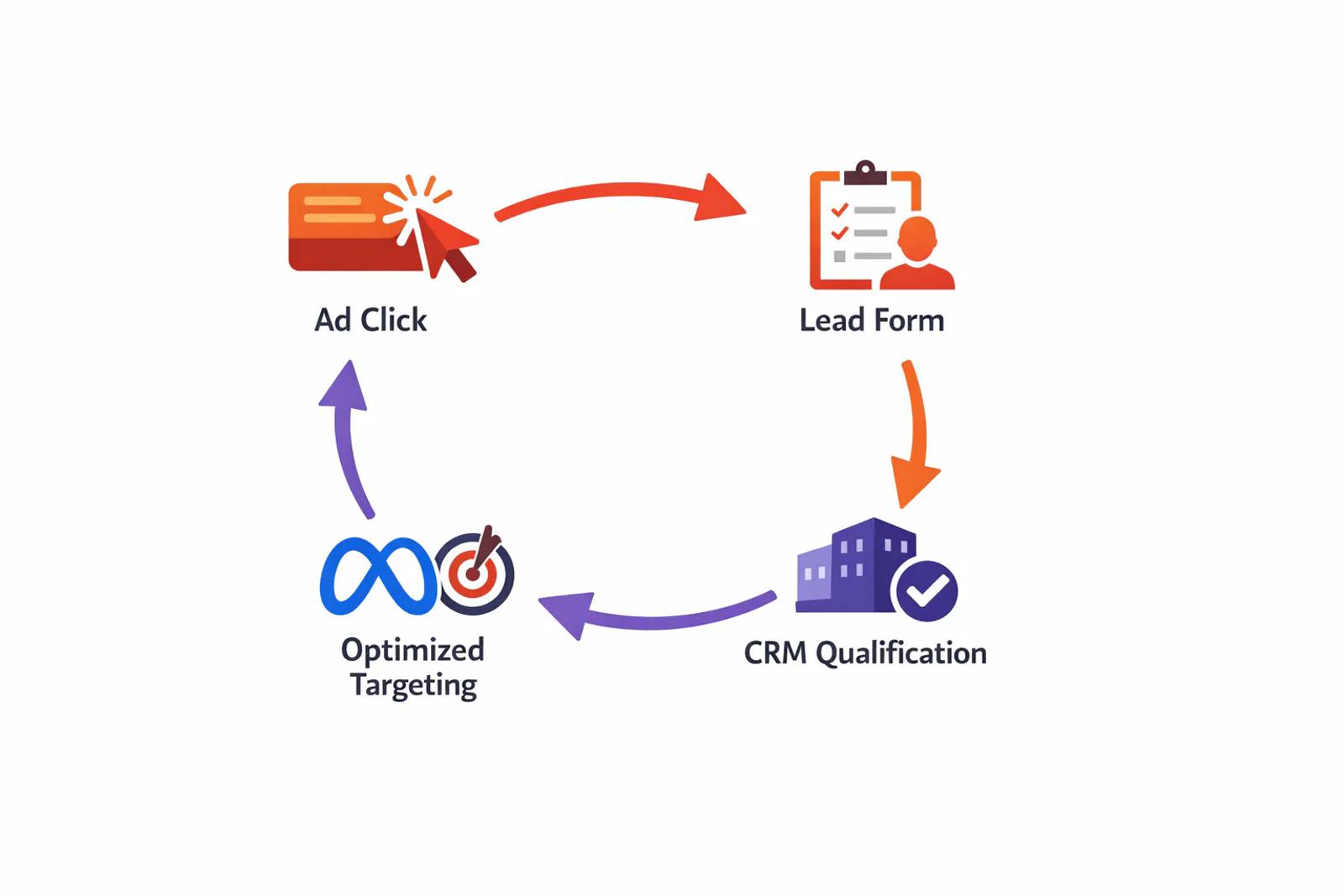
- A user clicks your Meta ad and fills out a form
- That lead enters your CRM (HubSpot, Salesforce, Pipedrive, etc.)
- Your sales team qualifies the lead → you mark it "Qualified" in the CRM
- That qualification event is sent back to Meta via the Conversions API
- Days or weeks later, the lead closes as a customer → you send "Purchase" or "Customer Won" back to Meta
- Meta's algorithm now knows: "The click that generated this lead produced a real customer. Find more people like that."
How to set up offline conversion tracking:
Option 1: Use a marketing attribution tool like Sourceloop, which automatically syncs lead outcomes from your CRM back to Meta (and Google Ads) as offline conversions.
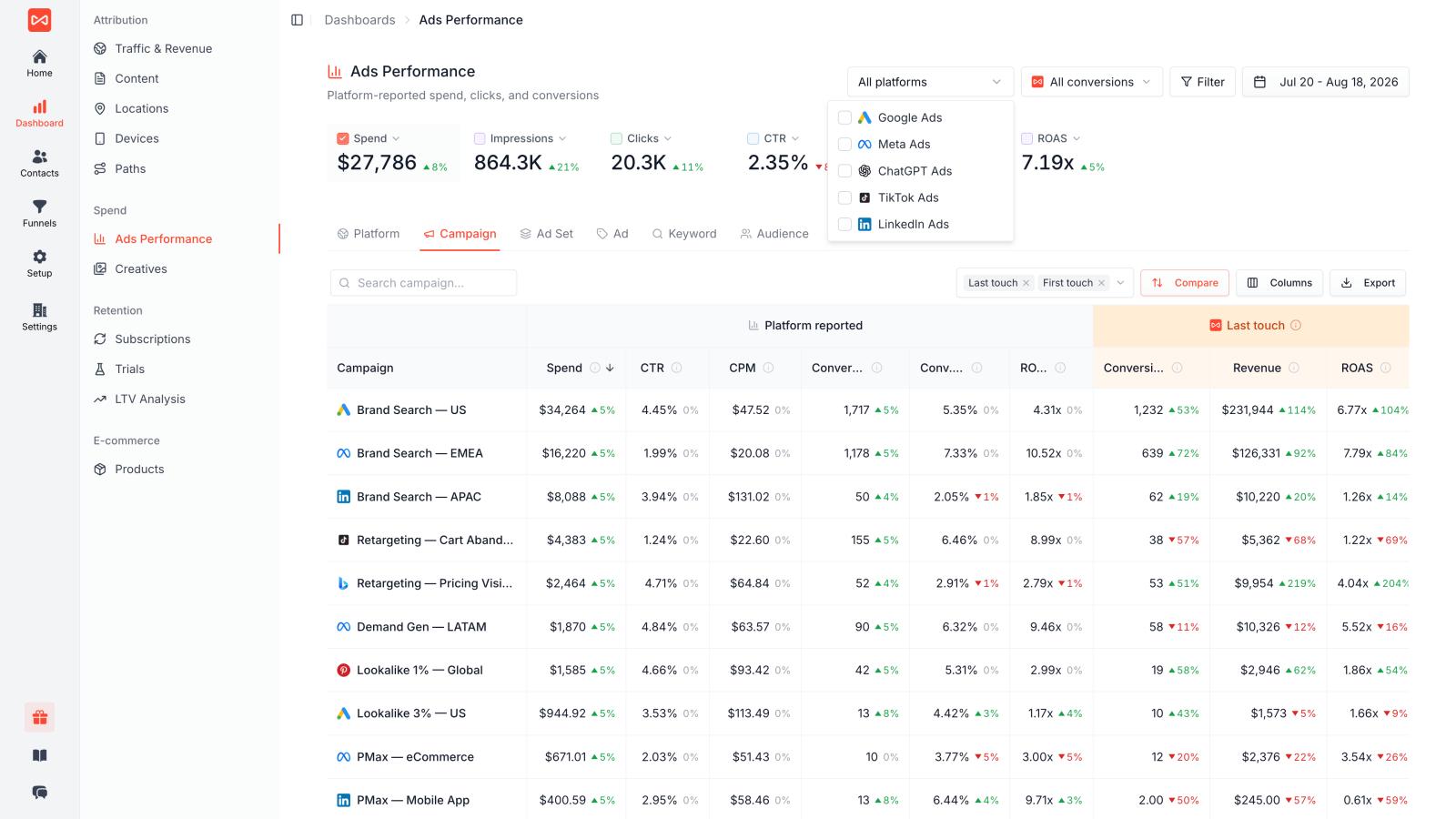
Sourceloop tracks the full journey from ad click to CRM record to closed deal, creates a proper feedback loop, and pushes qualified leads and revenue back to Meta so the algorithm optimizes toward real business outcomes and high-quality leads.
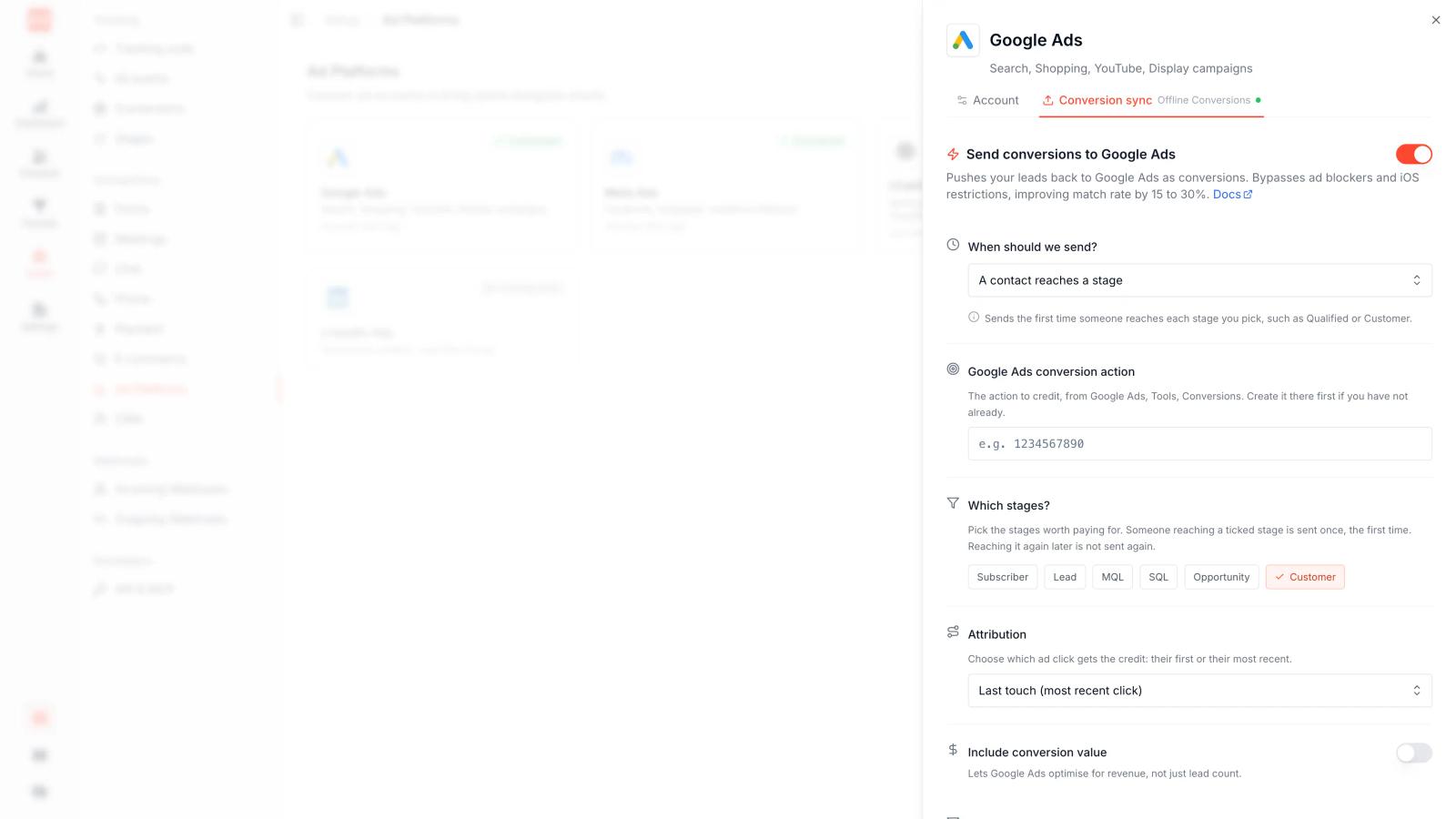
This is the fastest, most reliable path, especially if you're running multiple campaigns across multiple platforms.
Option 2: Manual CSV uploads via Meta Events Manager. Export qualified leads and customers from your CRM, format them according to Meta's offline conversion spec, and upload weekly. This works but is manual and slow, making it hard to optimize campaigns in real time.
Option 3: Zapier or Make automation to trigger an offline conversion event in Meta whenever a lead reaches a certain stage in your CRM (e.g., "Qualified" or "Closed Won"). More automated than CSV uploads but requires setup and monitoring.
Frequently asked questions
-
FAQs
-
Why am I getting low-quality leads from Meta ads?
The most common cause is Audience Network, Meta's third-party app placement that's enabled by default via "Advantage+ placements." Ads shown in mobile games and reward-based apps generate accidental taps and zero-intent clicks. Other causes of low-quality leads include bot traffic, optimizing for "Leads" instead of downstream qualified events, frictionless Facebook instant forms with no qualifying questions, loose targeting, and lack of a feedback loop to teach Meta what quality leads and real customers look like.
-
How do I turn off Audience Network in Meta ads?
In Meta Ads Manager, edit your ad set, go to the Placements section, switch from "Advantage+ placements" to "Manual placements," and uncheck Audience Network (or at minimum uncheck Rewarded Video). Your cost per lead will likely increase, but your cost per qualified lead will drop because you're no longer paying for accidental clicks and bot traffic.
-
What is offline conversion tracking and why does it matter?
Offline conversion tracking sends lead outcomes (qualified, opportunity, customer won) from your CRM back to Meta via the Conversions API. This teaches Meta's algorithm which ad clicks resulted in real customers, so it can optimize for qualified leads and revenue instead of just form fills. Advertisers who implement this see 30-50% improvement in qualified lead rates.
-
Should I use instant forms or landing pages for Meta lead generation?
Instant forms generate higher volume and lower cost per lead, but often lower quality, because prefilled fields and one-tap submits create no friction. Landing pages generate fewer leads but higher quality, because users must click through, read your offer, and fill out a form, natural qualification steps. Use instant forms for low-commitment offers (ebooks, newsletter signups) and landing pages for high-ticket services or consultative sales.
-
How can I tell if my Meta leads are bots?
Compare clicks in Meta Ads Manager to sessions in your analytics tool. If Ads Manager shows significantly more clicks than analytics shows sessions, you have bot traffic. Also check for gibberish names ("test," "asdf"), invalid phone numbers, disposable email addresses, and very low engaged session rates in Google Analytics (under 30%).
-
What's a good cost per qualified lead for Meta ads?
This varies widely by industry, service price, and sales cycle. B2B SaaS companies selling $50k+ annual contracts may pay $500-2,000 per qualified lead profitably. Local service businesses (HVAC, legal, dental) often target $50-200 per qualified lead. The key metric isn't the number itself, it's the ratio to customer lifetime value. If your LTV is $10,000 and you pay $1,000 to acquire a customer, that's a healthy 10:1 ratio.
-
How long does it take for Meta to learn after I make changes?
Meta's algorithm typically needs 3-7 days and at least 50 conversion events per week to stabilize after a major change (switching objectives, changing audience, turning off placements). During this "learning" phase, performance will be inconsistent. Avoid making multiple changes in the same week, change one variable, let it learn, measure, then iterate.
-
What should I optimize for instead of "Leads"?
Optimize for the closest proxy to a qualified outcome that you can track consistently. Options include: a custom "Qualified Lead" event (triggered when a lead passes qualification criteria), "Schedule" (for booked appointments via Calendly/Chili Piper), or use offline conversion tracking to optimize directly for "Customer Won" or "Purchase" events sent from your CRM.

 Paid Social


