
Facebook Ad Tracking Without Click Redirect: Complete Guide
Learn how to track Facebook ad conversions without click redirects using server-side APIs, UTM parameters, and first-party tracking for accurate attribution.
Table of contents
- Why Track Facebook Ads Without Click Redirects
- How Facebook Conversions API Works Without Redirects
- First-Party UTM Parameter Tracking Methods
- Using Click IDs for Deterministic Attribution
- Implementing Server-Side Tracking Infrastructure
- Combining Pixel and Server-Side Events
- Attribution Window and Conversion Timing
- Privacy Compliance and Data Handling
- Measuring Success Without Redirect Tracking
- Conclusion
- FAQ
- Can I track Facebook ad conversions without using the Meta Pixel?
- How long does Facebook store fbclid for attribution purposes?
- Do I need a developer to implement server-side Facebook tracking?
- Will server-side tracking work with iOS 14.5+ privacy changes?
- How do I prevent counting the same conversion twice with pixel and server events?
- Can I track Facebook ad performance without storing cookies?
- What happens if fbclid is missing from the landing page URL?
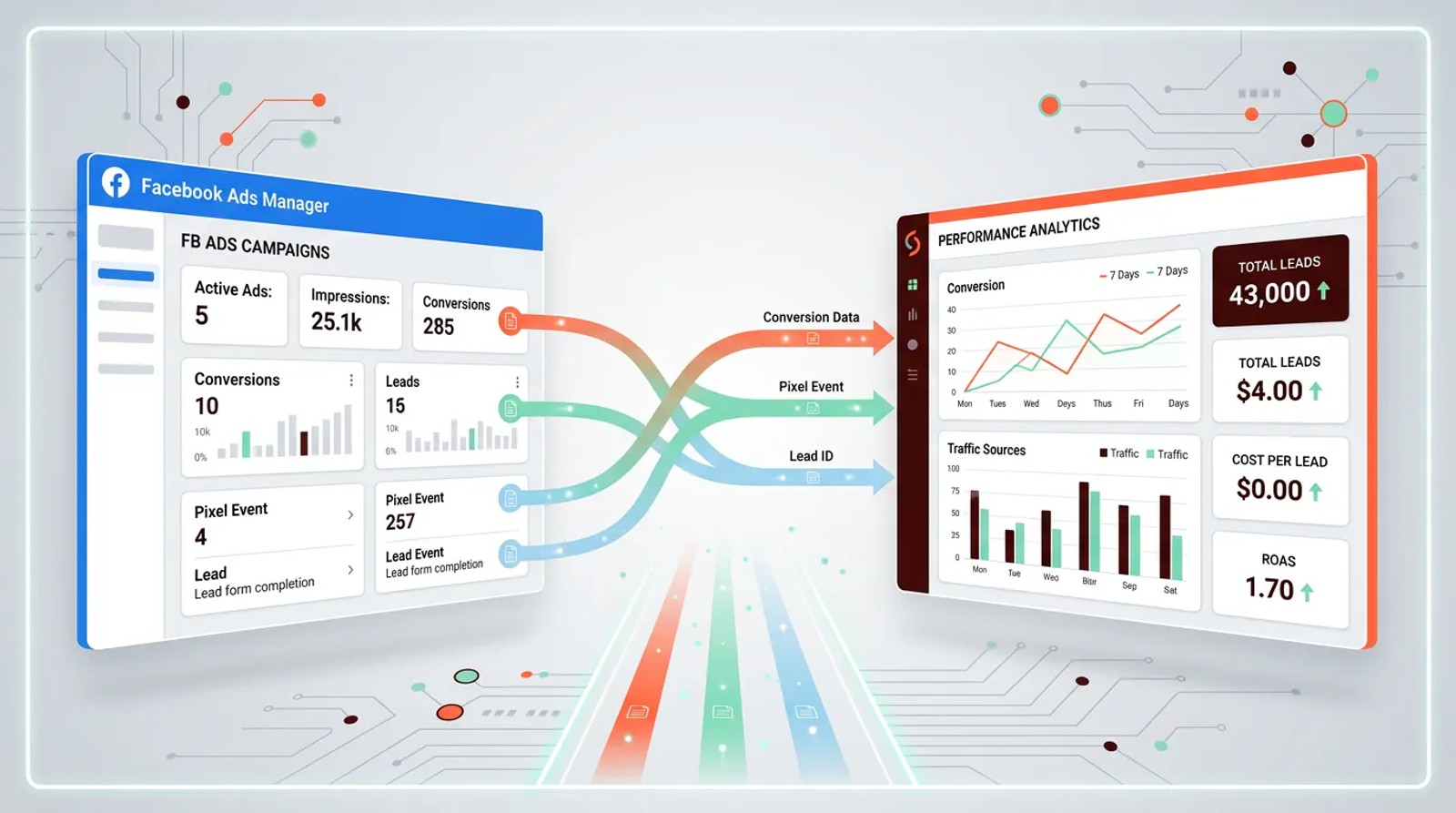
Facebook ad tracking without click redirects uses server-side APIs and first-party tracking methods to capture conversion data directly, eliminating the need for intermediate redirect URLs.
This approach preserves user experience, prevents tracking loss from browser restrictions, and provides more accurate attribution data by sending conversion events directly from your server to Facebook's Conversions API.
Key takeaways
- Server-side tracking via Conversions API eliminates the need for click redirects while maintaining accurate attribution
- First-party UTM parameter tracking captures campaign data without affecting load times or user experience
- Click ID parameters (fbclid) enable deterministic matching between ad clicks and conversions without redirects
- Combining pixel tracking with server-side events creates redundancy against browser-based tracking blockers
- Direct integration methods reduce attribution loss by 30-50% compared to redirect-based tracking
Why Track Facebook Ads Without Click Redirects
Click redirects add an extra step between a user clicking your ad and reaching your landing page. They route traffic through an intermediary URL to capture tracking data before forwarding visitors to the final destination. This creates three critical problems.
First, redirects slow page load times. Every redirect adds 200-500 milliseconds of latency, which increases bounce rates. Google found that as page load time goes from one second to three seconds, bounce probability increases 32%.
Second, browser privacy features and ad blockers strip tracking parameters during redirects. Safari's Intelligent Tracking Prevention (ITP) and Firefox's Enhanced Tracking Protection actively remove third-party cookies and limit redirect-based tracking. This causes attribution gaps where you can't connect conversions back to specific ads.
Third, redirect chains break on mobile apps and certain platforms. When users click ads within Instagram, Facebook Messenger, or third-party apps, redirects often fail or lose context, resulting in untracked conversions.
Modern tracking approaches eliminate these issues by capturing data without routing users through intermediate URLs. This preserves both user experience and data accuracy.
How Facebook Conversions API Works Without Redirects
The Conversions API sends conversion data directly from your server to Facebook, bypassing the browser entirely. When a user converts on your site, your server fires an event to Facebook's API endpoint with the conversion details and matching parameters.
This server-to-server communication happens behind the scenes. Users never interact with tracking URLs or experience delays. The process works like this:
- A user clicks your Facebook ad and lands on your site with an fbclid parameter in the URL
- Your website captures and stores the fbclid value (typically in a cookie or session)
- When the user converts (form submission, purchase, etc.), your server sends event data to Facebook
- Facebook matches the conversion to the original ad click using the fbclid
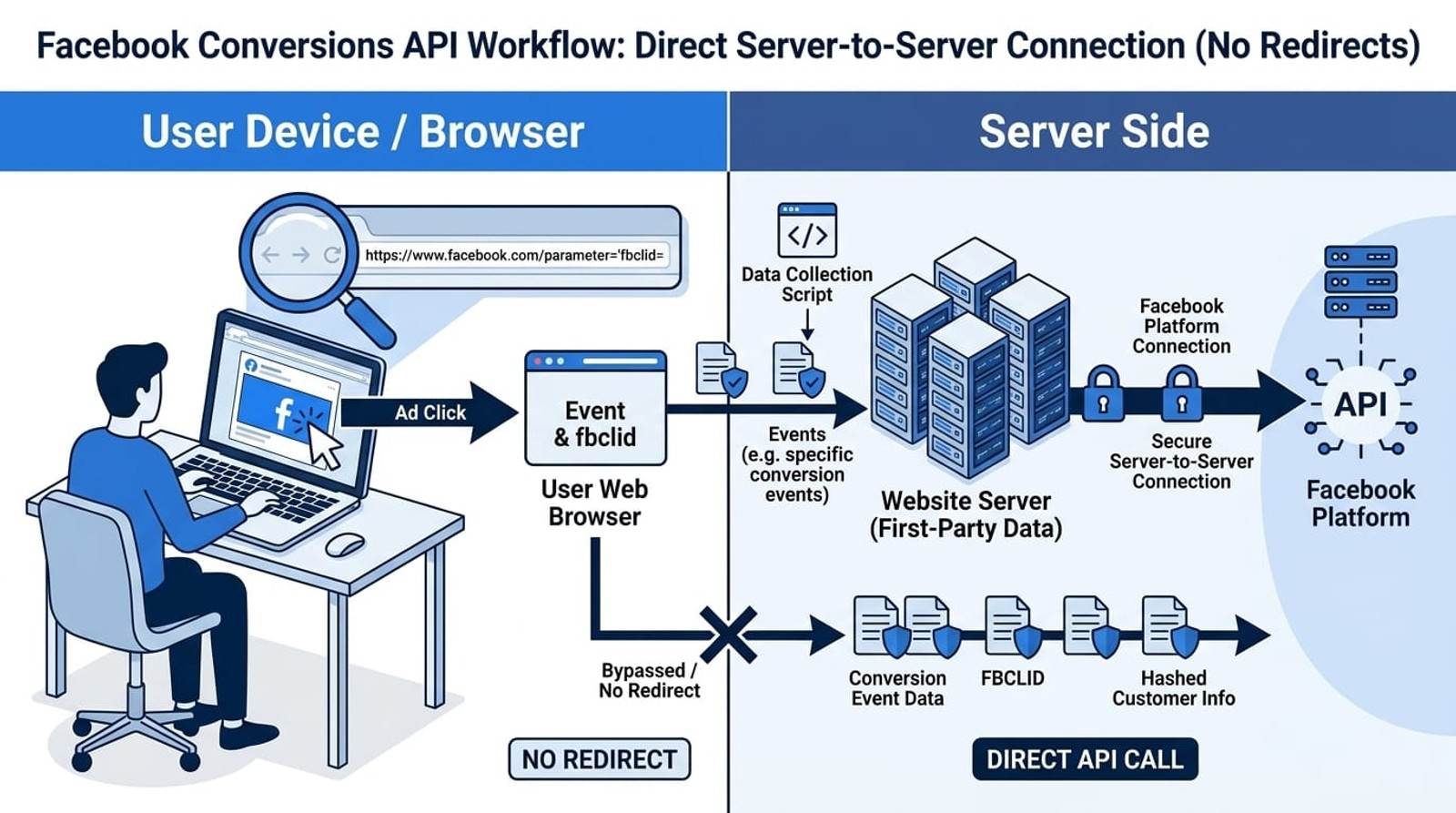
The Conversions API requires three key components: event data (what happened), user data (identifiers for matching), and click identifiers (fbclid from the original ad click). Facebook uses this information to attribute the conversion to the correct campaign, ad set, and ad without ever redirecting the user.For businesses without development resources, SourceLoop automates the entire Conversions API implementation. It captures fbclid and campaign parameters on page load, tracks conversions across forms, calls, chats, and payments, then automatically sends properly formatted events to Facebook's API—no custom code or server infrastructure required.
Server-side tracking also provides redundancy. When combined with the Meta Pixel, you create a dual-tracking system where conversions are reported through both browser and server channels. This increases data accuracy by 40-60% compared to pixel-only tracking, according to Meta's internal studies.
First-Party UTM Parameter Tracking Methods
UTM parameters attached to your ad URLs travel with the user to your landing page, where your analytics platform or CRM captures them without redirects. Facebook's URL parameters field lets you append tracking codes directly to the destination URL.
Standard UTM structure for Facebook ads looks like this:
https://yoursite.com/landing-page?utm_source=facebook&utm_medium=cpc&utm_campaign=spring-promo&utm_content=ad-1&utm_term=keyword
These parameters persist in the browser's address bar and can be captured by JavaScript on your landing page or extracted server-side. The key advantage: no redirect required. Users go straight from Facebook to your site.
For accurate tracking, implement UTM capture at the moment of page load. Use JavaScript to read URL parameters and store them in cookies, local storage, or session storage. When users convert later, even on a different page, you can retrieve the stored UTM values and pass them to your CRM or analytics platform.
SourceLoop automates this entire process through first-party tracking that captures UTM parameters, fbclid, and other campaign identifiers on page load, then persists them throughout the customer journey. The data follows users from initial click through form submissions, demo bookings, and purchases without requiring any redirect infrastructure.
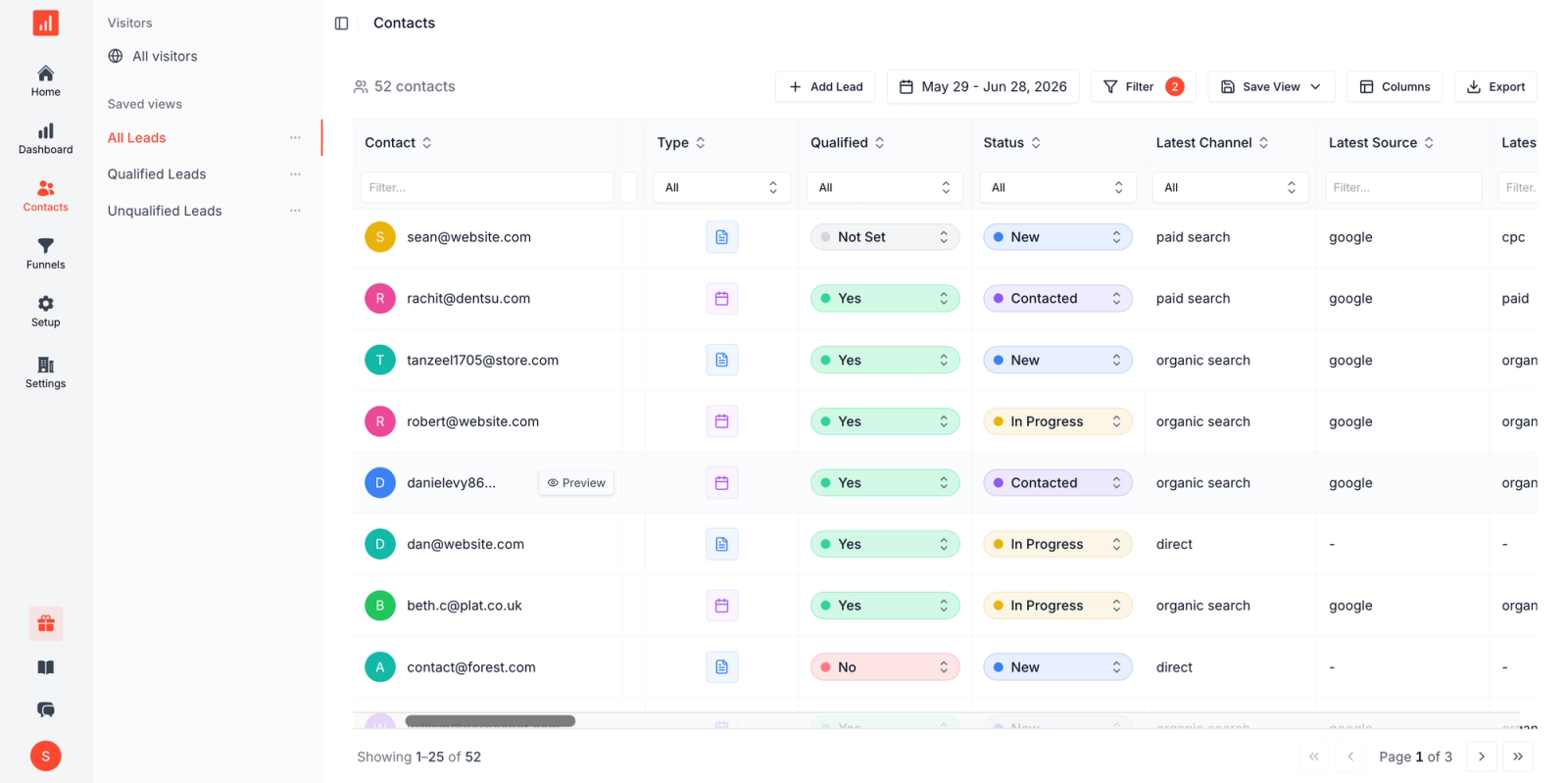
For form-based conversions, pass stored UTM values as hidden fields. For e-commerce, attach them to the order object. For phone calls, append them to call tracking parameters. This creates an unbroken attribution chain from ad click to conversion without ever routing users through tracking domains.
Using Click IDs for Deterministic Attribution
Facebook's fbclid parameter provides deterministic matching between ad clicks and conversions. When someone clicks your ad, Facebook automatically appends fbclid to your destination URL (unless you disable it). This unique identifier links directly to the specific ad interaction in Facebook's system.
The fbclid value contains encrypted information about the user, the ad they clicked, and the timestamp. Store this value immediately when users land on your site, typically in a first-party cookie with a 90-day expiration to match Facebook's attribution window.
Here's a basic implementation approach:
On page load, extract fbclid from the URL and store it:
const urlParams = new URLSearchParams(window.location.search);
const fbclid = urlParams.get('fbclid');
if (fbclid) {
 document.cookie = `_fbc=${fbclid}; max-age=7776000; path=/`;
}
On conversion, retrieve the stored fbclid and send it to Facebook via Conversions API:
{
 "event_name": "Purchase",
 "event_time": 1678901234,
 "user_data": {
 "em": "hashed_email",
 "ph": "hashed_phone",
 "fbc": "fb.1.1678901234.stored_fbclid_value"
 }
}
The fbc parameter (Facebook click identifier) tells Facebook exactly which ad drove the conversion. Facebook matches this to their records and attributes the conversion accurately, all without redirecting users through tracking URLs.
For view-through attribution, Facebook also uses fbp (Facebook browser identifier), a cookie that identifies the browser across sessions. Together, fbclid and fbp enable both click-based and view-based attribution without redirects.
Implementing Server-Side Tracking Infrastructure
Server-side tracking requires three components: event collection, data processing, and API communication. Most businesses implement this through their existing backend infrastructure or a tag management system with server-side capabilities.
Event collection happens when users trigger conversion actions. Your application captures the event data (purchase, signup, demo request) along with associated user information and stored tracking parameters.
Data processing enriches the event with additional context. Hash personally identifiable information (email, phone number) using SHA-256 before sending to Facebook. Add event IDs to deduplicate conversions tracked by both pixel and server. Include custom parameters relevant to your business.
API communication sends the processed event to Facebook's Conversions API endpoint at https://graph.facebook.com/v18.0/{PIXEL_ID}/events. Include your access token, event data, and user matching parameters in the POST request.
Tag management platforms like Google Tag Manager Server-Side provide pre-built templates for Conversions API integration. These handle the technical implementation while giving you a visual interface to configure event mapping and parameters.
For businesses without development resources, attribution platforms like SourceLoop offer managed server-side tracking. SourceLoop automatically captures events from your website, CRM, or e-commerce platform, then formats and sends them to Facebook's API without requiring custom code. The platform handles fbclid persistence, event deduplication, data hashing, and API communication—eliminating the need for developers or tag management expertise.
The critical requirement: maintain the connection between the original ad click (fbclid) and the eventual conversion. Store fbclid at the beginning of the customer journey, retrieve it at the point of conversion, and include it in your server-side event data.
Combining Pixel and Server-Side Events
The most robust tracking setup uses both browser-based pixel tracking and server-side API events. This redundant approach compensates for the limitations of each method.
Browser pixel tracking captures events in real-time as users interact with your site, but suffers from ad blockers, browser restrictions, and client-side failures. Server-side tracking overcomes these limitations but relies on your backend infrastructure and requires explicit event triggers.
Use the same event names across both systems. When a purchase occurs, fire both a pixel event and a server-side event. Include an event_id parameter with identical values in both to enable deduplication. Facebook recognizes these as the same conversion and counts it once, while benefiting from data from both sources.
Example pixel implementation:
fbq('track', 'Purchase', {
 value: 99.99,
 currency: 'USD',
 event_id: 'order_12345'
});
Corresponding server-side event:
{
 "event_name": "Purchase",
 "event_id": "order_12345",
 "event_time": 1678901234,
 "user_data": {...},
 "custom_data": {
 "value": 99.99,
 "currency": "USD"
 }
}
The event_id links these events as duplicates. Facebook's system deduplicates automatically, prioritizing server-side data when both versions exist because server events are less susceptible to manipulation or data loss.
This dual-tracking approach increases successful conversion reporting by 40-60%. Events blocked by browser restrictions still reach Facebook through the server. Events that fail to send server-side still get captured by the pixel. You maintain attribution coverage even when one channel experiences issues.Platforms like SourceLoop automatically implement this dual-tracking strategy, firing both pixel and server-side events for every conversion with synchronized event IDs. The system handles deduplication logic and ensures both tracking methods stay in sync without manual configuration.
Attribution Window and Conversion Timing
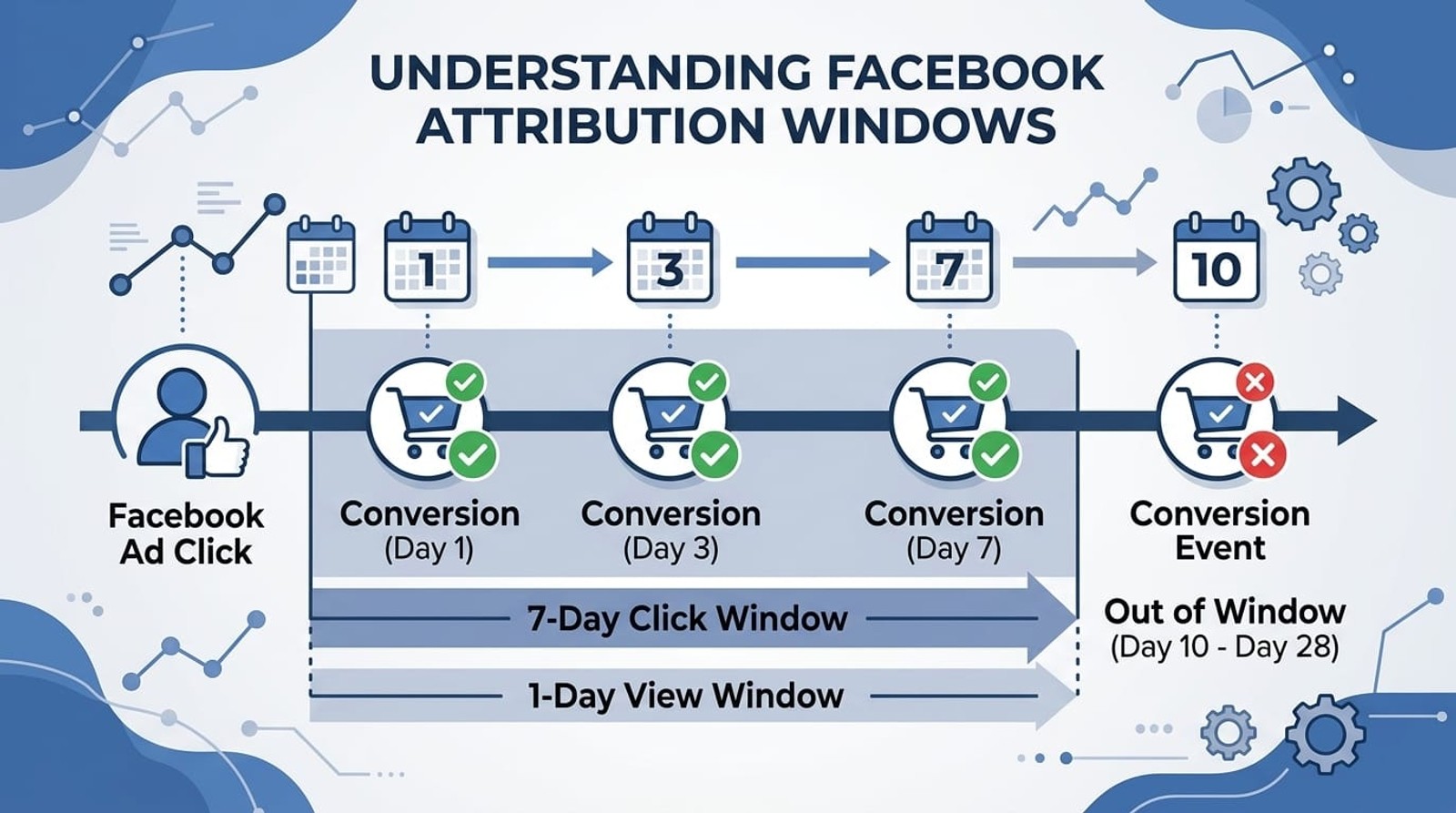
Facebook's attribution windows determine how long after an ad interaction a conversion can be attributed to that ad. The default 7-day click and 1-day view window means conversions within 7 days of clicking an ad (or 1 day of viewing it) receive attribution.
Without click redirects, accurate timestamp data becomes critical. Your server-side events must include precise event_time values in Unix timestamp format. Facebook compares this timestamp against the original ad interaction time to determine if the conversion falls within the attribution window.
Common timing mistakes include sending event_time in the wrong timezone, using milliseconds instead of seconds, or omitting the parameter entirely (which defaults to the API request time, not the actual conversion time). These errors cause attribution mismatches.
For conversions that happen offline or asynchronously (approved applications, completed services, subscription renewals), send events when the conversion actually occurs, not when you process it internally. Include the event_time reflecting the true conversion moment.
Attribution windows also affect your fbclid cookie duration. Set cookie expiration to match or exceed your longest attribution window. If you use a 28-day click attribution window, store fbclid for at least 28 days. Most implementations use 90 days to cover extended attribution scenarios.
For businesses with long sales cycles, consider Facebook's custom attribution windows (up to 28 days click, 7 days view for some accounts). Longer windows capture more conversions but may dilute immediate performance signals. Test different window lengths to find what best represents your actual customer journey. You can compare attribution settings directly in Meta Ads Manager to see how different windows affect your reported results.
Privacy Compliance and Data Handling
Tracking without redirects requires careful attention to privacy regulations. Server-side tracking involves collecting, storing, and transmitting personal data, which falls under GDPR, CCPA, and similar laws worldwide.
Obtain explicit consent before setting tracking cookies or capturing fbclid values. Your consent management platform should block all tracking scripts and cookies until users accept. This includes first-party cookies used to store campaign parameters.
Hash personally identifiable information before sending to Facebook. The Conversions API requires you to SHA-256 hash email addresses, phone numbers, first names, last names, cities, states, zip codes, and countries before transmission. Facebook provides normalization requirements for each data type.
Example hashing implementation:
const crypto = require('crypto');

function hashData(data) {
 return crypto
 .createHash('sha256')
 .update(data.trim().toLowerCase())
 .digest('hex');
}

const hashedEmail = hashData('[email protected]');
Minimize data collection to only what you need for attribution. Don't send unnecessary personal information to Facebook's API. The minimum required for basic attribution is just the fbclid value; enhanced matching parameters improve accuracy but aren't mandatory.
Document your data flows in your privacy policy. Explain that you collect campaign tracking data, store it temporarily, and share it with Facebook for advertising purposes. Provide users the ability to opt out of this data sharing while still using your site.
For businesses operating globally, respect different regional requirements. EU users under GDPR require explicit opt-in consent. California users under CCPA can opt out after the fact. Implement region-specific consent flows to maintain compliance across markets.
Measuring Success Without Redirect Tracking
Evaluate your non-redirect tracking implementation by comparing attributed conversions before and after implementation. A proper server-side setup typically increases attributed conversion volume by 20-40% by recovering conversions that browser-based tracking missed.
Monitor these metrics in Facebook Ads Manager:
Event Match Quality shows how well your server-side events include matching parameters. Scores above 6.0 indicate good implementation. Higher scores mean Facebook can more accurately attribute conversions to specific users and ads.
Attributed conversions compared to your internal conversion data reveals tracking gaps. If Facebook reports 100 conversions but your CRM shows 150, 50 conversions aren't getting attributed. Investigate whether fbclid capture, event timing, or API configuration issues are causing the gap.
Conversion latency indicates how long after a click conversions occur. Review this data to ensure your attribution windows match your actual customer behavior. If 30% of conversions happen 10+ days after the initial click, a 7-day attribution window misses significant revenue.
Test your implementation with controlled ad campaigns. Run small test campaigns with unique tracking parameters, drive conversions through them, and verify that each conversion appears correctly attributed in Facebook Ads Manager with the right campaign, ad set, and ad information.
For businesses using Facebook Conversions API, Facebook provides diagnostic tools in Events Manager. Review the API requests, match quality scores, and attribution summaries to identify and fix implementation issues.
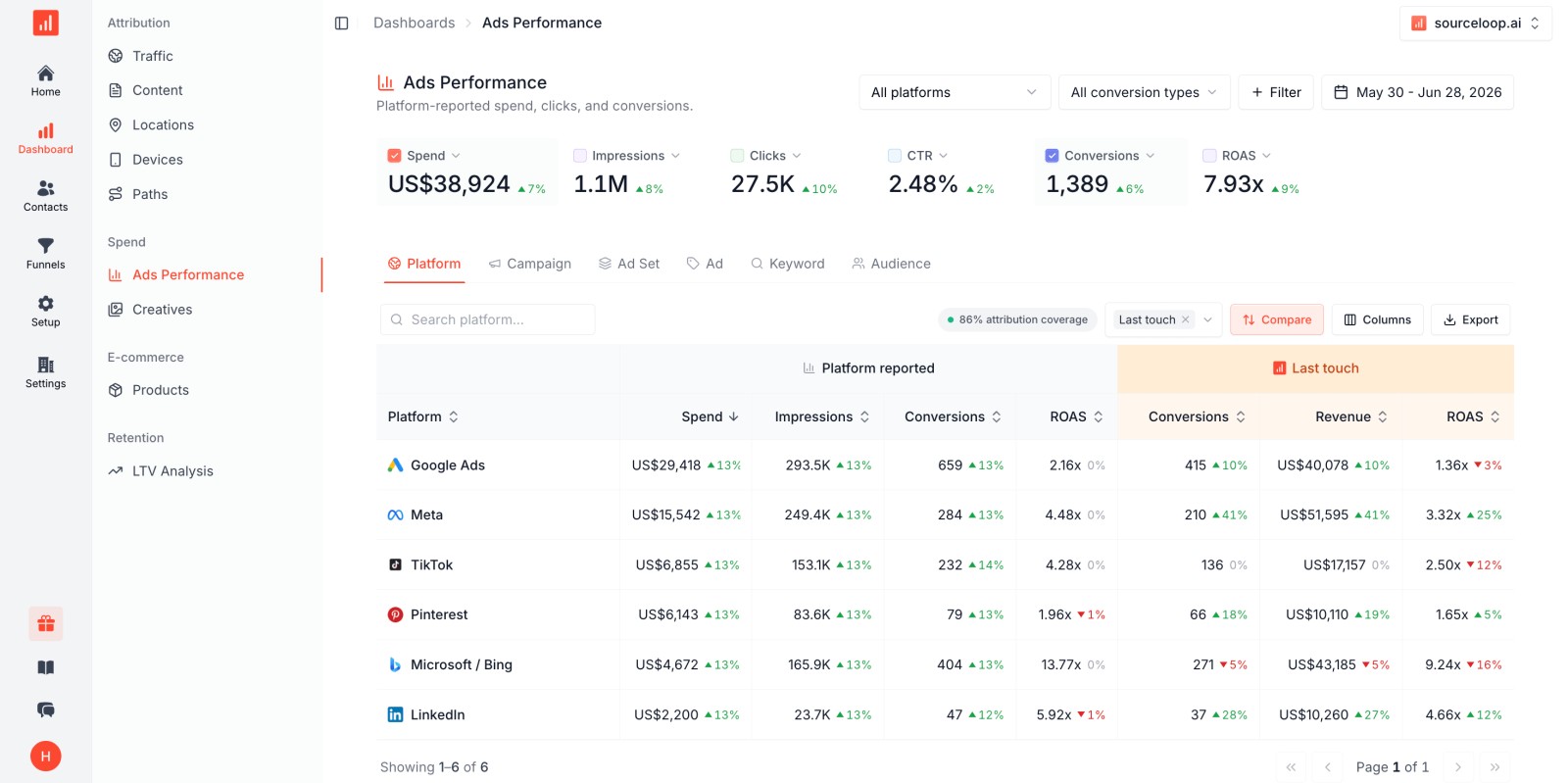
Attribution platforms like SourceLoop provide unified dashboards that show Facebook attribution alongside all other marketing channels.
Instead of switching between Facebook Ads Manager, Google Analytics, and your CRM, you see which Facebook campaigns drive leads, customers, and revenue in one place—with automatic connection to your conversion data.
Conclusion
Facebook ad tracking without click redirects delivers faster page loads, better user experience, and more accurate attribution data. Server-side Conversions API implementation, combined with first-party UTM tracking and proper fbclid handling, creates a robust attribution system that survives browser restrictions and ad blockers.
Start with the fundamentals: capture fbclid values on landing pages, store them throughout the customer journey, and send them to Facebook when conversions occur. Layer in UTM parameter tracking for campaign-level visibility and implement server-side events for conversions that matter to your business.
The investment in proper tracking infrastructure pays returns through improved campaign optimization, accurate ROI measurement, and data-driven budget decisions. Facebook's algorithm performs better when it receives complete conversion data, leading to improved ad delivery and lower acquisition costs over time.
FAQ
Can I track Facebook ad conversions without using the Meta Pixel?
Yes, you can track conversions entirely through the Conversions API without installing the Meta Pixel on your website. However, the recommended approach uses both systems together for maximum accuracy and redundancy. Server-side tracking alone works well when browser-based tracking isn't feasible due to privacy requirements or technical constraints.
How long does Facebook store fbclid for attribution purposes?
Facebook's default attribution window is 7 days for clicks and 1 day for views, but the system stores fbclid data for up to 28 days for accounts with extended attribution windows. Your first-party cookie storing fbclid should match or exceed your chosen attribution window. Most implementations use 90-day cookie expiration to capture long-cycle conversions.
Do I need a developer to implement server-side Facebook tracking?
Not necessarily. Tag management platforms like Google Tag Manager Server-Side provide templates for Conversions API integration with visual configuration. Attribution platforms and specialized tracking tools offer managed solutions that require no coding. However, custom implementations or complex conversion events may require developer assistance.
Will server-side tracking work with iOS 14.5+ privacy changes?
Yes, server-side tracking through Conversions API is specifically designed to work around iOS privacy restrictions. When browser-based tracking fails due to App Tracking Transparency (ATT) limitations, server-side events continue reporting conversions. This is why Meta strongly recommends implementing Conversions API alongside or instead of pixel-only tracking.
How do I prevent counting the same conversion twice with pixel and server events?
Include an identical event_id parameter in both your pixel event and your server-side API event. Facebook's system recognizes events with matching event_id values as duplicates and counts them only once. The event_id should be unique per conversion (order ID, form submission ID, etc.) but identical across both tracking methods for that conversion.
Can I track Facebook ad performance without storing cookies?
Tracking effectiveness decreases significantly without cookies, but limited attribution is possible through URL parameters and immediate server-side processing. You can capture UTM parameters and fbclid on page load, process conversions in the same session, and send events to Facebook immediately. However, multi-session conversions and returning users won't be tracked accurately without persistent storage.
What happens if fbclid is missing from the landing page URL?
When fbclid is missing, Facebook relies on probabilistic matching using other user data you send (email hash, IP address, user agent). Attribution accuracy decreases but isn't completely lost. Implement fallback attribution using UTM source parameters to maintain campaign-level tracking even when Facebook's deterministic click identifiers are unavailable.


 Paid Social


