
Meta Ads Link Clicks vs Google Analytics Sessions: 9 Reasons for Discrepancies
Discover why Meta Ads link clicks and Google Analytics sessions don't match. Learn the 9 key causes of discrepancies and how to minimize reporting gaps.
Table of contents
- Why Meta Ads and Google Analytics Measure Differently
- 9 Common Causes of Discrepancies
- 1. Tracking Code Failures
- 2. Ad Blockers and Privacy Extensions
- 3. Slow Page Load Times
- 4. Duplicate and Accidental Clicks
- 5. Redirect Chains and Click-Through URLs
- 6. Cross-Domain and Cross-Device Tracking Issues
- 7. Bot and Invalid Click Filtering
- 8. Attribution Window Mismatches
- 9. UTM Parameter Stripping and Loss
- How Much Discrepancy Is Normal?
- How to Minimize Discrepancies
- 1. Always Use UTM Parameters
- 2. Implement Meta Conversions API
- 3. Optimize Landing Page Speed
- 4. Configure Cross-Domain Tracking
- 5. Use a Conversion Source Tracking Tool
- Which Number Should You Trust?
- FAQ
- Why does Meta Ads show more clicks than Google Analytics shows sessions?
- Is a 20% discrepancy between Meta and GA normal?
- Can I make Meta Ads and Google Analytics match exactly?
- Why does Google Analytics show more sessions than Meta shows clicks?
- How do I know if my tracking is broken?
- Should I report on Meta clicks or GA sessions to my team?
- Do attribution windows cause discrepancies between Meta and GA?
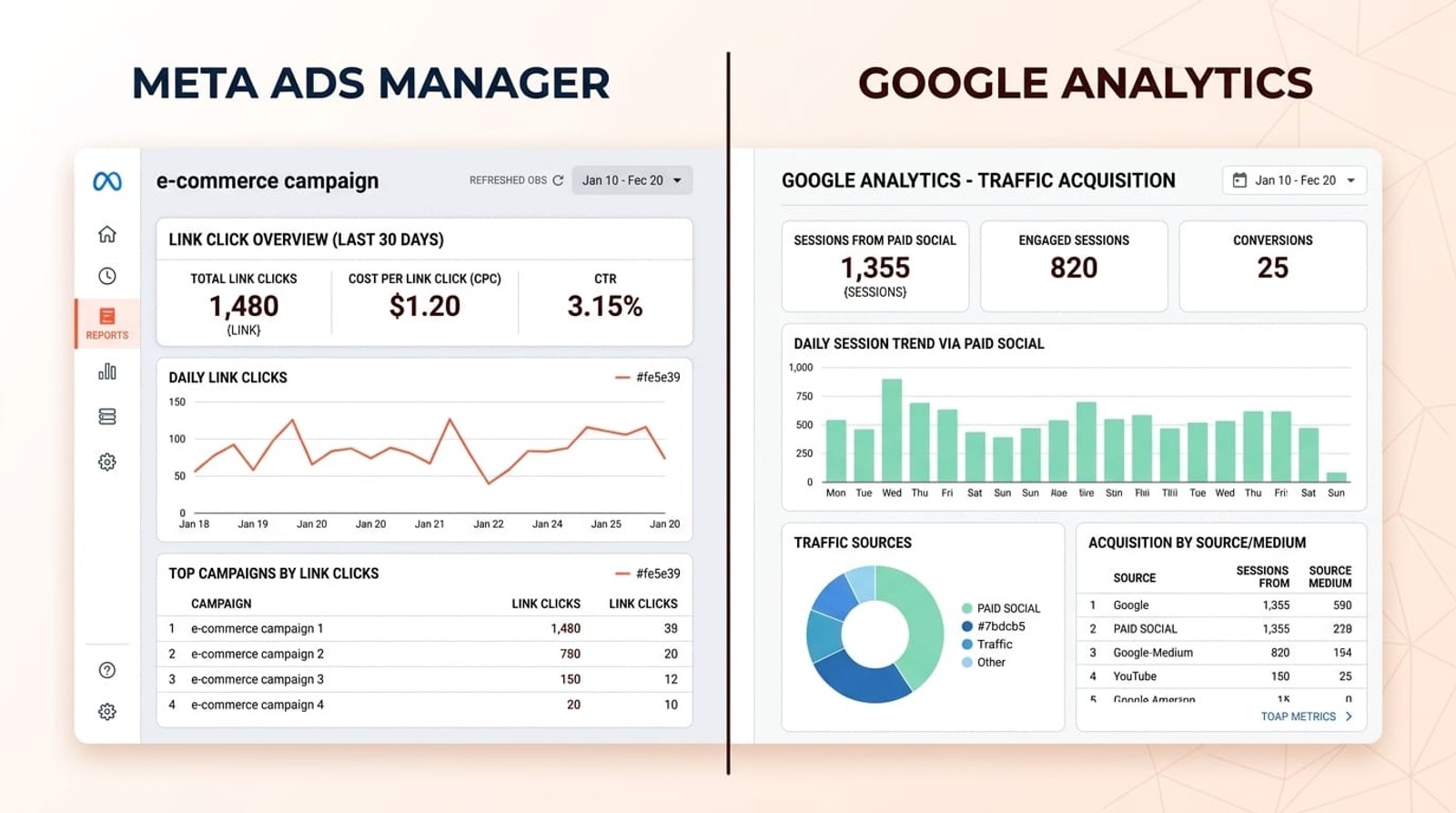
Meta Ads link clicks and Google Analytics sessions don't match because they measure different events using different methodologies.
Meta Ads counts every click on your ad link, including repeated clicks from the same user within 24 hours, while Google Analytics tracks sessions that successfully load your website and fire the tracking code.
This fundamental difference, combined with tracking failures, attribution windows, and bot filtering, creates discrepancies that typically range from 10-30%.
Key takeaways:
- Meta Ads measures ad platform clicks; Google Analytics measures website sessions that successfully fire tracking code
- Discrepancies of 10-30% between the two platforms are normal and expected
- Technical issues like tracking code failures, ad blockers, and slow page loads amplify gaps
- Different attribution windows mean Meta includes clicks from up to 28 days ago while GA defaults to same-session
- Proper UTM tagging, Conversions API setup, and cross-domain tracking minimize discrepancies
Why Meta Ads and Google Analytics Measure Differently
The core reason these numbers diverge is that Meta Ads and Google Analytics sit at opposite ends of the customer journey and count fundamentally different things.
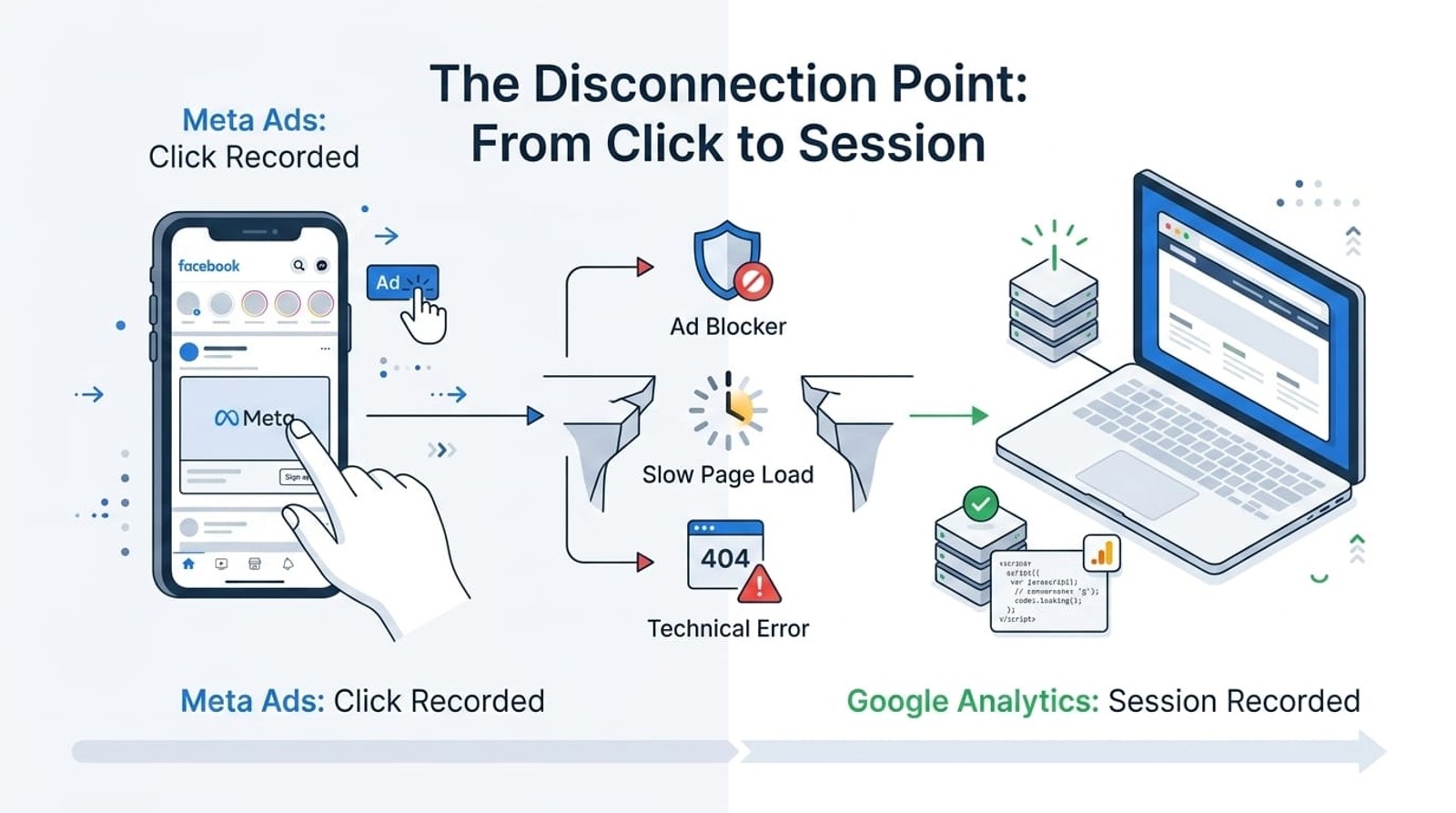
Meta Ads records a link click the moment someone taps or clicks your ad on Facebook or Instagram. This happens on Meta's platform, before the user ever reaches your website. The click is logged instantly in Meta's system, regardless of what happens next.
Google Analytics records a session only after three things occur: the user's browser loads your landing page, the GA tracking code executes successfully, and the page sends a hit to Google's servers. If any of these steps fail, GA records nothing.
This gap between a click and a recorded session is where most discrepancies originate. A user can click your ad multiple times, close the tab before the page loads, have an ad blocker prevent the tracking code from firing, or lose connectivity mid-load. Meta counts the click. Google Analytics doesn't see the session.
Attribution windows widen the gap further.
Meta Ads defaults to a 7-day click attribution window (and can extend to 28 days), meaning it attributes conversions to clicks that happened up to a week ago. Google Analytics uses last-click attribution within the same session by default. If someone clicked your ad Monday but converted Friday through a different channel, Meta claims credit while GA assigns it elsewhere.
9 Common Causes of Discrepancies
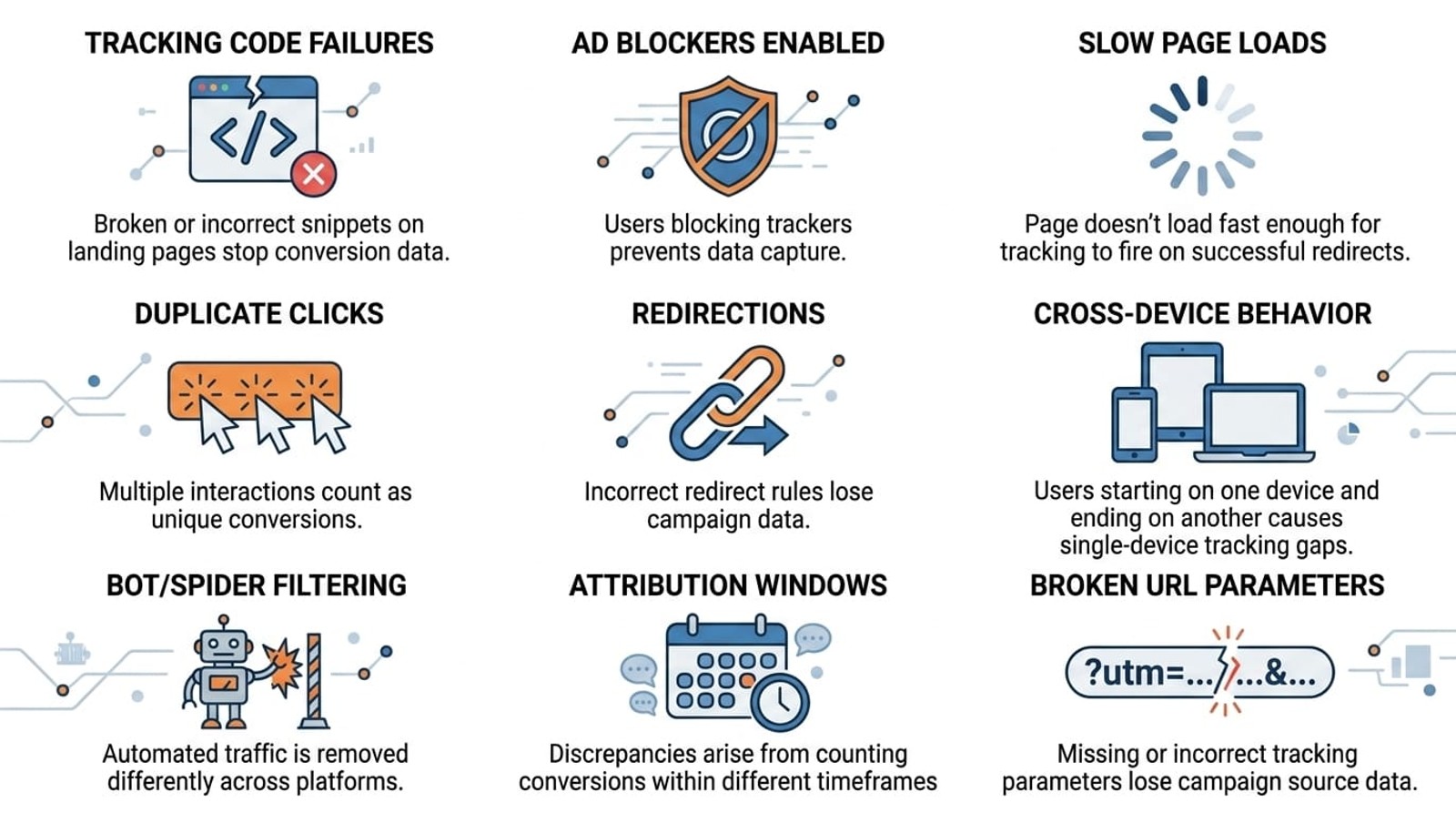
1. Tracking Code Failures
Your Google Analytics tracking code might not fire on every page load. Users who click your ad but land on a page where the GA snippet fails to execute, because of JavaScript errors, server timeouts, or conflicts with other scripts, show up in Meta's click count but never appear in GA sessions.
This is especially common on landing pages with heavy media, slow hosting, or aggressive third-party scripts that block or delay GA from loading.
2. Ad Blockers and Privacy Extensions
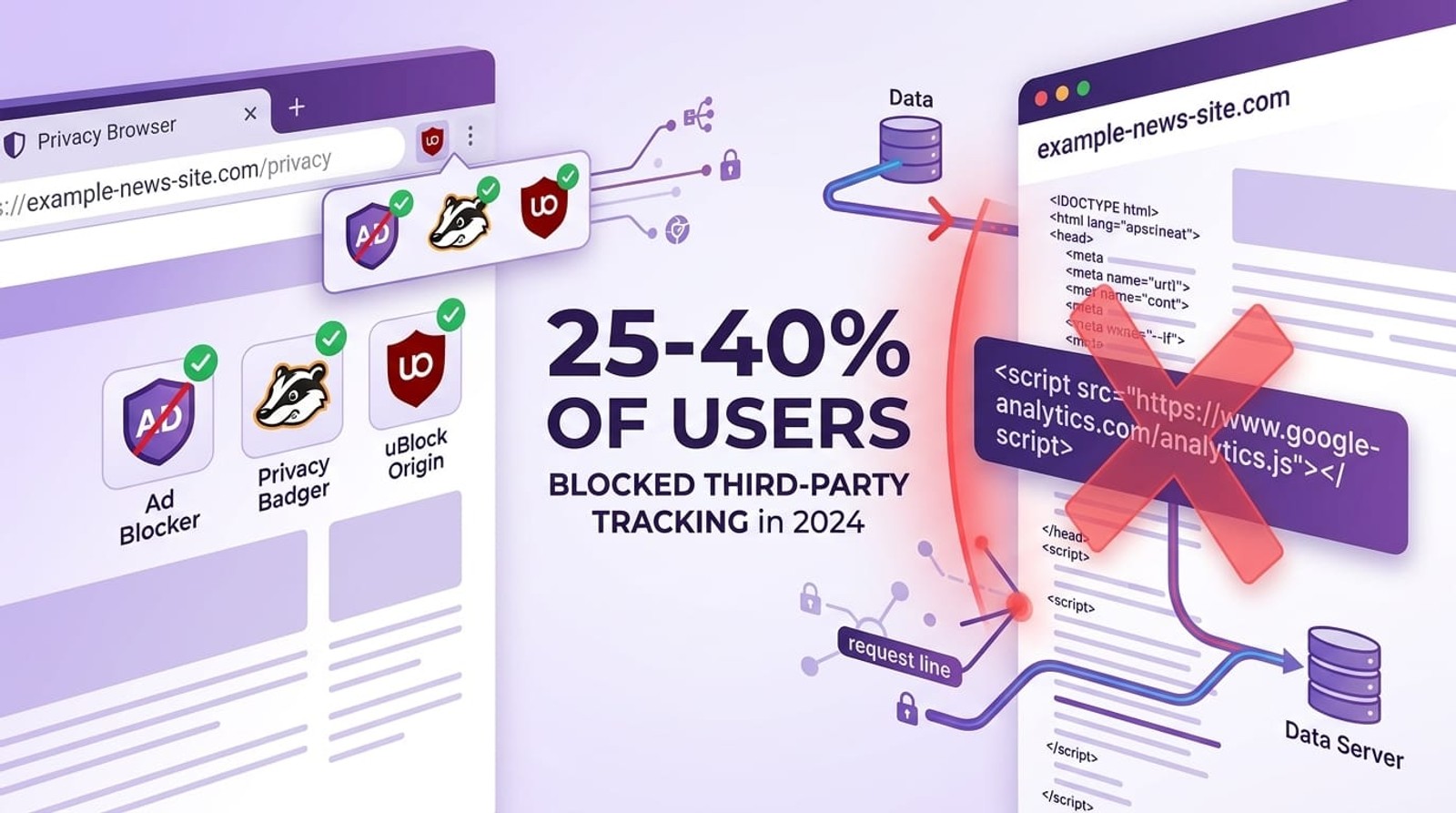
According to recent studies, approximately 25-40% of users run ad blockers or privacy extensions that prevent Google Analytics from tracking their activity. These tools specifically target analytics scripts to protect user privacy.
When someone with an ad blocker clicks your Meta ad, Meta logs the click server-side (unblockable), but GA never fires on the landing page. The gap compounds if your target audience skews toward tech-savvy or privacy-conscious users.
3. Slow Page Load Times
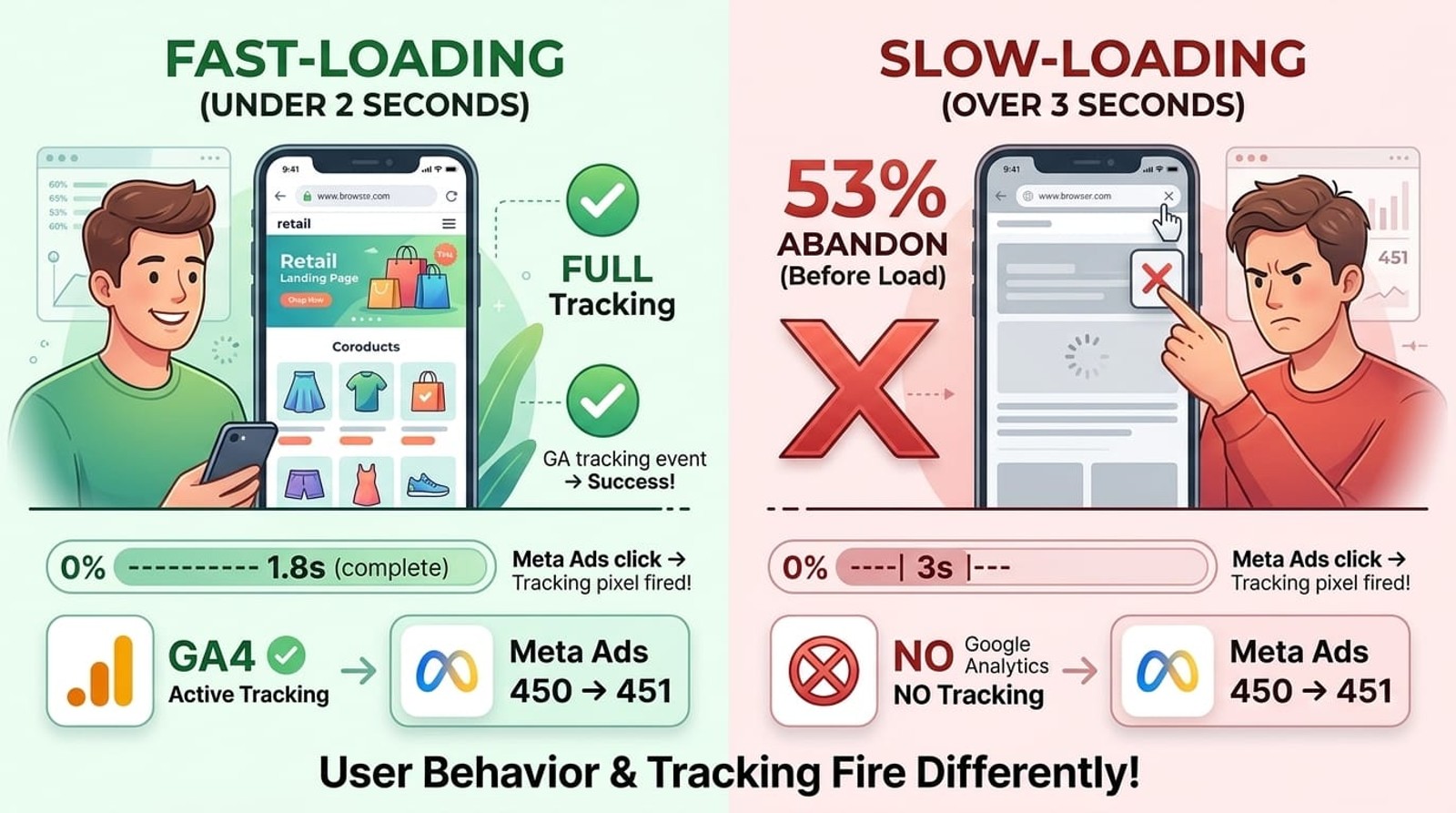
If your landing page takes more than 3-4 seconds to load, users often abandon before the page finishes rendering. Meta counted the click the moment they left Facebook, but your page never fully loaded and GA never initialized.
Google's own research shows that 53% of mobile users abandon pages that take longer than three seconds to load. Each abandoned load is a click in Meta with no corresponding GA session.
4. Duplicate and Accidental Clicks
Meta Ads counts every single click, including when the same user clicks your ad multiple times within seconds (accidental double-taps on mobile) or clicks it repeatedly throughout the day. Each click increments Meta's counter.
Google Analytics, by contrast, groups activity from the same user into sessions with a default 30-minute timeout. Multiple clicks from one person might register as 10 link clicks in Meta but only 2-3 sessions in GA.
5. Redirect Chains and Click-Through URLs
If your ad links to a redirect URL, common with link shorteners, UTM builders, or tracking domains, each hop in the redirect chain creates an opportunity for the user to drop off before reaching the final landing page where GA fires.
Meta logs the initial click. If the user abandons during the redirect or their browser blocks the redirect entirely, GA never sees them.
6. Cross-Domain and Cross-Device Tracking Issues
When your ad sends users from Facebook to a landing page on one domain, then they convert on a different domain (like a checkout subdomain or third-party payment processor), GA often loses the original source unless cross-domain tracking is properly configured.
Meta attributes the conversion back to the original ad click using its pixel and click IDs. GA might attribute it to direct traffic or the payment processor's referrer.
7. Bot and Invalid Click Filtering
Google Analytics applies aggressive bot filtering and removes suspected invalid traffic from reports. Meta Ads also filters invalid clicks but uses different algorithms and thresholds.
If Meta's system classifies a click as valid but GA's bot detection flags the subsequent session as non-human, the click appears in Meta but not in GA. Industry estimates suggest 10-15% of ad traffic comes from bots or click farms.
8. Attribution Window Mismatches
Meta Ads defaults to a 7-day click and 1-day view attribution window. This means if someone clicked your ad on Monday and converted on Thursday by typing your URL directly, Meta attributes the conversion to the ad campaign.
Google Analytics defaults to last-click, same-session attribution. It would credit the conversion to "direct" traffic, not to the Facebook campaign (unless you've set up UTM parameters and imported cost data for multi-touch attribution).
9. UTM Parameter Stripping and Loss
If your landing page redirects, if users share the URL without UTM parameters, or if your CMS strips query parameters on page load, Google Analytics loses the campaign source data even though the session happened.
Meta knows the user came from your ad campaign because it tracks at the platform level. GA sees the session but attributes it to "direct" or "(none)" because the UTM parameters disappeared before GA fired.
How Much Discrepancy Is Normal?
A 10-30% discrepancy between Meta Ads link clicks and Google Analytics sessions is completely normal and expected, even with perfect tracking setup.
If GA shows 70-90 sessions for every 100 link clicks in Meta Ads, your tracking is likely functioning correctly. The gap accounts for legitimate technical limitations: ad blockers, bot filtering, abandoned page loads, and duplicate clicks.
When to investigate:
- More than 40% discrepancy: Indicates possible tracking code issues, broken landing pages, or aggressive redirect chains
- GA shows more sessions than Meta shows clicks: Usually means UTM parameters are missing or incorrect, and GA is attributing traffic to your Facebook campaign that didn't originate from paid ads
- Sudden spike in discrepancy: Suggests a recent change broke tracking, check for new site updates, tag manager changes, or landing page modifications
How to Minimize Discrepancies
You can't eliminate discrepancies entirely, but you can narrow the gap and improve data accuracy.
1. Always Use UTM Parameters
Tag every Meta ad destination URL with consistent UTM parameters so Google Analytics can properly identify and attribute the traffic:
?utm_source=facebook&utm_medium=paid_social&utm_campaign=spring_sale&utm_content=ad_set_name
Without UTMs, GA might classify Facebook traffic as social referral or direct, creating attribution confusion even though the sessions are recorded.
2. Implement Meta Conversions API
The Meta Conversions API sends conversion events server-to-server, bypassing browser-based tracking limitations like ad blockers and tracking prevention.
When you sync GA goals or CRM conversions back to Meta via CAPI, Meta gets a more accurate count of actual outcomes, and you can reconcile discrepancies by comparing server-side conversions rather than client-side clicks and sessions.
3. Optimize Landing Page Speed
Faster pages mean fewer abandoned loads and more successful GA tracking fires. Aim for sub-2-second load times:
- Compress images and use next-gen formats (WebP, AVIF)
- Minimize JavaScript and defer non-critical scripts
- Use a CDN for static assets
- Enable browser caching
Tools like Google PageSpeed Insights identify specific bottlenecks slowing your pages.
4. Configure Cross-Domain Tracking
If your funnel spans multiple domains (landing page → checkout on subdomain → thank-you page on different domain), configure GA's cross-domain tracking so sessions persist across domains and campaign attribution doesn't break.
In GA4, this is set up under Admin → Data Streams → Configure tag settings → Configure your domains.
5. Use a Conversion Source Tracking Tool
Platforms like SourceLoop capture campaign data server-side at the point of form submission, call tracking, or CRM sync. This creates a reliable source of truth that bridges the gap between ad platform reporting and web analytics, especially when browser-based tracking fails.
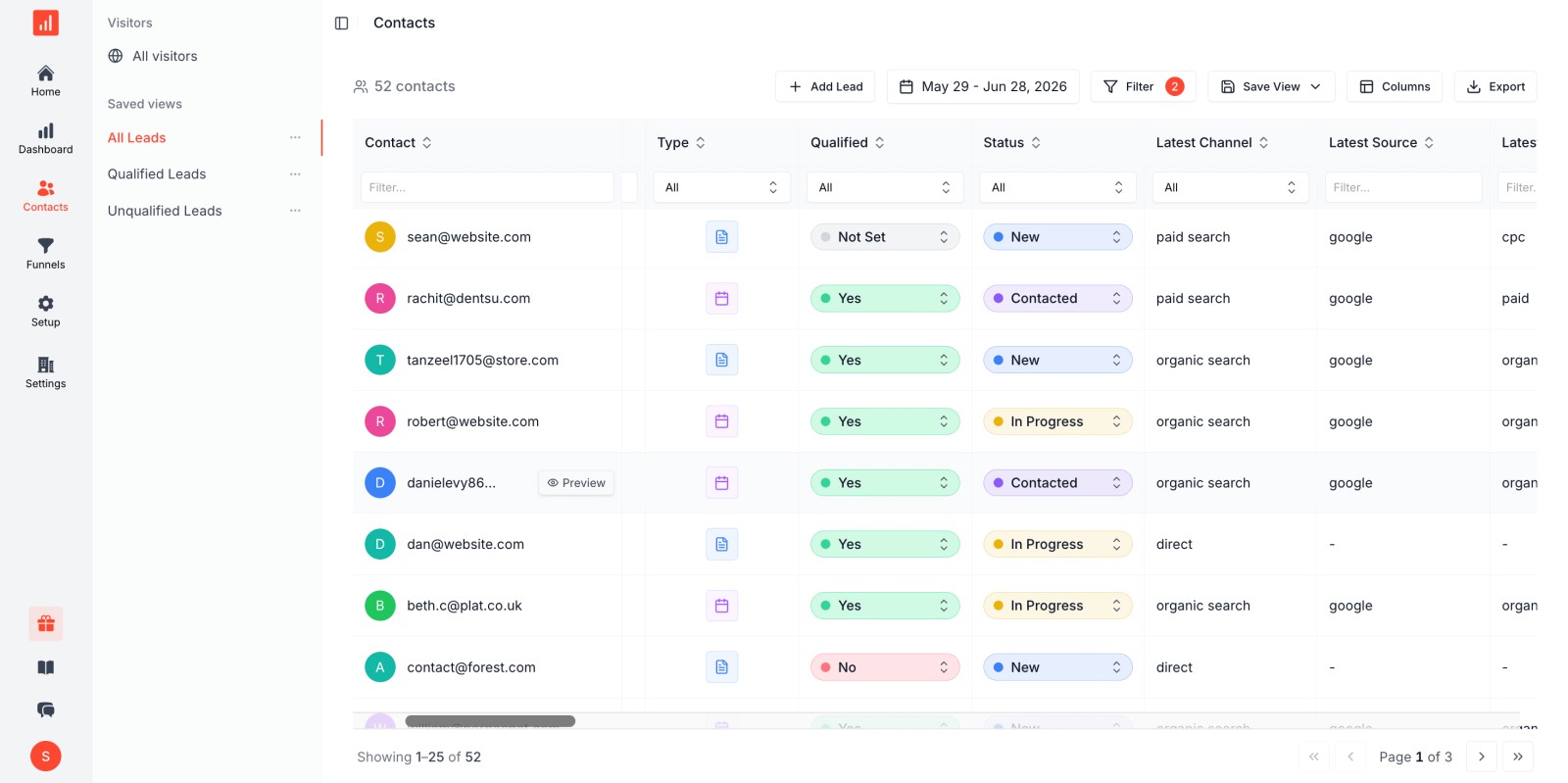
Server-side tracking is immune to ad blockers, bot filters, and client-side JavaScript errors that cause GA/Meta discrepancies.
Which Number Should You Trust?
Neither number is "correct", they measure different things, and both have value.
Use Meta Ads data for campaign optimization decisions: which audiences, creatives, and ad sets drive the most link clicks and conversions. Meta's data reflects user intent and ad performance on the platform.
Use Google Analytics data for website and funnel performance: what happens after users click, how they navigate your site, where they drop off, and which traffic sources drive meaningful sessions and conversions.
Use both together for complete visibility. Meta tells you which ads get attention and drive clicks. GA tells you which clicks turn into engaged visitors and customers.
The key is consistency: compare the same metrics over time within the same platform, and use realistic benchmarks (10-30% discrepancy) to spot anomalies that warrant investigation.
For attribution and ROI reporting, combine both data sources with CRM or revenue data to connect ad spend → clicks → sessions → leads → revenue. Tools that sync first-party conversion data back to ad platforms (like Conversions API and offline conversion tracking) help close the loop.
FAQ
Why does Meta Ads show more clicks than Google Analytics shows sessions?
Meta Ads counts every click on your ad link, including duplicate clicks from the same user, clicks from bots that Meta's filters approve, and clicks where the user abandons the page before it loads. Google Analytics only counts sessions where the tracking code successfully fires on your website. Ad blockers, slow load times, and tracking failures prevent many clicks from becoming GA sessions.
Is a 20% discrepancy between Meta and GA normal?
Yes. A 10-30% discrepancy is completely normal and expected. Meta tracks clicks at the ad platform level; GA tracks sessions that load and execute tracking code. Legitimate technical factors (ad blockers, bot filtering, abandoned loads) account for the gap. Investigate only if discrepancies exceed 40% or spike suddenly.
Can I make Meta Ads and Google Analytics match exactly?
No. The platforms measure different events with different methodologies and attribution windows. You can minimize discrepancies with proper UTM tagging, fast landing pages, Conversions API, and server-side tracking, but some gap will always exist. Focus on consistent trends within each platform rather than exact parity.
Why does Google Analytics show more sessions than Meta shows clicks?
This usually means GA is attributing sessions to your Facebook campaign that didn't originate from paid ads. Common causes: missing or incorrect UTM parameters, users typing your URL after seeing an organic post, or GA misclassifying referral traffic as campaign traffic. Audit your UTM tagging and campaign tracking setup.
How do I know if my tracking is broken?
Check for discrepancies above 40%, sudden spikes in the gap, or zero GA sessions despite Meta showing clicks. Test your ads yourself: click an ad, verify the landing page loads, check that GA Real-Time reports show your session, and confirm UTM parameters appear in GA's campaign reports. If any step fails, your tracking needs repair.
Should I report on Meta clicks or GA sessions to my team?
Report on conversions and revenue, not clicks or sessions. Clicks and sessions are vanity metrics that don't reflect business outcomes. Use Meta data to optimize ad performance and GA data to optimize website experience, but tie both to CRM leads, qualified opportunities, and closed revenue for stakeholder reports.
Do attribution windows cause discrepancies between Meta and GA?
Yes. Meta Ads defaults to a 7-day click attribution window, meaning it counts conversions from clicks up to a week old. Google Analytics uses last-click, same-session attribution by default. If someone clicked your ad Monday and converted Friday through a different channel, Meta claims the conversion while GA attributes it elsewhere, creating a reporting gap.


 Paid Social


