
How to Track UTM Parameters in Zoho CRM
Zoho CRM UTM tracking made easy. Follow these 4 easy steps to know the source of every contact inside your CRM.
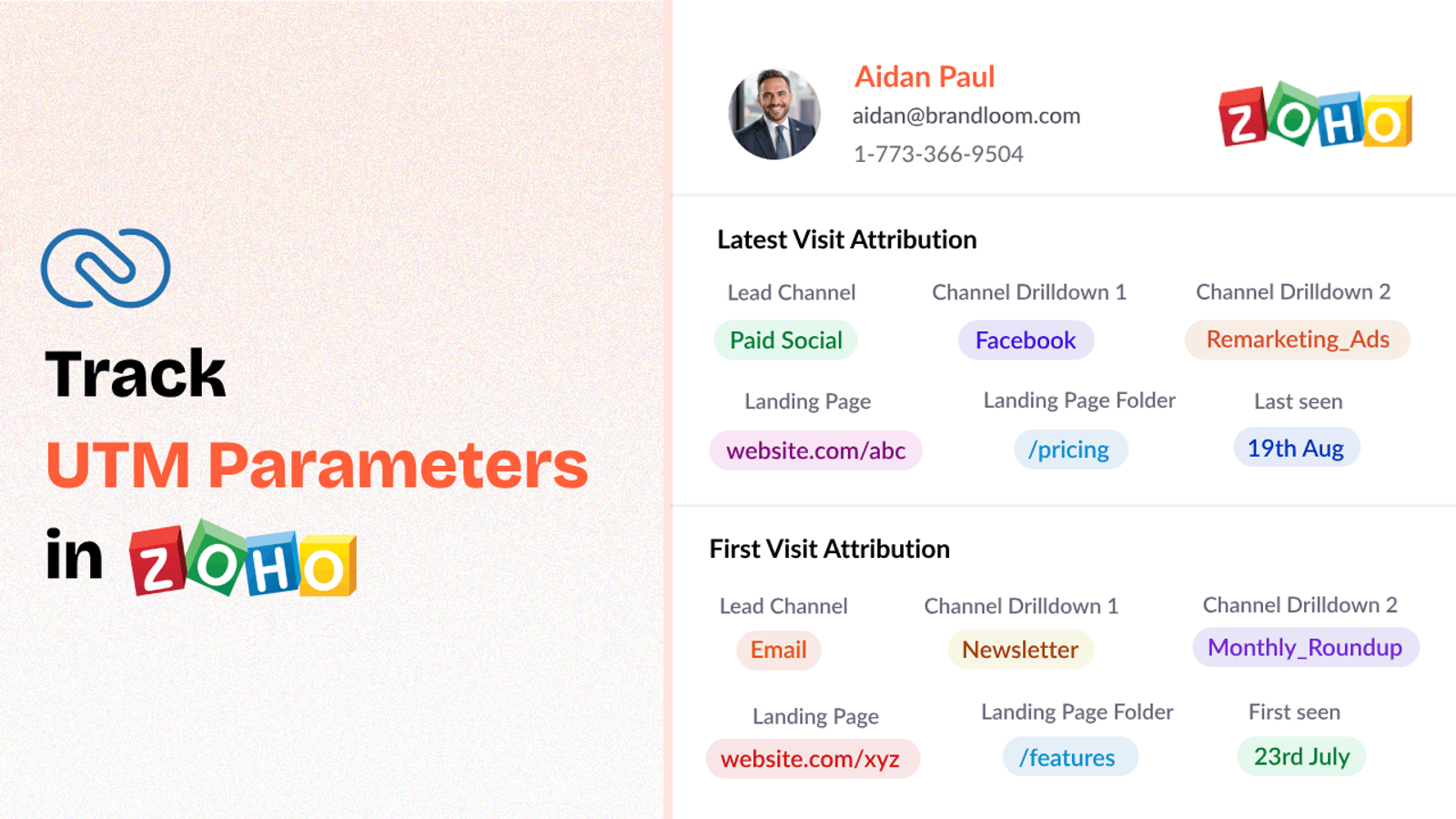
Table of contents
If you’re running marketing campaigns and using UTM parameters to track your traffic sources, you’re already ahead of the game.
But capturing that UTM data inside Zoho CRM — where your leads actually live — is where things often get complicated.
In this guide, I’ll show you how to use SourceLoop.ai to track UTM parameters in Zoho in simple steps.
Let’s jump in!
4 Easy Steps to Track UTM Parameters in Zoho CRM
Here are 4 simple steps to capture UTM parameters in Zoho CRM:
1. Add SourceLoop on Your Website

Start by creating an account at SourceLoop.ai.
Once inside your dashboard, copy the tracking code provided and paste the snippet across your site.
The best part is that SourceLoop organize UTM information into easy to understand marketing attributes.
Example:
Let’s say Tesla is running an Instagram Story ad promoting their new Cybertruck.
When a user swipes up on the ad visit Tesla website, SourceLoop organize & store data like this:
- Channel = Social
- Channel Drilldown 1 = Instagram
- Channel Drilldown 2 = Cybertruck Launch Campaign
- Channel Drilldown 3 = Story Ad
- Landing Page = www.tesla.com/cybertruck
- Landing Page Folder = cybertruck
- Last Seen = May 25, 2025
2. Add UTM Parameters to Your Links

With your site ready to capture UTMs, the next step is to ensure that every link you use in your marketing campaigns includes UTM parameters.
Without UTM parameters, there’s no way to track where a visitor originated — and SourceLoop.ai can’t capture meaningful source data.
You should add UTM tags to:
- Paid search ads (Google Ads, Bing Ads, etc.)
- Paid social ads (LinkedIn, Instagram, Facebook, Twitter/X)
- Email campaigns
- Banner/display ads
- Affiliate campaigns
Example of a link with UTM parameters:
https://yoursite.com/quiz?utm_source=facebook&utm_medium=paid&utm_campaign=summer_sale
Resources:
- How to add UTM parameters in Google Ads
- How to add URL parameters to Meta ads
- How to setup UTM Codes for LinkedIn Ads
- How to add UTMs to your TikTok ads
3. Add Hidden Fields to Your Lead Form
Next, you need to modify your lead forms to include hidden fields.
These fields won’t be visible to your users, but they allow SourceLoop.ai to insert the UTM values during form submission.
Here are the hidden fields you should add:
- channel
- channeldrilldown1
- channeldrilldown2
- channeldrilldown3
- landingpage
- landingpagefolder
- lastseen
In most form builders like Zoho Forms, Webflow Forms, Jotform, or Gravity Forms, adding a hidden field is as simple as dragging a ‘Hidden Field’ element onto your form.
Optional: Capture First-Touch Attribution Too (Highly Recommended for B2B)
If you sell B2B products or services where a user can visit your website multiple times before converting, it’s also a good idea to track first-touch attribution.
Here are 7 other.hidden fields you can set up to receive the attribution data for the first time the user visited your website:
- first_channel
- first_channeldrilldown1
- first_channeldrilldown2
- first_channeldrilldown3
- first_landingpage
- first_landingpagefolder
- firstseen
4. Watch UTM Data Flow Seamlessly Into Zoho CRM
That’s it.
Now every time a lead fills a form or book a book a meeting, all captured attribution data is passed into Zoho CRM alongside the user’s details (name, email, phone, company, etc.).
With lead source data inside Zoho CRM, you can:
1. Personalize Lead Nurture and Follow-up Sequences
You can use Zoho CRM workflow to trigger different email sequences or customize messaging based on UTM parameters.
Someone coming from a “Book a Demo” Google Ad probably has much higher buying intent than someone clicking a casual blog post.
By tracking UTMs, you can score leads differently depending on their source or campaign — and prioritize high-intent leads for faster follow-up.
2. Build Smarter Sales Playbooks
When your sales team sees a lead’s full UTM history inside Zoho, they can customize their pitch better.
Example:
- A lead from a “Free Trial” campaign may expect a quick product overview.
- A lead from a “Thought Leadership Webinar” campaign may want deep technical conversations.
Knowing the source changes the approach — and improves closing rates.
3. Optimize Marketing Budget Allocation
With clear UTM-based performance data inside Zoho CRM, you can reallocate budget to the best-performing sources.
Example:
After reviewing your reports, you see LinkedIn Ads have a much higher Cost-Per-Lead (CPL) but also a higher close rate and ROI compared to Facebook Ads.
You can shift more budget to LinkedIn for the next quarter.
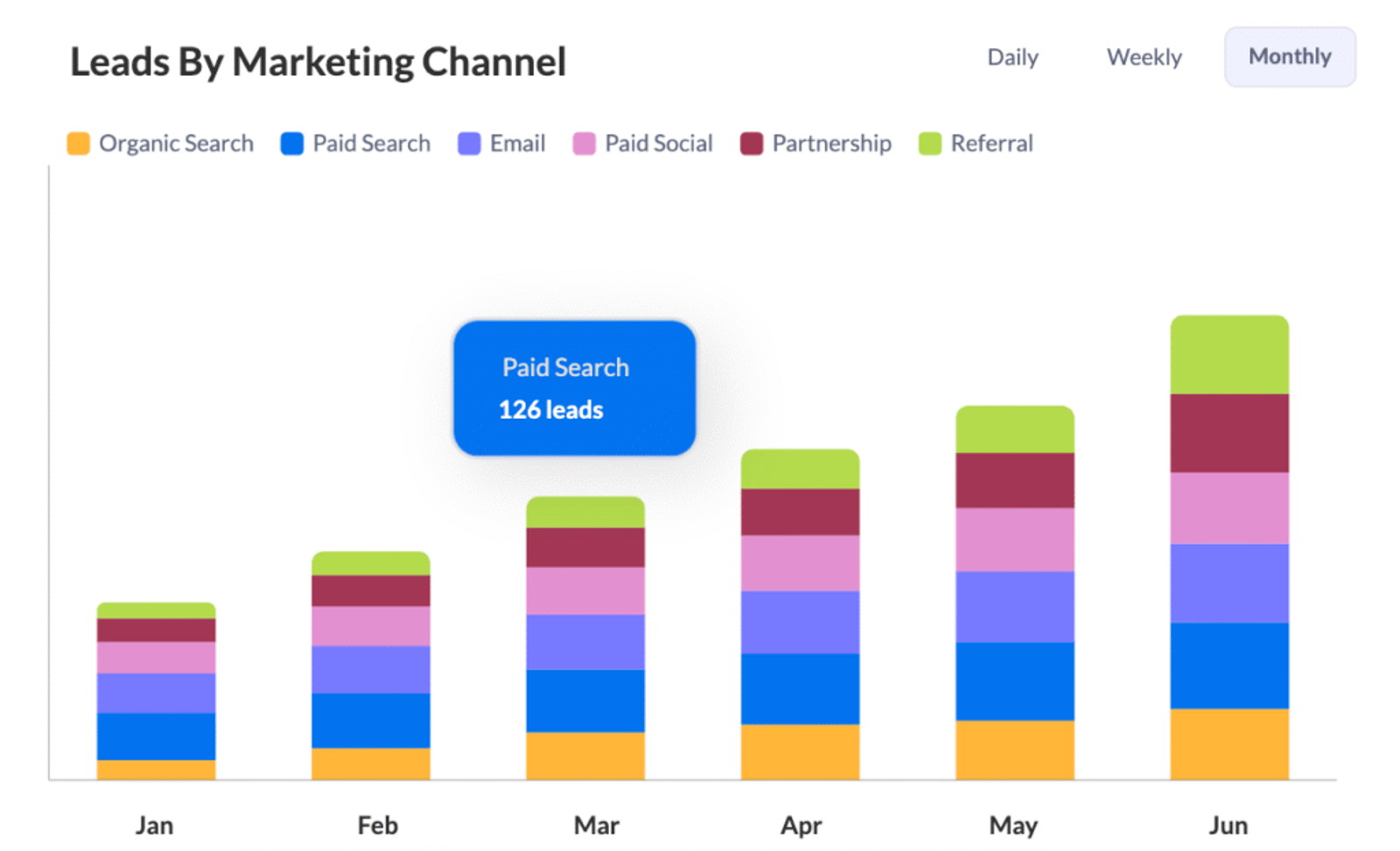
4. Prove Which Content Strategies Work (Not Just Ads)UTM parameters aren’t just for paid ads.
If you tag your blog post links, free guide downloads, YouTube videos, and other content, you can finally answer important questions like:
- Which tutorial video brings the most demo requests?
- Which blogs actually generate real sales opportunities?
- Does a case study page outperform a product page?
5. Predict Revenue Trends More Accurately
When you know which sources bring your best leads, you can start predicting revenue more reliably.
Example:
If you know leads from your “Free Consultation Facebook Campaign” usually close at a 20% rate and are worth $2,000 each, you can forecast future sales simply by tracking new incoming UTM-tagged leads.


 Paid Social


