
7 Best GA Connector Alternatives in 2026 [Compared & Ranked]
Seven GA Connector alternatives compared: multi-touch attribution, ad sync, CRM integration, and pricing. Find the right fit for your marketing stack.
![7 Best GA Connector Alternatives in 2026 [Compared & Ranked]](https://cdn.sanity.io/images/hba5yvvb/production/64be4b379849218a14810d77b047ea1662e806e2-1536x1024.webp?w=1600&auto=format)
Table of contents
- Top GA Connector Alternatives for Multi-Channel Attribution
- GA Connector alternatives compared
- 1. SourceLoop
- Key Features
- Fast, Self-Serve Setup
- Pricing
- Best For
- Verdict
- 2. Attributer
- Key capabilities
- Pricing
- Best for
- 3. Heeet
- Key capabilities
- Pricing
- Best for
- 4. WhatConverts
- Key capabilities
- Pricing
- Best for
- 5. Ruler Analytics
- Key capabilities
- Pricing
- Best for
- 6. Dreamdata
- Key capabilities
- Pricing
- Best for
- 7. HubSpot Marketing Analytics
- Key capabilities
- Limitations
- Pricing
- Best for
If you're looking for a GA Connector alternative, you need a tool that captures lead source data and writes it to your CRM so you can attribute revenue to the right campaigns.
The best alternatives include SourceLoop for multi-touch attribution with offline conversion sync, Attributer for budget-conscious teams needing basic UTM capture, Heeet for Salesforce-native attribution, WhatConverts for call-heavy businesses, and Ruler Analytics for comprehensive lead-gen tracking.
Top GA Connector Alternatives for Multi-Channel Attribution
GA Connector alternatives compared
| Tool | Starts at | Meter | Attribution models | Contact-level rows | Ad conversion sync | Best fit |
|---|---|---|---|---|---|---|
 SourceLoop SourceLoop |
$49 / mo | Page views | 7 | Yes | 7 platforms | Full-funnel attribution |
 GA Connector GA Connector |
$97 / mo | Page views | GA4's 2 | No | Via GA4 only | Teams that live in GA4 |
| Attributer |
~$99 / mo | Form submissions | First and last touch | Yes | No | Simple UTM to CRM capture |
 Heeet Heeet |
$790 / mo, annual | Leads per year | 2 on entry, all on Native | Yes | Limited | Salesforce or HubSpot native |
 WhatConverts WhatConverts |
$30 / mo | Usage plus overage | First and last touch | Yes | Google and Meta | Call-heavy lead gen |
 Ruler Analytics Ruler Analytics |
~$179 / mo, annual | Monthly visits | Yes | Yes | Google and Meta | Agencies and lead gen |
 Dreamdata Dreamdata |
Free tier, then ~$750 / mo | Contacts | Yes | Yes | Limited | Long B2B cycles |
 HubSpot Marketing HubSpot Marketing |
$890 / mo for Enterprise | Contacts | Yes | Yes | No | Existing HubSpot Enterprise |
1. SourceLoop
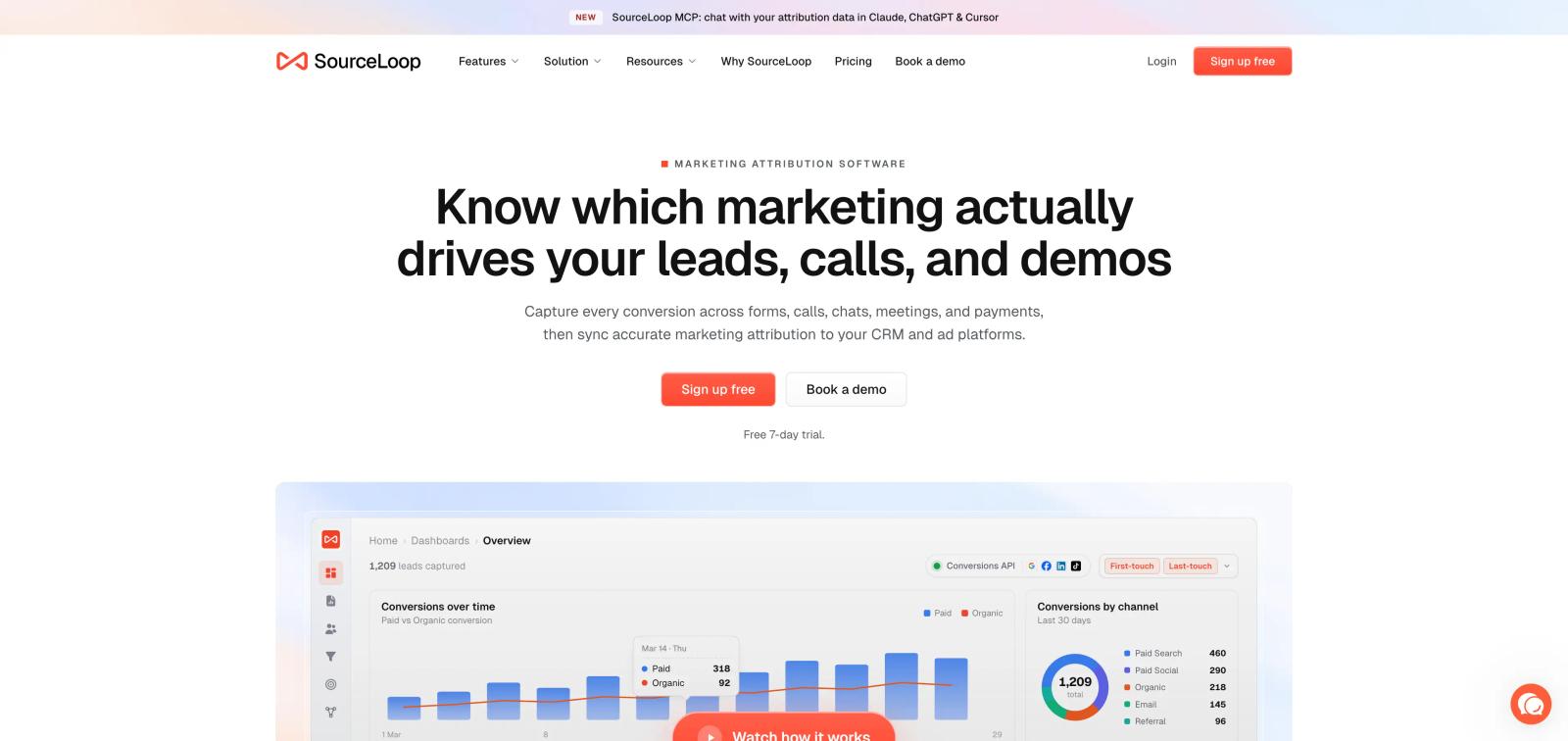
GA Connector does one job competently: it carries source data between your website, your CRM and GA4. First click into Salesforce, closed-won back into Google Analytics.
The problem is not the plumbing. It is the destination.
Since September 2023, GA4 has two attribution models left. Google removed first click, linear, time decay and position-based, leaving data-driven and last click. If GA4 is where your attribution reporting lives, you cannot compare a channel's first-touch role against its last-touch role, which is the most useful comparison in a considered purchase.
GA4 also will not show you individual people. It is aggregate by design, so "which twelve leads came from this campaign and what were they worth" is a question it structurally cannot answer. User-level retention caps at 14 months, shorter than plenty of B2B sales cycles.
There is a second ceiling on any approach that stuffs attribution into CRM text fields: previous visits arrive lumped into a single field, with no way to separate them. The journey has to be flattened to fit.
SourceLoop keeps the journey as a journey. It stores every session for every visitor, computes attribution on that history, then writes to your CRM and your ad platforms as outputs rather than as the place the data lives.
Key Features
- First-party session capture, not field stuffing. One script records referrer, landing page, all five UTMs and the click ID for every visit. Nine click IDs are read (
gclid,gbraid,wbraid,msclkid,fbclid,li_fat_id,ttclid,epik,rdt_cid), ahead of the referrer, which stops an iOS Safari ad click from filing as Direct. - Seven attribution models, not two. First touch, last touch, linear, position-based, time decay, first non-direct and last non-direct, computed on the same stored journey and switchable with no re-tagging.
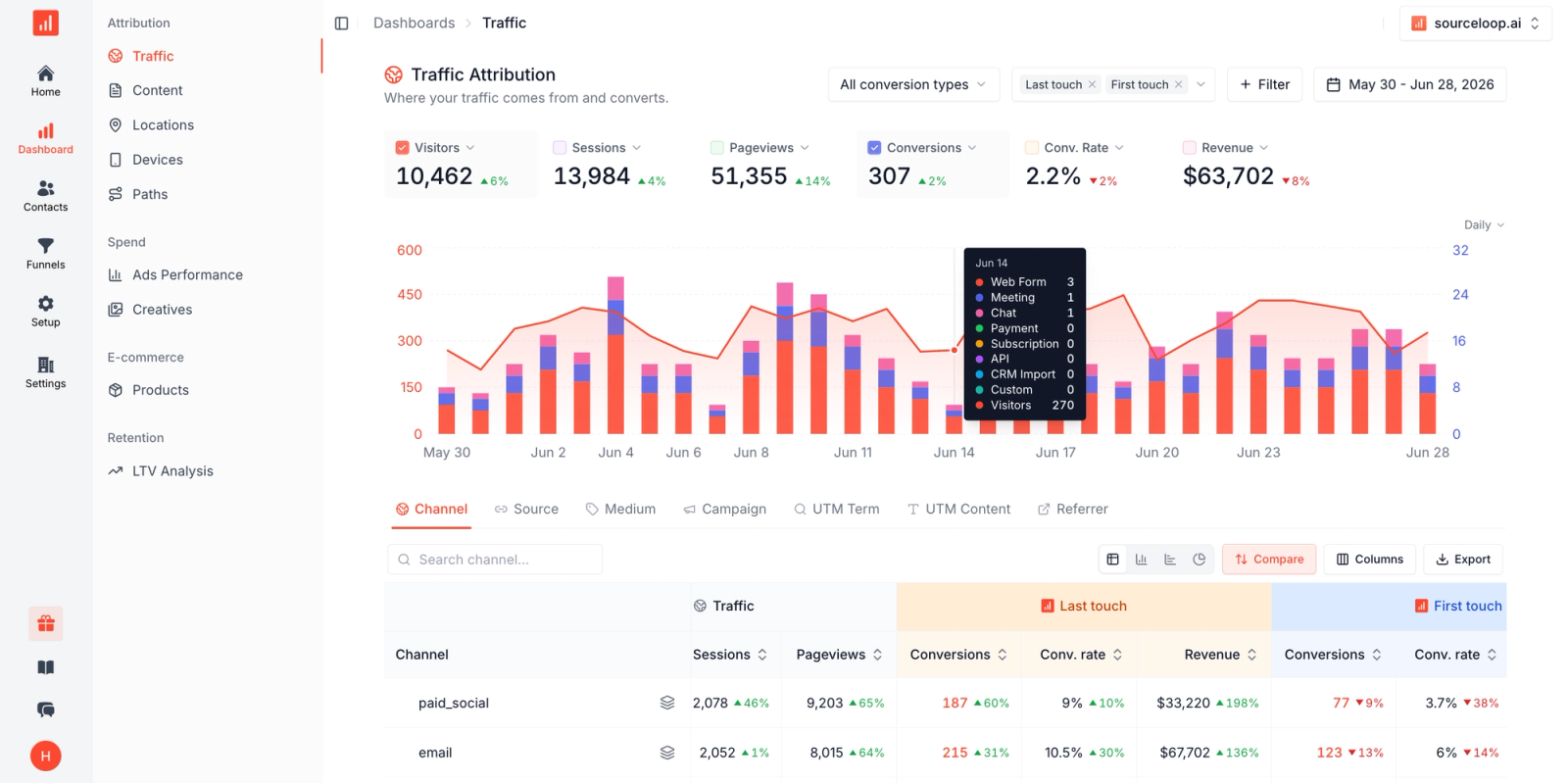
- Every touch kept separately. Open a contact and see each session in order, how they arrived, what they read, where they converted. Nothing flattens into a single "previous visits" field.
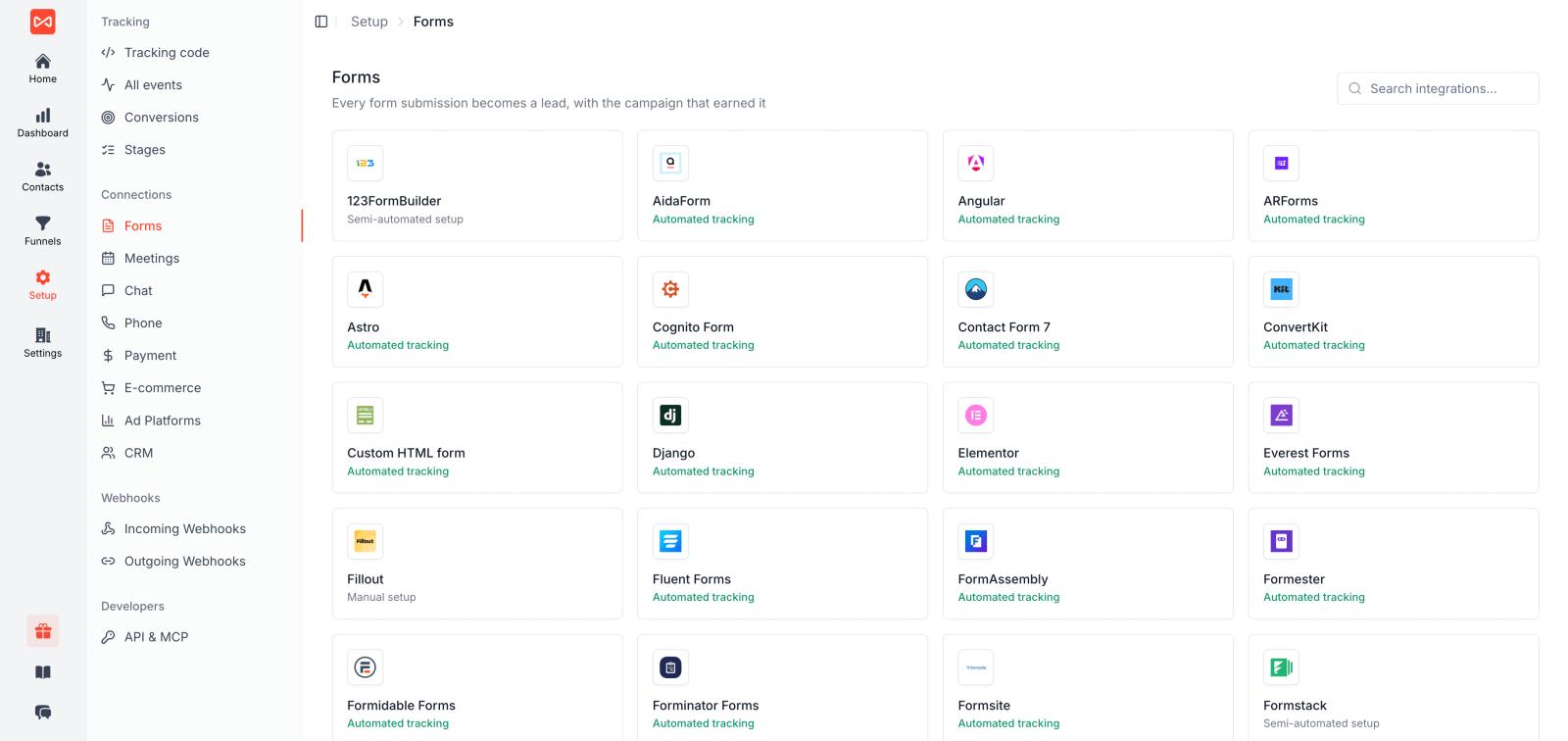
- Conversion capture from the tools you already run. Around 70 form, meeting, chat, call and payment tools detected automatically, including Calendly, Cal.com, HubSpot Meetings, Chili Piper, Gravity Forms, WPForms, Contact Form 7, Typeform, Jotform, Webflow, Framer, Intercom, Drift, Crisp, CallRail, CallTrackingMetrics and Invoca. No hidden form fields to wire up per form.
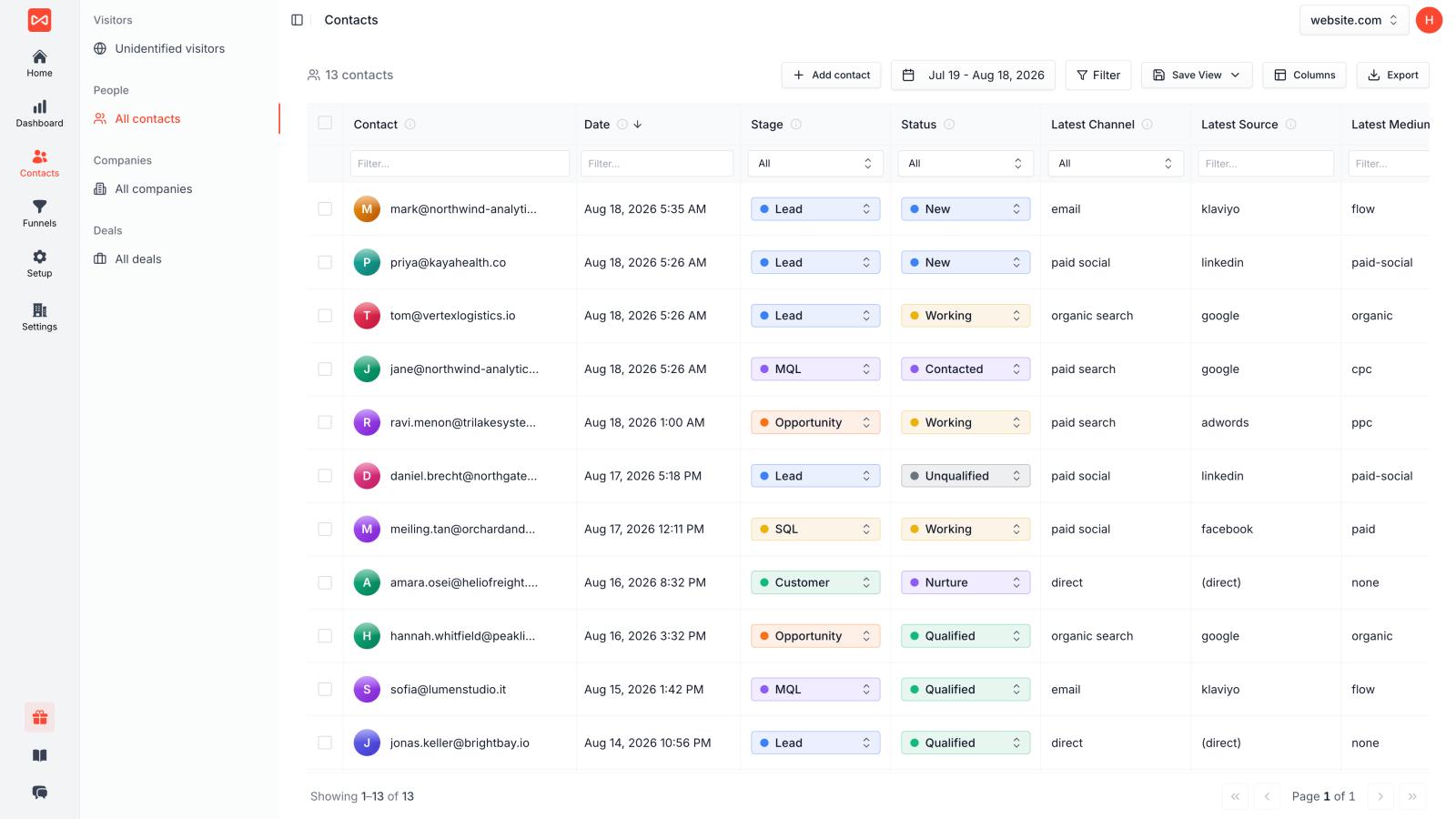
- Contact-level reporting GA4 cannot do. One row per real person after identity stitching, with channel, campaign, CRM status and revenue, filterable and exportable. This is the report people actually want when they say they want attribution.
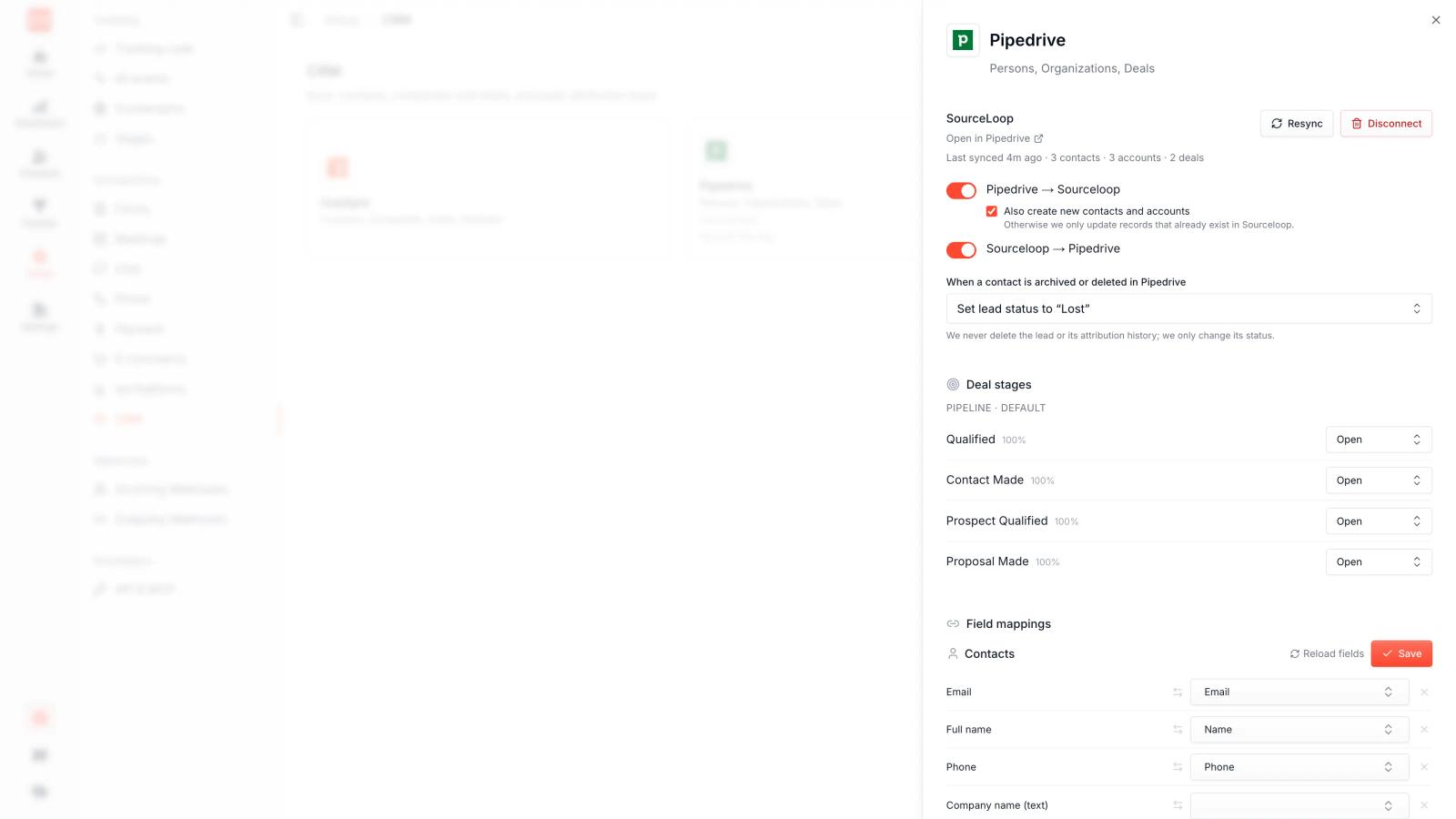
- Two-way CRM sync, not one-way field writes. Native to HubSpot, Salesforce, Pipedrive and Zoho. Attribution fields land on the record, and deal stages and closed-won values come back, with explicit mapping for Salesforce lead status, HubSpot lifecycle stages and Pipedrive labels.
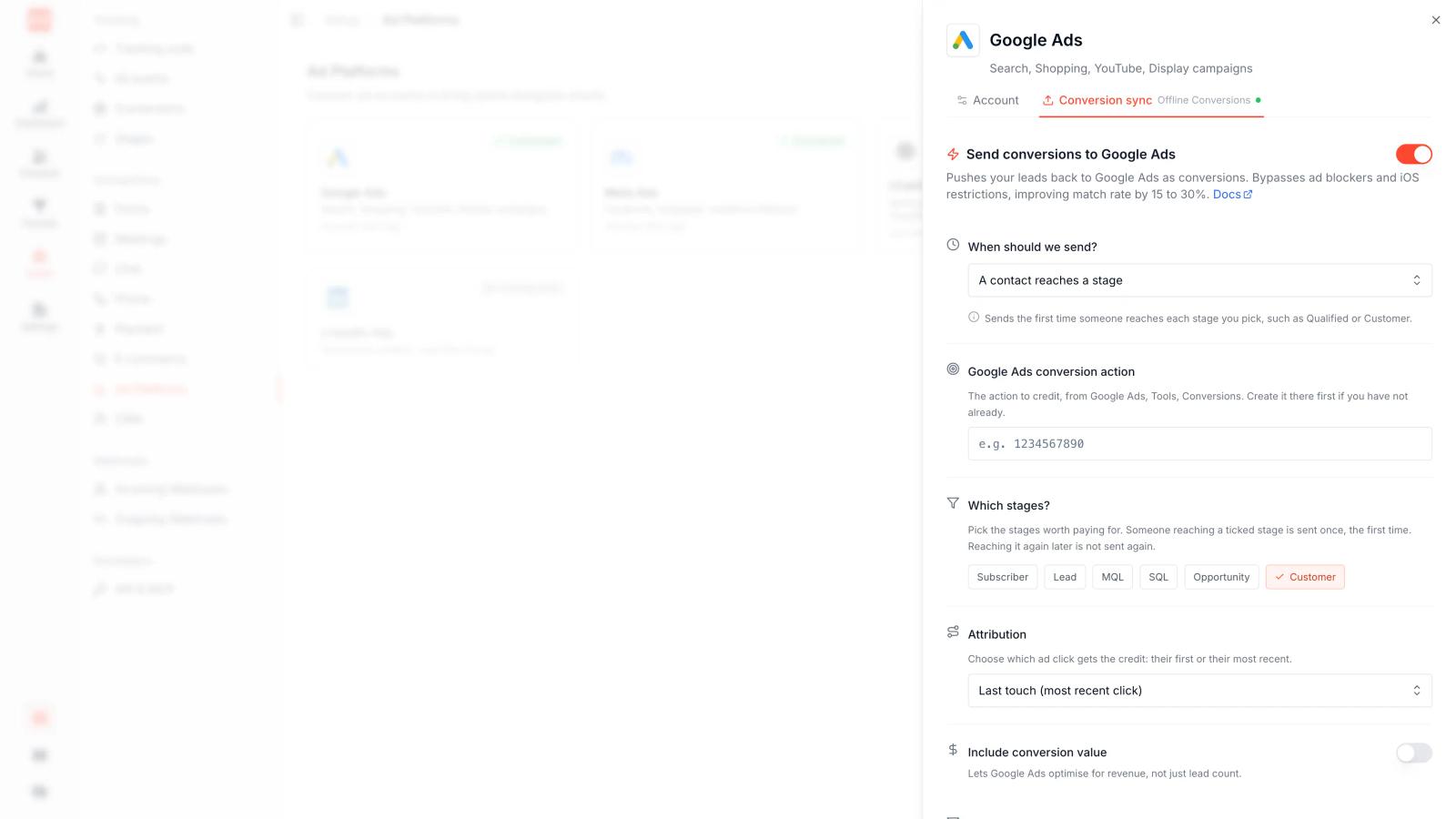
- Conversion sync to the ad platforms, not just to GA4. Server-side delivery to Google Ads Enhanced Conversions, Meta CAPI, LinkedIn CAPI, Microsoft Ads, TikTok, Pinterest and Reddit. Each mapping picks a trigger, can filter to one source, chooses first or last touch, and sets the value source and dedup window. Routing closed-won into GA4 and hoping it reaches Google Ads is a much longer path with much more loss.
- Revenue stitching for self-serve. Stripe, Paddle, Polar, Lemon Squeezy and Dodo Payments webhooks match back to the visitor who first clicked, even when checkout happens days later on another device.
- Content attribution at page level. Conversions, conversion rate and attributed revenue per landing page under any model, so blog posts get first-touch credit for pipeline that closed on the pricing page.
- Ad spend joined to outcomes. Connect Google, Meta, LinkedIn, TikTok and Microsoft accounts and cost per qualified lead becomes a column rather than a spreadsheet.
- MCP server and REST API. Query attribution, contacts, deals, journeys, funnels and LTV from any agent, and pull incrementally through a
/changesendpoint.
Fast, Self-Serve Setup
Paste the script, connect your conversion sources and your CRM. About ten minutes.
There is no GA4 property configuration, no custom dimension mapping, no hidden field per form, and no separate add-on to buy before data flows both ways.
The key difference: GA Connector moves source data into GA4 and CRM fields, and inherits the limits of both. SourceLoop keeps the full journey in a purpose-built store, computes attribution under seven models, then writes outcomes to your CRM and ad platforms.
Pricing
SourceLoop publishes its prices. Essential $49/mo covers 1 site, 1 user and 30k page views a month. Professional $99/mo adds 3 users and 100k page views. Agency $249/mo covers 3 sites, unlimited users and 2.5M page views. Tracked conversions are unlimited on every plan, annual billing takes 25% off, and there is a 7-day trial with no card.
Worth doing the comparison honestly. GA Connector meters on pageviews, starting at $97/month for 50,000 and rising to $197 for 125,000 and $397 for 300,000, and pushing CRM data back into Google Analytics is a separate add-on at $197/month. The bidirectional setup it is actually known for lands around $294/month before you outgrow the first tier.
On the other side, GA Connector's 30-day trial is more generous than SourceLoop's 7 days.
Best For
Marketing teams, agencies, SaaS companies and lead-gen businesses that have outgrown one-way source capture and want to name the individual leads behind any number in the report.
It is a particularly clean fit if you run more than one CRM across clients, if your conversions happen in schedulers and chat widgets rather than plain HTML forms, or if you want the ad platforms optimising against qualified pipeline instead of form volume.
Verdict
If GA Connector is giving you the source data but GA4 is not giving you the answers, SourceLoop is the stronger move. Seven attribution models instead of two, contact-level rows instead of aggregates, automatic capture from around 70 lead tools instead of per-form hidden fields, and conversion sync to seven ad platforms instead of a one-way trip into Google Analytics.
Where GA Connector still wins: if your team genuinely lives inside GA4 and every report, dashboard and stakeholder habit is built there, feeding that surface is its entire purpose, and SourceLoop asks you to move reporting somewhere new.
2. Attributer
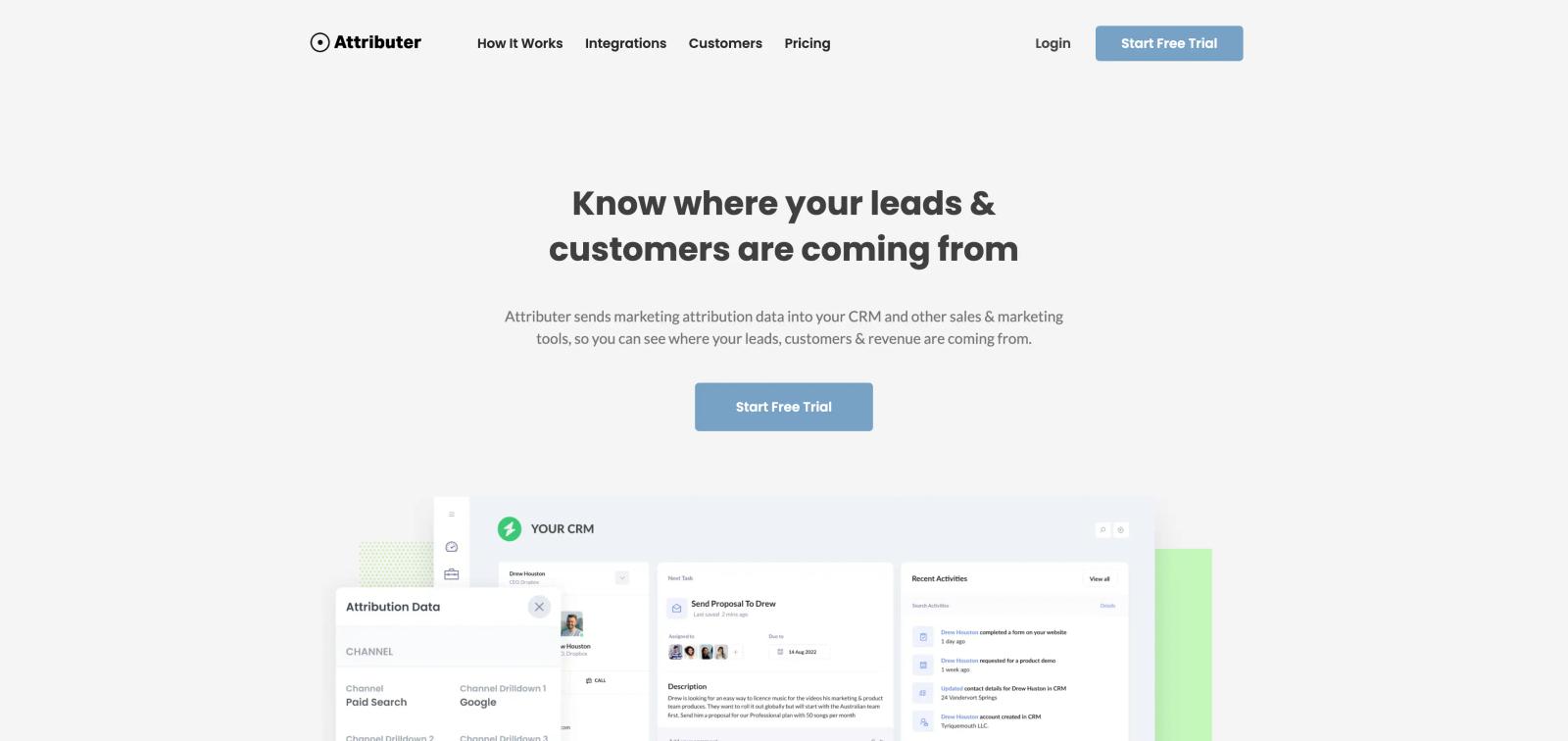
Attributer is a lightweight marketing attribution tool that captures UTM parameters, referrer data, and landing pages, then writes that data into hidden form fields on your website. When someone submits a form, the attribution data flows to your CRM, email marketing platform, or analytics tool alongside the lead's name and email.
Key capabilities
- Automatic UTM and referrer capture: Attributer runs as a JavaScript snippet on your site. It grabs UTM parameters, referrer, landing page, and channel (Organic Search, Paid Search, Organic Social, Paid Social, Referral, Direct) and stores them in the visitor's browser.
- Hidden form fields: When the visitor fills out any form on your site, Attributer copies the attribution data into hidden fields and submits it with the form. Your CRM receives the lead source data without manual tagging or integrations.
- Works with any form builder and CRM: Because it uses standard hidden form fields, Attributer integrates with any form builder (Gravity Forms, WPForms, Typeform, HubSpot Forms, etc.) and any CRM or email tool that accepts form submissions (HubSpot, Salesforce, ActiveCampaign, Mailchimp, Pipedrive, etc.).
- Last-touch attribution only: Attributer captures the first visit's attribution data and persists it across sessions. It does not track multi-touch journeys or last-touch changes.
- No dashboards or reporting: Attributer is a data-capture tool, not a reporting platform. All analysis happens in your CRM or analytics tool using the fields Attributer populates.
- No offline conversion sync: Attributer doesn't push data back to Google Ads or Meta. It only moves attribution data from your website into your CRM.
Pricing
Attributer pricing starts at $29/month for one website and up to 100 leads per month. The next tier is $49/month for up to 250 leads. Higher-volume plans and multi-site accounts are available on request.
A 14-day free trial is available.
Best for
Attributer fits small marketing teams and agencies with simple lead-gen funnels who need to know where leads came from but don't need multi-touch attribution, dashboards, or ad-platform sync. It's the cheapest way to get UTM and source data into your CRM if you're comfortable building reports yourself.
3. Heeet
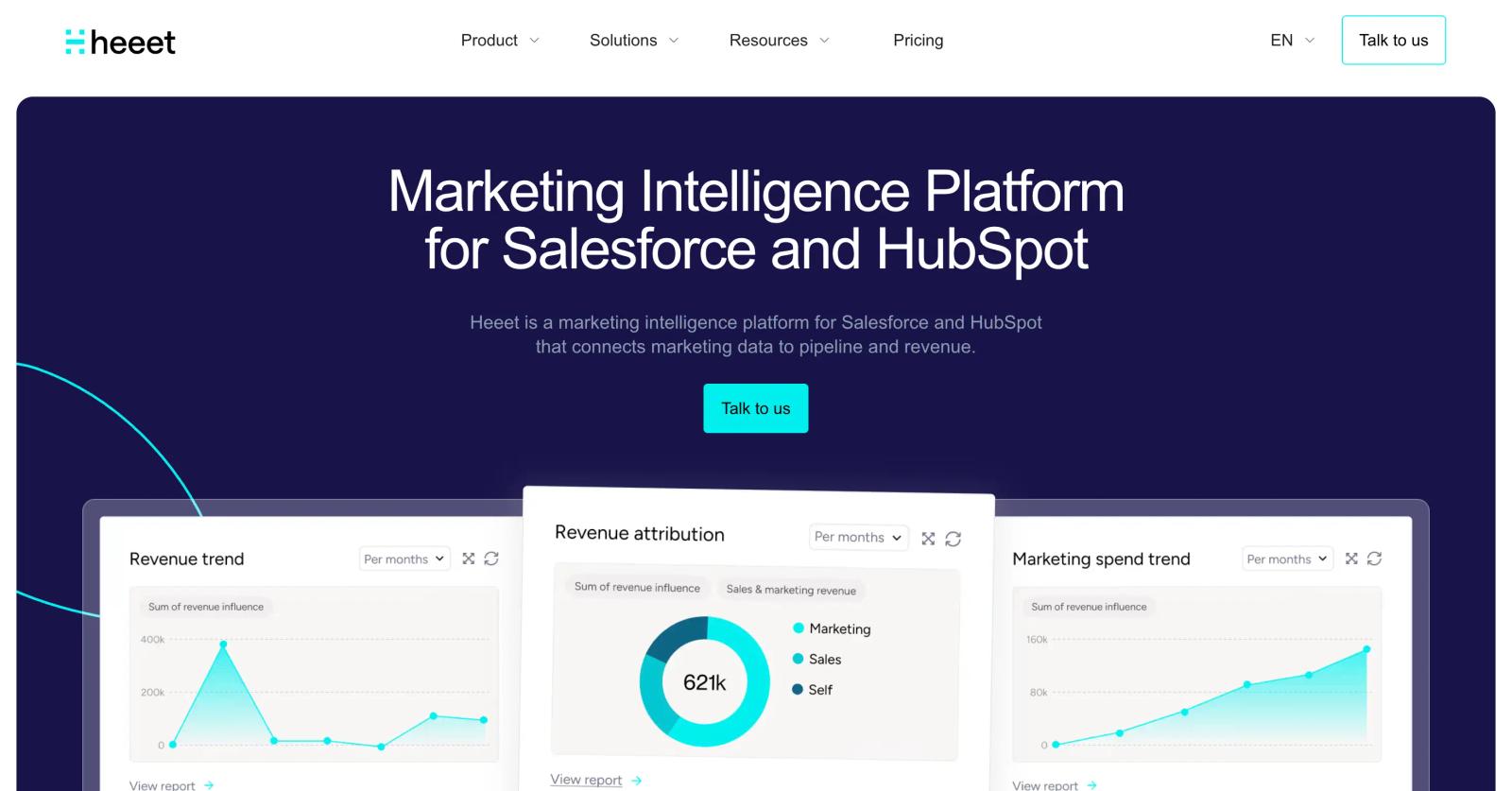
Heeet is a Salesforce-native marketing attribution platform designed for B2B marketing and revenue teams. It tracks visitor journeys from first touch through closed deal, applies multiple attribution models, and connects marketing spend to pipeline and revenue inside Salesforce.
Key capabilities
- Salesforce-native attribution. Heeet is built as a Salesforce app and runs entirely inside your Salesforce org. All data lives in Salesforce custom objects, so attribution data appears on Lead, Contact, Opportunity, and Campaign records without leaving the CRM.
- Multi-touch attribution models. Heeet supports first-touch, last-touch, linear, time-decay, U-shaped, W-shaped, and full-path attribution. Switch models in real time to see how credit shifts across touchpoints.
- Cookieless and privacy-first tracking. Heeet offers cookieless tracking that complies with GDPR and other privacy regulations, capturing attribution data without relying on third-party cookies or persistent identifiers.
- Marketing mix modeling (MMM). In addition to multi-touch attribution, Heeet includes marketing mix modeling to measure the impact of brand campaigns, offline channels, and upper-funnel activity that doesn't generate immediate conversions.
- Revenue and pipeline attribution. Heeet ties closed revenue and pipeline directly to campaigns, channels, and content, showing ROI at the campaign level inside Salesforce reports and dashboards.
- Ad platform integration. Heeet integrates with Google Ads, LinkedIn Ads, Meta Ads (Facebook Ads), and other ad platforms to import ad spend and performance data, combining it with CRM outcomes for full-funnel ROI reporting.
Pricing
Heeet pricing starts at $1,490/month (approximately €1,290/month), billed annually. The platform is enterprise-focused with custom onboarding and implementation support included. A demo is available on request.
Best for
Heeet is built for mid-market and enterprise B2B teams running Salesforce as their CRM who need deep, Salesforce-native attribution and are willing to invest in a higher-priced, enterprise-grade solution. It fits organizations with long sales cycles, multi-channel campaigns, and a requirement for cookieless tracking or marketing mix modeling alongside multi-touch attribution.
4. WhatConverts
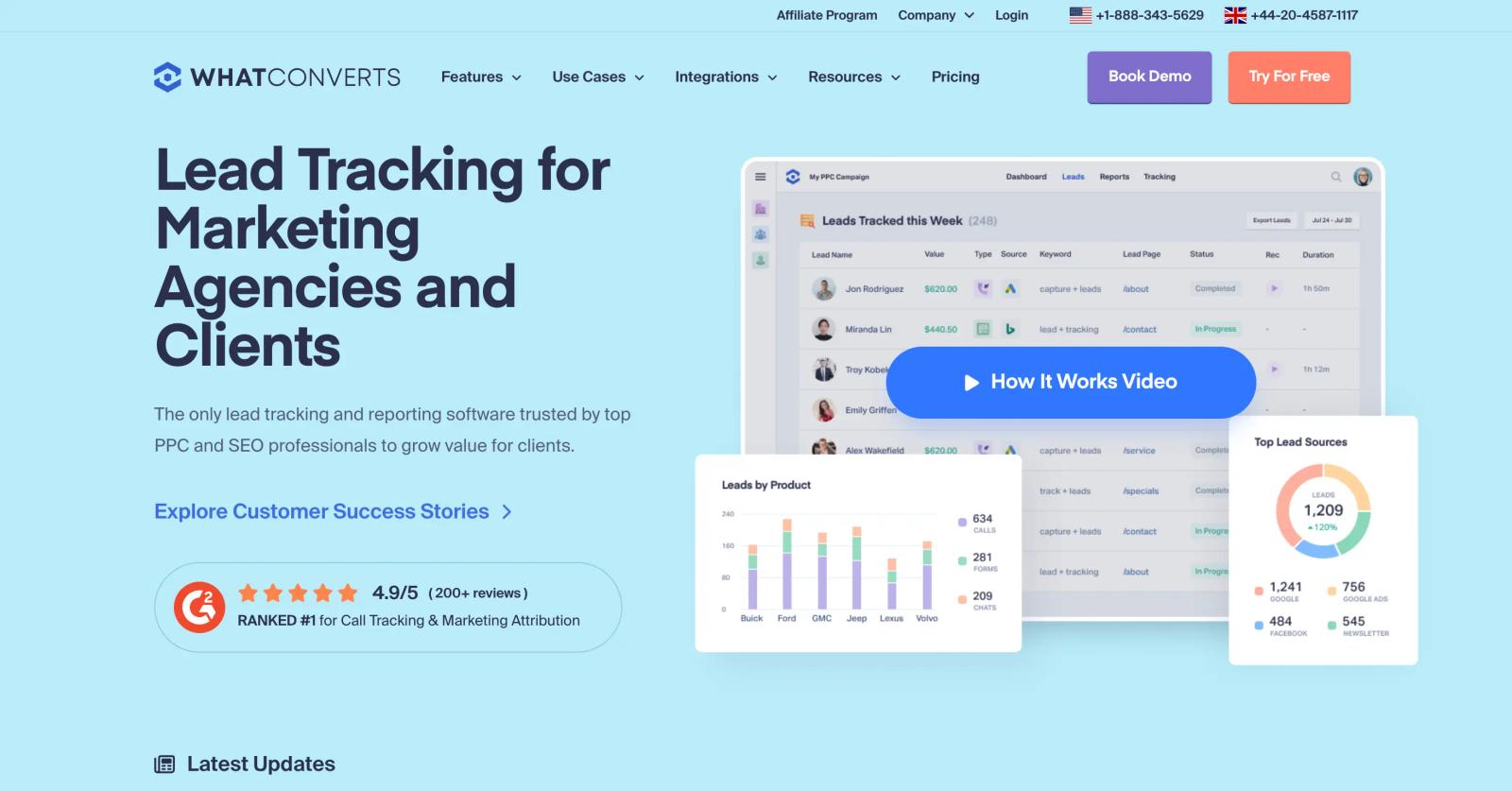
WhatConverts is a lead tracking and marketing attribution platform focused on capturing and qualifying calls, form submissions, live chats, and e-commerce transactions. It ties each lead back to the marketing source that generated it and emphasizes lead qualification over raw volume.
Key capabilities
- Call tracking with dynamic number insertion. WhatConverts provides unique phone numbers per marketing source, displays them dynamically on your website based on how the visitor arrived, and records every call. Each call is tied to its source campaign, ad, keyword, or referring site.
- Call recording, transcription, and AI lead scoring. Every call is recorded and transcribed. WhatConverts' AI analyzes transcripts to detect buyer intent and automatically identify qualified leads versus junk calls (wrong numbers, spam, existing customers).
- Form and chat tracking. WhatConverts captures form submissions and live chat conversations alongside calls, giving you multi-channel lead tracking from a single platform.
- Lead qualification and "Quotable" filtering. Mark leads as "Quotable" (qualified) or junk. All reports filter to show only qualified leads, so your ROI calculations reflect real opportunities, not raw call volume.
- Multi-touch attribution and customer journey mapping. WhatConverts tracks the full customer journey across channels and sessions, showing every touchpoint from first visit to conversion. Choose from multiple attribution models (first-touch, last-touch, last non-direct, last paid, time-decay) to allocate credit.
- E-commerce tracking. Assign dollar values to leads and track revenue back to marketing source, either manually per lead or automatically via e-commerce integrations.
- White-label reporting for agencies. Agencies can rebrand WhatConverts with their own logo, domain, and custom reports, offering lead tracking as a service to clients.
Pricing
WhatConverts pricing is tiered by the number of tracked leads and phone numbers. Plans start around $30/month for basic call tracking, with full attribution and multi-channel tracking typically falling in the $100-400/month range depending on lead volume and required phone numbers. A free trial is available.
Best for
WhatConverts is ideal for agencies, home services companies, legal and healthcare practices, and any business where phone calls are a primary or significant conversion type. It's the best GA Connector alternative if you need call tracking and lead qualification, not just form attribution.
5. Ruler Analytics

Ruler Analytics is a UK-based marketing measurement and attribution platform that tracks full customer journeys across forms, calls, and live chat, ties CRM revenue back to marketing channels, and supports multiple attribution models and marketing mix modeling.
Key capabilities
- Closed-loop revenue attribution. Ruler Analytics connects marketing touchpoints to CRM opportunities and closed revenue, then attributes that revenue back to the specific campaigns, channels, content, and keywords that drove it. You see ROI in actual revenue, not just lead counts.
- Multi-touch attribution models. Supports first-touch, last-touch, linear, time-decay, U-shaped, W-shaped, and full-path attribution. Switch models to compare how credit shifts across touchpoints and channels.
- Call tracking, form tracking, and live chat tracking. Ruler captures leads from phone calls (with dynamic number insertion), form submissions, and live chat conversations, attributing each back to its marketing source.
- Marketing mix modeling and impression attribution. Beyond multi-touch attribution, Ruler includes marketing mix modeling to measure upper-funnel and brand campaigns that don't generate immediate conversions, plus impression attribution for display and video campaigns.
- First-party visitor tracking. Ruler tracks visitor behavior and attribution using first-party cookies on your own domain, reducing data loss from ad blockers and privacy restrictions compared to Google Analytics-dependent tools.
- CRM and BI integrations. Ruler integrates with Salesforce, HubSpot, Pipedrive, Microsoft Dynamics, Google Analytics 4, and business intelligence platforms like Tableau, Power BI, Looker, and data warehouses (BigQuery, Snowflake).
- Offline conversion uploads. Import offline conversions and revenue from other systems (e.g., phone sales, in-person purchases) to include them in attribution reports.
Pricing
Ruler Analytics pricing is tiered by monthly website traffic:
- Small Business: from £179/month (\~$225/month) on annual billing for \~5,000 monthly visits
- Medium Business: from £584/month (\~$735/month) for \~50,000 monthly visits
- Large Business: from £999/month (\~$1,260/month) for \~100,000 monthly visits
- Advanced: custom pricing for 200,000+ monthly visits
Call tracking numbers and minutes incur additional usage costs. Standard contracts are 12 months with monthly or annual payment options. No free trial is advertised, but a demo is available on request.
Best for
Ruler Analytics fits agencies, B2B SaaS companies, professional services firms, and lead-gen businesses with moderate to high website traffic who need closed-loop revenue attribution, call tracking, and the flexibility to switch between attribution models. It's a strong GA Connector alternative if you're outgrowing simple first/last-touch and want deeper attribution without enterprise complexity.
6. Dreamdata
Dreamdata is a B2B revenue attribution platform designed for account-based marketing and complex B2B sales cycles. It tracks buying committee behavior at the account level, attributes revenue to campaigns and content, and integrates with data warehouses for custom analysis.
Key capabilities
- Account-based attribution. Dreamdata aggregates touchpoints across all contacts within a target account, showing the full buying committee's journey rather than individual lead paths. This fits B2B sales where multiple stakeholders influence one deal.
- Multi-touch attribution models. Supports standard attribution models (first-touch, last-touch, linear, U-shaped, W-shaped) plus custom models built on your own logic.
- Content attribution. Dreamdata tracks content engagement, blog posts, whitepapers, webinars, case studies, and attributes pipeline and revenue to specific content pieces, helping content marketers prove ROI.
- Self-attribution surveys. Dreamdata includes post-conversion surveys asking leads how they heard about you, capturing dark social and word-of-mouth that attribution tracking misses.
- Data warehouse connectivity. Export attribution data to BigQuery, Snowflake, or Redshift for custom reporting and analysis alongside your other business data.
- Free tier. Dreamdata offers a free plan with limited features, making it accessible for early-stage teams to try account-based attribution without upfront cost.
Pricing
Dreamdata pricing includes:
- Free: $0/month with basic attribution and limited data history
- Business: starts at $2,499/month with full multi-touch attribution, account-based tracking, and integrations
- Enterprise: custom pricing for advanced features and data warehouse exports
A demo and free trial are available.
Best for
Dreamdata is built for B2B SaaS and enterprise software companies with account-based sales where multiple stakeholders and long sales cycles make individual lead attribution insufficient. It's the right GA Connector alternative if you need to track buying committees and prove content ROI alongside paid campaigns.
7. HubSpot Marketing Analytics
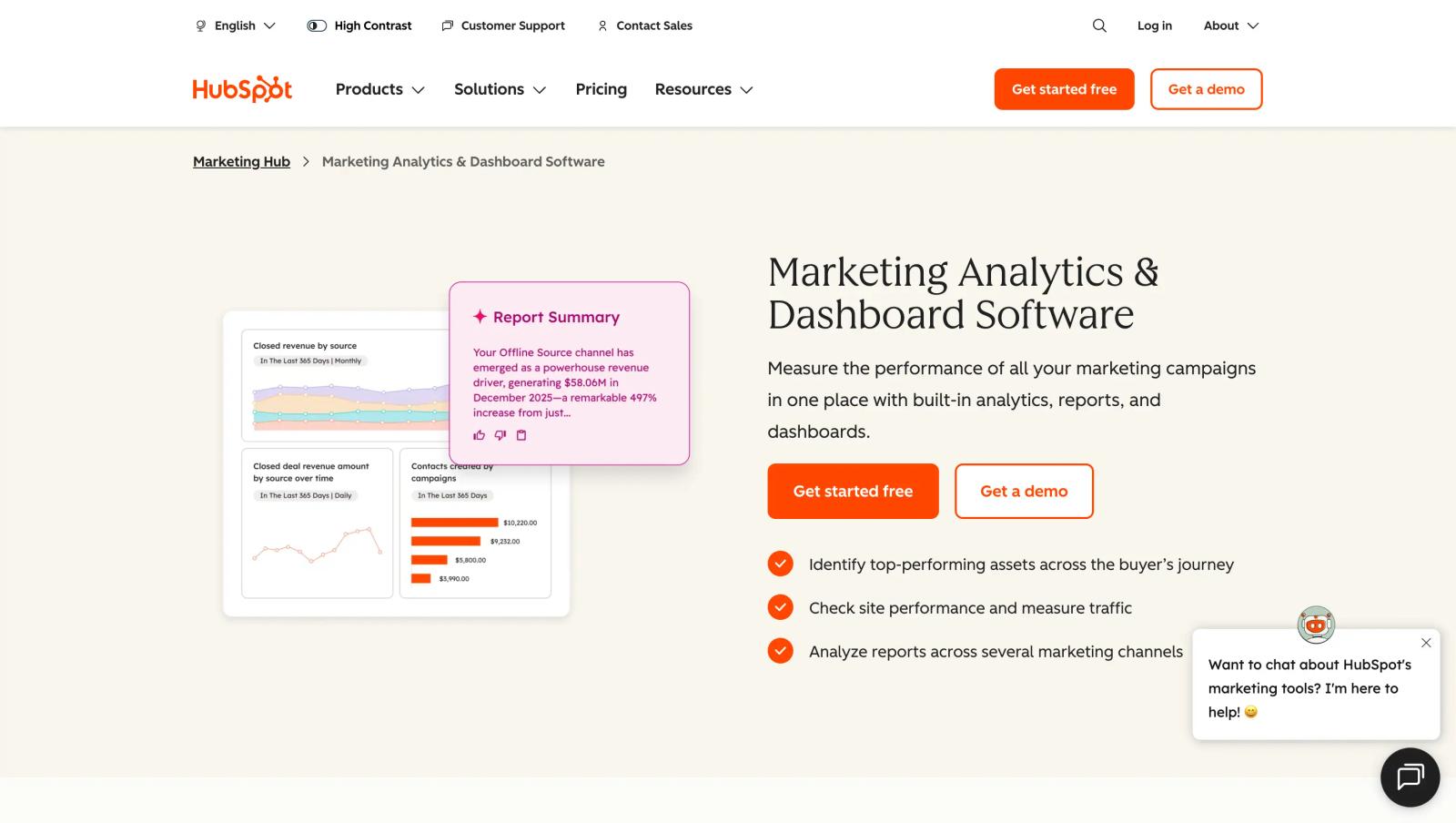
If you're already using HubSpot as your CRM and marketing automation platform, HubSpot's built-in Marketing Analytics provides multi-touch attribution without adding another vendor.
Key capabilities
- Multi-touch attribution models built in. HubSpot supports first-touch, last-touch, linear, U-shaped, W-shaped, time-decay, and full-path attribution models. Switch models inside HubSpot reports to compare how credit shifts.
- Revenue attribution at the deal level. Tie closed deals and revenue back to campaigns, sources, and content. See which channels and campaigns generate pipeline and which produce revenue.
- Contact-attribution reports. Attribution data appears on contact records and in dashboards, showing each contact's journey without exporting data or switching platforms.
- Works with HubSpot Forms, landing pages, and ads. Attribution works automatically for leads captured through HubSpot Forms, HubSpot landing pages, and ads managed in HubSpot Ads (connected Google Ads, Meta Ads, LinkedIn Ads).
- No extra cost for Professional or Enterprise tiers. Multi-touch attribution is included in HubSpot Marketing Hub Professional and Enterprise, so teams already paying for HubSpot don't need to buy a separate attribution tool.
Limitations
HubSpot-only. Attribution only works for leads and deals inside HubSpot. If you use a different CRM (Salesforce, Pipedrive, Zoho), HubSpot Marketing Analytics doesn't help.
Requires HubSpot Marketing Hub Professional or Enterprise. The Free and Starter tiers don't include multi-touch attribution.
No first-party tracking outside HubSpot. HubSpot relies on its own tracking cookie and form submissions. It doesn't capture attribution for leads generated outside HubSpot (e.g., Typeform, custom forms that bypass HubSpot, or phone calls).
Pricing
HubSpot Marketing Analytics is included in:
- Marketing Hub Professional: $890/month (3 seats included)
- Marketing Hub Enterprise: $3,600/month (5 seats included)
A free trial is available.
Best for
HubSpot Marketing Analytics is the right choice if you're already using HubSpot Marketing Hub Professional or Enterprise and don't need attribution for leads outside HubSpot. It avoids adding another tool and keeps attribution inside your existing workflow.
Frequently asked questions
-
FAQ
-
What does GA Connector do?
GA Connector pulls first-touch and last-touch source data from Google Analytics into CRMs such as Salesforce, Zoho, and Pipedrive. It works well for basic source tracking but does not provide multi-touch attribution or broader conversion and ad-platform tracking.
-
Why do teams look for GA Connector alternatives?
Teams typically switch when they need multi-touch attribution, first-party tracking, content and dark-social attribution, offline conversion sync, call tracking, or built-in attribution reporting.
-
What is the best GA Connector alternative?
SourceLoop is a strong alternative for teams that have outgrown basic UTM and first/last-touch tracking. It combines first-party tracking, multi-touch attribution, automated form and meeting tracking, CRM sync, built-in reports, and conversion sync with Google, Meta, and LinkedIn.
-
Can SourceLoop integrate with Salesforce?
Yes. SourceLoop connects with Salesforce, HubSpot, Pipedrive, and other CRMs, syncing attribution data such as first touch, last touch, customer journey, source, campaign, and conversion details.
-
Can I track attribution without UTM parameters?
Yes. First-party attribution platforms like SourceLoop can use referrer, landing-page, and other visitor data to identify organic, social, content, and other untagged sources that UTM-only tracking can miss.


 Paid Social


