
View Through Conversion: Meaning, Counting and Limits
View Through Conversion explained: how platforms count sales after an ad view, how windows change the number, and when the metric misleads.
You opened the ad account before standup, and the display campaign looks healthier than the click report. Clicks are thin. The view-through column is not. A colleague wants to move next month's budget toward that campaign because people "saw the ads and came back." That column is a claim waiting for a test, not a result you can spend against. A view through conversion means someone was shown an ad, didn't click it, and later completed a sale, signup, or lead inside a set window. Plenty of those people were already going to buy. What follows shows how platforms build the count, how the window changes it, and how to separate exposure from a real lift before any budget moves.
Table of Contents
- What a View-Through Conversion Means
- How Platforms Count a View-Through Conversion
- Conversion Windows and How They Change the Count
- A Worked Example From One Display Campaign
- Why View-Through Numbers Overstate Impact
- Where View-Through Conversions Are Useful
- Check a View-Through Figure Before You Shift Budget
What a View-Through Conversion Means
On Monday you drive past a billboard for a photo-book service. There is nothing to tap, so you don't. On Friday you search the brand and order a starter kit on the site. The ad was seen. The purchase arrived through search. That gap, seen then bought later by another route, is a view through conversion.
Google Ads Help describes it as an ad impression followed by a later conversion, kept apart from conversions that follow an ad interaction. People who interacted with another ad are excluded, so one conversion is not logged as both an impression-led and an interaction-led outcome. A 30-day window records a conversion that falls within 30 days of the impression.
| Measure | View-through conversion | Click-through conversion |
|---|---|---|
| Trigger | Ad impression with no click | Ad click |
| Where Google Ads reports it | View-through conversions and All conversions columns | Conversions column |
| Typical campaign types | Display, video and awareness campaigns | Search, shopping and click-led campaigns |
| Default role in automated bidding | Kept out of the primary Conversions column | Included in the primary Conversions column |
| Main strength | Captures influence of exposure without a click | Clear, direct link to a response |
| Main weakness | Can credit ads for sales that would have happened anyway | Misses people who saw an ad and converted later |
Google keeps these conversions out of the primary Conversions column so bidding doesn't treat a passive view like an active click. When you need to see how credit is handed across a whole journey, Affiliate Landscape's attribution model walkthrough is a clear map of the choices.
A conversion with no click, inside the window, qualifies as a view-through conversion. Qualification isn't the same thing as cause.
How Platforms Count a View-Through Conversion
Platforms don't guess. They run a short sequence, and each step can add or remove credit. The flow below is the short version.
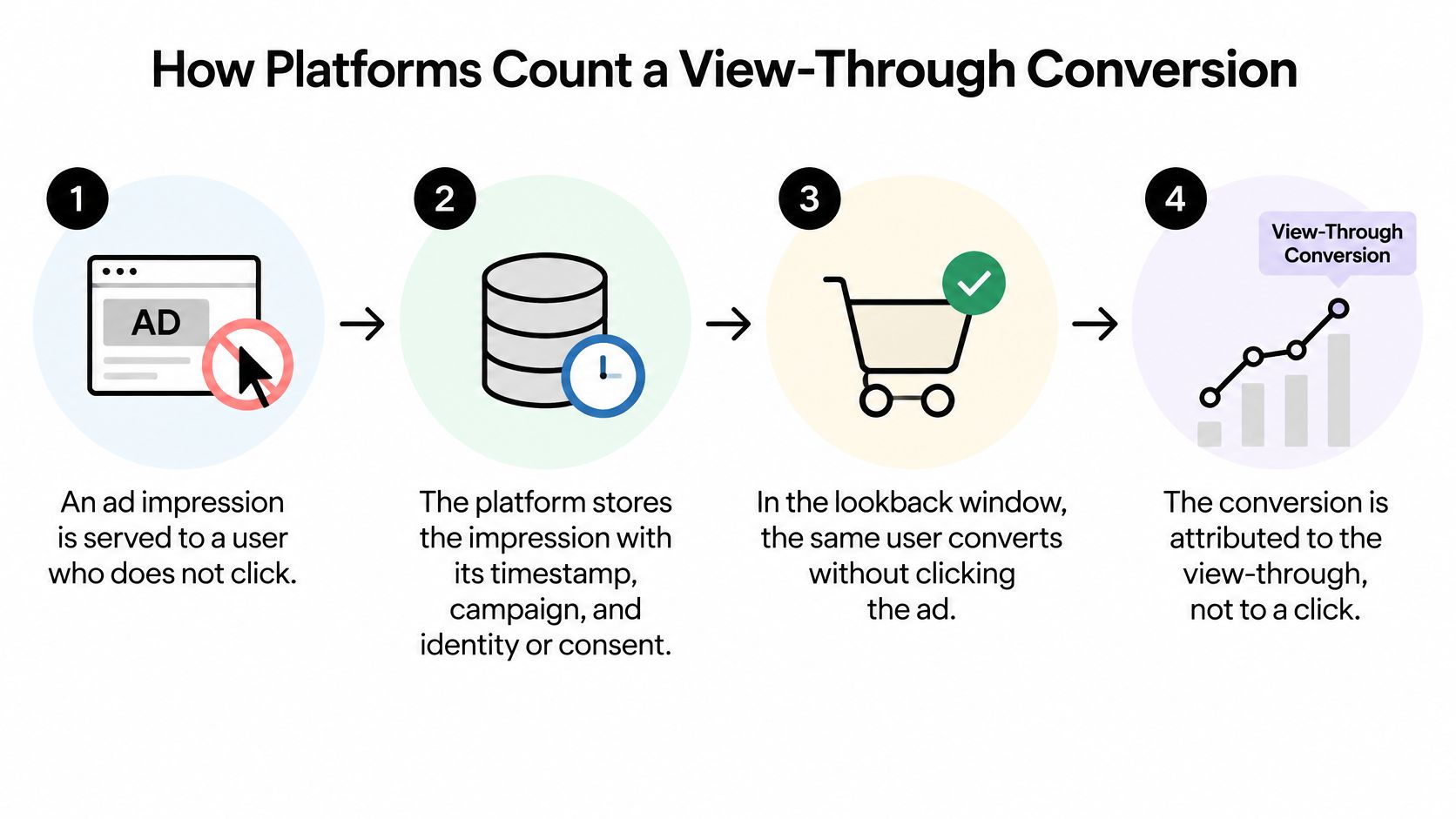
- An impression with no click. The ad is served and the person doesn't click. If they had clicked, the later sale would be a click-through conversion.
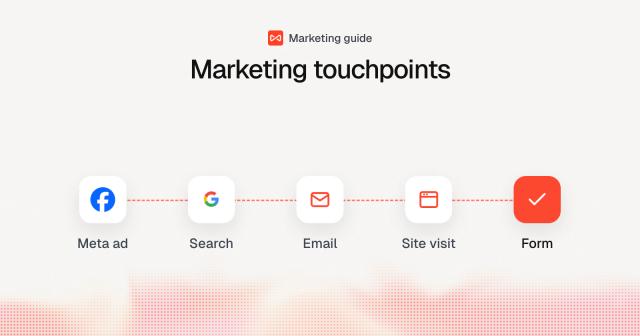
- The impression is stored. The platform keeps the timestamp, the campaign, and the identity or consent status. On the site, every page view, click and form submission is associated with a visitor and a session, which is what makes the chain traceable.
- A conversion happens later. A purchase, trial, or form fill lands. This step doesn't require a return click on the original ad.
- The window is checked. Outside the configured window, the conversion doesn't qualify. Inside it, the view stays eligible.
- A later click wins. If the person clicks another eligible ad, that interaction takes precedence and the view drops out of view-through reporting.
- The last eligible impression is credited. Google Ads Help states that the last eligible impression receives credit, while conversions after a click or other qualifying interaction are excluded from view-through reporting.
The slip that inflates the total
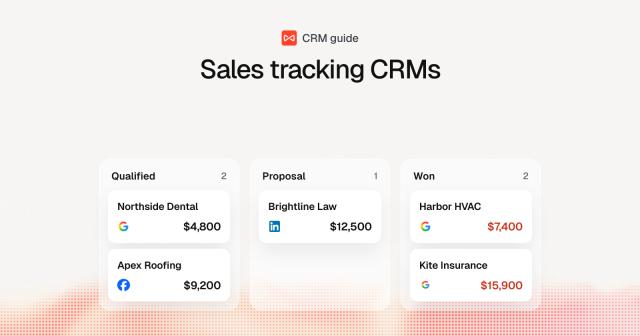
Add view-through totals from Google, Meta, and LinkedIn and you can report more conversions than you have sales. Each platform credits its own impressions. Combined view-through and click totals shouldn't exceed the conversions in the CRM for the same period. The same clash shows up when you measure external traffic conversions on a marketplace, where the ad platform and the store both want the order.
Last-impression credit can also favour an ad that appeared after the person had already decided. Treat the column as exposure association for display and video, not as incremental lift.
Conversion Windows and How They Change the Count
The conversion window is the period after a view during which a later conversion still qualifies. Google's view-through reporting guidance states that extending the view-through lookback window generally increases the number of reported view-through conversions. The metric moves with a setting, not only with the ad.
| Window length | Best fit | Effect on reported view-through conversions |
|---|---|---|
| 1 day | Same-day impulse purchases | Fewest VTCs and the tightest timing link to the view |
| 7 days | Short consideration, everyday e-commerce | Moderate VTC volume |
| 30 days | Considered purchases, free trials | Higher VTC volume and a weaker causal link |
| Longer (over 30 days) | Long B2B sales cycles | Largest VTC volume and the highest risk of overstated credit |
Say one month of display produces 500 impressions. Under a 1-day window you might record 4 view-through conversions. Under a 30-day window those same impressions might record 11. These counts are illustrative. Real counts follow the sales cycle. The 30-day figure looks stronger with no change to the creative, the bid, or the audience.
Set the window from cycle lengths you already see in the CRM. Write that window beside every reported figure. Compare campaigns only when they share the window and the dates. Choosing among credit rules for those cycles is covered in our guide to attribution modelling in marketing.
A longer window doesn't make the ad better. It makes more later sales eligible for credit.
A Worked Example From One Display Campaign
The figures below are illustrative, so you can follow the arithmetic without treating them as a benchmark.
A software company runs display for 30 days: 200,000 impressions, 1,200 clicks, and 60 click-led conversions. Google Ads also reports 45 view-through conversions on a 30-day window, so Google's columns together claim 105 conversions. Meta claims 40. LinkedIn claims 22. Together the platforms claim 167. The CRM records 110 new trials in that period.
| Source | Conversions |
|---|---|
| Google Ads | 105 |
| Meta | 40 |
| 22 | |
| Platform total | 167 |
| CRM new trials | 110 |
What a holdout does to the story
People who saw ads on more than one platform are counted more than once. View-through credit also overlaps branded search and people who typed the URL. None of that overlap is a second trial. The CRM still has 110.
The team withholds display from 10% of the audience. The exposed group converts at 2.1%. The holdout converts at 1.9%. The gap is 0.2 percentage points, about a 10% relative lift on the holdout rate. These rates are a teaching example, not a published study.
Display has a real effect here, and it is much smaller than 167 platform conversions imply. The budget conversation should use the lift, not the sum of the columns.
Why View-Through Numbers Overstate Impact
A view-through conversion shows that a person was exposed to an ad and later converted, not that the ad caused the sale.
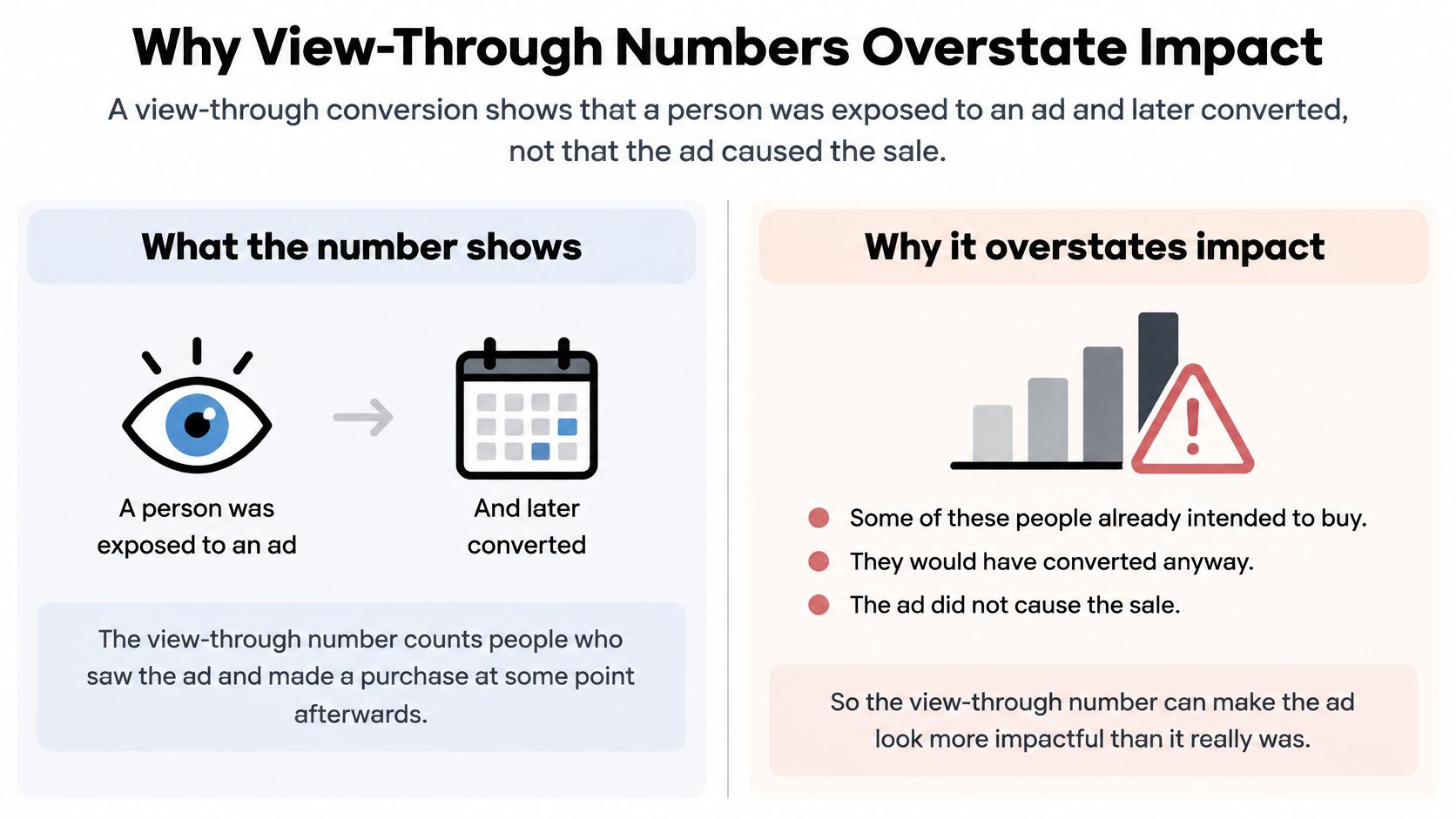
Some of those people already meant to buy. Credit also stacks onto branded search, direct visits, sales outreach, and retargeting. Last-impression assignment favours whichever ad showed up late. Change the window and the count moves with it, so configuration and performance stay tangled.
In a Google case study of a Fujifilm campaign, more than 90% of the audience saw the ads but didn't click, a view-focused strategy produced 127% more conversions than the previous approach at the same spend, and incremental conversions from the lift experiment exceeded click-through conversions by 98%. Click reports understated total impact. The lift came from comparing exposed people with people who weren't exposed. Platform association alone didn't produce that estimate.
Shopify stores hit the same split between a platform claim and a tested gain, so a look at attribution marketing software for Shopify is useful before view-through revenue is treated as cash. A method you can run on your own accounts sits in this guide to advertising effectiveness measurement.
The metric is good at showing non-click exposure. It doesn't prove incrementality, it swells when the window gets longer, and it double-counts once several platforms report the same buyers.
Where View-Through Conversions Are Useful
This signal earns a place when audiences rarely click, and you still need to know whether exposure and outcomes moved together.
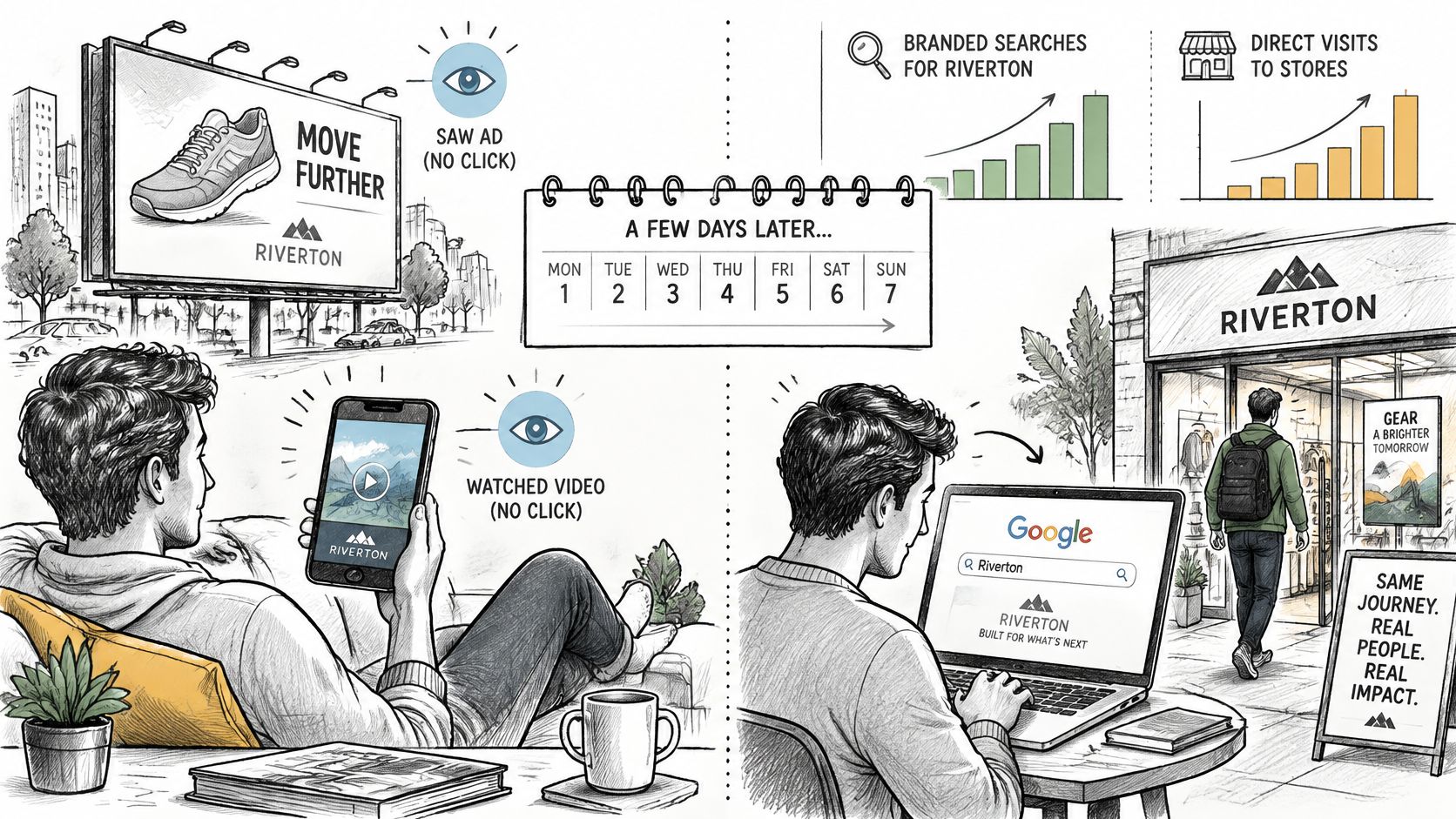
Awareness display and video are the clearest fit. A low click rate is a weak readout of whether anyone noticed the ad. The view-through count tells you whether exposed people later converted at all, which supports keeping the format in a test instead of killing it for clicks.
A product video runs for a launch week. Branded search rises in the days after, and direct visits rise with it. That pattern is an exposure effect worth a further test. It isn't approval for a bigger buy until a group that never saw the video is worse off.
Four decisions it can support
- Spot awareness effects: Decide whether a low-click format still sits near later conversions.
- Follow trends: Watch the count across weeks rather than scoring a single day.
- Compare creative and frequency: Rank ads by the share of exposed people who later convert, and cap frequency on the versions that don't.
- Explain branded-search growth: See whether search and direct visits rise after a video burst, which is a reason to test, not a reason to claim those searches.
Retargeting is a weaker case. Those audiences were often already close to buying, so a high count mostly restates intent you already paid to collect.
A short walkthrough of reading exposure next to clicks:
Use the metric to see whether exposure lines up with outcomes. Verify that link before you pay more for it.
Check a View-Through Figure Before You Shift Budget
Treat the platform figure as a hypothesis until a test comes back. Teams that skip the lift usually find the gap only after the money has moved.
- Separate the columns. Report view-through conversions apart from click conversions and from revenue. Don't add them as if they were extra sales.
- Write the window down. Put the conversion window beside every view-through figure you share.
- Match the CRM. Reconcile combined platform totals with CRM conversions for the same dates. When a lead converts through any form, chat or booking, we attach all 8+ attribution data points to the lead and push it to the CRM, so that record is the one the ad platforms shouldn't outrun.
- Test before you move money. Run a holdout or a geo-lift test before shifting budget on view-through conversions alone.
- Act on the lift. Compare the view-through conversion rate with the lift, and spend against the lift.
Putting that tested gain next to cost is the comparison a budget meeting needs, which is the point of how to measure marketing ROI.
Keep a view-through campaign when the lift test shows a real gain at an acceptable cost. Cut it when the view-through count is high and the lift is small.
Pull one live display or video campaign, write its window next to the view-through count, and line that count up with CRM trials for the same dates. If the platform total runs ahead of the CRM, don't move budget until a holdout says otherwise. SourceLoop ties each form, chat, and booking back to the journey and syncs the qualified conversion to your CRM, so that check takes minutes rather than a spreadsheet rebuild. Start the free 7-day trial and run the comparison on the campaign you almost funded this morning.

 Paid Social


