
How to Track UTM Parameters in SureForms
Follow 4 easy steps to capture UTM parameters in SureForms and and uncover the true source of every lead
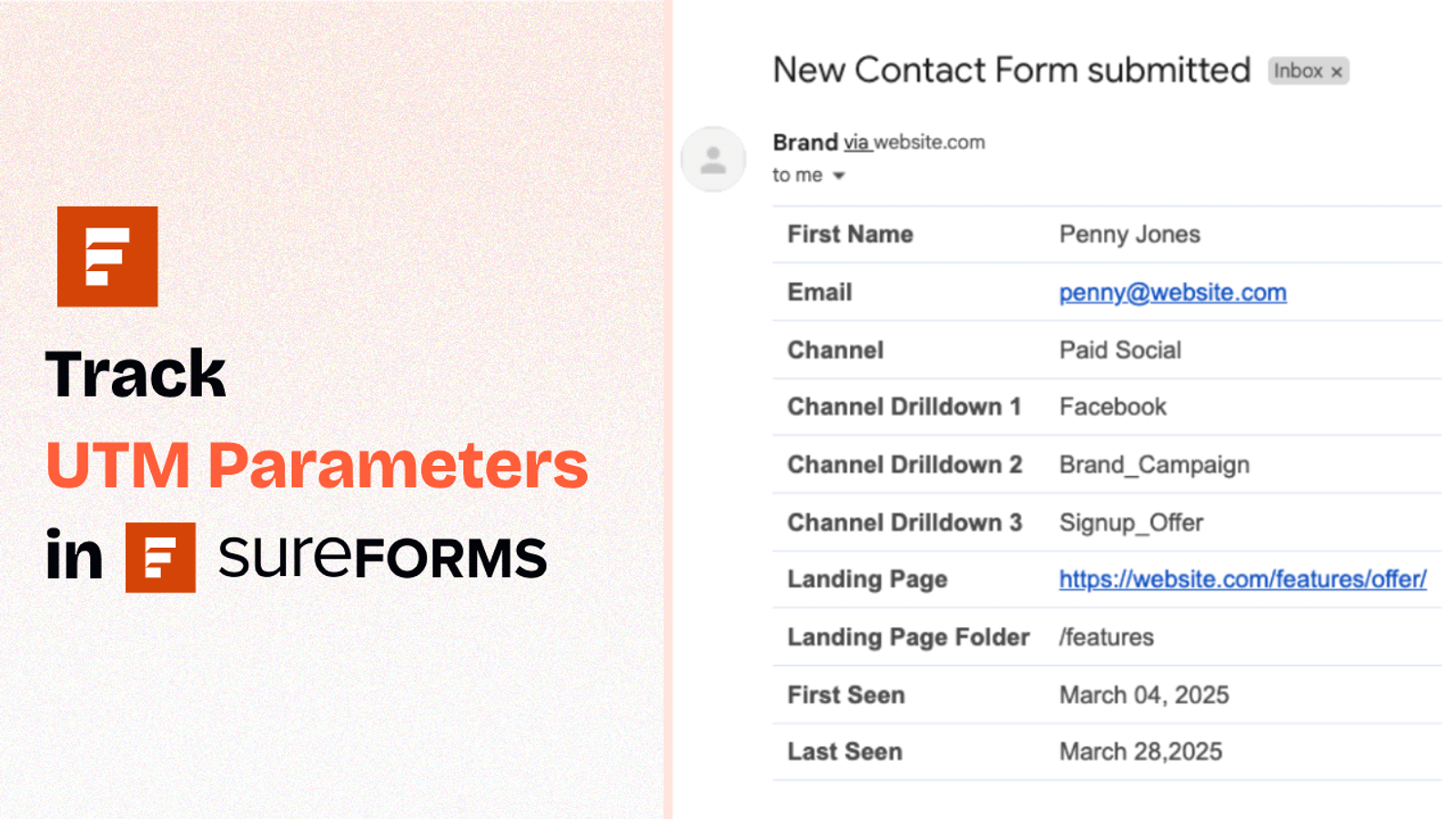
Table of contents
Are you running marketing campaigns and using UTM parameters to track performance?
Then you probably want to know exactly where your leads are coming from when someone fills out a Sure Form on your site.
Unfortunately, Sure Forms doesn’t track UTM parameters by default for a form submission.
But the good news? You can easily set it up using a tool called SourceLoop.
Here’s a simple step-by-step guide to help you track UTM parameters in your SureForms using SourceLoop.ai.
5 Easy Steps to Track UTM Parameters in SureForms
Here are 4 simple steps to capture UTM parameters in SureForms:
1. Add SourceLoop on Your Website

Go to SourceLoop.ai and create your free account.
Copy your unique website tracking script and paste it into the <head> section of your site.
Most CMS like WordPress, Webflow, Wix, SquareSpace, etc., allow you to easily add custom code in header within a few clicks.
Once installed, SourceLoop will:
- Track how each visitor lands on your website
- Automatically organize UTM values into clear, marketing-friendly attributes
- Store UTM parameters in browser cookie.
Example:
Let’s say you’re running a Facebook ad campaign for Nike, promoting a new line of running shoes.
A user clicks on the ad, which takes them to your landing page. SourceLoop.ai will capture and organize the visit information like this:
- Channel = Paid Social
- Channel Drilldown 1 = Facebook
- Channel Drilldown 2 = Sponsored Post
- Channel Drilldown 3 = New Running Shoes Launch
- Landing Page = www.nike.com/new-running-shoes
- Landing Page Folder = new-running-shoes
- Last Seen = June 14, 2025
2. Add UTM Parameters to Your Links

Now that SourceLoop.ai is active, it’s time to ensure that it get the right data to capture for every visitor.
Go into all your marketing channels—Google Ads, Meta Ads, LinkedIn, TikTok, email newsletters, etc and ensure that the URLs pointing to your website include UTM parameters.
These parameters work like tracking tags, helping SourceLoop identify how each user arrived at your site.
NOTE: For certain links—like organic Google search results or someone mentioning your website—where adding UTM tags isn’t possible, SourceLoop.ai can still identify the source of those visits and share that data with you.
Example of a link with UTM parameters:
https://website.com?utm_source=paid_search&utm_medium=Bing&utm_campaign=prime_day
Resources:
- How to add UTM parameters in Google Ads
- How to add UTM parameters in Facebook Ads
- How to add UTM parameters in LinkedIn Ads
- How to add UTM parameters in TikTok Ads
3. SourceLoop Automatically Capture the full UTM journey
SourceLoop.ai quietly tracks UTM tags and page visits each time someone lands on your site. We keep those touchpoints across sessions so you never lose the context behind a lead.
When a visitor fills a form or books a meeting, we attach their entire history to their lead record and surface it in the Lead Manager.
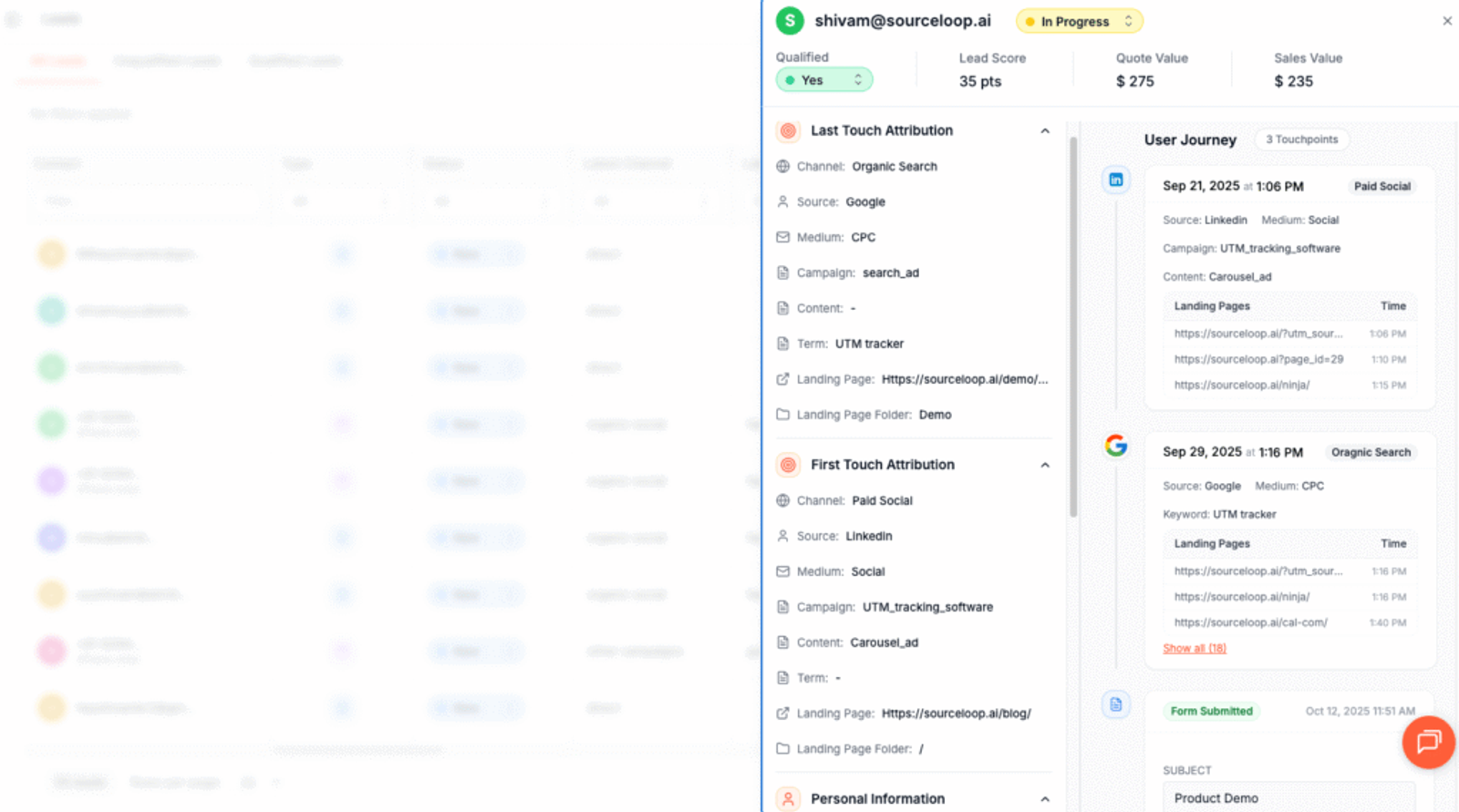
Open a lead and you get a simple timeline: the first marketing channel that brought them in, every return visit, the pages they viewed, and the exact UTM values that followed them. It makes it easy to see which campaigns actually drive conversions.
4. Add Hidden Fileds to Your Form (Optional)
Want to capture a lead’s UTM data right inside your lead form?
Just add hidden fields and set them to collect the recommended UTM values.
These hidden fields are not visible to website visitor but they’ll automatically be filled by SourceLoop.ai with UTM values when the form is submitted.
To get started;
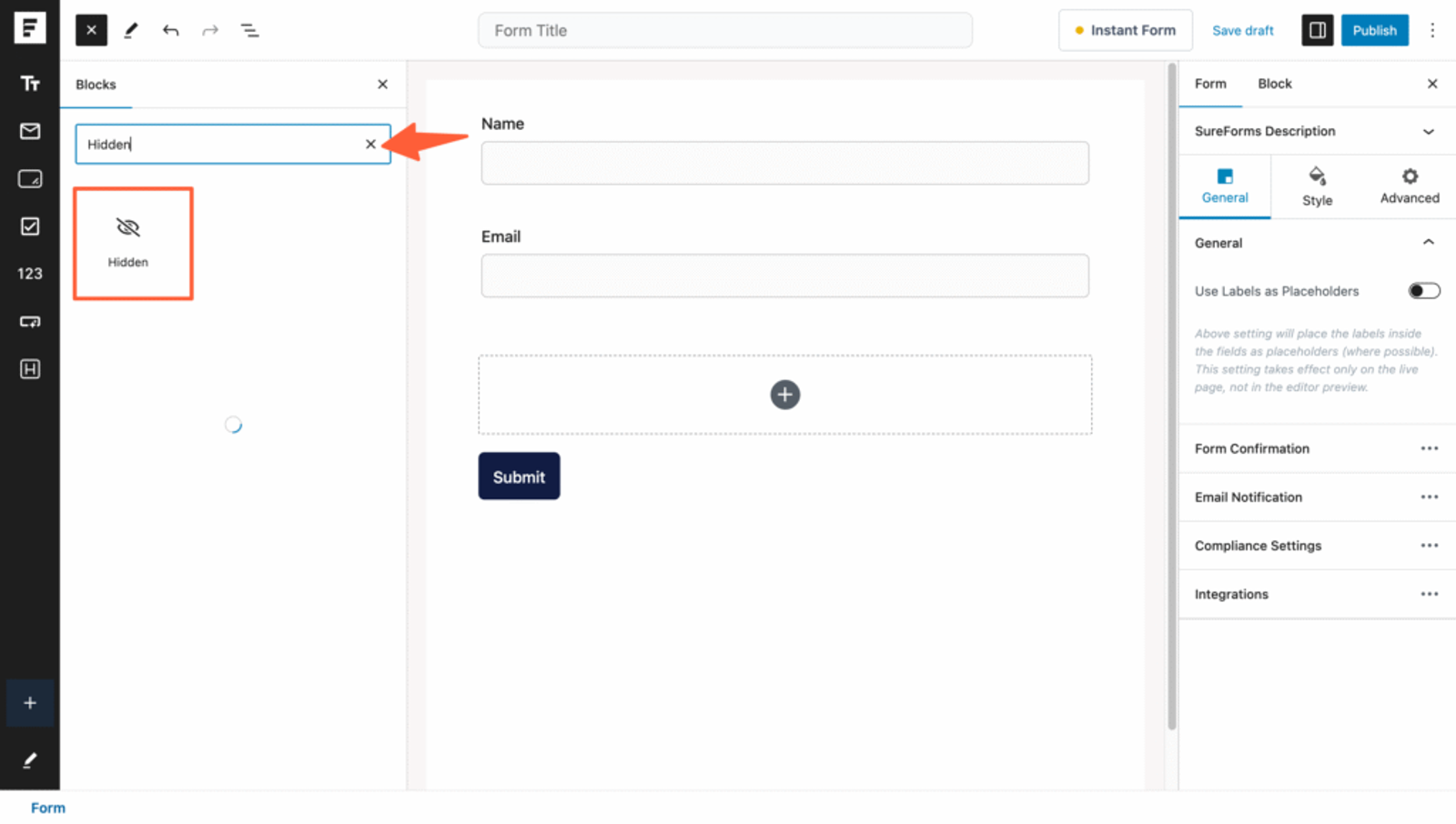
- Open the SureForm where you’d like to capture attribution data.
- Click and drag the 7 “Hidden Field” block from the left sidebar into your form to capture full set of UTM attribution data.
- Click on each hidden field to bring up its settings on the left panel and assign the recommended default values that SourceLoop.ai can identify.
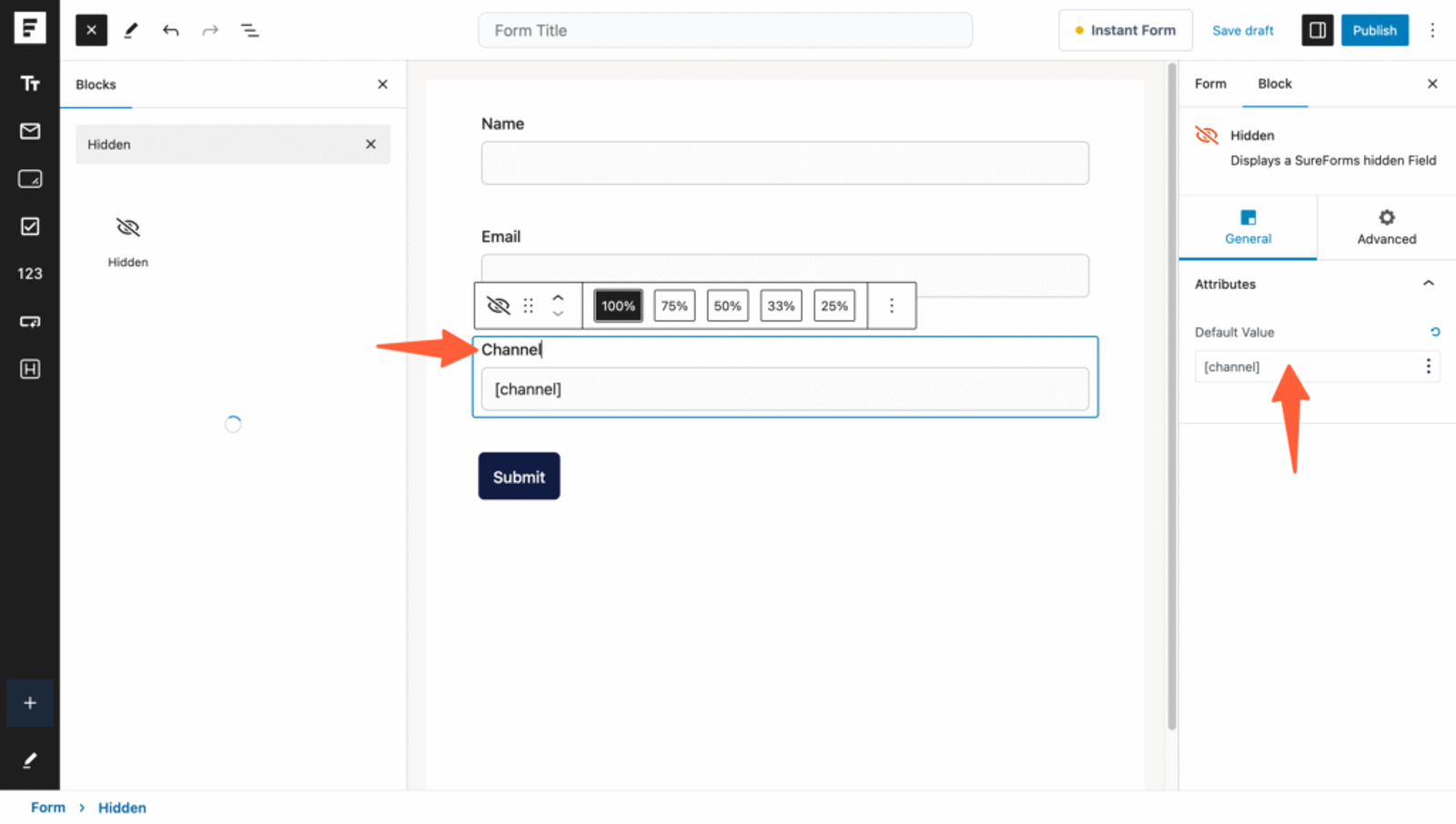
Recommended Hidden Fields Default Values:
These fields help capture the latest visit information from SourceLoop.ai:
- [channel]
- [attribution_source]
- [attribution_medium]
- [attribution_campaign]
- [attribution_term]
- [landingpage]
- [landingpagefolder]
- [lastseen]
Optional: Track First-Touch Attribution (Recommended for B2B Business)
If you’re in B2B or offer high-consideration products, users often visit multiple times before converting. To get full-funnel attribution, you can also track how they landed on your website for the first time.
Add these additional 7 hidden fields with the following default values:
- [first_channel]
- [first_source]
- [first_medium]
- [first_campaign]
- [first_term]
- [first_landingpage]
- [first_landingpagefolder]
- [first_seen]
SourceLoop.ai stores a users attribution data in their cookie for up to 6-months, allowing you to track both first and latest visit sources throughout a lead’s journey.
Additional Tutorials:
- Track UTM Parameters in Involve.me Form
- Capture UTM Parameters in QuestionScout
- Set up UTM tracking in Typeform
5. UTM Parameters Are Automatically Passed for Each Form Submission
When someone submits a form, their UTM and attribution data will automatically be populated into the hidden fields in the background.
- View UTM Data in Submissions
Go to the Entries section in SureForms, and you’ll see the UTM details alongside the rest of the form data.
- Sync Lead Attribution Data with Your Marketing or CRM Tool
If you’re a paid SureForms user, you can connect it to automation tools like Zapier. This allows you to integrate SureForms with virtually any CRM or analytics platform.
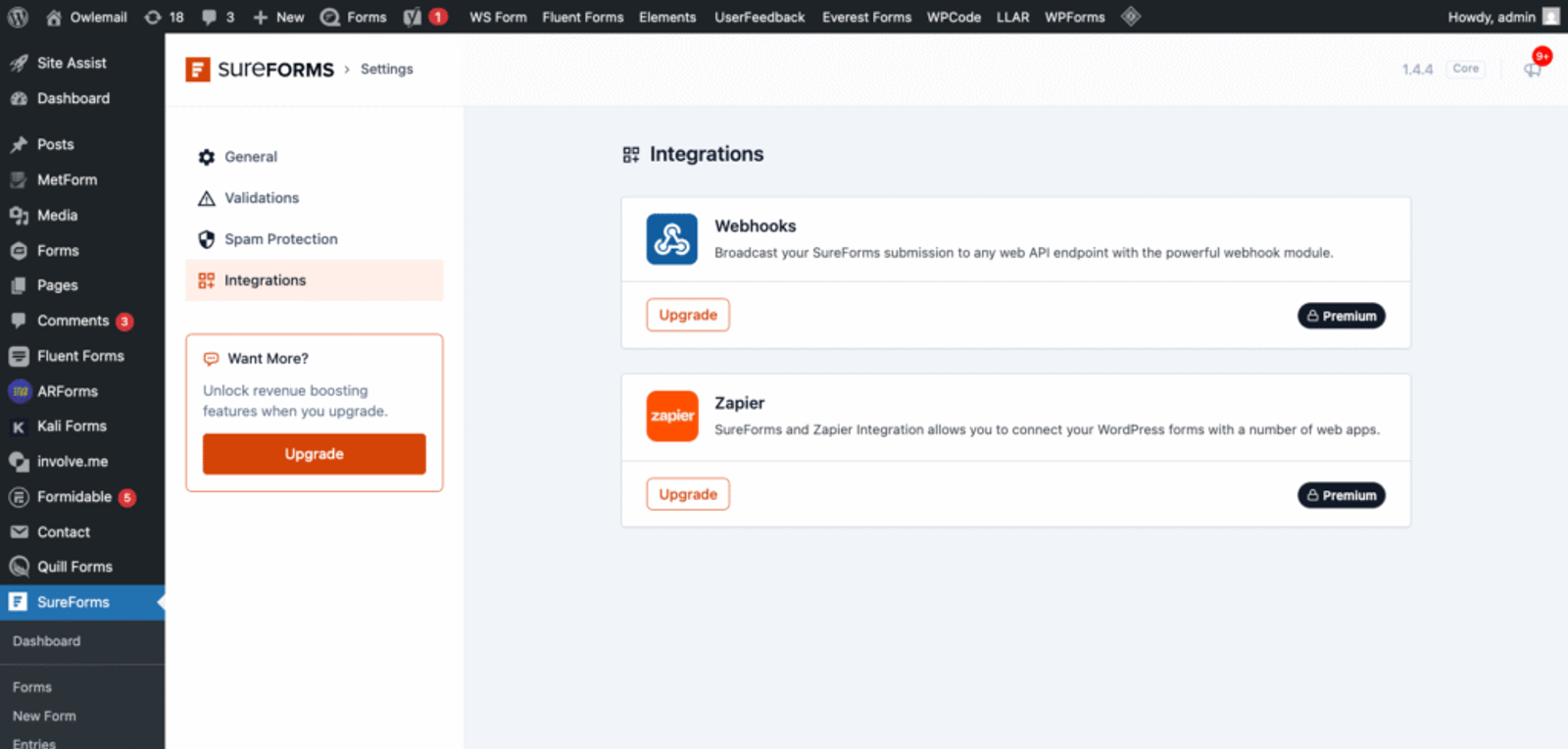
This makes it easy to track each lead in your CRM or Google Sheet—and to create reports and charts to measure the effectiveness of your marketing campaigns.
More Resources:




 Paid Social


