
What is Direct Traffic in Google Analytics 4
Direct traffic in GA4 represents visits with no identifiable source. Learn what causes direct traffic, how it differs from UA, and how to reduce misattribution.
Table of contents
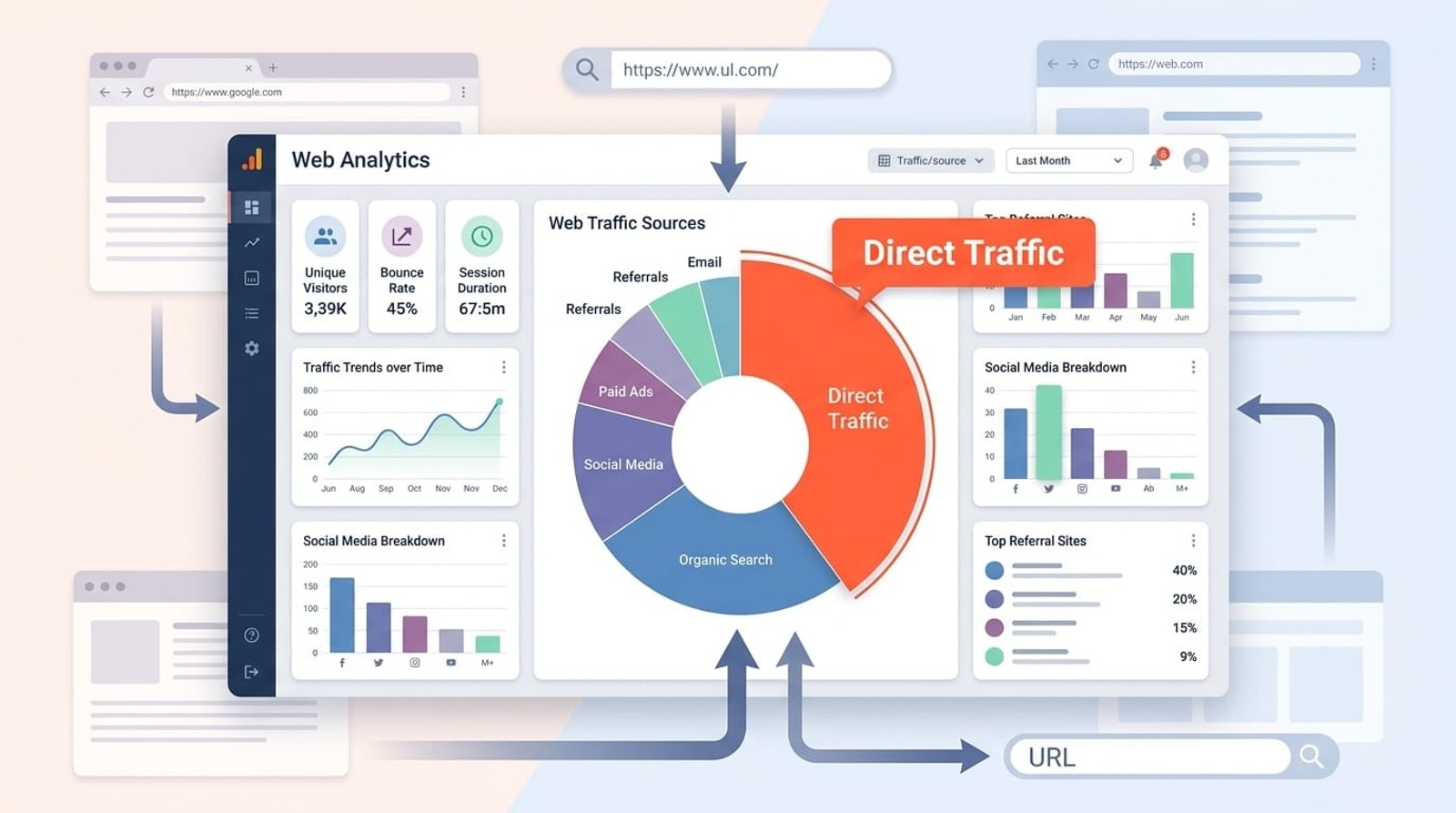
Direct traffic in Google Analytics 4 refers to website visits where GA4 cannot identify a referral source or where referrer information is missing. This includes users who type your URL directly into their browser, click bookmarks, or arrive through channels that don't pass referrer data.
What is Direct Traffic in GA4?
Direct traffic in Google Analytics 4 represents sessions where the platform cannot determine how the user arrived at your website.
When GA4 cannot identify a referral source, campaign parameters, or other attribution data, it automatically classifies the session as "direct" traffic with a source of "(direct)" and medium of "(none)".
This default classification serves as a catch-all bucket for unattributed visits. While some direct traffic is genuinely from users who know your URL and navigate directly to your site, a significant portion typically consists of misclassified traffic from other channels where referrer information was lost or never captured.
The direct traffic metric appears in your GA4 reports under the Default Channel Grouping dimension, making it one of the primary ways marketers segment and analyze their traffic sources.
How GA4 Identifies Direct Traffic
Google Analytics 4 determines traffic sources through a hierarchical attribution process. When a user lands on your website, GA4 checks for attribution data in this order:
- Campaign parameters - UTM tags or other campaign parameters in the URL
- Referrer information - The HTTP referrer header from the previous page
- Source/medium override - Manual source/medium values passed through measurement protocol
- Default channel grouping rules - GA4's built-in logic for classifying traffic
If none of these attribution signals exist, GA4 defaults to marking the session as direct traffic. This classification happens at the session level, meaning the first touchpoint determines how GA4 categorizes the entire session.
GA4 also applies data-driven attribution modeling across the customer journey, but the initial source classification remains critical for understanding top-of-funnel performance.
Common Sources of Direct Traffic
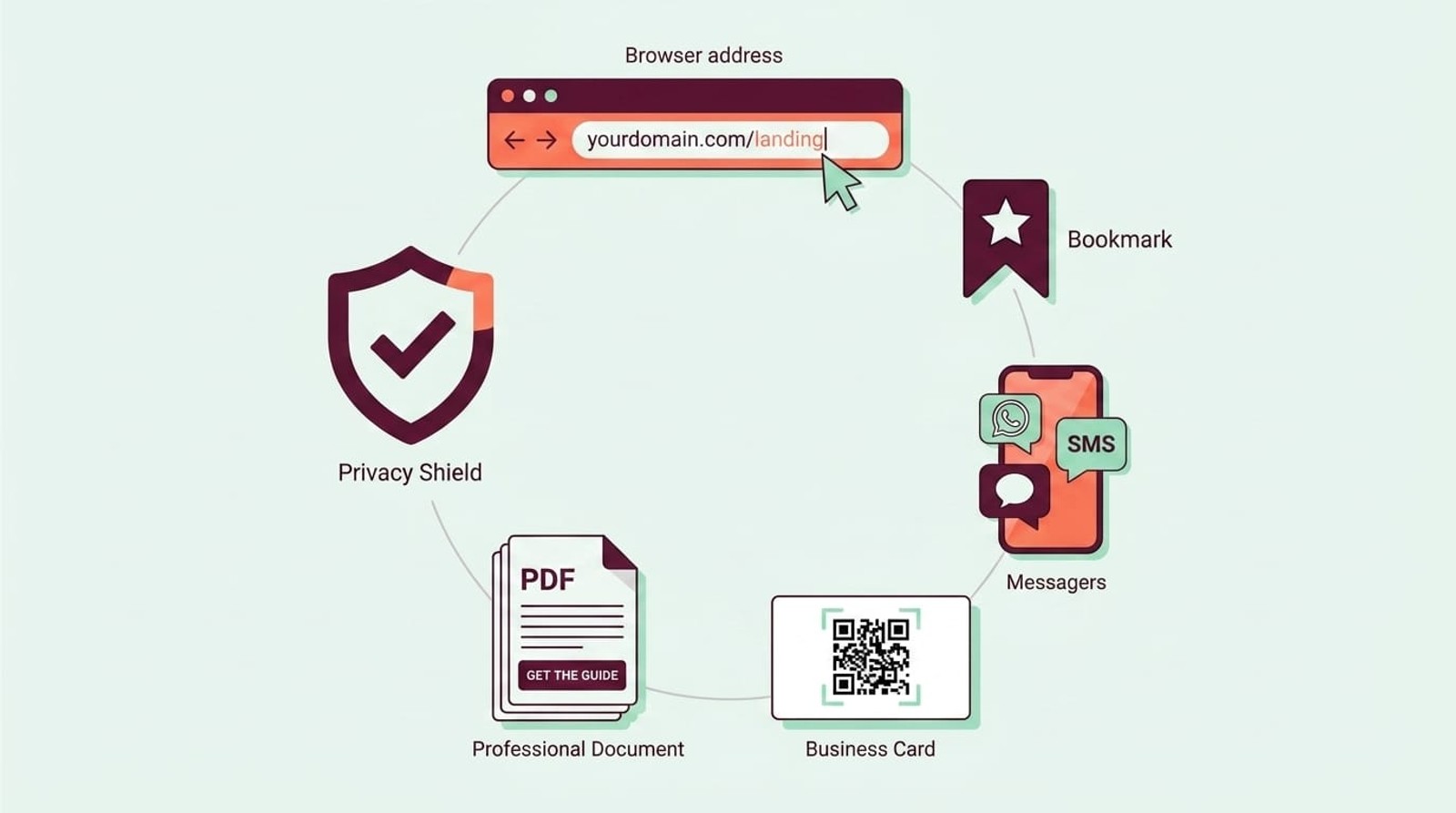
Legitimate direct traffic typically comes from several recognizable sources:
- Typed URLs and address bar entries - Users who manually type your domain into their browser's address bar generate true direct traffic. This includes people familiar with your brand who navigate directly to your site.
- Bookmarks and favorites - When users click saved bookmarks, most browsers don't pass referrer information, resulting in direct traffic classification.
- Offline marketing materials - QR codes, business cards, print ads, and TV commercials that drive users to type your URL create direct visits.
- Mobile apps and messaging platforms - Links clicked from native mobile apps (especially messaging apps like WhatsApp, Slack, or native email clients) often strip referrer data.
- Direct file access - Users clicking links in PDFs, Word documents, or PowerPoint presentations typically arrive as direct traffic.
- Browser security features - Some privacy-focused browsers and extensions block referrer information by default, causing otherwise attributable traffic to appear as direct.
Understanding these legitimate sources helps you distinguish between true direct traffic and misattributed visits that require investigation and correction.
Why Direct Traffic is Often Misattributed
A substantial portion of direct traffic in most GA4 properties isn't actually direct. Several technical issues and implementation gaps cause traffic from other channels to be incorrectly classified as direct:
Missing or broken UTM parameters - Email campaigns, social media posts, and paid ads without proper UTM tagging appear as direct traffic. Typos in UTM parameters or links that strip query strings also cause misattribution.
HTTPS to HTTP redirects - When users click a link on a secure (HTTPS) website that redirects to a non-secure (HTTP) page, browsers strip referrer information for security reasons. This makes the session appear as direct traffic.
Redirects and URL shorteners - Multiple redirects in the click path can break referrer chains. Some URL shorteners don't properly pass referrer information, especially older or poorly configured services.
Email clients and apps - Desktop email clients like Outlook and mobile email apps often don't pass referrer data. Enterprise email security tools that scan links before delivery can also break attribution.
JavaScript errors and tracking delays - If your GA4 tracking code fails to load or executes after a page redirect, session attribution may fail, defaulting to direct.
Cross-domain tracking issues - Without proper cross-domain tracking configuration, users moving between your domains appear as new direct sessions.
Dark social and private channels - Links shared in private messages, encrypted messaging apps, or native mobile apps rarely include referrer information.
Browser cache and saved pages - Users accessing cached versions of your pages or clicking links from saved HTML files generate direct sessions.
These misattribution issues inflate your direct traffic numbers and obscure the true performance of your marketing channels, making accurate ROI analysis difficult.
Direct Traffic in GA4 vs Universal Analytics
Google Analytics 4 handles direct traffic classification differently than Universal Analytics in several important ways:
Session definition changes - GA4 uses a fundamentally different session model. Sessions in GA4 restart after 30 minutes of inactivity or at midnight UTC, whereas Universal Analytics had more flexible session timeout settings. This affects how returning direct visitors are counted.
Cross-device and cross-platform tracking - GA4's event-based model and User-ID implementation provide better cross-device attribution. Traffic that appeared as new direct sessions in UA may now be properly attributed to the original source in GA4 if the user is identified.
Data-driven attribution - While both platforms classify initial session sources similarly, GA4's data-driven attribution modeling redistributes conversion credit across the customer journey more effectively, reducing direct traffic's apparent impact on conversions.
Default channel grouping - GA4 uses updated channel grouping logic. Some traffic sources that UA classified as "Other" now fall into direct or vice versa, depending on the available attribution data.
Enhanced measurement - GA4's automatic event tracking captures more user interactions without custom implementation, providing additional context that can help differentiate between true direct traffic and misattributed sessions.
Reporting interface differences - Finding and analyzing direct traffic requires different report paths in GA4. The Traffic Acquisition report replaces UA's Acquisition reports, though the underlying classification logic for direct traffic remains largely similar.
Understanding these differences helps you interpret direct traffic trends when migrating from Universal Analytics to GA4 and explains why your direct traffic percentages may shift between platforms.
How to Find Direct Traffic in GA4
Accessing direct traffic data in Google Analytics 4 requires navigating to specific report sections. Here's where to find your direct traffic metrics:
Traffic Acquisition Report - Navigate to Reports → Acquisition → Traffic Acquisition. This report shows all your traffic sources, including direct. Click on the "Direct" row to see detailed metrics for direct traffic sessions.
Session source/medium dimension - In any GA4 report, you can add "Session source/medium" as a dimension. Direct traffic appears as "(direct) / (none)" in this view.
Default channel grouping - Use the "Default channel grouping" dimension in custom explorations or standard reports. Direct traffic is one of the primary channel groups alongside Organic Search, Paid Search, Social, and others.
User Acquisition vs Traffic Acquisition - GA4 distinguishes between User Acquisition (first session source) and Traffic Acquisition (source of each session). Check both reports to understand whether direct traffic represents new users finding your site or returning visitors.
Exploration reports - For deeper analysis, create a Free Form exploration in GA4's Explore section. Add "Session source/medium" or "Default channel grouping" as a dimension and relevant metrics like sessions, users, conversions, and revenue.
Landing pages for direct traffic - In Traffic Acquisition, click "Direct" then add "Landing page" as a secondary dimension to see which pages direct visitors land on. This helps identify whether direct traffic patterns make sense (e.g., homepage direct traffic is expected, but obscure blog post direct traffic suggests misattribution).
Regularly monitoring direct traffic through these reports helps you spot attribution issues and track the effectiveness of offline marketing efforts.
How to Reduce False Direct Traffic
Minimizing misattributed direct traffic improves attribution accuracy and helps you understand true marketing performance. Implement these strategies to reduce false direct traffic classification:
Implement comprehensive UTM tagging - Tag all external links with UTM parameters, including email campaigns, social media posts, paid ads, and partner links. Use consistent naming conventions and a UTM tracking tool to manage campaigns.
Fix cross-domain tracking - If you operate multiple domains, configure cross-domain measurement in GA4 to maintain session attribution as users move between properties. Update your GA4 configuration to include all your domains.
Use HTTPS everywhere - Ensure your entire website uses HTTPS to prevent referrer information loss from secure to insecure page transitions. Implement HTTPS redirects and update all internal links.
Tag email campaigns properly - Every email link should include UTM parameters. Most email service providers support automatic UTM tagging. For Outlook and other desktop clients that strip referrers, UTM tags are essential.
Monitor and fix broken links - Regularly audit your marketing materials for broken UTM parameters, malformed URLs, or redirect chains that break attribution.
Implement server-side tracking - Server-side tracking through Google Tag Manager server-side can capture attribution data that client-side tracking misses due to ad blockers or script failures.
Use campaign URL builders - Standardize URL creation with Google's Campaign URL Builder or similar tools to prevent UTM syntax errors that cause traffic to default to direct.
Track QR codes and offline materials - Create unique shortened URLs with UTM parameters for print materials, billboards, and TV ads. Use different URLs for each campaign to measure offline marketing effectiveness.
Audit mobile app traffic - If you have a mobile app, ensure deep links include UTM parameters or other attribution data. Configure app-to-web attribution properly.
Test email deliverability - Email security tools that pre-scan links can break attribution. Test your emails across different clients and security configurations.
By systematically addressing these issues, most organizations can reduce their direct traffic percentage from 30-40% to 15-20% or less, significantly improving attribution accuracy.
Frequently Asked Questions
What does direct traffic mean in GA4?
Direct traffic in GA4 refers to sessions where Google Analytics cannot identify how the user arrived at your website. This includes users who typed your URL directly, clicked bookmarks, or came from sources that don't pass referrer information. GA4 labels these sessions with source "(direct)" and medium "(none)".
Why is my direct traffic so high in GA4?
High direct traffic typically results from missing UTM parameters on marketing campaigns, broken referrer chains from redirects, email clients that strip tracking data, HTTPS to HTTP transitions, or mobile apps that don't pass attribution information. Most properties can reduce direct traffic by 30-50% through proper UTM tagging and technical fixes.
Is direct traffic good or bad in Google Analytics?
Some direct traffic is expected and positive (branded searches leading to typed URLs, loyal customers using bookmarks). However, high percentages (above 30%) usually indicate attribution problems rather than genuine direct visits. The issue isn't direct traffic itself, but that misattributed direct traffic hides your true marketing performance.
How do I track direct traffic sources more accurately?
Implement comprehensive UTM tagging on all external links, fix cross-domain tracking, use HTTPS throughout your site, create unique tagged URLs for offline marketing materials, and audit your tracking implementation regularly. Consider using dedicated attribution software that captures source data GA4 might miss.
Does direct traffic affect my SEO?
Direct traffic doesn't directly impact SEO rankings, as it represents how users arrive at your site rather than search engine performance. However, high direct traffic can mask SEO effectiveness by hiding organic search traffic that's been misclassified. Accurate source attribution helps you measure and improve your SEO ROI.
Can I see which pages get direct traffic in GA4?
Yes. In the Traffic Acquisition report, click on "Direct" to view direct traffic details, then add "Landing page" as a secondary dimension. This shows which pages direct visitors land on first. Unexpected landing pages (like deep blog posts or product pages) often indicate misattributed traffic rather than genuine direct visits.
How is direct traffic different from organic traffic?
Direct traffic has no identifiable referrer source, while organic traffic comes from unpaid search engine results. Organic traffic includes a referring search engine (Google, Bing) and often search query data. Direct traffic shows source as "(direct)" and medium as "(none)", while organic shows source as the search engine name and medium as "organic".
Conclusion
Direct traffic in Google Analytics 4 represents sessions without identifiable source information, but much of what appears as direct traffic is actually misattributed from other channels. Understanding the technical causes of false direct traffic classification and implementing proper UTM tagging, HTTPS protocols, and cross-domain tracking reduces attribution gaps and improves marketing measurement accuracy.
By systematically addressing the common sources of misattributed direct traffic, you'll gain clearer visibility into which marketing channels drive real business results. This visibility enables better budget allocation, more effective campaigns, and stronger ROI across your marketing stack.
If you're struggling with attribution gaps and need to track the complete source of every lead and customer, SourceLoop captures first-party attribution data that connects every conversion to the campaigns, channels, and touchpoints that influenced it, eliminating the guesswork that inflated direct traffic creates.




 Paid Social


