
Best UTM Parameter Tracking Tools: 7 Picks for 2026
Seven UTM tools split into two jobs: building clean links, and keeping UTMs attached to leads and revenue. Pricing and real user reviews.
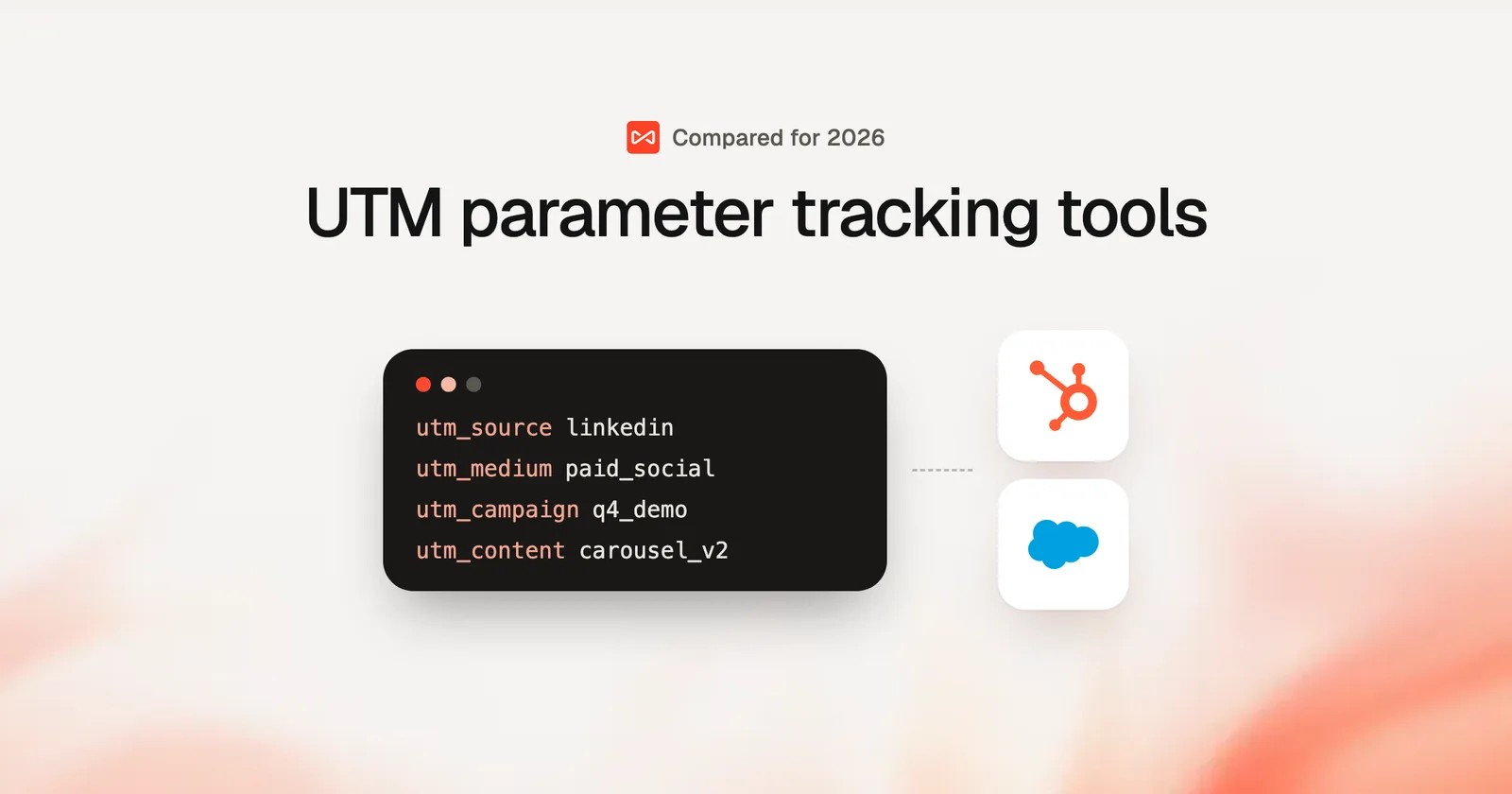
Table of contents
Ask five marketers how they tag a LinkedIn post and you'll get five answers: "linkedin", "LinkedIn", "li", "social", "paid-social". Then GA4 reports them as five different sources.
That's the first way UTMs fail. The second is quieter. The tags arrive perfectly, the visitor browses for a while, fills in a form a day later, and the lead lands in your CRM with no source at all.
In this guide, I'll cover seven tools across both problems, and which combination makes sense for your team.
What we compared
UTM tools sound interchangeable until you use them side by side. We built the same campaign links in UTM.io, CampaignTrackly, Bitly and Google's free builder, then checked whether those tags survived to the lead in Attributer and HubSpot. All of them offer a free plan or trial.
The brands and agencies we work with mostly run lead generation, where the question is "which campaign produced this customer", not "how many clicks did the link get". That shaped the criteria. G2 and Capterra reviews added the longer-term view. We looked at:
- Whether the tool enforces naming rules or just builds links
- Whether UTMs reach the CRM record with the lead
- What happens to untagged traffic
- How pricing scales with links, users or leads
SourceLoop is our product. We judged it on the same four points, and it doesn't build links at all, which its section says up front.
Last checked November 2026. Confirm current pricing with each vendor.
Two jobs, two kinds of UTM tool
Google's Campaign URL Builder explains the five parameters well: source, medium, campaign, term and content. What it can't do is stop a teammate from typing "Facebook" when everyone else uses "facebook".
So the tools on this list fall into two groups.
- Builders and governance: UTM.io, CampaignTrackly, Bitly and Google's builder. They create links, enforce naming and shorten URLs. Their job ends at the click.
- Capture and attribution: SourceLoop, Attributer and HubSpot. They read the UTMs when a visitor arrives and keep them attached to the lead. Their job starts at the click.
Most teams with real budget end up with one of each. If you're only picking one, pick based on which failure is costing you more.
UTM tracking tools compared
Here's how the 7 UTM parameter tracking tools compare on job, naming rules, CRM capture and price, as of November 2026.
| Tool | Main job | Naming rules | UTMs reach the CRM lead | Untagged traffic classified | Pricing |
|---|---|---|---|---|---|
 SourceLoop SourceLoop | Capture and attribution | Channel rules | Yes | Yes | From $49/mo |
 UTM.io UTM.io | Building and governance | Yes | No | No | Free plan, from $19/mo |
 CampaignTrackly CampaignTrackly | Building and governance | Yes | No | No | From $15/user/mo |
 Bitly Bitly | Short links and QR codes | No | No | No | Free plan, from $10/mo |
 Attributer Attributer | Form capture | No | Yes | Yes | From $29/mo |
 HubSpot HubSpot | Builder plus CRM source | No | HubSpot forms | Yes | Free CRM, paid tiers |
 GA4 and Campaign URL Builder GA4 and Campaign URL Builder | Free building and reporting | No | No | Yes | Free |
The 7 best UTM parameter tracking tools
Capture comes first, because a well-named UTM that never reaches the lead is still a lost source. Builders follow.
1. SourceLoop
Best for: lead generation businesses, agencies and SaaS teams that want every lead and deal to carry the UTM, click ID and landing page that produced it.

SourceLoop is a lead source and marketing attribution tracking tool. It doesn't build or shorten links. It reads UTMs, click IDs, the referrer and the landing page on every visit, keeps both the first and latest touch, and carries them through to the form, call, chat or booking that turns the visitor into a lead.
One detail matters more than it sounds: attribution belongs to the page the session started on. A visitor who lands on a tagged ad page and converts three pages later still gets the ad's UTMs, even if the form page itself has none.
Key features
- UTMs on every lead, across channels: source, medium, campaign, term and content stay attached through forms, calls, chats and bookings, with around 70 integrations captured automatically.

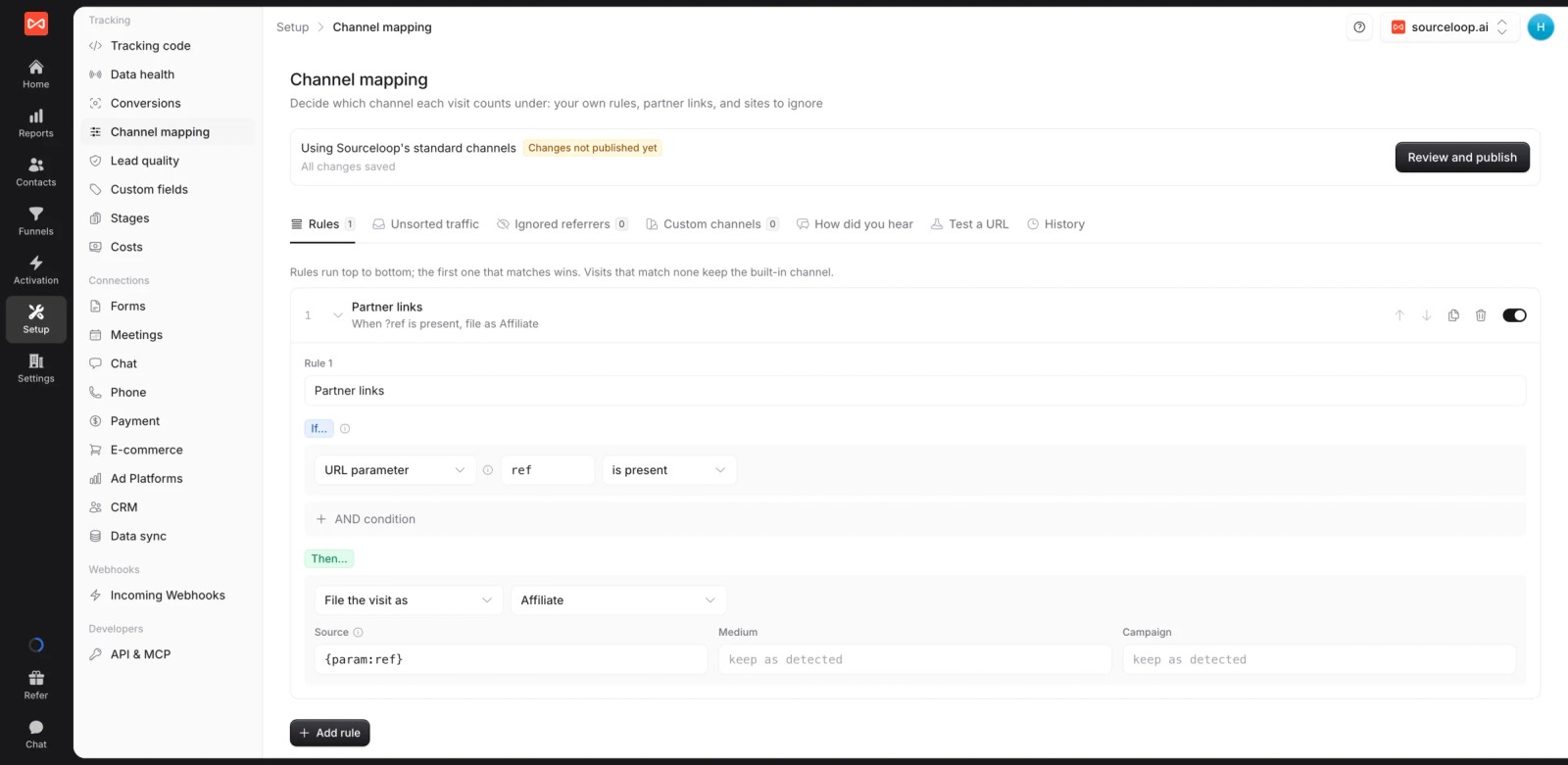
- Channel mapping rules: re-file messy tags like "li" or "paid-social" into the right channel, ignore referrers such as payment pages, and review an "unsorted traffic" list with one-click fixes.
- Untagged traffic classified: organic search, organic social, referrals and AI referrals from tools like ChatGPT are recognized without UTMs.
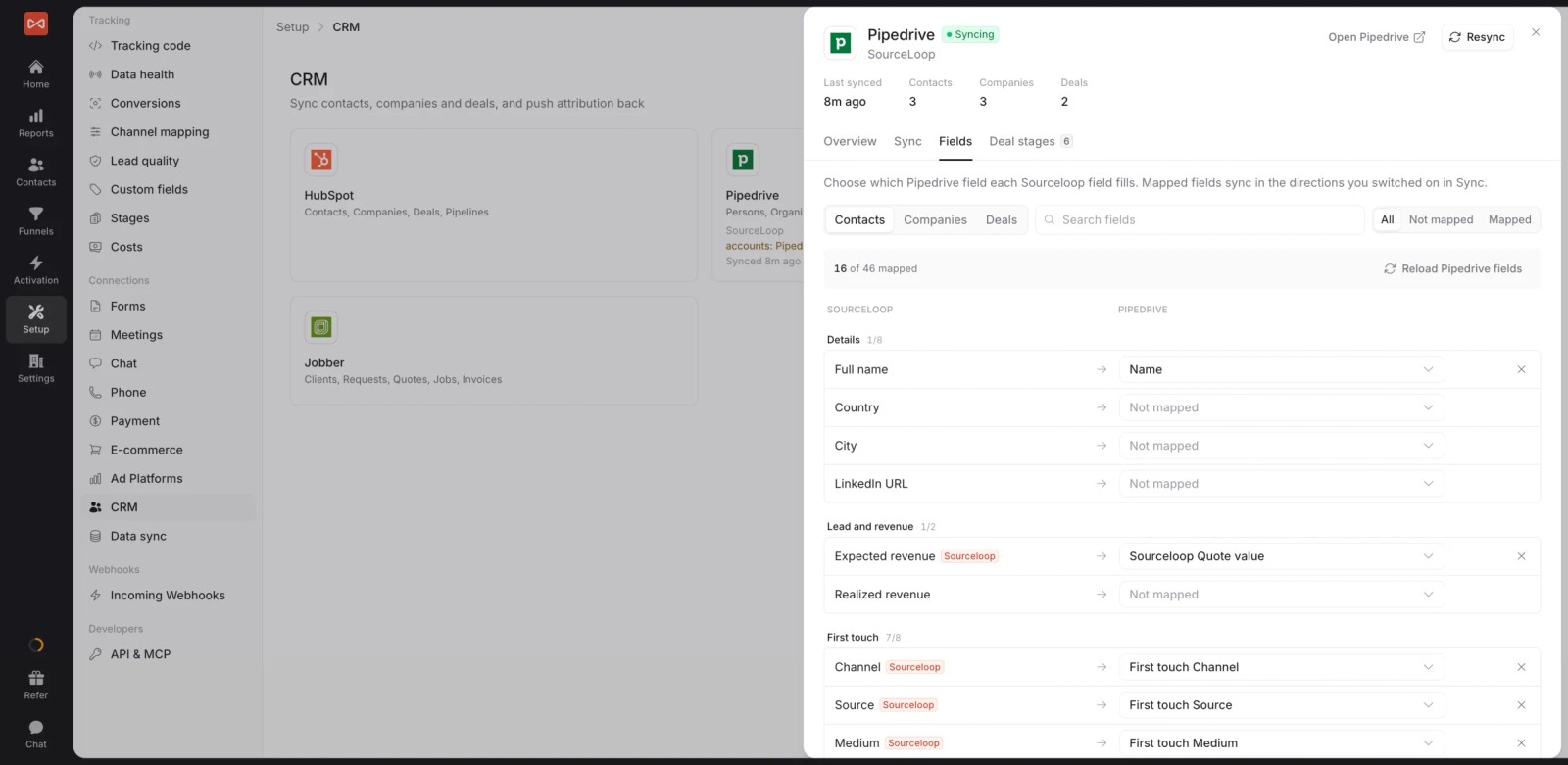
- UTMs written to the CRM: HubSpot, Salesforce, Pipedrive and Jobber get first and last touch fields on each record. See how to push UTMs to HubSpot.
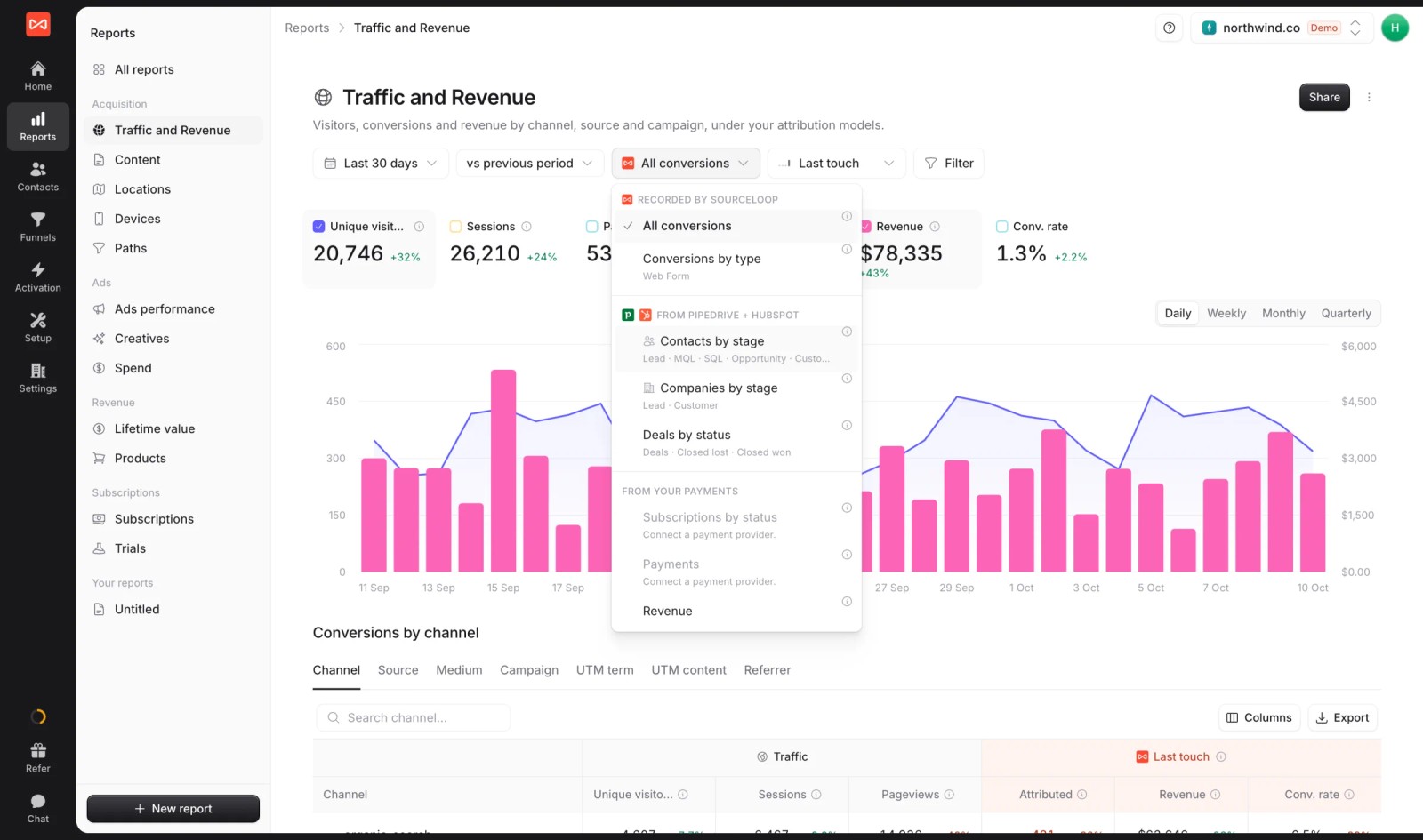
- Campaigns tied to revenue: CRM stages, won deals and payments roll up by campaign under seven attribution models.
- Conversion sync: good leads and won deals go to Google Ads, Meta, Microsoft Ads and ChatGPT Ads with their click IDs and value.

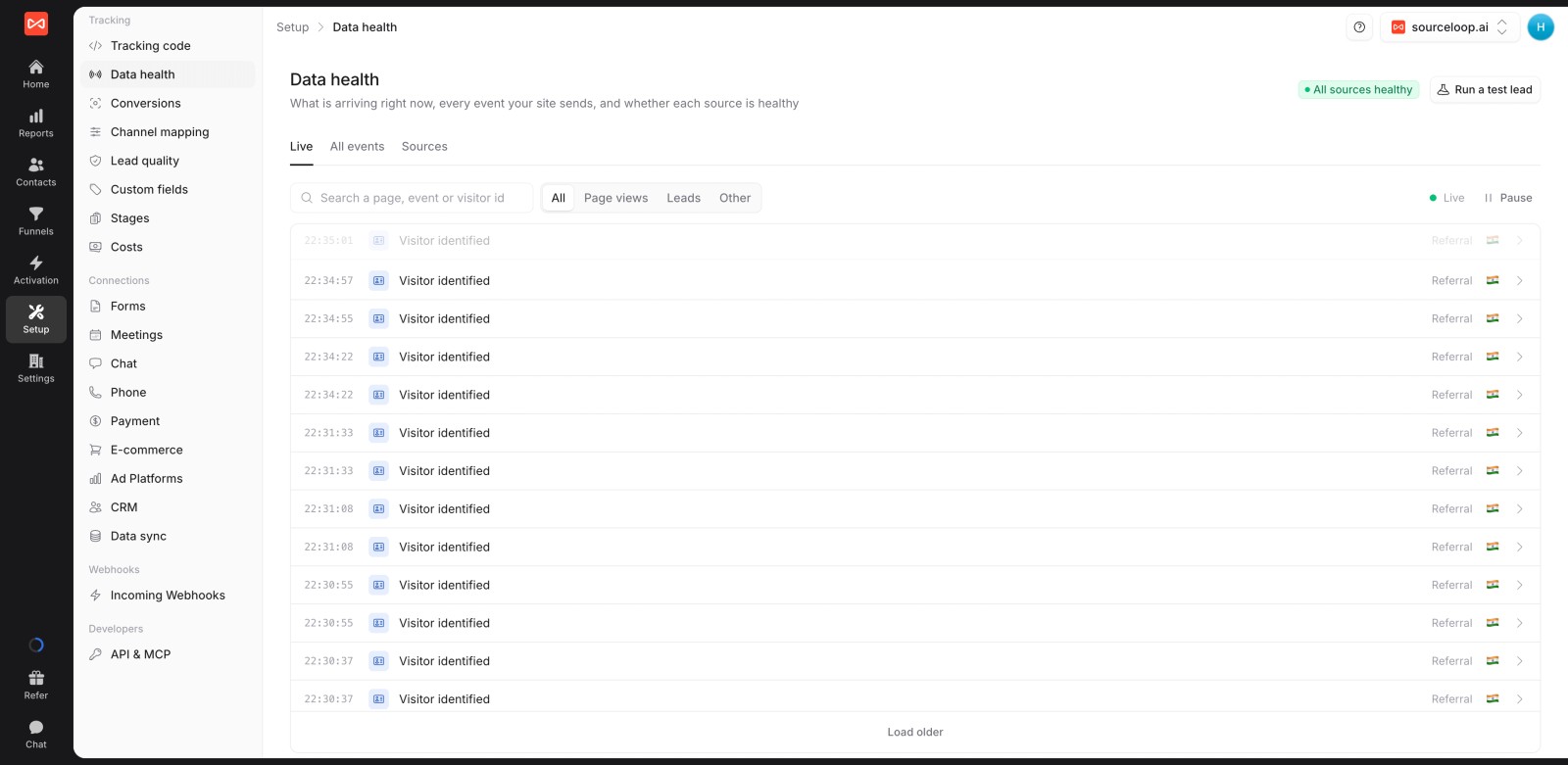
- Data health: a live event stream and a test-lead button confirm tags are arriving before you launch.
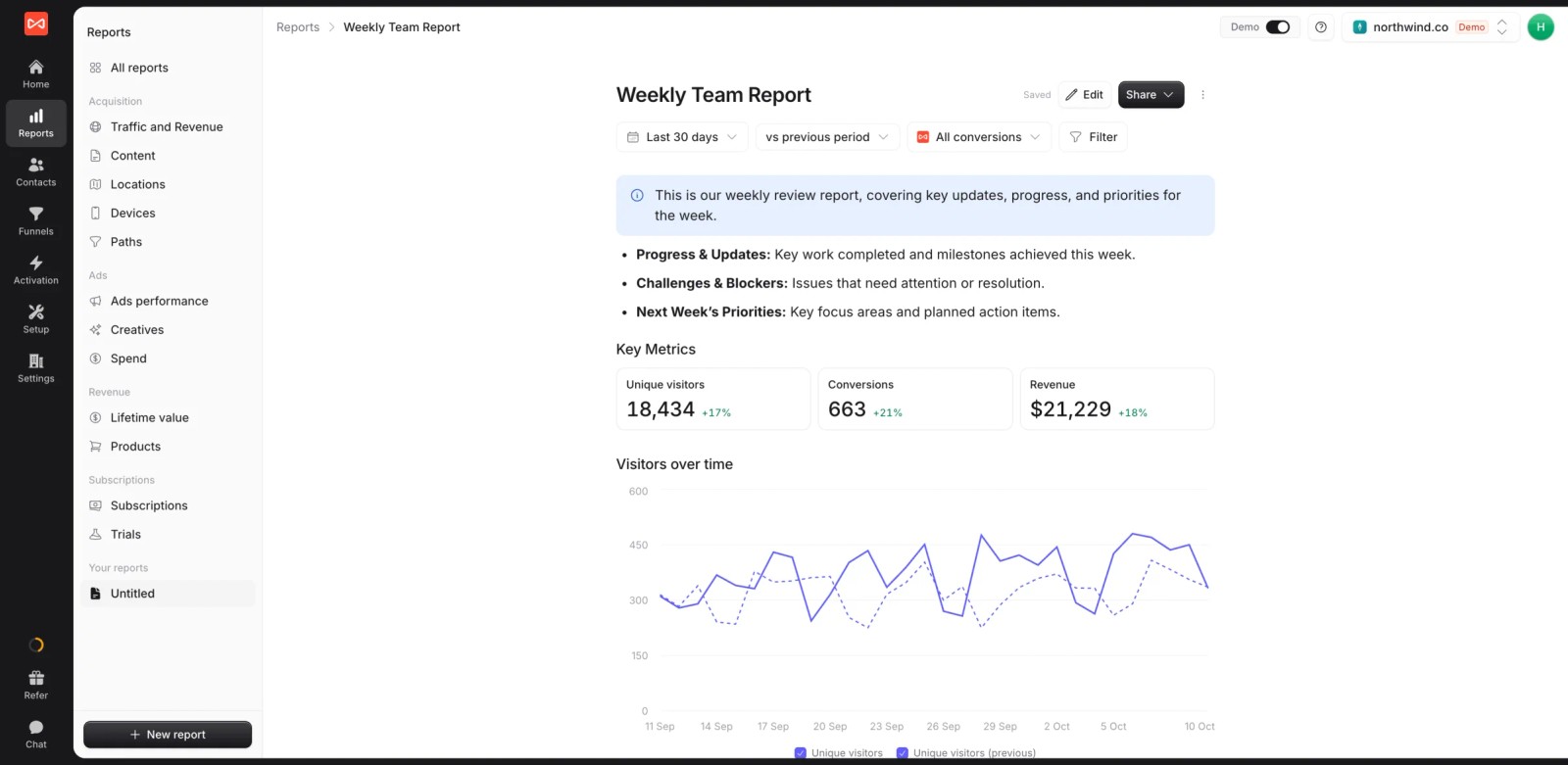
- Custom reports, alerts and white label for sharing campaign results with clients or leadership.
Where it falls short
- It doesn't build, shorten or govern links, so teams with naming problems still need a builder like UTM.io or CampaignTrackly alongside it.
- There's no link-level click reporting for QR codes or short links. Bitly covers that better.
Pricing
- Essential: $49/mo for one site and 30,000 page views, with tracking, attribution reports, lead quality rules and alerts
- Professional: $99/mo for 100,000 page views and unlimited users, adding CRM sync, conversion sync to the ad platforms, the API and MCP
- Agency: $249/mo for three sites and 1.5 million page views, adding white label reporting
- Unlimited conversions on every plan, and a 7-day trial. Attributer, by comparison, caps leads per plan.
Verdict: the right pick when the lost UTM is the expensive problem and you want campaign data on every lead, deal and payment. Pair it with a builder if naming is a mess too.
2. UTM.io
Best for: marketing teams that need everyone to tag links the same way, with templates, rules and a shared link library.
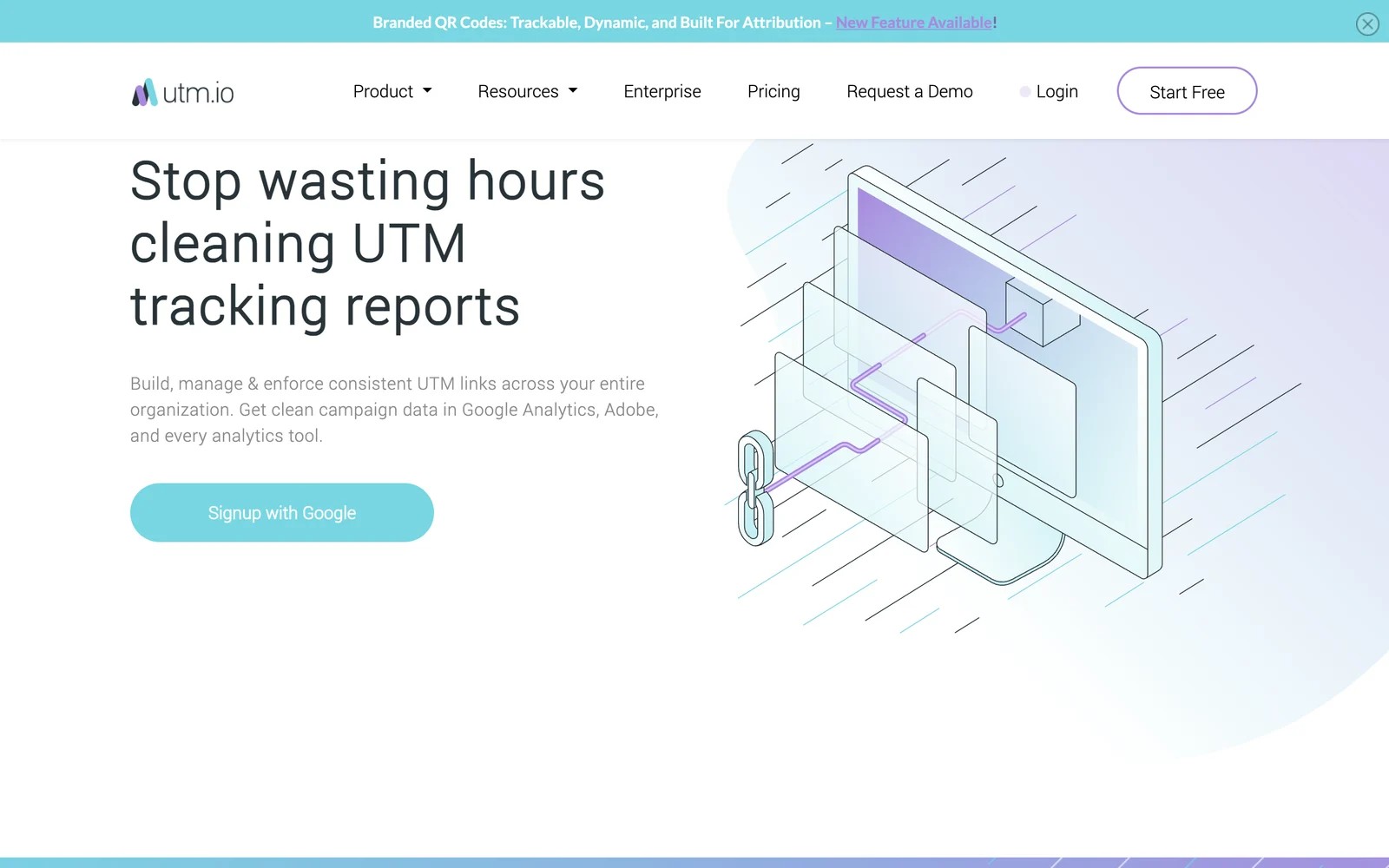
UTM.io is a UTM builder with governance built in. You define allowed values and naming conventions, and the builder, Chrome extension and templates keep everyone inside them.
The free Starter plan is a fair way to try it, though the 25 new links a month goes quickly once a launch is underway. I'd treat it as a test drive rather than a long-term plan for any active team.
What I liked most was the shared library. Every tagged link is searchable afterwards, which ends the "which version of this link did we use in the newsletter" conversation.
It's worth being clear about scope, though. UTM.io makes sure the tag is right when it leaves. It has no idea what happens after someone clicks.
Key features
- Templates and allowed-value rules stop teammates from inventing new spellings, so GA4 reports one source where it used to show five.
- A Chrome extension lets people tag the page they're on without opening the app, which raises adoption across a team.
- A searchable library stores every link built, with its parameters, so nobody rebuilds or guesses at old campaign links.
- Branded short links are included from the Plus plan, keeping tagged URLs tidy in social posts and emails.
Where it falls short
- It stops at the click, so it can't tell you which campaign produced a lead or a sale in your CRM.
- The free plan's monthly link cap makes it a trial rather than a working tool for any team that launches regularly.
- Reviews mention a learning curve for people new to UTM conventions, so plan a short onboarding for the team.
What users say
"Using UTM.io is so much better than a spreadsheet with complicated and fragile formulas." (Source)
"It has a learning curve for new users, and those with little knowledge about such tools will take weeks to learn this." (Source)
"However, there are occasional glitches or bugs." (Source)
Pricing
- Starter: free, with 25 new links a month
- Plus and Professional: $19 and $69/mo ($16 and $58 billed yearly)
- Business: $159/mo, with a 14-day trial
3. CampaignTrackly
Best for: larger marketing teams that want UTM governance plus an Excel add-in and GA4 checks.
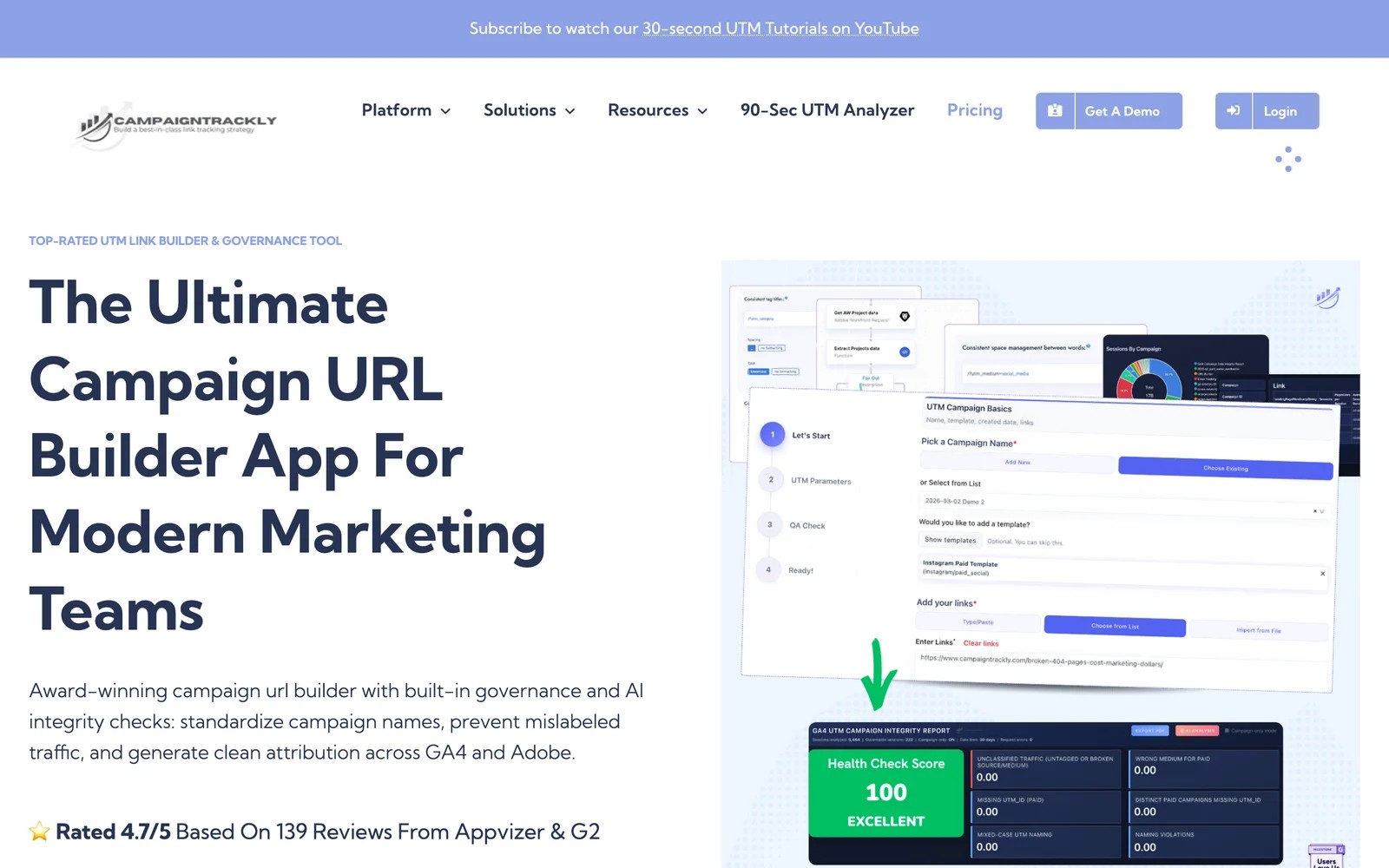
CampaignTrackly builds campaign URLs with naming rules, metadata and approval-style governance. It adds browser extensions, QR codes, a URL shortener and a GA4 audit that scores your existing campaign data.
The Excel add-in is the thing I'd point spreadsheet-heavy teams to. Instead of asking everyone to move into a new app, it brings the rules into the sheet they already use, which is where most UTM chaos starts.
The free GA4 audit is a nice touch too. Running it on an existing property shows how messy past tagging was, which makes the case for governance better than any slide.
Pricing is per user, so it suits teams where a defined group builds links. For a company where everyone tags their own posts, the bill grows with headcount.
Key features
- Naming rules and metadata tags keep campaign names consistent across teams, regions and agencies working on the same account.
- An Excel add-in brings the builder into spreadsheets, so teams don't have to abandon the workflow they already rely on.
- A GA4 audit scores the health of existing campaign data, showing exactly where past tagging went wrong.
- QR codes and a URL shortener are included, so offline and social campaigns follow the same conventions.
Where it falls short
- Like any builder, it can't see what happens after the click, so leads and revenue still need a capture tool.
- Per-user pricing adds up quickly in companies where many people create their own campaign links.
- The feature set is broad enough that, as one reviewer admits, many teams only use a fraction of it.
What users say
"We got rid of UTM spreadsheets for good." (Source)
"It has allowed us to remove the spreadsheet from our UTM process and has allowed us to have consistency in how we put together our utms." (Source)
"We for sure aren't using it to its full capabilities" (Source)
Pricing
- URL Builder Pro: $15 per user/mo, billed yearly
- URL Builder + Excel Add-in: $17.99 per user/mo
- Enterprise: from $21 per user/mo, with a 21-day free trial
4. Bitly
Best for: teams that mostly need short, branded links and QR codes, with UTMs added along the way.
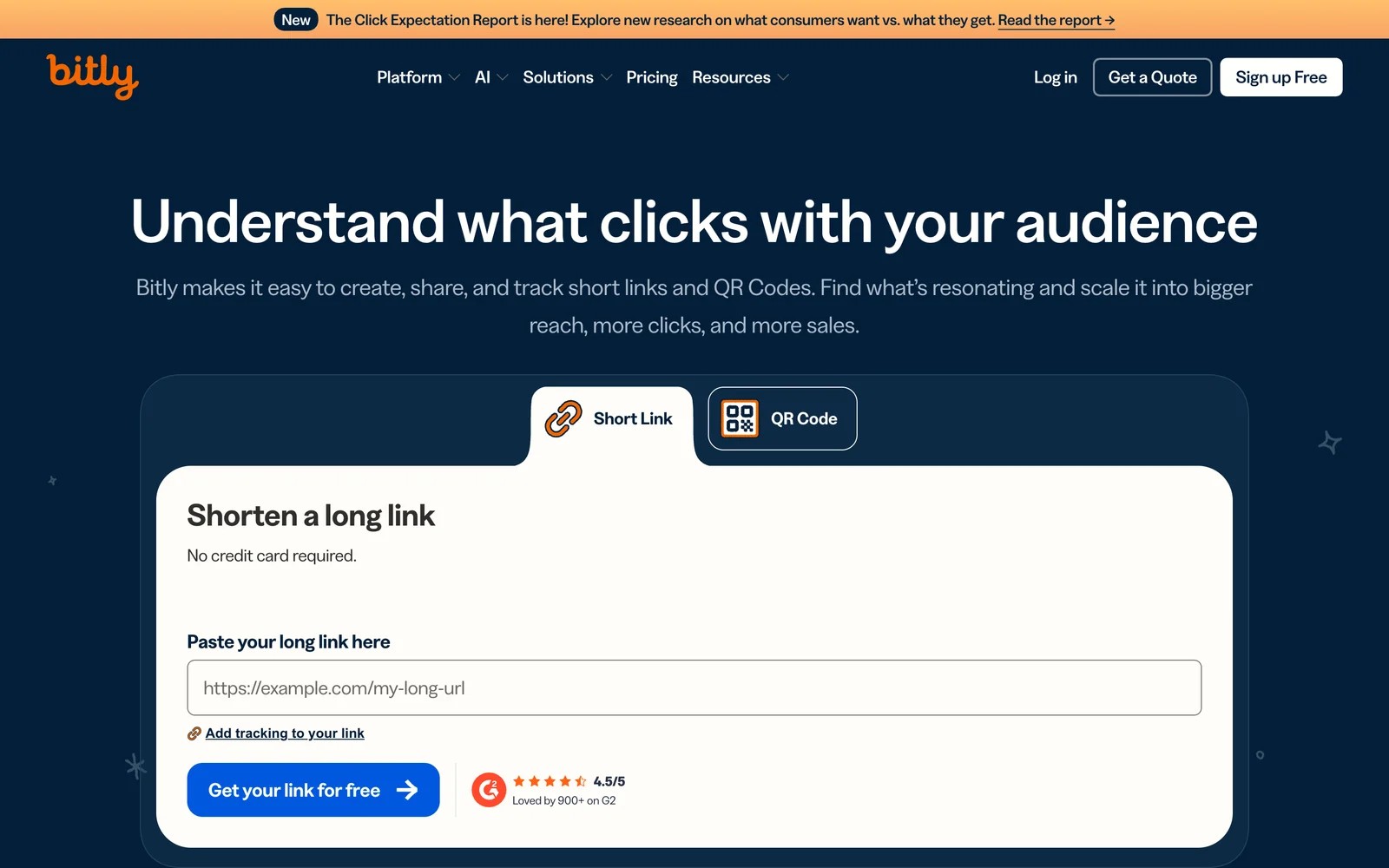
Bitly is the best-known link shortener, now with QR codes, landing pages and a UTM builder on paid plans. It reports clicks and scans per link.
For social, SMS and print, a branded short link is worth having, and Bitly's click counts are useful for spotting which placement got attention. I found the UTM builder handy, but it's a field on the link form, not a governance system.
The free plan has shrunk over the years, and reviewers notice. Five links a month is barely a trial, and custom domains start on Growth.
Treat Bitly as a distribution tool. It counts clicks well, but a click isn't a lead.
Key features
- Branded short links on your own domain look more trustworthy in social posts and SMS, which helps click-through rates.
- QR codes, including dynamic ones, can be edited after printing, so offline campaigns stay trackable and fixable.
- A UTM builder on paid plans adds parameters as you shorten, keeping tags and short links in one step.
- Click and scan analytics by link, location and referrer show which placements earned attention.
Where it falls short
- Click analytics stop at the click, so Bitly can't connect a link to the lead, deal or revenue that followed.
- The UTM builder has no naming rules, so it won't stop inconsistent tags across a team.
- Free-tier limits are tight, and some users report splash pages appearing on free links without notice.
What users say
"With Bitly, we can use lookalike branded domain, which looks way more trustworthy and on-brand." (Source)
"The limitations on the free tier have tightened way too much over the years." (Source)
"Without any warning, they started inserting ads as a splash/landing page before connecting to the target URL." (Source)
Pricing
- Free: 5 links and 2 QR codes a month
- Core: $10/mo billed yearly, adding the UTM builder
- Growth: $29/mo, with a custom domain
- Premium: $199/mo
5. Attributer
Best for: small lead-gen teams that want UTMs and channel data dropped into their form submissions and CRM, with no reporting tool to learn.
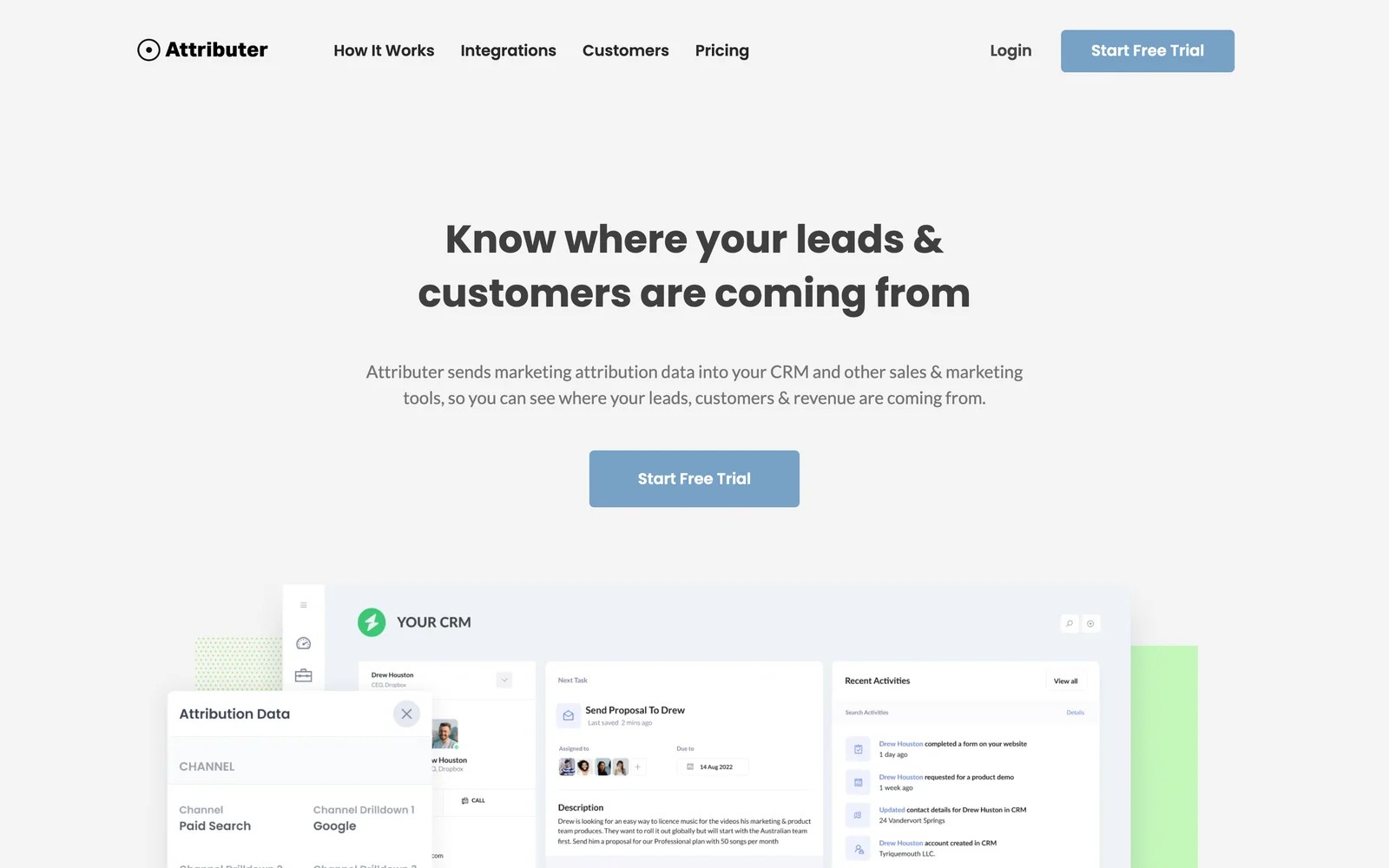
Attributer reads UTMs and referrer data when someone visits, stores them, and writes them into hidden fields when the visitor submits a form. The data then flows into whatever CRM or spreadsheet the form already feeds.
The setup was the simplest of any capture tool I tried. Add the script, add hidden fields to the form, and the next submission arrives with channel, source and campaign filled in.
What you get is first and last touch on form leads. There's no journey, no call tracking and no revenue reporting inside Attributer itself, so the reporting work moves to your CRM.
It's an honest, narrow tool, and for a business whose leads all come through one or two forms, that's often enough.
Key features
- UTMs, channel and referrer details are written into hidden form fields, so they land in the CRM with each lead.
- Untagged visits are classified into channels like organic search and referral, so leads without UTMs still get a source.
- It works with most popular form builders and CRMs, so the data appears where the team already works.
- Multi-site plans make it inexpensive to roll out across many websites, which suits agencies.
Where it falls short
- It only captures form submissions, so calls, chats and bookings arrive without a source unless they run through a supported form.
- Plans cap leads per month, which means a good month for leads can push you into a higher tier.
- There's no reporting inside the tool, so campaign-to-revenue analysis has to be built in your CRM.
What users say
"Ability to see first touch source of leads when they fill out a form on our website." (Source)
"Easy to set up, seems to give accurate data, inexpensive for the value it brings, and the support team is responsive and helpful." (Source)
"Dependence on UTM parameters - if the UTMs are not properly implemented across all the campaigns, attribution capability will be impacted." (Source)
Pricing
- Single site: $29, $49 and $99/mo for up to 100, 500 and 1,000 leads
- Multiple sites: from $199/mo for 10 sites, with a 14-day trial
6. HubSpot
Best for: teams already on HubSpot that want a free link builder and UTM-based source data on contacts.
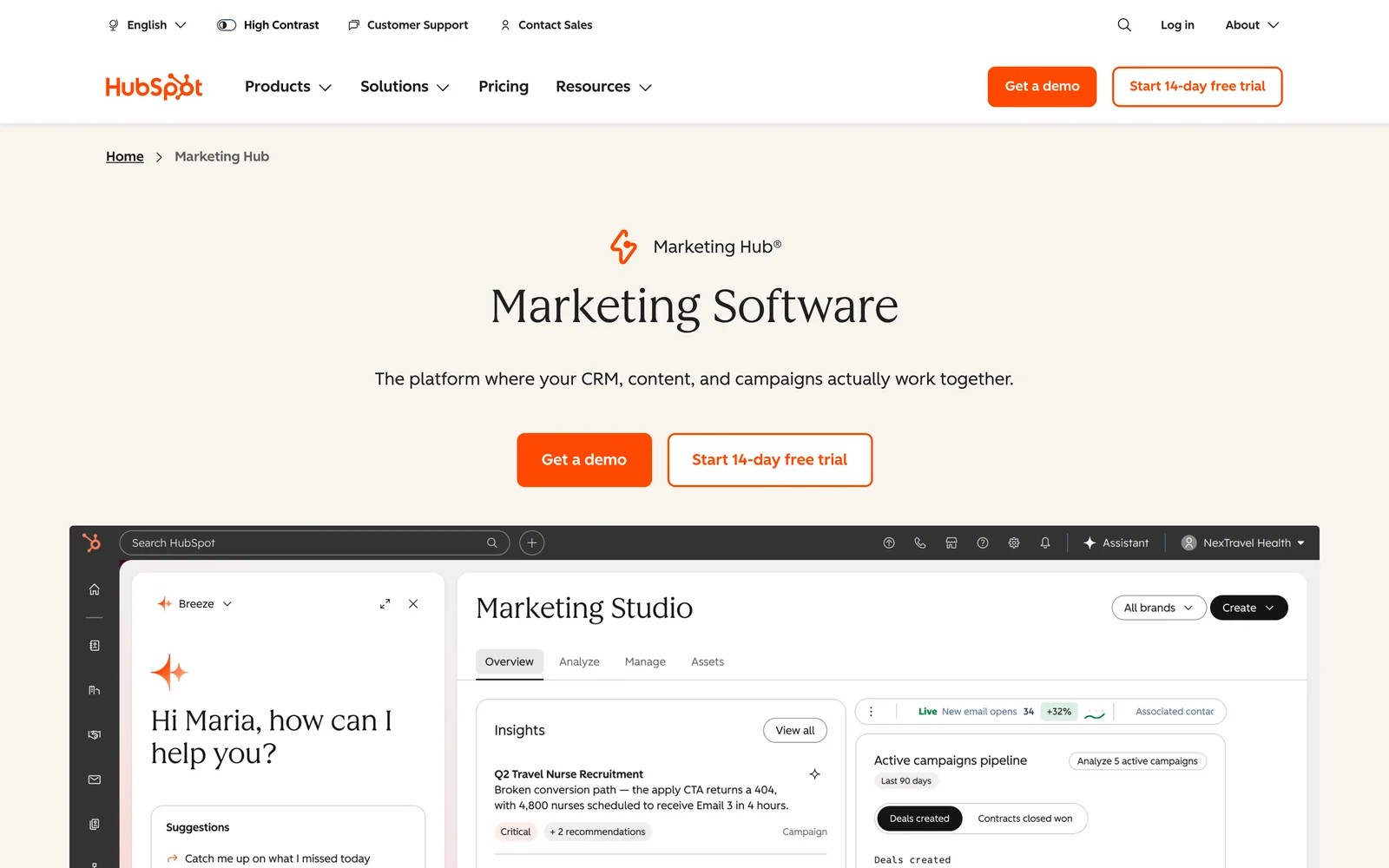
HubSpot includes a tracking URL builder and records each contact's original source, with UTM campaign details, when the visitor converts on a HubSpot form or tracked page.
If your forms, landing pages and emails all live in HubSpot, this works reasonably well out of the box. I found the original source drill-downs useful for a quick read on which campaigns create contacts.
It gets patchier at the edges. Third-party forms, chat tools and calls often create contacts with thin source data, and attributing deals and revenue to campaigns needs Marketing Hub Enterprise.
So it's a good free starting point for HubSpot-native teams, and a frustrating one for everyone with a mixed stack.
Key features
- A built-in tracking URL builder creates tagged links tied to HubSpot campaigns, at no extra cost.
- Original source and drill-down properties on each contact record which channel and campaign first brought them in.
- HubSpot forms, landing pages and emails carry source data natively, with no extra script to maintain.
- Contact attribution reports on Professional show which campaigns create contacts, with deal attribution on Enterprise.
Where it falls short
- Source data is strongest on HubSpot's own forms, so third-party forms, chats and calls often arrive with gaps.
- Tying campaigns to deals and revenue requires the Enterprise tier, a steep jump for most teams.
- The builder has no naming rules, so inconsistent tags still slip through.
Our guide to UTM tracking in HubSpot covers how to close those gaps.
What users say
"HubSpot Marketing Hub connects directly with our CRM, making it really easy to track how our client accounts interact with marketing campaigns, emails, and content." (Source)
"The reporting and template customization options feel unnecessarily locked down in the basic plans, forcing you to upgrade to incredibly expensive premium tiers just for flexible reporting." (Source)
"the attribution is the worst. we dont know which channel provides what" (Source)
Pricing
- Free CRM includes the tracking URL builder
- Marketing Hub Enterprise: from $3,600/mo, needed for deal and revenue attribution
7. GA4 and Google's Campaign URL Builder
Best for: small teams that want free UTM building and channel reporting, and don't need source data on individual leads.
Google's free Campaign URL Builder creates tagged links, and Google Analytics 4 reports them by session source, medium and campaign.
For a small team, it's a perfectly reasonable start. I'd use it to settle on naming conventions before spending money on governance, because GA4 shows quickly where tags have drifted.
The limitation is structural. GA4 doesn't store personal data, so you can't look up which campaign a specific lead came from, and nothing flows to your CRM.
It also gets blocked more often than people expect, which quietly lowers the numbers you're reporting.
Key features
- The Campaign URL Builder is free and simple, creating correctly formatted links for all five UTM parameters.
- GA4 reports sessions and conversions by source, medium and campaign, with default channel grouping for untagged traffic.
- Custom channel groups let you re-file traffic into your own channels, which helps when tags are inconsistent.
- The Google Ads link imports auto-tagged campaign data, so paid search doesn't need manual UTMs.
Where it falls short
- It can't show which campaign produced a specific lead, because Google's terms forbid storing personal data like email addresses.
- Nothing reaches your CRM, so sales never sees the source of the leads they're working.
- The builder has no rules, so consistent naming depends entirely on team discipline.
What users say
"Google analytics is a really easy to use tool, with no cost." (Source)
"Google Analytics is often blocked by browser/browser extension, whereas self-made solution is usually not detected by tracking blocker" (Source)
"The learning curve can be steep for beginners, especially with GA4's event based model, which feels less intuitive than the old Universal Analytics setup." (Source)
Pricing
- Free. Google Analytics 360 is quoted for enterprises.
How to choose
Decide which failure costs you more, then fill the other gap later.
1. Are tags inconsistent, or are leads arriving without a source?
- Inconsistent tags: UTM.io or CampaignTrackly. Google's builder if budget is zero.
- Leads without a source: SourceLoop, Attributer or HubSpot.
2. How do your leads arrive?
- Forms only: Attributer is the simplest.
- Forms, calls, chats and bookings: SourceLoop. It suits lead-gen businesses, agencies and SaaS teams, and writes UTMs to every lead and deal.
- HubSpot forms only: HubSpot's native source tracking.
3. Do you need short links and QR codes?
- Add Bitly for distribution. It pairs with any of the capture tools.
If your CRM isn't HubSpot, we've also written up how UTMs reach the record in Salesforce, Pipedrive and GoHighLevel.
Frequently asked questions
-
What is a UTM parameter tracking tool?
It's software that helps you either build consistent UTM-tagged links, or capture those UTMs when a visitor arrives and keep them attached to the lead, deal or sale that follows.
-
Do I need a paid UTM tool if I use GA4?
Not to build links, since Google's Campaign URL Builder is free. You'll need a capture tool if you want to see which campaign produced each lead in your CRM, because GA4 doesn't store that.
-
Why do my leads show up in the CRM without UTMs?
Usually because the visitor didn't convert on the page they landed on, or converted days later. Unless a tool stores the UTMs at arrival and passes them through the form, the source is lost.
-
What's the best UTM naming convention?
Use lowercase everywhere, pick one value per platform (for example "linkedin", not "li"), keep medium for the channel type and campaign for the specific initiative, and write the rules down where the whole team can see them.
-
Should I use UTMs on internal links?
No. UTMs on internal links start a new session and overwrite the original source, so the real campaign loses credit.
-
Are click IDs like gclid the same as UTMs?
No. Click IDs are added automatically by ad platforms and identify a specific ad click. UTMs are tags you add yourself. Good capture tools store both.

 Paid Social


