
7 Best White Label Marketing Reporting Software in 2026
Seven white label reporting tools for agencies compared on branding, custom domains, pricing per client and what the numbers prove.
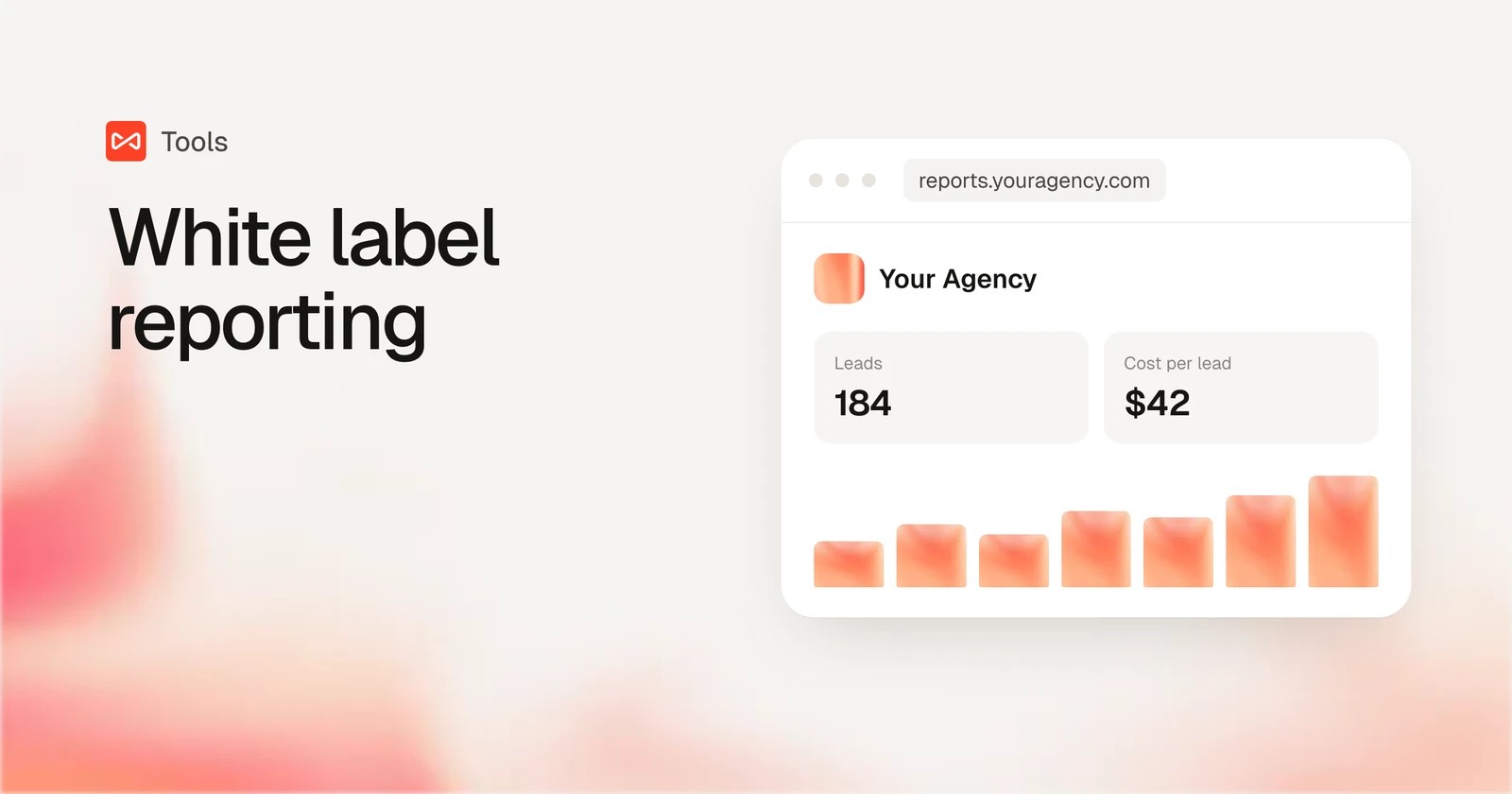
Table of contents
Every agency eventually has the same Monday. Six client reports due, three dashboards broken, and one client asking why Google Ads says 40 leads when their inbox says 22.
White label reporting software fixes the first two problems. The third depends on what the numbers in those reports actually measure.
In this guide, I'll compare seven tools on how well they carry your brand, how they price per client, and whether they can answer that leads question.
How we compared these tools
We built the same Google Ads and Meta client report in every tool we could start ourselves: AgencyAnalytics, DashThis and Swydo on their 14-day trials, and Databox and Data Studio on their free tiers. Whatagraph sells through demos, so its section draws on a walkthrough and the agencies we know who use it.
The brands and agencies we work with send reports to clients every month, so we judged each tool on what a client actually sees. Quotes come from public reviews on G2 and Capterra. For each tool we checked:
- Logo, colors, custom domain and branded email
- PDF exports and scheduled delivery
- How the price grows from 5 clients to 50
- Whether the report shows platform numbers or verified leads
SourceLoop is our product. It's an attribution tool first, not a dashboard builder with 80 connectors, and we scored it on the same list as everyone else.
Last checked November 2026. Confirm current pricing with each vendor.
What "white label" should cover
Most tools let you add a logo. The difference shows up in the details clients notice:
- Custom domain: reports live at reports.youragency.com, not the vendor's URL.
- Branded delivery: PDFs, scheduled emails and alerts that come from you.
- Per-client branding: some agencies co-brand with each client, which not every tool allows.
- Numbers you can defend: most reporting tools show what each ad platform claims, so overlapping credit stays in the report.
That last point matters more than it looks. When Google and Meta both claim the same lead, a beautiful report still adds up to more leads than the client received. Our guide on why Google Ads doesn't match Google Analytics explains where those gaps come from.
White label reporting software compared
Here's how the 7 white label reporting tools compare on branding, pricing model and what they measure, as of November 2026.
| Tool | Best for | Custom domain | Branded PDF or email | Pricing model | Shows verified leads | Entry price |
|---|---|---|---|---|---|---|
 SourceLoop SourceLoop | Agencies selling leads and calls | Yes | Yes | Plan by sites and page views | Yes | $249/mo for 3 sites |
 AgencyAnalytics AgencyAnalytics | SEO and PPC agencies | Yes | Yes | Per client | No | $20 per client/mo |
 DashThis DashThis | Simple client dashboards | Yes | Yes | Per dashboard | No | $44/mo |
 Swydo Swydo | PPC agencies on a budget | Yes | Yes | Per data source | No | €62/mo |
 Whatagraph Whatagraph | Larger agencies | Yes | Yes | Source credits | No | €699/mo |
 Databox Databox | KPI dashboards and goals | Add-on | Add-on | Plan plus account packs | No | Free, agency from $79/mo |
 Data Studio Data Studio | DIY dashboards at no cost | No | Partly | Free, Pro per user | No | Free |
The 7 best white label marketing reporting tools
SourceLoop comes first because it's the only one that changes what the numbers mean. The rest are reporting tools, from agency favorites to DIY.
1. SourceLoop
Best for: agencies whose clients buy leads, calls and booked jobs, and who want branded reports built on verified leads, not platform claims.
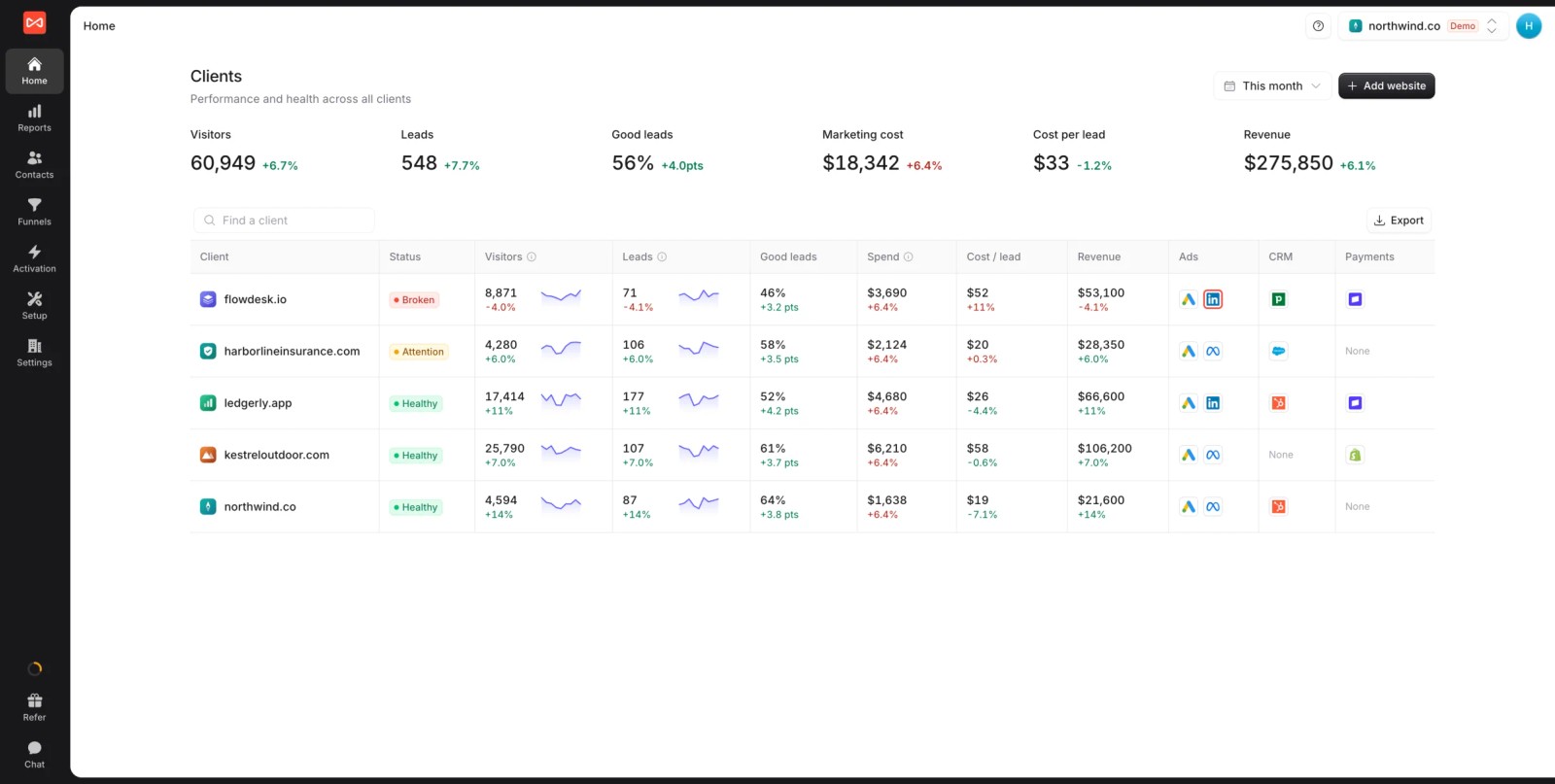
SourceLoop is a lead source and marketing attribution tracking tool with multiple website support and full white label. It records where every visitor came from, captures each lead from forms, calls, chats and bookings, and counts it once, so the report matches the client's inbox.
That changes the conversation. Your branded report shows how many real leads each campaign produced and what they cost, and lead quality rules keep spam and job seekers out of the count. It also works for lead-gen businesses and SaaS teams directly, so it isn't only an agency reporting layer.
Key features
- Agency clients overview: visitors, leads, good-lead rate, marketing cost, cost per lead and revenue for every client in one table.
- Your brand everywhere: logo, colors and contact line, set for the agency or for each client.
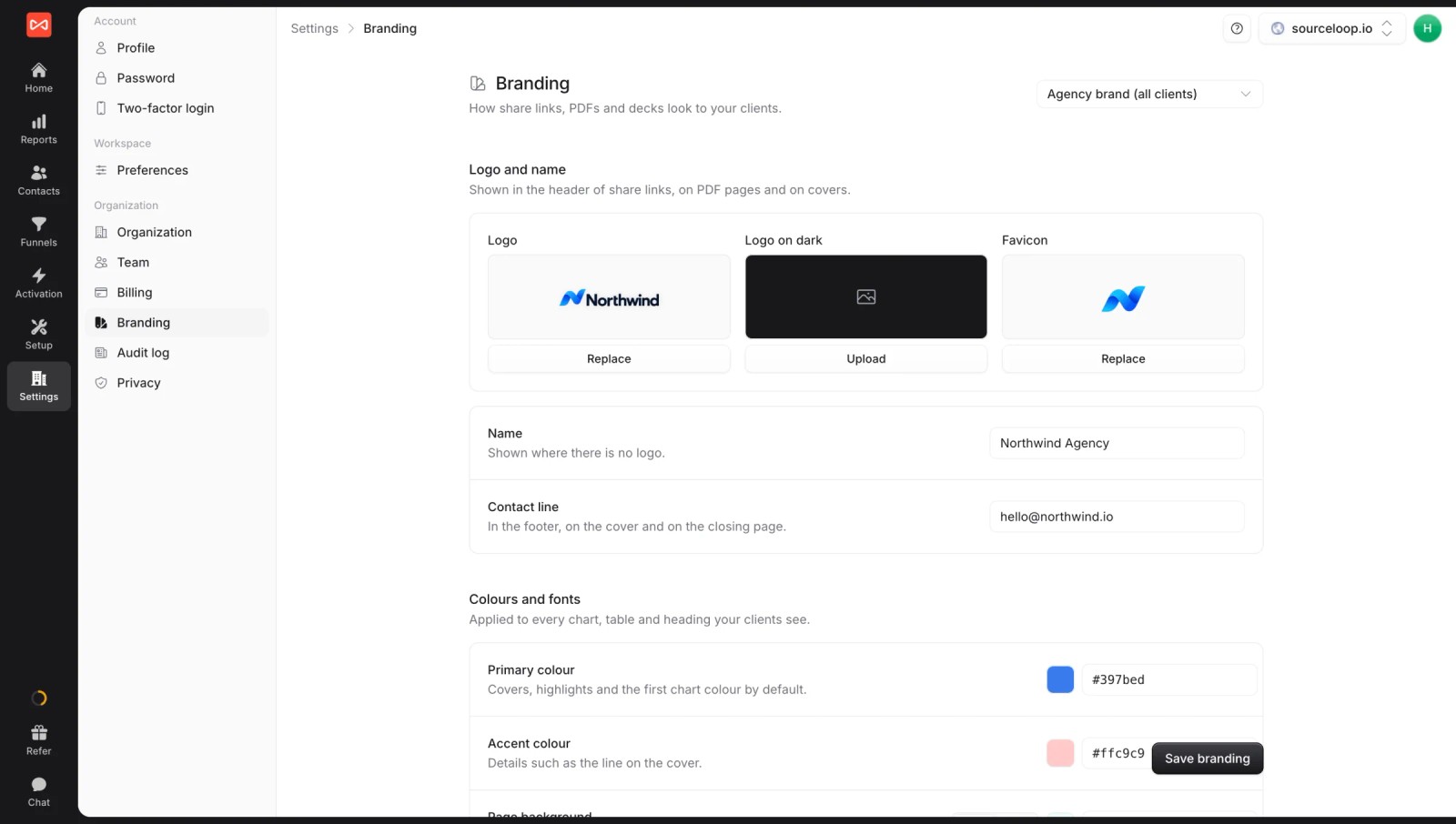
- White label settings and custom share domain: report links live on your own domain, so clients never see a vendor URL. Read how white label branding works.
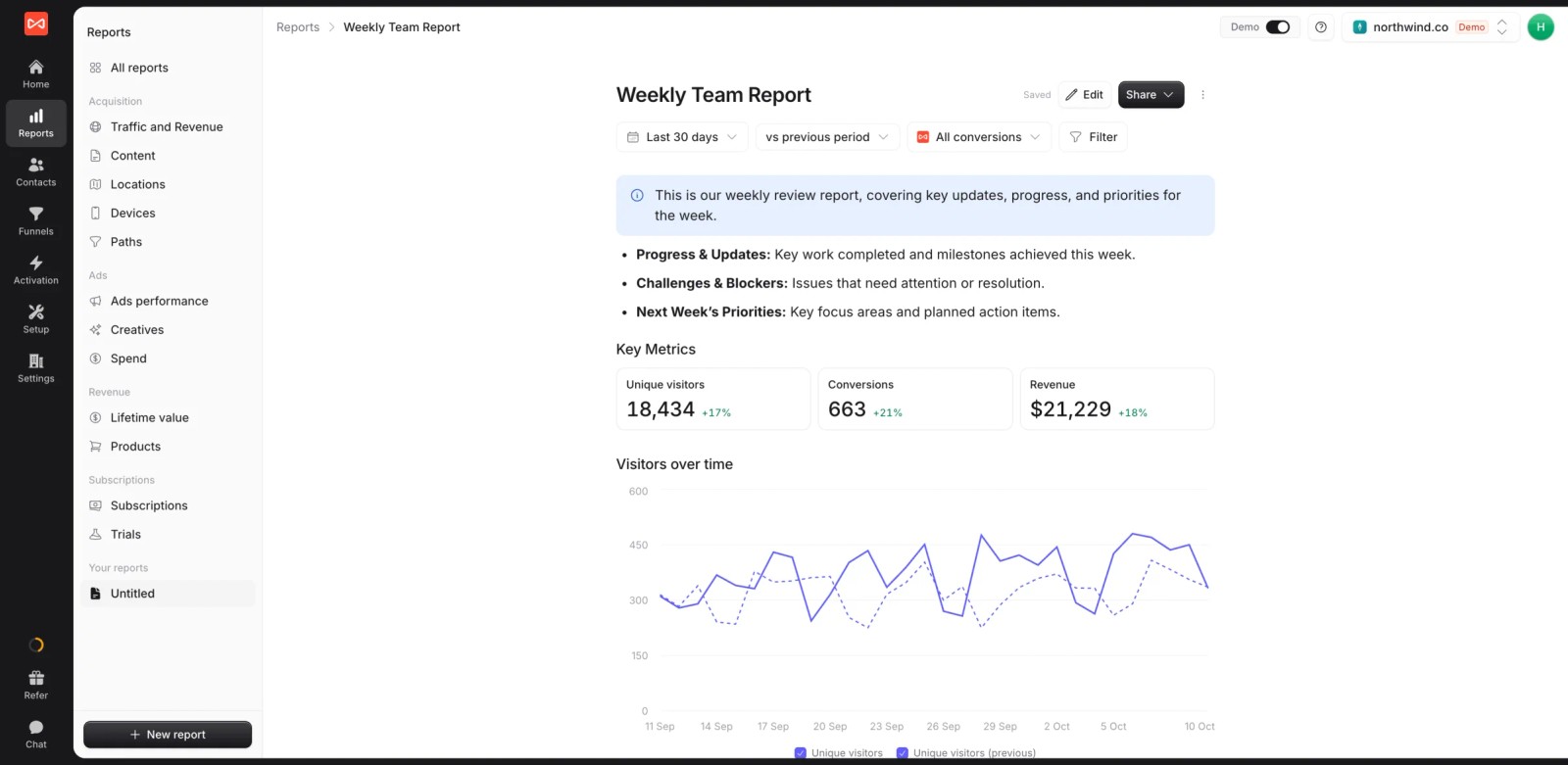
- Custom reports as live documents: build a client report once with metric tiles, charts and your commentary, then share the live link.
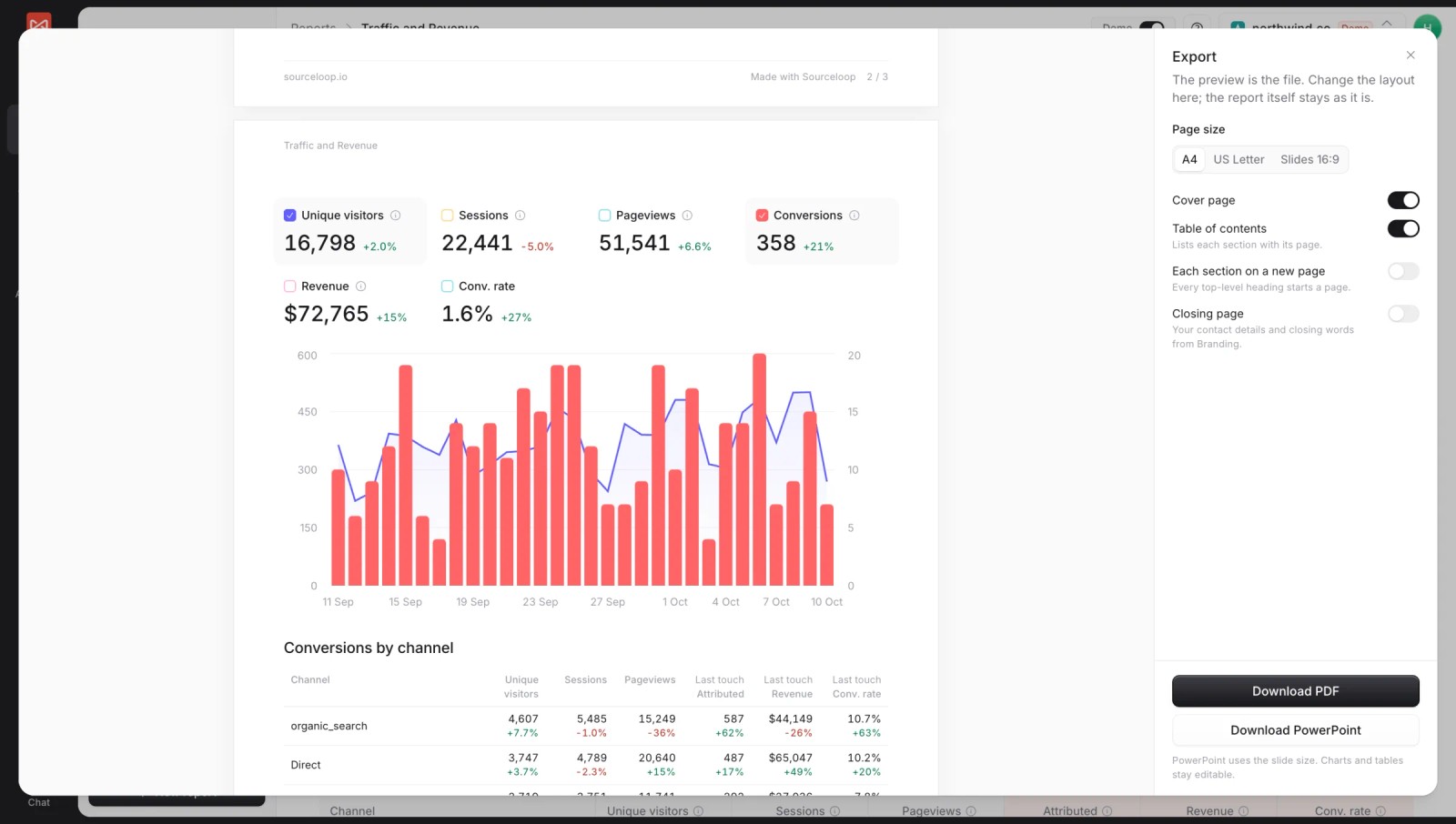
- Branded PDF and PowerPoint exports: cover page, table of contents and your branding, ready for the monthly meeting.
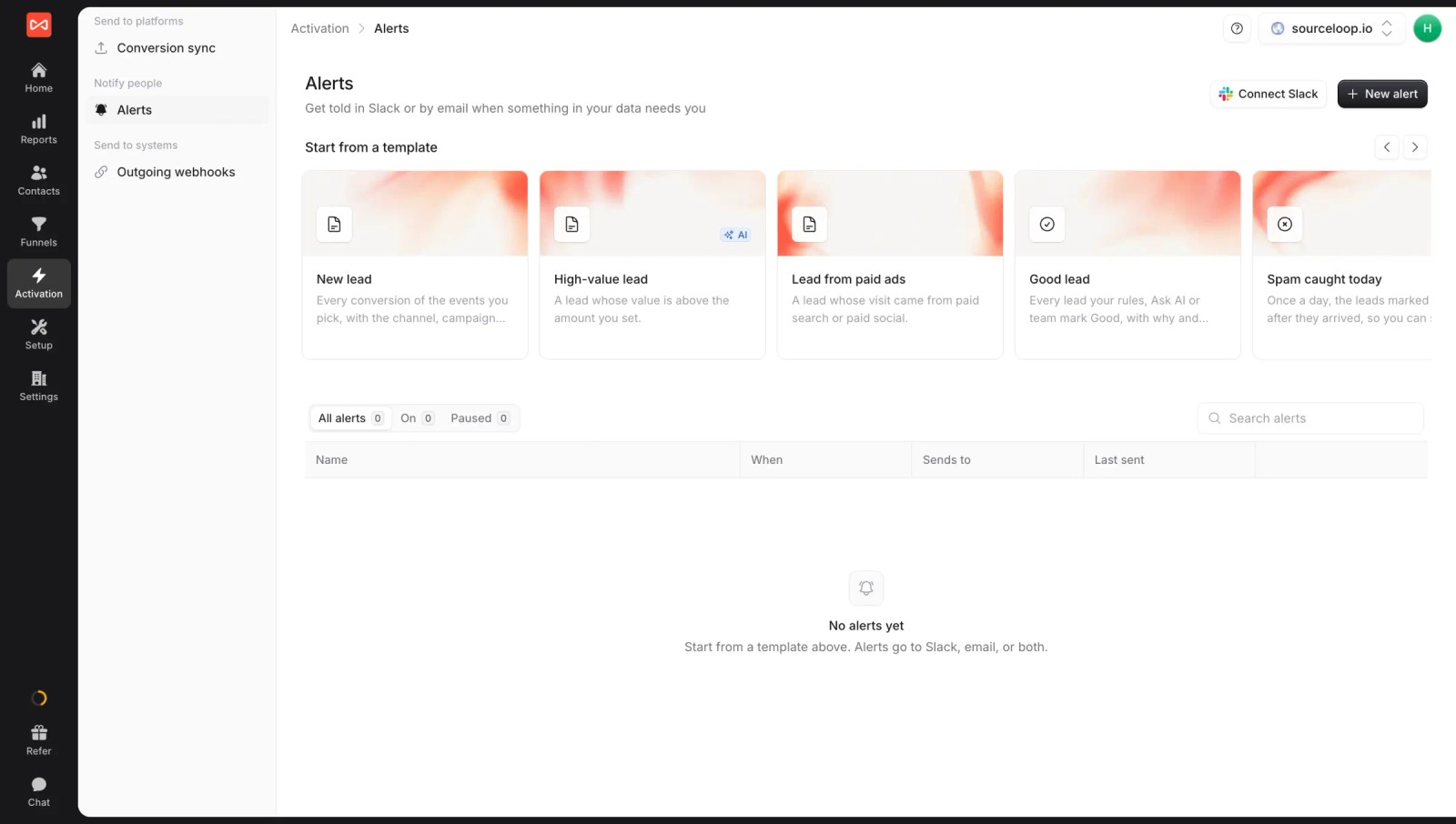
- Branded Slack and email alerts: new leads, high-value leads or weekly numbers posted to each client's channel under your name.
- Leads by channel, counted once: visitors, leads and revenue by channel and campaign, with first and last touch side by side.

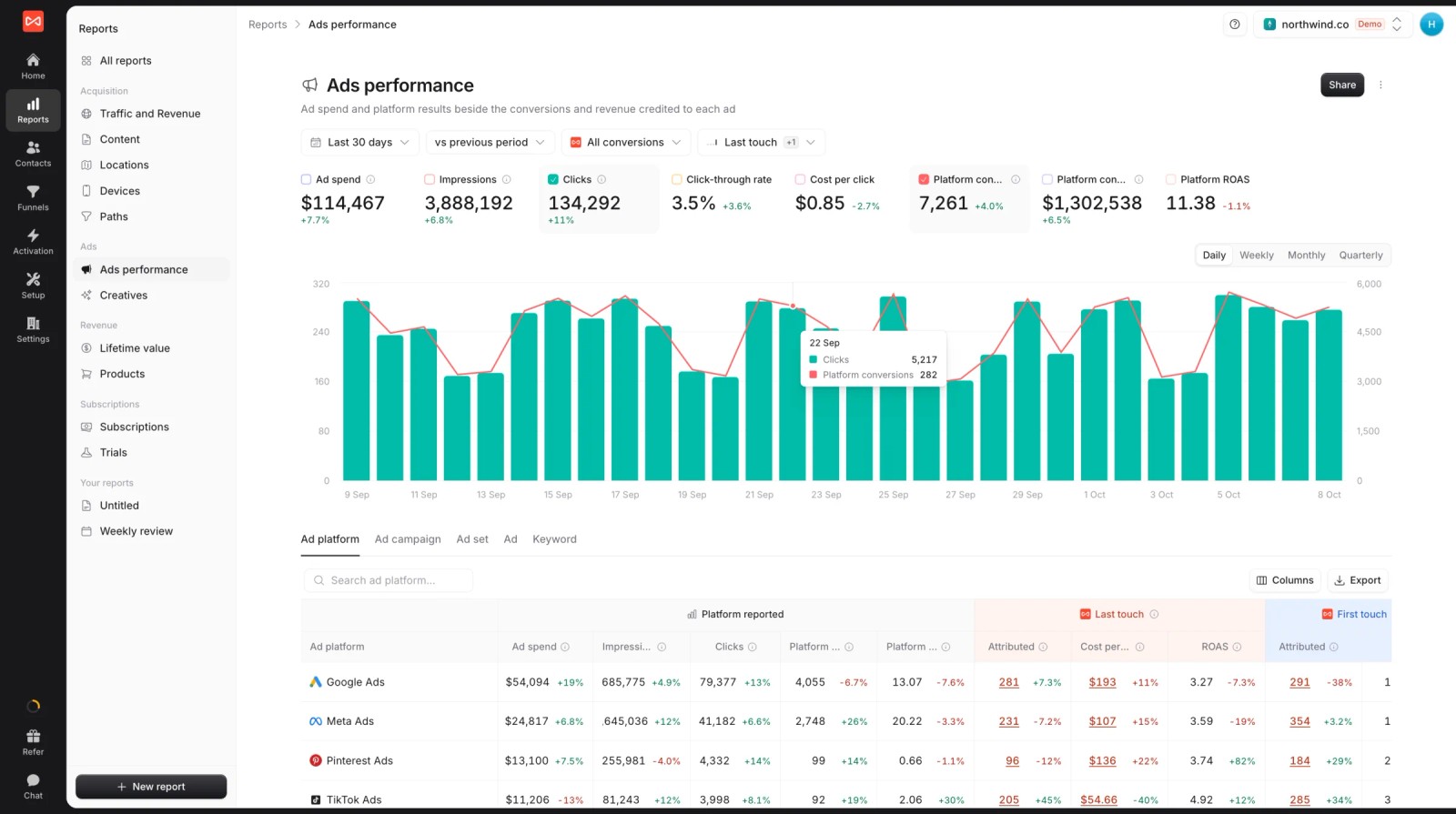
- Platform claims next to reality: spend and platform-reported conversions beside what SourceLoop credits each ad platform.
- The journey behind each lead: every visit and ad click before the form or call, for the "where did this one come from" question.

- Conversion sync per client: good leads go back to each client's Google Ads, Meta, Microsoft Ads and ChatGPT Ads accounts, so campaigns improve too.

Where it falls short
- It doesn't pull SEO rankings, organic social or email metrics, so a 15-channel client dashboard still needs a reporting tool.
- LinkedIn and TikTok spend sync are coming soon, not live.
- The Agency plan covers three sites, so check the pricing page for larger client rosters.
Pricing
- Agency: $249/mo for three sites and 1.5 million page views, adding white label reporting
- Essential and Professional: $49 and $99/mo for single sites
- Unlimited conversions on every plan, with a 7-day trial.
Verdict: the pick when your reports need to prove leads and cost per lead. Pair it with a dashboard tool if clients also want SEO and social metrics.
2. AgencyAnalytics
Best for: SEO and PPC agencies that want one branded portal per client with rankings, ads and analytics together.
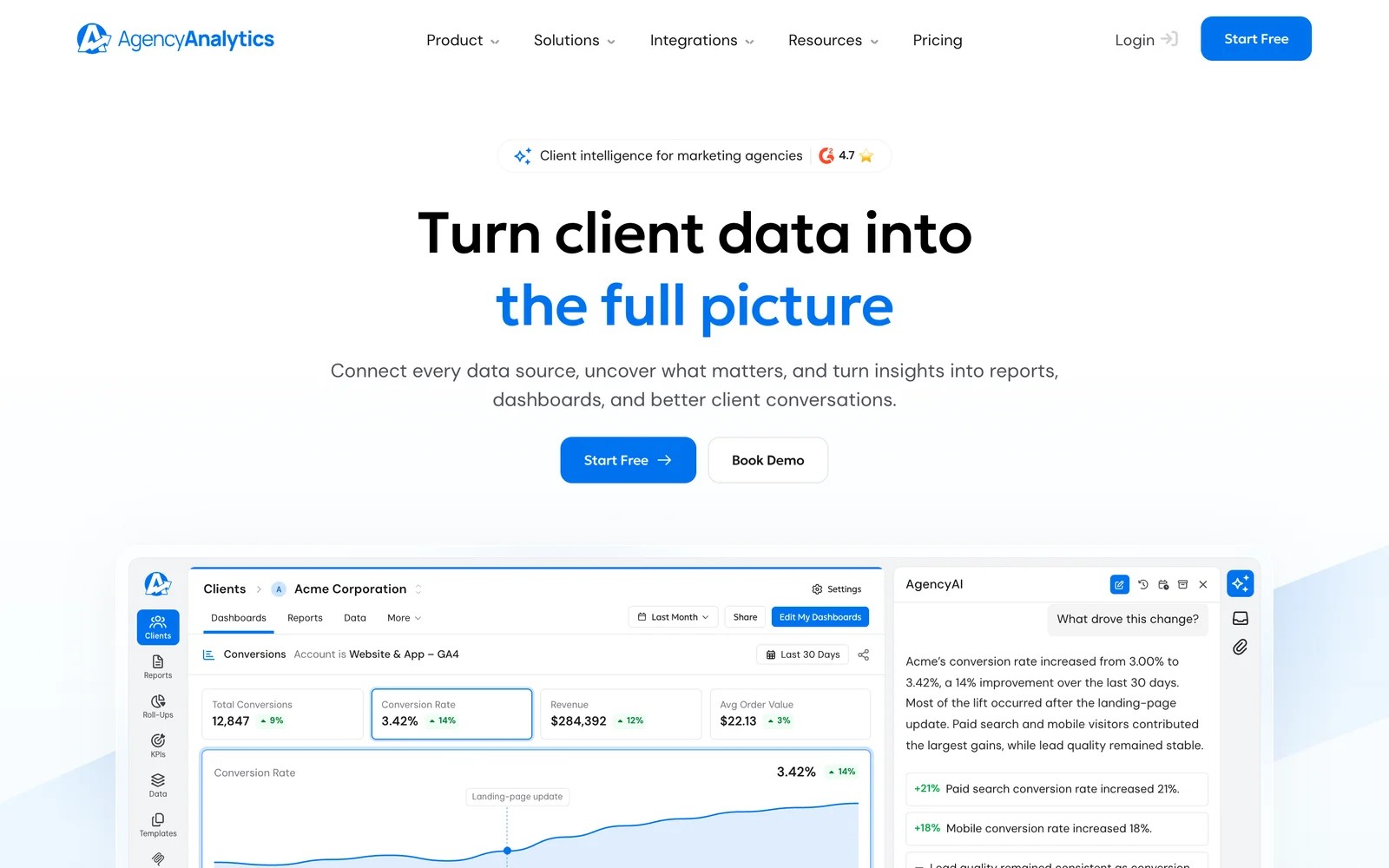
AgencyAnalytics is built around the agency workflow: a client list, a white-labeled portal for each client, dashboards, scheduled reports and built-in SEO tools like rank tracking.
On the 14-day trial, the first thing I noticed was how quickly a client gets set up. Add the client, connect their Google Ads and GA4, pick a template, and the portal is ready under your branding.
Customization is where it pushed back. Building more complex views with several metrics and segments took workarounds, and reviewers specifically dislike the report cover page, which can't be customized.
The pricing model is simple: $20 per client per month on annual billing, with every feature included. That scales cleanly, though a 40-client roster adds up.
Key features
- A white-labeled client portal on your own domain gives each client a branded login with their dashboards and reports.
- Dozens of integrations cover ads, analytics, SEO and social, so most client reports come from one place.
- Built-in SEO tools add rank tracking and site audits, which saves SEO agencies a separate subscription.
- Scheduled reports and AI summaries cut the time spent preparing monthly updates for each client.
Where it falls short
- Reports with richer segmentation and multiple metrics are hard to build without workarounds.
- The report cover page can't be customized, which reviewers call out directly.
- White label covers one brand for the agency, so per-client co-branding is limited.
- Like other reporting tools, it shows platform-reported conversions rather than deduplicated leads.
What users say
"Super easy to use. Easy to white label." (Source)
"The cover page of the reports is super ugly, like unbelievably ugly and they offer no options to customize this." (Source)
"It was difficult to create reports with more robust analytics, such as multiple metrics and detailed segmentation" (Source)
Pricing
- Core: $20 per client per month, billed annually, all features included
- Add-ons: rank tracker and AI tracker. 14-day trial, volume pricing at 25+ clients.
3. DashThis
Best for: agencies that want clean, simple client dashboards without a learning curve.
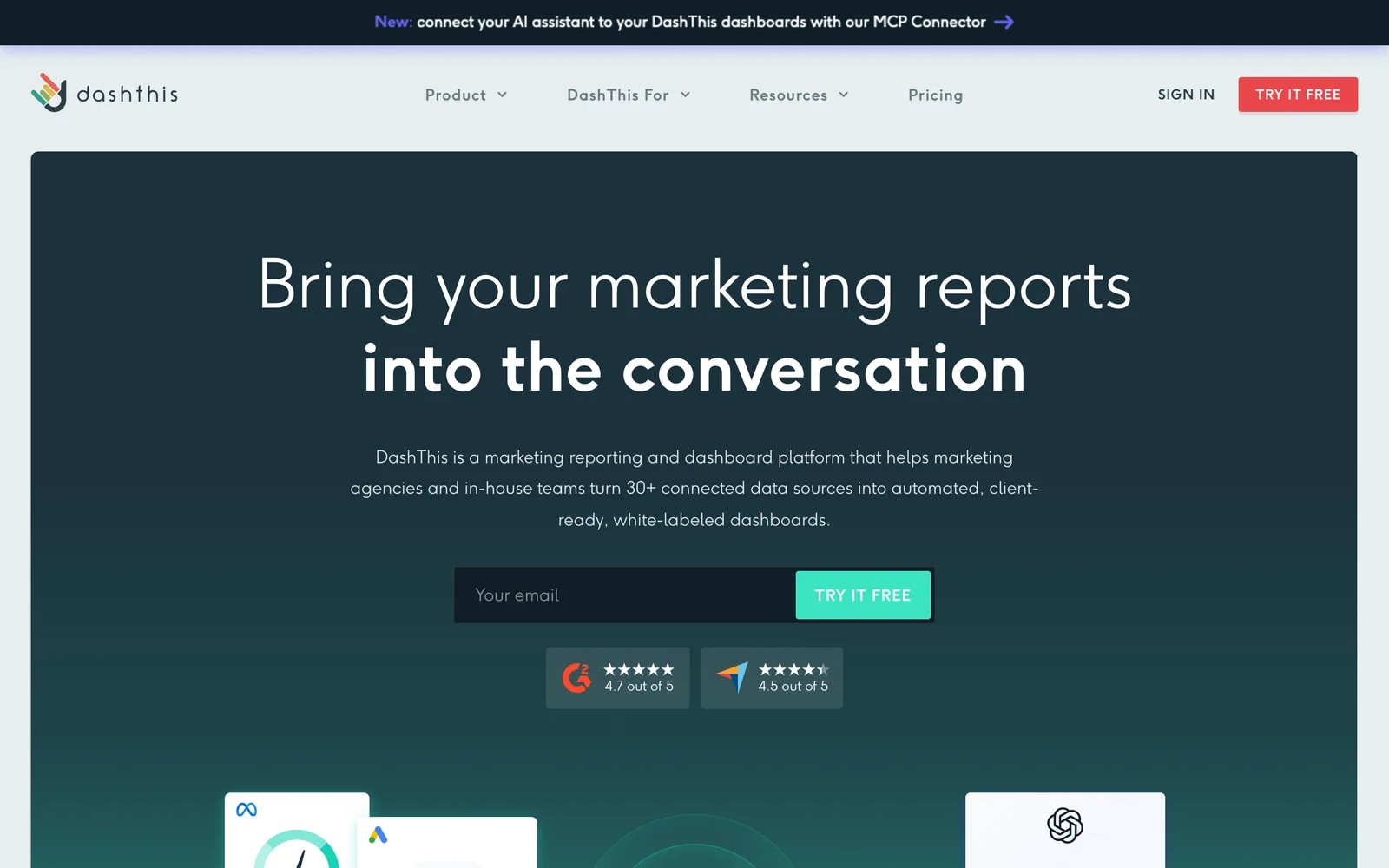
DashThis does one thing: dashboards. You connect sources, start from a template, brand it and share it, and every plan includes the same white label features.
On the trial, setup was the easiest of the group. I had a branded Google Ads and Meta dashboard in a few minutes, and cloning it for a second client took one click.
The ceiling shows when you want something unusual. Layout options are limited, visualizations feel basic next to newer tools, and pricing is by dashboard, so the bill grows with every client.
Support gets consistent praise, which matters more than it sounds when a connector breaks before a client call.
Key features
- Templates and drag-and-drop widgets produce a client dashboard in minutes, even for team members new to reporting.
- Every plan includes white label: custom logo, color themes, custom domain and a branded email sender.
- Dashboards can be cloned across clients, which keeps reports consistent and saves setup time.
- An MCP connector lets AI assistants read dashboard data, which helps with quick client questions.
Where it falls short
- Customization is limited to a set of layouts, so unusual report designs are hard to build.
- Visualizations feel dated to some users, with no dynamic charts or animations.
- Pricing by dashboard gets expensive as your client list grows.
What users say
"It is so easy to set up and white label if you have many clients." (Source)
"Visualizations are decent but they need an upgrade. It's also missing dynamic charts, transitions, and animations" (Source)
"Looking at the pricing I've found that DashThis could get expensive if I find it gaining adoption among my user." (Source)
Pricing
- Individual: $54/mo ($44 billed yearly) for 3 dashboards
- Professional: $164/mo ($139 yearly) for 10 dashboards
- Business and Standard: $324 and $499/mo for 25 and 50+ dashboards. 14-day trial.
4. Swydo
Best for: PPC-focused agencies that want branded reports at a low per-source price.
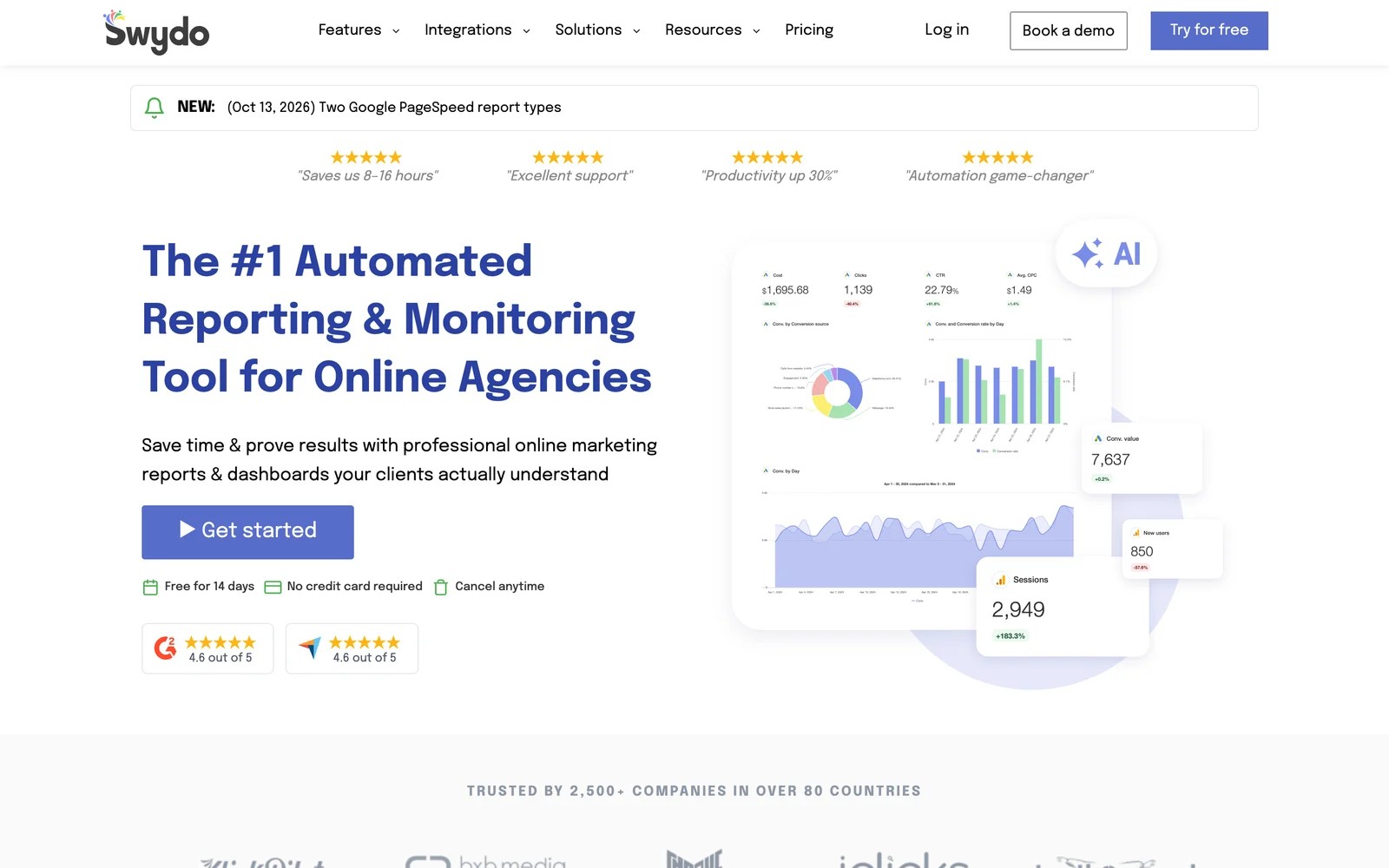
Swydo is a reporting and monitoring tool for online agencies. One plan includes every feature, and the price grows by connected data source.
On the trial, the Google Ads and Meta templates were good enough that I barely changed them. Branded PDFs with a cover photo looked professional out of the box.
Watch the source count. Every connected account counts, and reviewers mention expired connections still being billed, so prune old accounts regularly.
Key features
- Ready-made templates for Google Ads and Meta produce polished reports with little editing.
- Full white labeling covers branded PDFs, email templates and a custom domain for dashboards.
- Monitoring and alerts flag budget and performance issues across client accounts.
- One plan includes all features, so smaller agencies get the full toolset at the entry price.
Where it falls short
- Every connected account counts as a data source, and expired connections can keep counting toward the bill.
- Formatting and font options are limited for agencies that want a distinctive report design.
- Visualizations are simpler than those in full BI tools.
What users say
"Beautiful reports, branded with my agency logo, cover photo customisation options, simple set up, and the templated reports often didn't need much tweaking for Google Ads and Meta Ads at least." (Source)
"Sometimes a data connection would have expired or be outdated but still count as a data source, raising the cost unnecessarily." (Source)
"Would be good to be able to customise the look and feel more with formatting, fonts, etc.," (Source)
Pricing
- One plan: €69/mo (€62 billed yearly), including 10 data sources
- Extra sources: from €4.50 each, dropping at volume. 14-day trial, no card.
5. Whatagraph
Best for: established agencies that want a polished, all-in-one reporting platform and can justify the price.
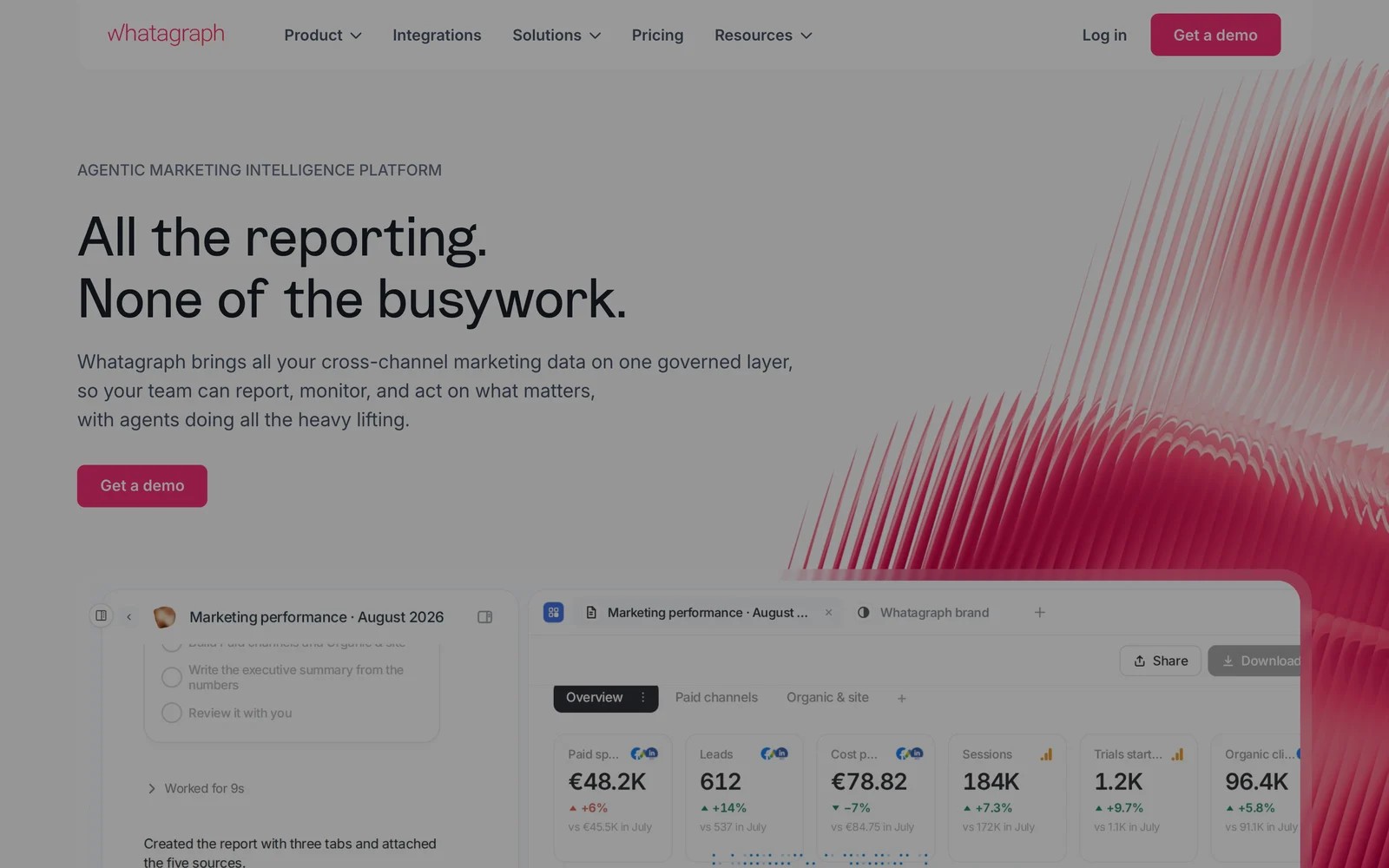
Whatagraph combines connectors, a report builder, white-label sharing and AI agents that draft summaries. It's aimed at agencies with many clients and high reporting standards.
It's demo-led. The walkthrough focused on how quickly a templated report goes out under your brand, and the agencies we know who use it mention exactly that.
The barrier is cost. At €699 a month on annual billing, it's a different budget from per-client tools, and reviewers mention a learning curve and occasional disconnected sources.
Key features
- A drag-and-drop builder and templates produce client reports without a separate BI tool.
- White label covers your logo, colors and a custom report domain for every shared report.
- AI agents build reports and draft summaries, cutting the time spent on commentary.
- Scheduled sending delivers reports automatically to each client on your timetable.
Where it falls short
- The entry price is high for small agencies and freelancers.
- Reviewers mention a learning curve, since reports follow Whatagraph's own building logic.
- Data sources occasionally disconnect, which can delay a scheduled report.
What users say
"It's user-friendly and has good sharing features which helps when wanting to send reports both internally and externally" (Source)
"You have to learn their language and the way they build things. It is not overly intuitive." (Source)
Pricing
- Max: from €699/mo, billed annually
- Prime: custom
6. Databox
Best for: agencies and teams that want KPI dashboards, goals and AI analysis, with white label as an add-on.
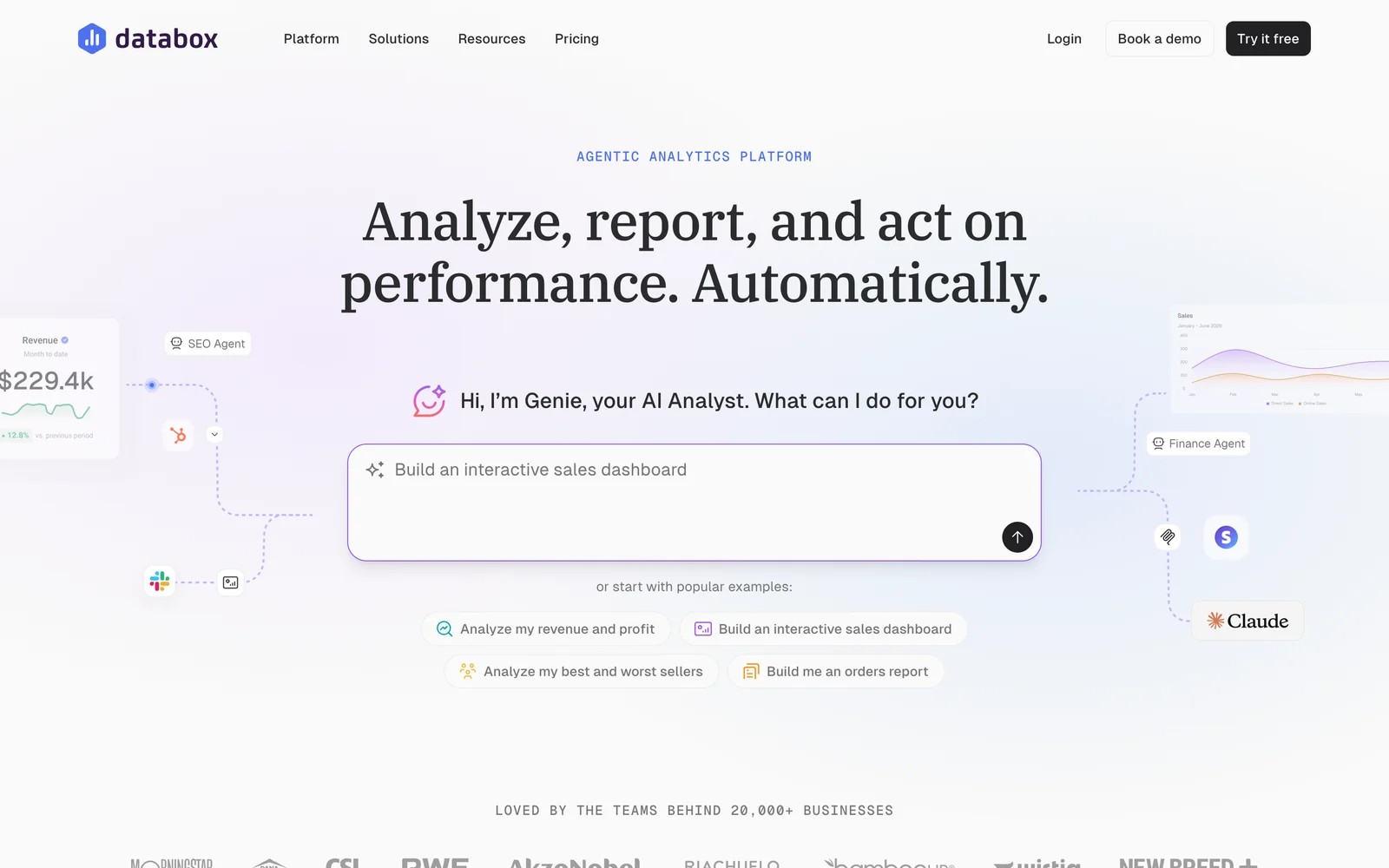
Databox is a KPI dashboard platform with goals, scorecards and an AI analyst called Genie. An Agency plan adds unlimited users and cross-account reporting, and white labeling is a paid add-on.
I started on the free plan, which gives you one dashboard and three sources, enough to see how it works. The live dashboard links impressed me, and reviewers say clients love having a custom link to check whenever they want.
The pricing takes some reading. The agency plan grows with account packs, branding costs extra, and the pricing page shows different numbers in different places, so confirm the total before you commit.
Key features
- Live dashboards with shareable links let clients check performance any time without waiting for a report.
- Goals and scorecards track progress against targets, which suits retainer agreements built on KPIs.
- Genie, its AI analyst, and an MCP server answer questions across accounts in plain English.
- An Agency plan adds unlimited users, bulk actions and cross-account reporting for multi-client work.
Where it falls short
- White label branding is an $80 a month add-on, not part of the base plans.
- Reviewers say dashboards sometimes refresh slowly and the annual cost is high for small businesses.
- Many features and integrations cost extra, which makes the true price hard to predict.
What users say
"They LOVE having a custom link they can go to for live analytics." (Source)
"Sometimes the dashboards wont refresh at a fast pace. Also, the annual subscription cost is considerable for a small business." (Source)
"Just about every basic feature, data integration, reporting, or branding will cost you additional $$$$$$$." (Source)
Pricing
- Free: one dashboard and three sources
- Agency: from $79/mo billed annually, plus account packs
- Branding and white label: $80/mo add-on. 14-day trial on paid plans.
7. Data Studio (Looker Studio)
Best for: agencies with a dashboard builder on the team who want maximum flexibility at no cost.
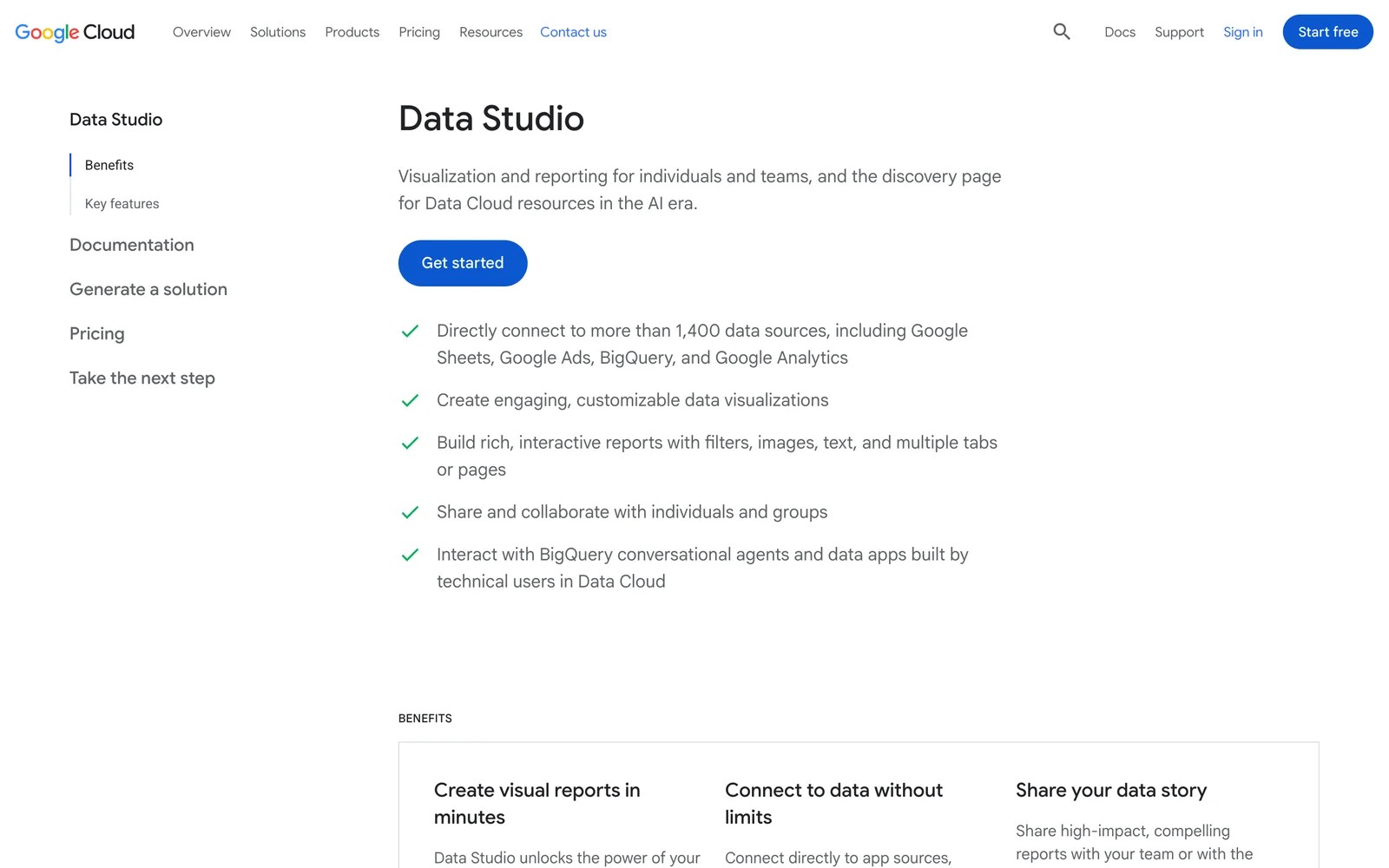
Google's free reporting tool, known for years as Looker Studio, now appears as Data Studio on Google's product page. It connects to Google Ads, GA4, Sheets and BigQuery natively, with hundreds more sources through partner connectors.
It's where many agencies start. Building my first report took longer than in the dedicated tools, but I could design exactly what I wanted, with my logo and colors placed anywhere on the page.
The costs are hidden in time and connectors. Non-Google sources often need paid partner connectors, reports can break when sources change, and there's no custom domain for shared reports.
Key features
- Free native connectors cover Google Ads, GA4, Search Console, Sheets and BigQuery, the core of most client reports.
- A flexible canvas lets you design any layout, with your branding placed wherever you want it.
- Partner connectors extend it to Meta, LinkedIn and hundreds of other sources, usually for a fee.
- Scheduled email delivery sends PDF snapshots of reports to clients automatically.
Where it falls short
- Reports can break when connectors or sources change, and fixing them takes time.
- Large datasets and complex blends make reports slow, and transformation options are limited.
- There's no custom domain or full white-label portal, so clients see Google's URLs.
What users say
"Price for entry level reporting is free. Hard to beat that." (Source)
"I found Data studio to be buggy at times, and dashboards that haven't been touched in months would break." (Source)
"Some connectors are slow or limited, and bigger datasets can make reports lag." (Source)
Pricing
- Free. A paid Pro tier, billed per user through Google Cloud, adds team workspaces and admin controls. Partner connectors are priced separately.
How to choose
Start with how many clients you report on and what they ask about.
1. What do clients care about most?
- Leads and cost per lead: SourceLoop, so the report counts each lead once.
- SEO rankings plus ads: AgencyAnalytics.
- Paid media performance: Swydo or DashThis.
- KPIs and goals: Databox.
2. How many clients?
- Under 10: DashThis or Swydo keep costs low. Data Studio is free if you have the time.
- 10 to 50: AgencyAnalytics' per-client price stays predictable.
- Many clients and high standards: Whatagraph.
3. How much does branding matter?
- For a custom domain and branded exports out of the box, pick SourceLoop, AgencyAnalytics, DashThis, Swydo or Whatagraph. Databox charges extra, and Data Studio doesn't offer a custom domain.
For more agency tooling, see our list of marketing attribution tools for agencies and our guide to client reporting.
Frequently asked questions
-
What is white label reporting software?
It's software that produces client reports and dashboards under your agency's brand, with your logo, colors and often your own domain, so clients never see the vendor's name.
-
Which white label reporting tool is cheapest?
Data Studio is free but has no custom domain. Among dedicated tools, DashThis starts at $44 a month billed yearly and Swydo at €62 a month for 10 data sources. AgencyAnalytics charges $20 per client per month.
-
Can white label reports show real leads instead of platform numbers?
Most reporting tools show what each ad platform reports, so the same lead can be counted twice. An attribution tool like SourceLoop counts each lead once and credits it to one source, with full white label.
-
Do I need a custom domain for client reports?
It isn't required, but it makes reports feel like your product. SourceLoop, AgencyAnalytics, DashThis, Swydo and Whatagraph include one, and Databox offers it as an add-on.
-
Is Looker Studio good enough for agency reporting?
For agencies with someone who enjoys building dashboards, yes. It's free and flexible, but reports can break, non-Google sources need paid connectors, and there's no full white-label portal.

 Paid Social


