
HubSpot Attribution Pricing (2026): Plans, costs, and is it worth it?
HubSpot splits attribution across tiers: contact reports on Professional, deal and revenue on Enterprise. Here is what each costs in year one.
Table of contents
- Which HubSpot tier includes which attribution report
- What each HubSpot tier costs
- The real first-year cost of revenue attribution
- What it's like using HubSpot's attribution reports
- When upgrading to Enterprise makes sense
- SourceLoop as a cheaper route to revenue attribution
- What SourceLoop adds to HubSpot
- SourceLoop pricing
- HubSpot Enterprise vs adding SourceLoop
"Does HubSpot do attribution?" has a simple answer: yes. "Which HubSpot plan do I need for the attribution I want?" is where it gets expensive.
HubSpot splits its attribution reports across Marketing Hub tiers. The report most teams actually want, crediting revenue to the campaigns that produced it, sits on the top tier.
In this guide, I'll show which attribution report comes with which tier, what each tier really costs once onboarding is added, and how SourceLoop fills the gap for much less.
Which HubSpot tier includes which attribution report
According to HubSpot's Knowledge Base, attribution reporting is available on Marketing Hub Professional and Enterprise, but not every report type comes with both. Here's the split, as of November 2026.
| Report | What it credits | Starter | Professional | Enterprise |
|---|---|---|---|---|
| Original source property | The first source HubSpot saw for a contact | Yes | Yes | Yes |
| Contact create attribution | Which touches led to new contacts | No | Yes | Yes |
| Deal create attribution | Which touches led to new deals | No | No | Yes |
| Revenue attribution | Which touches led to closed revenue | No | No | Yes |
So Professional answers "which channels create contacts." Only Enterprise answers "which channels create pipeline and revenue."
What each HubSpot tier costs
Here's the Marketing Hub pricing that sits behind those reports, from HubSpot's pricing page.
| Tier | Starting price | Seats included | Marketing contacts | Required onboarding |
|---|---|---|---|---|
| Starter | From $7/seat/mo (promo; $20 list) | Per seat | 1,000 | None |
| Professional | From $800/mo | 3 core seats | 2,000 | $3,000 one-time |
| Enterprise | From $3,600/mo | 5 core seats | 10,000 | $7,000 one-time |
A few details on the pricing page change the real number:
- Professional's price: the page shows $800 with $890 struck through, and offers monthly payments on an annual commitment or annual payment. Check which price applies to the billing you pick.
- Extra seats: additional core seats start at $45/mo on Professional and $75/mo on Enterprise.
- Contacts: both tiers price on marketing contacts, and reviewers often mention jumps when they cross a contact tier.
The real first-year cost of revenue attribution
The onboarding fee is easy to miss, because it's not in the headline price. When I walked through the Professional and Enterprise cards, it sits in the small print under each one.
Add 12 months of subscription to the required onboarding, and the first year at list price looks like this:
- Professional: $800 × 12 + $3,000 = $12,600, for contact create attribution.
- Enterprise: $3,600 × 12 + $7,000 = $50,200, for deal and revenue attribution.
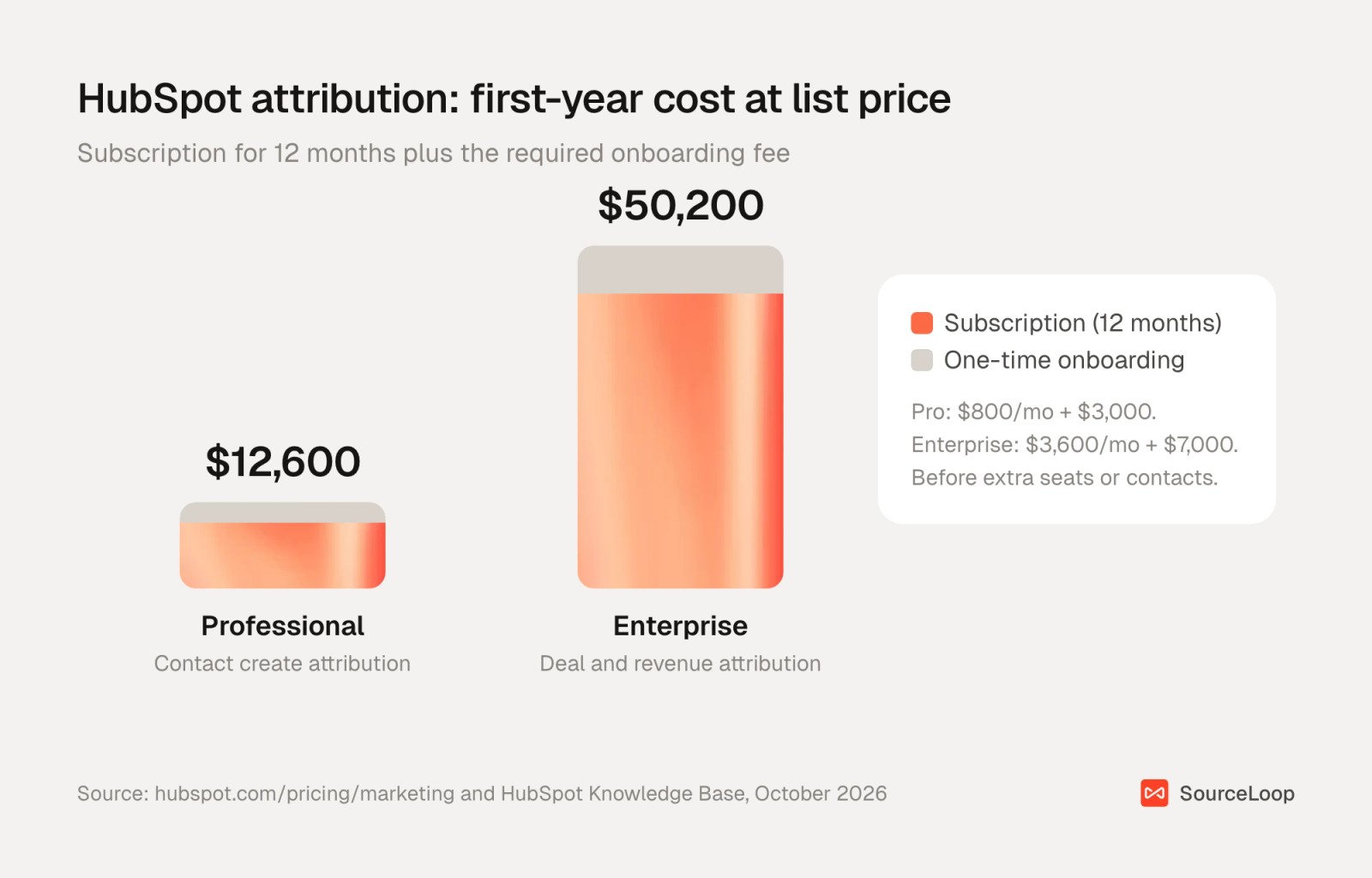
That's a difference of $37,600 in year one, mostly to unlock two reports. For companies that need Enterprise for other reasons, like custom objects or advanced permissions, attribution comes along. For everyone else, it's a lot to pay for reporting.
What it's like using HubSpot's attribution reports
On Professional, contact create attribution is built in the report builder, where you pick a model and the touchpoints to include. It's useful for seeing which content and campaigns bring new contacts, and it lives right next to your email and form data.
The limits show up quickly. The report stops at the contact, so a campaign that brings many low-quality contacts looks as good as one that brings buyers. And touches HubSpot doesn't see, like calls from a separate call tracking tool or forms from another builder, often arrive without a source.
Users notice the tier walls too:
"The reporting and template customization options feel unnecessarily locked down in the basic plans, forcing you to upgrade to incredibly expensive premium tiers just for flexible reporting." (Source)
"The pricing jumps up once you hit the higher contact tier, and the documentation sometimes lags behind new releases." (Source)
"The high onboarding costs and high upgrade costs are not good value to our 50-person company" (Source)
"I do think there's things regarding attribution that could be improved. It is not always reliable" (Source)
It's not all negative. Plenty of users value having everything in one place:
"Enabled me to structure my marketing life much better than with five different low-cost instruments." (Source)
When upgrading to Enterprise makes sense
Enterprise is the right call if you'd upgrade anyway for its other features, if your marketing data already lives entirely inside HubSpot, and if your team will use the reports weekly.
It's harder to justify if attribution is the only reason, if many leads come from calls or tools outside HubSpot, or if you also want results sent back to Google Ads and Meta as conversions.
If you stay on your current tier, our guide to tracking marketing attribution in HubSpot shows how to get the most from the reports you already have.
SourceLoop as a cheaper route to revenue attribution
You can get deal and revenue attribution next to HubSpot without changing your HubSpot plan. SourceLoop is a marketing attribution and revenue measurement tool that connects to HubSpot, reads your deals and closed revenue, and credits them to the campaigns that produced them.
It suits lead generation businesses, agencies and SaaS teams on Starter or Professional who want the Enterprise attribution reports without the Enterprise bill. If you'd move to Enterprise anyway for its other features, HubSpot's native reports are the simpler choice, and SourceLoop won't report on HubSpot email, social or CMS performance.
What SourceLoop adds to HubSpot
Here's what you get on top of the HubSpot tier you already pay for.
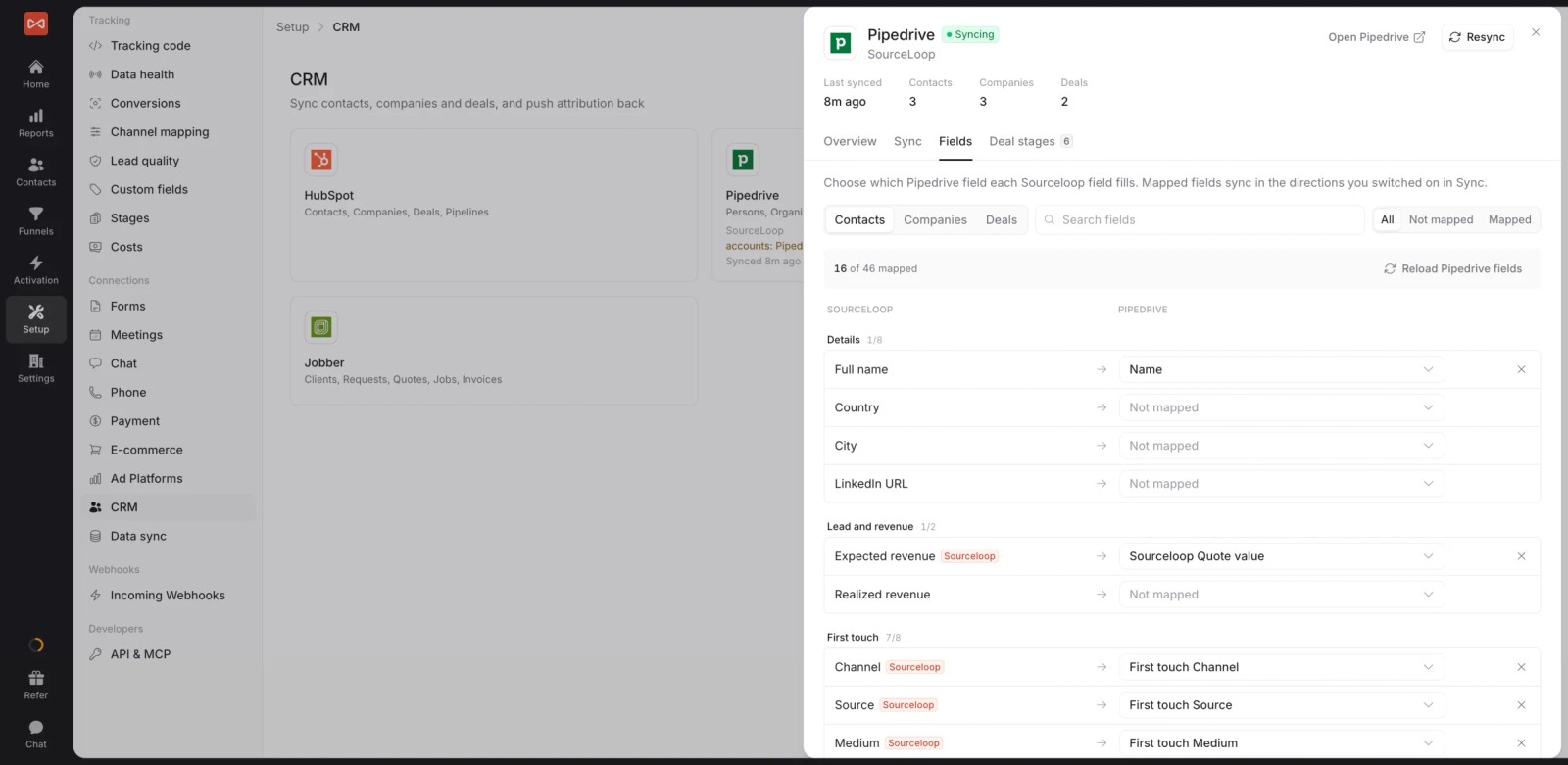
- A two-way HubSpot connection: connect through OAuth in a few minutes, map lifecycle stages, and SourceLoop starts reading contacts, deals and revenue straight away.
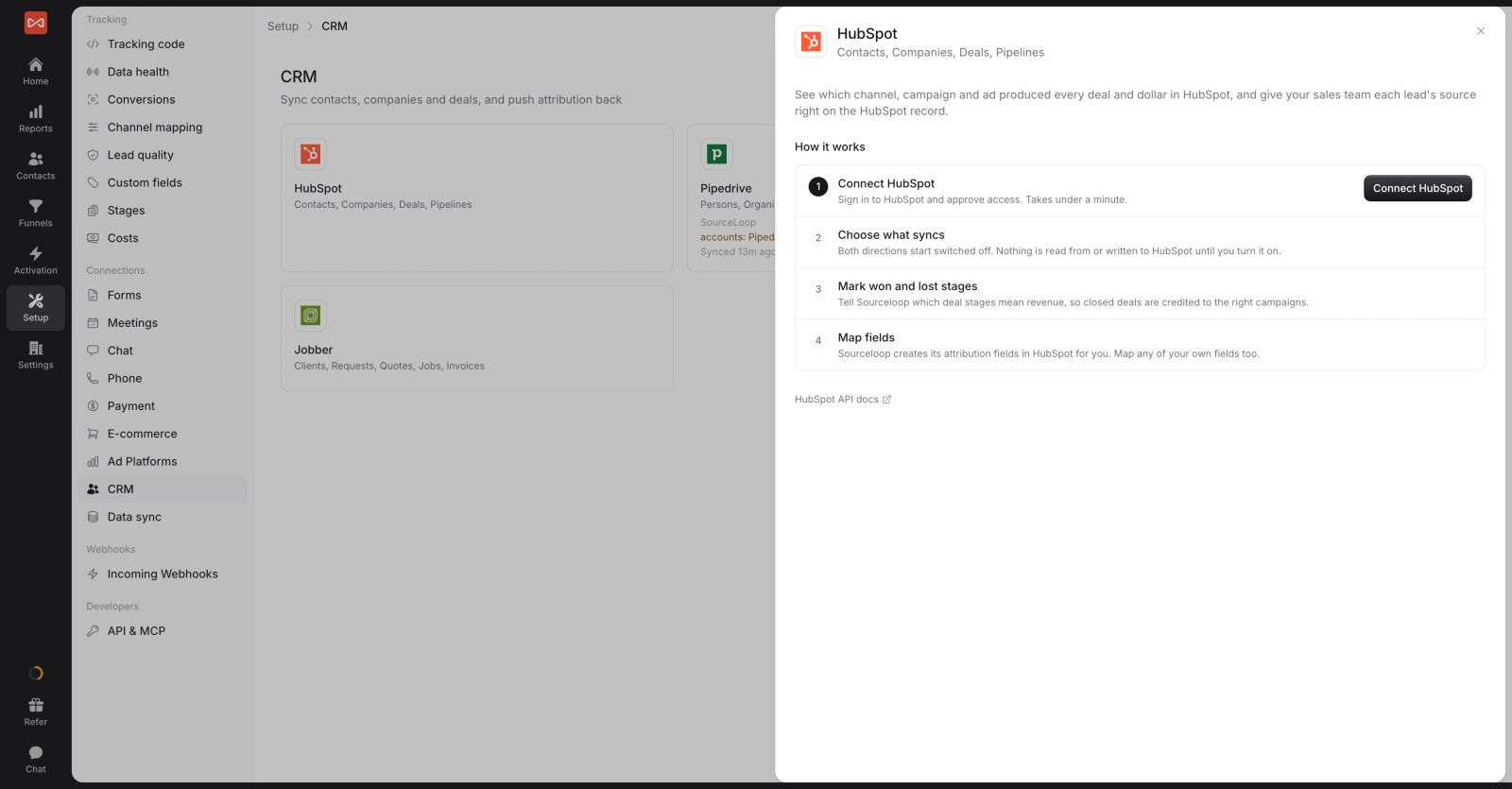
- Attribution written to HubSpot properties: first and last touch, channel, campaign and landing page land on each contact, so reps and workflows can use them.
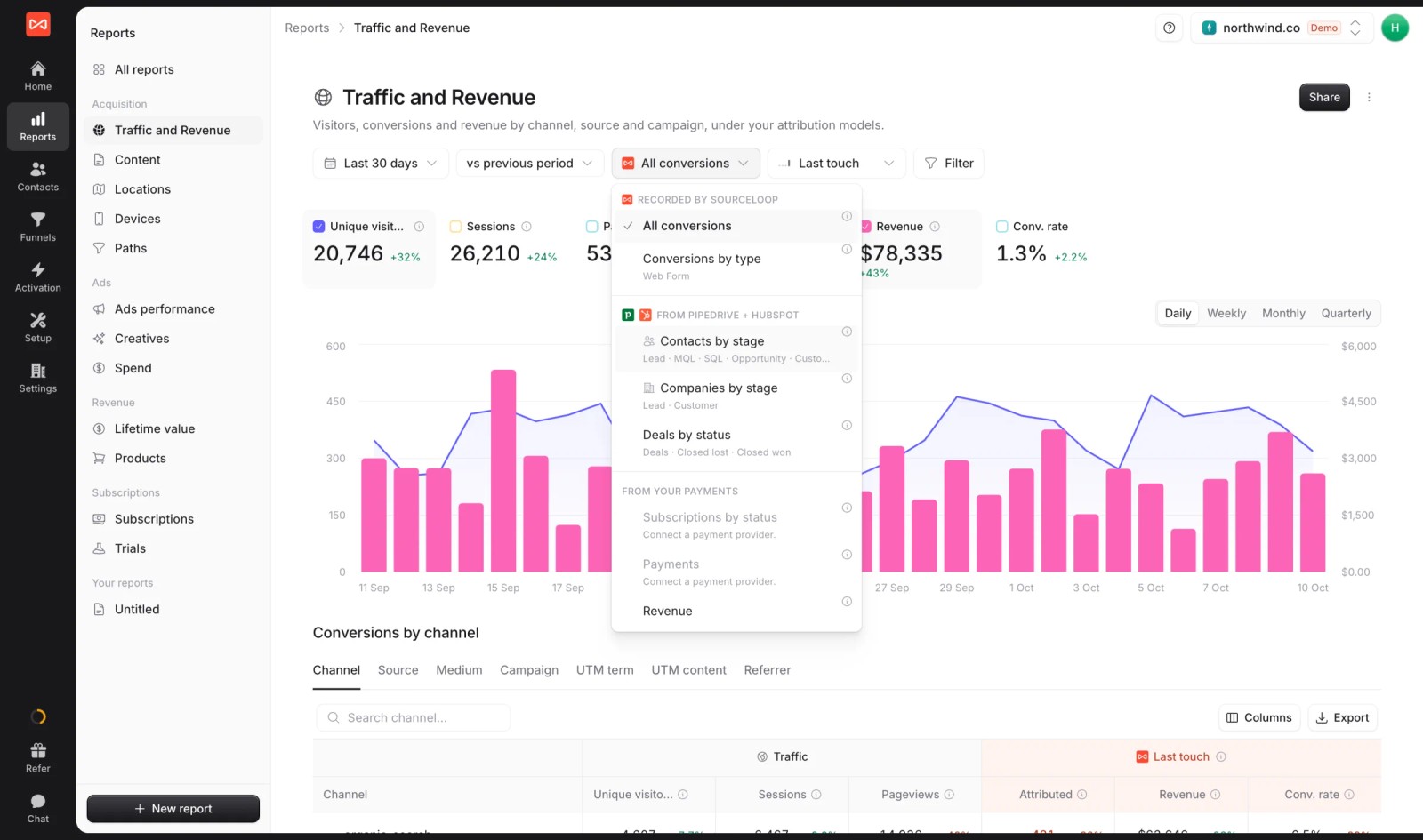
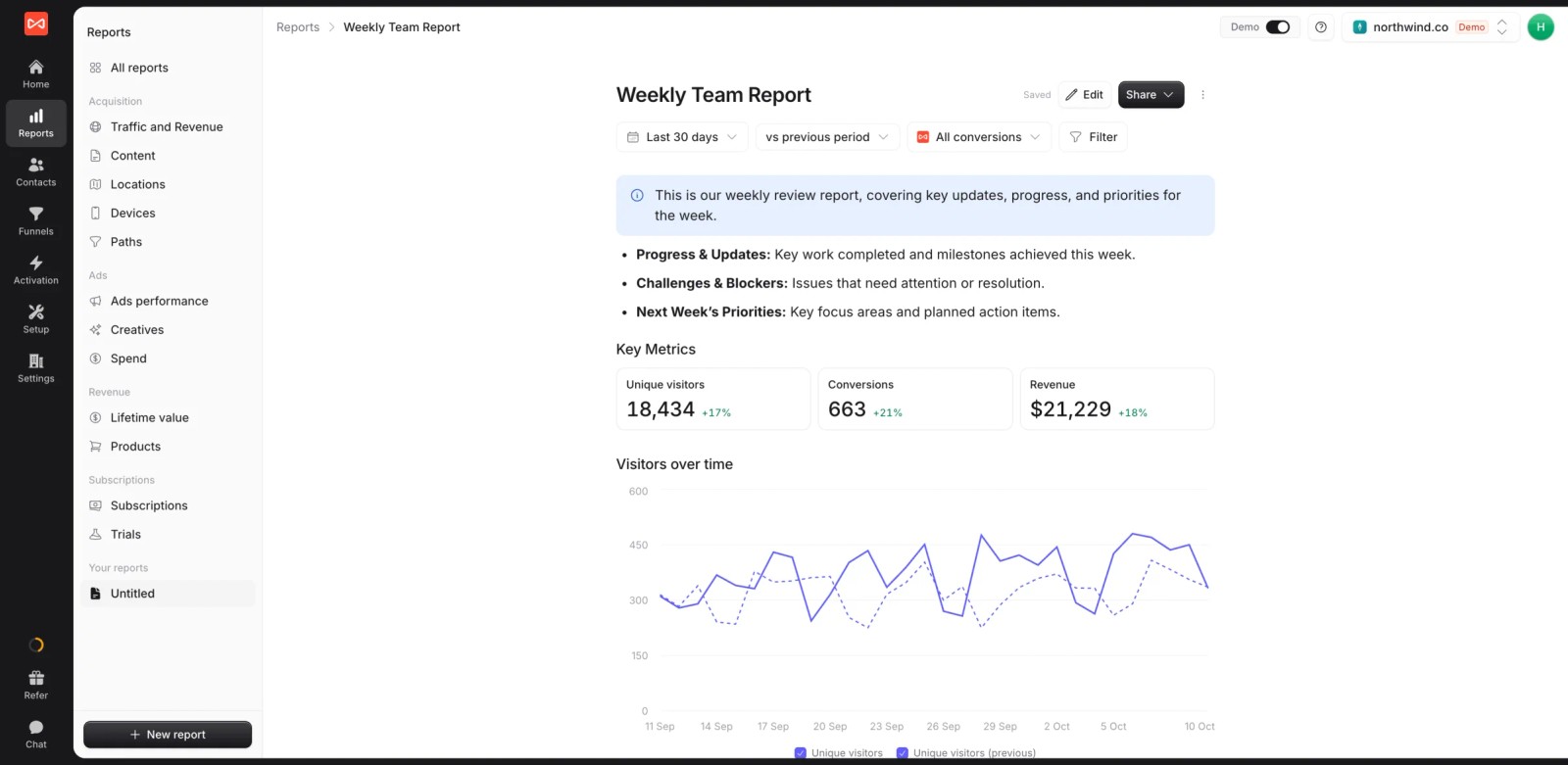
- Deal and revenue reports: switch the same report between contacts by stage, deals and revenue, which covers what HubSpot keeps for deal create and revenue attribution on Enterprise.
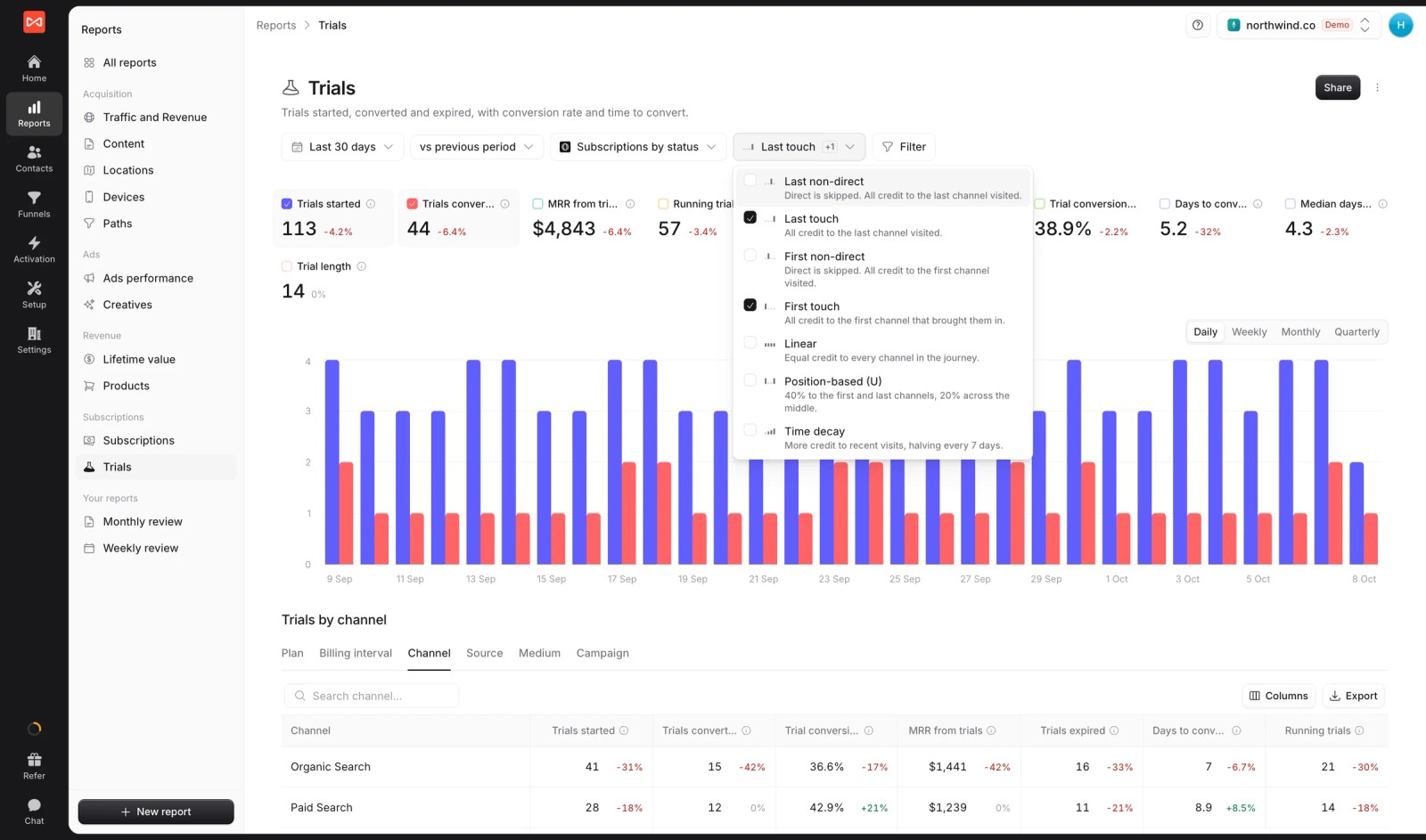
- Seven attribution models: first and last touch, first and last non-direct, linear, U-shaped and time decay, switchable on any report.
- Revenue by channel: channel and campaign revenue from HubSpot deals, with first and last touch side by side.

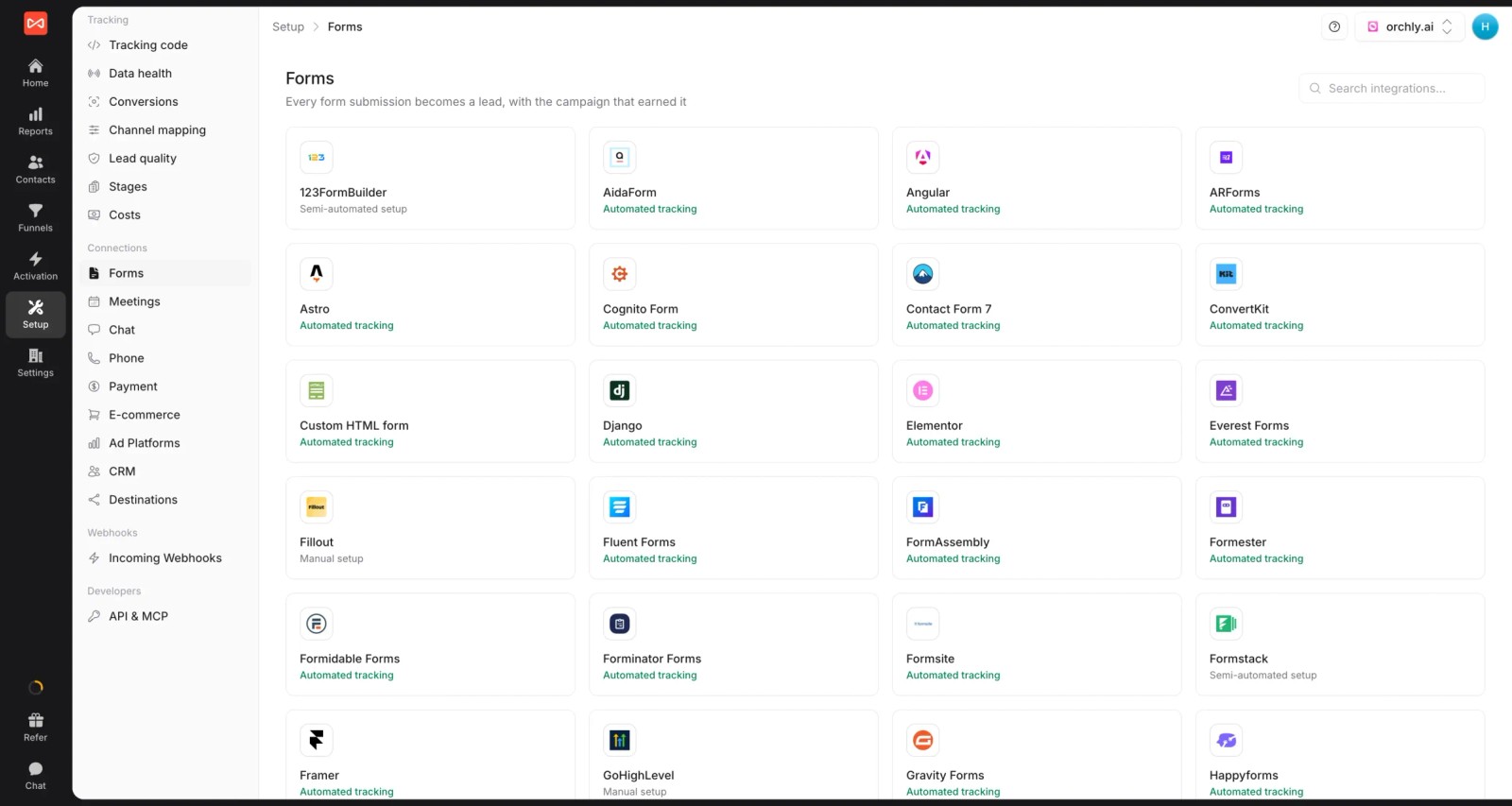
- Leads from outside HubSpot: around 70 form, chat and booking tools, plus calls from CallRail, CallTrackingMetrics, Invoca or Mediahawk, so leads that never touch a HubSpot form still carry a source.
- Conversion sync to the ad platforms: send good leads and won HubSpot deals back to Google Ads, Meta, Microsoft Ads and ChatGPT Ads with their value.

- Custom revenue reports: build a live report for leadership and share it as a link or export it, without stitching HubSpot dashboards together.
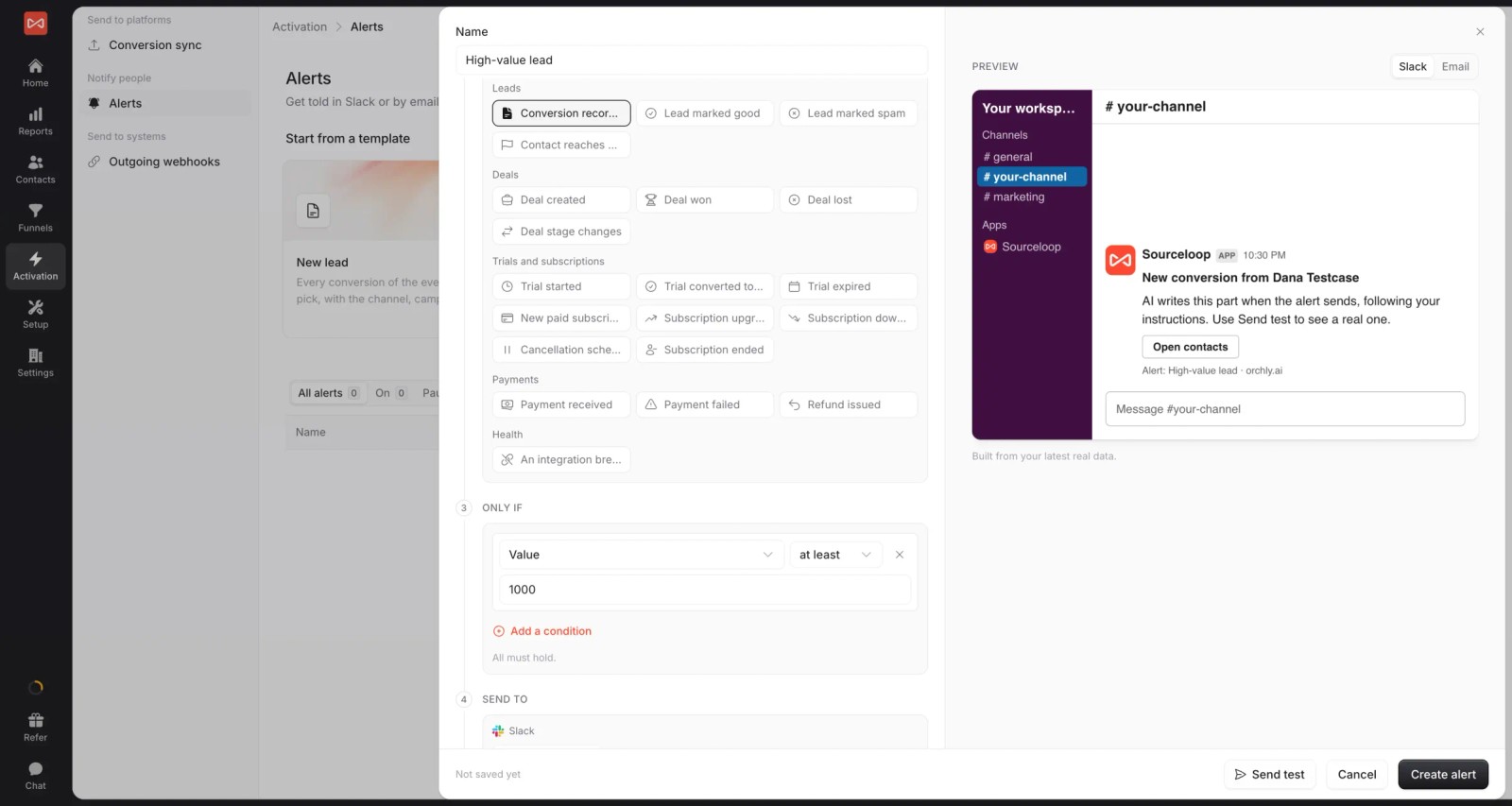
- Deal alerts: post new opportunities or closed deals to Slack or email with the campaign that produced them.
SourceLoop pricing
Every plan is published, metered on page views, with unlimited conversions. The HubSpot connection starts on Professional.
| Plan detail | Essential | Professional | Agency |
|---|---|---|---|
| Monthly price | $49 | $99 | $249 |
| Billed yearly | $37/mo | $74/mo | $187/mo |
| Websites | 1 | 1 | 3 |
| Users | 1 | Unlimited | Unlimited |
| Page views a month | 30,000 | 100,000 | 1.5 million |
| Conversions | Unlimited | Unlimited | Unlimited |
| What it unlocks | Tracking, attribution reports, lead quality rules, alerts | Everything in Essential, plus CRM sync, conversion sync to ad platforms, API and MCP | Everything in Professional, plus white label reporting |
Extra websites are $19 a month, there's no onboarding fee, and every plan has a 7-day trial.
HubSpot Enterprise vs adding SourceLoop
This compares the two ways to get deal and revenue attribution if you're on Professional today.
| Pricing detail | Upgrade to HubSpot Enterprise | SourceLoop |
|---|---|---|
| Monthly price | $3,600, with 5 seats | $99 on top of your current HubSpot plan |
| Onboarding fee | $7,000, required | None |
| What raises the bill | More seats and marketing contacts | More page views or extra websites |
| Deal and revenue attribution | Native HubSpot reports | Read from HubSpot deals, under seven models |
| Calls and non-HubSpot forms | Often arrive without a source | Captured with their source |
| Conversion sync to ad platforms | Google, Meta and LinkedIn ad events | Google Ads, Meta, Microsoft Ads and ChatGPT Ads |
| Trial | Through HubSpot sales | 7 days, self-serve |
Using the list prices above, the first year on Enterprise is about $50,200. Staying on Professional (about $12,600 in year one with onboarding) and adding SourceLoop Professional ($1,188) comes to about $13,800. You give up HubSpot's native Enterprise features, so the comparison only holds if attribution is the main reason you were going to upgrade.
For a step-by-step setup of lead tracking from ads, see how to track Google Ads leads in HubSpot.
Frequently asked questions
-
Does HubSpot Professional include attribution reporting?
Yes, partly. Marketing Hub Professional includes contact create attribution reports. Deal create and revenue attribution reports need Marketing Hub Enterprise, according to HubSpot's Knowledge Base.
-
How much does HubSpot revenue attribution cost?
Revenue attribution needs Marketing Hub Enterprise, which starts at $3,600 a month plus a required $7,000 onboarding fee. At list price, that's about $50,200 in the first year before extra seats or contacts.
-
What attribution does HubSpot Starter include?
Starter doesn't include attribution reports. Contacts still get HubSpot's original source property, which records the first source HubSpot saw.
-
Is there an onboarding fee for HubSpot Marketing Hub?
Yes. HubSpot lists a required one-time onboarding fee of $3,000 for Professional and $7,000 for Enterprise, on top of the subscription.
-
Can I get revenue attribution without upgrading HubSpot?
Yes. SourceLoop connects to HubSpot, reads deals and revenue, and credits them to campaigns on its $99 a month Professional plan, with no onboarding fee. You keep your current HubSpot plan.
-
What is the difference between contact create and deal create attribution?
Contact create attribution credits the touches that led to someone becoming a contact. Deal create attribution credits the touches that led to a deal being created, which is closer to pipeline and is Enterprise only.

 Paid Social


