
Best LinkedIn Ads Attribution Tools in 2026
Best LinkedIn Ads Attribution Tools for 2026, with position-based credit explained against LinkedIn's last-touch reporting and a shortlist by team type.
This comparison starts with a practical problem: LinkedIn can report a defensible cost per lead while your CRM shows that many of those leads never qualified. Retargeting may also receive credit for a closed deal because it touched the account last. Then the budget meeting turns to the prospecting campaign, and the report cannot show what it contributed.
That is a credit problem before it is a tooling problem. A dashboard alone cannot resolve it. Position-based attribution assigns credit to the opening touch as well as later interactions, while a CRM sync can send qualified lead and pipeline outcomes back to LinkedIn. Those capabilities matter because they affect both how you assess spend and what LinkedIn's ad system can learn.
For agencies, lead generation businesses and SaaS teams comparing tools, SourceLoop offers first-touch, last-touch, linear, position-based and time-decay models, with attribution data synced to CRM and ad platforms. The shortlist below compares how other tools fit the same budget discussion. Judge them by whether they can show the role of prospecting in a deal and return qualified outcomes, not by how many conversions their dashboards report.
Table of Contents
- Best LinkedIn Ads Attribution Tools at a Glance
- What LinkedIn Campaign Manager Actually Credits
- How Position-Based Attribution Splits a LinkedIn Deal
- Position-Based Credit Against Other Models
- Where Position-Based Credit Helps and Fails
- Server-Side and Offline Conversions LinkedIn Can Use
- Pick a Tool That Sends Pipeline Back
Best LinkedIn Ads Attribution Tools at a Glance
The table below is the shortlist I'd bring into a budget meeting, ordered by how much credit machinery you get for the money. The first row is the pick for agencies, lead gen businesses and SaaS teams: five models available together, qualified leads and revenue pushed back to LinkedIn and the other ad platforms, multi-touch on every tier and a 7-day trial to test it against your own closed deals. Everything under it is a trade between price, CRM depth and how much of the job you're willing to build yourself.
| Tool | Best for | Models | LinkedIn outcome sync | Price signal |
|---|---|---|---|---|
| SourceLoop | Agencies, lead gen and SaaS | First, last, linear, position-based, time-decay | Qualified leads and revenue back to LinkedIn | Multi-touch on all tiers, 7-day trial |
| LinkedIn Campaign Manager | In-platform ROAS only | Last-touch default for most conversions | Native conversions, Conversions API if you build it | Included with ads |
| HockeyStack | Complex B2B and long cycles | Multi-touch with CRM revenue | CRM-connected pipeline | About $1,399/mo |
| Dreamdata | B2B revenue attribution | Multi-touch | CRM pipeline and revenue | About $750/mo |
| Adobe Marketo Measure | Adobe and enterprise stacks | Several models including custom | Offline conversions through the stack | Enterprise, quote-based |
| HubSpot Marketing Hub | Teams already in HubSpot | Multi-touch on higher tiers | Native when the CRM is HubSpot | Higher-tier pricing |
Read the model and sync columns before the price column. A tool with five models and no path for sending a qualified lead back to LinkedIn is a reporting layer, and reporting layers don't change bidding. Campaign Manager costs nothing extra because it's part of your ad spend, and it will show you a cost per conversion all day. What it won't do is tell you which of several touches on a long contract deserved the credit, because its default answer is the most recent one.
The middle of the list earns its place under specific conditions. HockeyStack and Dreamdata are worth the money when your CRM data is clean enough to reconstruct a multi-stakeholder journey and somebody will maintain that mapping after onboarding. Marketo Measure is the enterprise answer for teams already living inside Adobe. HubSpot Marketing Hub is the cheapest multi-touch option for a company whose CRM is already HubSpot and whose reporting needs stop at contact level. None of those three return a closed-won deal to LinkedIn unless the CRM connection is deliberately configured to do it.
The spread across the market is the argument for comparing models rather than dashboards. A 2025 benchmark covering 70-plus B2B SaaS companies and $28 million in LinkedIn ad spend reported quarterly pipeline ROI ranging from 2.44x to 6.01x, according to HockeyStack's 2025 LinkedIn Ads Benchmark Report. Same channel, same rough audience, wildly different returns. The variable is what each team counts and what it sends back.
Drop any tool that can't return qualified pipeline. That single test removes most of the market, and the sections below show how the credit rules and the sync work.
What LinkedIn Campaign Manager Actually Credits
Start with the number you already look at. Once a conversion action is tied to campaigns, Campaign Manager reports conversion rate, cost per conversion and return on ad spend, plus total conversion value, and it separates click conversions from view conversions. That's a real measurement stack, and it's included with your media.
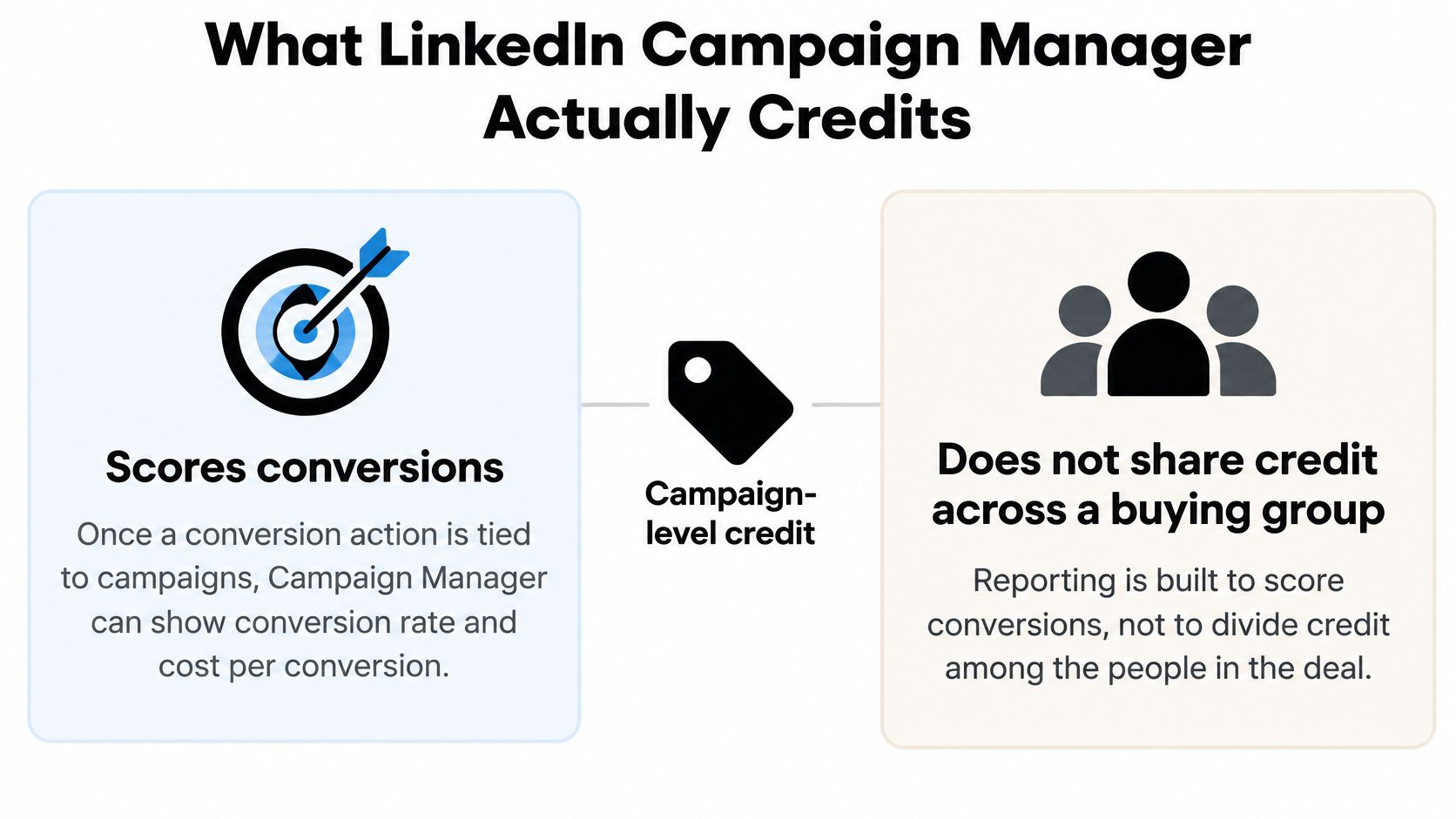
What it doesn't do is divide credit. LinkedIn's default model for most conversion types is last-touch, and the conversion goes to the most recent qualifying ad click or view inside the conversion window. If the same member converts more than once in that window, LinkedIn counts the activity as a single conversion. The LinkedIn Marketing Solutions documentation on conversion use cases lays out that structure plainly.
What the number under the campaign name actually means
It answers one question well: which recent ad interaction received credit. It doesn't hand a share to an earlier Sponsored Content impression, the website visit that followed, the webinar registration, the nurture email, or the sales call that moved the deal. Those touches exist in your data. They just don't exist in that number.
Practical rule: treat native ROAS as LinkedIn grading its own last interaction. It's a fair score for the closing ad and a poor score for the campaign that opened the account.
The useful bridge is qualified leads and cost per qualified lead, both of which Campaign Manager reports. Those two metrics connect media spend to sales quality in a way cost per lead never will, and they're campaign totals rather than journey-level splits.
For a buying cycle measured in months, the outside tool's job is to keep the raw touch list and join ad engagement to opportunities, bookings and revenue. If a platform can't show you an ordered list of touches on a single deal, it can't give you position-based credit, whatever its pricing page says.
How Position-Based Attribution Splits a LinkedIn Deal
Position-based attribution, usually called U-shaped, treats a deal like a relay. The runner who starts and the runner who finishes carry most of the load, and everyone in between gets something for keeping the baton moving.
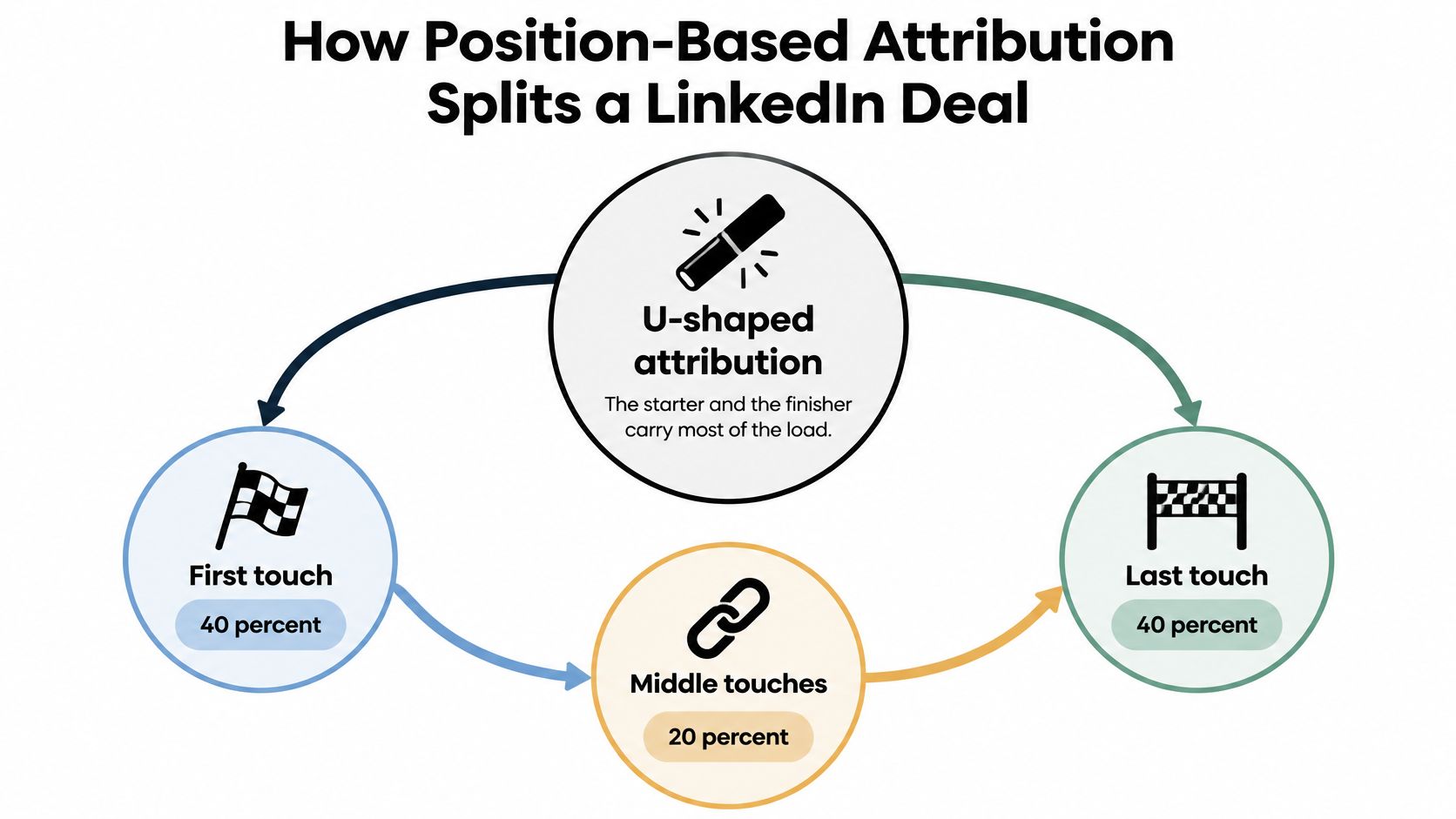
The common split is 40 percent to the first touch, 40 percent to the last touch, and 20 percent divided evenly across every middle touch. With no middle touches, that 20 percent folds back and the first and last touches take half each. The weights are a choice on platforms that let you edit them. The structure is what matters, because it forces you to name what opened the deal and what closed it.
Price a small deal first. Take a $10,000 contract with four touches: the first LinkedIn click receives $4,000, the demo-request click receives $4,000, and the two middle touches receive $1,000 each. Under last-touch, the demo ad takes the full $10,000 and the ad that created the account gets nothing. That's the whole argument in one line.
Now run a longer cycle. Say a SaaS business closes a $24,000 contract 90 days after the first click, with this path.
- Day 1 Sponsored Content click. First touch, and position-based gives it $9,600.
- Day 18 Document Ad click. A middle touch, credited $2,400.
- Day 40 email webinar registration. Another middle touch, credited $2,400.
- Day 70 retargeting click into a demo. The last marketing touch, credited $9,600.
Under last-touch, the day 70 retargeting click absorbs all $24,000. The prospecting campaign that introduced the account shows a cost per opportunity it can never recover from, and the next planning cycle cuts it. That's how a measurement choice becomes a budget cut.
Leave the later sales call out of ad credit unless the model is designed to score the whole revenue team. Mixing a rep's call into a marketing model makes the marketing number look better and the model less useful.
One more structural point that changes the math. If a second person at the same company clicks a different ad, you need company-level identity or one deal becomes two journeys and both get a full first-touch allocation. Deal-level identity is the only thing that keeps the split honest when a buying group is involved. Deals that close weeks after that first click still carry their campaign back to the ad platforms in our setup, which is what makes the day 1 credit survive all the way to revenue.
Price your own last closed deal in that order before you choose a model. The touch you're tempted to cut is usually the one sitting on day 1.
Position-Based Credit Against Other Models
Put five models on one LinkedIn journey and you'll see immediately which one keeps your prospecting budget alive. The splits below are the same deal, priced five ways.
| Model | Typical credit split | Use it when | LinkedIn weakness |
|---|---|---|---|
| First-touch | 100% to the first touch | Judging which campaign created demand | Ignores the ad or email that closed |
| Last-touch | 100% to the latest qualifying touch | Matching LinkedIn's default or a short cycle | Starves early Sponsored Content and view influence |
| Linear | Equal share to every touch | Touches look similarly useful | Over-credits accidental or low-intent clicks |
| Position-based | Often 40% first, 40% last, 20% shared in the middle | Both opener and closer must defend spend | A flat middle can hide the touch that changed the shortlist |
| Time-decay | More credit to touches closer to conversion | Deals that accelerate near the close | Early LinkedIn reach looks artificially cheap |
First-touch is a demand-creation scoreboard. It's the right lens when the question is which campaign created interest in a category, and the wrong one when a sales team wants to know which ad produced the meeting. Last-touch is the mirror image: it matches what LinkedIn reports by default and it flatters bottom-funnel retargeting, which is exactly why it's popular and exactly why it's dangerous on a 90-day cycle.
Linear has one honest use, which is a journey where every touch carried similar weight. In practice it rewards a low-intent click with the same 20 percent as a webinar that changed the shortlist. Time-decay suits deals that heat up in the final two weeks, and it makes early brand investment look worthless in the process.
Choosing the row for the meeting you're in
Position-based is the model to open when both prospecting and conversion campaigns have to defend their spend. Last-touch is fine when the only question is which ad sat next to the conversion and everyone in the room understands that's all it answers.
When to switch rows: shorter cycles toward time-decay, demand-creation reviews toward first-touch, and anything that ends in a budget decision toward position-based.
We ship first-touch, last-touch, linear, position-based and time-decay for exactly this reason, so the same lead can be re-scored without a second tracking stack or a second set of numbers that disagree with the first. The mechanics behind each of those weights are walked through in this guide to attribution modelling in marketing. Pick one model as your reporting default and use the others as sensitivity checks, not as a menu you swap whenever a campaign looks bad.
Where Position-Based Credit Helps and Fails
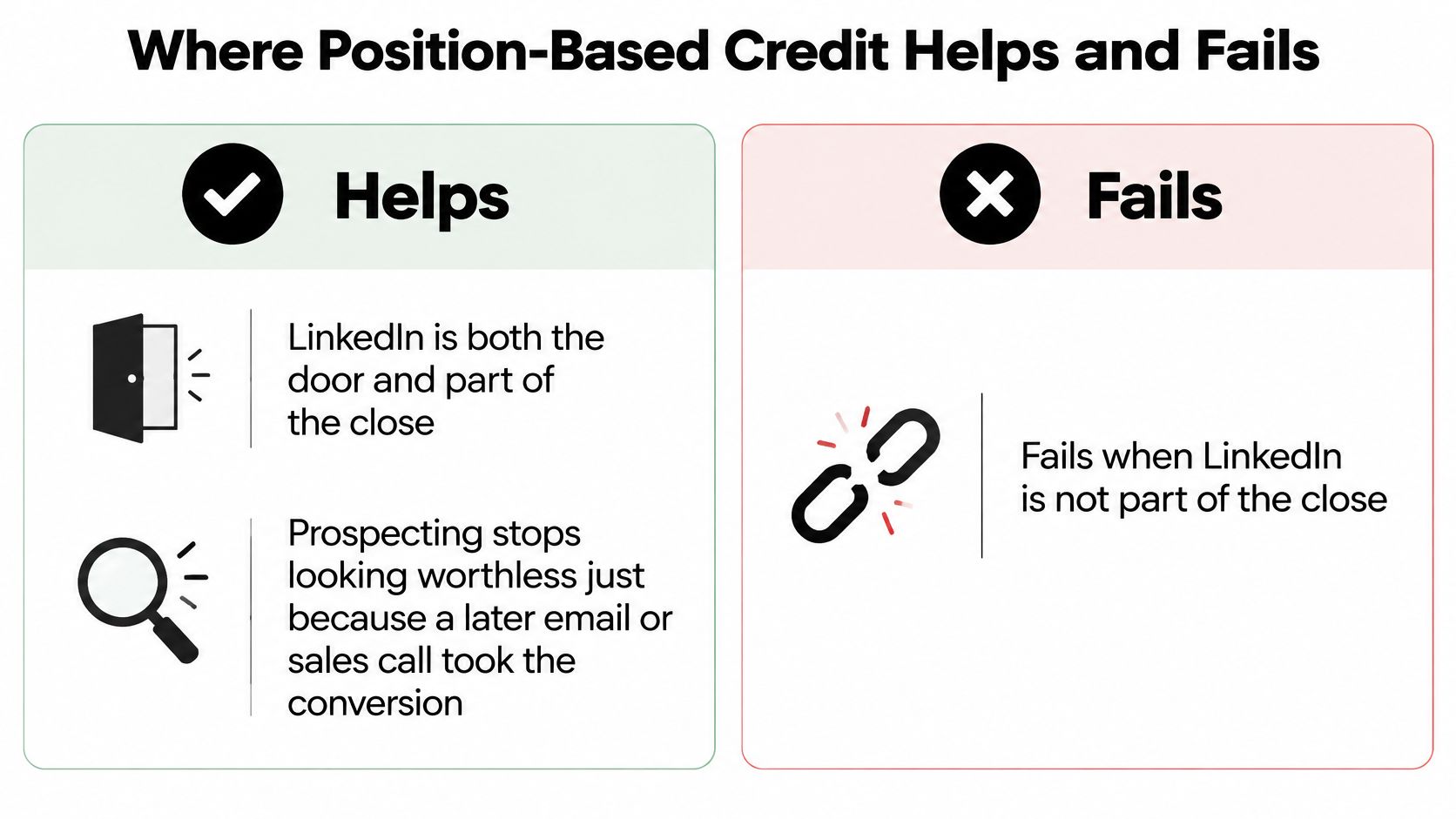
A LinkedIn prospecting ad may start a deal, while a later email or sales call gets the final conversion. Position-based credit gives the opening touch and the closing touch meaningful shares, so prospecting does not disappear from the report and conversion campaigns do not claim the entire deal. The result is easier to explain in a budget review: LinkedIn helped open or close the journey, with credit split between those roles.
Clear reporting helps when marketing has to explain its contribution to executives. A model people can follow is more useful in that conversation than a complicated calculation they do not trust. LinkedIn's guidance on B2B conversion tracking, covered by Social Media Today, is relevant to tracking conversions, but it does not establish survey figures about marketers' confidence in measurement.
The limits sit right next to the gains
Position-based credit simplifies a buyer journey that may be anonymous, involve several people, and include research without ad clicks. A view that influences a deal but never becomes connected to a known lead can receive no credit in implementations that score only identified contacts. The model is therefore useful for comparing known touches, not a complete account of every influence on a purchase.
The fixed middle share can also blur the difference between touches. A webinar that changes a shortlist may receive the same share as a low-value content download, even though their influence differs. Company-level identity can help connect contacts from the same account; without it, separate contact records may be treated as separate journeys, each receiving its own first-touch allocation.
More attributed conversions do not automatically mean more accurate measurement. A tool may expand view-through or modeled credit and raise the reported total without showing that additional conversions became qualified pipeline.
Audit question: Does the system separate observed clicks, view-through, modeled reach, and pipeline-validated revenue? Can you reconcile LinkedIn-reported conversions against CRM opportunities line by line?
If those categories are blended, a larger LinkedIn number is harder to use in a budget decision. Check how the tool labels each type of credit before relying on its conversion total. Position-based attribution earns a place in the comparison when it clarifies how LinkedIn contributes to a deal, and fails when its simplified split is mistaken for proof of pipeline impact.
Server-Side and Offline Conversions LinkedIn Can Use
A browser pixel alone won't carry this. LinkedIn's Conversions API streams events from your server, associates them with conversion rules and campaigns, and uses them for measurement, delivery optimization and attribution even when the conversion happens away from the website. The LinkedIn Conversions API integration documentation describes events appearing in Campaign Manager at account, campaign-group, campaign and ad levels, which is what lets you reconcile internal reporting against platform numbers.
The online path
- Create a conversion rule for each type of conversion you care about, not one catch-all.
- Associate each rule with the campaigns that should receive credit for it.
- Send the events through the conversion-events endpoint.
The offline path
Sales-qualified opportunities, booked revenue and payments that complete away from the site need their own route. LinkedIn's offline conversion reporting guide sets out the sequence.
- Define one rule per offline conversion type.
- Associate those rules with the relevant campaigns.
- Stream the events through an offline-events source.
- Pull results from the Ad Analytics Reporting API using a conversion-level pivot.
The buying test that follows from those sequences is narrow and practical. You want a stable conversion identifier that survives from ad click to CRM record, deduplication between browser and server hits so a single form fill isn't counted twice, and qualified-lead data returned inside LinkedIn's 30-day window. A tool that inflates form fills but can't attach an opportunity or a collected payment doesn't improve bidding, it just improves the slide. The mechanics of joining the two sides are covered in this walkthrough of LinkedIn conversion tracking.
Pick a Tool That Sends Pipeline Back
Stay on Campaign Manager alone if in-platform ROAS is enough, last-touch is acceptable to everyone who signs off on budget, and nobody will ever ask which campaign opened an account. Move to a multi-touch tool the moment the cycle runs past the form fill and someone on the team can commit to sending qualified pipeline back. That's the dividing line, and it's an operational commitment more than a software decision.
Check five things before you sign anything. A stable conversion identifier that survives from click to closed deal. CRM-to-LinkedIn sync in both directions, not an export. Server-side event delivery so ad blockers and browser restrictions don't drop leads. Deduplication between browser and server hits. And a clear answer on whether conversion value means an estimated lead value, booked pipeline or collected revenue, because those three produce very different verdicts on LinkedIn's efficiency.
Latency belongs on that list too. LinkedIn's qualified-lead optimization workflow requires qualified-lead data to be shared within 30 days, with earlier transmission recommended, per LinkedIn's conversions overview. A complex model that syncs late helps bidding less than a simple system that returns accepted leads, opportunities and closed revenue on time. That's the trade you're making.
Our own answer to this is straightforward. LinkedIn Ads sits alongside Google Ads, Meta Ads, ChatGPT Ads, TikTok Ads and Microsoft Ads as a listed ad platform integration, attribution data from every signup, lead, booking and sale goes to your CRM and the ad platforms, and teams are tracking attribution within an hour of setup. If you want the fuller picture of how the return path works, this explanation of closed-loop attribution covers the setup end to end.
Run position-based as your reporting model on the next 30 days of LinkedIn spend, sync only qualified outcomes back, then put that revenue view next to Campaign Manager's last-touch totals before you move a single dollar of budget. If the two views disagree, you've just found the campaign that's been paying for someone else's credit. Start a 7-day trial of SourceLoop and let the first report be the argument in your next budget meeting.

 Paid Social


