
Pay Per Click Reporting: KPIs, Cadence, Revenue
Pay per click reporting that links ads to revenue: KPIs, formulas, cadence, attribution versus lift, and automated dashboards.
The most common advice on pay per click reporting is still to export the ad account, sort by ROAS, and shift budget toward whatever looks cheapest. That advice fails as soon as a form fill outranks a paying customer.
A click is not a result. A platform conversion is a scorecard line, not proof the ad caused the sale. I would rather put four views in front of a client than one blended number: the scorecard, how mature the dates are, who only assisted, whether a holdout showed lift, and what the CRM booked or invoiced.
Say a roofing company celebrates an $18 cost per lead while half those leads never pick up. The export looks efficient. The calendar does not. Reporting that stops inside the ad account will keep rewarding that pattern. The fix is boring and specific. Define the action, do the account math, wait for the data to finish arriving, and refuse to treat platform ROAS as causality.
Table of Contents
- Scorecard Metrics and Account Math
- When to Pull Reports So Data Can Mature
- Attribution Credit Versus Real Incremental Lift
- Dashboards and Funnels Teams Can Defend
- Automate Reports and Sync Revenue Back
- What a SourceLoop PPC Report Looks Like
- Build This Week's Report Around Revenue
Scorecard Metrics and Account Math
Start with one lookup table and use it the same way every week. Clicks and cost are context. They tell you what you bought and what you paid. They do not tell you whether the buy was any good. Everything after that row is an outcome, a rate, or a money figure tied to a defined action.
| Metric | Formula | Question it answers | Decision it supports |
|---|---|---|---|
| Clicks | Count of ad interactions | How much traffic was bought | Context only, not success |
| Cost | Spend in the date range | What that traffic cost | Budget pacing |
| Conversions | Count of primary valuable actions | How many outcomes occurred | Volume versus goal |
| Conversion rate | Conversions divided by interactions | How often clicks produced outcomes | Creative and landing quality; 100 from 2,000 is 5% |
| Cost per conversion | Cost divided by conversions | Price of one outcome | Bid, pause, or keep |
| Conversion value | Sum of assigned values | Pipeline or revenue recorded on those actions | Value versus raw volume |
| Conversion value per click | Conversion value divided by eligible clicks | Value returned per click | Keyword and ad comparison |
| ROAS | Conversion value divided by cost | Return on the spend in this view | Scale, hold, or cut |
Google Ads defines a conversion as a valuable customer action after an ad interaction, including purchases, sign-ups, quote requests, phone calls, app downloads, and add-to-carts. The same help page treats conversions, conversion rate, cost per conversion, conversion value, and conversion value per click as the core reporting set. Conversion rate is conversions divided by total ad interactions. One hundred conversions from 2,000 interactions is a 5% conversion rate. Cost per conversion is total advertising cost divided by reported conversions. Conversion value per click is total conversion value divided by eligible clicks.
What each row is allowed to decide
Walk the rows in order, and stop at the decision each one can support.
Clicks answer a pacing question only. If a campaign was supposed to buy about 500 interactions this week and it bought 90, the issue is delivery, bids, or eligibility, not landing-page copy.
Cost is the budget line. Compare spend with the plan for the same dates. A campaign that is 40% through the month and 80% through the budget needs a cap or a reallocation before you debate creative.
Conversions are volume against a goal, and only for primary actions. The main Conversions column is not a junk drawer. Quote requests, add-to-carts, and newsletter sign-ups belong in all conversions when you are diagnosing the path. They do not belong in the number you bid against if the business goal is a purchase or a qualified lead.
Conversion rate is how often those interactions produced the outcome you named. A drop here, with cost per click steady, points at the ad, the query, or the page. It does not, by itself, justify a higher bid.
Cost per conversion is the price of one counted outcome. That is the bid, pause, or keep number, and only if the outcome is the one you meant. A cost per conversion that mixes a phone call with a purchase will look artificially low and will train the account toward the cheaper action.
Conversion value is the sum of the values you assigned. It separates a $40 accessory from a $1,200 install. Raw volume cannot do that.
Conversion value per click lets you compare a keyword or an ad on value returned per click, which is fairer than comparing two ads that received very different traffic.
ROAS is conversion value divided by cost in this view. It supports scale, hold, or cut inside the rules you set. It is not profit, and it is not proof the ads created demand that would not have shown up anyway.
Practical rule: If two people cannot name the action inside the Conversions column, do not let either of them change a bid from that export.
One account, two honest totals
Take a single account over a closed date range. It records 2,000 interactions, 80 purchases, and 40 quote requests you correctly marked secondary. Spend is $4,000. Purchase value is $12,000.
On purchases alone, the purchase rate is 80 divided by 2,000, or 4%. Cost per purchase is $4,000 divided by 80, or $50. Value per click is $12,000 divided by 2,000, or $6. ROAS is $12,000 divided by $4,000, or 3.0.
Fold the 40 quotes into the conversion count and the story changes for the worse while looking better. Volume jumps to 120. Cost per "conversion" falls to about $33. The rate rises to 6%. None of that $12,000 moved. You just hid cost of a buyer behind a softer action. I would keep the quotes on a diagnostic row and leave the bidding KPI on purchases.
Teams that want a clean way to track ad spend and ROI should lock those formulas before they automate anything. A pretty dashboard built on a mixed action just spreads the mistake faster.
Zoom out, then zoom in
Treat report levels as a zoom lens, not as four copies of the same table.
Account is the budget meeting. Spend, primary conversions, cost per primary conversion, value, and ROAS, with the date range labeled closed or still open.
Campaign is the channel and offer mix. Here, you see that branded search carries the ROAS while a prospecting campaign buys the assists.
Ad group and keyword are query quality. A high conversion rate on a junk query is still junk if the queries are navigational or competitor names you did not mean to buy.
Ad is creative. Same keyword, two ads, different value per click: that is a message test, not a bidding debate.
Never average a call and a purchase into one CPA, and never average a $20 newsletter signup with a $400 demo request. Name the action in the column header. "Cost per qualified lead" is a decision. "CPA" without a noun is a fog machine.
When two exports disagree
Before anyone "fixes" bids, compare three settings.
- Conversion action: Primary only, or primary plus secondary.
- Attribution model: Last click, or a model that spreads credit.
- Modeled conversions: Included or excluded. Some interactions cannot be observed directly, and the platform may fill them in.
If those three match and the totals still differ, check the date range and whether one export used conversion time while the other used click time. Accurate numbers need a defined action plus a tag, an enhanced conversion, or an imported offline event. Click totals alone will not get you there. Reports at campaign, ad group, keyword, and ad level only help once that measurement exists.
When to Pull Reports So Data Can Mature
Pull on a cadence that matches the sales cycle, and refuse to close a decision on dates that have not finished converting.
| Business type | When to pull | Close the window | Why |
|---|---|---|---|
| Ecommerce, same-day purchase | Weekly operating report | About 7 days before today | Most sales land fast; a short tail still moves CPA |
| Lead gen, 30-day window | Weekly snapshot, monthly decision | At least 30 days before the decision date | Recent clicks have not finished converting |
| SaaS or services with offline close | Weekly delivery plus monthly revenue | 30 to 90 days by sales cycle | Forms are not customers; import later stages |
| Agency client pack | Fixed weekday snapshot and a monthly narrative | Match the client's conversion window | Label immature rows so weeks stay comparable |
The package has not arrived yet
Think of the click as the order and the conversion as the package. Some packages show up the same afternoon. Others are still on the truck. According to the Google Ads API conversion reporting guide, conversions may occur rapidly or be reported as long as 90 days after the original click, depending on the conversion window you selected. A report that ends yesterday will understate final results whenever that tail is still open. Google's guidance is to end the reporting period at least 30 days earlier, and longer when you use a longer window, so the data can mature.
That is why the ecommerce row can live with about a week of lag, while a 30-day lead form cannot. A weekly delivery snapshot is still useful. It tells you whether spend is on pace and whether the form is firing. The budget decision waits until those clicks have had their window.
Two clocks on one row
SaaS and service businesses should split the pack on purpose. Weekly platform metrics cover pacing, spend, and primary form or demo events. Monthly CRM stages cover qualified leads, opportunities, and closed revenue. Those are different clocks. Importing offline outcomes, such as a completed application or a signed contract, ties spend to a later milestone, and it also stretches the wait. The click date and the close date are not the same date. Say so on the report. If you use conversion-time reporting, label it. If you use click-time reporting, label that too. Two honest reports can disagree because the window, the action scope, or the measurement assumptions differ. That is not a broken export. It is two questions.
A partial week is not a bad week. It is an unfinished week. Mark it before a client compares it with a full one.
Agencies should automate the client snapshot on a fixed weekday and stamp any row still inside the conversion window as immature. The monthly narrative uses only closed periods, so week three of a launch is not judged against a mature week from last quarter.
Every decision report needs three labels in the header: the as-of date, the conversion window, and whether the period is closed. If any of those is missing, the table is a draft.
Attribution Credit Versus Real Incremental Lift
Each ad platform grades its own clicks. Google can claim a conversion, Meta can claim the same person from an earlier view, and TikTok can claim the video that started the week. Add the three exports and you can "prove" more conversions than the business closed. That is the homework problem. Three teachers each grade their own assignment, then someone adds the scores as if they were three different students.
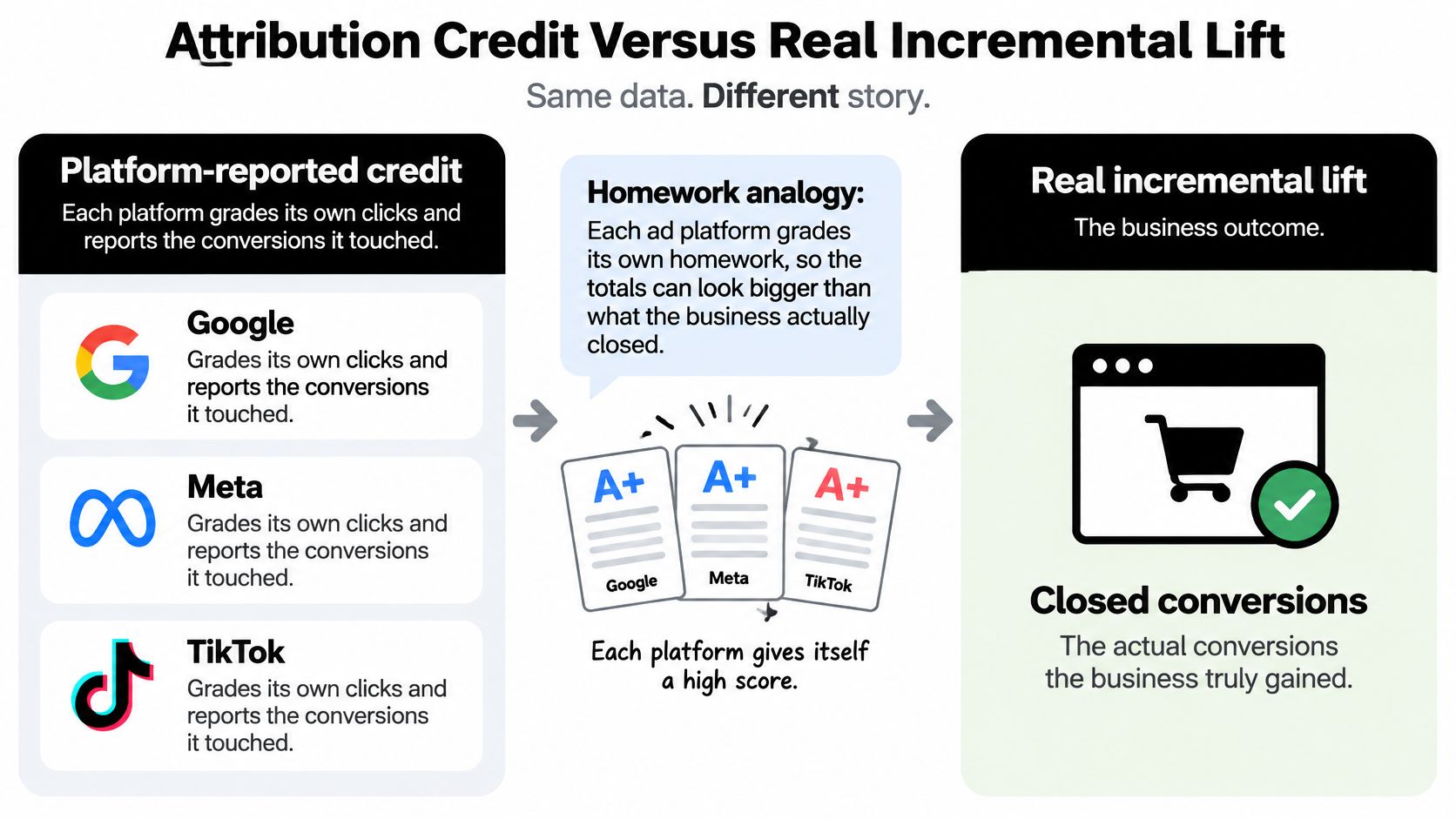
Attribution and incrementality answer different questions, and most dashboards pretend they are the same question.
Attribution assigns credit among touches you observed. Incrementality estimates what would not have happened without the ads. A strong attributed ROAS can mean the campaign intercepted people who were going to buy anyway.
Last click hides the assist
Last click gives the full conversion to the final ad click inside the window. It is a fast operational view. It also buries the keyword or campaign that only assisted. A non-brand campaign can look useless on last click while it is the reason the brand search happened three days later.
Google's data-driven attribution documentation describes data-driven attribution as estimating each interaction's contribution by comparing conversion paths with non-converting paths, rather than handing all credit to the final click. Credit can spread across keywords, ads, devices, and channels. Google recommends at least 200 conversions and 2,000 ad interactions within 30 days before that model has enough pattern to trust. Segment by conversion action. A sparse keyword with four conversions will swing wildly if you reallocate next week's budget from it. I would not move meaningful spend on a DDA slice that misses that volume bar.
Comparing last click with data-driven results is still worth doing once the volume is there. The gap is where assists live. For a fuller read on what those tests can and cannot claim, see how to measure advertising effectiveness without treating a model as a cause.
| View | What it counts | What it does not prove | When to use it |
|---|---|---|---|
| Last click | Full credit to the final ad click in the window | Assist clicks or organic demand | A quick operational view |
| Data-driven attribution | Fractional credit from converting versus non-converting paths | That the ads caused the sale | After 200 conversions and 2,000 interactions in 30 days |
| All conversions | Primary plus secondary actions | One business outcome | Diagnostics, not the bidding KPI |
| Conversion lift or holdout | Treatment conversions minus control conversions | Path-level credit | Before a large budget shift |
| CRM revenue | Matched closed deals and payments | Unmatched or still-open pipeline | The figure finance will accept |
Lift is a subtraction, not a path
Google's Conversion Lift methodology uses a treatment group that sees ads and a holdout that does not. Incremental conversions are treatment conversions minus control conversions. That estimates sales that would not have occurred without the advertising. Standard reports do not do this. They count whatever your click window, view window, and attribution rules were set to count.
A campaign can post a 5.0 attributed ROAS because it captured organic demand. A geo holdout or an audience split on the same offer can show a much smaller lift. When the sample is thin, say so, and do not dress a noisy test up as a budget order.
The measurement gap is not a secret inside the industry. PPC Land's write-up of recent marketer research reported that 67.4% of marketers called proving incremental ROI their leading measurement challenge, 66.3% cited aligning marketing metrics with business outcomes, and 55.1% cited cross-channel attribution accuracy. In that same research, platform attribution was still the most common method at 65.8%, while incrementality experiments reached 52.0% and marketing-mix modeling 49.5%.
Show attributed ROAS every week. Where the sample allows, put a lift or geo-holdout result next to it, with the confidence limit written in plain language. Do not move a large budget on last click alone.
Dashboards and Funnels Teams Can Defend
A dashboard is a one-screen story, not a wall of charts. Three bands are enough. If a reader cannot name pause, hold, or scale from that screen, the screen is a scrapbook.
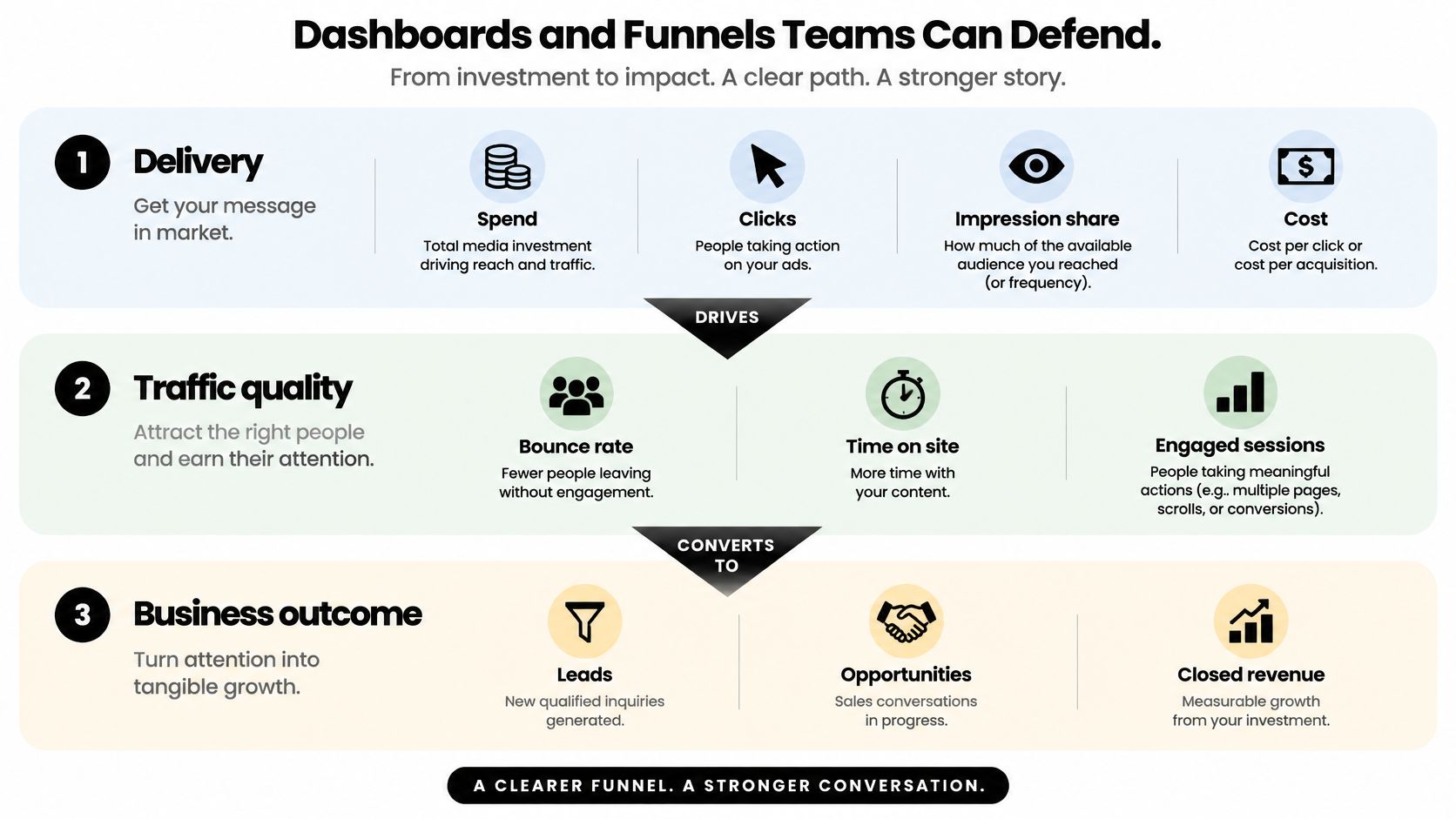
Band one is delivery
Spend, clicks, and cost are displayed here, along with impression share on search or frequency on paid social when the channel has that field. This band shows whether the account bought what you planned. It does not evaluate quality. A frequency of 8 with no downstream movement is a creative or audience problem disguised as a delivery issue.
Band two is the scorecard
Primary conversions, conversion rate, cost per conversion, and ROAS, each stamped closed or immature. Keep the action name in the label. One comparison chart belongs on this band and nowhere else: last click versus data-driven attribution for the same primary action. Path reports, assisted-conversion tables, and model comparisons go in an appendix. They are useful. They are not the meeting.
Band three is the business, and it is the bottom of the page
Platform conversions are not the last row.
- Ecommerce: Click, then product view, add-to-cart, checkout, purchase. Show the drop between stages. A single CPA hides whether you lose people on the product page or on the payment step.
- Lead gen and SaaS: Click, lead, marketing-qualified lead, opportunity, customer, revenue. Give each stage its own volume and its own value column.
A blended CPA that averages a $20 newsletter with a $400 demo will always crown the newsletter. Split them.
The five blocks an agency should repeat
Give every client the same five blocks so the packs can be compared without rebuilding columns: spend, primary CPA, revenue or pipeline, top and bottom campaigns, and a short note on what changed. Two fields most dashboards skip belong in the footer of band three.
Match rate is the share of CRM imports that tied back to an ad click or a visit. A 30% match rate means most of the "offline" story never reached the platform.
Data freshness is when the sync last succeeded. A stale sync is not a performance change. It is a pipe.
The meeting test is simple. Someone who was not in the ad account should be able to say pause, hold, or scale, and name the action they mean, without opening Google, Meta, or LinkedIn.
Automate Reports and Sync Revenue Back
A Monday export rebuilt by hand will drift. Columns get renamed, someone pastes last week's filter, and the cheap form fill becomes the optimization target because it is the only number that updated on time. Automation is how you stop training the account to buy low-value leads.
The sync, in the order that keeps bidding honest
- Pick one primary conversion per business goal. Mark softer actions secondary. A demo-request campaign does not get to "win" on ebook downloads.
- Capture the click and the lead together. Store source and campaign on forms, chats, calls, and bookings at the moment they happen. Reconstructing that join a month later is how match rates collapse.
- Map the CRM stages and kill duplicates first. Lead, qualified lead, opportunity, customer, and revenue are separate metrics. Reject the duplicate before it is imported, or you will pay for the same person twice in the ad platform and once in finance.
- Send only the qualified offline conversion back to Google Ads, Meta, and any other platform you bid in. The algorithms should hunt customers, not raw submits. Uploading every form fill recreates the cheap-lead problem inside automated bidding.
- Schedule the scorecard on a fixed weekday. Freeze closed periods. Flag any row still inside the conversion window so a partial week cannot be ranked against a finished one.
- Alert on movement that matters. CPA, match rate, or spend past a threshold you set in advance, delivered to Slack, email, or a webhook. An alert on every metric is an alert on none.
The awkward 30 days
Google's description of enhanced conversions for leads covers hashed first-party data and imported offline conversions so later transactions can be matched to the visit and the ad click. Google also states that this reporting can take up to 30 days to train before the impact shows. During that month, put platform conversions and CRM stages side by side. The gap is expected. It is not a broken pixel and it is not a reason to fall back to form-fill CPA.
Partial payments and delayed invoices stay on their own revenue lines. Do not rewrite last month's CPA because a check arrived on Thursday. State conversion time on the row so click date and close date stay visible.
Teams that already warehouse their own data can push the same mapped fields through a REST API or a webhook. The dashboard, the CRM, and the client pack should read one mapping, not three spreadsheets that diverged in March. That is the point of closed-loop attribution: the qualified stage goes back to the ad platforms, and finance still sees revenue rather than a blended CPA.
Every automated row needs four fields or it is not finished: as-of date, window, match rate, and freshness.
What a SourceLoop PPC Report Looks Like
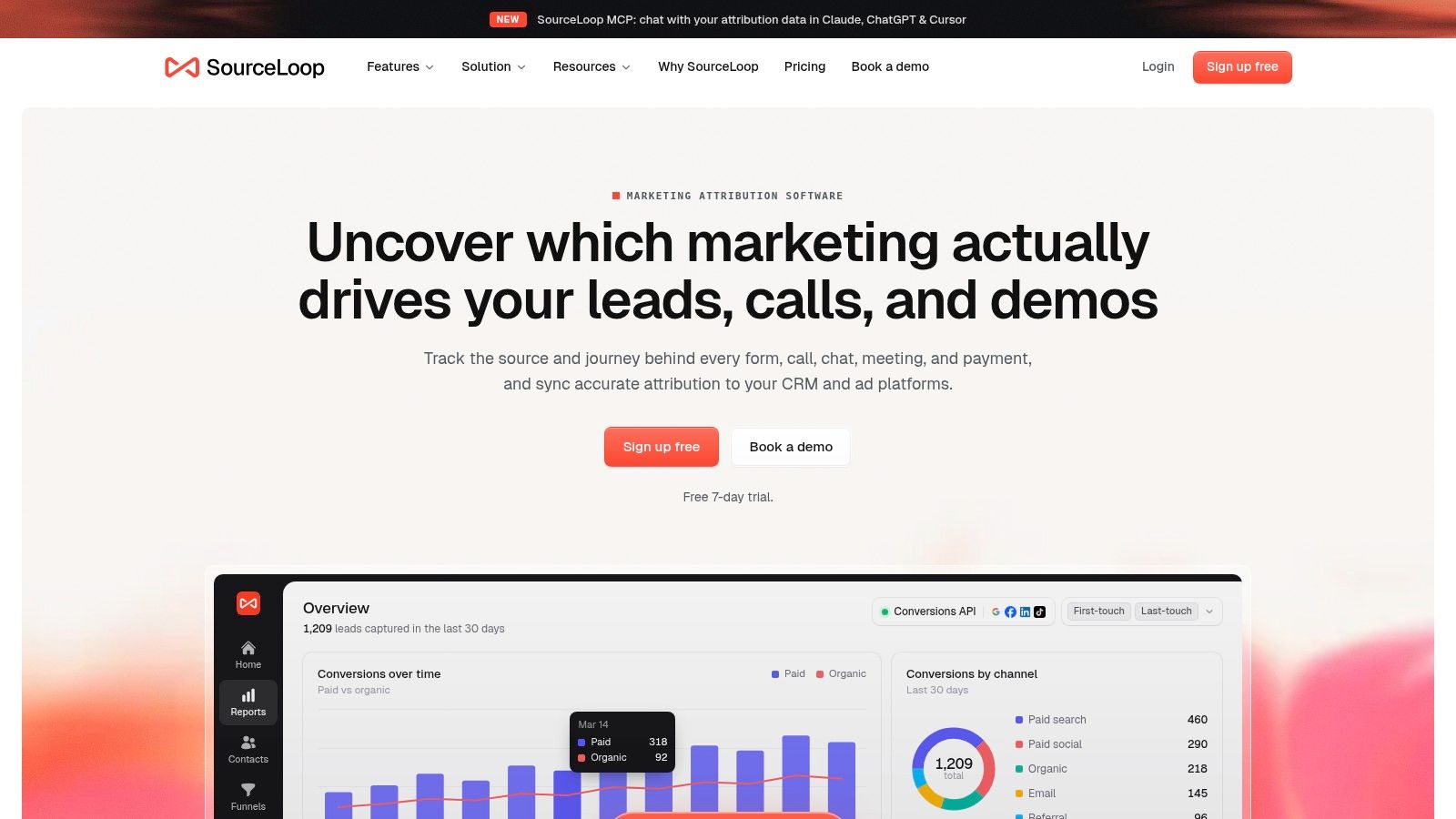
The rules above only help if a person can recognize them in a pack they would send. SourceLoop is one way to do that stitching. A single lightweight snippet captures the visit and ties forms, chat, and calendar bookings to the journey, including Stripe revenue back to the original channel, with setup measured in minutes and a 7-day trial rather than a quarter-long rollout.
A home-services agency
A visitor hits a Google ad, fills a short form, calls from the confirmation page, and books a Tuesday slot. The report ties the visit to the form, the call, and the booking instead of counting three conversions. The client dashboard shows spend, qualified leads, and cost per qualified lead by campaign. Raw form fills stay off the decision row. The weekly pack is white-labeled, so the agency is not rebuilding columns per client, and any date still inside the window is labeled immature.
A SaaS team that was training the algorithm on tire-kickers
A visitor clicks a Google ad on Monday, comes back from an email on Wednesday, and books a demo on Friday. The contact record keeps that multi-touch path. CRM stage changes flow back. Only sales-qualified leads sync to Google Ads, Meta, and LinkedIn. Ebook downloads remain visible as a diagnostic. They no longer teach the bidding systems to find more ebook readers.
A checkout business with Stripe
The payment amount is tied to the original channel, so the dashboard can show revenue and ROAS beside platform-reported conversions. A deposit today and the balance in three weeks are separate lines. Nobody rewrites the historical CPA when the second charge clears. Funnels run from visit to purchase, a contacts hub holds the journey, and alerts fire when CPA or volume moves. An MCP server lets someone query the attribution data from Claude, ChatGPT, or Cursor without a fresh export.
What I would screenshot in a real pack is short: channel, campaign, qualified outcome, revenue, match rate, and the immature-date label. If those six are on the page, the rest is appendix.
Build This Week's Report Around Revenue
Pick the path that matches how this business gets paid. Do not build a universal template and then wonder why finance ignores it.
If you can see the purchase the same day, ship the eight-metric scorecard, mark the last seven days immature, and review it weekly. Scale, hold, or cut from closed dates only.
If the sale lives in a CRM, stop using form-fill CPA as the decision number. Report lead, qualified lead, opportunity, customer, and revenue as separate rows. Sync only the qualified stage back to the ad platforms. Cheap submits will keep winning the auction until you take them out of the target.
If two channels both claim the same customers, show last click and data-driven results side by side for one primary action. Do not shift a large budget until you either have the volume for data-driven attribution or a simple holdout with a stated confidence limit. Platform ROAS is a scorecard. It is not a cause.
One week, then stop redesigning the sheet
- Day 1: Name the single primary action.
- Day 2: Confirm the conversion window and which dates are closed.
- Day 3: Add match rate and freshness to the footer.
- Day 4 and 5: Automate the Monday pack and freeze anything already closed.
Agencies should use that same layout for every client. The narrative becomes what changed, not which columns got rebuilt. When the gap is stitching visits, forms, chats, bookings, CRM stages, and Stripe revenue into that pack, and sending good leads back to Google, Meta, and LinkedIn, SourceLoop is built for that loop.
A report is finished when someone can defend the spend with pipeline or revenue. It is not finished when every platform column has been exported.
This week, open the account you are about to reallocate and write the primary action in the header before you sort by ROAS. If that action is not a purchase, a qualified lead, or collected revenue, change the column, label the immature dates, and only then decide what to scale.




 Paid Social


