
How to use the SourceLoop audit log
See who changed members, access, API keys, connections, websites, rules, costs, and shared report links in your workspace, and when.
On this page
When something changes in your workspace, such as a new teammate, a revoked API key, a disconnected CRM, or a report link shared with a client, the audit log records who did it and when.
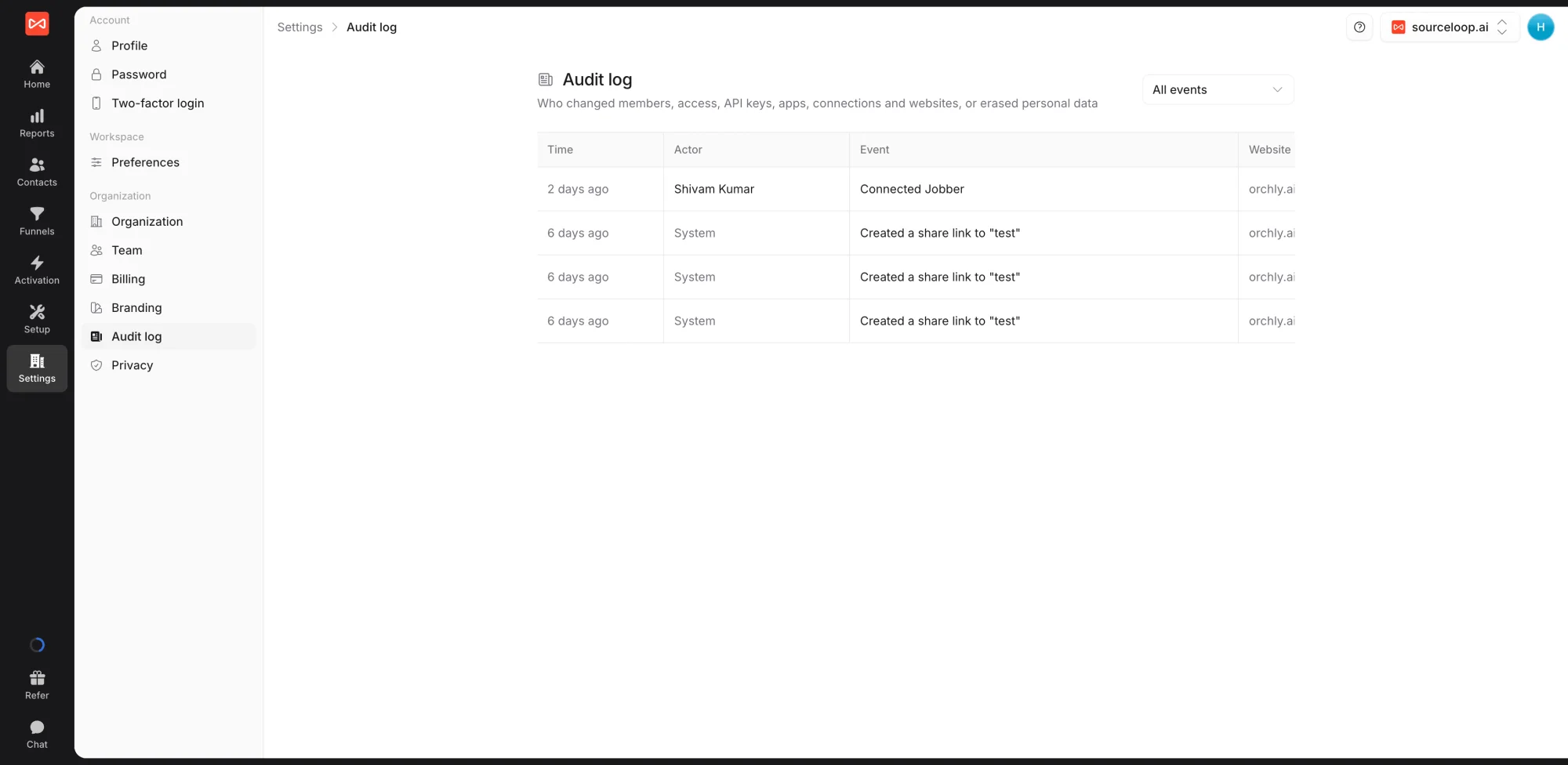
Open Settings in the left sidebar, then Audit log under Organization. Only workspace admins can see it.
What is recorded
- Members and access: invitations, role changes, website access, and people removed
- API keys and apps: keys created and revoked, and AI assistants connected or disconnected
- Connections: CRMs, ad platforms, payment tools, and other integrations connected or removed
- Websites: websites added, changed, or deleted
- Rules and costs: lead quality rules, channel mapping, rules copied between clients, and marketing costs added, changed, or imported
- Reports: share links created and revoked, and changes to who can open a report
- Privacy: personal data erased on request
Reading the log
Each entry shows the time, who made the change, and what changed. Use the filter at the top to narrow to one kind of activity, such as Reports or Websites.
A person who has left shows as Former member. Changes SourceLoop made by itself show as System.
What’s next
- Protect your account: Two-factor login
- Manage your team: Invite team members
Frequently asked questions
-
Who can see the audit log?
Workspace admins only.
-
What does "System" mean in the log?
The change was made by SourceLoop itself rather than a person, for example a connection that was switched off after repeated errors.
-
What does "Former member" mean?
The change was made by someone who has since left the workspace. The entry is kept so the history stays complete.
-
Can entries be edited or deleted?
No. The audit log is a permanent record of what happened.

 Paid Social


