
View and download SourceLoop invoices
See every payment on your SourceLoop account, find a specific invoice, and download tax-compliant PDFs from the Polar customer portal.
On this page
SourceLoop’s invoicing lives entirely with Polar, our merchant of record. Every charge generates a tax-compliant invoice that you can view or download from the Polar customer portal. SourceLoop’s job is just to hand you off to the right place.
The flow takes about thirty seconds end-to-end.
Before you start
You’ll need:
- An active SourceLoop subscription (trial accounts have no invoices yet, since there’s nothing charged)
- An Admin role on the workspace. Editors can see billing only if an admin has allowed it.
Step 1: Open the Billing page
-
Sign in to SourceLoop.
-
Click Settings at the bottom of the left sidebar.
-
Click Billing in the Settings sidebar.
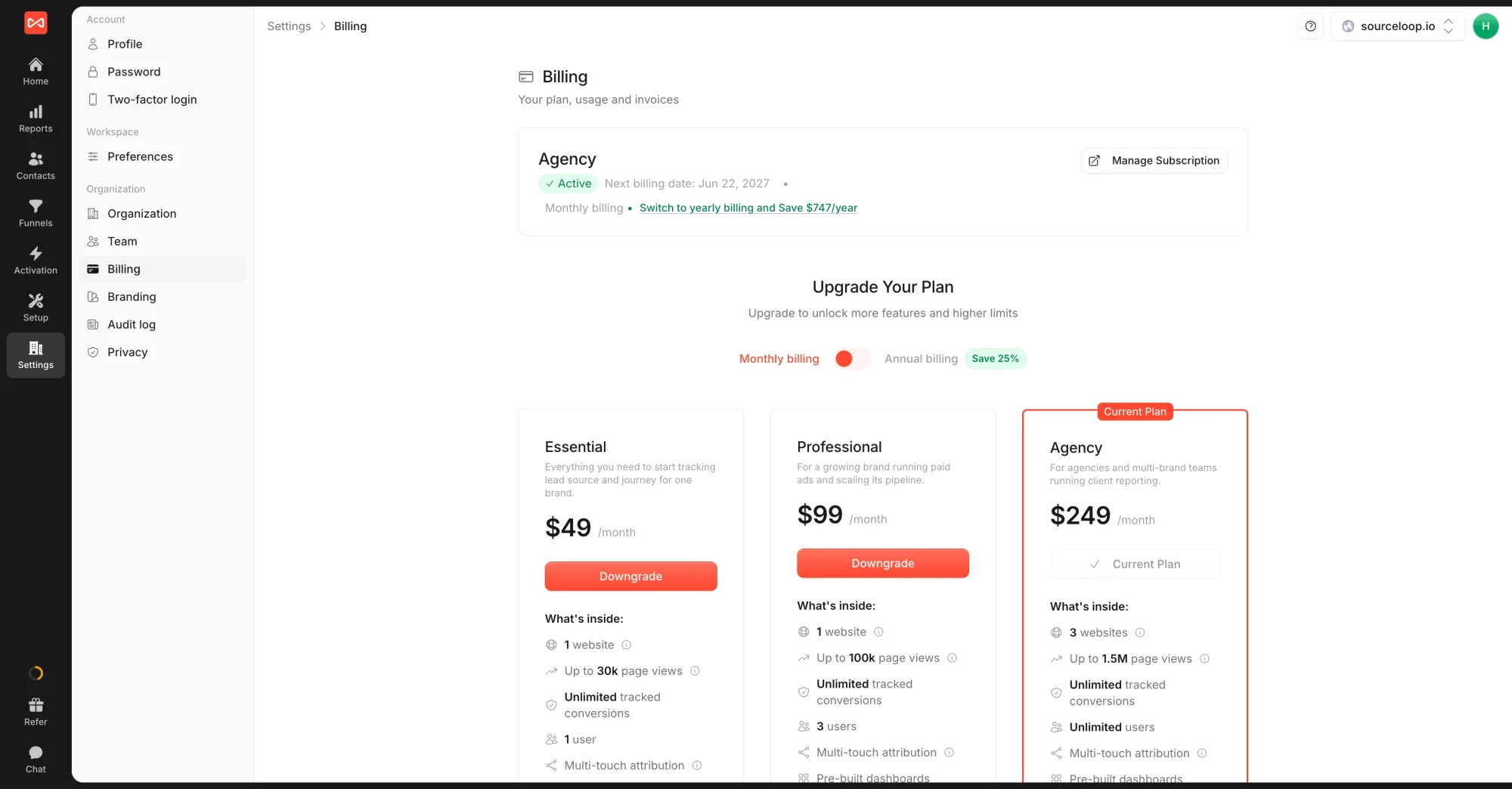
The current-plan card shows the next billing date and a Manage Subscription button.
Step 2: Open the Polar customer portal
- Click Manage Subscription on the current-plan card.
- A new tab opens. This is the Polar customer portal, where every invoice, receipt, and billing record lives.
Step 3: Find and download the invoice
- In the Polar customer portal, look for the Invoices or Billing history section.
- Each row shows the invoice date, amount, status (Paid / Pending / Failed), and a download icon.
- Click the download icon (or Download PDF) next to the invoice you want.
The PDF includes:
- Polar’s company details and VAT registration (as merchant of record)
- Your company / billing details
- The plan and billing period covered
- Itemised subtotal, tax, and total
- Payment method (last 4 of the card)
- Invoice number for your accounting records
Where invoices also show up
- In your email: Polar emails the billing email on file every time a charge succeeds. The email includes a PDF receipt.
- In SourceLoop: the Billing page doesn’t list every invoice (that’s by design, the source of truth is Polar). But the Next billing date on the current-plan card tells you when the next invoice will be issued.
If a teammate needs invoices but doesn’t have Admin access, the cleanest path is to set the Polar billing email to a finance team alias so the receipts go straight to them automatically.
Frequently asked questions
-
Are SourceLoop invoices tax-compliant for the EU / UK?
Yes. Polar is our merchant of record and handles VAT compliance automatically. Every invoice includes the correct VAT line, your VAT number (if entered), Polar's VAT registration, and the reverse-charge note where it applies. You can hand them to your accountant as-is.
-
Where are my US sales-tax receipts?
Same place. Polar handles US sales tax on a state-by-state basis where applicable. The invoice shows the tax line if any was charged.
-
Can I get invoices for past months I've forgotten to download?
Yes. Polar keeps every historical invoice in your customer portal. Scroll back as far as you need.
-
Can I change the billing details on past invoices (company name, address, VAT)?
Polar can update the billing details on your account and reissue future invoices with the new details. Reissuing past invoices with retroactive details is harder, in most cases the easiest path is to add a credit note. Email [email protected] with the specific situation and we'll loop in Polar.
-
I want invoices emailed automatically to my accountant. Possible?
Polar emails the primary billing email at every charge. Set the billing email to a finance / accounting alias if you want one automatic place that gets every invoice. You can update the billing email inside the Polar customer portal.
-
Is there a separate invoice per website if I have multiple?
No. Your SourceLoop subscription is per workspace, not per website. One invoice covers the whole workspace each billing period regardless of how many websites you have.

 Paid Social


