
How to send events from Segment, RudderStack, or another CDP
Feed SourceLoop from your customer data platform instead of a second script, turn chosen track events into leads, and send attribution traits back to your CDP.
On this page
If you already collect page views, identifies, and events through a customer data platform, you don’t need a second tracking script. SourceLoop can take the same stream, build visits and journeys from it, turn the events you choose into leads, and send attribution traits back to your CDP.
Step 1: Create a source in SourceLoop
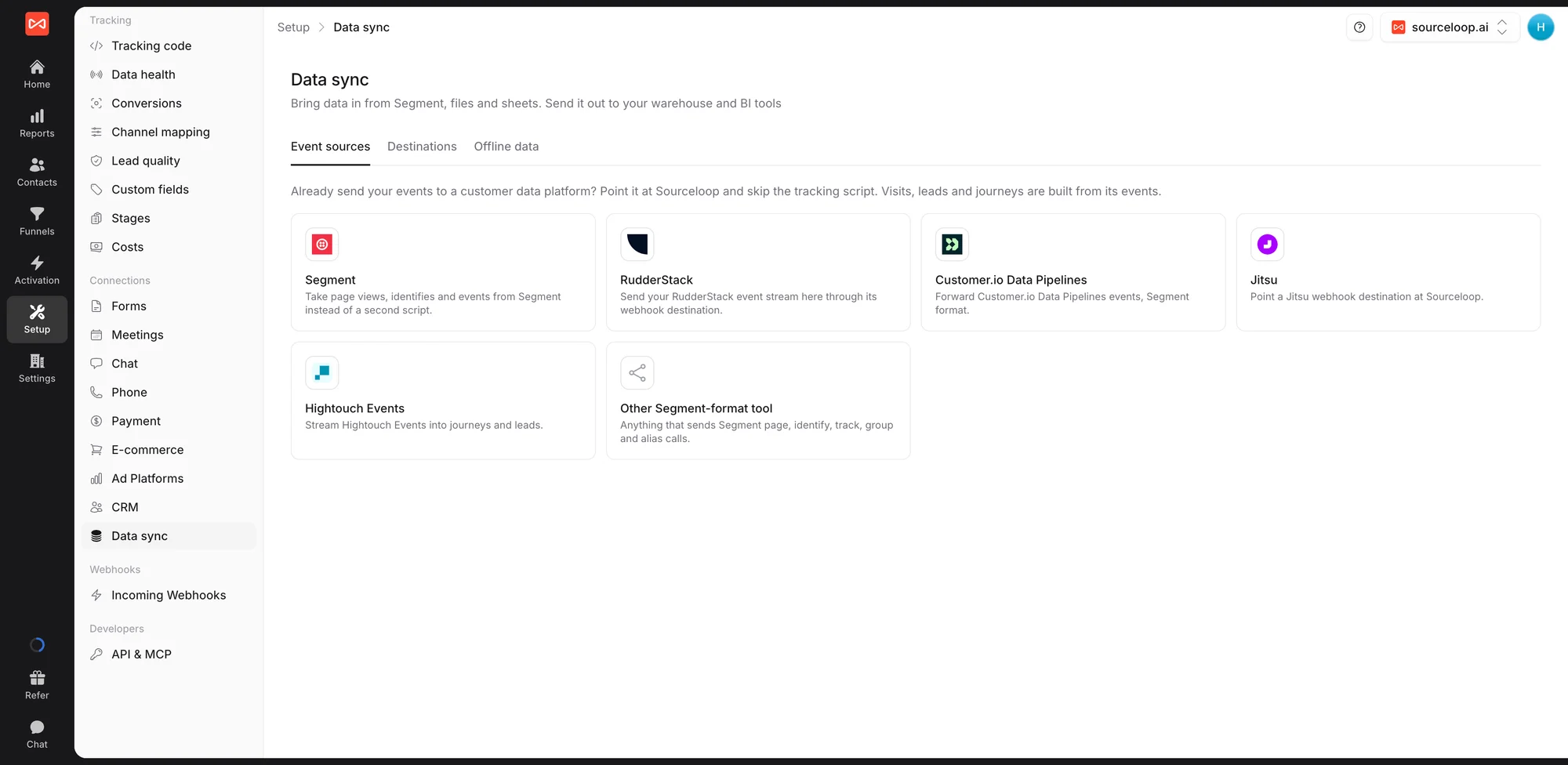
- Open Setup in the left sidebar, then Data sync. The Event sources tab is open by default.
- Click your platform: Segment, RudderStack, Customer.io Data Pipelines, Jitsu, Hightouch Events, or Other Segment-format tool.
- Click Create key and copy it. It’s shown only once.
The drawer shows your Endpoint and the Authorization header to send with it.
Step 2: Point your CDP at SourceLoop
Each drawer gives the exact steps for its platform. In short:
- Segment: in Connections, then Catalog, add the Webhooks (Actions) destination. Add a mapping for every event, method POST, the URL set to the SourceLoop endpoint, with batching on, and add the Authorization header.
- RudderStack, Jitsu, and other tools: add a webhook destination with the SourceLoop endpoint, method POST, sending every event, with the Authorization header.
Send a test event. It shows on the source within a minute, and the source’s status changes from Waiting for events to Receiving.
Step 3: Choose what counts
In the source’s settings:
- Page views: take them From this platform, or turn this off if SourceLoop’s script is also on your site, so visits aren’t counted twice.
- Conversion events: list the track events that should become leads, such as
Demo RequestedorSigned Up. Everything else stays an event.
Identifies attach people by their user ID and traits, and group calls link them to their company, so CDP leads stitch into the same people and journeys as the rest of your data.
Step 4: Send traits back (optional)
Turn on Send traits back and paste the write key of the source the traits should come from. SourceLoop then sends an identify with sourceloop_ traits, such as first channel, latest campaign, lead quality, and total revenue, for every person with a user ID whose attribution changed. The first batch goes within 15 minutes, then nightly.
What’s next
- Send everything back out to your warehouse: Export data to your warehouse
- Understand how people are matched across sources: Identity stitching
Frequently asked questions
-
Which tools work?
Segment, RudderStack, Customer.io Data Pipelines, Jitsu, Hightouch Events, and any other tool that sends Segment-format page, identify, track, group, and alias calls.
-
Should I keep the SourceLoop tracking code on my site too?
You can. If both run, turn off page views from the platform in its source settings, so every visit isn't counted twice. Page views then come from SourceLoop's script, and identifies and track events come from your CDP.
-
Which track events become leads?
Only the ones you list as conversion events on the source. Every other track call is kept as an event, so it still appears in journeys and paths, but it never counts as a lead.
-
What traits does SourceLoop send back?
First and latest channel, source, and campaign, CRM source, lifecycle stage, lead status, lead quality, lead score, conversion count, and total revenue, as sourceloop_ traits on people who have a user ID.

 Paid Social


